
Deploy OpenClaw | All-in-one Personal AI Assistant
Self Host Openclaw w/ Web Setup + Admin Dashboard + TUI + Pairing & more
OpenClaw 🦞
Just deployed
/data
Deploy and Host OpenClaw
Deploy OpenClaw — the open-source personal AI assistant with 328k+ GitHub stars — on Railway with a single click. OpenClaw is a self-hosted agent runtime that connects your favorite chat apps (WhatsApp, Telegram, Discord, Slack, iMessage, and 20+ more) to powerful AI models like Claude, GPT, and Gemini, letting an AI agent browse the web, manage files, run commands, and work autonomously on your behalf.
Self-host OpenClaw on Railway with this template and get a fully configured gateway, a browser-based setup wizard, admin dashboard with live terminal, and persistent storage — no CLI or SSH access needed.
🚀 Getting Started with OpenClaw on Railway | Deployment Guide
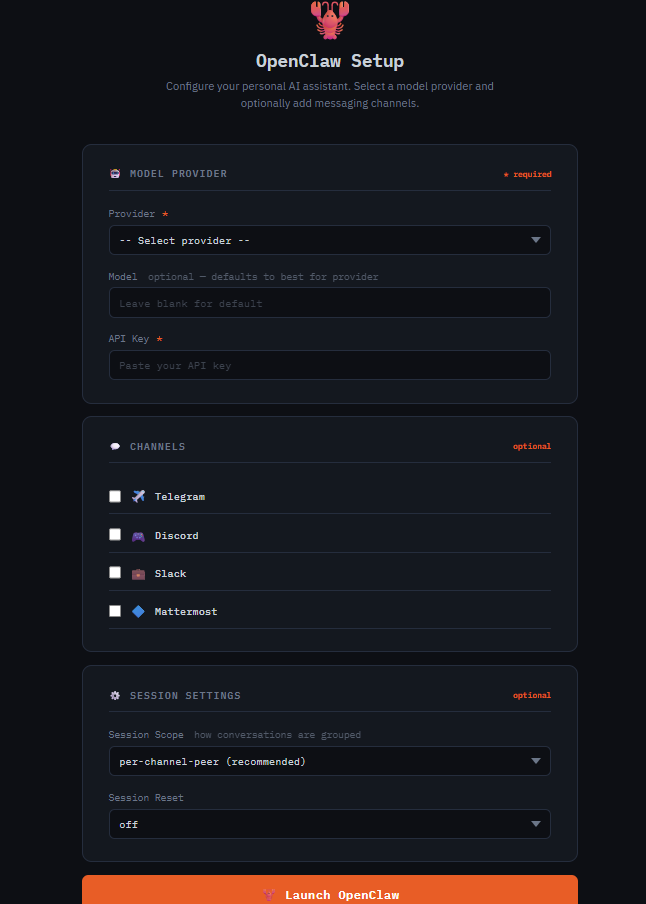
Once your Railway deploy is live, open your service URL — you'll be redirected to the /setup wizard automatically. Pick your AI provider (Anthropic, OpenAI, Google Gemini, Groq, or OpenRouter), paste your API key, and optionally configure messaging channels like Telegram or Discord. Click Launch OpenClaw and the gateway starts within seconds.
Step 1: Initial Setup via /setup
The /setup page is a one-time configuration wizard — it's where you select your AI provider, paste your API key, and optionally wire up messaging channels (Telegram, Discord, Slack, etc.).
Once setup is complete, /setup cannot be used again without first wiping the existing configuration from the /admin panel. This is by design — /setup is an open URL (no password), so it only works when no config exists yet.
Step 2: Access the Admin Dashboard at /admin
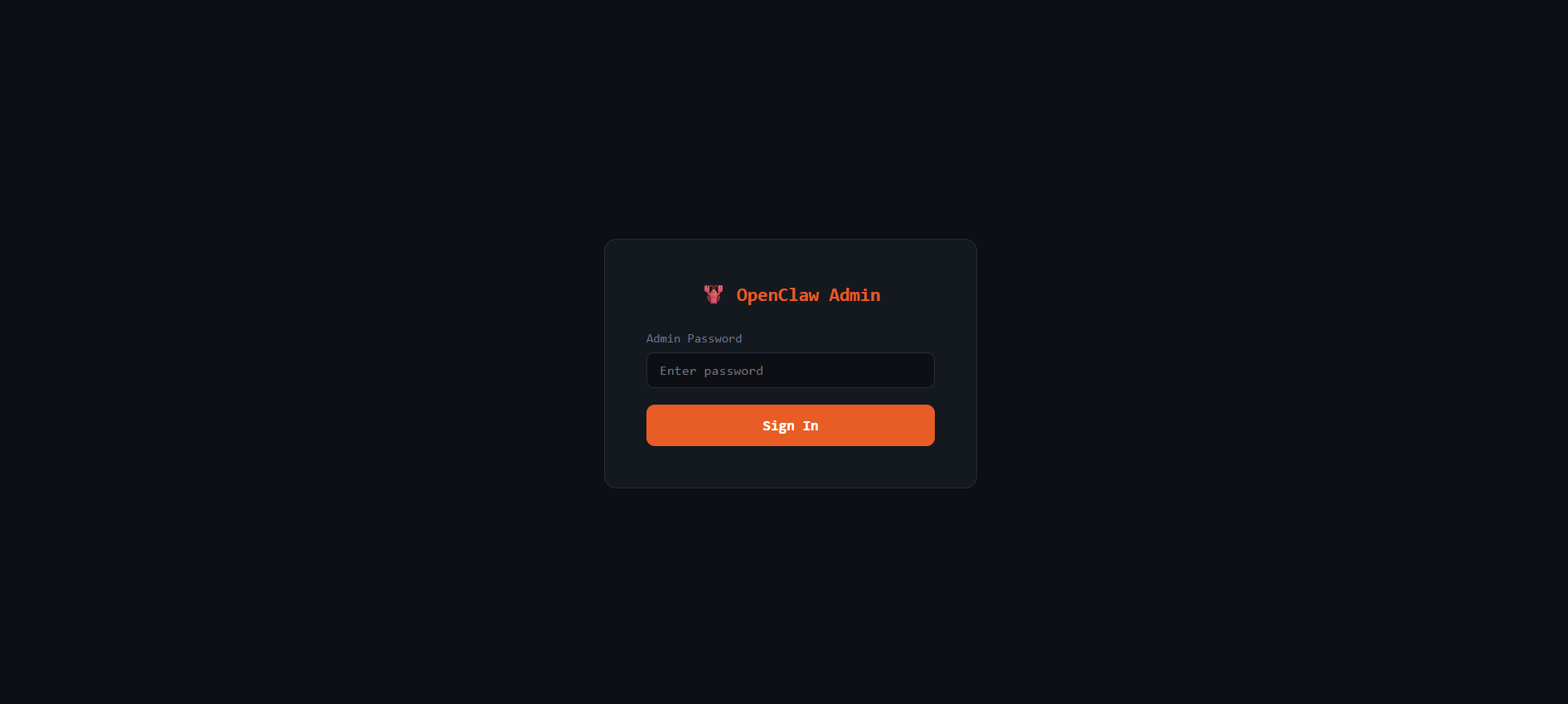
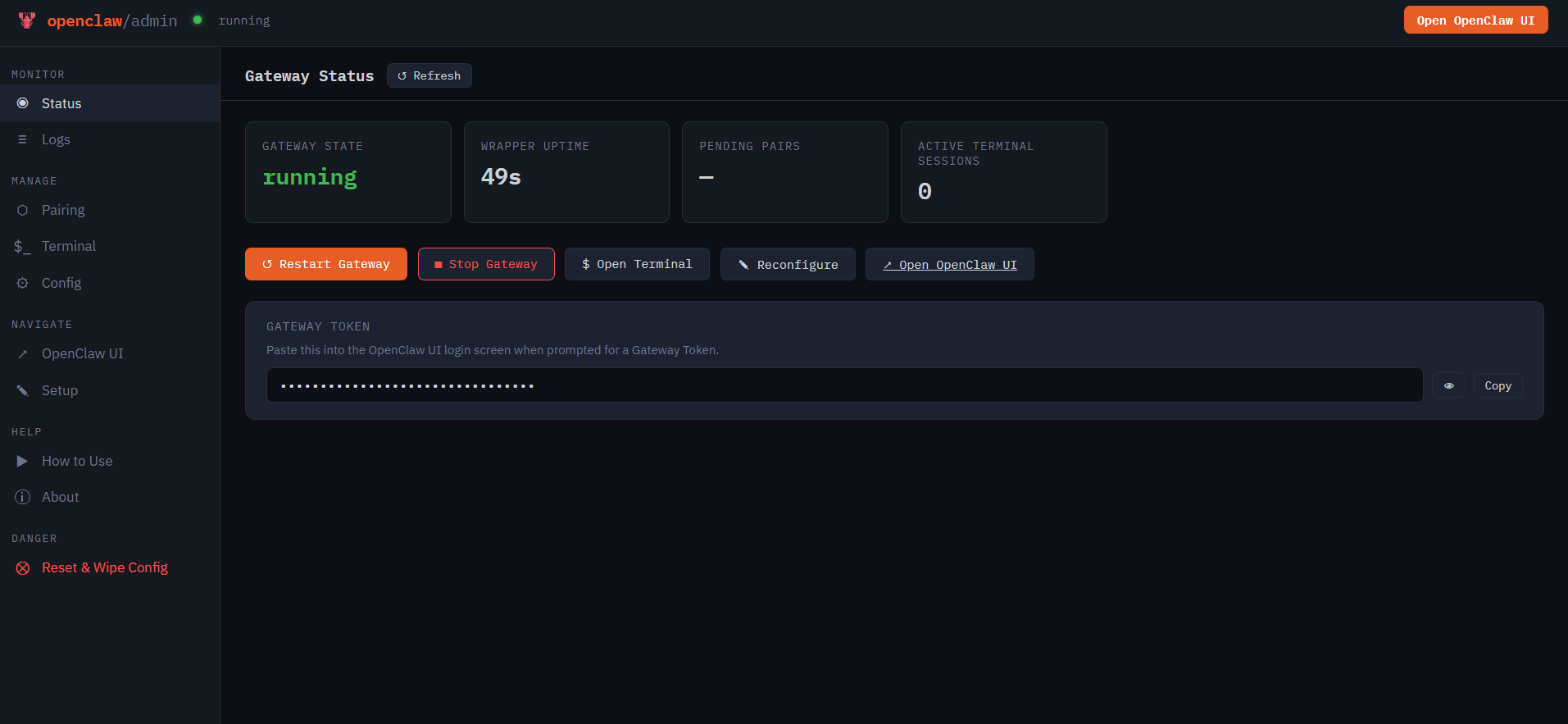
The /admin page is password-protected — log in with your WRAPPER_ADMIN_PASSWORD environment variable. This is your one-stop control panel for managing everything about your OpenClaw instance:
- 📊 Status — real-time gateway health, uptime, and quick actions (restart/stop)
- 📋 Live Logs — stream OpenClaw gateway logs with filtering, directly in the browser
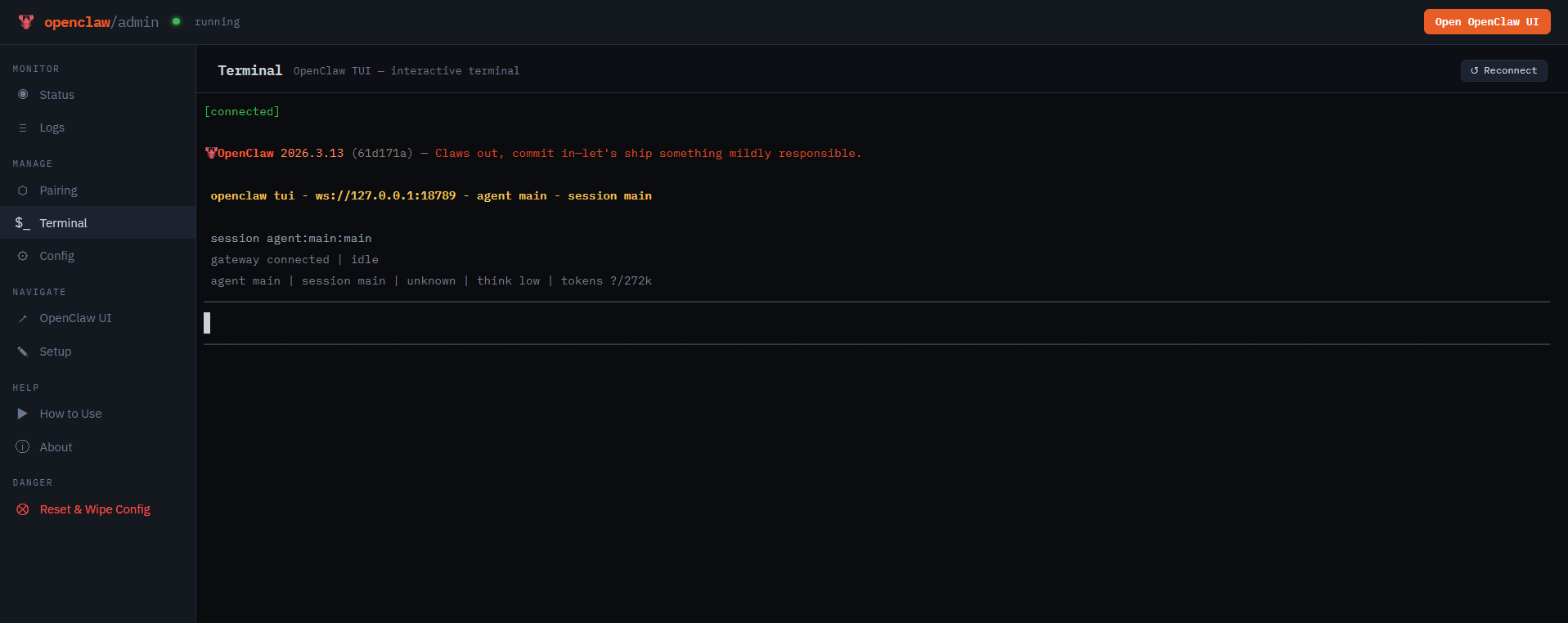
- 💻 Terminal — full PTY terminal running inside the container for diagnostics and management
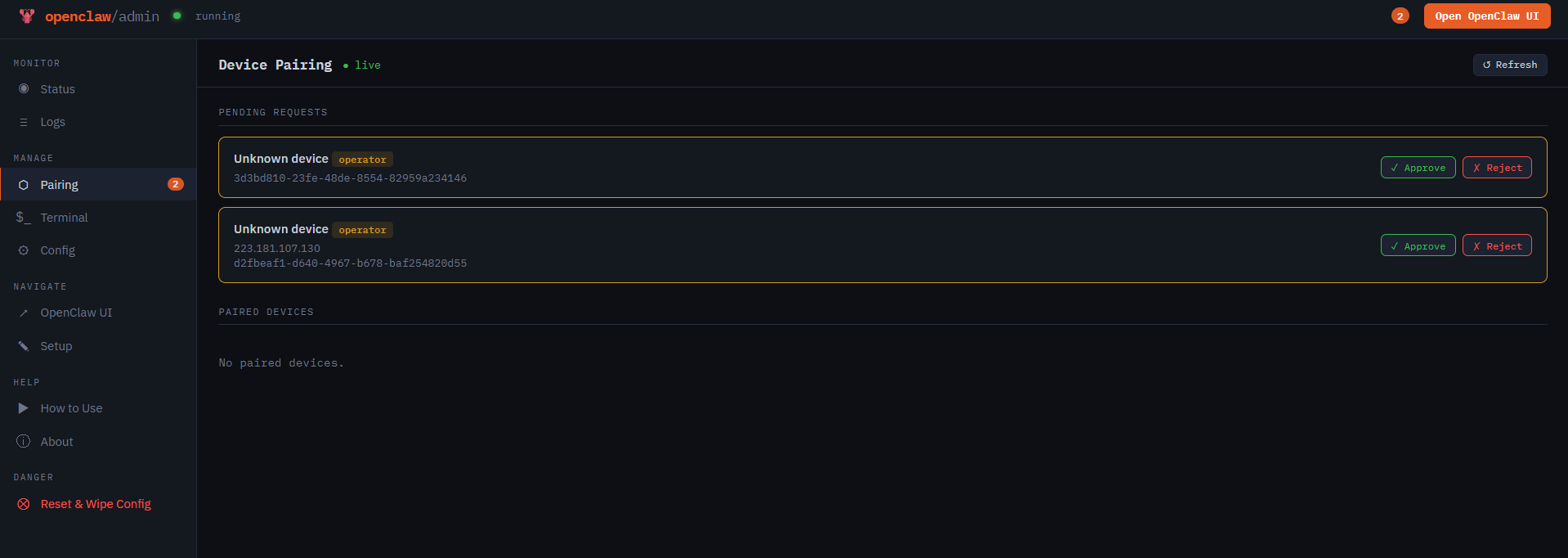
- 🔗 Device Pairing — approve or reject browser and device pairing requests in real time
- ⚙️ Config Editor — view and edit
openclaw.jsonwith hot-reload support
💡 Tip: Full terminal access to your OpenClaw container is available directly from the Admin → Terminal panel.
Step 3: Connect to the OpenClaw UI
Click the "Open OpenClaw UI" button in the top-right corner of the admin dashboard to open the main OpenClaw interface.
If this is your first time connecting, you'll need to set up the OpenClaw gateway connection:
- Open the gateway screen — clicking "Open OpenClaw UI" will take you to the gateway connection page
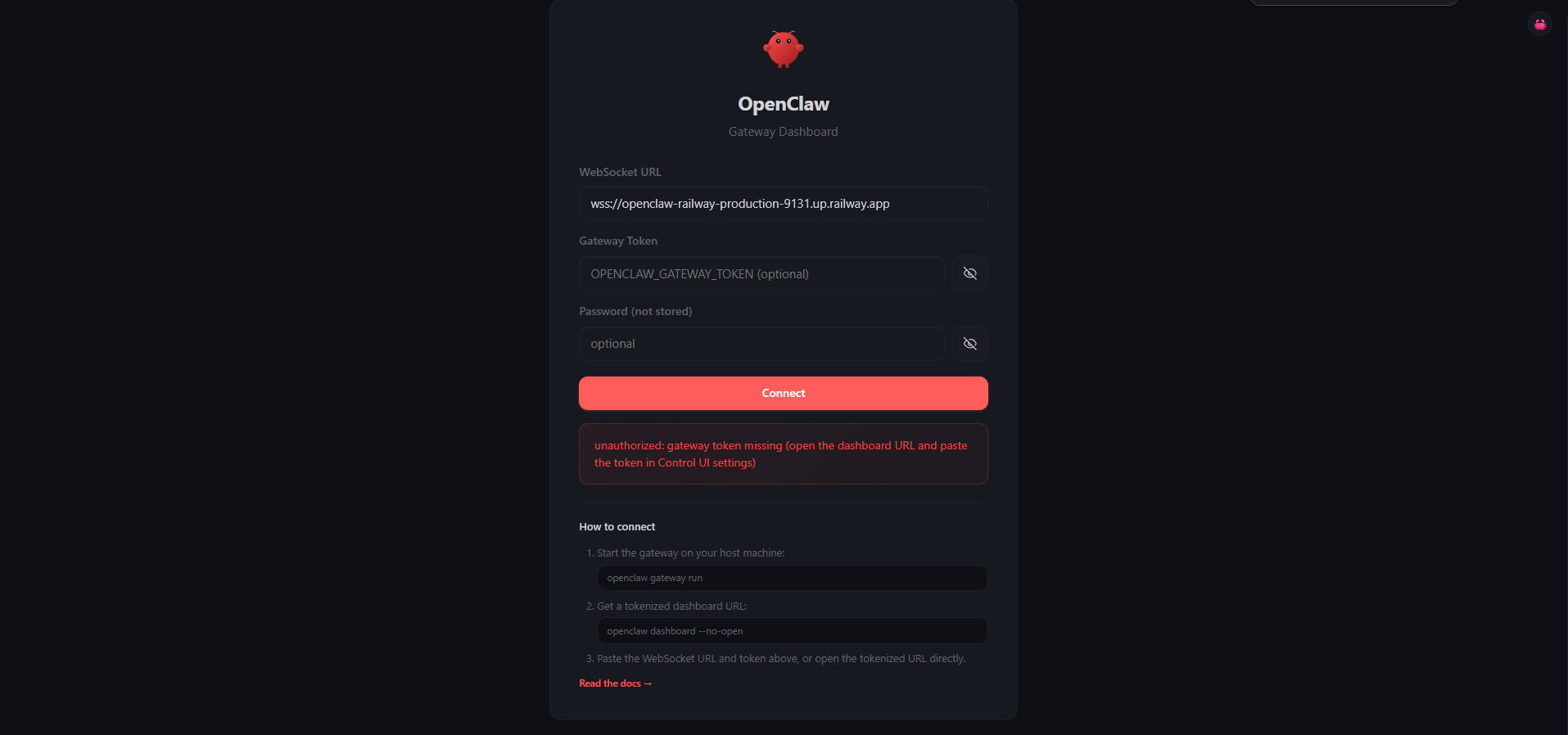
- Enter your gateway token — copy your
OPENCLAW_GATEWAY_TOKENfrom the Admin dashboard or your Railway environment variables, paste it into the gateway token field, and click Connect. Your browser will send a device pairing request to the gateway
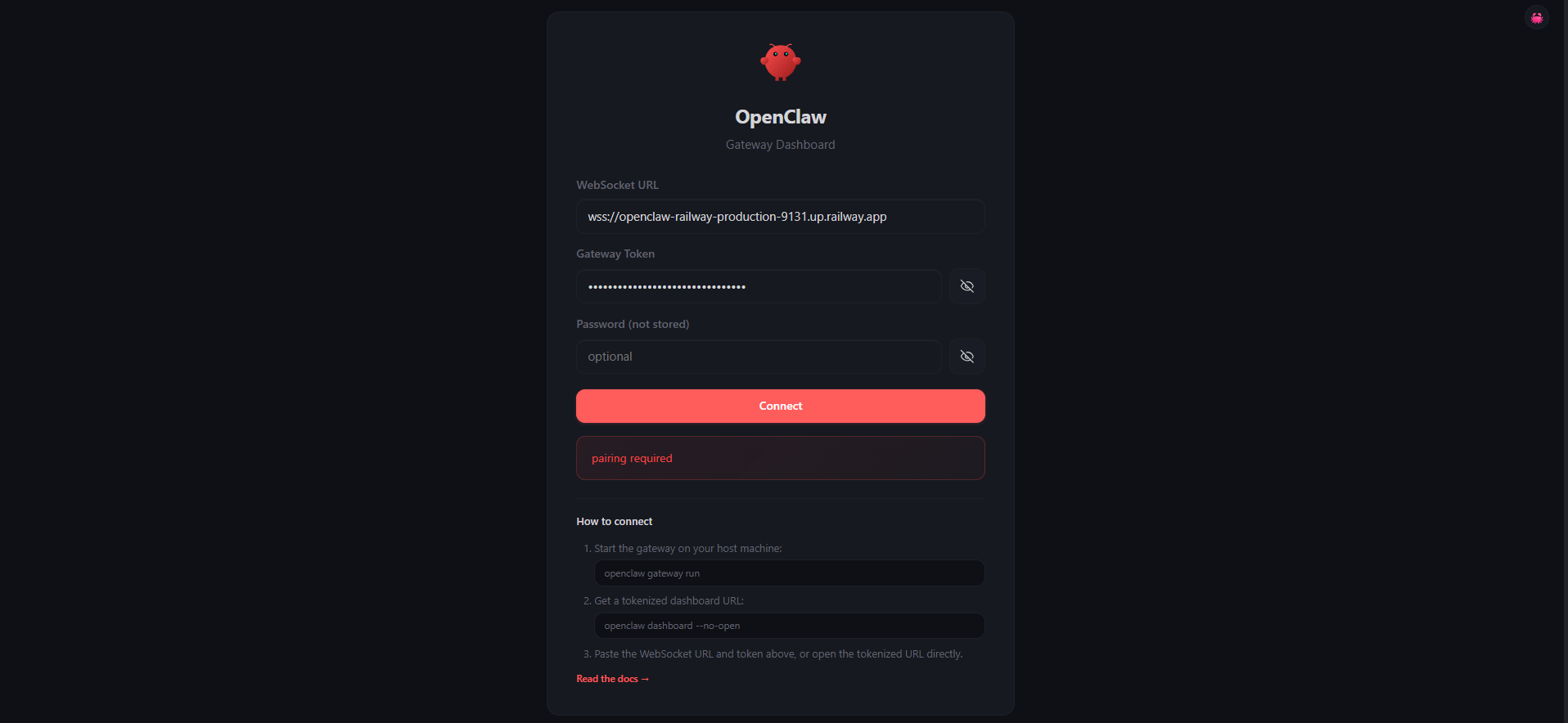
- Approve the pairing request — switch back to the Admin Dashboard → Pairing panel and approve the incoming browser pairing request
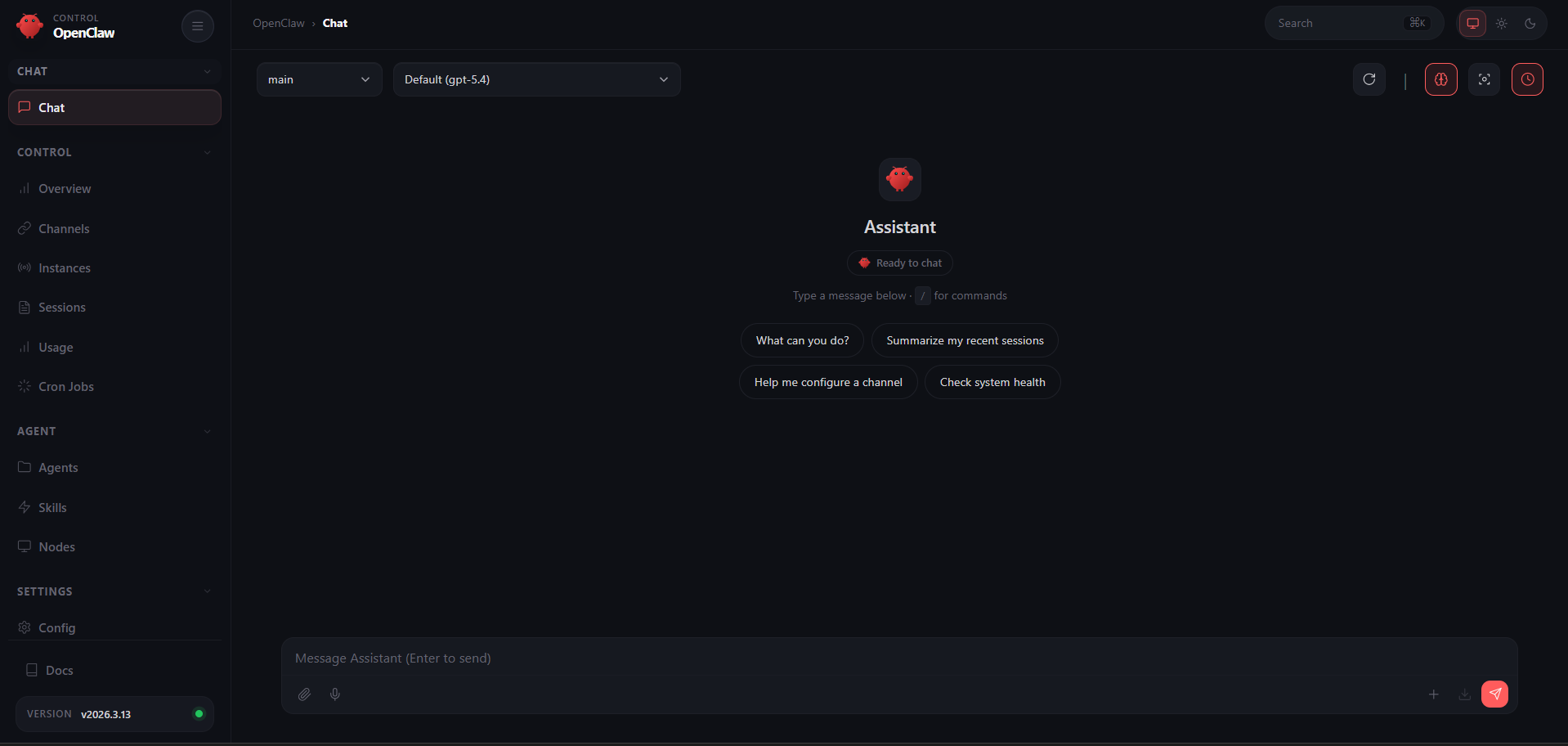
- Go back to the gateway and click Connect again — once the pairing is approved, the OpenClaw UI will load and you're ready to start chatting with your self-hosted AI assistant
About Hosting OpenClaw 📖
OpenClaw (formerly ClawdBot/MoltBot) is a fully open-source (MIT), local-first personal AI agent created by Peter Steinberger. It runs as a long-lived Node.js gateway process that routes messages between chat platforms and AI coding agents.
Key features:
- 🔌 Multi-channel messaging — WhatsApp, Telegram, Discord, Slack, Signal, iMessage, and 20+ more
- 🤖 Multi-provider AI — Anthropic Claude, OpenAI GPT, Google Gemini, Groq, OpenRouter, or local models via Ollama
- 🧠 Autonomous agent — browses the web, manages files, runs commands, schedules tasks via heartbeat daemon
- 🎨 Live Canvas with A2UI — agent-driven visual workspace
- 🔒 Self-hosted & private — your data, conversations, and memory stay on your machine
- 📱 Companion apps for macOS, iOS, and Android
Why Deploy OpenClaw on Railway ✅
One-click deploy with zero server configuration:
- 🟢 No Docker, volume, or network setup — Railway handles it all
- 🔐 Managed TLS and custom domains out of the box
- 🔄 One-click redeploys from Git with zero downtime
- 💾 Persistent volume keeps config, credentials, and conversations across deploys
- 🌐 Browser-based setup wizard — no terminal or SSH required
- 📊 Built-in admin dashboard with live logs, terminal, and device pairing
Common Use Cases 💡
- Personal AI assistant — a 24/7 AI agent you message on WhatsApp or Telegram that can browse, code, and research autonomously
- Automation hub — schedule recurring tasks via the heartbeat daemon: daily summaries, monitoring, data pipelines
Dependencies for OpenClaw 📦
- OpenClaw — installed globally in Docker via
npm install -g openclaw@${OPENCLAW_VERSION}(GitHub) - Node.js 22 — runtime for both the Express wrapper and OpenClaw gateway
- node-pty — native PTY for the admin terminal (compiled in Docker build stage)
Deployment Dependencies
- GitHub: openclaw/openclaw
- Docs: docs.openclaw.ai
🖥️ Minimum Hardware Requirements for OpenClaw
| Resource | Minimum | Recommended |
|---|---|---|
| CPU | 1 vCPU | 2 vCPU |
| RAM | 2 GB (build OOMs on 1 GB) | 4 GB |
| Storage | 1 GB | 5 GB+ (grows with conversations and workspace) |
| Runtime | Node.js 22 | Node.js 22 |
🐳 Self-Hosting OpenClaw
If you prefer to self-host outside Railway, clone this repo and run with Docker:
git clone https://github.com/your-org/openclaw-railway-template.git
cd openclaw-railway-template
docker build -t openclaw-railway .
docker run -d \
  --name openclaw \
  -p 3000:3000 \
  -e PORT=3000 \
  -e OPENCLAW_GATEWAY_TOKEN=your-secret-token \
  -v ./data:/data \
  openclaw-railway
Or run OpenClaw directly with the official Docker image:
docker run -d \
  --name openclaw \
  -p 18789:18789 \
  -v ~/.openclaw:/home/node/.openclaw \
  ghcr.io/openclaw/openclaw:latest
💰 Is OpenClaw Free?
OpenClaw is 100% free and open-source under the MIT license. There are no subscriptions, per-user fees, or platform charges. On Railway, the only cost is your infrastructure usage (typically $5–10/month for a small instance).
The real variable cost is AI model API usage — typically $5–30/month depending on your provider and usage intensity. Light users spend $5–10/month, regular users $15–30/month. You can also run it completely free using local models through Ollama.
🆚 OpenClaw vs Cursor vs Claude Code
| Feature | OpenClaw | Cursor | Claude Code |
|---|---|---|---|
| Open Source | ✅ MIT | ❌ Proprietary | ❌ Proprietary |
| Self-Hostable | ✅ Full control | ❌ Cloud only | ❌ Cloud only |
| Multi-Channel Chat | ✅ 20+ platforms | ❌ IDE only | ❌ CLI only |
| Autonomous Agent | ✅ Heartbeat daemon | ⚠️ Background agents | ⚠️ Limited |
| IDE Integration | ⚠️ Via extensions | ✅ Native (VS Code fork) | ✅ CLI-native |
| Pricing | Free + API costs | $20–200/month | API costs |
OpenClaw shines when you need an always-on autonomous agent accessible from any chat platform. Cursor and Claude Code are better for in-editor coding assistance.
❓ FAQ
What is OpenClaw? OpenClaw is an open-source, self-hosted personal AI assistant that connects 20+ messaging platforms (WhatsApp, Telegram, Discord, etc.) to AI models like Claude, GPT, and Gemini. It runs on your own hardware, keeping all data private.
Can I use my own AI provider or local models? Yes. The setup wizard supports Anthropic, OpenAI, Google Gemini, Groq, and OpenRouter out of the box. For local models, configure Ollama as a custom OpenAI-compatible endpoint. You can also set fallback models in the config.
Is it safe to expose OpenClaw to the public internet?
This template uses token-based auth (OPENCLAW_GATEWAY_TOKEN) and optional admin password protection. Device pairing requires explicit approval from the admin dashboard. Review the OpenClaw security docs before deploying to understand the trust model.
How do I update OpenClaw to a newer version?
Set the OPENCLAW_VERSION build argument in Railway (e.g., 2026.3.13) and trigger a redeploy. Omit or set to latest to always pull the newest release on build.
Template Content
OpenClaw 🦞
praveen-ks-2001/openclaw-railway