
Deploy Shaarli
Personal bookmark manager that stores links, tags and notes in one file
shaarli
Just deployed
/var/www/shaarli/data
Deploy and Host Shaarli on Railway
Shaarli is a personal, minimalist bookmarking service: you save a link with tags and a note, and it goes onto a page you own. It began as a Delicious clone and kept that shape — one stream of links, public or private, with full-text search, per-tag Atom feeds and a daily digest. Developers self-host Shaarli because it needs no database, sends no telemetry, has no accounts beyond your own, and keeps the whole archive in one file you can copy anywhere.
This template runs Shaarli as one Railway service, shaarli, built from the gridalpha/shaarli-railway repository on top of the official ghcr.io/shaarli/shaarli:release image. The container bundles nginx and PHP-FPM, and a volume at /var/www/shaarli/data holds your bookmarks, the configuration and the thumbnail cache, so everything survives redeploys. Deploy Shaarli with a username and a password and the administrator account already exists when the URL comes up — no setup wizard sits open on the public internet for whoever finds it first.

Getting Started with Shaarli on Railway
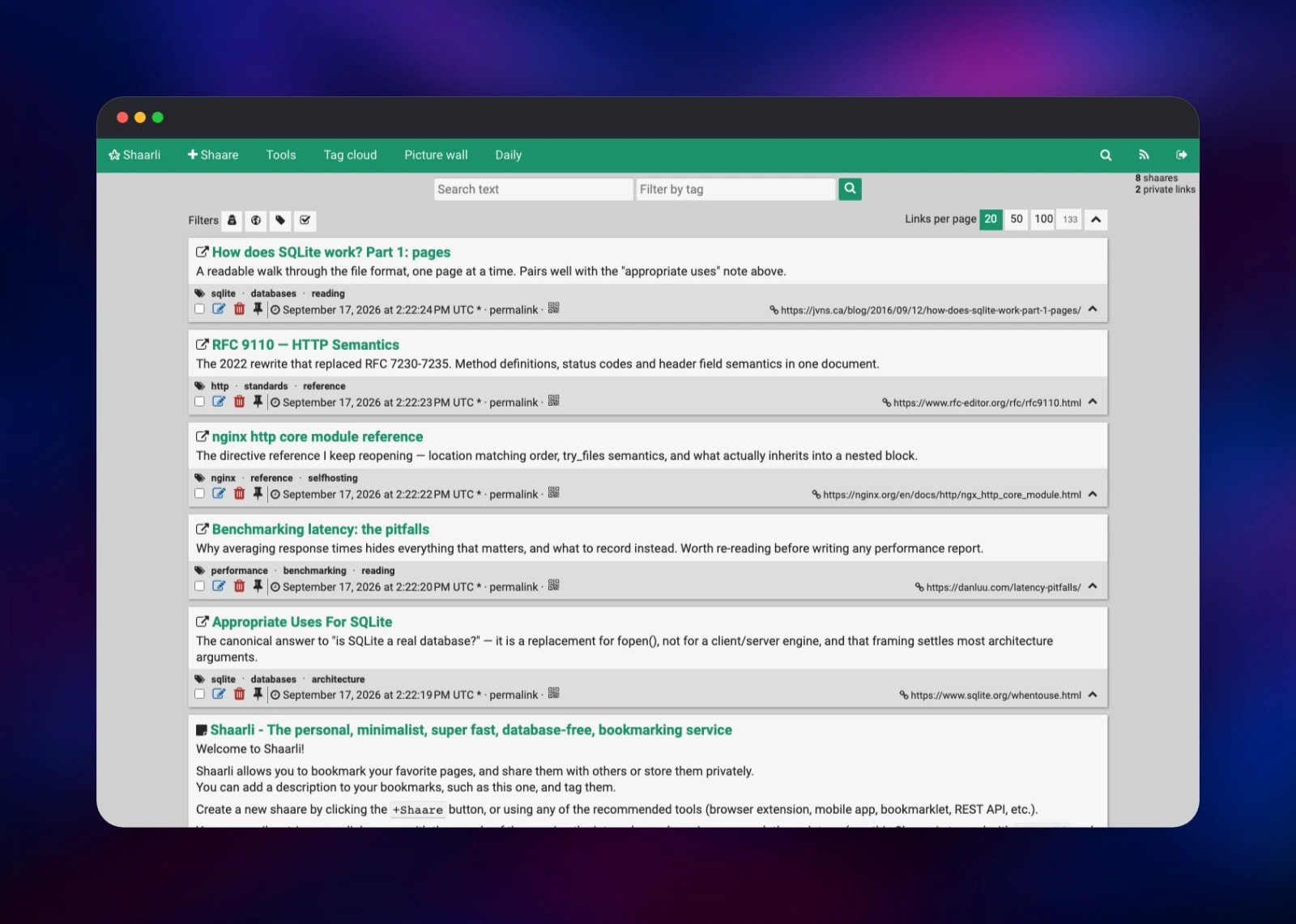
Set SHAARLI_PASSWORD when you deploy — the only required value, minimum eight characters. Optionally set SHAARLI_USERNAME (default admin), SHAARLI_TITLE and SHAARLI_TIMEZONE. When the deployment is live, open the public URL: the front page shows Shaarli's welcome entries, confirming the volume is mounted and the datastore readable. Click Login, sign in, and the toolbar gains +Shaare, Tools, Tag cloud, Picture wall and Daily.
Click +Shaare, paste any URL, and Shaarli fetches the title and description; add space-separated tags and save. Do that two or three times and the tag cloud fills in, search returns matches, and /feed/atom becomes a feed you can point a reader at. Tools → Import links takes a Netscape bookmark file from any browser.

About Hosting Shaarli
Shaarli solves a narrow problem completely: keeping your own links, with your own words attached, somewhere that will still be there in ten years. It is single-user by design — no teams, no invitations, no permissions, just you, a list, and a page others can read if you let them.
- A URL, a title, an unlimited-length description and as many tags as you like
- Any entry public or private, or a note with no URL at all
- Full-text search across titles, descriptions and URLs, plus tag filtering
- Per-tag Atom and RSS feeds, a daily digest, and a picture wall of thumbnails
- Markdown descriptions, a plugin and theme system, and a REST API for third-party clients
- Import and export as a standard Netscape bookmark file
utm_sourceand similar tracking parameters stripped from saved URLs
There is no database service here because Shaarli does not use one. Every bookmark lives in a single PHP datastore file, written once and read many times, which the operating system keeps in cache — instances run with tens of thousands of entries this way. That is the whole architecture: one container serving nginx and PHP, one volume holding the file, and one replica, since the file has a single writer.
Why Deploy Shaarli on Railway
Railway removes the parts of self-hosting Shaarli that normally take an afternoon.
- One click, one password, and the admin account already exists
- HTTPS and a public domain issued automatically
- The volume keeps bookmarks, settings and thumbnails across every redeploy
- A health check that watches the real data directory, not just the web server
- Session and login cookies ship with
Secure,HttpOnlyandSameSite - Visitor IPs recorded correctly behind the edge, so the brute-force lockout works
Common Use Cases
- A personal link archive that replaces browser bookmarks and survives migrations
- A public "what I'm reading" stream, published as a page and read over Atom
- A tagged research log where each entry carries your own notes, not just a URL
- A private read-later queue, with Private links by default on and the daily digest for review
Dependencies for Shaarli
ghcr.io/shaarli/shaarli:release— the official image, carrying nginx, PHP 8.4 and PHP-FPM- A Railway volume at
/var/www/shaarli/data; no database, cache, queue or object storage
Environment Variables Reference
| Variable | Default | What it does |
|---|---|---|
SHAARLI_PASSWORD | — | Required. First administrator's password, minimum 8 characters |
SHAARLI_USERNAME | admin | Administrator login |
SHAARLI_TITLE | Shaarli | Title shown in the header and in feeds |
SHAARLI_TIMEZONE | UTC | Any tz name, such as Europe/Paris |
SHAARLI_FORCE_LOGIN | false | true hides everything from anonymous visitors |
SHAARLI_DEFAULT_PRIVATE_LINKS | false | true marks new bookmarks private by default |
SHAARLI_ENABLE_API | true | The REST API used by mobile and browser clients |
SHAARLI_THUMBNAILS_MODE | all | all, common (known media hosts) or none |
SHAARLI_BAN_AFTER | 4 | Failed logins from one address before lockout |
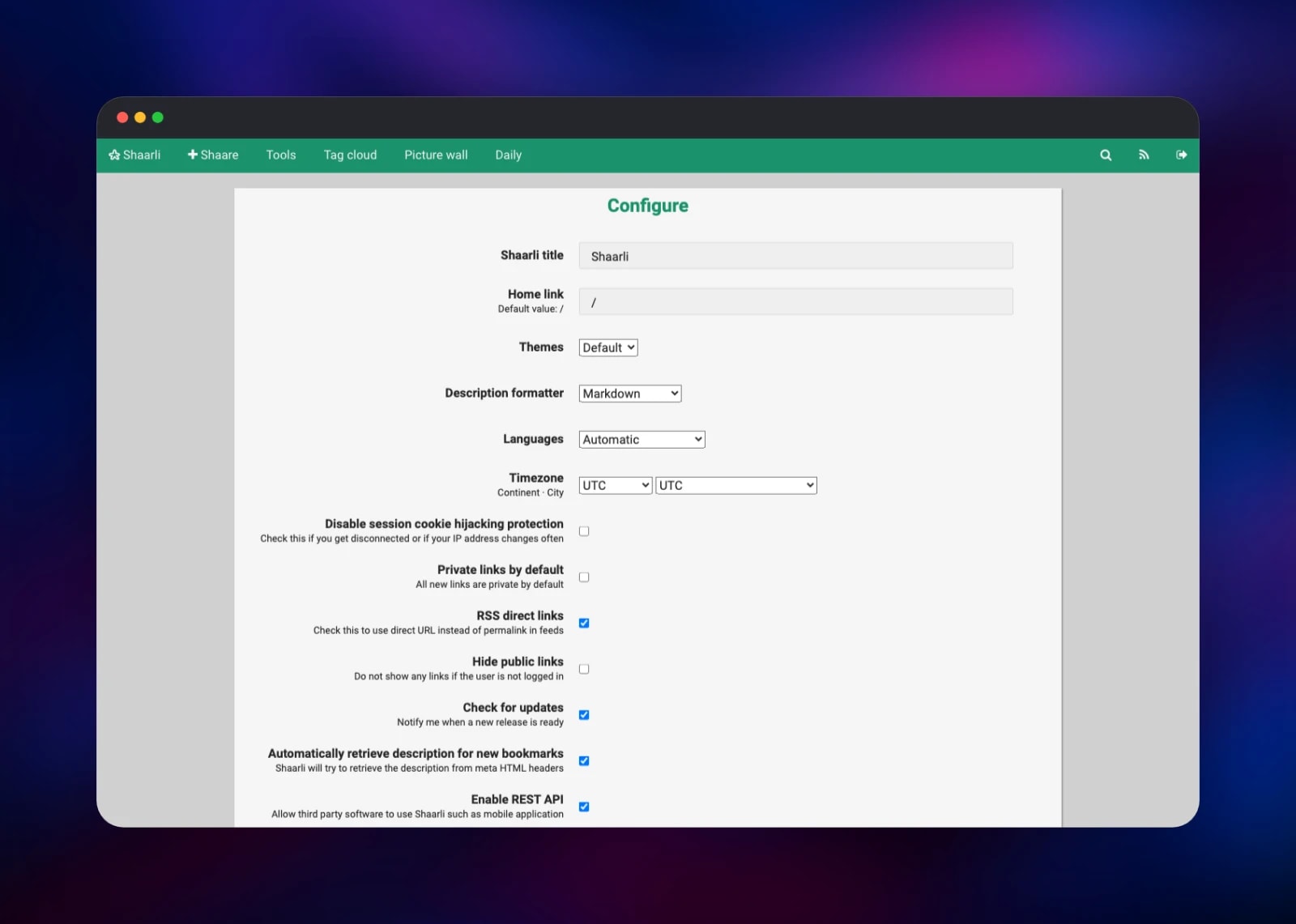
These are read on the first boot, while the volume has no configuration file. Afterwards the configuration lives on the volume and is edited under Tools → Configure, so a redeploy never overwrites an admin-screen change. To reset a forgotten password, delete config.json.php from the volume and redeploy.
Deployment Dependencies
- Source repository: github.com/gridalpha/shaarli-railway
- Upstream project: github.com/shaarli/Shaarli
- Documentation: shaarli.readthedocs.io · Demo: demo.shaarli.org
Hardware Requirements for Self-Hosting Shaarli
| Resource | Minimum | Recommended |
|---|---|---|
| CPU | 0.1 vCPU | 0.5 vCPU |
| RAM | 128 MB | 512 MB |
| Storage | 1 GB volume | 5 GB volume |
| Runtime | PHP 8.1+ with gd, intl, mbstring | PHP 8.4, bundled in the image |
Shaarli is one of the lightest things you can self-host and the numbers above are generous. Storage is dominated by thumbnails, not bookmarks — the datastore stays in the low megabytes at tens of thousands of entries. Set SHAARLI_THUMBNAILS_MODE=none to keep the volume tiny.
Self-Hosting Shaarli
The official image runs unmodified with two volumes and a published port:
docker run -d --name shaarli -p 8000:80 \
  -v shaarli-data:/var/www/shaarli/data \
  -v shaarli-cache:/var/www/shaarli/cache \
  ghcr.io/shaarli/shaarli:release
Open http://localhost:8000 and the install screen asks for a login, a password and a timezone. To build from source, the project is plain PHP with a Composer and Yarn step:
git clone https://github.com/shaarli/Shaarli.git
cd Shaarli && git checkout latest
composer install --no-dev --prefer-dist
yarn install && yarn run build
Point any PHP-capable web server at it, make data/, cache/, tmp/ and pagecache/ writable by the server user, and visit the site to install. Use the release tag, not latest: latest is rebuilt from the development branch on every commit, while release tracks the newest release.
How Much Does Shaarli Cost to Self-Host?
Shaarli is free and open source under the zlib/libpng licence, with no paid tier, no hosted edition and no feature gating. Nothing to buy, no account to create. On Railway you pay only for the compute and volume the container uses, which for a personal bookmark archive is among the smallest bills a service can produce.
FAQ
What is Shaarli?
A single-user, database-free bookmarking service you host yourself. It saves links with tags and notes, and publishes them as a page, a search index and Atom feeds.
What does this Railway template deploy?
One service, shaarli, built from the gridalpha/shaarli-railway repository on top of the official image, with a volume at /var/www/shaarli/data and a public HTTPS domain. The administrator account is created from the password you supply, before the site accepts a request.
Why is there no database in this template?
Shaarli deliberately has none. Every bookmark lives in one PHP file on the volume, which is why it starts instantly and stays fast at tens of thousands of entries.
How do I import my existing browser bookmarks into self-hosted Shaarli?
Export them from your browser as a Netscape HTML bookmark file, then use Tools → Import links. You can tag the whole import and choose whether the entries arrive public or private.
Does self-hosted Shaarli have an API for building my own client?
Yes. It is enabled by default and authenticated with a JWT signed by the secret shown under Tools → Configure. It is what the Android and browser-extension clients use, and covers listing, creating, updating and deleting bookmarks.
How do I make my Shaarli instance completely private?
Set SHAARLI_FORCE_LOGIN=true before the first deploy, or turn on Hide public links under Tools → Configure afterwards. Anonymous visitors then see only the login form.
Template Content
shaarli
gridalpha/shaarli-railwaySHAARLI_PASSWORD
First administrator's password, minimum 8 characters


