
Deploy Shiori
Bookmark manager that saves a readable copy of every page you keep

Just deployed
/var/lib/postgresql/data
shiori
Just deployed
/data
Deploy and Host Shiori on Railway
Shiori is a self-hosted bookmark manager written in Go that saves a readable copy of every page you bookmark, so your reading list survives link rot and the shutdown of whichever read-later service you were using. It is a single binary with a clean web interface, a REST API, browser extensions for Firefox and Chrome, and importers for Netscape bookmark files and Pocket exports. Developers, researchers and writers self-host Shiori as a private replacement for Pocket, Instapaper and Raindrop.io.
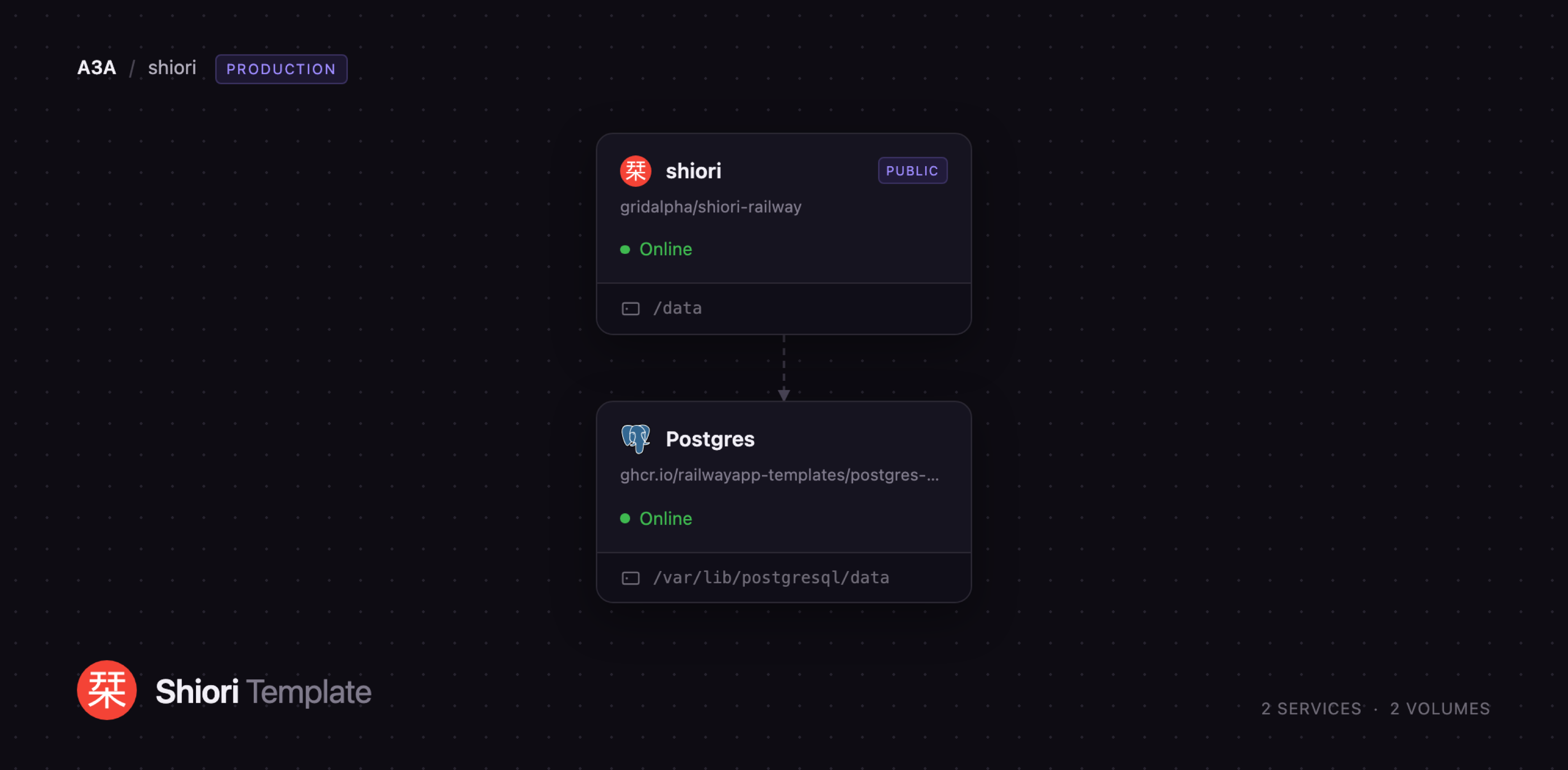
This setup runs Shiori as two Railway services. The shiori service serves the web interface and API on a public HTTPS domain and stores page archives, thumbnails and generated ebooks on a persistent volume. The Postgres service holds bookmarks, tags and accounts over Railway's private network. Deploy Shiori on Railway and both start together with a working owner account already created, so there is no installer and no default password left in place.
Getting Started with Shiori on Railway
Set an admin username and password when you deploy, or leave them blank and one is generated for you. Open the public URL once the deployment goes green and sign in on the Shiori login page. Shiori ships with a hardcoded shiori / gopher account that it creates on any empty database; this template replaces it before the app accepts a public request, so that credential will not work.
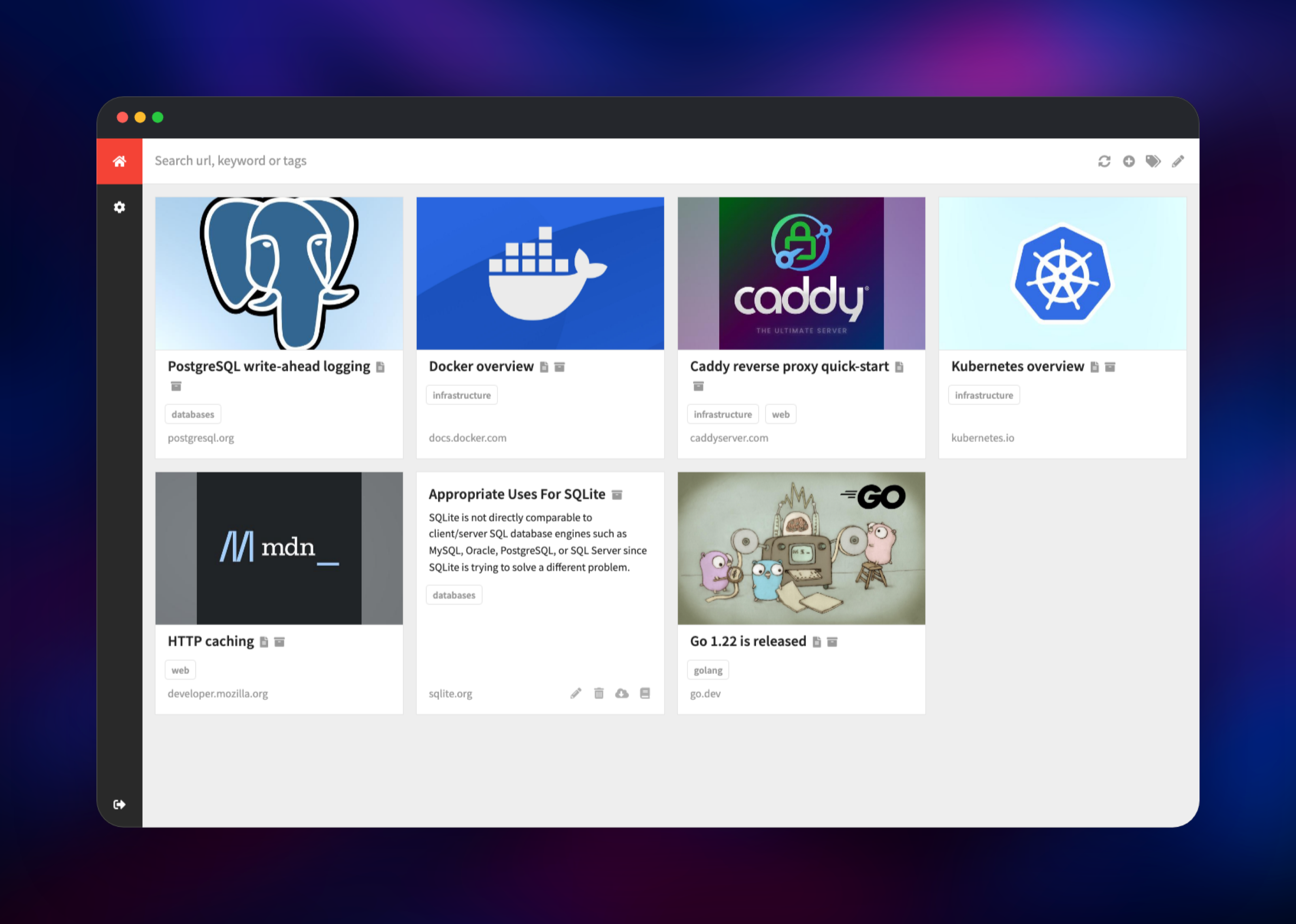
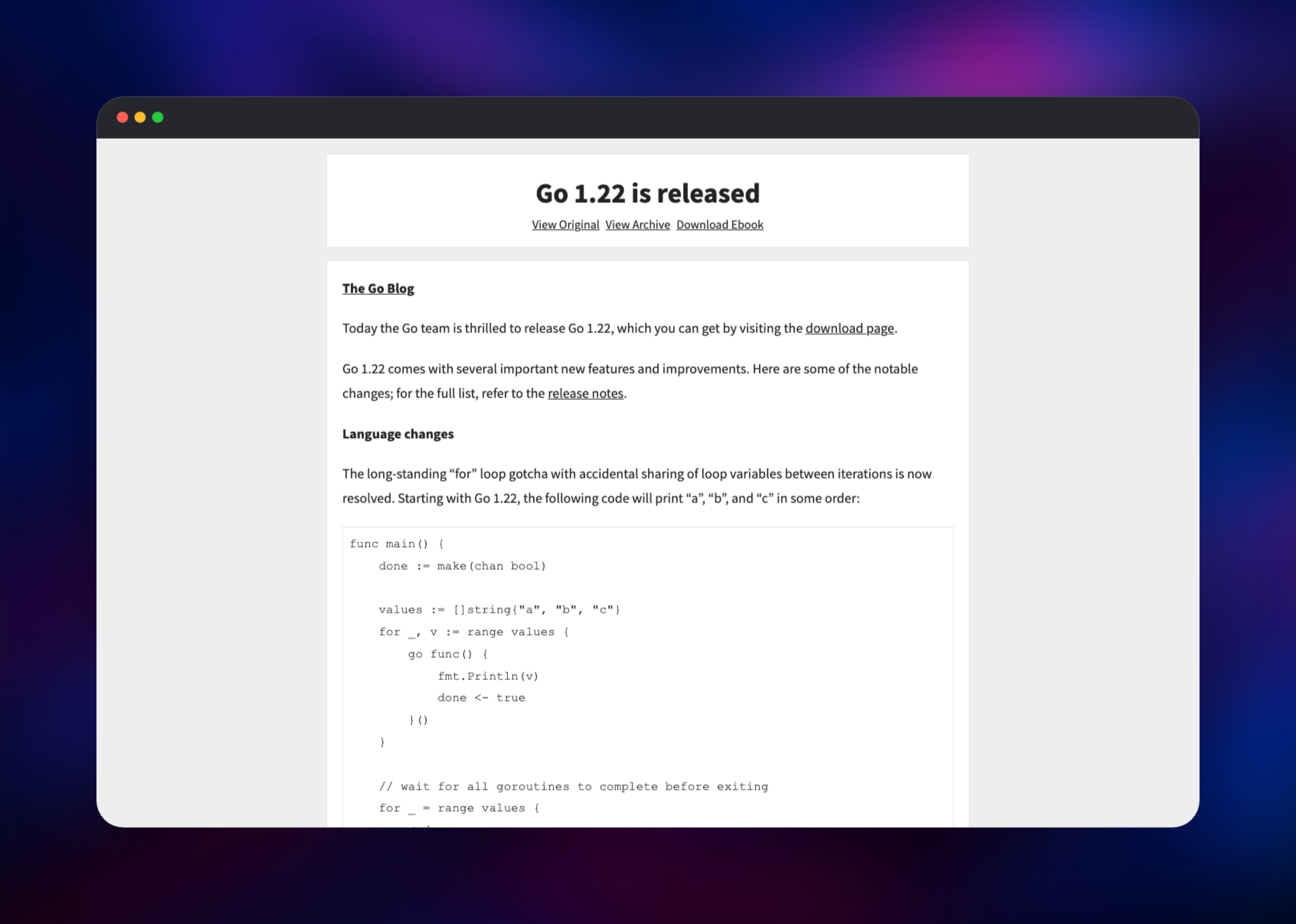
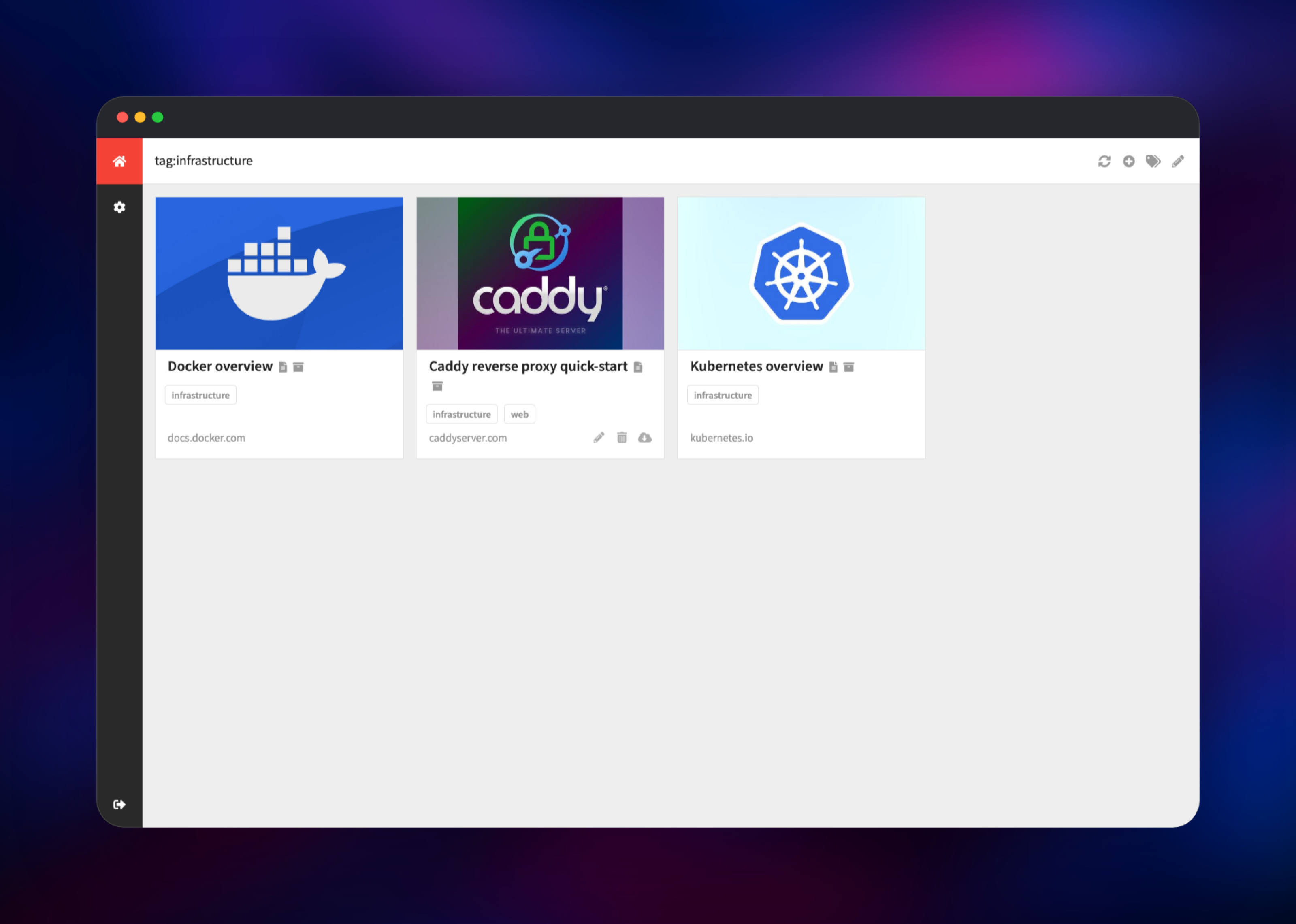
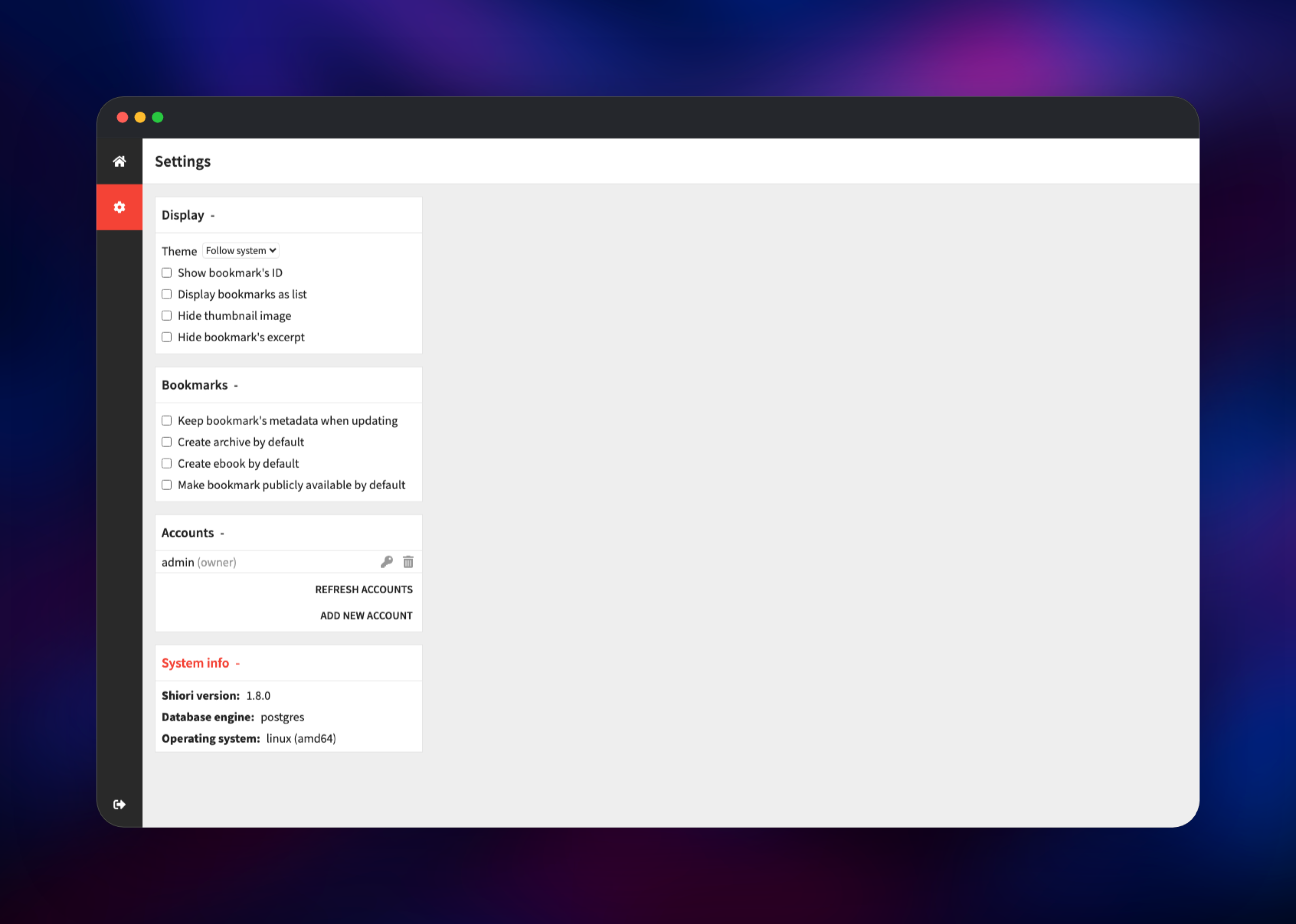
Once inside, click the + icon in the top bar, paste a URL and save it. Shiori fetches the page, extracts the title, excerpt and thumbnail, and stores a readable copy. Tick Create archive to also keep a full offline snapshot, or turn both on permanently under the gear icon → Bookmarks → Create archive by default. Click a bookmark title to open the reader view, and click any tag to filter the library. To confirm the wiring, open the gear icon and expand System info: it should report postgres as the database engine, not a local file. Add people from the same screen under Accounts; there is no public signup.
About Hosting Shiori
Shiori solves a problem every long-lived reading list eventually hits: the pages go away. A hosted bookmarking service keeps the link, not the content, so a dead domain takes your note with it. Shiori stores the article text and, optionally, a complete offline archive, on storage you control — and your reading history is not an advertising signal.
Key features:
- Add, edit, delete, tag and full-text search bookmarks from the web interface or the command line
- Automatic readable-content extraction, plus optional full page archives and EPUB generation
- Import from Netscape bookmark files and from a Pocket export; export back to a Netscape file
- SQLite, PostgreSQL and MySQL/MariaDB backends from the same binary
- A documented REST API and browser extensions for Firefox and Chrome
- Optional header-based SSO for teams already running an authenticating proxy
The architecture is deliberately small. shiori is one Go process serving HTTP; it fetches pages itself when you save them, writes archives and thumbnails to its volume, and keeps every record in Postgres. Nothing else is required — there is no queue, no worker tier and no external cache to run.
Why Deploy Shiori on Railway
Railway removes the server work around a single-binary app:
- Managed PostgreSQL with backups, provisioned and connected automatically
- A persistent volume for archives that survives every redeploy
- Free HTTPS on a
*.up.railway.appdomain, or bring your own - Private networking, so the database is never exposed to the internet
- Redeploy to pick up a new Shiori release without touching a server
- Usage-based pricing that suits an app idle most of the day
Common Use Cases
- A private read-later queue that keeps working after a commercial service shuts down, as Pocket did
- A shared research library for a small team, with tags per project and accounts created by the owner
- A programmable bookmark store behind the REST API, fed by scripts, a browser extension or a chat bot
Dependencies for Shiori
- shiori — built from gridalpha/shiori-railway, one layer on the official
ghcr.io/go-shiori/shiori:alpine-latestimage. Serves the UI and API on port 8080 and owns the/datavolume. - Postgres — Railway's managed PostgreSQL 18. Stores bookmarks, tags, accounts and extracted article text.
Environment Variables Reference
| Variable | Purpose |
|---|---|
SHIORI_ADMIN_USERNAME | Owner account created on first boot. Defaults to admin. |
SHIORI_ADMIN_PASSWORD | Password for that account. Generated if you leave it blank. |
SHIORI_DATABASE_URL | PostgreSQL connection string, wired to the Postgres service. |
SHIORI_HTTP_SECRET_KEY | Signs session tokens. Changing it signs everyone out. |
SHIORI_DIR | Where archives, thumbnails and ebooks are written, on the volume. |
SHIORI_HTTP_ROOT_PATH | Set only if you serve Shiori under a sub-path such as /shiori/. |
SHIORI_HTTP_SERVE_SWAGGER | Set to True to expose the API browser at /swagger/. |
Deployment Dependencies
- Source repository:
- Container images:
- Documentation:
- Browser extension:
Hardware Requirements for Self-Hosting Shiori
| Resource | Minimum | Recommended |
|---|---|---|
| CPU | 0.5 vCPU | 1 vCPU |
| RAM | 256 MB | 512 MB |
| Storage | 1 GB volume | 5 GB volume or more |
| Database | PostgreSQL 13+ | PostgreSQL 18 |
Shiori itself is frugal — the Go binary idles in tens of megabytes. Storage is what grows: each archived page costs roughly the size of the original, so a few thousand archived articles with images land in the low gigabytes.
Self-Hosting Shiori with Docker
The official image runs with no configuration at all, storing everything in SQLite inside the data directory. The following starts it on port 8080 with a local volume:
docker run -d --name shiori \
  -p 8080:8080 \
  -v shiori-data:/shiori \
  -e SHIORI_HTTP_SECRET_KEY=change-me \
  ghcr.io/go-shiori/shiori:latest
To run it against PostgreSQL instead, point SHIORI_DATABASE_URL at your server. Note the scheme: Shiori matches postgres:// exactly and rejects the postgresql:// spelling that some platforms hand out.
docker run -d --name shiori \
  -p 8080:8080 \
  -v shiori-data:/shiori \
  -e SHIORI_DATABASE_URL="postgres://user:pass@db:5432/shiori?sslmode=require" \
  -e SHIORI_HTTP_SECRET_KEY=change-me \
  ghcr.io/go-shiori/shiori:latest
Building from source needs Go 1.23 or newer: go install github.com/go-shiori/shiori@latest, then shiori server -p 8080.
How Much Does Shiori Cost to Self-Host?
Shiori is free and open source under the MIT licence, with no paid tier and no seat limits. The only cost is the infrastructure it runs on: on Railway that is the compute the app uses, the managed PostgreSQL instance and the volume holding your archives, which for a personal library is a small monthly figure.
FAQ
What is Shiori? Shiori is an open-source bookmark manager written in Go. It saves your links, tags them, extracts the readable text of each page and can keep a full offline archive, all from a single binary you host yourself.
What does this Railway template deploy?
Two services: shiori, the web interface and API on a public HTTPS domain with a persistent volume for archives, and Postgres, Railway's managed PostgreSQL, reachable only over the private network.
Why does the template include a PostgreSQL database? Shiori defaults to SQLite in its data directory, which allows one writer at a time and gives you no managed backups. PostgreSQL removes that limit and puts your bookmarks in a database Railway backs up and lets you query directly.
How do I log in to a fresh Shiori deployment?
With the admin username and password you set when deploying. If you left the password blank, one is generated and printed once in the deployment logs. Shiori's built-in shiori / gopher account is replaced before the app serves any public traffic.
Can other people sign up for accounts on my Shiori instance? No. Shiori has no self-service registration. The owner creates every account from the settings screen, which makes a public URL safe to share with the people you invite and nobody else.
How do I import my existing bookmarks into self-hosted Shiori?
Export a Netscape bookmark file from your browser, or request an export from Pocket, then use shiori import or shiori pocket from the command line against the same database. Both preserve titles and folders as tags.
Does Shiori keep working if the original page disappears? Yes, provided you saved an archive. Readable text is stored for every bookmark, and Create archive keeps a complete snapshot that Shiori serves from its own volume.
Template Content


