
Deploy SilverBullet
Note-taking app that stores every page as a Markdown file
silverbullet
Just deployed
/data
Deploy and Host SilverBullet on Railway
SilverBullet is an open-source, browser-based personal knowledge base that keeps everything you write as ordinary Markdown files. It gives you a live-preview editor, bi-directional wiki links, an index that turns notes into queryable objects, and Space Lua — a dialect you embed in a page to generate content, define commands or render live widgets. Writers, developers and research teams use it as a self-hosted alternative to Notion and Obsidian Sync, because the notes stay in a folder they own — readable by any editor, grep or git long after the app is gone.
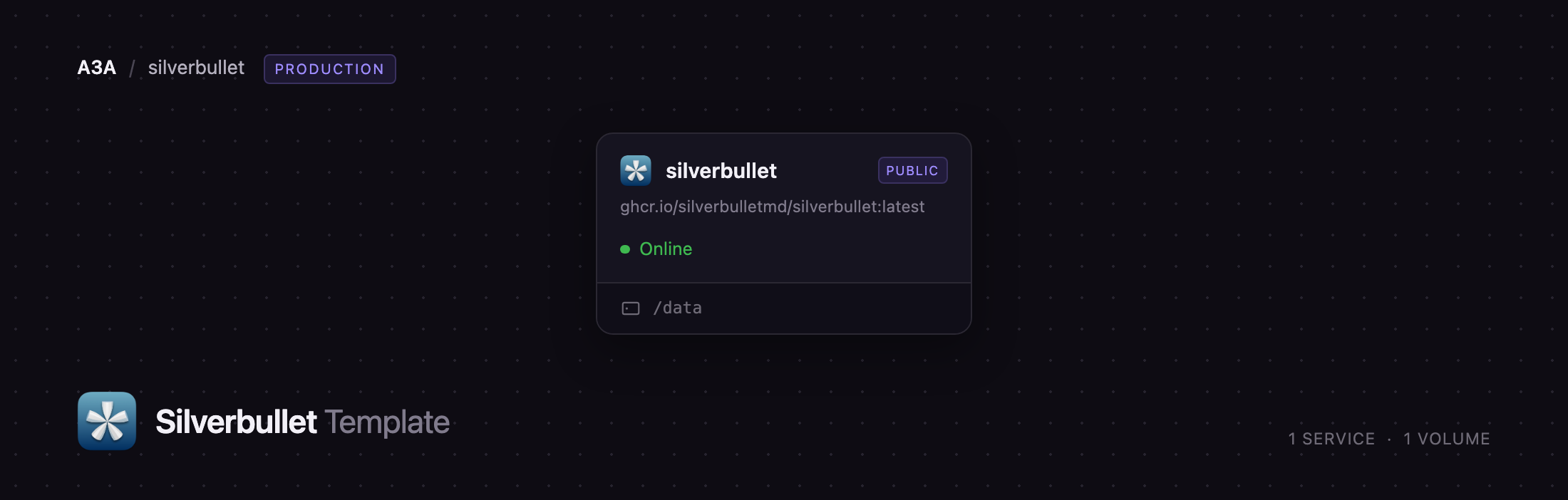
This template lets you deploy SilverBullet on Railway in one click. A single silverbullet service runs the official image, serves the web client on its public domain and keeps its data on a persistent volume at /data. There is no external database to configure — SilverBullet indexes your Markdown itself. Before the server accepts its first request the template provisions an administrator account and your first space, so the deployment is never briefly open to whoever finds the URL, a real risk when you self-host a first-run wizard on the public internet.
Getting Started with SilverBullet on Railway
Set SB_ADMIN_USERNAME and SB_ADMIN_PASSWORD when you deploy — those are the credentials for the administrator account created on first boot. Open the public URL and you land on a login page, not an open editor. Sign in and you arrive in your first space, on a page called index holding a welcome note you are meant to delete.
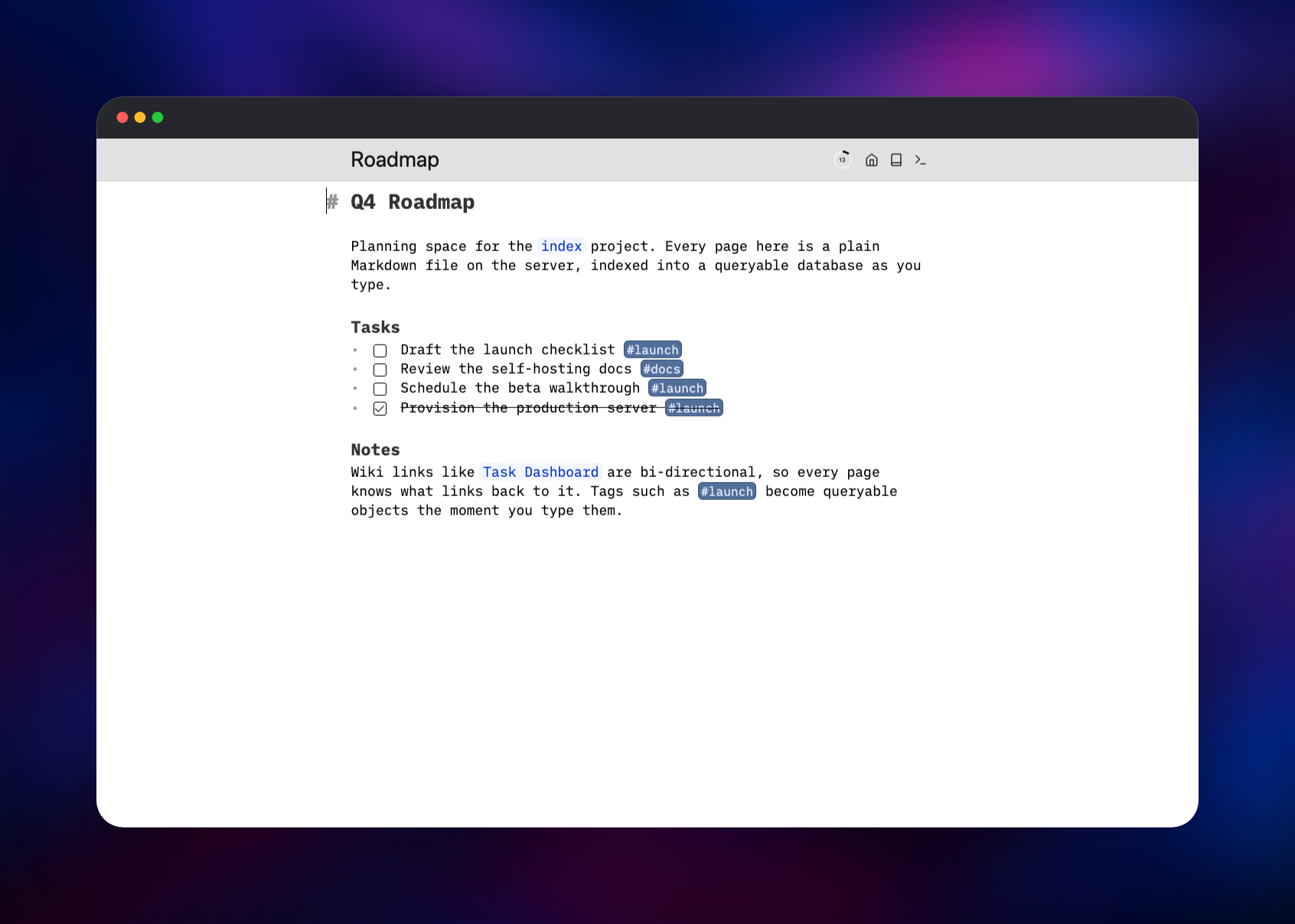
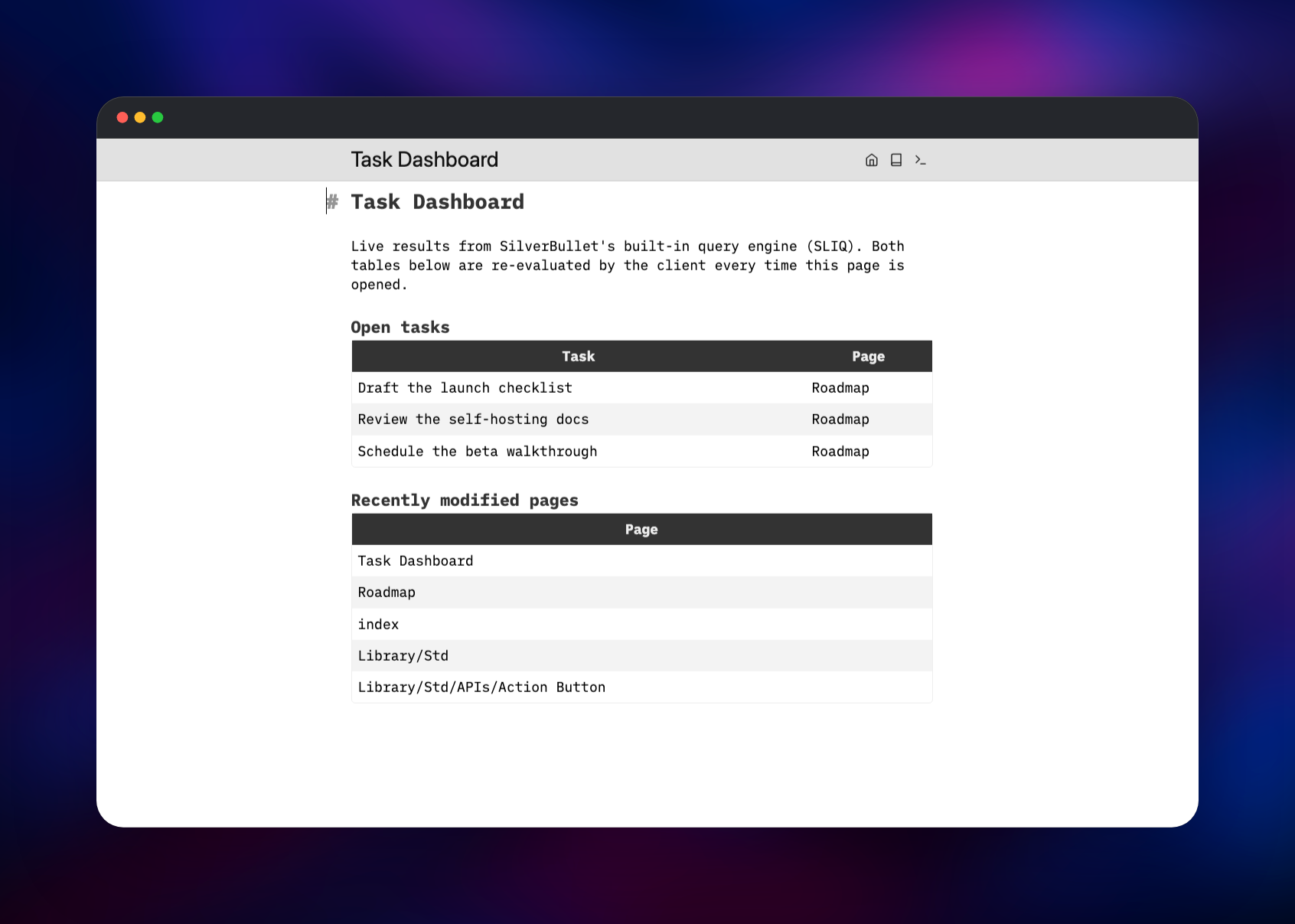
Press Ctrl-K (Cmd-K on a Mac) to open the page picker, type a name that does not exist yet and press Enter: SilverBullet creates the page as you type, saving continuously with no save step. Add a task line such as * [ ] Try a query and a tag like #inbox, then write a query block on a second page to see that task come back as data. Ctrl-/ opens the command palette, where the rest lives.
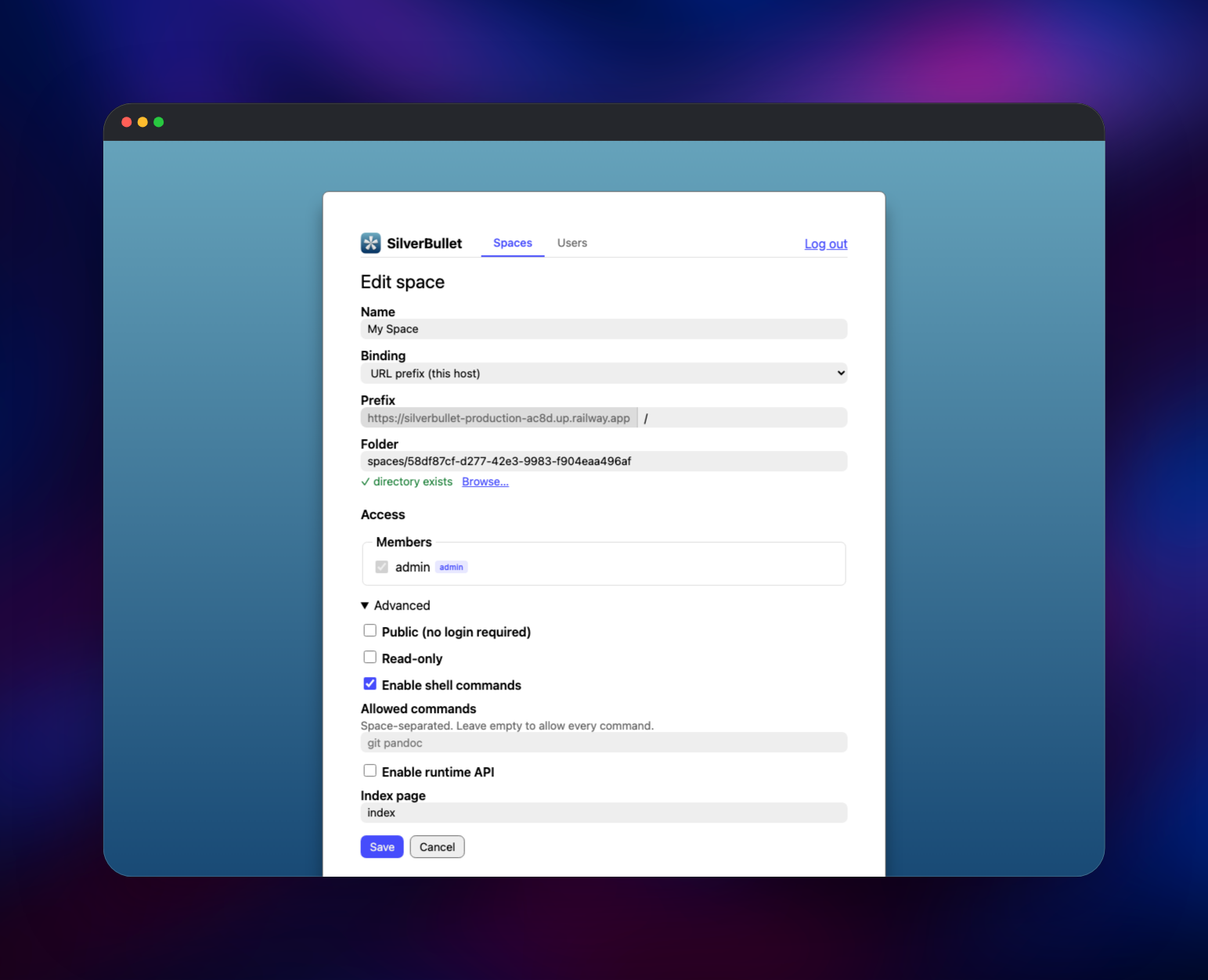
To manage the server, open /.spaces — the Space Manager. There you add further spaces bound to their own URL prefixes, create accounts, grant each one read or write access per space, and issue API tokens. The deployment is working when a page you wrote survives a redeploy: the volume holds the space folder, so restarts never touch your notes.
About Hosting SilverBullet
SilverBullet is one Rust binary serving a CodeMirror-based client over a folder of Markdown files called a space. Everything you type is parsed into objects — pages, tasks, tags, headers, links, front matter — and held in an index the client queries as you browse. That is what makes a directory of text files behave like a database.
Self-host it when you want the notes to outlive the tool: no proprietary format to export from, no per-seat pricing, no vendor holding the sync endpoint.
Key features:
- Live-preview Markdown editing that formats in place, no split pane
- Bi-directional
[[wiki links]], tags and a picker that searches them all - SLIQ, an integrated query language turning pages and tasks into live tables
- Space Lua scripting for custom commands, widgets and generated content
- Offline-capable progressive web app that syncs the space into the browser
- Named accounts, per-space access, API tokens and git-backed revisions
Why Deploy SilverBullet on Railway
Railway removes the parts of self-hosting that have nothing to do with notes.
- HTTPS on a public domain out of the box, which SilverBullet's service worker and clipboard APIs require
- A persistent volume for your space folder, attached in one step
- No reverse proxy, certificates or firewall rules to maintain
- Redeploy to the newest release without touching the data directory
Common Use Cases for Self-Hosted SilverBullet
- A personal knowledge base and journal reachable from laptop and phone
- A team wiki where each project gets its own space and member list
- A task tracker whose dashboards are queries over notes you already keep
Dependencies for SilverBullet
-
ghcr.io/silverbulletmd/silverbullet:latest— the whole application: HTTP server, client bundle and file store. Also on Docker Hub aszefhemel/silverbullet -
A Railway volume at
/data— the space folder, accounts and space configuration; the only stateful component -
git, bundled in the image — powers the optional revision history
Environment Variables Reference
| Variable | Purpose |
|---|---|
SB_ADMIN_USERNAME | Username of the administrator account created on first boot |
SB_ADMIN_PASSWORD | Password for that account; blank falls back to the setup wizard |
SB_SPACE_NAME | Name of the first space, bound at the site root |
SB_FOLDER | Server data root, kept one level below the volume mount |
SB_SHELL_BACKEND | Set to off to disable shell commands in Space Lua |
SB_READ_ONLY | Set to any value to serve every space read-only |
Deployment Dependencies
- Source repository: https://github.com/silverbulletmd/silverbullet
- Docs and live demo: https://silverbullet.md
- Runtime: a static Rust binary on Alpine; amd64, arm64 and armv7 images are published
Hardware Requirements for Self-Hosting SilverBullet
| Resource | Minimum | Recommended |
|---|---|---|
| CPU | 1 shared vCPU | 1–2 vCPU |
| RAM | 256 MB | 512 MB–1 GB |
| Storage | 1 GB volume | 5 GB+ for attachments |
| Runtime | Alpine container, no database | Same, plus volume backups |
Most of the work happens in your browser, so the server stays small: upstream notes that a few hundred megabytes of RAM is enough and a 64-bit Raspberry Pi is a reasonable host. Storage is whatever your notes and attachments weigh.
Self-Hosting SilverBullet with Docker
The quickest way to run it outside Railway is one container with a folder mapped in. This starts the server on port 3000 with a space in ./space:
mkdir -p space
docker run -d --name silverbullet -p 3000:3000 \
  -v ./space:/space ghcr.io/silverbulletmd/silverbullet:latest
Pointing the server at an empty folder puts up a browser setup wizard. On a host reachable from the internet, provision the administrator account first so that wizard is never exposed — exactly what this template does at startup:
docker run --rm -v ./data:/data ghcr.io/silverbulletmd/silverbullet:latest \
  setup /data/space --admin admin:choose-a-real-password --space "My Space" --at /
Browsers require https:// for the service worker, crypto and clipboard APIs SilverBullet uses, so a plain-HTTP deployment on a remote host misbehaves. Put it behind a TLS-terminating proxy — or deploy on Railway, where the domain is already HTTPS.
Is SilverBullet Free?
SilverBullet is free and open source under the MIT licence, with no paid tier, seat limits or feature gates in the server you deploy here. The only cost is infrastructure: on Railway, a small always-on container plus the volume holding your notes, typically a few dollars a month. An optional commercial desktop app exists, but nothing in the self-hosted server is gated behind it.
SilverBullet vs Obsidian, Logseq and Trilium
| SilverBullet | Obsidian | Logseq | Trilium | |
|---|---|---|---|---|
| Access | Browser, PWA | Desktop, mobile | Desktop, mobile | Browser, desktop |
| Storage | Markdown files | Markdown files | Markdown or org | Internal database |
| Multi-user | Accounts per space | Paid Sync | Manual sync | One user |
| Licence | MIT | Proprietary | AGPL | AGPL |
Obsidian is the stronger offline desktop editor; SilverBullet wins when several people need the same knowledge base from a browser without paying per seat.
FAQ
What is SilverBullet?
An open-source Markdown knowledge base you run yourself, combining a live-preview editor, wiki links, an indexed object database and embedded Lua scripting. Every page is a plain .md file.
What does this Railway template deploy?
One silverbullet service running the official image, a public HTTPS domain and a persistent volume at /data. Your administrator account and first space are created before the server takes its first request.
Why does the template need a volume instead of a database?
SilverBullet has no external database. Pages, attachments, accounts and configuration are all files, so the volume is the whole of your data — without it, everything you write would vanish on the next deploy.
How do I add other people to my self-hosted SilverBullet?
Open /.spaces as the administrator, add an account under the Users tab, then edit a space and give that account read or write access. There is no self-service signup, which is what keeps a public URL safe.
Can I keep version history of my notes on Railway?
Yes. Edit the space in Space Manager and switch Revisions to Managed. SilverBullet then keeps a git repository in the space folder, commits as you work, and offers a diff and restore view per page.
How do I upgrade to a newer SilverBullet release?
Redeploy the service. The template tracks the latest image tag, so a redeploy pulls the current release and reuses the same volume. Reload the browser client twice after a major upgrade so it picks up the new bundle.
Template Content
silverbullet
ghcr.io/silverbulletmd/silverbullet:latest

