
Deploy Sparkyfitness
Track nutrition, workouts, water and weight on your own Railway instance
sparkyfitness
Just deployed
sparkyfitness-server
Just deployed
/data

Just deployed
/var/lib/postgresql/data
Deploy and Host SparkyFitness on Railway
SparkyFitness is a self-hosted nutrition and fitness tracker built for households: food logging against a calculated calorie and macro budget, workouts, hydration, sleep, fasting, mood, medications and body measurements, under one account tree with family sharing. It is what people reach for when MyFitnessPal starts charging for barcode scanning and data export — self-host SparkyFitness and every entry stays in your own database.
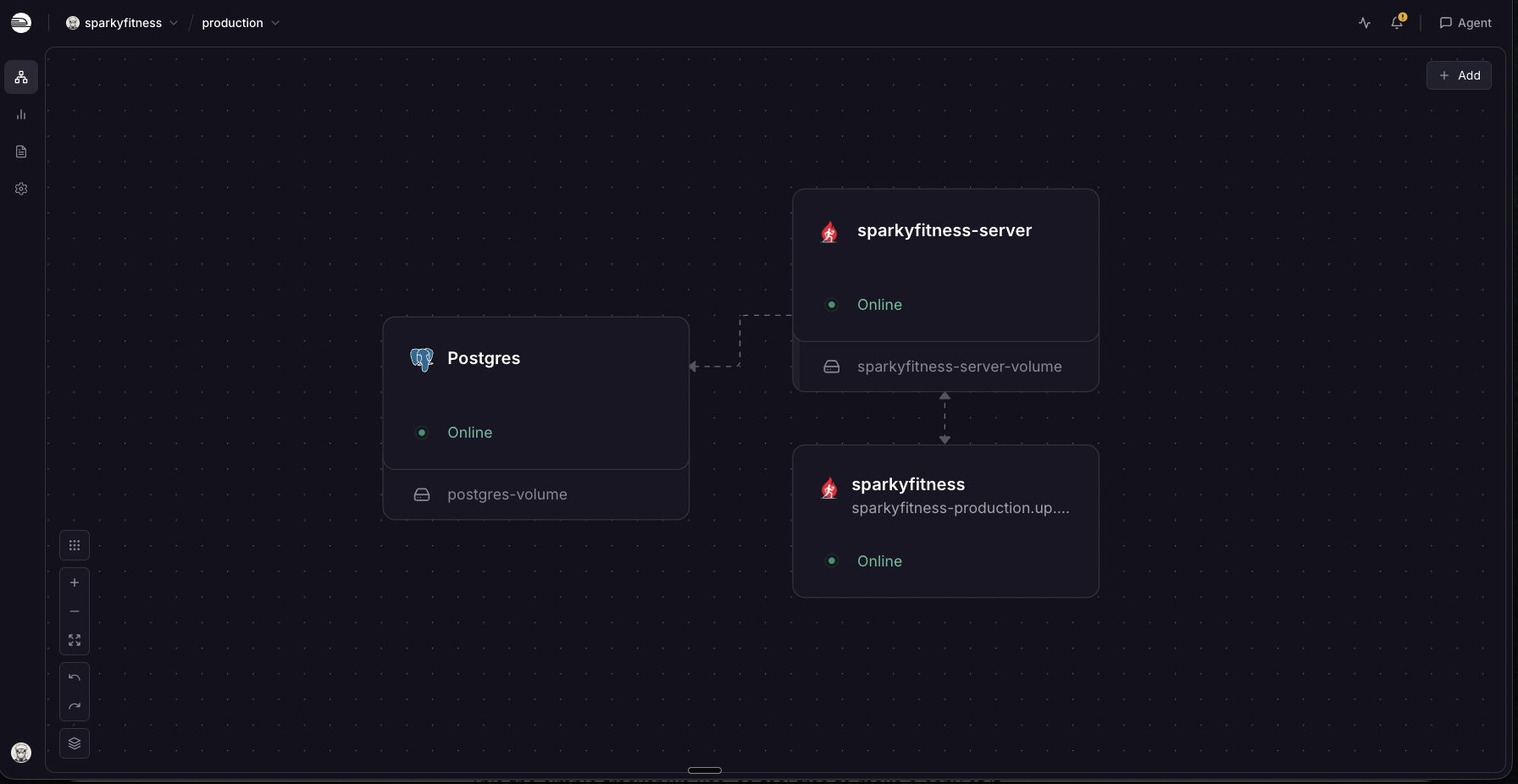
Deploy SparkyFitness on Railway and you get the project's documented production topology already wired: an nginx web service serving the React app and reverse-proxying the API on the same origin, an API service that migrates and runs the scheduled wearable syncs, and a managed PostgreSQL database. Only the web service gets a public domain, and a volume on the API service persists uploaded photos and backups.
Getting Started with SparkyFitness on Railway
There are no default credentials — you create the first account yourself. Set SPARKY_FITNESS_ADMIN_EMAIL to the address you intend to register with before deploying: whoever signs up with that email is an administrator from their first request. Open the public URL, switch to Sign Up and register. Passwords need eight characters and one special character, and the button stays disabled until both hold — a generated password without punctuation reads as a broken form.
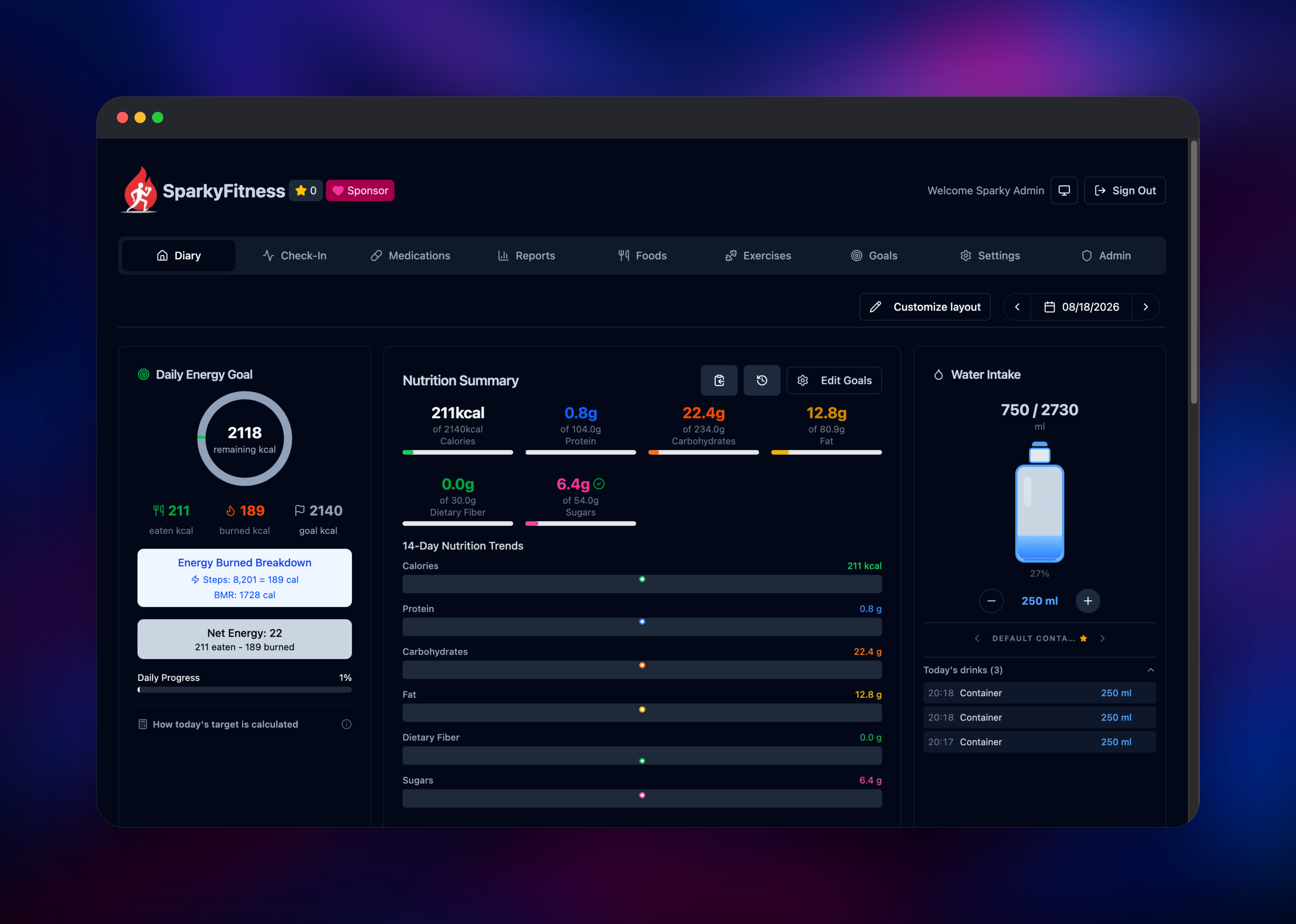
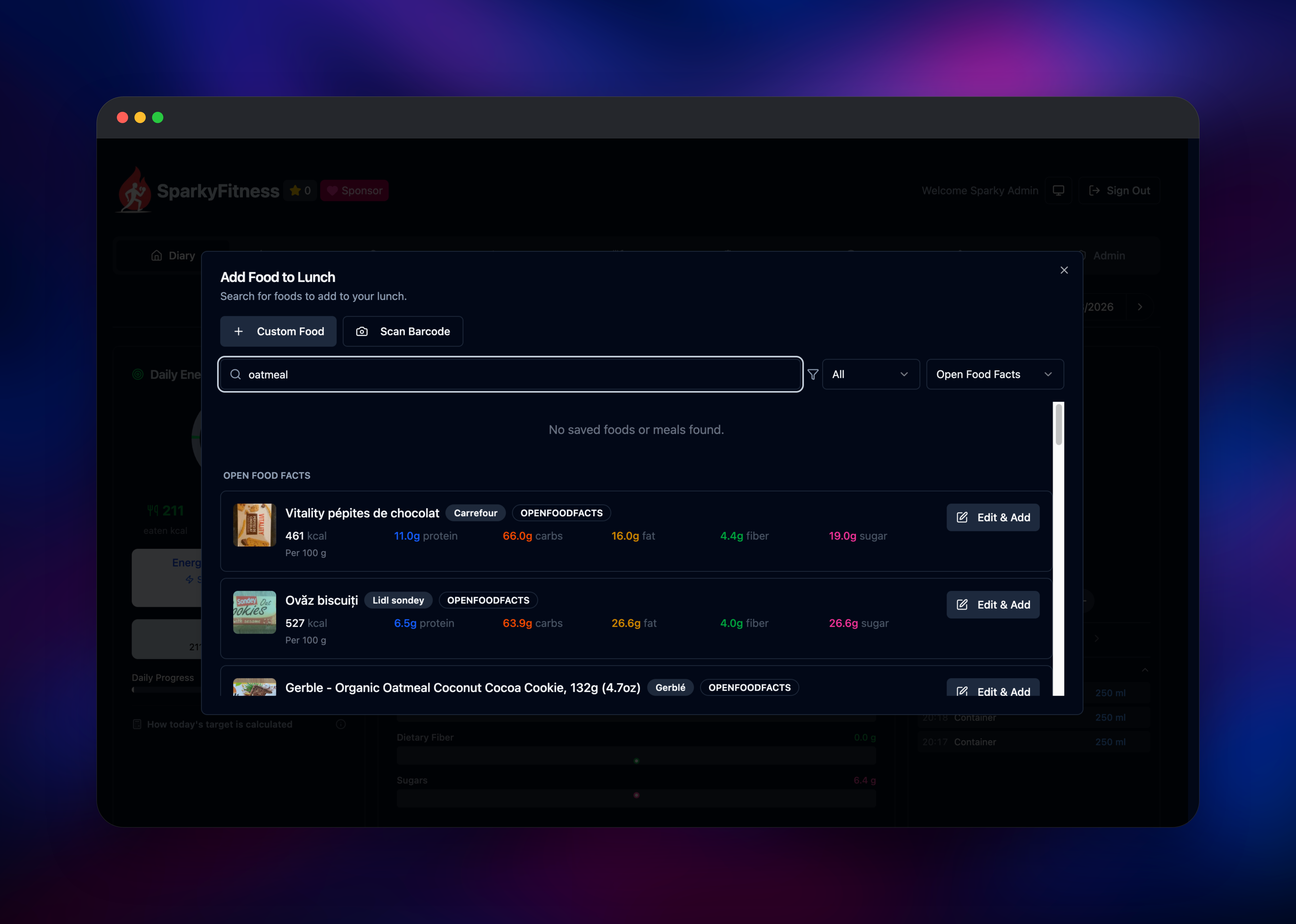
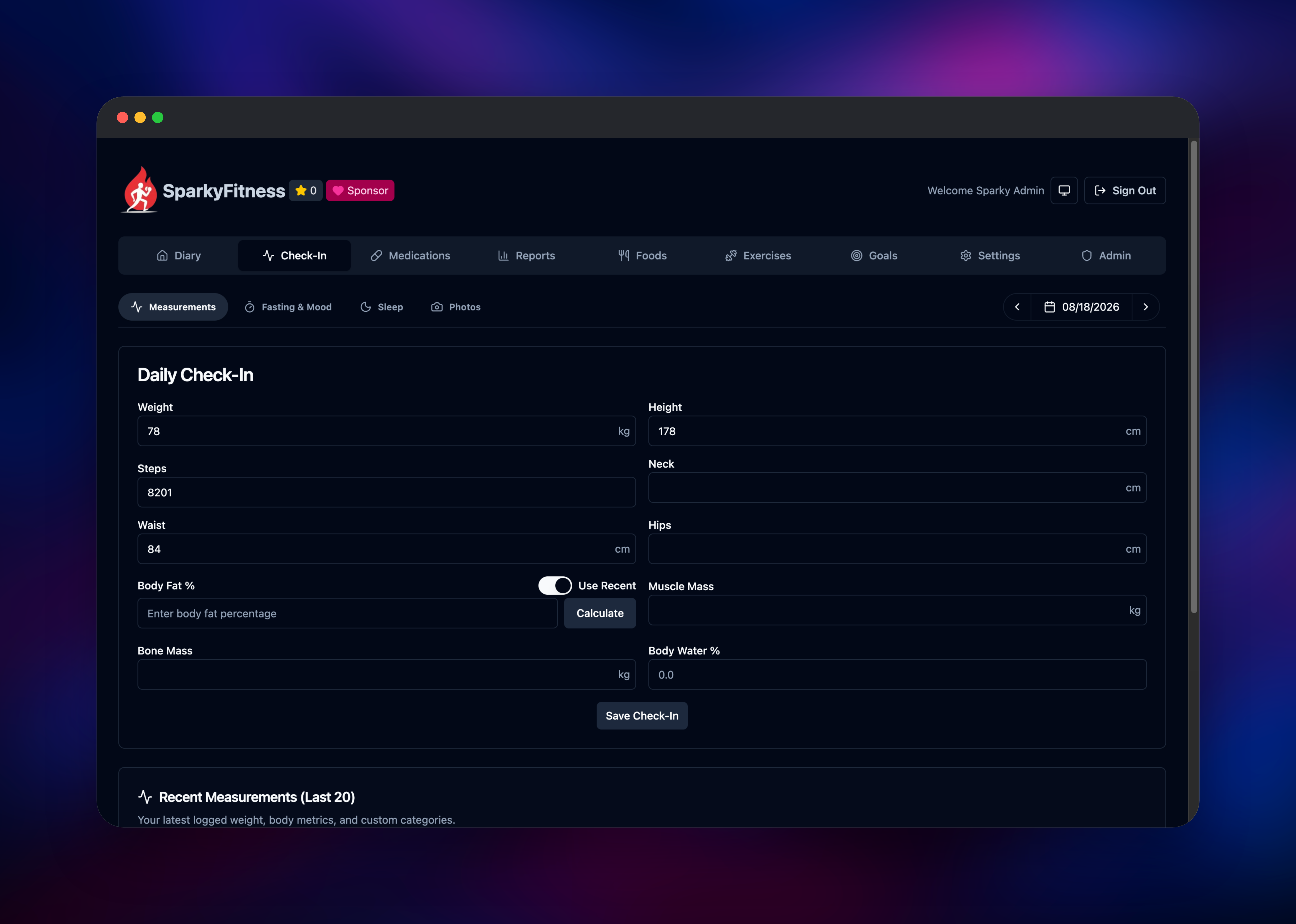
Sign-up runs a short onboarding flow — sex, goal, weight, height, birth date, activity level — ending on a Personal Plan screen with your calculated BMR and calorie budget split into macro targets. That screen appearing with real numbers confirms the API and database are healthy. From the Diary, open Breakfast → add food and search: results stream in from Open Food Facts with full macros, which also proves the API's outbound path works. Add an item, log water and a check-in, and Reports starts rendering charts. Then set SPARKY_FITNESS_DISABLE_SIGNUP=true so the instance is not open to the internet.
About Hosting SparkyFitness
Most tracking apps do one thing well and charge for it, so covering nutrition, training, sleep and body composition means three or four apps per person with no report spanning them. SparkyFitness merges them into one schema, which is what makes cross-domain reporting possible.
- Food logging against Open Food Facts, USDA, FatSecret, Nutritionix, Mealie and Wger, plus barcode scanning
- Strength and cardio logging with presets and the Free Exercise DB
- Hydration, sleep stages, fasting, mood, medication and cycle tracking
- Wearable sync from Apple Health, Health Connect, Fitbit, Garmin, Withings, Polar, Oura and Hevy
- Family accounts with seven granular per-member permissions
- Optional bring-your-own-key AI chat, an MCP endpoint, OIDC sign-on, passkeys, MFA
- CSV import and free export
The deployment splits the app the way upstream's production Compose file does. The web service is nginx: it serves the single-page app and proxies /api, /uploads, /mcp and /health-data to the API privately, so the browser only ever talks to one origin — which is what keeps the session cookie working. The API service migrates on boot and creates its own least-privilege database role.
Why Deploy SparkyFitness on Railway
Railway removes the server administration this stack normally implies.
- Managed PostgreSQL provisioned, connected and backed up
- Private networking between web, API and database
- HTTPS and a public domain issued automatically
- Persistent volume for uploaded images and database dumps
- Health checks and restarts on both app services
- One-click redeploys when a new release ships
Common Use Cases
- A household tracking nutrition and training in one instance, a parent able to view a teenager's log through granular permissions
- Replacing a stack of paid subscriptions — nutrition, lifting, sleep — with one instance that reports across them
- Keeping years of weight and body-composition history in a database you can query, not a vendor account whose export policy can change
Dependencies for SparkyFitness
- Web service — built from the sparkyfitness-railway source repository, which layers a Railway-tuned nginx configuration onto the published
codewithcj/sparkyfitnessimage. - API service —
codewithcj/sparkyfitness_server, the Node backend owning migrations, auth, the REST and MCP APIs, and syncs. - PostgreSQL — Railway's managed Postgres 18, holding every record.
Keep both SparkyFitness images on the same version tag. They ship from one repository and upstream warns breaking changes can land between releases, so mismatched tags are the likeliest cause of a frontend that loads but fails on every API call.
Environment Variables Reference
| Variable | Service | Purpose |
|---|---|---|
SPARKY_FITNESS_FRONTEND_URL | both | Public URL; drives CORS and cookie security |
SPARKY_FITNESS_ADMIN_EMAIL | API | The account with this email becomes administrator |
SPARKY_FITNESS_API_ENCRYPTION_KEY | API | Encrypts stored provider credentials — never change it |
BETTER_AUTH_SECRET | API | Signs sessions and TOTP secrets; changing it locks out 2FA users |
SPARKY_FITNESS_APP_DB_USER / _PASSWORD | API | Least-privilege role the app creates for itself |
SPARKY_FITNESS_DISABLE_SIGNUP | API | Set true once your accounts exist |
Deployment Dependencies
- Source: github.com/CodeWithCJ/SparkyFitness · Docs: codewithcj.github.io/SparkyFitness
- Images:
codewithcj/sparkyfitness,codewithcj/sparkyfitness_server(Docker Hub)
Hardware Requirements for Self-Hosting SparkyFitness
| Resource | Minimum | Recommended |
|---|---|---|
| CPU | 1 vCPU | 2 vCPU |
| RAM | 1 GB | 2 GB |
| Storage | 2 GB volume | 10 GB volume plus database growth |
| Runtime | Node 24, PostgreSQL 18 | Node 24, PostgreSQL 18 |
A household instance is fine at the minimum. Raise storage if you upload progress photos or enable scheduled backups — both share one volume.
Self-Hosting SparkyFitness with Docker
Upstream ships a production Compose file and an environment template:
mkdir sparkyfitness && cd sparkyfitness
curl -L -o docker-compose.yml https://github.com/CodeWithCJ/SparkyFitness/releases/latest/download/docker-compose.prod.yml
curl -L -o .env https://github.com/CodeWithCJ/SparkyFitness/releases/latest/download/default.env.example
docker compose pull && docker compose up -d
Edit .env first — the database password, encryption key and auth secret must all be your own. These shell commands generate the latter two:
echo "SPARKY_FITNESS_API_ENCRYPTION_KEY=$(openssl rand -hex 32)"
echo "BETTER_AUTH_SECRET=$(openssl rand -base64 48)"
Set SPARKY_FITNESS_FRONTEND_URL to the exact public URL, scheme included, or browser requests fail CORS. On Railway this is handled: secrets are generated at deploy time and the URL comes from the assigned domain.
Is SparkyFitness Free to Self-Host?
Free to run, with no paid tier, ads or feature gates. It is source-available rather than open source: the licence covers personal and non-commercial use, and commercial use needs the author's permission — a household instance is well within that. On Railway you pay only for infrastructure.
FAQ
What is SparkyFitness?
A self-hosted tracker covering nutrition, exercise, hydration, sleep, fasting, medications and body measurements, with family sharing and wearable sync — a privacy-first MyFitnessPal alternative.
What does this Railway template deploy?
An nginx web service serving the React app and proxying the API, a Node API service running migrations and scheduled syncs, and a managed PostgreSQL database. Only the web service has a public domain. SMTP is optional — email only powers password resets and magic links.
Why does the template include a PostgreSQL database and a volume?
Every record lives in Postgres and row-level security is enforced there per user, so the database is not optional. The volume is separate because uploaded photos and backup dumps are files, not rows — without it they are lost on each redeploy.
How do I make myself an admin in self-hosted SparkyFitness?
Set SPARKY_FITNESS_ADMIN_EMAIL to the email you register with — that account is an administrator immediately on sign-up. Promote others from Admin → User Management.
How do I stop strangers from registering on my SparkyFitness instance?
Set SPARKY_FITNESS_DISABLE_SIGNUP=true, or turn registration off under Admin → Login Management. The check runs in the auth layer's account-creation hook, so it blocks SSO auto-registration too, not just the form.
Can I connect Garmin, Fitbit, Apple Health or Oura to a self-hosted instance?
Yes — connect them under Settings → Data Sources with your own credentials and the API runs the scheduled pulls. Garmin needs a separate microservice upstream ships disabled, so treat it as experimental.
Template Content
sparkyfitness
gridalpha/sparkyfitness-railwaysparkyfitness-server
codewithcj/sparkyfitness_server:v1.6.2SPARKY_FITNESS_ADMIN_EMAIL
Sign up with this email to be admin


