
Deploy Standard Notes
End-to-end encrypted notes app with web, desktop and mobile clients
Just deployed

localstack
Just deployed

Redis
Just deployed
/data

MySQL
Just deployed
/var/lib/mysql
standardnotes
Just deployed
/opt/shared
Deploy and Host Standard Notes on Railway
Standard Notes is an open-source, end-to-end encrypted notes app. Everything you write is encrypted on your device before it leaves, so the server holds ciphertext and nothing else — it cannot read your notes, and nor can anyone who reaches the database. The apps run on desktop, mobile and the web, and all sync through one server you can run yourself.
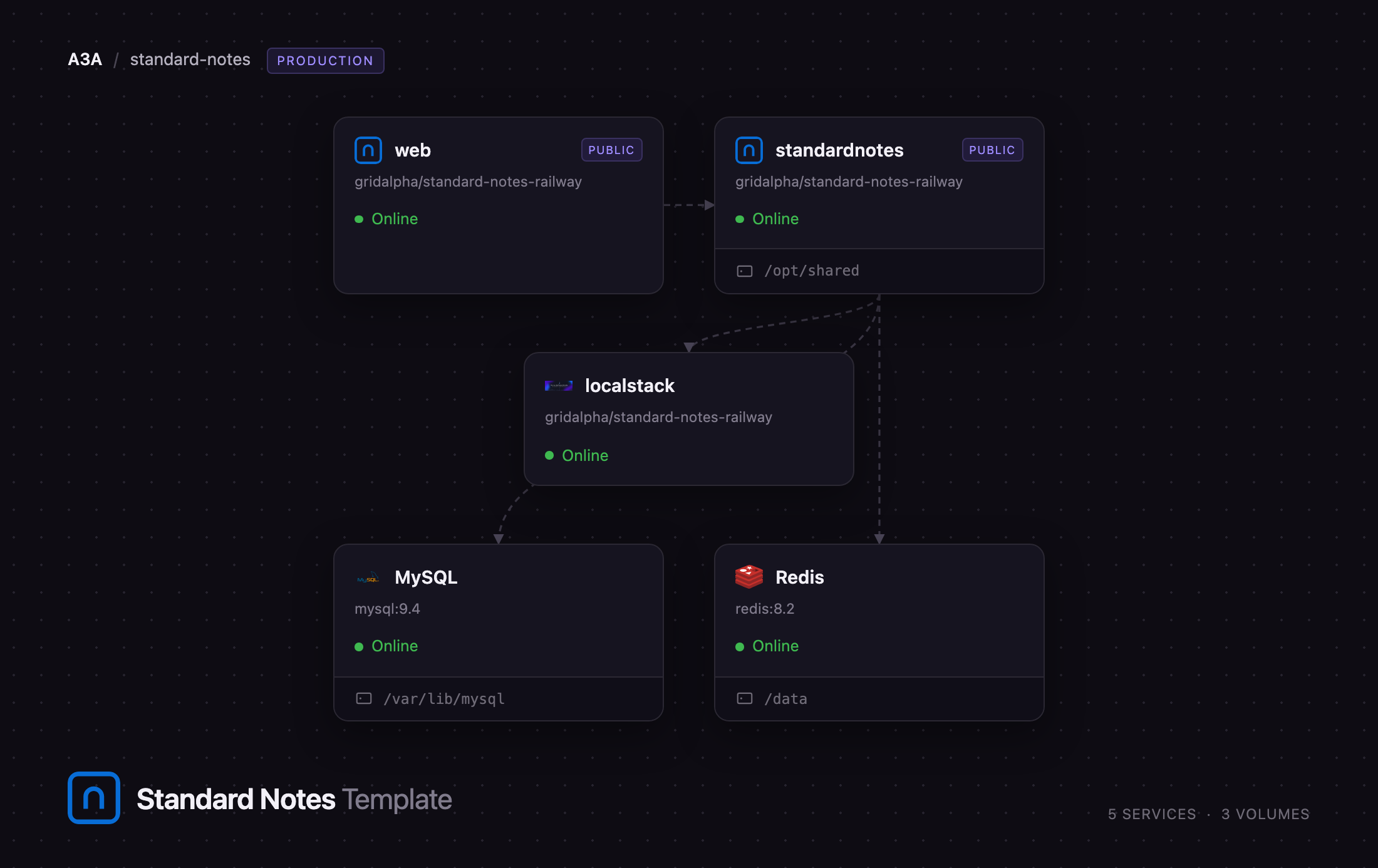
Deploy Standard Notes on Railway and you get that server plus the official web app, wired together. The standardnotes service runs the API gateway, the auth, syncing, revisions and files servers and their four workers behind one HTTPS origin. MySQL stores accounts, encrypted items and revisions, Redis holds sessions and cross-service tokens, and localstack provides the SNS topics and SQS queues the servers hand work to the workers through. web serves the browser client, pointed at your server. Sources: standardnotes/server, standardnotes/app.
Getting Started with Standard Notes on Railway
Open the web service's URL once the deploy is green. There are no default credentials and no admin account — Standard Notes has no operator tier — so create your own from the account menu in the bottom-left corner. Pick a strong passphrase and keep it safe: it derives your encryption key, and the server cannot reset it or recover your data.
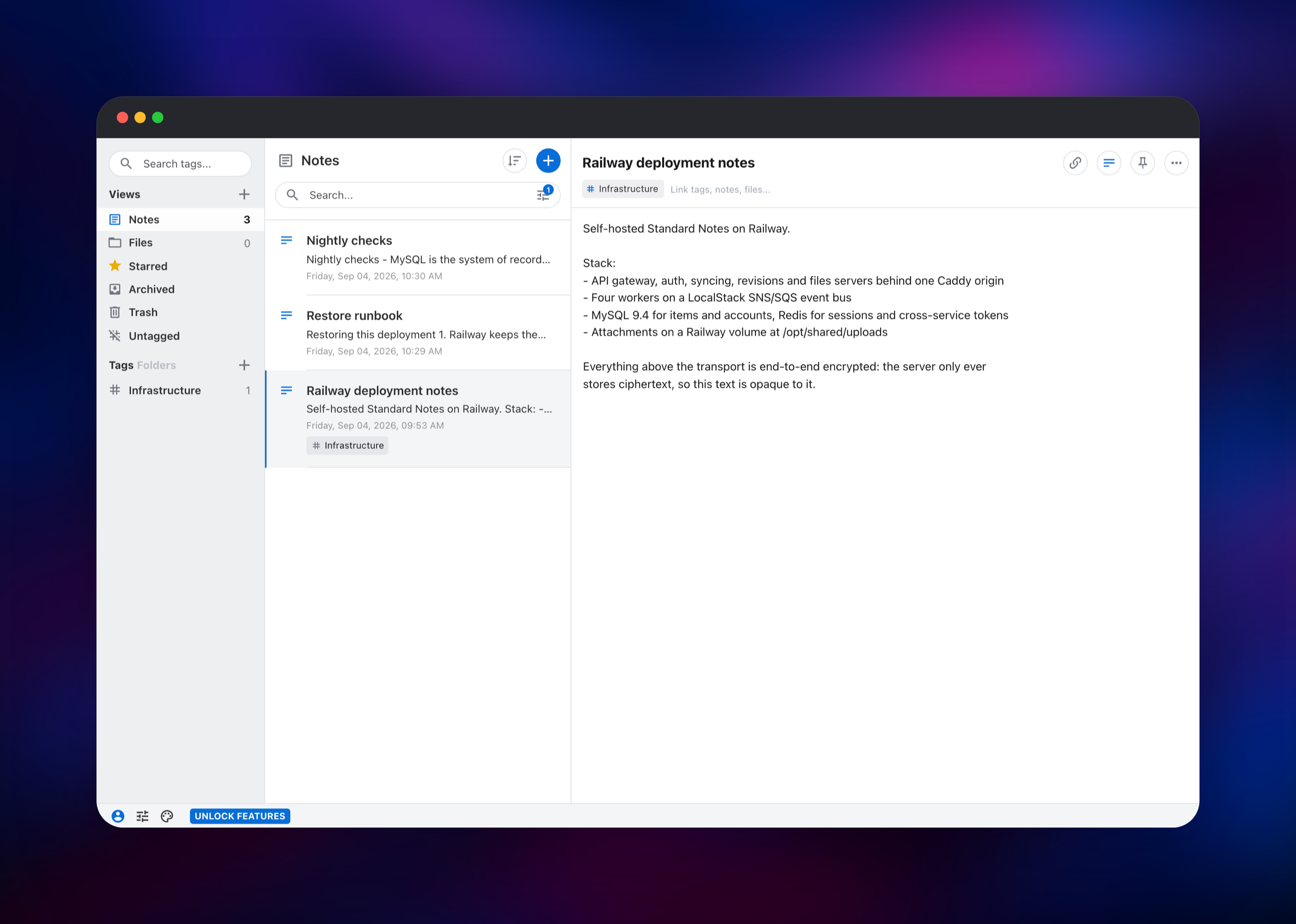
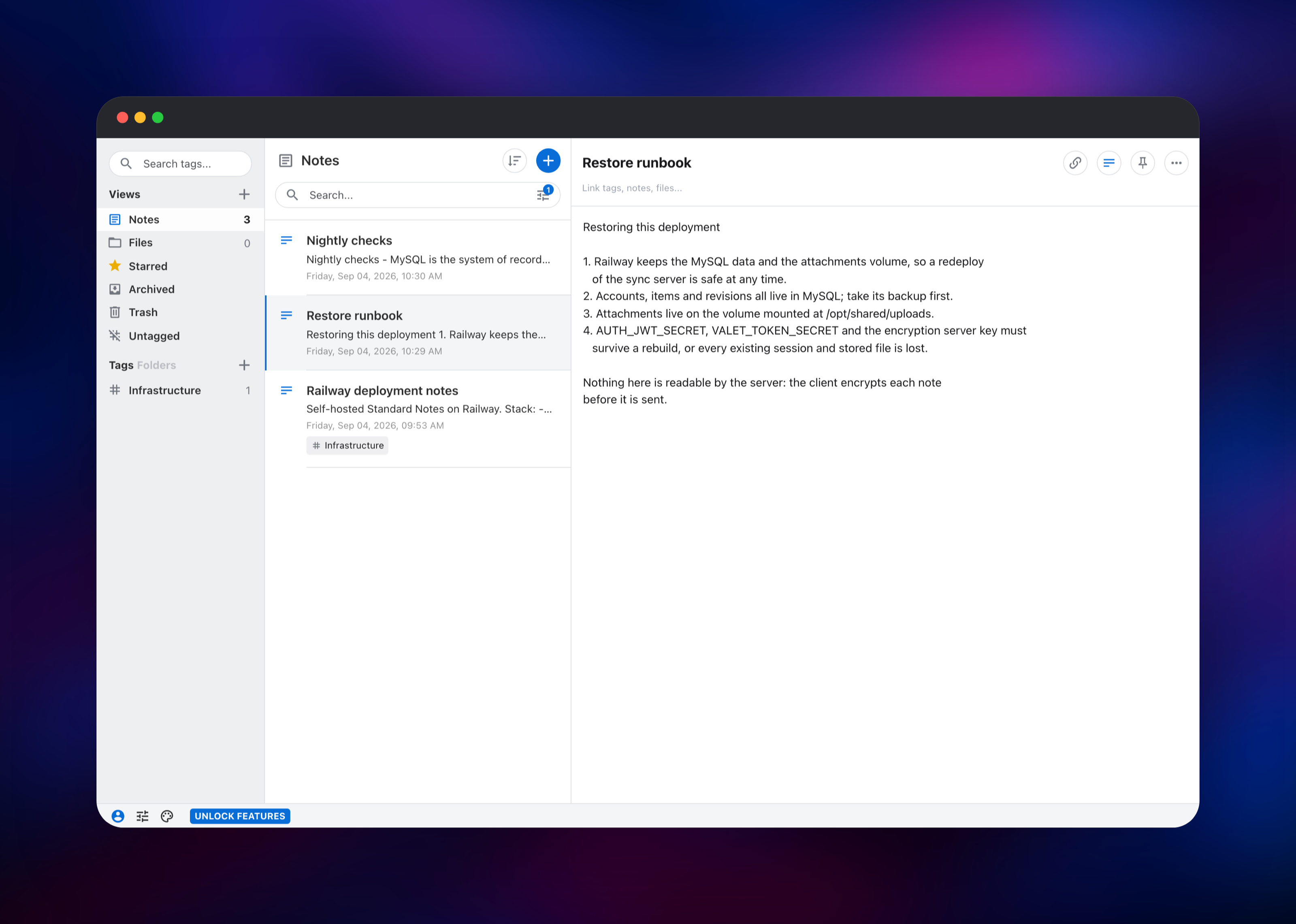
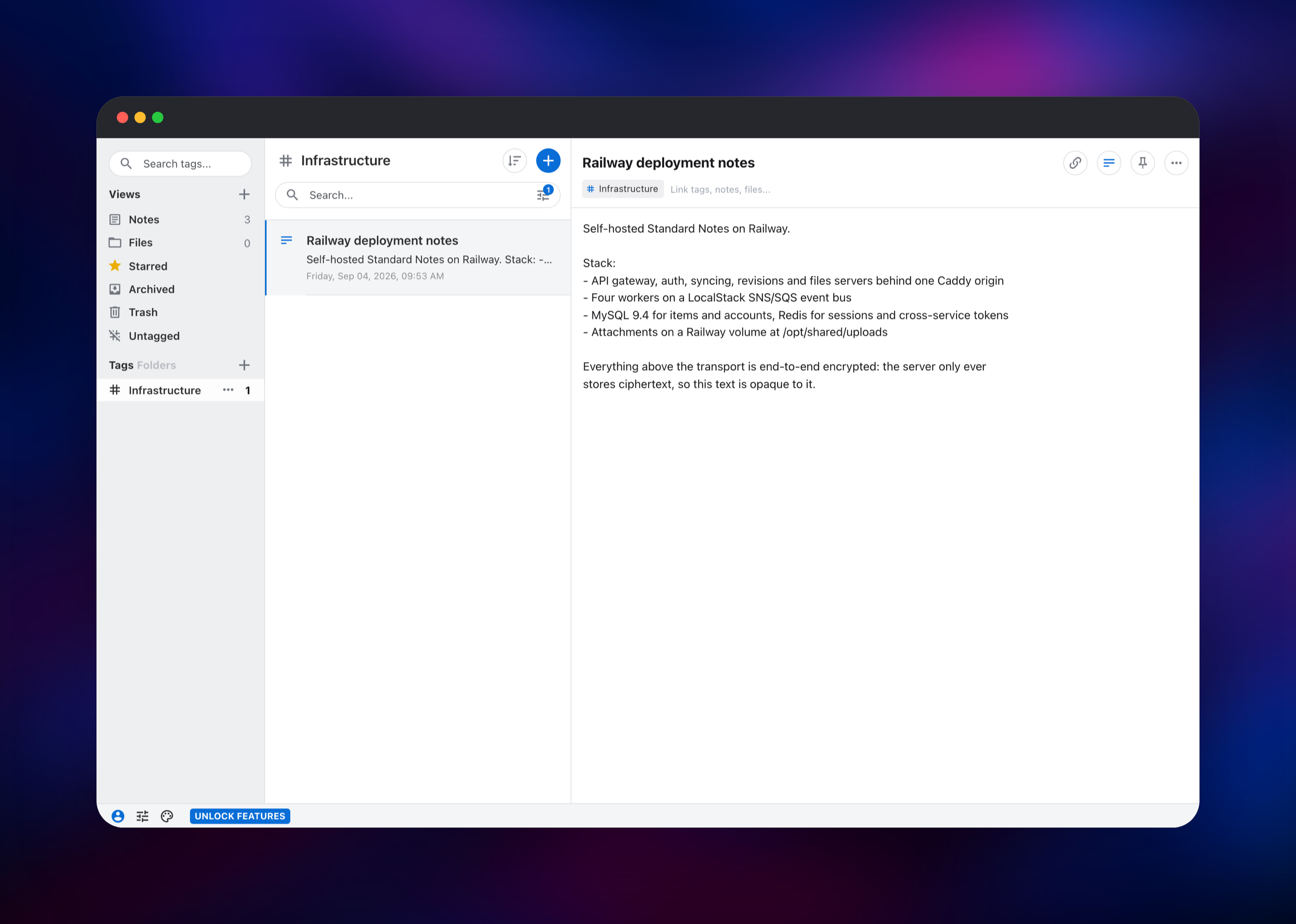
Signing up drops you into the editor. Write a note, title it, then create a tag in the sidebar and link the note to it — that round trip exercises the sync server, MySQL and the workers. To confirm it is really syncing rather than caching locally, sign in again in a private window; your notes should reappear in a second or two.
For the desktop or mobile apps, choose Advanced options → Sync Server on the sign-in screen and enter your standardnotes URL. The hosted client at app.standardnotes.com cannot be pointed at a self-hosted server, which is why this template ships the web client too.
Then set AUTH_SERVER_DISABLE_USER_REGISTRATION to true on standardnotes. Signups are open by default so you can create that first account; left open, anyone can register.
About Hosting Standard Notes
Standard Notes is built for people who want their notes to outlive any single company: an open format, an open protocol, and a server anyone can run. Self-hosting keeps your notes off a third party's infrastructure — and because encryption is client-side, even the server's operator cannot read them.
- End-to-end encrypted notes, tags, nested folders and file attachments
- Clients for web, desktop, iOS and Android, plus a clipper
- Note version history for recovering an earlier draft
- Two-factor authentication, passkeys and per-device sessions
- Plain-text, Markdown and Super editors
The API gateway is the only HTTP entry point: it validates every session and proxies to the others internally. The syncing server owns your encrypted items, auth owns accounts and sessions, revisions keeps note history, and the files server streams attachments to and from disk. Each has a worker taking background jobs off a queue instead of blocking your sync.
Why Deploy Standard Notes on Railway
Running this stack normally means a VPS, Compose, a reverse proxy and TLS certificates.
- No Compose file, no nginx config, no Certbot renewals
- MySQL and Redis provisioned and privately networked for you
- Attachments persist on a managed volume across redeploys
- HTTPS and a public domain from the first deploy
- The web client already pointed at your server
Common Use Cases
- A private notes vault for a person or family, with attachments and note history
- Internal documentation kept off third-party SaaS for compliance reasons
- Journalists, lawyers and clinicians whose notes must be unreadable to the host by design
- Replacing a hosted subscription with infrastructure you already pay for
Dependencies for Standard Notes
- standardnotes —
standardnotes/server:latest, the bundle of the API gateway, auth, syncing, revisions and files servers plus their workers - web —
standardnotes/web:latest, the official browser client - localstack —
localstack/localstack:3.0, the SNS and SQS endpoints the servers publish domain events to - MySQL — managed MySQL 9.4, the only production database the server supports
- Redis — managed Redis 8.2, for sessions, ephemeral tokens and login throttling
Environment Variables Reference
| Variable | Description | Required |
|---|---|---|
AUTH_JWT_SECRET | Signs session tokens | Yes |
AUTH_SERVER_ENCRYPTION_SERVER_KEY | Encrypts server-side settings; must be 64 hex characters | Yes |
VALET_TOKEN_SECRET | Signs the short-lived tokens authorising file uploads | Yes |
AUTH_SERVER_PSEUDO_KEY_PARAMS_KEY | Makes unknown-account lookups look like real ones | Yes |
AUTH_SERVER_COOKIE_DOMAIN | Host the session cookie is scoped to | Yes |
PUBLIC_FILES_SERVER_URL | Public URL clients fetch attachments from | Yes |
SYNC_SERVER_URL | Sync server the web client points at | Yes |
AUTH_SERVER_DISABLE_USER_REGISTRATION | Set true to close signups once your account exists | No |
GRANT_PRO_PLAN | Grants accounts the server-side premium features | No |
Deployment Dependencies
- Repos: standardnotes/server, standardnotes/app
- Images:
standardnotes/server,standardnotes/web,localstack/localstack:3.0 - Runtime: Node.js 20, inside the published image
- Docs: standardnotes.com/help/self-hosting/docker
Server Requirements to Self-Host Standard Notes
Standard Notes' own guide targets a 2 GB, 1 vCPU box. The bundle runs ten Node processes, so memory is the constraint, not CPU.
| Resource | Minimum | Recommended |
|---|---|---|
| CPU | 1 vCPU | 2 vCPU |
| RAM | 2 GB | 4 GB |
| Storage | 5 GB volume | 20 GB or more if you store attachments |
| Database | MySQL 8 or later | Managed MySQL 9.4 |
| Runtime | Node.js 20 | Node.js 20 |
How to Self-Host Standard Notes Outside Railway
Standard Notes publishes a Compose file for a plain Docker host. Fetch the sample environment and bootstrap script:
mkdir standardnotes && cd standardnotes
curl -o .env https://raw.githubusercontent.com/standardnotes/server/main/.env.sample
curl -o localstack_bootstrap.sh https://raw.githubusercontent.com/standardnotes/server/main/docker/localstack_bootstrap.sh
curl -o docker-compose.yml https://raw.githubusercontent.com/standardnotes/server/main/docker-compose.example.yml
chmod +x localstack_bootstrap.sh
Fill in the three keys in the KEYS block of .env with openssl rand -hex 32, change the database password, then bring it up:
openssl rand -hex 32
docker compose pull && docker compose up -d
docker run -d -p 3001:80 standardnotes/web
The API answers on port 3000 and the files server on 3125; put a reverse proxy and TLS in front of both. The web client is optional if you only use desktop and mobile apps.
How Much Does Standard Notes Cost to Self-Host?
The server and every client are open source under the AGPL, so the software costs nothing and there is no licence key. On Railway you pay only for the compute, database and volume the services use. Standard Notes also sells a hosted subscription and an offline plan, which unlock client-side extras in the official builds; neither is needed to run your own server.
FAQ
What is Standard Notes? An open-source, end-to-end encrypted notes app with web, desktop and mobile clients. Notes are encrypted on your device, so the server only holds ciphertext.
What does this Railway template deploy? The sync server — API gateway, auth, syncing, revisions and files servers plus four workers — with MySQL, Redis, a LocalStack event bus, and the web client pointed at it.
Why does the template include MySQL and Redis? MySQL stores accounts, encrypted items and revisions, and is the only production database the server supports. Redis holds sessions, ephemeral tokens and login throttling. The server will not start without both.
Why is there a LocalStack service? In self-hosted mode the servers publish domain events to SNS and the workers consume them from SQS. LocalStack provides those endpoints locally, as Standard Notes' own Compose file does — no AWS account needed.
Can I use app.standardnotes.com with my self-hosted server?
No — its content security policy allows connections only to Standard Notes' own hosts. Use the web service here, or a desktop or mobile app with a custom sync server set.
How do I stop other people registering on my server?
Set AUTH_SERVER_DISABLE_USER_REGISTRATION to true on the standardnotes service once your own account exists. Existing accounts keep working; new signups are rejected.
What happens if I lose my passphrase? Your notes are unrecoverable. The passphrase derives the encryption key on your device and never reaches the server, so there is no reset flow.
Template Content
localstack
gridalpha/standard-notes-railwayRedis
redis:8.2MySQL
mysql:9.4standardnotes
gridalpha/standard-notes-railway

