
Deploy Steel Browser
Steel Browser — API-key-locked browser API for AI agents
steel-browser
Just deployed
/data

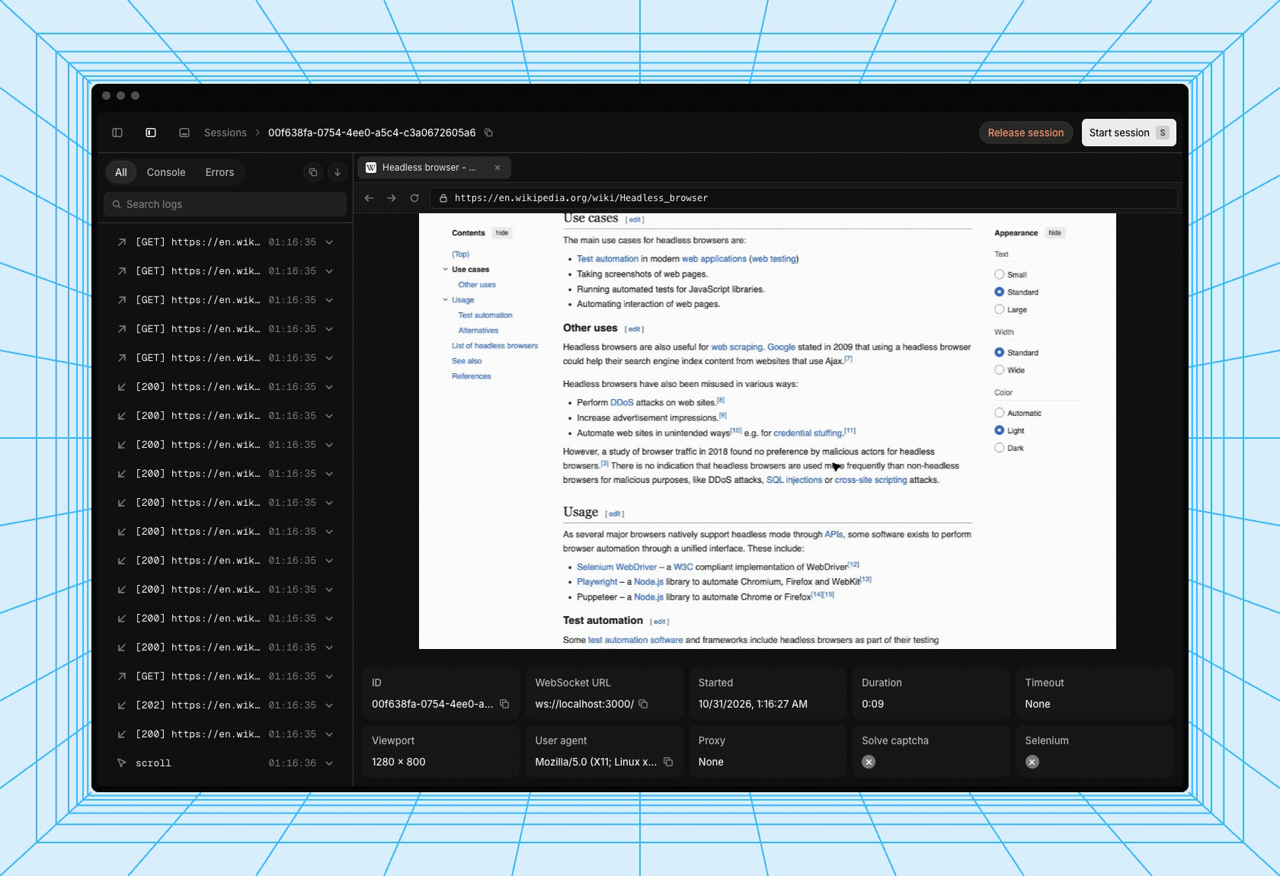
Steel's live session viewer — frame from upstream's demo (.github/assets/demo.gif, steel-dev/steel-browser).
Deploy and Host
Steel Browser is the open-source browser API for AI agents and apps: a batteries-included headless Chromium behind a REST API, with sessions, scraping, screenshots, PDFs, and a raw Chrome DevTools Protocol WebSocket that Puppeteer and Playwright connect to directly. One-click deploy creates a single Steel service with a persistent volume for browser logs — and, unlike the official template, it is API-key locked on every route: the generated STEEL_API_KEY is required as an Authorization: Bearer, x-api-key, or ?apiKey= credential, or once in a browser at /login to unlock the built-in UI. After deploy, open the public URL, log in with the key, and the live session viewer at /ui works immediately.
About Hosting
Hosting Steel Browser on Railway keeps your browser automation on your own infrastructure instead of a SaaS. The deployment is a single always-on service: an nginx gateway on Railway's injected port requires the generated API key on every route except GET /v1/health (the platform probe), serves the /login page that stores the key as a cookie so the UI, Swagger docs, and DevTools debugger all work in the browser, and proxies /devtools/ to the internal CDP debugger. The wrapper derives the public domain and TLS setting at boot, so the websocketUrl Steel hands back is a reachable wss:// URL, and pins the image by manifest digest so a redeploy never silently pulls a new upstream build. The deploy form has one generated field and nothing to type.
Why Deploy
- Private by default: upstream Steel ships no authentication at all — a public instance without a key is an open proxy anyone can drive on your bill and from your IP. This template closes that hole at the gateway, and refuses to start without a key.
- The UI actually works locked: the
/logincookie keeps the live session viewer, Swagger docs, and DevTools debugger usable in the browser after one login — a header-only gateway would lock the UI out of its own API. - Correct URLs out of the box: session websocket and debugger URLs are derived from the live Railway domain, not
localhost. - Small footprint for what it does: one service, no database, no companion — sessions are ephemeral and logs persist on a volume.
- Full browser control: sessions keep cookies and local storage across requests, with proxy, extension, stealth, and anti-detection support built in.
Common Use Cases
- A browser backend for AI agents that browse, click, and read the live web.
- Headless scraping, screenshots, and PDF generation over a simple REST API.
- A remote CDP endpoint for Puppeteer or Playwright (
connectover the returned WebSocket URL). - A shared, authenticated browser for scripts and services running in the same Railway project.
- Watching a live session in the built-in viewer while an agent works.
Dependencies for
- A single Steel Browser service (Node.js + bundled Chromium, no companion service).
- One persistent volume mounted at
/data(browser logs at/data/logs/browser-logs.duckdb). - Environment variables (condensed reference — full documentation in the repo README):
| Variable | Default | Description |
|---|---|---|
STEEL_API_KEY | ${{secret(32)}} | API key for every route except GET /v1/health. Generated per deploy; send as Authorization: Bearer, x-api-key, or ?apiKey=, or log in at /login. |
DOMAIN | (derived from RAILWAY_PUBLIC_DOMAIN at boot) | Public domain Steel advertises in session and debugger URLs. |
USE_SSL | true when a public domain exists | Makes Steel return https:// / wss:// URLs. |
LOG_STORAGE_ENABLED | true | Enables Steel's DuckDB session-log storage. Baked into the image. |
LOG_STORAGE_PATH | /data/logs/browser-logs.duckdb | Session logs on the volume. Baked into the image. |
PROXY_URL | — | (Upstream, optional) Proxy browser traffic through, e.g. user:pass@host:port. |
CHROME_ARGS | — | (Upstream, optional) Extra space-separated Chrome flags. |
DISABLE_CHROME_SANDBOX | — | (Upstream, optional) Set to true only if Chromium cannot start in the container. |
DEFAULT_TIMEZONE | — | (Upstream, optional) Timezone for browser sessions. |
Deployment Dependencies
- Plan tier: Hobby is enough for a single session at a time; each Chromium session adds memory — a few hundred MB per session — so size up if you run many concurrent sessions.
- No companion database, no extra services. Sessions are ephemeral by design.
- The DevTools console debugger port (9223) is internal-only: Railway exposes a single public port per service, so the debugger is reached through the gateway as
/devtools/instead.
Template Content
steel-browser
INAPP-Mobile/steel-browser