
Deploy SuiteCRM
Customer relationship manager for sales, support and marketing teams
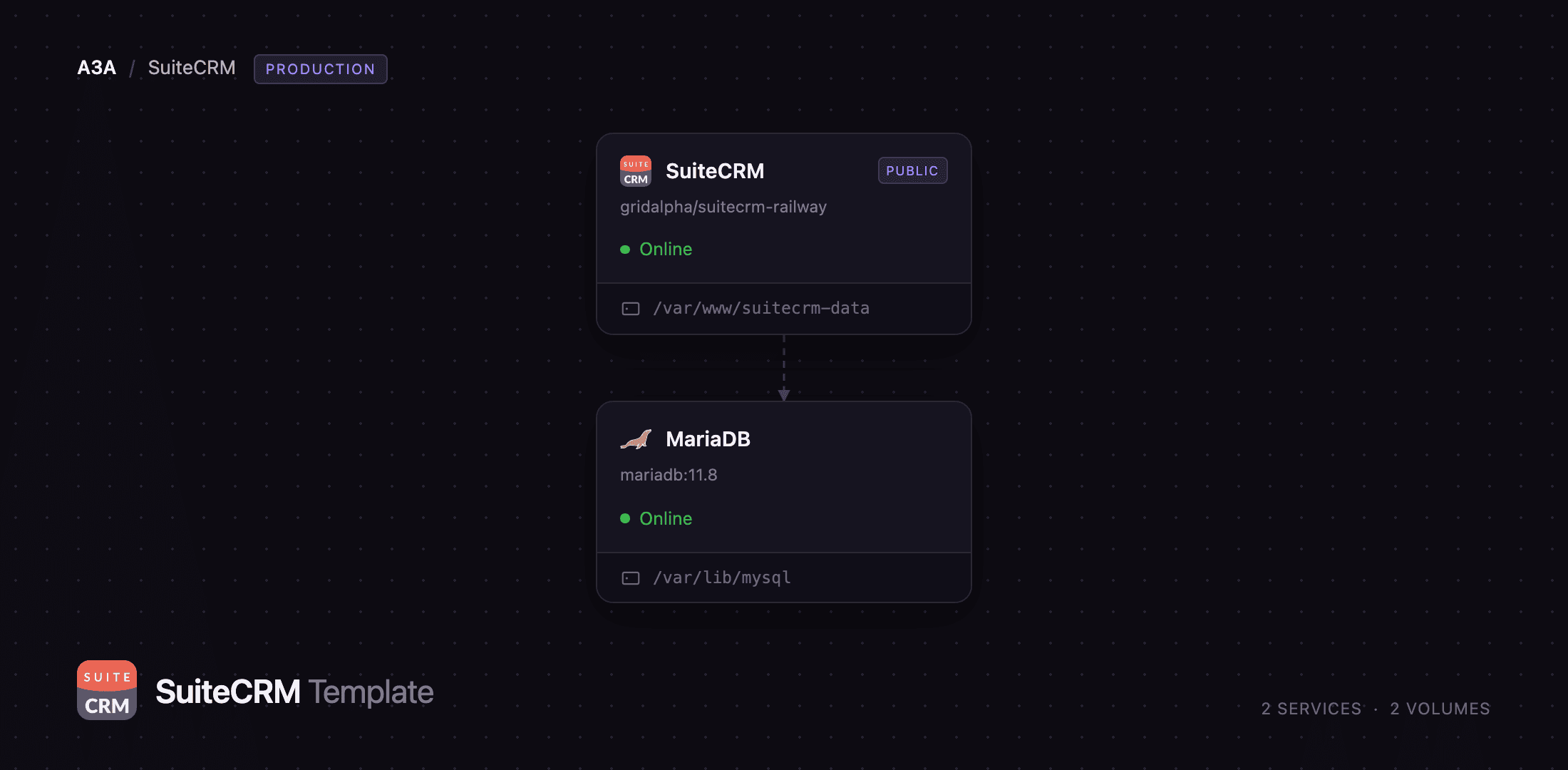
SuiteCRM
Just deployed
/var/www/suitecrm-data

MariaDB
Just deployed
/var/lib/mysql
Deploy and Host SuiteCRM on Railway
SuiteCRM is a full customer relationship management suite: accounts, contacts, leads, opportunities, quotes and invoices, cases, campaigns, projects and reports, plus a workflow engine and a Studio for adding fields and modules without writing code. It forked from SugarCRM Community Edition, is AGPL-3.0 licensed, and suits teams who want Salesforce-class functionality on infrastructure they control.
Self-host SuiteCRM 8.10 on Railway with this template and you get two services. SuiteCRM runs the application behind Apache and PHP 8.3, serving the Angular front end, the classic PHP modules and the REST API on one public domain. MariaDB holds every record on its own volume, reachable only over Railway's private network. The app container also runs the two background processes SuiteCRM 8.10 needs and a bare image omits: the scheduler driving workflows, campaigns, inbound email and reports every minute, and the Symfony Messenger worker for asynchronous jobs. The installer runs unattended on first boot, so no setup wizard is exposed.
Getting Started with SuiteCRM on Railway
Deploying takes a password and nothing else: SUITECRM_ADMIN_PASSWORD becomes the password of the admin account created while the schema is installed. The first boot takes a few minutes — the container waits for MariaDB, runs the command-line installer, then starts Apache, so a brief "Application failed to respond" is expected. Open the public URL, sign in as admin, and complete the short first-login wizard covering your name, email, locale and currency.
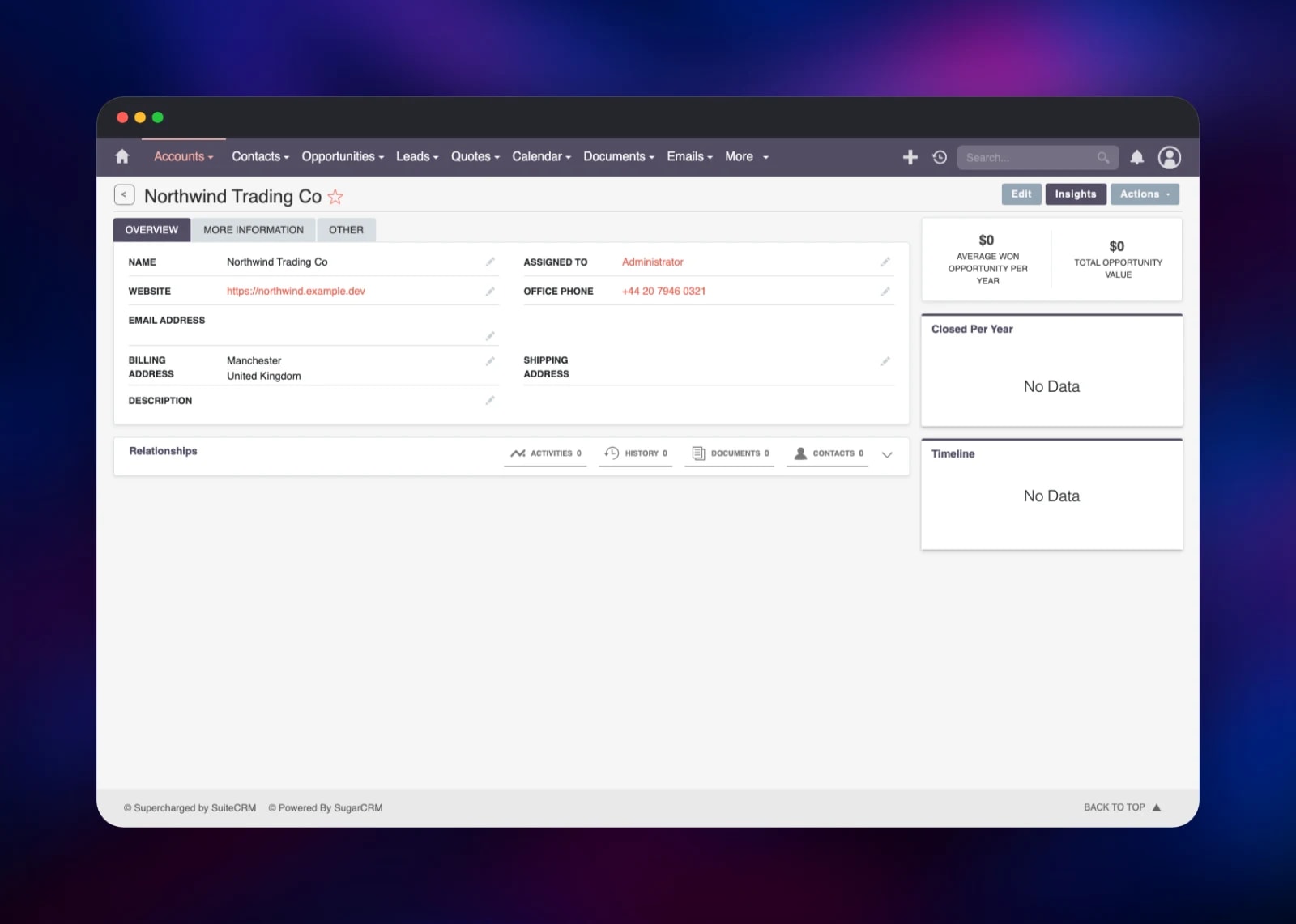
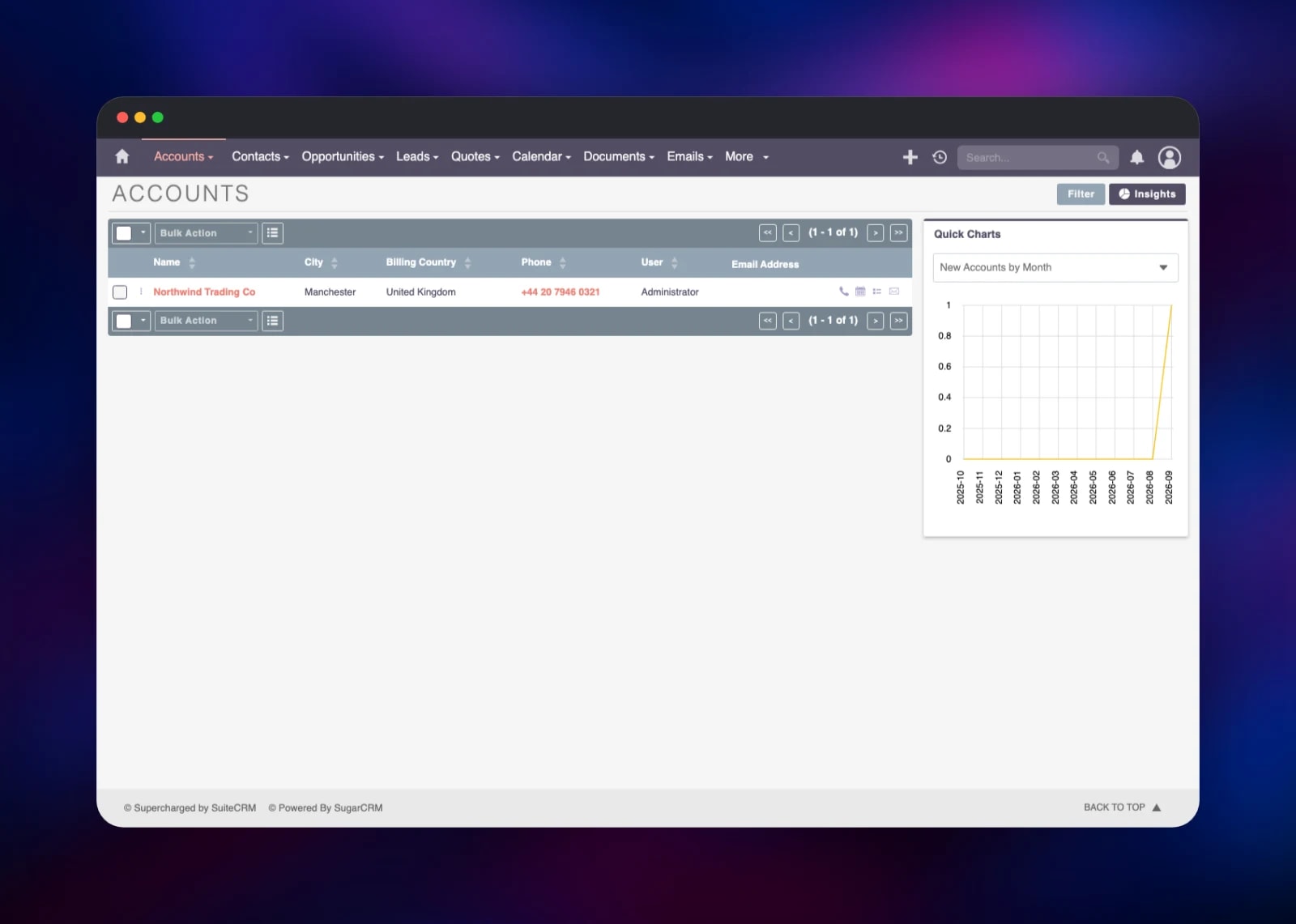
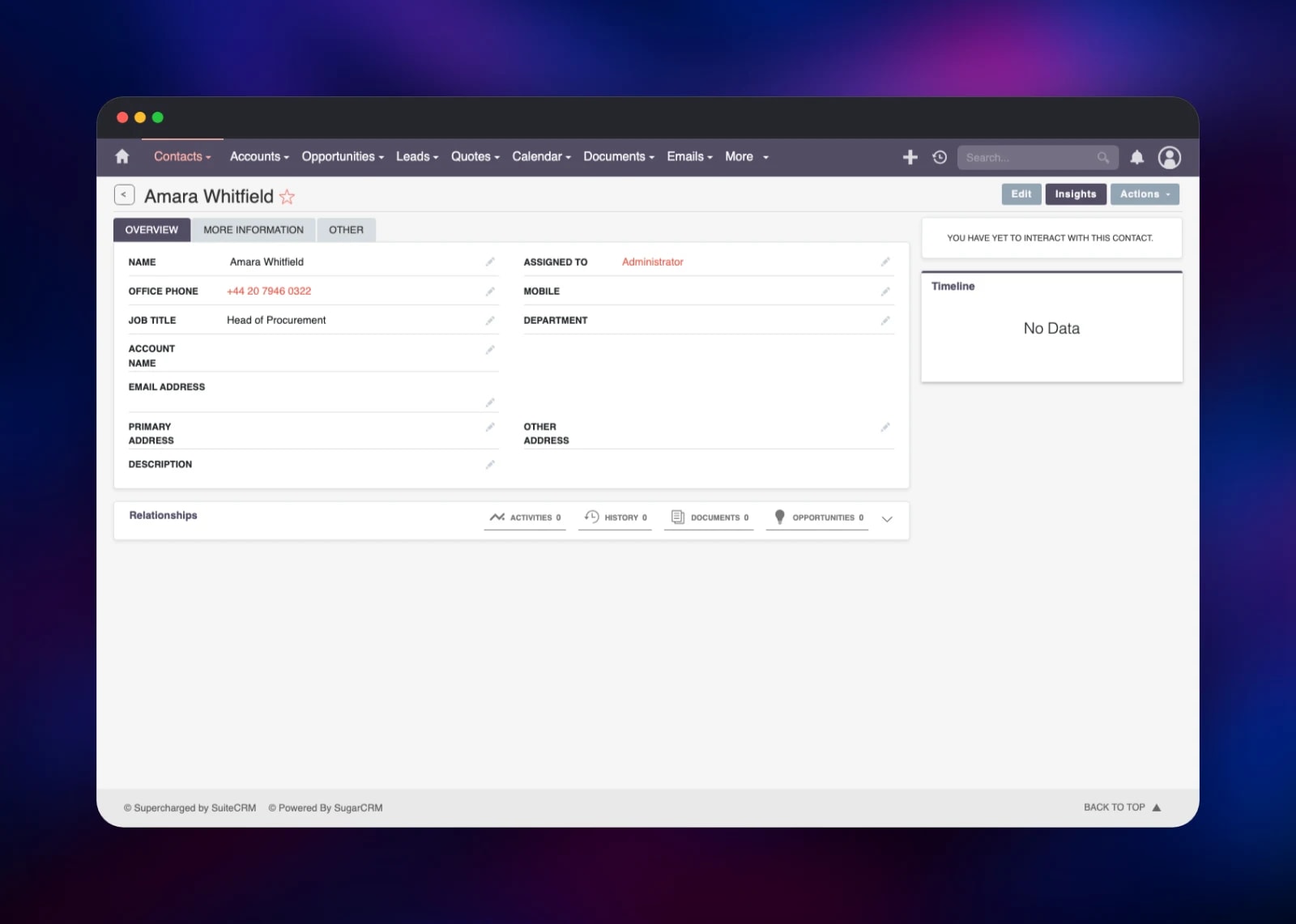
Then prove the install end to end: open Accounts, create a company with a website and billing address, then add a person in Contacts with a job title and phone. Both appear at once in their list views beside the Quick Charts panel. Point Admin → Email Settings at your SMTP relay — campaigns, case notifications and password resets need it. Admin → Studio adds fields and modules, and Admin → Scheduler shows the background jobs' last-run times, which update within a minute on a healthy deployment.
About Hosting SuiteCRM
Teams self-host SuiteCRM when per-seat pricing stops making sense, when customer data must stay in one jurisdiction, or when they need to reshape the data model further than a SaaS product allows. The application is PHP plus a MySQL-compatible database, so one container and one database are enough.
- Sales pipeline: leads, opportunities, quotes, contracts and invoices with PDF templates
- Customer service: cases, knowledge base, and inbound email routed into cases
- Marketing: target lists, email campaigns, confirmed opt-in, surveys and events
- Studio and Module Builder for custom fields, modules and layouts
- Workflow engine firing on record conditions, plus scheduled reports
- Roles and security groups, with LDAP and SAML single sign-on
- REST API v8 with OAuth2 and CalDAV calendar sync
SuiteCRM serves HTTP and runs the scheduler and Messenger worker beside Apache, because all three write the same uploads, cache and customisation directories on its volume. MariaDB stores every module's tables and is never public — the app reaches it over *.railway.internal.
Why Deploy SuiteCRM on Railway
Railway removes the server administration a PHP CRM brings.
- One click provisions the app, MariaDB, both volumes and a TLS domain
- The installer runs unattended, so no public setup wizard is left to race
- Volumes keep uploads, Studio customisations and database files across deploys
- The health check watches the database connection, not just the container
- Scale CPU and memory as your record count grows, with no migration
Common Use Cases
- A sales team replacing spreadsheets with a shared pipeline of accounts and opportunities
- An agency tracking projects, cases and quotes against each client record
- A marketing team running opt-in campaigns against target lists built from CRM data
- A business with data-residency rules that keeps records on its own infrastructure
Dependencies for SuiteCRM
- SuiteCRM 8.10.2 — built from the official release package at github.com/SuiteCRM/SuiteCRM-Core on
php:8.3-apache-bookworm, withimap,gd,intl,zip,ldap,soap,mysqliandopcachecompiled in - MariaDB 11.8 — the
mariadb:11.8image, a version SuiteCRM 8.10 supports, holding all CRM data on a volume
Environment Variables Reference
| Variable | Default | Purpose |
|---|---|---|
SUITECRM_ADMIN_PASSWORD | — | Password for the admin account created at install |
SUITECRM_ADMIN_USER | admin | Username of the first administrator |
SUITECRM_SITE_URL | https://${{RAILWAY_PUBLIC_DOMAIN}} | Public URL links are built from; change it for a custom domain |
SUITECRM_DEMO_DATA | no | yes loads SuiteCRM's demo records on first boot |
SUITECRM_CRON_INTERVAL | 60 | Seconds between scheduler runs |
APACHE_MAX_REQUEST_WORKERS | 24 | Maximum concurrent Apache workers |
APP_SECRET | generated | Symfony secret; keep it stable |
MARIADB_DATABASE | suitecrm | Database created on first boot |
Deployment Dependencies
- Source repository: github.com/gridalpha/suitecrm-railway
- Upstream project: github.com/SuiteCRM/SuiteCRM-Core
- Documentation: docs.suitecrm.com
- Database image: hub.docker.com/_/mariadb
Hardware Requirements for Self-Hosting SuiteCRM
| Resource | Minimum | Recommended |
|---|---|---|
| CPU | 1 vCPU | 2 vCPU |
| RAM | 1 GB | 2–4 GB |
| Storage | 5 GB app + 5 GB database volume | 10 GB+ each as attachments accumulate |
| Runtime | PHP 8.3, Apache 2.4 | PHP 8.3, Apache 2.4, MariaDB 11.8 |
PHP's memory limit is 512 MB, which the installer and Studio rebuilds want. Storage grows with document attachments and email archives rather than record count.
Self-Hosting SuiteCRM
SuiteCRM 8 ships as a pre-built release package rather than an official image, so a manual install means unpacking it into a web root:
curl -fsSL -o suitecrm.zip \
  https://github.com/SuiteCRM/SuiteCRM-Core/releases/download/v8.10.2/SuiteCRM-8.10.2.zip
unzip -q suitecrm.zip -d /var/www/html
chown -R www-data:www-data /var/www/html && chmod +x /var/www/html/bin/console
With Apache's document root at /var/www/html/public, the installer creates the schema and first administrator in one step:
php bin/console suitecrm:app:install \
  -U suitecrm -P "$DB_PASSWORD" -H mariadb -Z 3306 -N suitecrm \
  -u admin -p "$ADMIN_PASSWORD" -S https://crm.example.com -d no -W true
Two background processes must then run continuously: php -f public/legacy/cron.php every minute, and php bin/console messenger:consume internal-async. This template runs both under supervisor.
How Much Does SuiteCRM Cost to Self-Host?
SuiteCRM is free and open source under the AGPL-3.0 licence — no per-seat fees, no edition split, no feature paywall. SalesAgility sells optional hosting and support, but neither is required. On Railway you pay only for the compute, memory and volume storage the two services use, a fraction of hosted per-user pricing for a small team.
FAQ
What is SuiteCRM?
An open-source customer relationship management platform covering sales, marketing and customer service, forked from SugarCRM Community Edition in 2013 and maintained by SalesAgility under the AGPL-3.0 licence.
What does this Railway template deploy?
Two services: SuiteCRM 8.10.2 on Apache with PHP 8.3, and MariaDB 11.8, each with its own volume. The app container also runs the scheduler and Messenger worker.
Why does the template include a MariaDB service?
SuiteCRM stores every account, contact, opportunity and configuration row in a MySQL-compatible database, so it cannot run without one. Keeping MariaDB separate gives it its own volume, scaled and backed up independently.
How do I log in to SuiteCRM for the first time?
Sign in as admin with the password you set in SUITECRM_ADMIN_PASSWORD before deploying. The installer creates that account while building the schema, so no setup wizard is exposed publicly.
How do I send email from a self-hosted SuiteCRM?
Enter the host, port and credentials of an SMTP relay under Admin → Email Settings; campaigns, case notifications and password resets all use it. Inbound accounts live under Admin → Inbound Email and are polled by the scheduler.
Can I customise modules and fields in SuiteCRM without writing code?
Yes. Admin → Studio adds fields, edits layouts and defines relationships on existing modules; Module Builder creates new ones. Those customisations live on the application volume and survive redeploys.
How do I use the SuiteCRM REST API?
SuiteCRM 8 exposes a V8 REST API at /Api/V8/ secured with OAuth2. Create a client under Admin → OAuth2 Clients and Tokens, request a token, and call the module endpoints with it.
Template Content
SuiteCRM
gridalpha/suitecrm-railwayMariaDB
mariadb:11.8

