Deploy Timescale-DB
greSQL for time-series data, with a browser SQL console
TimescaleDB
Just deployed
/home/postgres/pgdata

Just deployed
Deploy and Host TimescaleDB on Railway
TimescaleDB is a PostgreSQL extension that turns an ordinary Postgres database into a time-series engine. It adds hypertables, which transparently partition a table into time-based chunks, plus continuous aggregates, columnstore compression and retention policies — while keeping everything else about Postgres intact, so the same SQL, drivers, ORMs and backup tools still work. Teams use it for metrics, IoT readings, financial ticks and application events: tables that grow forever and are almost always queried by time. Self-host TimescaleDB when you want that on infrastructure you control, without moving relational data into a second, unfamiliar database.
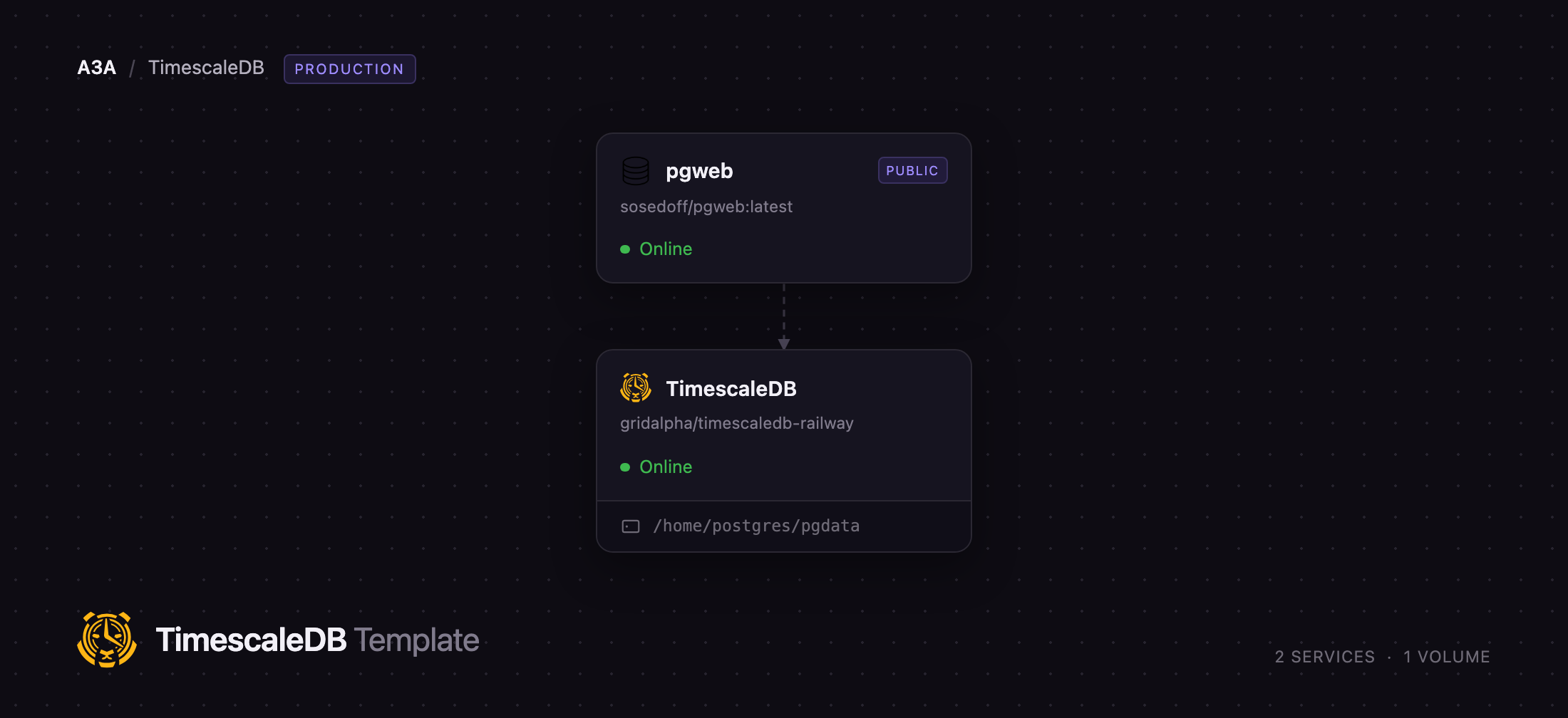
Deploy TimescaleDB on Railway and you get the database plus a browser SQL console in one project. The database runs the official timescale/timescaledb-ha image — TimescaleDB, Toolkit, pgvector, pgvectorscale and PostGIS on PostgreSQL 18 — and keeps its cluster on a persistent volume. Other services reach it over Railway's private network; psql, Grafana or DBeaver reach it through a TCP proxy. Alongside it, a pgweb service serves a UI for browsing tables and running queries, behind HTTP basic auth and locked to this one database.
Getting Started with TimescaleDB on Railway
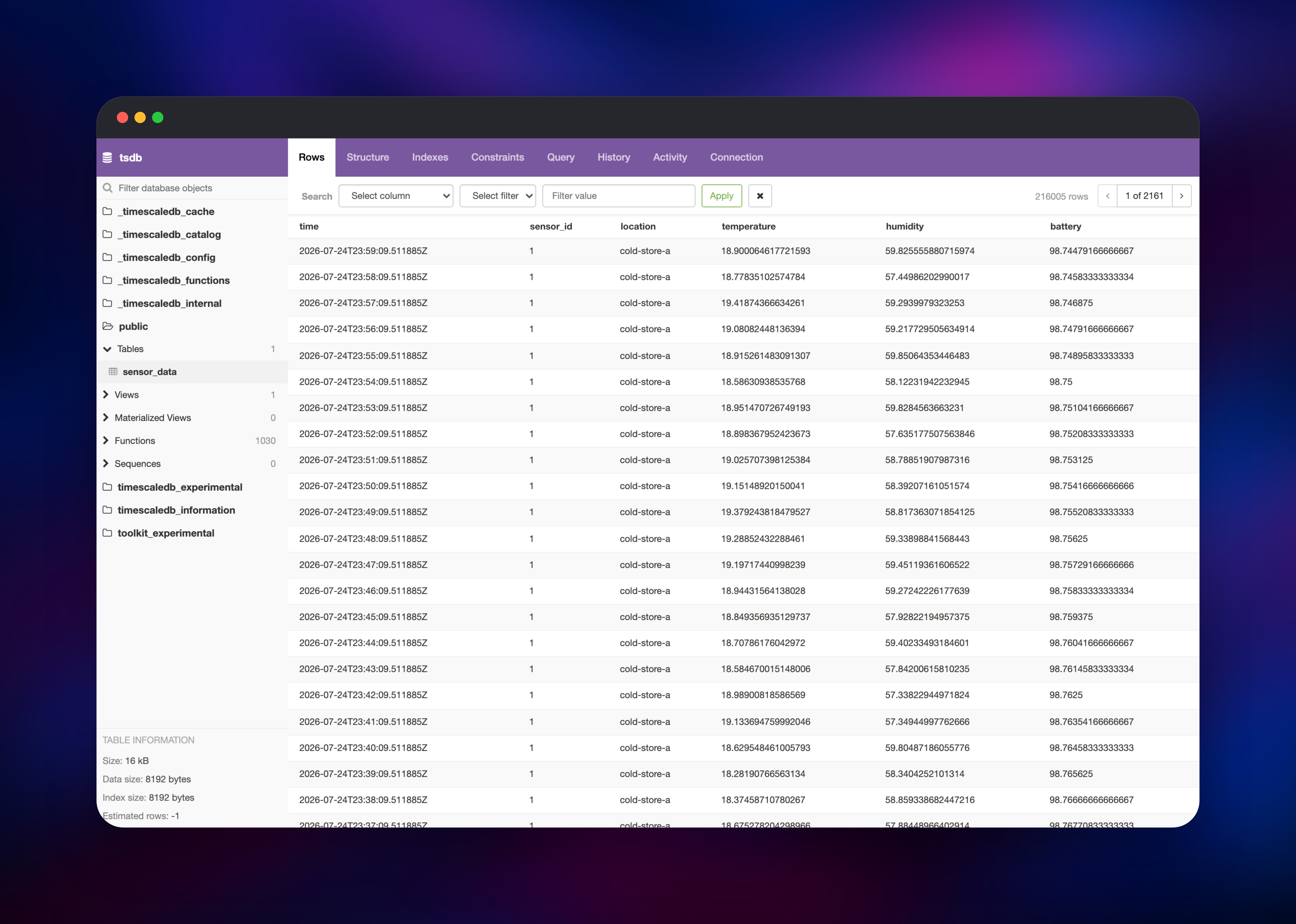
Set a password for the superuser and one for the application role at deploy time; everything else has a working default. Once both services are green, open the pgweb URL and sign in with the basic-auth pair from the template variables — the console opens straight onto the application database, with no connection form to fill in. To connect from outside Railway, copy DATABASE_PUBLIC_URL into psql; it already carries sslmode=require, because the server starts with TLS enabled. Applications in the same project should reference ${{TimescaleDB.DATABASE_URL}}, which resolves over the private network. The first thing to do is create a hypertable: make a table with a timestamptz column, call create_hypertable, insert rows, then confirm with SELECT * FROM timescaledb_information.hypertables. Chunks, compression and retention run as background jobs you can inspect with SELECT * FROM timescaledb_information.jobs.
The following is the SQL for a first hypertable:
CREATE TABLE sensor_data (
  time        timestamptz      NOT NULL,
  sensor_id   integer          NOT NULL,
  temperature double precision NOT NULL
);
SELECT create_hypertable('sensor_data', by_range('time', INTERVAL '1 day'));
About Hosting TimescaleDB
A hypertable behaves like a single table, but rows land in chunks partitioned by time. Queries filtered on time touch only the chunks they need, inserts hit the newest chunk, and dropping old data becomes a metadata operation instead of a DELETE over millions of rows. On top of that, TimescaleDB adds:
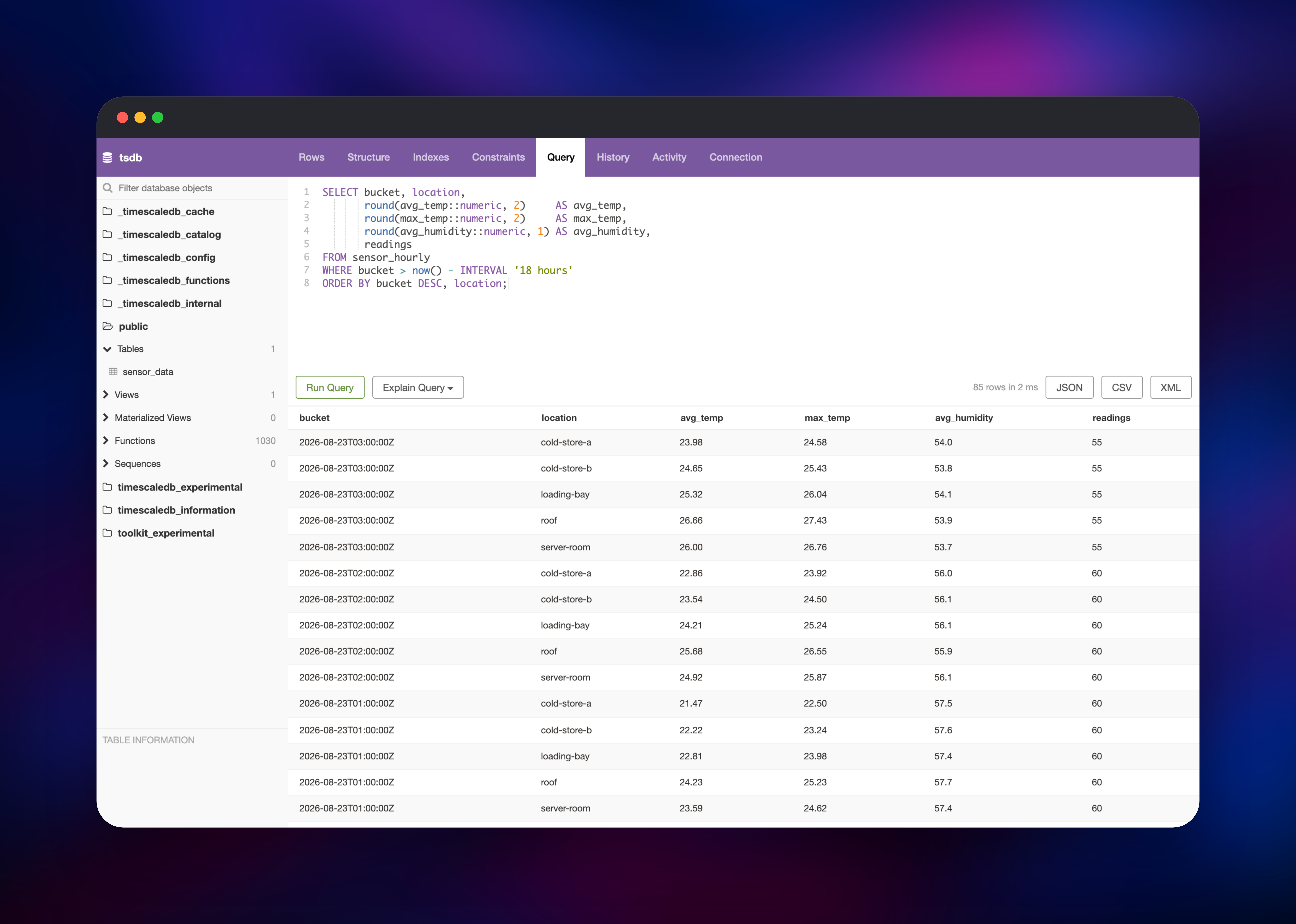
- Continuous aggregates — rollups that refresh incrementally in the background, so a dashboard query over a month of raw readings answers from a small pre-computed table.
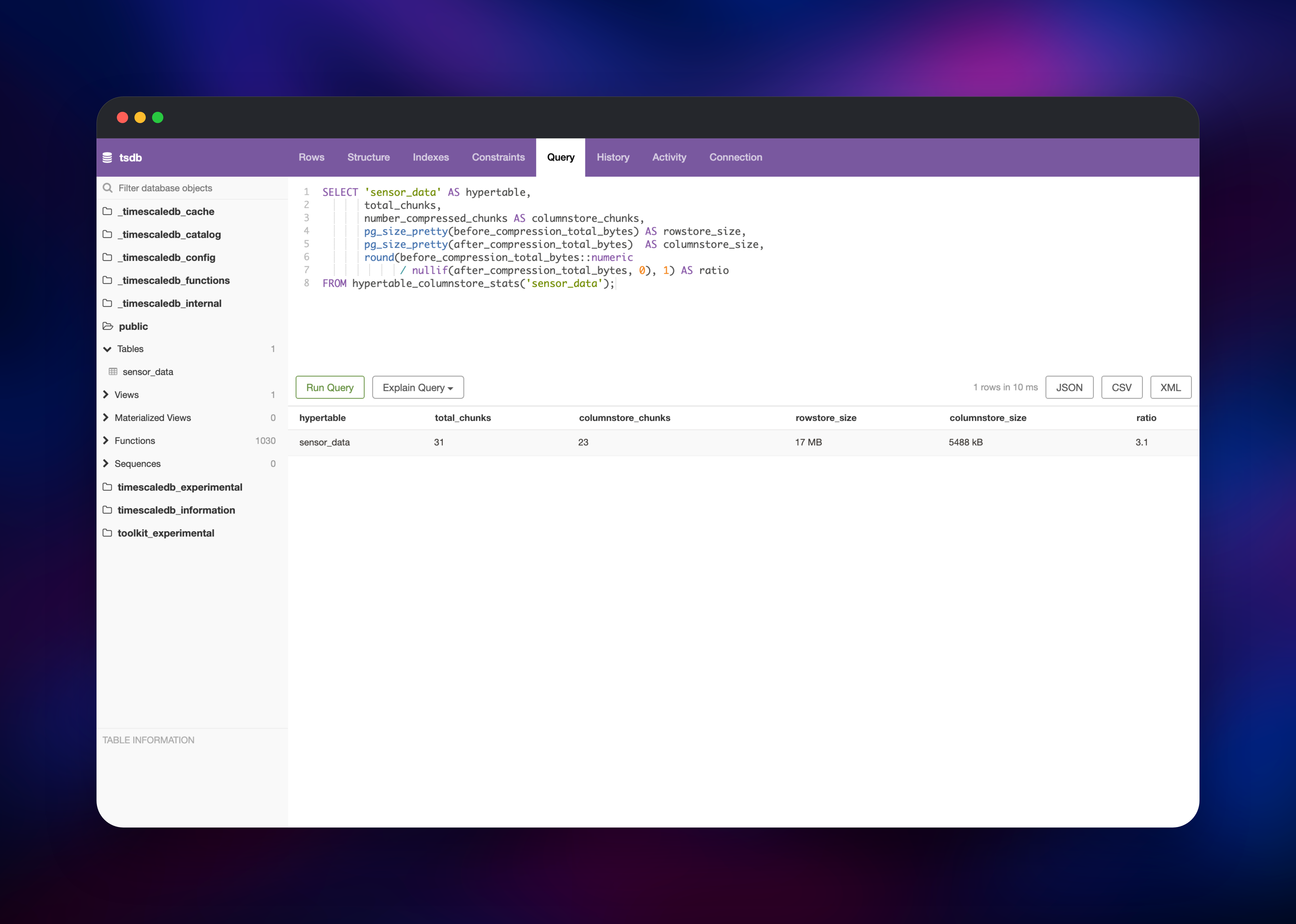
- Columnstore compression — older chunks convert to a columnar layout, usually shrinking storage several times over while staying fully queryable.
- Retention and reordering policies — jobs that drop, compress or reorder chunks on a schedule you define in SQL.
- Hyperfunctions and Toolkit —
time_bucket, gap filling, LOCF and approximate percentiles. - Everything Postgres already has — joins, JSONB, PostGIS geometry, pgvector embeddings, roles and row-level security.
InfluxDB and QuestDB win benchmarks on raw ingest rate; TimescaleDB wins when time-series data has to be joined to the customers, devices or accounts already sitting in Postgres. Self-hosting suits teams already running Postgres, or with compliance reasons to keep data on their own infrastructure. pgweb exists so the deployment is usable the moment it is live: a small Go binary that talks to the database privately and owns no state of its own.
Why Deploy TimescaleDB on Railway
Railway removes the server work around a self-hosted database.
- Persistent volume attached and configured; the cluster survives every redeploy.
- PostgreSQL is re-tuned from the container's limits on every boot, so resizing the service is enough.
- TLS on by default, with a certificate generated into the volume.
- Private networking for apps in the project, plus a TCP proxy for external clients.
Common Use Cases
- Metrics and observability backends — application or infrastructure metrics queried from Grafana in plain SQL.
- IoT and sensor platforms — device readings with per-device rollups and automatic retention.
- Financial and market data — tick storage with candlestick aggregation via
time_bucketand gap filling. - Product analytics — events beside the relational tables they reference, with no second database to sync.
Dependencies for TimescaleDB
- TimescaleDB — built from gridalpha/timescaledb-railway on
timescale/timescaledb-ha:pg18(PostgreSQL 18.4, TimescaleDB 2.29), with all data on a volume at/home/postgres/pgdata. - pgweb —
sosedoff/pgweb:latest, the SQL console. Stateless, no volume, holds the only public HTTP domain.
Environment Variables Reference
| Variable | Service | Purpose |
|---|---|---|
POSTGRES_PASSWORD | TimescaleDB | Superuser password |
APP_USER / APP_PASSWORD | TimescaleDB | Application role that owns the database |
APP_DB | TimescaleDB | Application database name |
DATABASE_URL | TimescaleDB | Private connection string for other services |
DATABASE_PUBLIC_URL | TimescaleDB | External connection string via the TCP proxy |
POSTGRES_SSL | TimescaleDB | Set off to serve plaintext only |
PG_MAX_CONNECTIONS | TimescaleDB | Connection limit, default 100 |
PGWEB_AUTH_USER / PGWEB_AUTH_PASS | pgweb | Basic-auth credentials for the console |
Deployment Dependencies
- TimescaleDB on GitHub and its self-hosting docs
- timescale/timescaledb-ha on Docker Hub
- pgweb on GitHub
Hardware Requirements for Self-Hosting TimescaleDB
| Resource | Minimum | Recommended |
|---|---|---|
| CPU | 1 vCPU | 4+ vCPU |
| RAM | 1 GB | 8 GB or more |
| Storage | 5 GB volume | Raw data ÷ compression ratio, plus WAL headroom |
| Runtime | PostgreSQL 18 with TimescaleDB 2.29 | Same |
TimescaleDB is memory and I/O sensitive rather than CPU bound; shared buffers are set to a quarter of the container's memory automatically, so add RAM before cores.
Self-Hosting TimescaleDB with Docker
The image runs anywhere Docker does. This starts a local instance with a persistent data directory:
docker run -d --name timescaledb \
  -p 5432:5432 \
  -e POSTGRES_PASSWORD=change-me \
  -v tsdata:/home/postgres/pgdata \
  timescale/timescaledb-ha:pg18
Then confirm the extension is present:
psql "postgresql://postgres:change-me@localhost:5432/postgres" \
  -c "SELECT extname, extversion FROM pg_extension;"
The Railway deployment adds what a bare container does not: volume ownership, TLS, tuning from the container's limits, a scoped application role, and ALTER EXTENSION timescaledb UPDATE when a newer build ships.
How Much Does TimescaleDB Cost to Self-Host?
TimescaleDB is free to self-host. The core is Apache 2.0, and the advanced features — compression, continuous aggregate policies, hyperfunctions — fall under the Timescale License, which permits unrestricted self-hosted use and only forbids reselling it as a managed database service. There is no per-node fee, no data cap and no licence key. On Railway you pay only for the compute, memory and volume the two services use.
FAQ
What is TimescaleDB? An open-source PostgreSQL extension for time-series data, adding automatic time partitioning, incremental rollups, columnar compression and retention policies to a standard Postgres server.
What does this Railway template deploy? Two services: TimescaleDB on PostgreSQL 18 with a persistent volume and a TCP proxy, and pgweb, a browser SQL console behind HTTP basic auth.
Why does the template include a web console?
So the deployment is usable immediately without installing a client. pgweb is locked to the application database and can be deleted if you only ever connect with psql.
How do I connect an application to self-hosted TimescaleDB on Railway?
Reference ${{TimescaleDB.DATABASE_URL}} from any other service in the project — it points at the private network, so traffic never crosses the public internet.
Can I use my existing PostgreSQL client and ORM?
Yes. TimescaleDB speaks the PostgreSQL wire protocol, so psql, pgAdmin, Prisma, SQLAlchemy, ActiveRecord and JDBC connect unchanged.
Do I need a superuser to create hypertables? No. The template creates a role that owns the application database, and hypertables, continuous aggregates, compression and retention policies all work from it.
Template Content
TimescaleDB
gridalpha/timescaledb-railway