
Deploy TimeTagger
Self-hosted time tracking with an interactive timeline
timetagger
Just deployed
/data

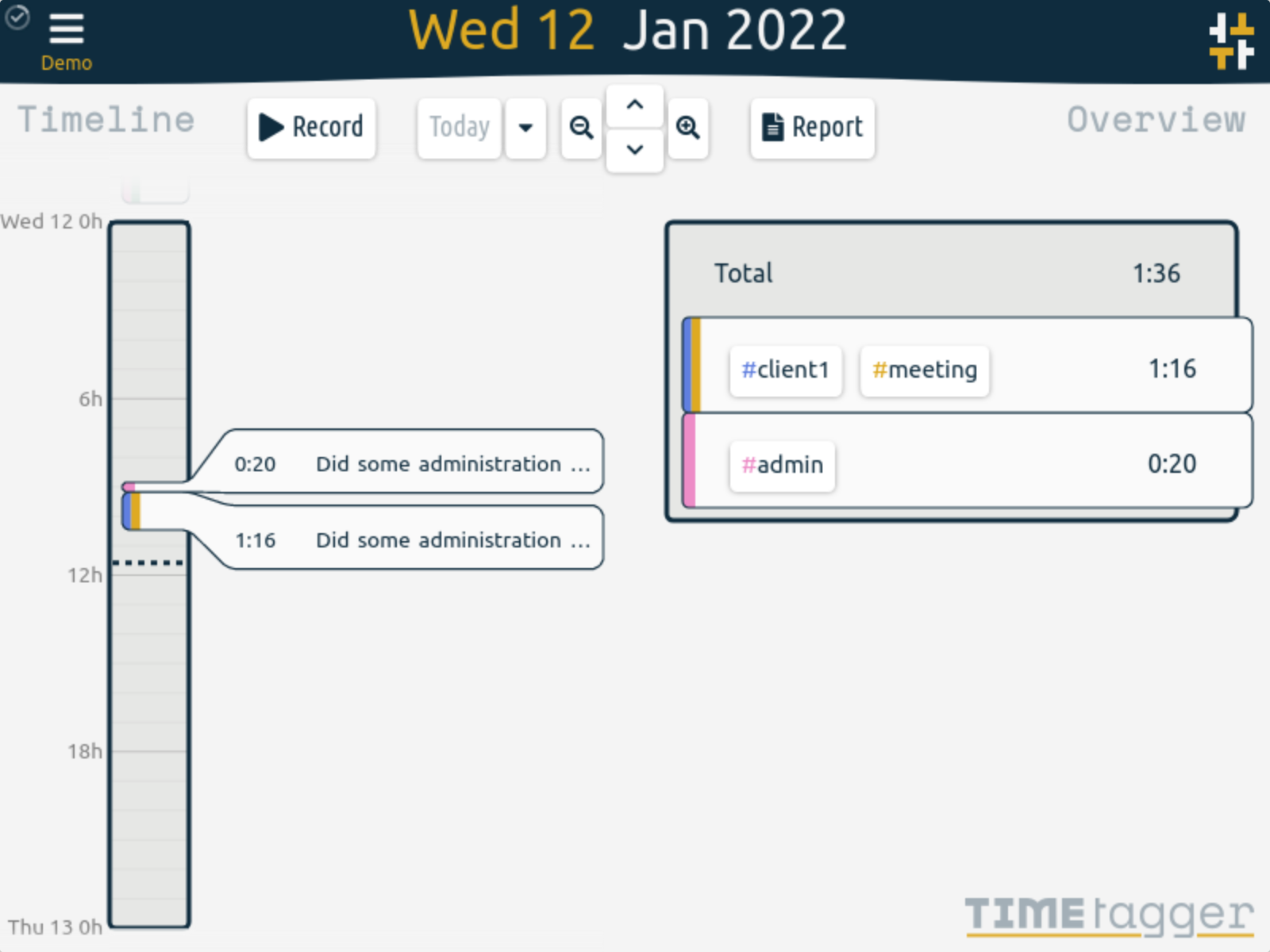
TimeTagger's timeline and overview — upstream screenshot from the TimeTagger project site (timetagger.app, screenshot1.png). The live UI was verified rendering during end-to-end testing of this template's own deployment.
Deploy and Host
TimeTagger is a self-hosted time tracker with an interactive timeline: tag your time as you go, see where the day went at a glance, and export CSV or PDF reports to bill clients. One-click deploy creates a single TimeTagger service with a persistent volume and no companion database: each user's records live in files on the volume. After deploy, sign in as admin with the generated password from your project's variables, press Record, tag the entry, and the timeline and overview update immediately. There is no setup wizard and no email step.
About Hosting
Hosting TimeTagger on Railway keeps your time records on your own volume instead of a subscription SaaS. The deployment is a single always-on Python service: the wrapper maps Railway's injected PORT onto TimeTagger's bind address on every boot, serves the app at the root path, and bcrypt-hashes the generated deploy password into the admin login on every boot. The only deploy-form field is the generated admin password.
Why Deploy
- Interactive timeline instead of start/stop forms: drag, split, and edit records right on the day view.
- Tag-based, not project-based:
#client1 #meetingis faster than maintaining a project tree, and tags combine freely per entry. - Reports that bill clients: one click exports a detailed CSV or PDF report for any date range.
- Targets and Pomodoro: set daily/weekly/monthly targets per tag and use the built-in Pomodoro timer to stay focused.
- Works offline and syncs: the app is installable as a PWA and syncs records when back online.
- No database service to run: one always-on Python service with file-based storage on a persistent volume.
- Self-hosted data: your time records stay on your Railway volume, with no tracking and no subscription.
Common Use Cases
- Freelancers tracking billable hours per client and exporting PDF reports for invoices.
- Individuals who want to see, tag by tag, where their week actually went.
- Small teams where each person logs in with their own username (via
TIMETAGGER_CREDENTIALS) and keeps a separate timeline. - A private alternative to hosted time trackers, with the data on your own volume.
Dependencies for
- A single TimeTagger service (Python, file-based storage, no companion service).
- One persistent volume mounted at
/data(user databases under/data/users). - Environment variables (condensed reference — full documentation in the repo README):
| Variable | Default | Description |
|---|---|---|
ADMIN_PASSWORD | generated | Password for the admin account; bcrypt-hashed by the wrapper on every boot. |
PORT | Railway-injected | TimeTagger's HTTP port, mapped by the wrapper on every boot (upstream default 127.0.0.1:8080). |
TIMETAGGER_CREDENTIALS | unset | Advanced multi-user login as user:bcrypt-hash,...; takes precedence over ADMIN_PASSWORD when set. |
TIMETAGGER_DATADIR | /data | The Railway volume (user databases under /data/users). |
TIMETAGGER_PATH_PREFIX | / | Serve the app at the root instead of upstream's default /timetagger/. |
TIMETAGGER_APP_REDIRECT | true | Redirect / straight to the app instead of the landing page. |
TIMETAGGER_LOG_LEVEL | info | Log level (debug, info, warning, error). |
Deployment Dependencies
- Plan tier: works on Railway's entry tiers; a single always-on service with a persistent volume.
- RAM needs: light — one Python service, typically well under 256 MB at rest, no companion database or cache service.
Template Content
timetagger
INAPP-Mobile/timetagger

