Deploy tophbase
Supabase-compatible backend. No CLI, no Docker. Iterate MVP ideas faster
toph-base
Just deployed
/app/.tophbase
Deploy and Host tophbase on Railway
I love Supabase. But spinning it up locally means Docker, a heavy CLI, and a cloud account before you can do anything. tophbase gives you a Supabase-compatible backend in one click: no CLI, no Docker, no external database. Postgres, REST API, Auth, Storage, and a built-in dashboard.
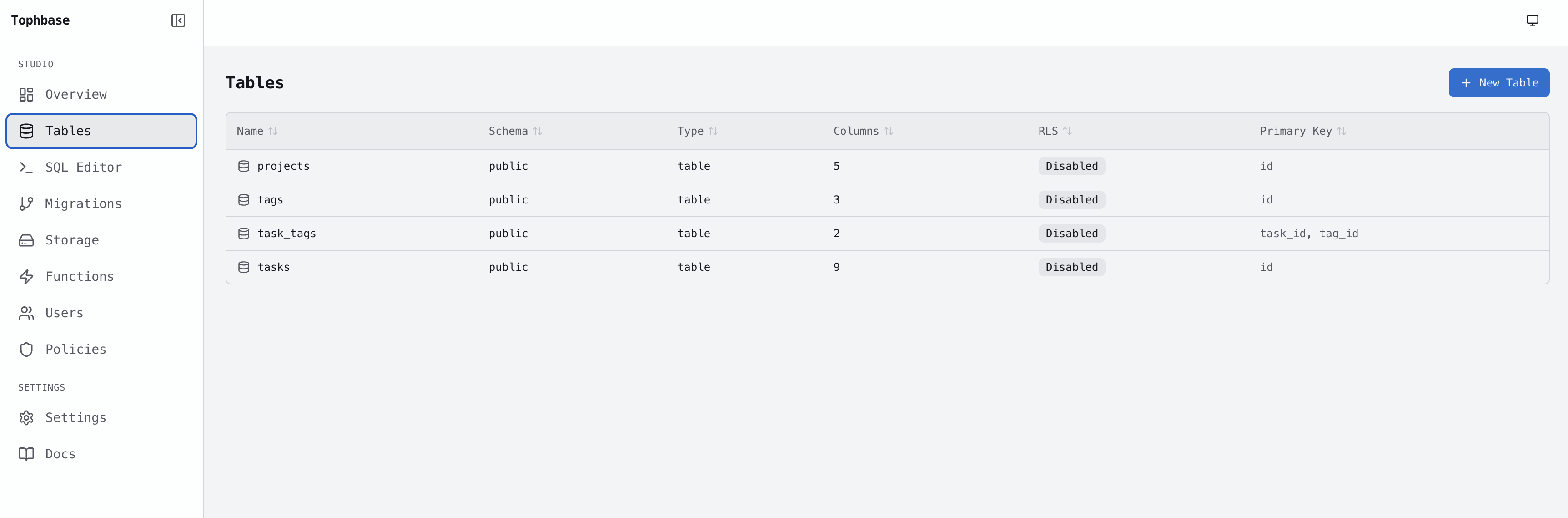
About Hosting tophbase
Deploying tophbase on Railway gives you a persistent, hosted backend with a public URL. Railway provisions the service from the tophbase GitHub repo, builds it via Docker, and mounts a persistent volume at /app/.tophbase so your data survives restarts and redeployments. Point any Supabase JS client at it by swapping SUPABASE_URL to your Railway domain and using the publishable key printed in the deploy logs.
To move to real Supabase later, run npx tophbase graduate --provider supabase. It migrates your schema and data over.
Why Deploy
No CLI to install, no Docker to run. You get a public URL, persistent storage, a built-in dashboard, and a Supabase JS-compatible API in under a minute.
For a typical app (SQL, REST API, email auth, RLS, extensions, storage), compatibility is ~95%. The main gaps are Realtime, OAuth, and Edge Functions (partial).
Dependencies for tophbase
tophbase has no external service dependencies. The database runs inside the service itself and is persisted via a Railway volume.
Deployment Dependencies
- Persistent Volume mounted at
/app/.tophbase. Required for data to survive restarts. Add it via the Railway dashboard when deploying this template.
Common Use Cases
- Spinning up a backend for a hackathon or side project without touching the Supabase CLI or Docker
- Running a Supabase-compatible API for a mobile or web MVP before committing to a production database
- Testing Supabase JS client integrations against a lightweight hosted backend
- Iterating on a schema and API locally with
npx tophbase freshman, then deploying to Railway to share with others
Template Content
toph-base
avocadocutter/toph-base