
Deploy Tronbyt Server
Run 1000+ pixel apps on your LED display without a vendor cloud

Just deployed
/var/lib/postgresql/data

Redis
Just deployed
/data

tronbyt-server
Just deployed
/app/data
Deploy and Host Tronbyt Server on Railway
Tronbyt Server is an open-source replacement for the cloud backend that drives Tidbyt smart LED displays. It runs the Pixlet applet runtime itself, renders each app into a small animated WebP, and serves those frames to your display over HTTP. Tidbyt's team was acquired by Modal and the hardware is no longer produced, so anyone with one of those 64x32 pixel panels is running against a cloud service with a finite life. Self-hosting Tronbyt Server cuts that dependency: your display keeps cycling apps whether or not the original servers come back.
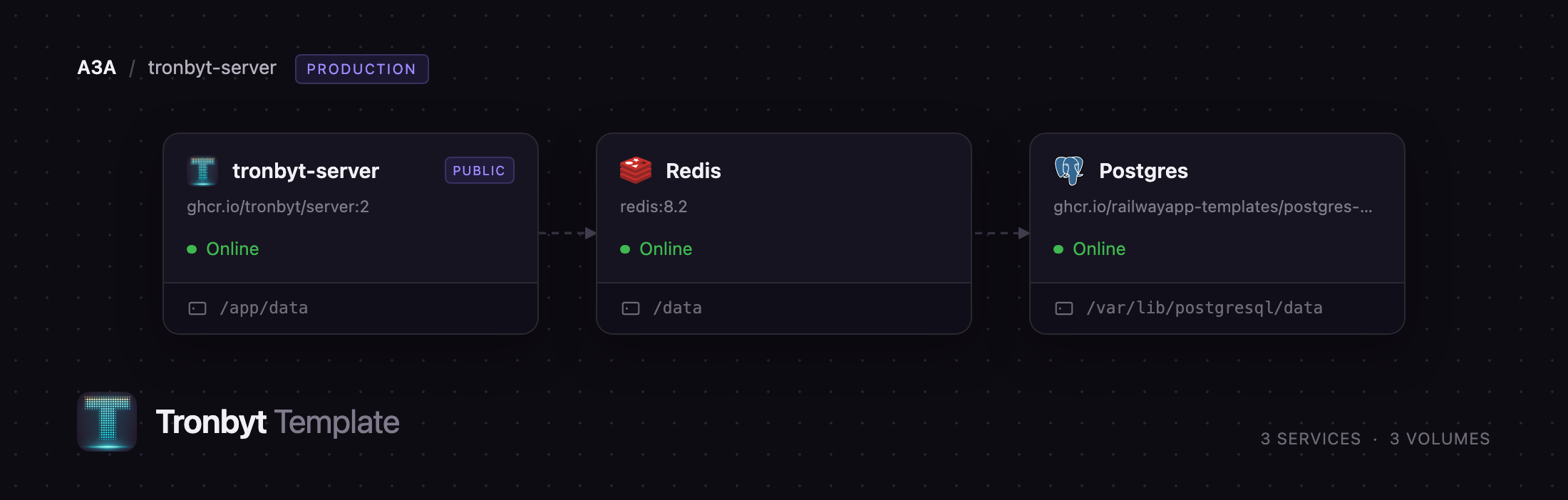
Deploy Tronbyt Server on Railway and you get the full production layout rather than one container with a database file inside it. The app service runs the web UI, the Pixlet renderer and the device endpoint. PostgreSQL holds users, devices, installed apps and settings. Redis backs Pixlet's HTTP cache, so apps pulling weather, transit or stock data reuse responses across renders and restarts instead of hammering upstream APIs. A volume carries the community app catalogue, custom applet repositories, device firmware and rendered frames. Your display polls one public URL; everything else stays on Railway's private network.
Getting Started with Tronbyt Server on Railway
There are no default credentials and nothing to seed by hand. Open the deployed URL and you land on a setup screen asking you to create the admin user — the first account registered on an empty instance automatically becomes an administrator, and every signup after that is rejected unless an admin creates it. Pick a strong password: this account can generate firmware containing your WiFi credentials.
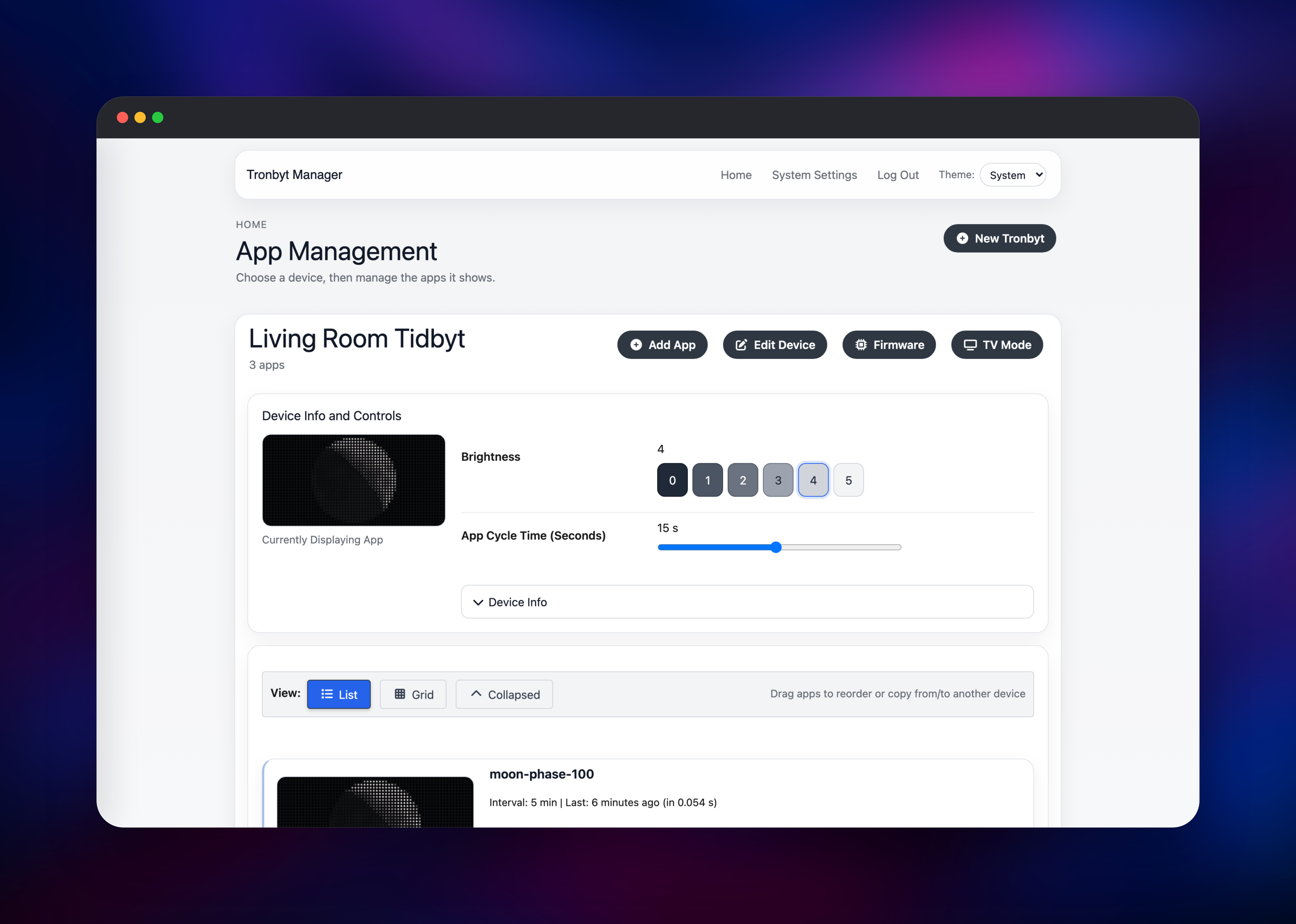
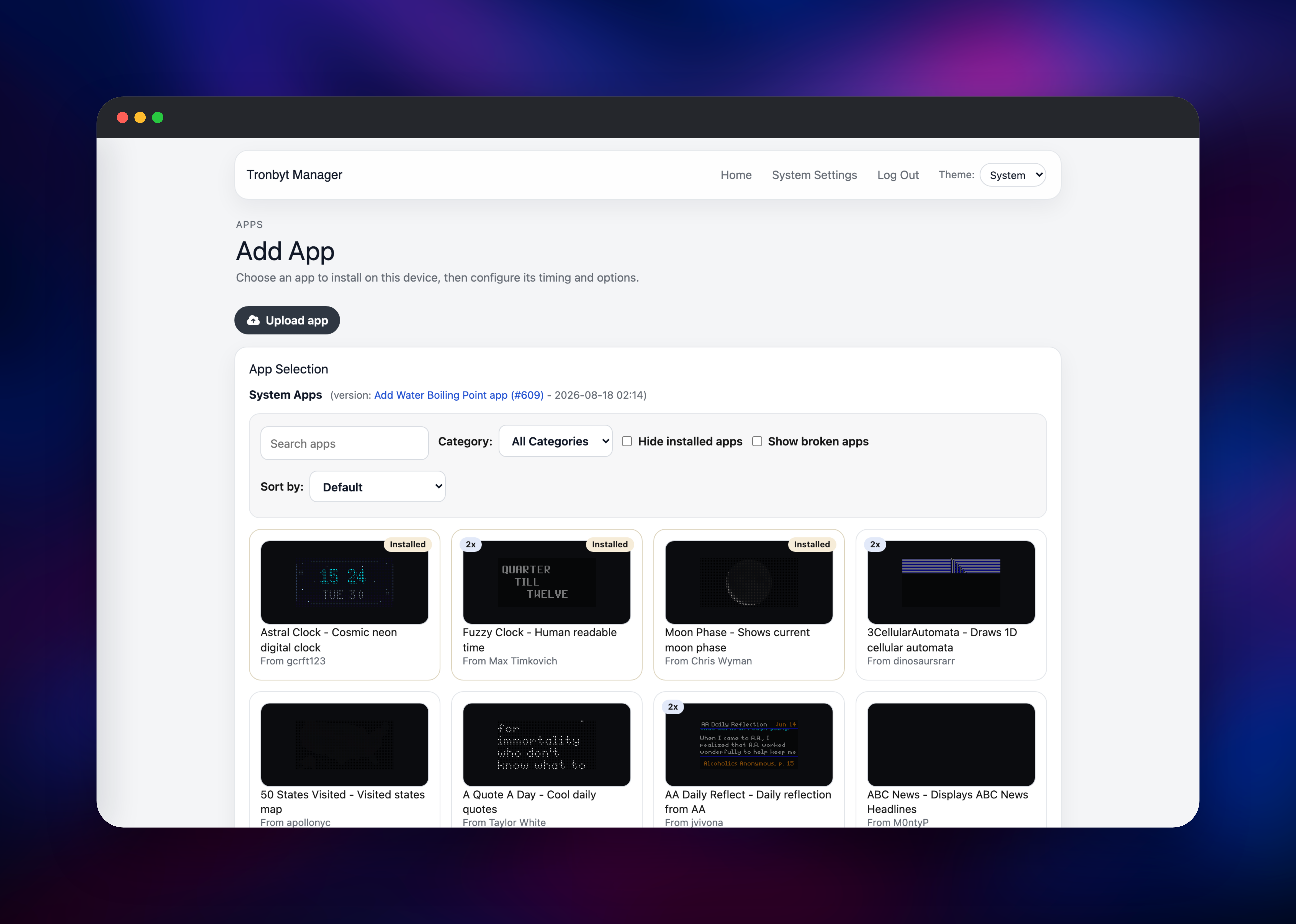
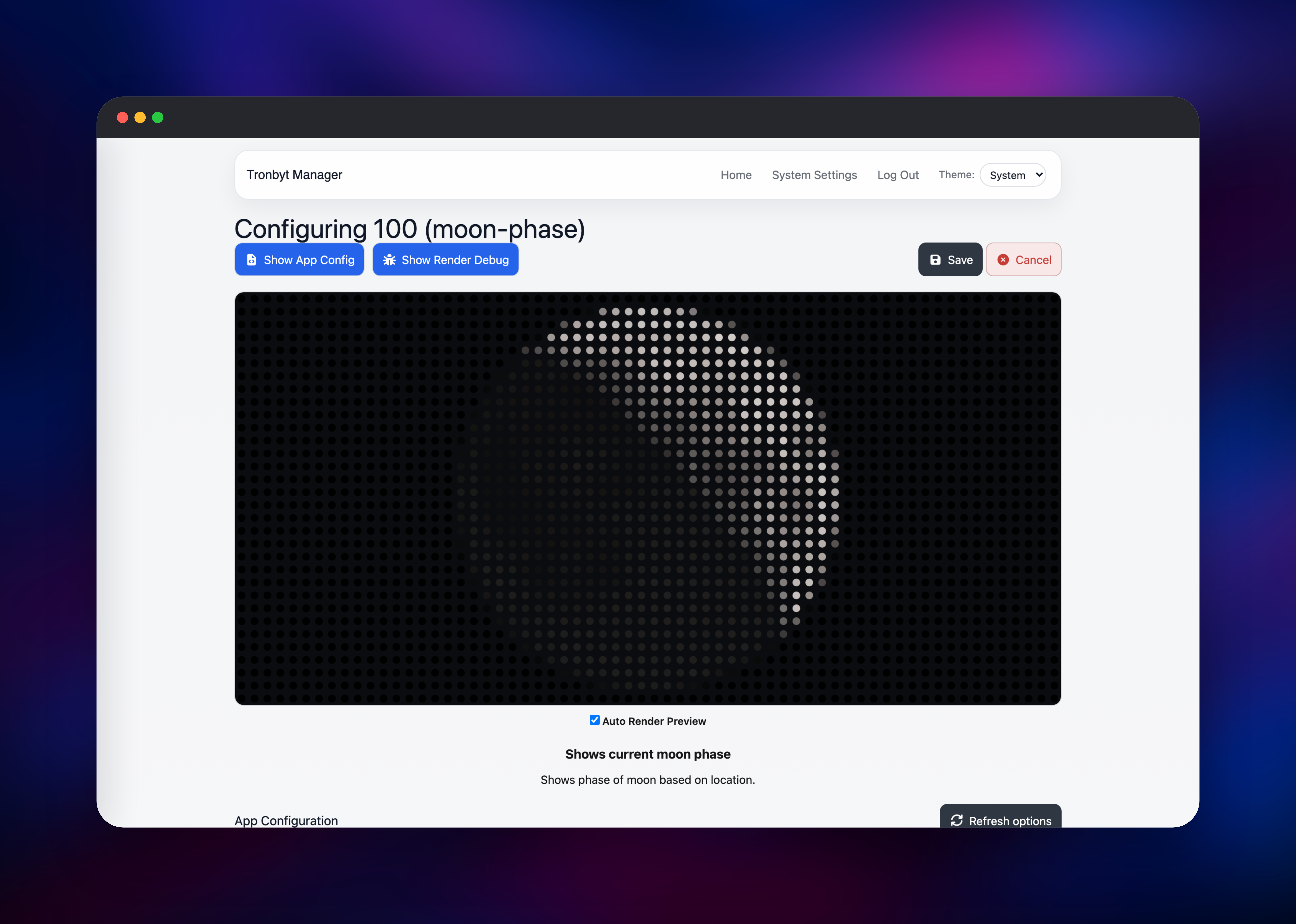
Then click New Tronbyt and give your display a name and hardware type — Tidbyt Gen1 and Gen2, Tronbyt S3 and S3 Wide, MatrixPortal S3, Waveshare S3, Pixoticker and Raspberry Pi panels are all listed. Hit Add App to browse the catalogue: over a thousand community applets, each with a live thumbnail, filterable by category. Choose one, adjust its options, and watch the preview render on a simulated LED matrix before saving.
To point real hardware at your instance, open Firmware on the device, enter your WiFi details and download the generated image; flashing it with the ESPHome web flasher swaps the stock firmware for one that talks to your server. To confirm the deployment works without any hardware, check that an installed app shows a recent render time on the dashboard and that /health returns OK.
About Hosting Tronbyt Server
Tronbyt Server replaces a vendor cloud with software you control. Apps are Starlark scripts running on Pixlet, the same runtime Tidbyt built, so the existing ecosystem of community applets works unchanged. The server runs them on a schedule, renders each to a 64x32 (or 128x64) WebP animation, and hands frames to the device from /next, with dwell time and brightness in response headers. Writing a new client is deliberately easy — anything that can fetch a URL and loop an animation can be a display.
Key capabilities:
- Web UI for adding devices, installing apps, reordering, pinning and disabling them
- Live render preview while configuring an app, plus a render-debug view for authoring
- Built-in firmware generator for ESP32 displays, with WiFi settings baked in
- Per-device brightness, cycle time, night mode and scheduling
- Custom app repositories per user, plus direct applet upload
- TV Mode for showing the rotation in a browser instead of on hardware
- Optional OIDC single sign-on, a documented HTTP API and Prometheus metrics
The three services divide cleanly. The app container does all rendering and is stateless apart from its volume. PostgreSQL stores relational state and the session-signing key, which is what lets logins survive a redeploy. Redis caches the outbound HTTP applets make — a dozen apps refreshing every five minutes otherwise means a dozen API calls every five minutes.
Why Deploy Tronbyt Server on Railway
Running this at home means a machine that never sleeps, plus port forwarding for access away from the house.
- Managed PostgreSQL and Redis with no tuning or backups to configure
- A persistent volume for the app catalogue and generated firmware
- HTTPS and a public hostname out of the box for remote devices
- Private networking between app, database and cache
- One-click redeploys when a new release ships
Common Use Cases
- Keeping an existing Tidbyt fully featured after the vendor cloud winds down
- Running a DIY LED matrix on an ESP32 or Raspberry Pi with the Tidbyt app ecosystem behind it
- Developing and previewing your own Pixlet applets without publishing them
- Driving an office status display from internal APIs a public cloud could never reach
Dependencies for Tronbyt Server
ghcr.io/tronbyt/server:2— the application, Pixlet renderer and device endpoint, on port 8000ghcr.io/railwayapp-templates/postgres-ssl:18— users, devices, installed apps, settingsredis:8.2— Pixlet HTTP response cache- A 5 GB volume at
/app/dataon the app service
Environment Variables Reference
| Variable | Purpose |
|---|---|
DB_DSN | Database connection string; must be set or the app falls back to SQLite |
REDIS_URL | Redis connection string for the applet HTTP cache |
DATA_DIR | Directory for app repos, firmware and rendered frames |
TRONBYT_PORT | Port the server listens on |
ENABLE_USER_REGISTRATION | false closes signups after the first admin is created |
SYSTEM_APPS_AUTO_REFRESH | Pulls the community app catalogue every 12 hours |
GITHUB_TOKEN | Optional, for private custom applet repositories |
SYSTEM_APPS_REPO | Optional, to point at your own applet catalogue |
Deployment Dependencies
- Source repository: https://github.com/tronbyt/server
- Community applets: https://github.com/tronbyt/apps
- Container images: https://github.com/tronbyt/server/pkgs/container/server
- HTTP API reference: https://github.com/tronbyt/server/blob/main/API.md
Hardware Requirements for Self-Hosting Tronbyt Server
| Resource | Minimum | Recommended |
|---|---|---|
| CPU | 1 vCPU | 2 vCPU |
| RAM | 512 MB | 1 GB |
| Storage | 2 GB volume | 5 GB volume |
| Runtime | Go 1.26 static binary (container) | Same, plus PostgreSQL 18 and Redis 8 |
Rendering is short and bursty, not sustained. Most storage goes to the community app catalogue, a few hundred megabytes, plus cached firmware images.
Self-Hosting Tronbyt Server
The quickest local run is a single container with a mounted data directory. The following is a shell command:
docker run -d --name tronbyt \
  -p 8000:8000 \
  -v tronbyt_data:/app/data \
  -e ENABLE_USER_REGISTRATION=false \
  ghcr.io/tronbyt/server:2
For the three-service layout this template uses, the repository ships compose overlays. The following is a shell session:
git clone https://github.com/tronbyt/server.git
cd server
docker compose -f docker-compose.yaml -f docker-compose.postgres.yaml up -d
A Homebrew formula (brew install tronbyt-server) and a Home Assistant add-on are also available.
How Much Does Tronbyt Server Cost to Self-Host?
Tronbyt Server is free and open source under the Apache 2.0 licence, as is the community applet catalogue. There is no paid tier, no account and no usage metering. On Railway you pay only for the compute, memory and volume the three services consume, which for a handful of displays is a small always-on workload. Hardware is the only real cost, and a DIY ESP32 matrix is far cheaper than the original panel.
FAQ
What is Tronbyt Server?
It is a self-hosted replacement for the Tidbyt cloud backend. It runs the same Pixlet applets, renders them to animated images, and serves them to your LED display without any vendor service involved.
What does this Railway template deploy?
Three services: the Tronbyt Server app with a persistent volume, a PostgreSQL database, and a Redis cache. They are wired together on Railway's private network, and only the app has a public URL.
Why does the template include PostgreSQL and Redis?
PostgreSQL holds your users, devices and installed apps, and keeps the session key stable so you stay logged in across redeploys. Redis caches the HTTP requests applets make to third-party APIs, so apps refreshing on a schedule do not multiply into constant outbound traffic.
Do I need a real Tidbyt to use this?
No. TV Mode plays the rotation in a browser and the render preview works while configuring any app. You can also build a compatible display from an ESP32 board and an LED matrix, or use a Raspberry Pi.
How do I connect my existing Tidbyt to a self-hosted Tronbyt Server?
Add the device in the web UI, open its Firmware page, enter your WiFi credentials, and download the generated image. Flash it with the ESPHome web flasher and the display will poll your server instead of the vendor's.
Can I write my own apps for self-hosted Tronbyt Server?
Yes. Apps are Starlark scripts using the Pixlet API. Upload a .star file directly, or point your account at a custom Git repository and have the server pull from it.
Template Content
Redis
redis:8.2tronbyt-server
ghcr.io/tronbyt/server:2

