
Deploy Twenty CRM | Open Source Salesforce Alternative
Self Host Twenty CRM. Manage Your Customer Relationships. Own Your Data.
DBs

Redis
Just deployed
/data

Just deployed
/var/lib/postgresql/data

MinIO
Just deployed
/data
Twenty
Twenty Server
Just deployed
Twenty Worker
Just deployed
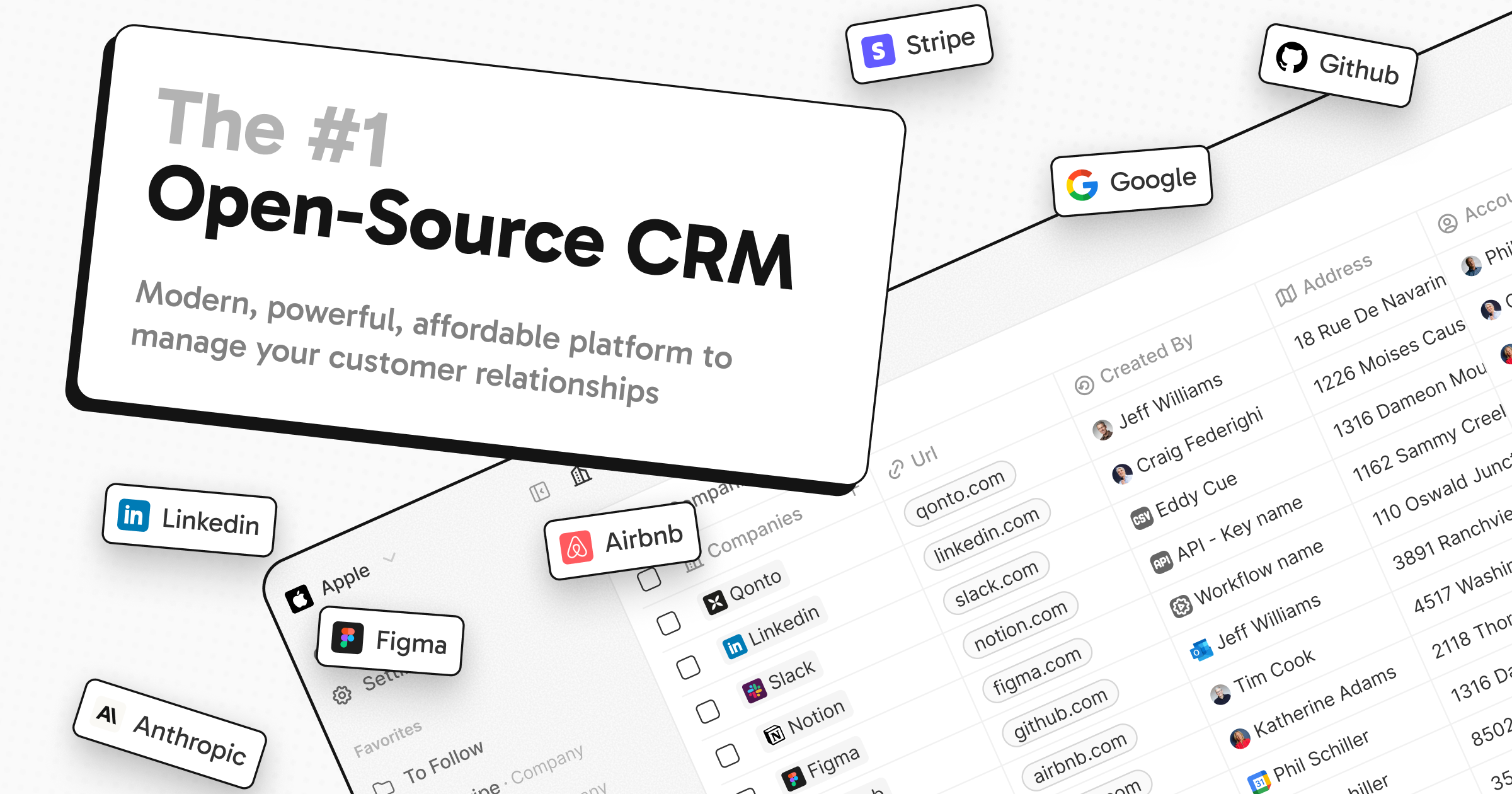
Deploy and Host Twenty CRM on Railway
Twenty is a modern, open-source CRM built as a community-powered alternative to Salesforce — giving developers full control over their customer data with a customizable data model, GraphQL/REST API, pipeline management, email sync, and workflow automation. It's Y Combinator-backed, TypeScript-native, and actively maintained by 300+ contributors on github.com/twentyhq/twenty.
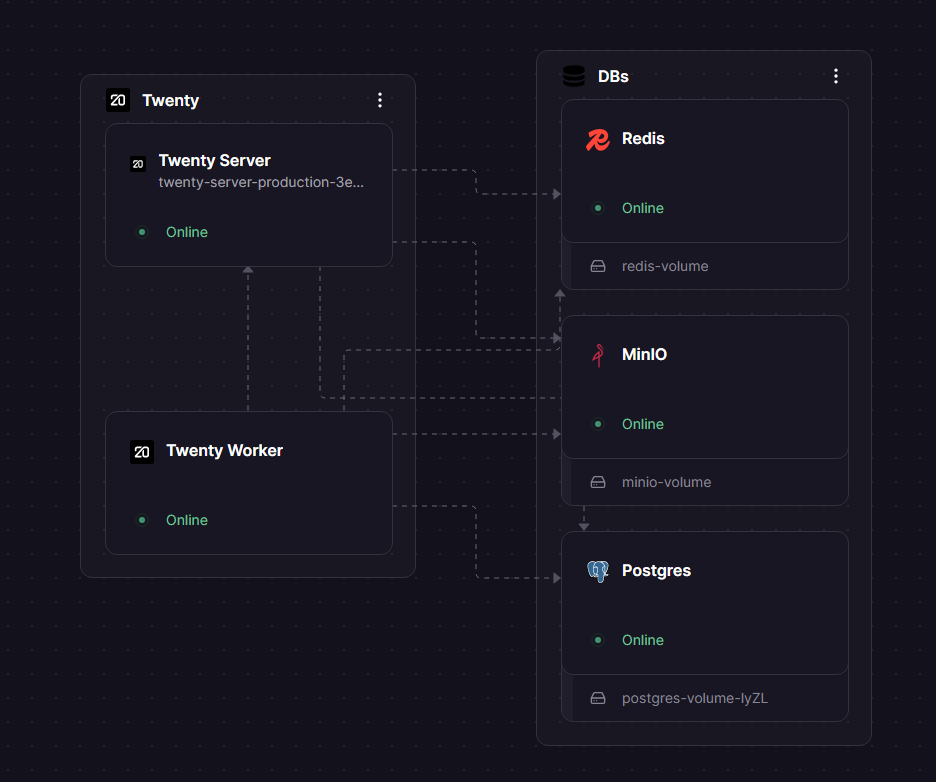
Self-host Twenty on Railway with one click. It pre-wires five services: PostgreSQL (primary database), Redis (BullMQ job queue and cache), MinIO (S3-compatible file storage — no AWS account needed), twenty-server (API + React frontend on port 3000), and twenty-worker (background jobs). Private networking between services is configured out of the box — no manual connection strings or Docker networking to figure out.
Getting Started with Twenty CRM on Railway
Once deployed, visit your Railway public domain — Twenty will present a Get Started wizard on first load. Click Get Started, enter your name, email, and password to create the workspace admin account. This is the only admin account; additional members join via invite.
Inviting team members works two ways depending on whether you have SMTP configured:
- Invite link (no SMTP needed): Go to Settings → Members → Copy invite link. Share the URL directly — anyone with it can join your workspace. This works immediately with no extra configuration.
- Email invite (requires SMTP): Go to Settings → Members → Invite by email. This sends an invitation email. To enable it, set
EMAIL_DRIVER=SMTPplus the SMTP vars listed in the environment variables table below. Without those, invites are silently logged server-side and never delivered.
For most small teams, the invite link is the easiest path to get collaborators in immediately.
About Hosting Twenty CRM
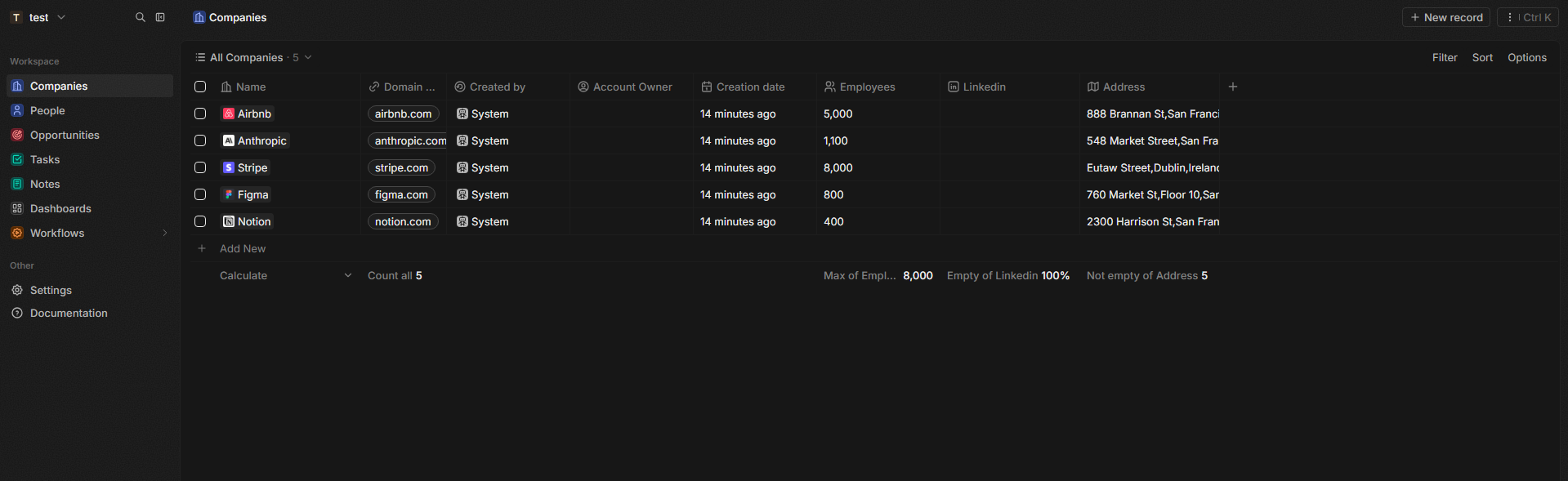
Twenty is a full CRM platform: contacts, companies, deal pipelines, tasks, notes, email/calendar sync, role-based permissions, and workflow automation with webhooks. Its key differentiator is a flexible metadata layer — you can create custom objects and fields at runtime, making it adaptable to any sales or ops workflow without code changes.
Key features:
- Custom objects and fields — extend the data model from the UI
- Kanban, table, and filter views across all objects
- GraphQL and REST APIs for every object
- Workflow automation with triggers and webhooks
- Email and calendar sync (Gmail/IMAP)
- Role-based permissions with custom roles
- Dark mode, keyboard shortcuts, command palette
Architecture: twenty-server handles the NestJS API and React frontend. twenty-worker processes background jobs (email sync, calendar, workflow triggers) via BullMQ over Redis. All file uploads (avatars, attachments) are written to MinIO over private networking using the S3 protocol — forcePathStyle is hardcoded in Twenty's S3 driver, so MinIO works without extra config.
Why Deploy Twenty CRM on Railway
Get a fully self-hosted CRM running without any infrastructure wiring:
- No Docker Compose files, volume management, or inter-container networking to configure
- MinIO included — no AWS S3 account required for file storage
- Private networking between all five services out of the box
- Managed TLS and custom domains on Railway
- One-click redeploys when upstream releases a new
twentycrm/twenty:latest - Full data ownership — your Postgres, your Redis, your files
Common Use Cases of Twenty CRM
- B2B sales teams replacing Salesforce or HubSpot who want data ownership and no per-seat licensing
- Startups building a custom CRM on top of Twenty's GraphQL API, seeding it with their own objects
- Agencies tracking clients, projects, and contacts in a self-hosted tool with custom fields
- GDPR-conscious teams that need customer data to stay on infrastructure they control
Dependencies for Twenty CRM
- PostgreSQL — primary relational database (Railway-managed)
- Redis — BullMQ job queue and session cache (Railway-managed)
- MinIO (
minio/minio) — S3-compatible object storage for file uploads; replaces AWS S3 - twenty-server (
twentycrm/twenty:latest) — NestJS API + React frontend - twenty-worker (
twentycrm/twenty:latest) — background job processor
Additional Environment Variables Reference
| Variable | Description | Required |
|---|---|---|
EMAIL_DRIVER | LOGGER (default, no emails sent) or SMTP to enable outbound email | No |
EMAIL_SMTP_HOST | SMTP hostname (e.g. smtp.gmail.com, smtp.resend.com) | If SMTP |
EMAIL_SMTP_PORT | SMTP port — default 587 | If SMTP |
EMAIL_SMTP_USER | SMTP username or API key identity | If SMTP |
EMAIL_SMTP_PASSWORD | SMTP password or API key | If SMTP |
EMAIL_FROM_ADDRESS | Sender address for all outgoing emails | If SMTP |
Deployment Dependencies
- GitHub: github.com/twentyhq/twenty
- Docker Hub: hub.docker.com/r/twentycrm/twenty
- Docs: docs.twenty.com
Server Requirements to Self-Host Twenty CRM
| Minimum | Recommended | |
|---|---|---|
| RAM | 2 GB | 4 GB |
| CPU | 1 vCPU | 2 vCPU |
| Storage | 10 GB | 20 GB+ |
| Runtime | Node.js 18, Docker | Node.js 20, Docker Compose |
Twenty-server and twenty-worker each use ~0.5 GB RAM at idle. On Railway, the Hobby plan is sufficient for small teams; scale up for 10+ active users.
How to Self-Host Twenty CRM
Option 1 — Docker Compose:
git clone https://github.com/twentyhq/twenty.git
cd twenty/packages/twenty-docker
cp .env.example .env
# Edit .env: set APP_SECRET, SERVER_URL
docker compose up -d
Access at http://localhost:3000.
Option 2 — Manual with external Postgres and Redis:
docker run -d \
  -e PG_DATABASE_URL=postgresql://user:pass@host:5432/twenty \
  -e REDIS_URL=redis://host:6379 \
  -e SERVER_URL=https://your-domain.com \
  -e APP_SECRET=your-stable-secret \
  -e STORAGE_TYPE=local \
  -p 3000:3000 \
  twentycrm/twenty:latest
Run a second container for the worker using the same image with CMD yarn worker:prod and DISABLE_DB_MIGRATIONS=true.
Is Twenty CRM Free?
Twenty is fully open-source (AGPL-3.0) — the software itself costs nothing. On Railway, you pay only for the infrastructure you use (compute, storage, egress). There are no per-seat fees, no license costs, and no feature gating.
Twenty's creators offer a managed cloud version at twenty.com if you prefer not to self-host — pricing starts around $9/user/month for the hosted tier. Self-hosting on Railway gives you the full feature set at infrastructure cost only.
Twenty CRM vs Salesforce vs HubSpot
| Twenty | Salesforce | HubSpot | |
|---|---|---|---|
| Open-source | Yes (AGPL-3.0) | No | No |
| Self-hostable | Yes | No | No |
| Pricing | Free (infra only) | $25–$300+/user/mo | Free tier; $45+/user/mo |
| Custom data model | Yes (UI + API) | Limited | Limited |
| Marketing automation | No | Yes | Yes |
| API | GraphQL + REST | REST | REST |
| Integration ecosystem | Growing (API-first) | Extensive (AppExchange) | Extensive (350+ native) |
Bottom line: Twenty wins on cost, customization, and data control. If you need native marketing automation, 200+ users, or deep third-party integrations out of the box, Salesforce or HubSpot are more mature choices.
Integrations
- Email & Calendar — Gmail (OAuth), IMAP/CalDAV for any provider
- Slack — native integration
- Zapier / Make — connect to 5000+ apps via webhooks
- Nango — unified API integration platform
- GraphQL API — build custom integrations for any tool
- Webhooks — trigger external services on any record event
- MCP Server — AI agent integration (in development)
FAQ
What is Twenty CRM? Twenty is an open-source, self-hostable CRM built as an alternative to Salesforce. It's written in TypeScript (NestJS + React), has a flexible metadata-driven data model, and exposes a full GraphQL and REST API.
Why is MinIO included instead of just using local storage? Twenty's server and worker are separate containers and can't share a local filesystem volume on Railway. MinIO provides S3-compatible object storage accessible to both services over the private network, so file uploads work correctly across the full stack.
Can I invite team members without setting up SMTP? Yes. Go to Settings → Members → Copy invite link and share the URL. Anyone with the link can join your workspace immediately — no email required. SMTP is only needed if you want Twenty to send invitation emails directly.
How do I set up email invites in twenty CRM?
Add these vars to twenty-server: EMAIL_DRIVER=SMTP, EMAIL_SMTP_HOST, EMAIL_SMTP_PORT (default 587), EMAIL_SMTP_USER, EMAIL_SMTP_PASSWORD, EMAIL_FROM_ADDRESS. Works with Gmail (App Passwords), Resend, Sendgrid, or any SMTP provider.
Can I customise the data model? Yes — Twenty's standout feature is runtime schema customisation. Add custom objects and fields from Settings → Data Model without writing code or migrations.
What happens to my data if I stop the Railway deployment? Postgres and MinIO both use Railway volumes, so your data persists across restarts and redeploys. To fully delete data you'd need to explicitly remove the volumes from the Railway dashboard.
Template Content
Redis
redis:8.2.1Twenty Server
twentycrm/twenty:latestMinIO
minio/minioTwenty Worker
twentycrm/twenty:latest