Deploy Typecho
Lightweight blogging platform for Markdown posts and pages
typecho
Just deployed
/data

MySQL
Just deployed
/var/lib/mysql
Deploy and Host Typecho on Railway
Typecho is a blogging platform written in PHP, built around the idea that a blog engine should be small enough to read in an afternoon. It gives you Markdown posts, static pages, threaded comments, categories and tags, custom fields and a theme and plugin API, in a codebase a fraction of WordPress's size. Writers and small teams pick it when they want their own domain and a fast admin panel without the plugin sprawl of a larger CMS. It is GPL-2.0 and has been maintained since 2008.
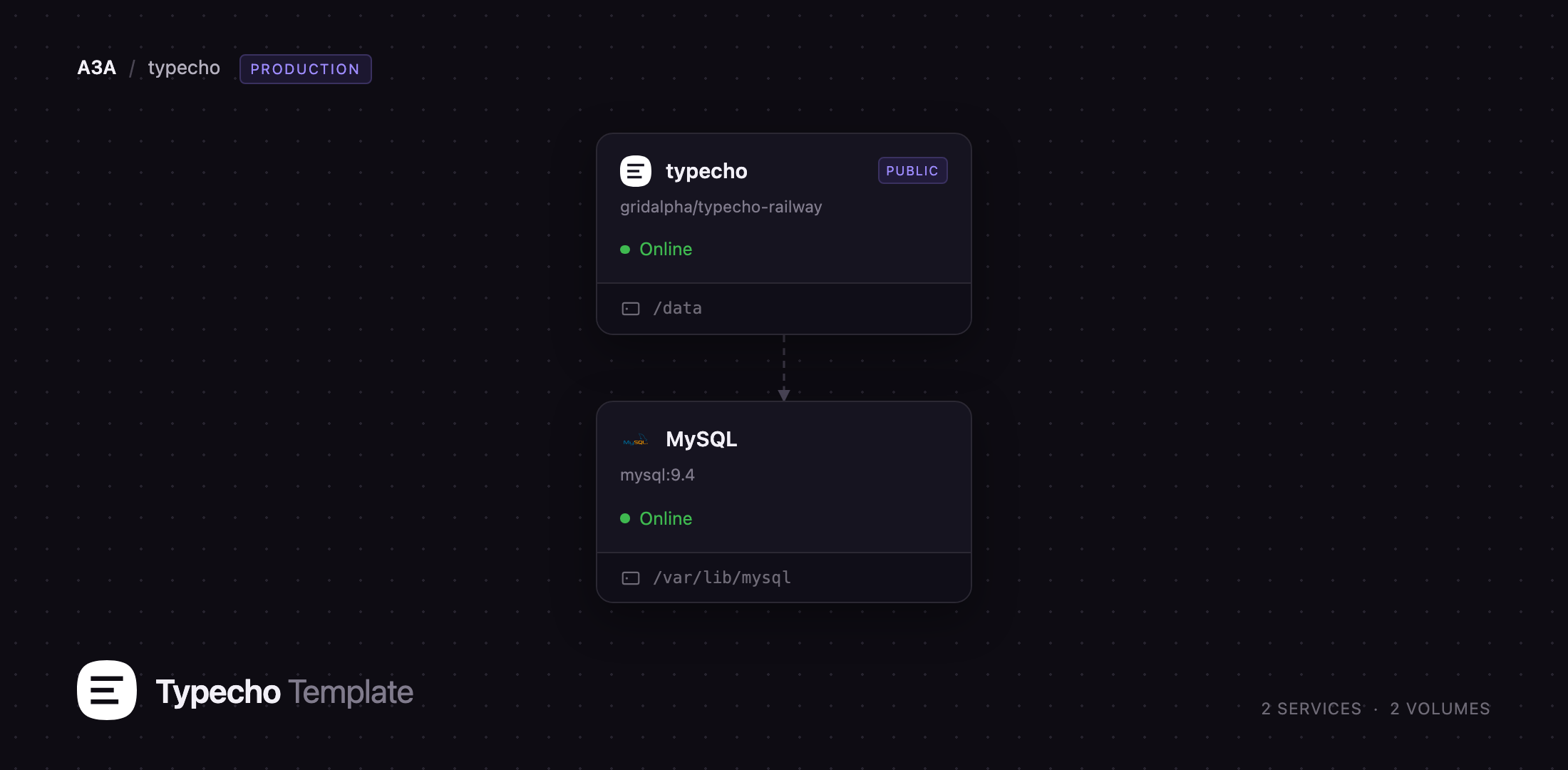
This template lets you self-host Typecho on Railway in one click, already wired to a database. Two services are deployed: typecho, an Apache 2.4 container running PHP 8.3 that serves the blog and admin panel on your public URL, and MySQL, a managed database holding every post, page, comment, user and setting. The blog service also gets a persistent volume for uploaded media, themes and plugins, so attachments and theme edits survive redeploys. There is no setup wizard to race: the container installs Typecho before it accepts a request, creates your administrator account, and provisions a database role scoped to its own database instead of using the MySQL superuser.
Getting Started with Typecho on Railway
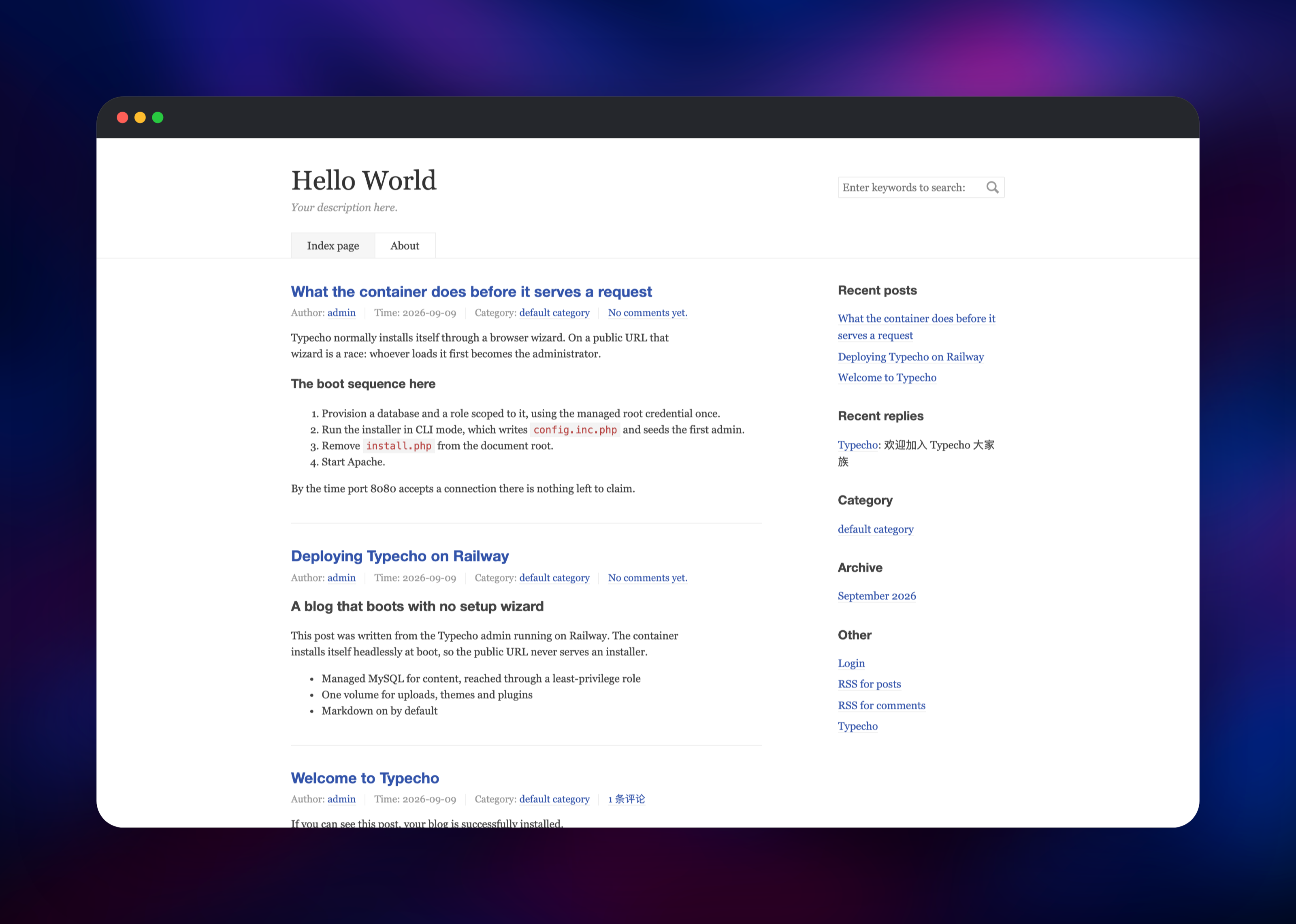
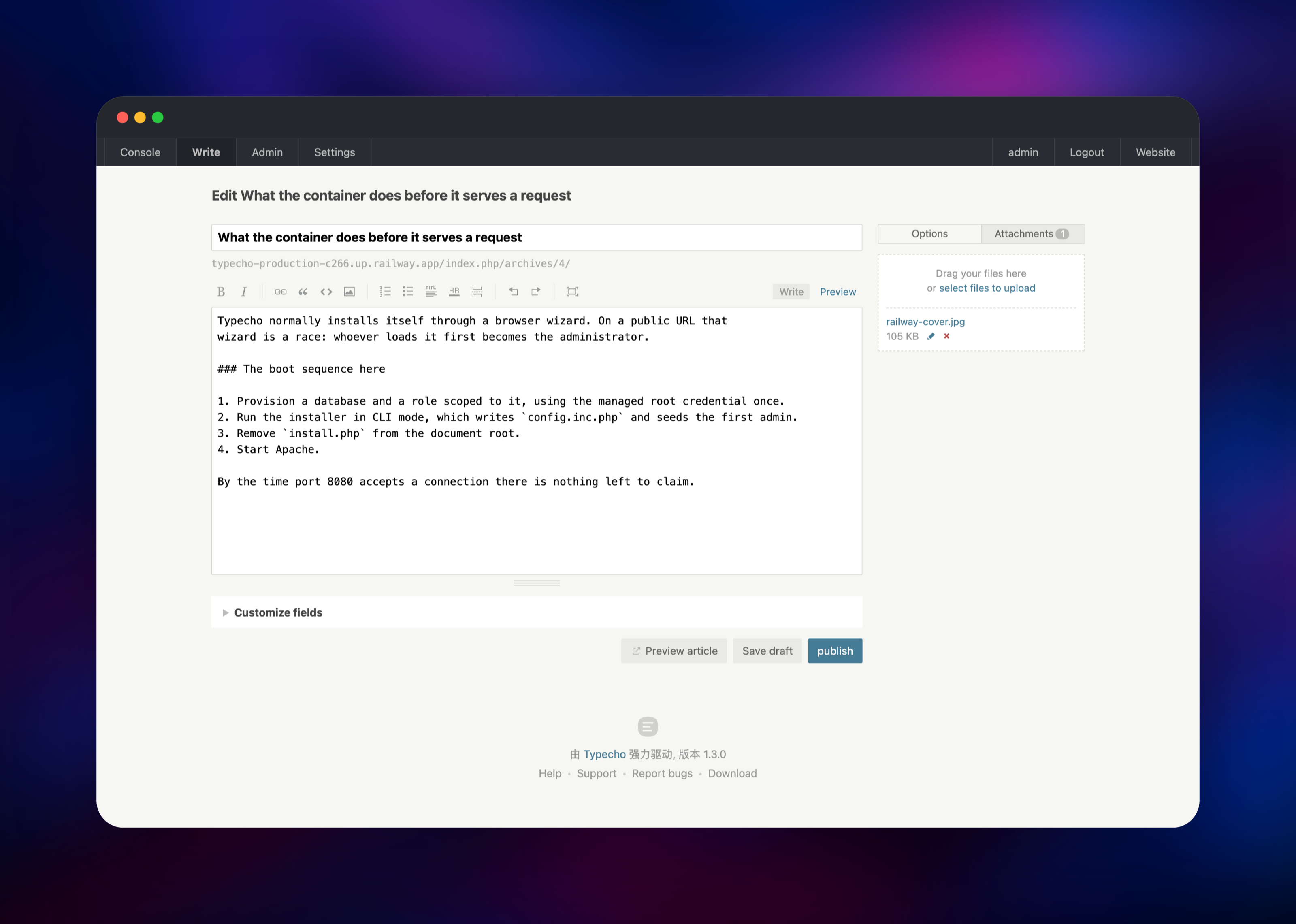
Set TYPECHO_USER_NAME and TYPECHO_USER_PASSWORD when you deploy — those become your administrator account, and they are the only two values you need to supply. Everything else has a working default. Once the deployment is green, open the public URL: you land on a working blog with a welcome post already published, and there is no installer screen because the install has already run. Sign in at /admin/ with the username and password you chose; if you left the password blank, the container generates one and prints it once in the deployment logs.
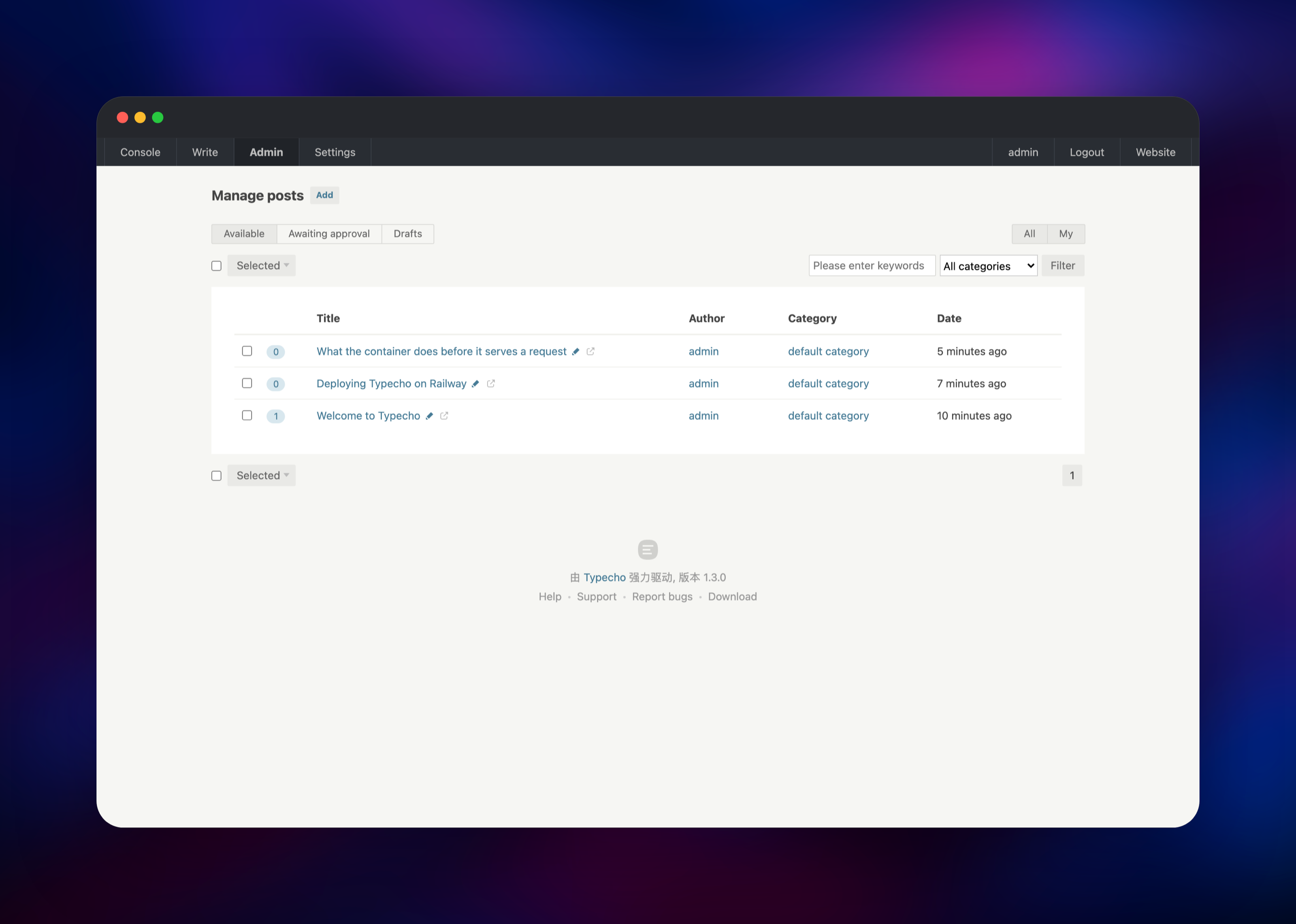
First open Settings → General and change the site title, description and time zone, which ship with Typecho's defaults. Then click Write → Write a new post, type some Markdown and hit publish — Markdown is on out of the box, and the post appears immediately on the front page. Attach an image from the Attachments tab to confirm the volume is mounted; it should render on the published post. New user registration is disabled by default. For a custom domain, add it in the Railway service settings, then update Site Address under Settings → General so links and feeds point at it.
About Hosting Typecho
Typecho is a self-hosted publishing engine, not a hosted service. You run it, you own the database, and nothing is sent anywhere else. It suits a personal blog, a project changelog or a small company news page — anywhere you want control over the content and URLs without running a heavyweight CMS.
Key features:
- Markdown editing with live preview, plus a plain-HTML mode
- Posts, static pages, categories, tags and custom fields
- Threaded comments with moderation and anti-spam
- Theme system with an in-browser template editor, and a plugin API
- XML-RPC and MetaWeblog support, so desktop editors can post to it
- RSS and Atom feeds, generated automatically
- Fourteen bundled interface languages, switchable in the admin
The Railway architecture is deliberately small. The typecho service is the whole application: Apache serves static assets and hands .php requests to mod_php, and the /healthz check opens the app's real database connection, so a broken database surfaces as a failed deployment rather than a white page. The MySQL service holds all content; the volume carries only files — uploads/, themes/, plugins/ and backups/.
Why Deploy Typecho on Railway
Railway removes the parts of self-hosting that have nothing to do with writing:
- Managed MySQL provisioned, connected and backed up for you
- HTTPS and a public domain issued automatically; custom domains in one field
- A persistent volume for uploads, themes and plugins
- Deploys rebuild from source on every push to the template's repository
- No server to patch, no PHP or Apache to install and tune
Common Use Cases for Self-Hosted Typecho
- A personal blog on your own domain, with your posts in a database you control
- A project changelog or release-notes site developers write in Markdown
- A lightweight company news page beside an existing product site
- A writing environment you publish to from an XML-RPC desktop editor
Dependencies for Typecho
- typecho — built from gridalpha/typecho-railway on the
php:8.3-apachebase image, unpacking the official release archive from typecho/typecho. Serves the blog and admin panel, and owns the volume. - MySQL — Railway's managed MySQL 9, storing posts, pages, comments, users, options and attachment records. Typecho also supports MariaDB, PostgreSQL and SQLite; the PDO drivers for all three are in the image.
Environment Variables Reference
| Variable | Purpose |
|---|---|
MYSQL_URL | Managed database connection, used once per boot to provision the app's scoped role |
TYPECHO_DB_PASSWORD | Password for that scoped role; generated for you |
TYPECHO_USER_NAME | First administrator's login name, default admin |
TYPECHO_USER_PASSWORD | First administrator's password; read only before install |
TYPECHO_USER_MAIL | First administrator's email address |
TYPECHO_LANG | Interface language, default en_US |
TYPECHO_SITE_URL | Site address written at install; defaults to your Railway domain |
PORT | Port Apache listens on |
Deployment Dependencies
- Runtime: PHP 8.3 with
pdo_mysql,pdo_pgsql,pdo_sqliteand OPcache, on Apache 2.4 - Source repository: https://github.com/gridalpha/typecho-railway
- Upstream project: https://github.com/typecho/typecho
- Docs: https://docs.typecho.org
Hardware Requirements for Self-Hosting Typecho
| Resource | Minimum | Recommended |
|---|---|---|
| CPU | 0.5 vCPU | 1 vCPU |
| RAM | 256 MB | 512 MB–1 GB |
| Storage | 1 GB volume | 5 GB volume plus database |
| Runtime | PHP 7.4+ | PHP 8.3 with OPcache |
Typecho is unusually light. The database stays small unless you have thousands of posts, and the volume grows with uploaded media, not with traffic.
Self-Hosting Typecho with Docker
Typecho publishes no official container image — upstream ships a development Dockerfile, not a production one. The image behind this template is built from the release archive on top of the official PHP image, and you can build it yourself:
git clone https://github.com/gridalpha/typecho-railway
cd typecho-railway
docker build -t typecho .
Then run it against any MySQL, MariaDB or PostgreSQL server. The container installs Typecho on first boot and is a no-op afterwards:
docker run -d -p 8080:8080 -e PORT=8080 -e TYPECHO_DB_BOOTSTRAP=0 \
  -e TYPECHO_DB_HOST=db -e TYPECHO_DB_PORT=3306 -e TYPECHO_DB_DATABASE=typecho \
  -e TYPECHO_DB_USER=typecho -e TYPECHO_DB_PASSWORD=change-me \
  -e TYPECHO_USER_NAME=admin -e TYPECHO_USER_PASSWORD=change-me-too \
  -v typecho-data:/data typecho
To install Typecho without Docker, unpack the release archive into a PHP web root, create an empty database and open the site in a browser — the built-in installer takes it from there.
How Much Does Typecho Cost to Self-Host?
Typecho is free and open source under GPL-2.0. There is no paid tier, license key or per-site limit — the whole feature set is in the repository, and community themes and plugins are almost all free too. On Railway you pay only for the compute, database and volume the two services use, which for a personal blog is very little.
FAQ
What is Typecho? Typecho is an open-source blogging platform written in PHP. It stores content in a database, renders it with a theme, and gives you an admin panel for writing Markdown posts, moderating comments and managing themes.
What does this Railway template deploy?
Two services: a typecho container running PHP 8.3 on Apache with a persistent volume, and a managed MySQL database. The blog installs itself at boot, so you get a working site and an admin account with no setup wizard.
Why does the template include a MySQL database? Typecho keeps every post, page, comment, user and setting in a relational database; the volume only holds uploaded files. MySQL is Typecho's most widely tested backend, so it is the one wired up here.
How do I add a theme or plugin to self-hosted Typecho?
Themes and plugins are directories under usr/themes and usr/plugins, both on the volume. Add the files there, then activate them from the admin panel. The built-in editor also lets you edit theme files in the browser.
Can I use PostgreSQL or SQLite instead of MySQL?
Yes. Set TYPECHO_DB_BOOTSTRAP=0, set TYPECHO_DB_ADAPTER to Pdo_Pgsql or Pdo_SQLite, and supply the matching connection variables — both drivers are in the image.
Does self-hosted Typecho support pretty permalinks? Yes. The image enables Apache's rewrite module, so you can switch on custom permalinks under Settings → Permalinks and pick a URL pattern with no extra configuration.
Template Content
typecho
gridalpha/typecho-railwayMySQL
mysql:9.4