Deploy Ubuntu 22.04 - Web Terminal
[Jul'26] Ubuntu 22.04 LTS terminal accessible via the web browser! 🌐
ubuntu-2204-on-browser
Just deployed
/root/workspace
Deploy and Host Ubuntu 22.04 on Browser

Ubuntu 22.04 LTS (Jammy Jellyfish) is a robust, open-source Linux distribution known for its stability, security, and long-term support. It serves as a premier foundation for developers to build, test, and run applications, offering a vast ecosystem of packages and a modern kernel optimized for cloud workloads.
About Hosting Ubuntu 22.04 on Browser
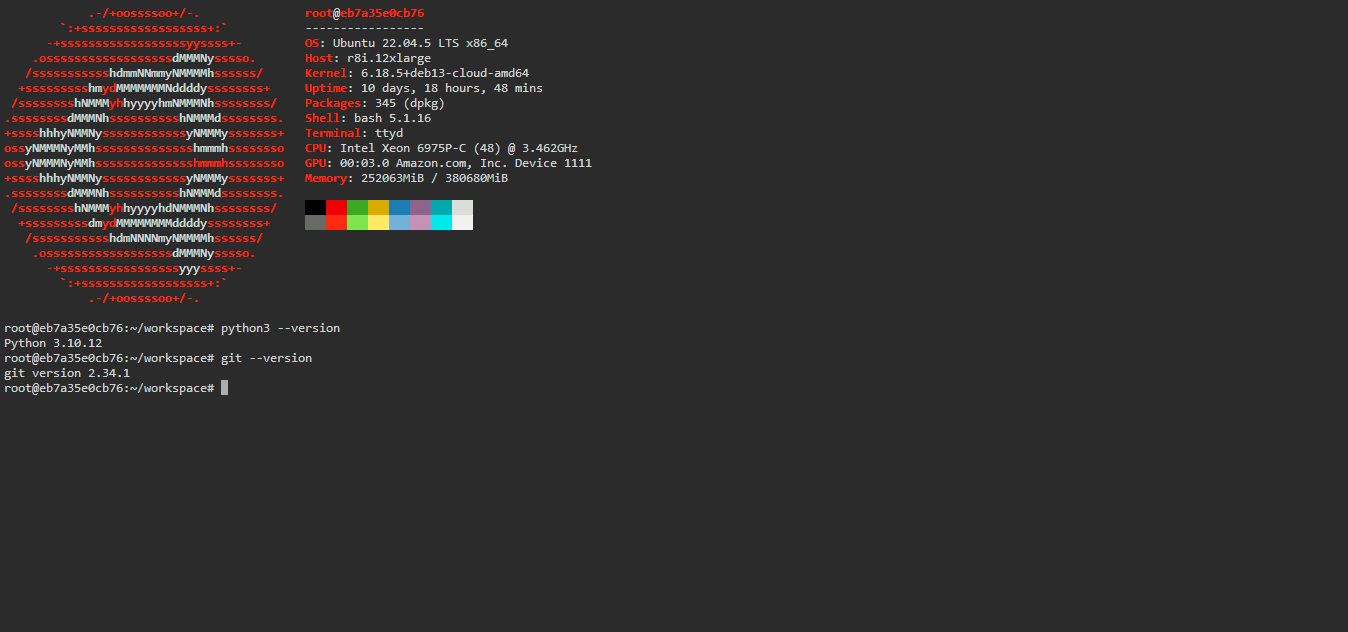
Hosting this Ubuntu 22.04 template involves deploying a containerized Linux environment that is accessible via a high-performance web terminal. By leveraging Docker and ttyd, the deployment transforms a standard CLI into an interactive HTTP-based session. This setup eliminates the need for local virtual machines or complex SSH configurations. Once deployed on Railway, the system automatically handles networking, SSL encryption, and resource allocation, providing you with a persistent or ephemeral sandbox (depending on volume configuration) that can be accessed from any device with a web browser.
Common Use Cases
- Remote Development Sandbox: Quickly spin up a clean Linux environment to test Python scripts, Node.js applications, or shell automation without cluttering your local machine.
- Learning & Education: A safe, isolated "playground" for students and engineers to practice Linux command-line skills, user management, and file system operations.
- Portable Administrative Tool: Use it as a lightweight jump host or a cloud-based terminal to manage other cloud resources, run network diagnostics, or perform Git operations on the go.
Dependencies for Ubuntu 22.04 Hosting
- Railway Account: A Railway.app account is required to orchestrate the container and manage environment variables.
- Web Browser: Any modern browser (Chrome, Firefox, Safari, or Edge) to access the terminal interface.
Deployment Dependencies
This template automatically installs and configures the following essential tools:
- ttyd - The engine that shares your terminal over HTTP.
- Ubuntu Official Image - The base operating system.
- Core Utilities:
curl,wget,git,python3, andneofetch.
Implementation Details
The core of this deployment lies in the integration of ttyd with the Ubuntu bash shell. The environment is secured via Basic Authentication using environment variables:
# The start command executed by the container
/bin/ttyd -p $PORT -c $USERNAME:$PASSWORD /bin/bash
To ensure data persistence across deployments, it is recommended to mount a Railway Volume to the /root/workspace directory.
Why Deploy Ubuntu 22.04 on Railway?
Railway is a singular platform to deploy your infrastructure stack. Railway will host your infrastructure so you don't have to deal with configuration, while allowing you to vertically and horizontally scale it.
By deploying Ubuntu 22.04 on Railway, you are one step closer to supporting a complete full-stack application with minimal burden. Host your servers, databases, AI agents, and more on Railway.
Template Content
ubuntu-2204-on-browser
codestorm-official/ubuntu-2204-on-browserPASSWORD
USERNAME


