
Deploy Ubuntu AI Coding Agents Desktop (GUI)
Ubuntu desktop with Claude Code, Codex, Gemini, Copilot, OpenCode and aider

proxy
Just deployed
Just deployed
/home/kasm-user
Deploy and Host Ubuntu AI Coding Agents Desktop on Railway
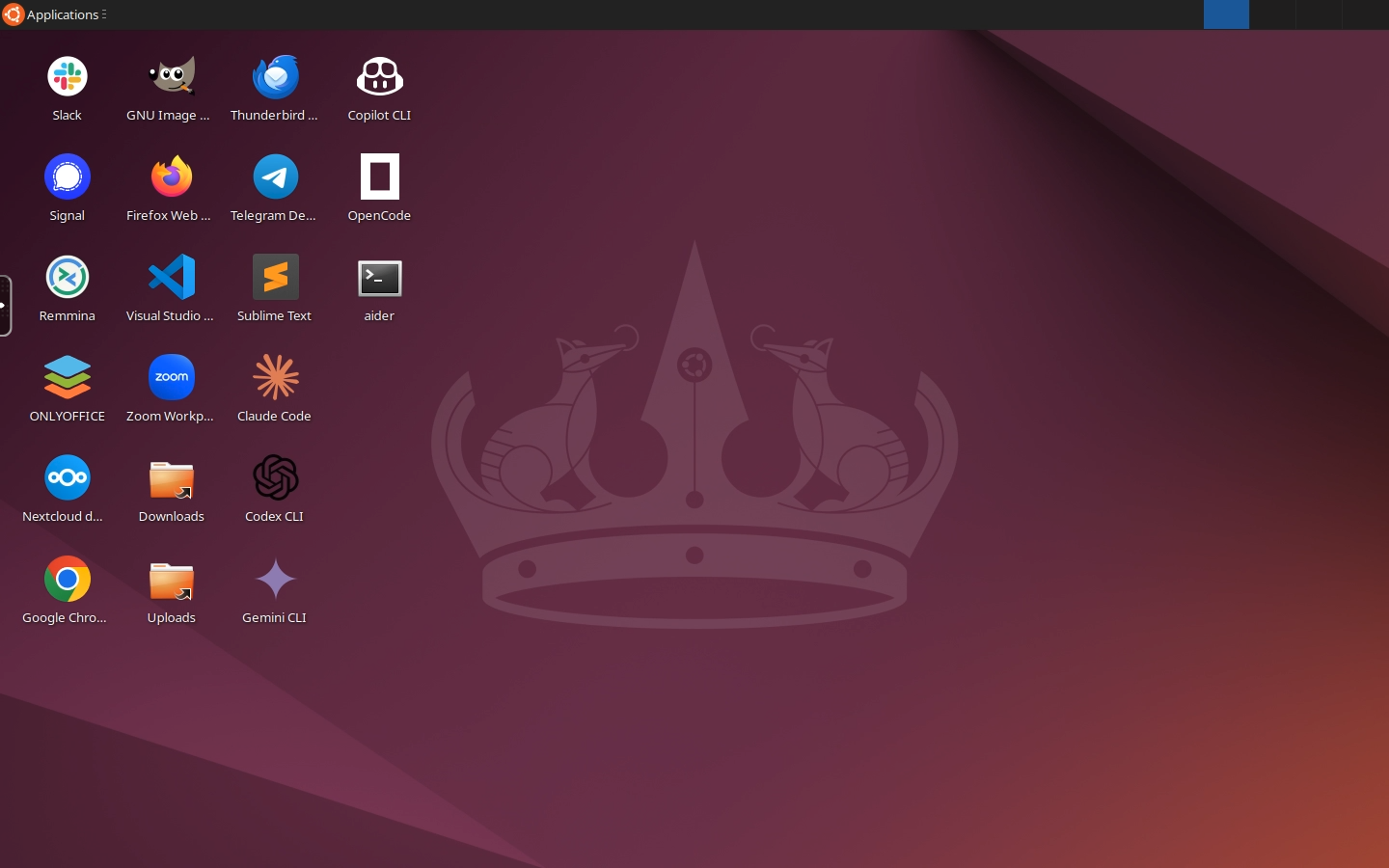
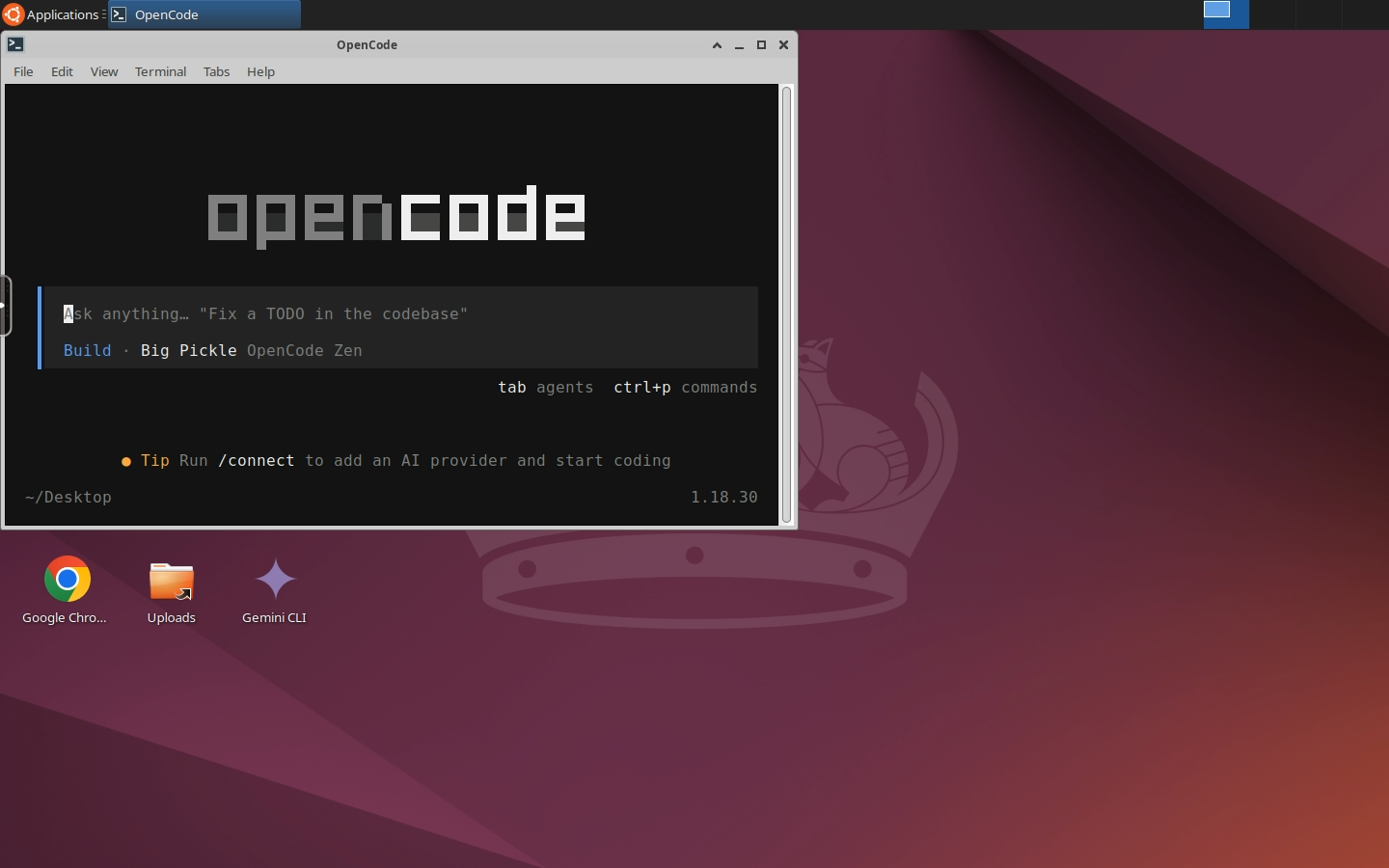
Ubuntu AI Coding Agents Desktop is a full Ubuntu 24.04 XFCE desktop that runs in your browser with six coding agents already installed: Claude Code, OpenAI Codex CLI, Gemini CLI, GitHub Copilot CLI, OpenCode and aider. VS Code, Chrome and Node.js are there too. It is one cloud dev machine for trying every agent side by side on the same repo, with a real editor and a real browser for the OAuth logins, and no SSH key or VNC client.
About Hosting Ubuntu AI Coding Agents Desktop
Deploying runs two services: the desktop itself, and a small Caddy proxy that
is the only public surface. The desktop image is Kasm's Ubuntu Noble workspace
(about 2.6 GB compressed), which already ships VS Code, Chrome, Chromium,
Firefox, git, tmux and Python. On first boot a background job installs Node.js
24 LTS, the six agents and the Claude Code VS Code extension into the home
directory, which lives on a Railway volume, so later boots skip the download.
The login page appears within a minute or two; the agents take about four
minutes more to finish installing, one desktop icon appearing per agent, and
~/.provision.log shows progress. The installed set takes about 2.3 GB of the
volume.
Cost is the thing to plan for. A graphical desktop idles near 1 GB of RAM with a session attached, and more with Chrome and VS Code open. Enabling Railway's app sleep is strongly recommended so the desktop suspends when you close the tab.
Common Use Cases
- Comparing Claude Code, Codex, Gemini CLI, Copilot, OpenCode and aider on the same codebase without installing any of them locally
- A persistent agent workstation reachable from a tablet, a Chromebook or a locked-down work laptop
- Letting an agent run long tasks on a machine that stays up after you close your laptop
Dependencies for Ubuntu AI Coding Agents Desktop Hosting
- A Railway volume mounted at
/home/kasm-user, which holds the desktop's home directory, the installed agents and their logins. Without it, everything is lost on redeploy. - An account or API key for each agent you want to use. Every agent has a browser or device-code login you can run from the desktop, or set
ANTHROPIC_API_KEY,OPENAI_API_KEY,GEMINI_API_KEYandGH_TOKENat deploy time. All four are optional. - No GitHub repo backs this template. Both services boot from public images.
Deployment Dependencies
- kasmweb/ubuntu-noble-desktop - the upstream desktop image
- Claude Code - Anthropic's native installer
- Codex CLI -
@openai/codexon npm - Gemini CLI -
@google/gemini-clion npm - GitHub Copilot CLI -
@github/copiloton npm - OpenCode -
opencode-aion npm - aider - aider's uv-based installer
- Claude Code for VS Code - the editor extension
- Node.js - 24 LTS, installed as a tarball into the home directory
- KasmVNC - the streaming layer
- Caddy - the TLS-terminating proxy
Implementation Details
Signing in to each agent. Every agent has a desktop icon that opens it in
a terminal. On first run each one offers its own login: Claude Code and Gemini
CLI open a browser page in Chrome inside the desktop, Codex offers ChatGPT
sign-in or a device code, Copilot CLI uses GitHub's device flow, and OpenCode
and aider read the same API keys or their own auth commands. Logins are
stored under the home directory on the volume, so you sign in once per agent.
An empty key variable is unset at boot so it can never shadow a browser login.
Where the tools live. Node.js is unpacked to ~/.local/node, so the four
npm-installed agents and anything you npm install -g later land in
~/.local/node/bin and persist. Claude Code and aider install to
~/.local/bin. The boot script links every agent plus node, npm and npx
into /usr/local/bin so terminals and VS Code find them without any shell
profile, and appends both directories to ~/.bashrc. The agents update
themselves, or with npm update -g.
Volume budget. The installed set is about 2.3 GB. npm and uv caches are
pointed at /tmp during installation and VS Code's cached extension downloads
are deleted, which keeps roughly 1.3 GB of throwaway data off the volume. Only
the Claude Code VS Code extension is preinstalled; the Codex and Gemini
extensions are 621 MB and 240 MB and duplicate their CLIs, and Copilot Chat is
built into VS Code. Install them from the marketplace if you want them. Grow
the volume in Railway if your repos need more room.
VS Code. The Claude Code extension does not run in Restricted Mode, so when you open a folder for the first time, choose "Trust" in VS Code's workspace prompt and its icon appears in the activity bar.
Why there is a proxy service. Kasm's startup script passes -sslOnly to
vncserver, so the desktop always serves HTTPS on 6901 and the documented
network.ssl.require_ssl: false setting is ignored. Railway speaks plain HTTP
to containers, so Caddy accepts Railway's HTTP and re-encrypts to Kasm,
skipping verification because the certificate is self-signed and regenerated on
every boot. Only the proxy has a public domain, and it carries the healthcheck.
VNC_PW has a 6-character minimum. KasmVNC's password tool silently
rejects anything shorter, which would leave the desktop unable to start and the
URL serving 502. The template validates the length at boot and fails with an
explicit message instead.
Passwordless sudo is enabled deliberately. Kasm ships kasm-user with a
locked password and no sudo rights, so a stock container cannot apt install
anything. A dev box needs that, so the template grants passwordless sudo at
boot. To lock it back down, remove /etc/sudoers.d/kasm-user inside the desktop.
Security model. VNC_PW is the only thing between the public Railway URL
and a root-capable desktop holding up to six agent logins. Set a strong one.
Anyone who reaches the URL with it can run anything as you, including every
agent against your accounts.
Why Deploy Ubuntu AI Coding Agents Desktop on Railway?
Railway is a singular platform to deploy your infrastructure stack. Railway will host your infrastructure so you don't have to deal with configuration, while allowing you to vertically and horizontally scale it.
By deploying Ubuntu AI Coding Agents Desktop on Railway, you are one step closer to supporting a complete full-stack application with minimal burden. Host your servers, databases, AI agents, and more on Railway.
Template Content
proxy
caddy:2-alpineVNC_PW
Desktop login password, minimum 6 characters. Username is kasm_user.


