
Deploy Ubuntu AI Coding Agents Terminal (Web + SSH)
Web terminal + SSH: Claude Code, Codex, Gemini, Copilot, OpenCode, aider
terminal
Just deployed
/home/ubuntu
Deploy and Host Ubuntu AI Coding Agents Terminal on Railway
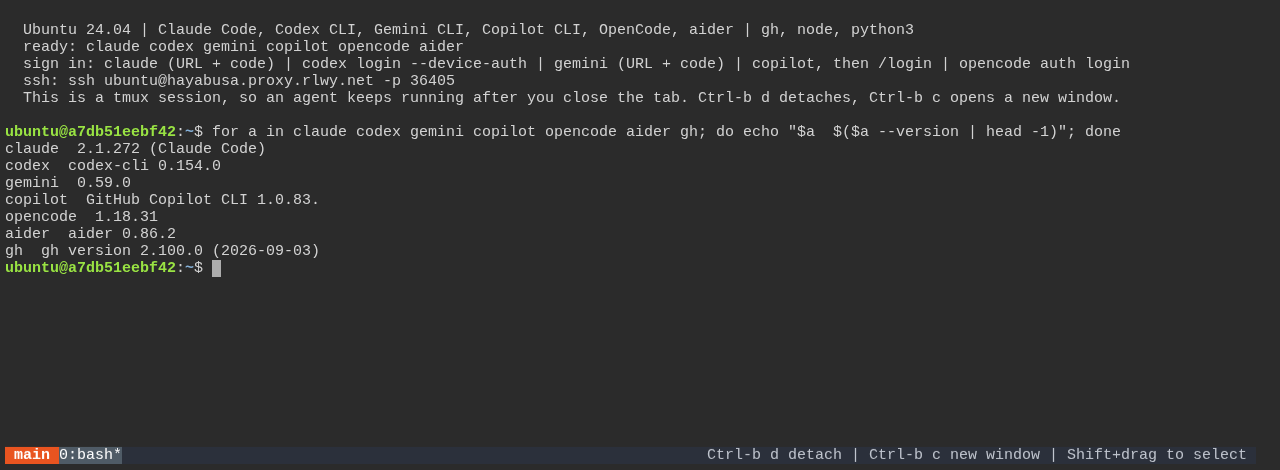
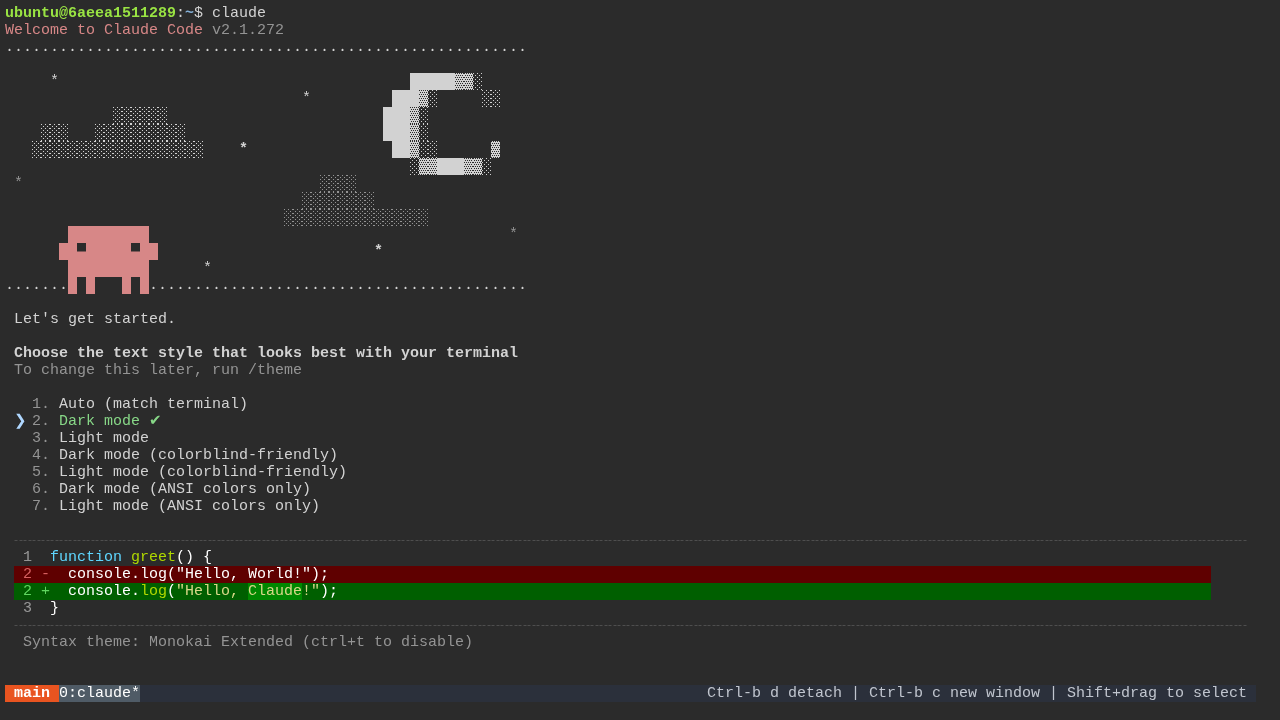
Ubuntu AI Coding Agents Terminal is an Ubuntu 24.04 box you reach from a browser tab or over SSH, with six coding agents already installed: Claude Code, OpenAI Codex CLI, Gemini CLI, GitHub Copilot CLI, OpenCode and aider, plus git, GitHub CLI, Node.js and Python. Every terminal tab is a tmux session, so an agent you start keeps working after you close the tab. No desktop, no VNC, and a fraction of the memory.
About Hosting Ubuntu AI Coding Agents Terminal
Deploying runs one service from the stock ubuntu:24.04 image; nothing is
built. At boot the start command installs nginx, ttyd, tmux and OpenSSH from
apt, which takes about 20 seconds, and the browser terminal is then live at the
service's public URL behind a password. A background job installs the dev
packages, Node.js 24 LTS, the six agents and GitHub CLI into /home/ubuntu,
which is a Railway volume, so the agents are ready two to four minutes after
the first deploy and every later boot finds them already there. The terminal's
banner says which agents are ready, and ~/.provision.log shows progress.
Cost is low: the box idles under 50 MB of RAM, and a running agent adds a few
hundred MB while it works. Leave app sleeping off if you rely on sessions
staying up; sleeping stops the container and ends them. SSH is exposed through
a Railway TCP proxy, so VS Code Remote-SSH, scp and ssh -L port forwarding
work as they would against any server.
Common Use Cases
- Letting Claude Code, Codex or another agent run a long task unattended on a machine that stays up after you close your laptop
- Trying every agent on the same repo without installing any of them locally, from a tablet, a phone or a locked-down work laptop
- A persistent cloud dev box with real SSH for VS Code Remote-SSH, at a fraction of what a desktop costs
Dependencies for Ubuntu AI Coding Agents Terminal Hosting
- A Railway volume mounted at
/home/ubuntu, which holds the installed agents, their logins and your repos. Without it, everything is lost on redeploy. - An account or API key for each agent you want to use. Every agent has a sign-in that works from a terminal (see below), or set
ANTHROPIC_API_KEY,OPENAI_API_KEY,GEMINI_API_KEYandGH_TOKENat deploy time. All are optional. - No GitHub repo backs this template. The service boots from the public
ubuntu:24.04image.
Deployment Dependencies
- ubuntu - the
ubuntu:24.04image the box boots from - ttyd - the browser terminal
- tmux - session persistence
- nginx - basic auth and the healthcheck in front of ttyd
- OpenSSH - the SSH server
- Claude Code - Anthropic's native installer
- Codex CLI -
@openai/codexon npm - Gemini CLI -
@google/gemini-clion npm - GitHub Copilot CLI -
@github/copiloton npm - OpenCode -
opencode-aion npm - aider - aider's uv-based installer
- GitHub CLI - the release tarball
- Node.js - 24 LTS, installed as a tarball into the home directory
Implementation Details
Signing in. The browser terminal asks for a username and password:
ubuntu and the PASSWORD variable. SSH uses the same pair, ssh ubuntu@ -p ; the terminal's banner prints the exact command, and the host and
port are also under the service's Networking settings (the TCP proxy). Add
public keys in AUTHORIZED_KEYS for key login. Root login is off; sudo needs
no password.
Signing in to each agent from a terminal. None of them needs a browser on
the box. Claude Code (claude) prints a sign-in URL: open it on your own
machine and paste the code back, or set CLAUDE_CODE_OAUTH_TOKEN from claude setup-token. Codex uses codex login --device-auth. Gemini CLI prints a URL
and asks for the code (NO_BROWSER is preset for it). Copilot CLI shows a
device code after /login inside copilot. OpenCode uses opencode auth login. aider reads the API key variables. Logins are stored on the volume, so
each is a one-time step. An empty key variable is unset at boot so it can never
shadow a browser login.
Sessions survive the tab, not a redeploy. Every browser tab attaches to
the same tmux session, main; closing the tab detaches, and the next tab (or
an SSH login running tmux attach) finds the agent still running. Ctrl-b d
detaches, Ctrl-b c opens another window, Ctrl-b n cycles through them.
tmux owns the mouse, so select text with Shift+drag; Ctrl+Insert copies and
Ctrl+Shift+V pastes. A redeploy replaces the container, so sessions end then;
the home directory does not.
Why nginx sits in front of ttyd. ttyd puts every path behind basic auth,
and Railway's healthcheck probe sends no credentials, so a bare ttyd could never
go healthy. nginx answers /healthz itself, enforces basic auth with a password
hash (the shell never sees the password) and proxies the websocket to ttyd on
localhost.
Why the shell is not root. Claude Code refuses
--dangerously-skip-permissions when run as root, and an unattended run is the
main reason to rent a box like this. The shell runs as the image's ubuntu user
with passwordless sudo; delete /etc/sudoers.d/ubuntu inside the box to revoke
it.
Where the tools live. Node.js is unpacked to ~/.local/node, so the four
npm-installed agents and anything you npm install -g later land in
~/.local/node/bin and persist. Claude Code, aider and gh install to
~/.local/bin. The boot script links all of them into /usr/local/bin, so
ssh claude -p "..." works without a login shell, and appends both
directories to ~/.bashrc. The set takes about 2.3 GB of the volume; npm and
uv caches are pointed at /tmp so they do not.
Previewing a web app running in the box. The service has one public port
and it serves the terminal, so forward a dev server over SSH instead:
ssh -L 3000:localhost:3000 ubuntu@ -p , then open
localhost:3000.
Security model. PASSWORD (or your SSH key) is the only thing between the
public URL and a sudo-capable box holding up to six agent logins. The generated
default is 20 random characters; keep it that strong.
Why Deploy Ubuntu AI Coding Agents Terminal on Railway?
Railway is a singular platform to deploy your infrastructure stack. Railway will host your infrastructure so you don't have to deal with configuration, while allowing you to vertically and horizontally scale it.
By deploying Ubuntu AI Coding Agents Terminal on Railway, you are one step closer to supporting a complete full-stack application with minimal burden. Host your servers, databases, AI agents, and more on Railway.
Template Content
terminal
ubuntu:24.04

