
Deploy Ubuntu Web Terminal
Ubuntu 24.04 Linux terminal in your browser: persistent home, no setup

Just deployed
/home/dev
Deploy and Host an Ubuntu Web Terminal on Railway
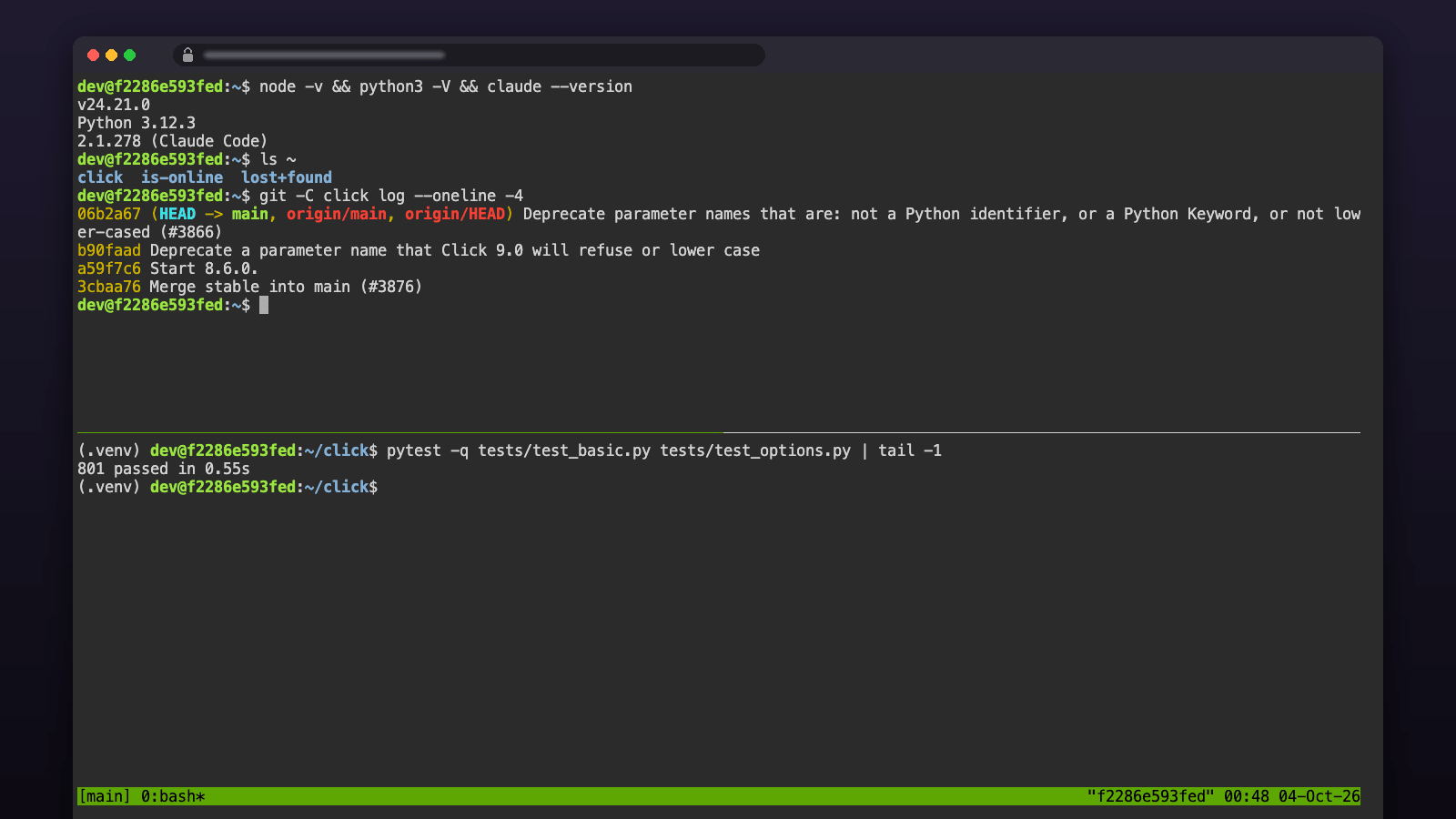
A real Ubuntu 24.04 shell in any browser tab — laptop, phone or locked-down work machine — with your home directory on a volume, so files and installed tools survive every redeploy.
Get started
- Deploy. Nothing to fill in. Idle, it uses about 20 MB of RAM and runs on every plan; Free and Trial give it 0.5 GB of volume and 1 GB of container disk, so move to Hobby once you install toolchains or clone real projects.
- Sign in. Open the service URL. Username
dev; the password isPASSWORDin the service's Variables tab. - Start working. You land in
tmuxwith Node.js 24, Python 3, git,ghand Claude Code installed. Runclaude, clone a repo, or start a long job and close the tab — reopening the URL reattaches.
About Hosting an Ubuntu Web Terminal
The service runs two small processes: ttyd (a terminal over WebSocket) on loopback and nginx on the public HTTPS domain with basic auth in front of it. The healthcheck /healthz is open and only passes once the terminal actually answers, so Railway routes traffic to a new deployment only when it is ready. The shell attaches to a tmux session named main, so closing the tab does not kill what you were running — reopen the URL and you are back where you left off. /home/dev is a Railway volume: projects, dotfiles, ~/.local, ~/.npm-global and Claude Code's login all persist. The image is built from a public Dockerfile and pinned by digest.
Common Use Cases
- A Linux shell from a phone, tablet, Chromebook or a work laptop that cannot run one
- A place to leave a long job, an agent session or a download running while you close the lid
- Learning Linux or trying tools without touching your own machine
- A lightweight always-on box for scripts, cron jobs and small services you reach over the private network
- SSH on top when you want it: set
DEVBOX_SSH=on, add a TCP proxy for port 22, and the same password works from any SSH client
Dependencies for Ubuntu Web Terminal Hosting
ghcr.io/will-bogusz/railway-ubuntu-ssh:24.04-20261019(Ubuntu 24.04, pinned by digest) on a/home/devvolume
Deployment Dependencies
- Image source and Dockerfile (MIT)
- ttyd - the terminal server
- Railway volumes
Implementation Details
Plan requirements. Idle, the box uses about 20 MB of RAM (measured on this image after five idle minutes; 28 MB peak at boot), well inside Railway's Free and Trial limits. What you run inside it is what uses memory: a Node build or a Claude Code session adds a few hundred MB while it runs. A command that needs more than the plan's memory is killed and the box stays up; on Free (0.5 GB) that includes make -j$(nproc) on a mid-size C project. Free and Trial volumes hold 0.5 GB (Hobby: 5 GB), so Hobby is the comfortable fit for daily use. The image is pinned by digest, so what you deploy today is what you get on every redeploy.
First run. Open the service's public domain. The browser asks for a username and password: dev and the value of PASSWORD in the service's Variables tab. You land in tmux; Ctrl-b d detaches, reopening the page reattaches. Change PASSWORD and redeploy to rotate it. One click, no inputs: the password is generated for you.
Persistence. Everything under /home/dev survives redeploys and restarts (verified: a marker file written before a redeploy was present after it). apt packages live in the container layer and are gone after a redeploy; put the install command in a script on the volume if you rely on them, or install into ~/.local (pipx, uv, cargo, npm -g all go there by default here). On Free and Trial that container layer holds 1 GB, and Railway stops and redeploys a service that exceeds it; one apt toolchain takes about 300 MB (measured: golang-go 303 MB, default-jdk-headless 316 MB), so two are the practical limit there.
Tools and agents. Node.js 24 LTS, Python 3, git, the GitHub CLI, build-essential, tmux and the usual tools are preinstalled, and user dev has passwordless sudo. claude is preinstalled too (Claude Code 2.1.278; sign in with a subscription when prompted, or set ANTHROPIC_API_KEY). npm install -g @openai/codex or npm install -g opencode-ai install into ~/.npm-global on the volume. GITHUB_TOKEN, when set, is used by git over HTTPS and by gh without a login prompt. Every variable you add in the Variables tab is exported in the shell after the next deploy.
Adding SSH. Set DEVBOX_SSH=on, then under Settings -> Networking add a TCP proxy for port 22 and redeploy. Log in as dev with the same password (ssh dev@HOST -p PORT, values printed in the deploy log), or put public keys in AUTHORIZED_KEYS. Failed logins are throttled per source address.
Resource use. The terminal itself is tiny (about 20 MB idle); the number to watch is whatever you run in it.
Risks. Anyone with the password has a shell with sudo; keep the generated 24-character password or use a longer one. Do not run anything that Railway's fair-use policy prohibits. Pinned images receive security fixes when you redeploy onto a newer tag, not automatically.
Why Deploy Ubuntu Web Terminal on Railway?
Railway is a singular platform to deploy your infrastructure stack. Railway will host your infrastructure so you don't have to deal with configuration, while allowing you to vertically and horizontally scale it.
By deploying Ubuntu Web Terminal on Railway, you are one step closer to supporting a complete full-stack application with minimal burden. Host your servers, databases, AI agents, and more on Railway.
Template Content


