
Deploy useSend
Email sending platform with an API, contacts and campaigns

mailpit
Just deployed
/data
usesend
Just deployed

Just deployed
/var/lib/postgresql/data
smtp-proxy
Just deployed

Redis
Just deployed
/data
Deploy and Host useSend on Railway
useSend is open-source email sending infrastructure: a dashboard, a REST API and an SMTP endpoint in front of your own Amazon SES account. Developers use it as they would Resend, Postmark or SendGrid — send a transactional receipt from application code, track deliveries, bounces, opens and clicks, keep contact books and mail newsletters to them — except the sending account, the recipient data and the message content stay in infrastructure you control. Delivery runs through SES, so you pay AWS's per-message rate rather than a per-seat SaaS plan.
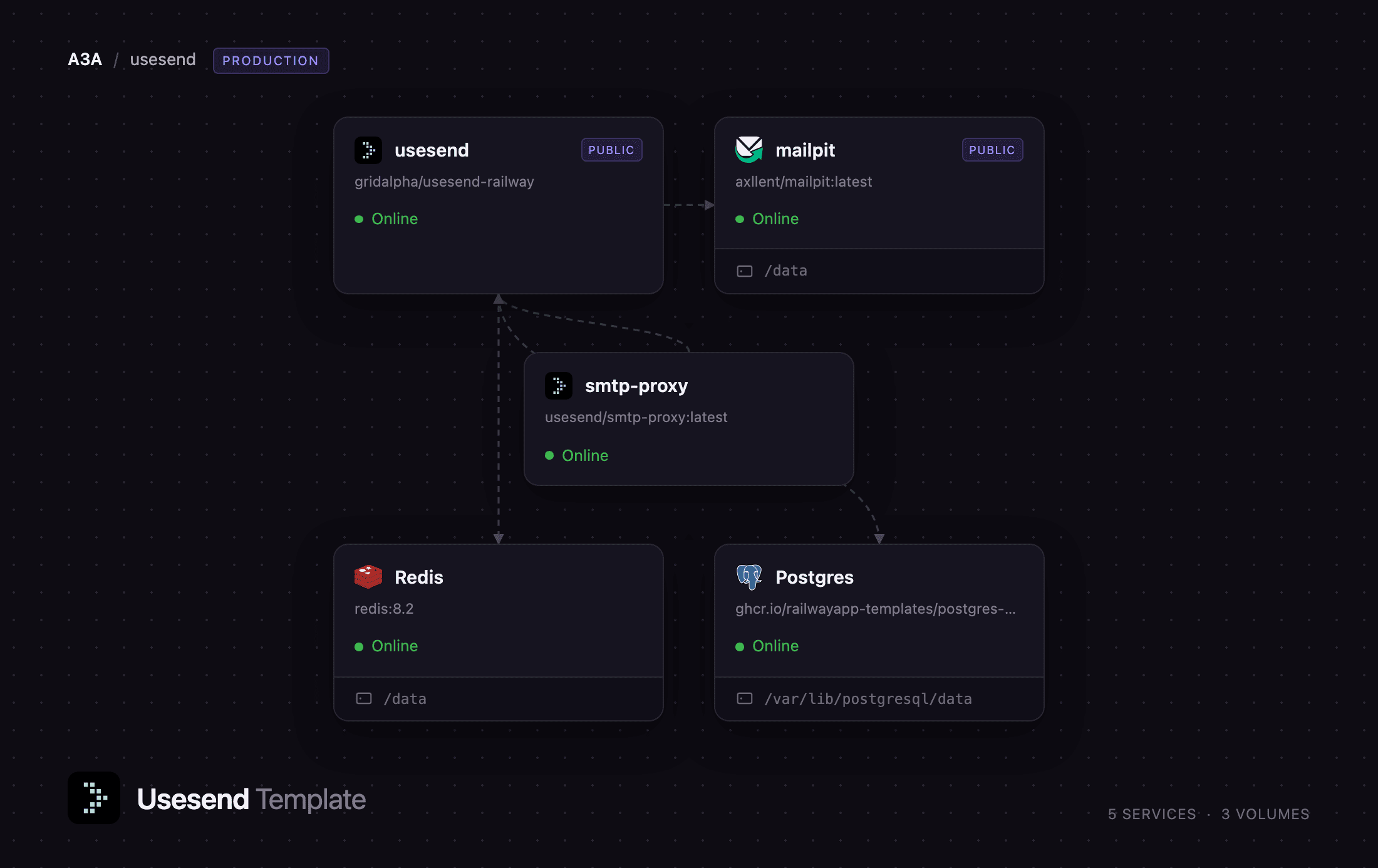
Self-host useSend on Railway and this template pre-configures the whole stack. The usesend service runs the Next.js application and its queue workers, and is the only one with a public URL. Postgres stores teams, domains, API keys, contacts, campaigns and every email record; Redis backs the BullMQ queues that pace sending against the SES rate limit and retry webhooks. mailpit catches useSend's own sign-in codes until you have verified a sending domain, so you can reach the dashboard on a new deployment without wiring up GitHub or Google login. smtp-proxy runs useSend's SMTP front end on the private network for other services in the same project.
Getting Started with useSend on Railway
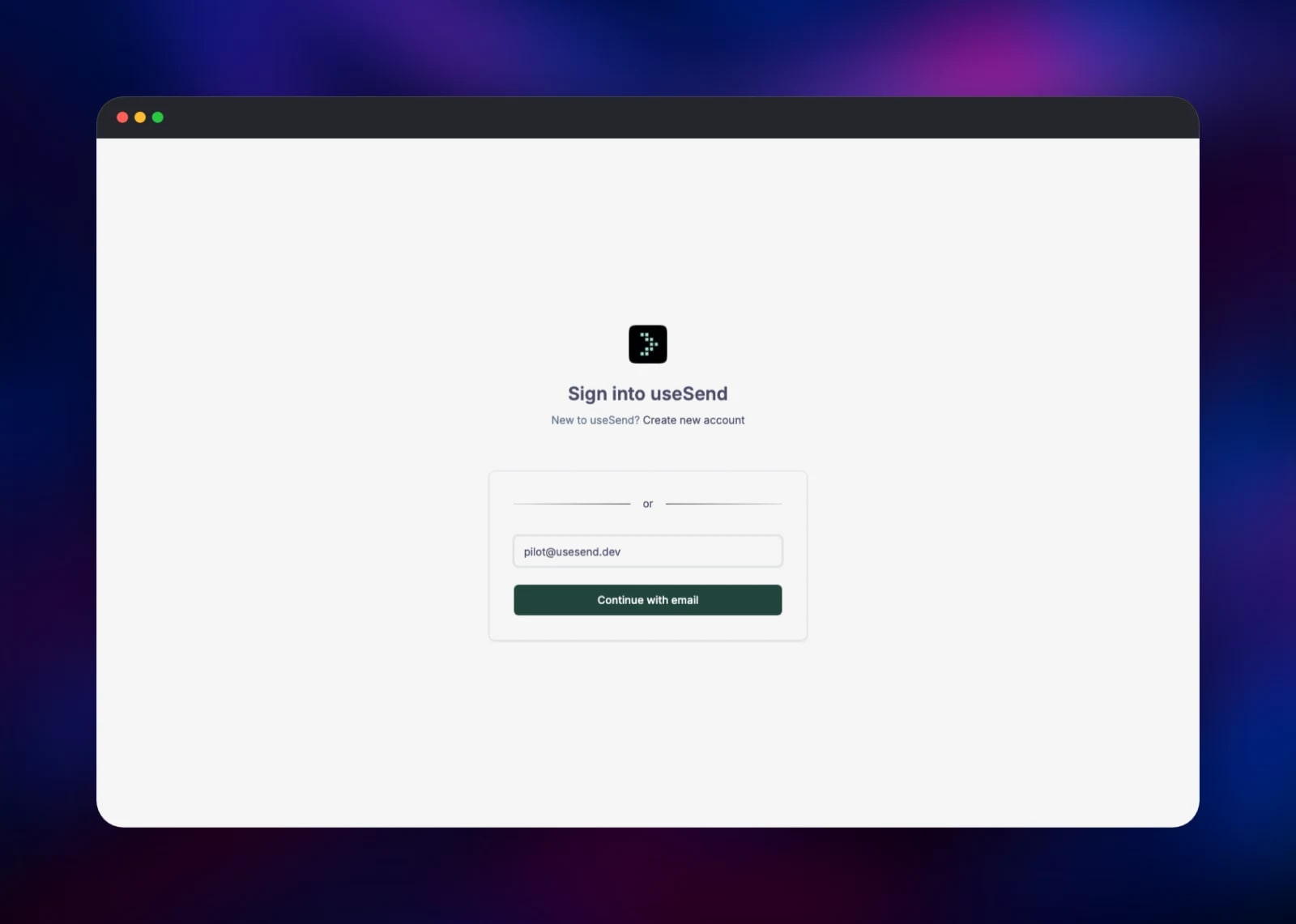
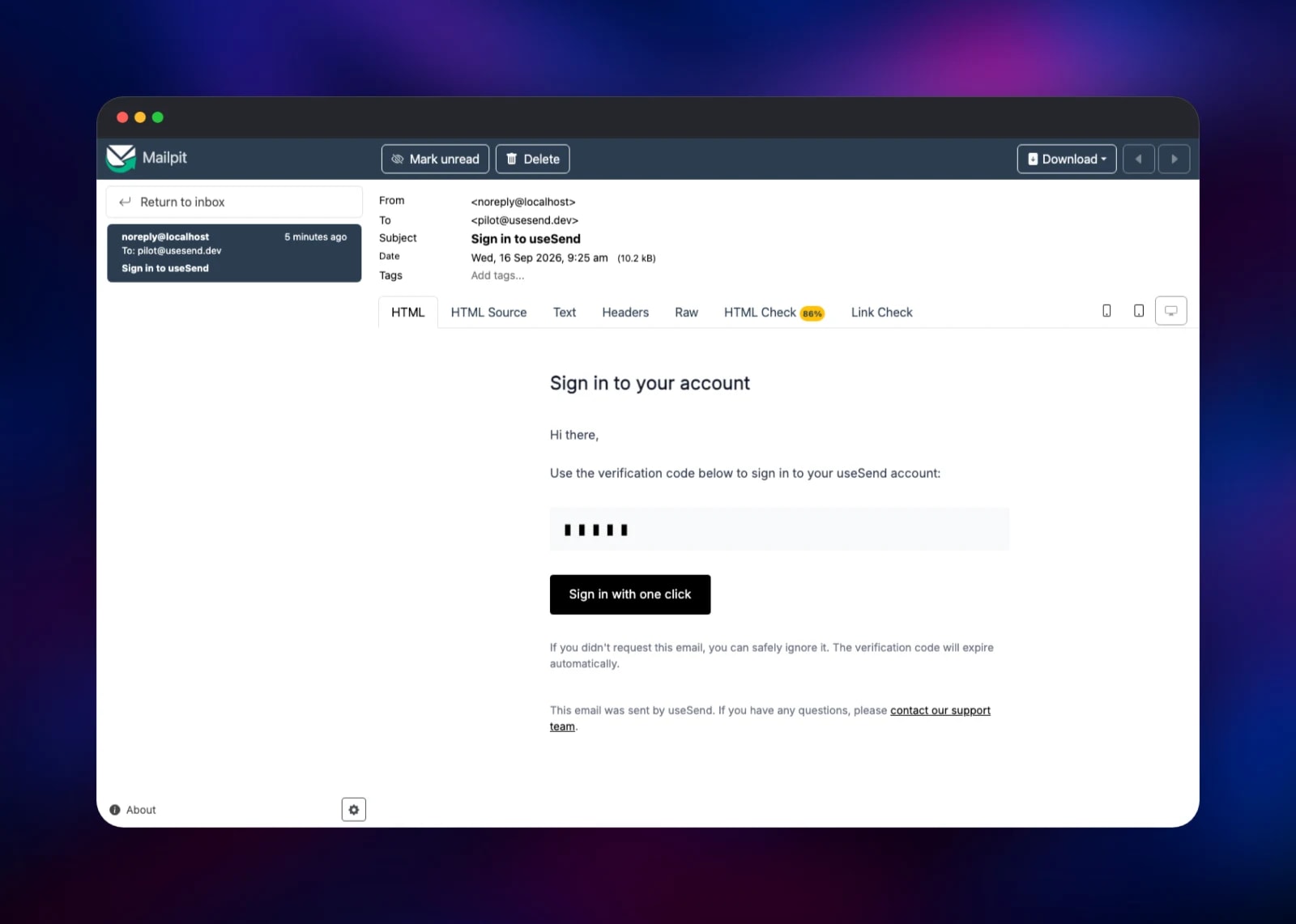
Deploy the template, then open the usesend service's public URL. There are no default credentials: the sign-in screen takes an email address and mails a one-time code. On a fresh deployment that code goes to the bundled mailpit service rather than the internet, so open Mailpit's public URL in a second tab, sign in with its MP_UI_AUTH username and password, and read the code from the message titled Sign in to useSend. The first address to sign in becomes the owner; later addresses need a team invitation, so claim the instance straight after deploying.
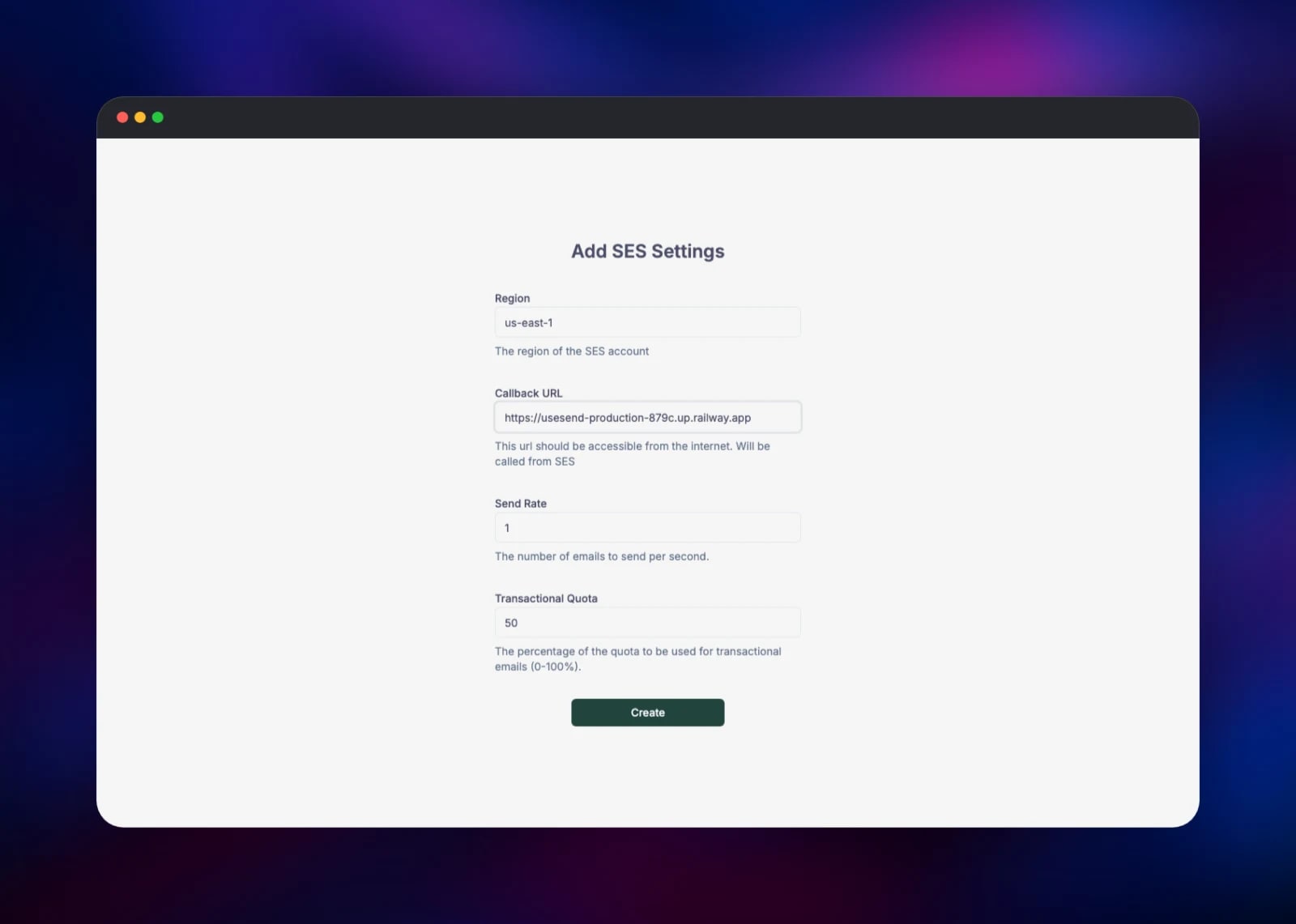
Once inside, useSend asks for your Amazon SES configuration before it shows the dashboard. Create an IAM user with AmazonSESFullAccess and AmazonSNSFullAccess, set AWS_ACCESS_KEY_ID and AWS_SECRET_ACCESS_KEY on the usesend service, and redeploy. Enter the SES region and, as the callback URL, the deployment's own public URL — SNS posts delivery and bounce events back to it. Add a sending domain, publish the DKIM and MAIL FROM records it generates, and request production access so SES leaves sandbox mode. Then create an API key and send a test message; it appears in the Emails list with its status in seconds.
About Hosting useSend
useSend turns a raw SES account into a product. SES has no usable dashboard, no contact storage, no templates and no campaign tooling; useSend adds all of that and keeps the data in your own Postgres. Teams self-host it when SaaS pricing starts to hurt, when recipient data cannot leave their infrastructure, or when transactional and marketing mail should share one system.
Key features:
- REST API with JavaScript and Python SDKs, plus an SMTP endpoint for software that only speaks SMTP
- Domain verification with DKIM and a custom MAIL FROM, from the UI
- Delivery, bounce, complaint, open and click tracking per message
- Contact books with unsubscribe handling, double opt-in and per-contact variables
- Campaigns with a drag-and-drop editor, templates, webhooks and suppression lists
- Separate transactional and marketing queues, so a campaign cannot starve password-reset mail
The Railway architecture mirrors that split: the app service holds both the HTTP surface and the BullMQ workers that drain the send queues at the rate SES reports for your account, Redis is the queue, Postgres the system of record.
Why Deploy useSend on Railway
Railway removes the infrastructure work around the app itself.
- Postgres and Redis are provisioned, networked and backed up for you
- A public HTTPS domain with a managed certificate on deploy
- Private networking keeps the database, queue and SMTP proxy off the internet
- The app rebuilds from a public GitHub repository, so upgrades are one redeploy
Common Use Cases
- Transactional email for a SaaS product — receipts, password resets, invitations — from your own domain and SES account
- Product-update newsletters to a contact book in your own database
- A shared sending service for several internal applications, each with its own API key
Dependencies for useSend
usesend— gridalpha/usesend-railway, a thin layer overusesend/usesendsmtp-proxy—usesend/smtp-proxy:latest, the SMTP front endmailpit—axllent/mailpit:latest, a mail catcher with a web inboxPostgres— managed PostgreSQL 18, migrated by Prisma at bootRedis— managed Redis 8.2, the BullMQ queue backend, no eviction policy- An AWS account with SES and SNS — required before the application can send anything
Environment Variables Reference
| Variable | Service | Purpose |
|---|---|---|
AWS_ACCESS_KEY_ID, AWS_SECRET_ACCESS_KEY | usesend | SES and SNS credentials; the dashboard stays locked without them |
NEXTAUTH_URL, NEXTAUTH_SECRET | usesend | Public URL and session signing key |
SMTP_FALLBACK_URL | usesend | Where sign-in codes go until a domain is verified |
GITHUB_ID, GOOGLE_CLIENT_ID (and secrets) | usesend | Optional OAuth sign-in providers |
MP_UI_AUTH | mailpit | Username and password for the mail catcher |
Deployment Dependencies
- Source: github.com/usesend/usesend (AGPL-3.0), docs at docs.usesend.com
- Runtime: Node.js 22, Next.js 15, Prisma, BullMQ
- Amazon SES: regional endpoints, plus a production-access request
Hardware Requirements for Self-Hosting useSend
| Resource | Minimum | Recommended |
|---|---|---|
| CPU | 1 vCPU | 2 vCPU |
| RAM | 1 GB | 2 GB |
| Storage | 1 GB | 5 GB+ with retention |
| Runtime | Node.js 22, PostgreSQL 14+, Redis 6+ | Same, with Redis persistence |
Storage is dominated by kept message content: bodies, headers and attachments stay in Postgres unless EMAIL_CLEANUP_DAYS is set.
Self-Hosting useSend
The published image needs Postgres, Redis and SES credentials:
docker run -d -p 3000:3000 \
  -e DATABASE_URL=postgresql://user:pass@postgres:5432/usesend \
  -e REDIS_URL=redis://redis:6379 \
  -e NEXTAUTH_URL=https://mail.example.com \
  -e NEXTAUTH_SECRET=$(openssl rand -base64 32) \
  -e AWS_ACCESS_KEY_ID=... -e AWS_SECRET_ACCESS_KEY=... \
  -e AWS_DEFAULT_REGION=us-east-1 usesend/usesend:latest
To build from source, clone the repository, copy .env.selfhost.example to .env and run docker compose -f docker/prod/compose.yml up -d.
Sending is one HTTP call with an API key created in the dashboard:
curl -X POST https://mail.example.com/api/v1/emails \
  -H "Authorization: Bearer us_..." -H "Content-Type: application/json" \
  -d '{"to":"user@example.com","from":"hello@example.com","subject":"Hi","text":"Hello"}'
How Much Does useSend Cost to Self-Host?
useSend is free and open source under AGPL-3.0: no licence fee, no per-message markup. You pay Railway for the containers and bandwidth, and Amazon for SES — around $0.10 per thousand emails on your own AWS account. Managed alternatives start near $20 a month before overages, which is what makes self-hosting worthwhile past a few tens of thousands of messages. The project also sells a hosted plan.
FAQ
What is useSend? An open-source email platform — an alternative to Resend, Postmark and SendGrid — that sends transactional and marketing mail through your own Amazon SES account, with a dashboard, an API, contact books and campaign tooling.
What does this Railway template deploy? Five services: the useSend app, its SMTP front end, a Mailpit mail catcher for first-run sign-in codes, and managed Postgres and Redis.
Do I need an AWS account to use self-hosted useSend? Yes. useSend is a layer over Amazon SES and will not show its dashboard until an SES configuration exists. Create an IAM user with SES and SNS permissions, add the keys, and request production access.
How do I log in to useSend for the first time? Enter any email address on the sign-in screen and read the one-time code from the Mailpit inbox in this template. The first account created becomes the owner; after that, new addresses need a team invitation.
Why do Postgres and Redis come with the template? Postgres holds teams, domains, contacts, campaigns and the full email history, and Prisma migrates it on every boot. Redis backs the BullMQ queues that pace delivery to the SES rate limit and retry webhooks. Neither is optional.
Can I send through SMTP instead of the REST API?
Yes. The smtp-proxy service accepts SMTP on the private network with the username usesend and an API key as the password. It is deliberately not public: the image ships a default TLS certificate whose private key is published, so mount your own before exposing it.
Template Content
mailpit
axllent/mailpit:latestusesend
gridalpha/usesend-railwaysmtp-proxy
usesend/smtp-proxy:latestRedis
redis:8.2

