
Deploy Vaultwarden
Open-source password manager server that works with all Bitwarden apps
vaultwarden
Just deployed
/data

Just deployed
/var/lib/postgresql/data

Deploy and Host Vaultwarden on Railway
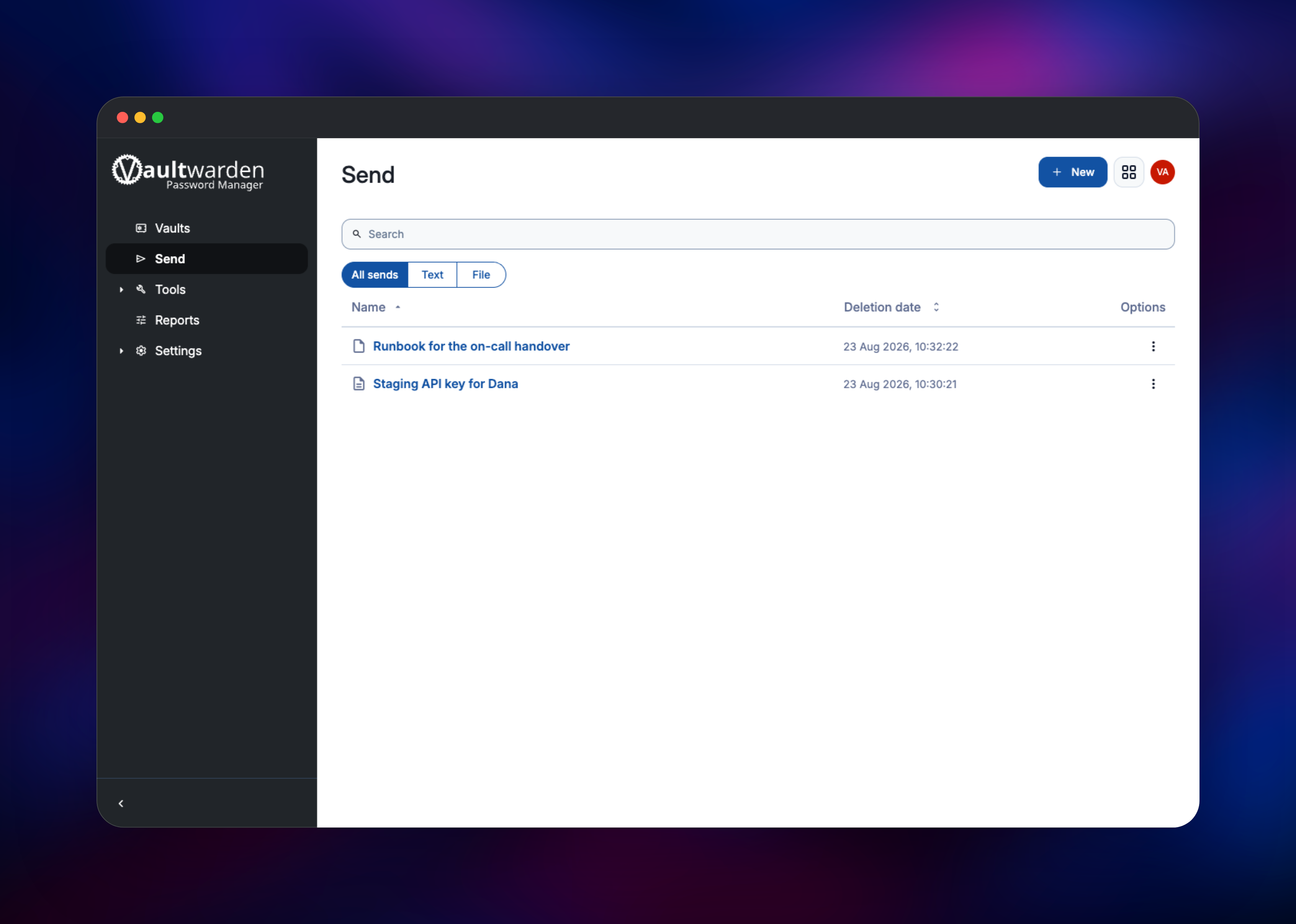
Vaultwarden is a lightweight, unofficial Bitwarden-compatible server written in Rust. It speaks the same API as Bitwarden's own backend, so the official browser extensions, desktop apps, mobile apps and bw CLI connect to it unchanged — point them at your URL instead of bitwarden.com. Items are encrypted and decrypted in the client, so the server stores ciphertext it cannot read. Teams self-host Vaultwarden to keep credentials on infrastructure they control, and because it unlocks what Bitwarden gates behind paid plans: TOTP codes, attachments, Bitwarden Send, organisations and collections.
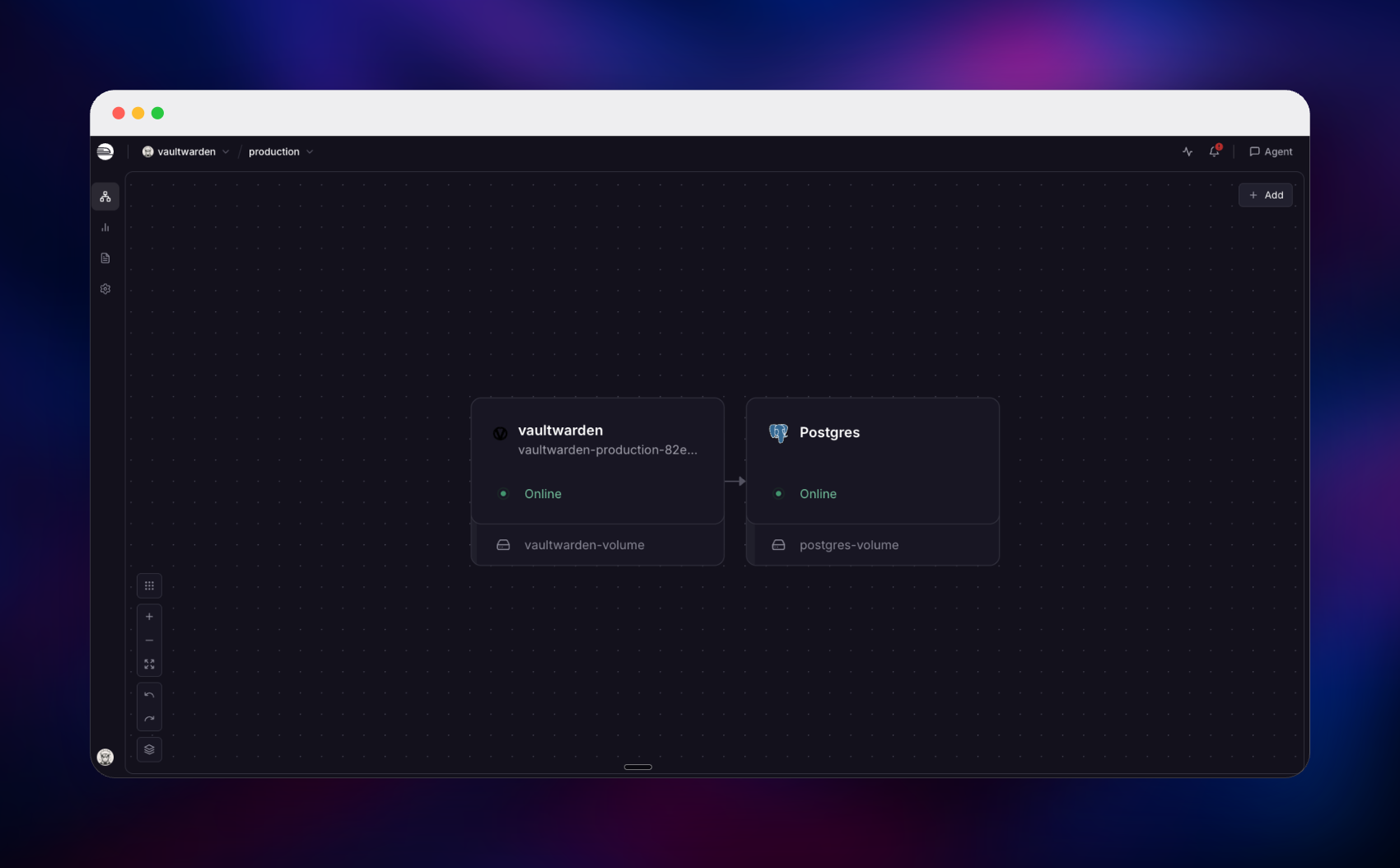
Deploy Vaultwarden on Railway and you get the server plus a managed PostgreSQL database behind a generated HTTPS domain. The Vaultwarden service serves the web vault, the client API and the WebSocket channel that pushes vault updates to signed-in devices, all on one port. Vault contents live in PostgreSQL, while a volume at /data holds the RSA key that signs every session token, attachments, Send payloads and the icon cache — so redeploys never sign your users out or lose their files.
Getting Started with Vaultwarden on Railway
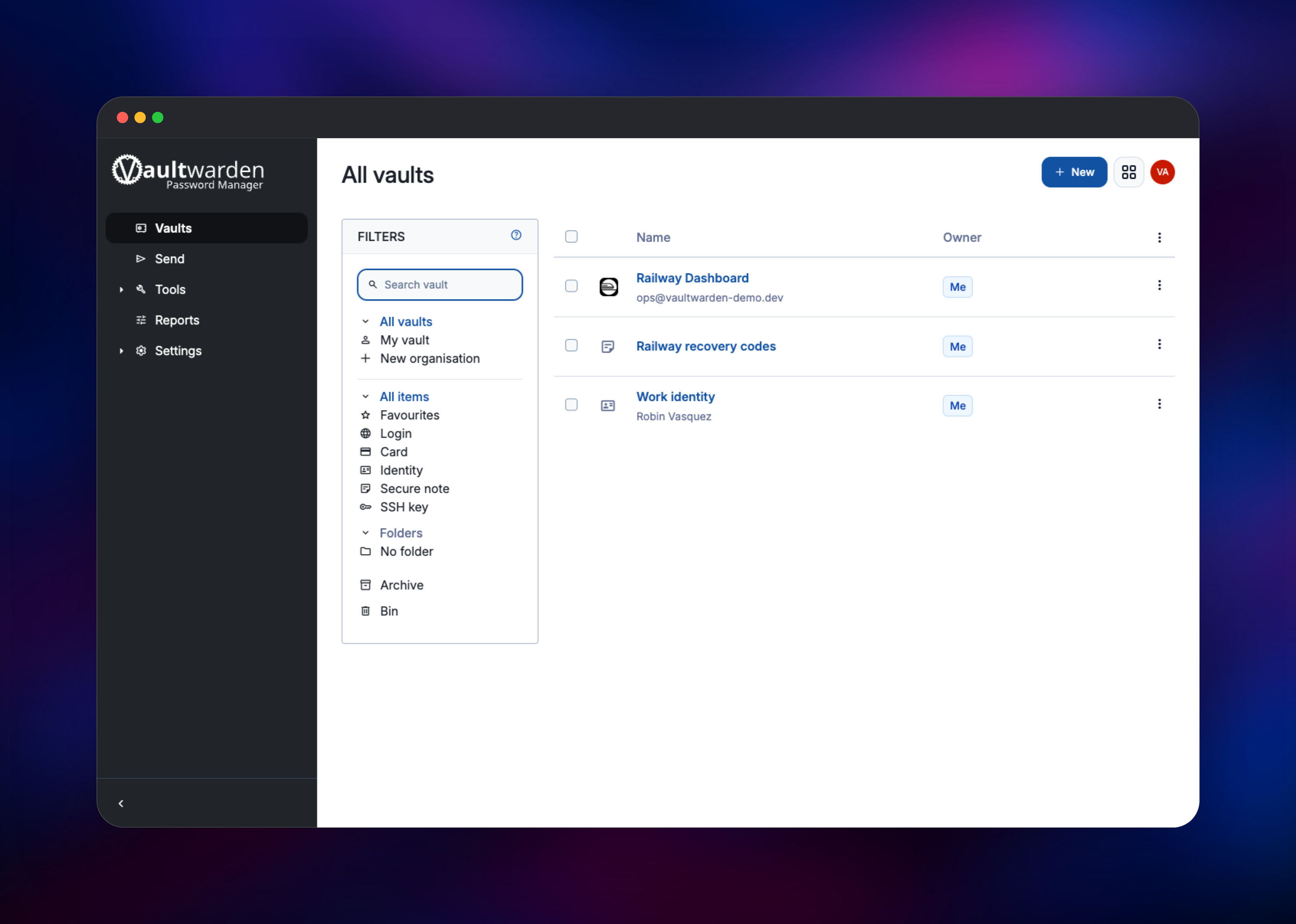
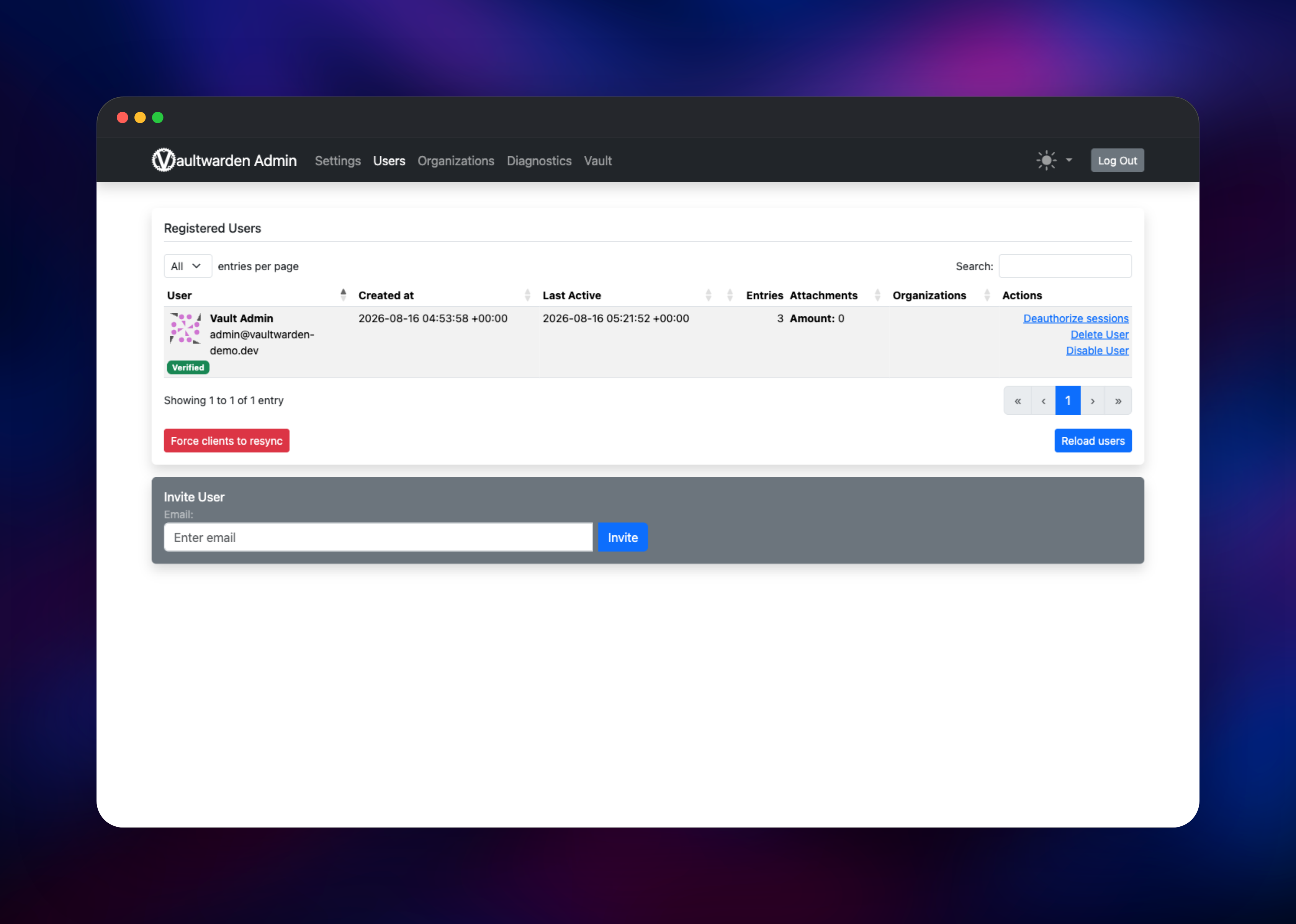
There are no default credentials, and public registration is off so nobody who finds the URL can open a vault on your server. Copy the ADMIN_TOKEN value from the Vaultwarden service's variables, open https:///admin and paste it in. On the Users tab, type your own email address into Invite User and press Invite — with no mail server configured this records the invitation in the database rather than sending a message. Now go to https:///#/register and register with that same address, choosing a master password you will not forget; it never leaves your browser and cannot be recovered. You land in the web vault, where New → Login creates your first credential.
To use the apps, install the Bitwarden extension or mobile client, tap the settings gear on its login screen, choose Self-hosted and enter your Railway URL as the server. Repeat the invite for each teammate. The admin panel's Diagnostics tab reports the database in use, proxy and WebSocket health, and whether your domain matches.
About Hosting Vaultwarden
Bitwarden's official self-hosted server is a large stack — historically eleven containers around Microsoft SQL Server, with 2 GB of RAM as the documented floor. Vaultwarden reimplements the same API as one Rust binary idling in the tens of megabytes, which is why it became the usual way to run a Bitwarden-compatible server on a Raspberry Pi or a small VPS. It is a community project under AGPL-3.0, not a Bitwarden Inc. product.
Key features:
- Works with every official Bitwarden client: extensions, desktop, iOS, Android and CLI
- Zero-knowledge encryption — items are encrypted and decrypted client-side
- Built-in TOTP authenticator, file attachments and Bitwarden Send at no cost
- Organisations, collections and per-user permissions for team sharing
- Two-factor auth via authenticator apps, WebAuthn/passkeys, YubiKey, Duo and email
- Optional OpenID Connect SSO, emergency access and password-health reports
- An admin panel for invites, settings and diagnostics
The template runs two services. Vaultwarden is the application: web vault, API, admin panel and the WebSocket endpoint clients subscribe to for sync. PostgreSQL stores accounts, encrypted vault items, organisations and audit events; SQLite and MySQL also work, but Postgres is sturdier once the database has its own container. The /data volume is not optional — losing it regenerates the token-signing key and logs every device out.
Why Deploy Vaultwarden on Railway
Railway removes the infrastructure work around a password server:
- HTTPS on a generated domain, which the Bitwarden clients require
- Managed PostgreSQL wired in by reference — no connection strings to copy
- A persistent volume for keys, attachments and Sends
- A health check that fails when the database is unreachable, not only when the port closes
- Custom domains, logs and metrics with no proxy to run
Common Use Cases
- A family or small team sharing logins, cards and notes through organisations and collections
- An engineering team keeping API keys, SSH keys and service credentials out of chat and spreadsheets
- Sending a one-off secret outside the company with Bitwarden Send, using an expiry and a view limit
Dependencies for Vaultwarden
- Vaultwarden —
docker.io/vaultwarden/server:latest(GitHub), the Rust server and bundled web vault - PostgreSQL 18 —
ghcr.io/railwayapp-templates/postgres-ssl:18, accounts, vault items, audit events - Volume at
/data— RSA signing key, attachments, Sends, icon cache
Environment Variables Reference
| Variable | Purpose |
|---|---|
DOMAIN | Public HTTPS URL. Attachment links, invitations and WebAuthn derive from it — update it for a custom domain |
ADMIN_TOKEN | Password for /admin. Generated for you, then hashed with Argon2id in the container |
DATABASE_URL | PostgreSQL connection string, referenced from the database |
SIGNUPS_ALLOWED | false by default. true lets anyone with the URL register |
INVITATIONS_ALLOWED | Admin panel can invite users while signup stays closed |
SIGNUPS_DOMAINS_WHITELIST | Domains allowed to self-register, e.g. yourcompany.com |
IP_HEADER | X-Forwarded-For, so login rate limits key on the client |
SMTP_HOST, SMTP_FROM, SMTP_USERNAME, SMTP_PASSWORD | Optional mail for invitations, email 2FA and hints |
PUSH_ENABLED, PUSH_INSTALLATION_ID, PUSH_INSTALLATION_KEY | Optional mobile push, ID from bitwarden.com/host |
Deployment Dependencies
- Source:
- Image:
- Docs:
- Clients:
Hardware Requirements for Self-Hosting Vaultwarden
| Resource | Minimum | Recommended |
|---|---|---|
| CPU | 1 shared vCPU | 1–2 vCPU |
| RAM | 256 MB | 512 MB–1 GB with PostgreSQL |
| Storage | 1 GB volume | 5 GB+ for attachments and file Sends |
| Runtime | Linux container | PostgreSQL 13 or newer |
Vaultwarden idles around 50–100 MB of RAM; size the volume for attachments.
Self-Hosting Vaultwarden with Docker
The quickest local test is one container on SQLite. The following is a shell command:
docker run -d --name vaultwarden \
  -e DOMAIN="https://vault.example.com" \
  -e SIGNUPS_ALLOWED=false \
  -v vw-data:/data -p 8080:80 \
  vaultwarden/server:latest
For a shape closer to this template, point it at PostgreSQL and hash the admin token rather than storing it in plain text. The following are shell commands:
docker run --rm -it vaultwarden/server:latest /vaultwarden hash --preset owasp

docker run -d --name vaultwarden \
  -e DOMAIN="https://vault.example.com" \
  -e DATABASE_URL="postgresql://vw:changeme@db/vaultwarden" \
  -e ADMIN_TOKEN='$argon2id$v=19$m=19456,t=2,p=1$...' \
  -v vw-data:/data -p 8080:80 \
  vaultwarden/server:latest
Put TLS in front of either setup — the Bitwarden clients refuse plain HTTP, and WebAuthn needs it.
Is Vaultwarden Free?
Vaultwarden is free and open source under AGPL-3.0 — no paid tier, licence key or seat count — and it enables the features Bitwarden reserves for Premium and Families plans. On Railway you pay only for the compute, database and volume the services use.
FAQ
What is Vaultwarden?
An open-source, Bitwarden-compatible password manager server written in Rust. It implements the Bitwarden API, so official clients work against it while it runs in a fraction of the resources the official server needs.
What does this Railway template deploy?
A Vaultwarden service on a generated HTTPS domain, a managed PostgreSQL 18 database, and a volume at /data. Registration is closed by default and an admin password is generated for you.
Why does this template include PostgreSQL and a volume?
PostgreSQL stores accounts and encrypted vault items so your data outlives the container. The volume holds the RSA key that signs session tokens, plus attachments and Sends. Delete it and every signed-in device is logged out.
How do I create the first user when signups are disabled?
Open /admin with the generated ADMIN_TOKEN, invite your own email from the Users tab, then register at /#/register with it. Invited addresses can always register, even while public signup is off.
How do I connect the Bitwarden extension or mobile app to my server?
On the client's login screen open the settings gear, choose Self-hosted, and enter your Railway URL as the server address. Then sign in with the email and master password you registered.
Do I need an SMTP server to run self-hosted Vaultwarden?
No. Without SMTP you invite users from the admin panel and share the URL yourself. Add SMTP_HOST and SMTP_FROM for invitation emails, email two-factor authentication and password hints.
Template Content
vaultwarden
vaultwarden/server
