
Deploy Vaultwarden | Open Source Bitwarden Alternative
Self Host Vaultwarden: Encrypted passwords, 2FA, organizations & more
Vaultwarden
Just deployed
/data

Deploy and Host Vaultwarden on Railway
Deploy Vaultwarden on Railway to self-host a lightweight, full-featured password manager compatible with all official Bitwarden clients. Written in Rust, Vaultwarden delivers enterprise-grade credential management — including organizations, collections, 2FA, Send, and emergency access — while consuming under 50 MB of RAM.
This Railway template pre-configures Vaultwarden with a persistent volume for SQLite storage, an admin panel for server-side configuration, and a public HTTPS domain ready for browser extensions and mobile apps. No external database required.
Getting Started with Vaultwarden on Railway
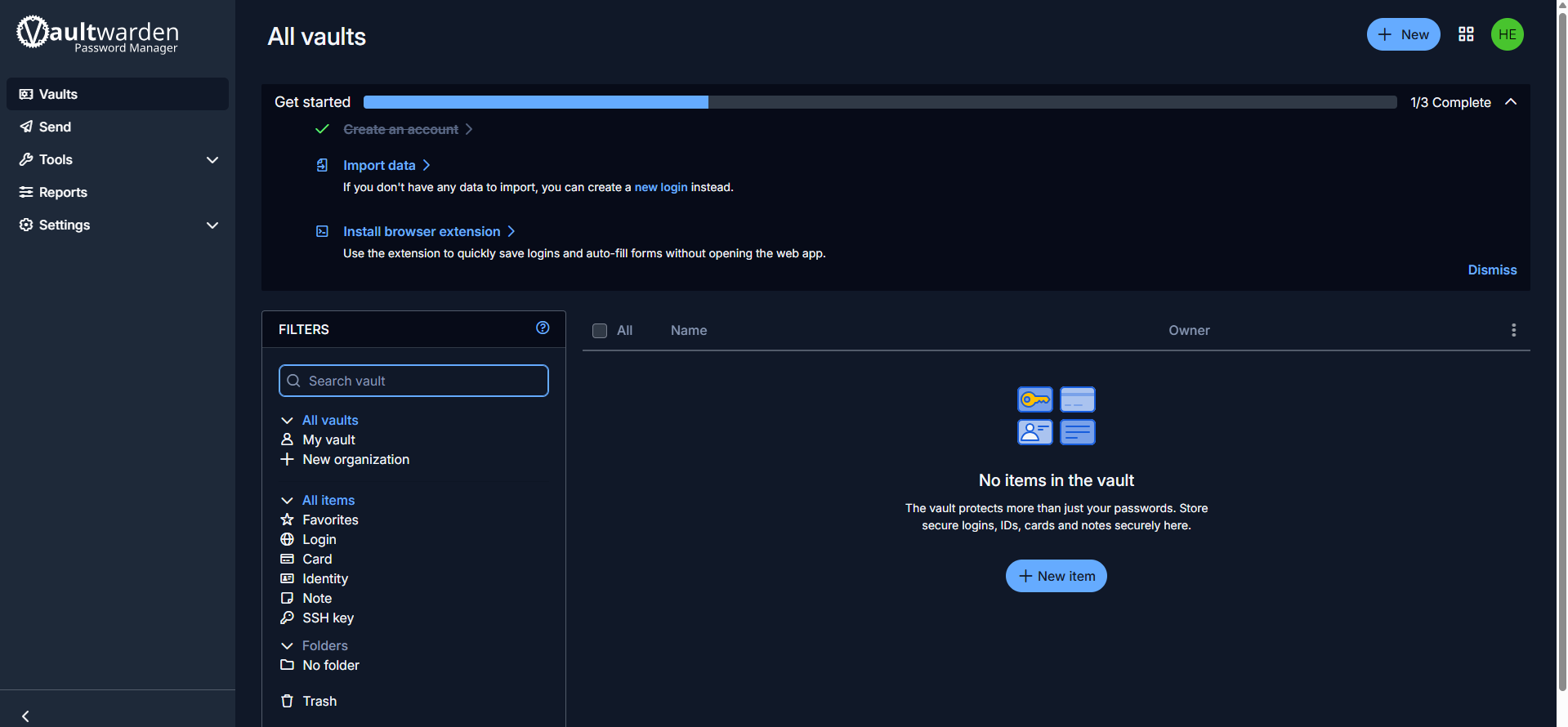
After deployment completes, open the generated Railway URL in your browser. You will see the Bitwarden Web Vault login page. Click Create Account to register your first user — Vaultwarden ships with signups enabled by default.
To configure server settings, navigate to /admin and enter the admin token shown in your Railway environment variables. From the admin panel you can disable public signups, configure SMTP for email notifications, enable push notifications, and manage users. Connect any official Bitwarden client (browser extension, desktop app, or mobile app) by entering your Railway URL as the self-hosted server URL in the client settings.
About Hosting Vaultwarden
Vaultwarden is an unofficial Bitwarden-compatible server written in Rust by dani-garcia. It implements the full Bitwarden Client API, meaning every official Bitwarden application works seamlessly — desktop, mobile, browser extensions, and CLI.
Key features of self-hosted Vaultwarden:
- Password Vault — end-to-end encrypted storage for logins, cards, identities, and secure notes
- Organizations & Collections — share credentials across teams with granular access control
- Bitwarden Send — securely share text or files with expiring, password-protected links
- Multi-Factor Authentication — TOTP, FIDO2 WebAuthn, YubiKey, Duo, and email-based 2FA
- Emergency Access — grant trusted contacts access to your vault in emergencies
- Admin Panel — web-based server configuration at
/admin - Attachments & Icons — file attachments on vault items and automatic website favicon fetching
Why Deploy Vaultwarden on Railway
Railway makes self-hosting Vaultwarden effortless:
- One-click deploy with persistent volume — no Docker or server management needed
- HTTPS out of the box — required for Bitwarden Web Crypto API
- Scale from hobby to team use without infrastructure changes
- Full control over your credential data — no third-party cloud dependency
- Under 50 MB RAM footprint keeps Railway costs minimal
Common Use Cases for Self-Hosted Vaultwarden
- Personal password management — replace cloud-hosted password managers with a self-hosted vault you fully control
- Team credential sharing — use organizations and collections to share API keys, service accounts, and shared logins across departments
- Developer secrets management — store SSH keys, tokens, and environment secrets with Bitwarden CLI integration for scripts and CI/CD
- Family password vault — share Wi-Fi passwords, streaming logins, and financial credentials securely with household members
Dependencies for Vaultwarden on Railway
This template deploys a single service:
- Vaultwarden —
vaultwarden/server:latest(v1.35.7) — the password manager server with built-in SQLite database and web vault
No external database or cache is required. All data is stored in the /data volume using SQLite.
Environment Variables Reference for Vaultwarden
| Variable | Value | Description |
|---|---|---|
DOMAIN | https://${{RAILWAY_PUBLIC_DOMAIN}} | Public URL for email links, attachments, and U2F |
ADMIN_TOKEN | [generated] | Password for the /admin panel |
SIGNUPS_ALLOWED | true | Allow new user registration |
ROCKET_PORT | 80 | Internal server listening port |
PORT | 80 | Railway routing target port |
Deployment Dependencies
- Runtime: Rust binary in Docker container
- Docker Hub: vaultwarden/server
- GitHub: dani-garcia/vaultwarden
- Docs: Vaultwarden Wiki
Hardware Requirements for Self-Hosting Vaultwarden
| Resource | Minimum | Recommended |
|---|---|---|
| CPU | 1 core | 2 cores |
| RAM | 50 MB (idle) | 512 MB |
| Storage | 1 GB | 5 GB |
| Runtime | Docker / Podman | Docker / Podman |
Vaultwarden is one of the most lightweight self-hosted applications available. It comfortably runs on a Raspberry Pi Zero with 512 MB RAM. On Railway, the default resource allocation is more than sufficient for hundreds of users.
Self-Hosting Vaultwarden with Docker
Pull and run Vaultwarden with a single Docker command:
docker run -d \
  --name vaultwarden \
  -e DOMAIN=https://vault.example.com \
  -e ADMIN_TOKEN=your-secure-admin-token \
  -e SIGNUPS_ALLOWED=true \
  -v /vw-data/:/data/ \
  -p 80:80 \
  vaultwarden/server:latest
Or use Docker Compose for a more maintainable setup:
version: "3"
services:
  vaultwarden:
    image: vaultwarden/server:latest
    container_name: vaultwarden
    restart: unless-stopped
    environment:
      DOMAIN: "https://vault.example.com"
      ADMIN_TOKEN: "your-secure-admin-token"
      SIGNUPS_ALLOWED: "true"
    volumes:
      - vw-data:/data
    ports:
      - "80:80"

volumes:
  vw-data:
Is Vaultwarden Free to Self-Host?
Vaultwarden is completely free and open source under the AGPL-3.0 license. Unlike the official Bitwarden server, Vaultwarden includes all premium features — organizations, 2FA, Send, emergency access, and directory connector — at no cost. Your only expense is the infrastructure to run it. On Railway, a single Vaultwarden instance with minimal traffic costs a few dollars per month based on actual resource usage.
Vaultwarden vs Bitwarden for Self-Hosting
| Feature | Vaultwarden | Bitwarden (Official) |
|---|---|---|
| Language | Rust | C# / .NET |
| RAM usage | ~50 MB | ~2 GB+ |
| Database | SQLite (built-in) | MSSQL (required) |
| Docker containers | 1 | 8+ |
| Premium features | All included free | Requires license |
| Official support | Community only | Professional team |
| Security audits | Community reviewed | SOC 2 Type II, bug bounty |
| Client compatibility | All official clients | All official clients |
Vaultwarden is the preferred choice for personal and small-team self-hosting. Choose official Bitwarden if you need enterprise support contracts or regulatory compliance certifications.
FAQ
What is Vaultwarden and why should I self-host it? Vaultwarden is a lightweight, Rust-based reimplementation of the Bitwarden server API. Self-hosting gives you full control over your password data, eliminates subscription fees, and includes all premium features for free.
What does this Vaultwarden Railway template deploy? This template deploys a single Vaultwarden container with a persistent volume for SQLite data storage, an HTTPS public domain, and an admin panel. No external database is needed.
How do I connect Bitwarden apps to my self-hosted Vaultwarden on Railway? In any official Bitwarden client (browser extension, desktop, or mobile), tap the gear icon on the login screen, enter your Railway URL as the server URL, and save. Then log in with the account you created on your Vaultwarden instance.
Can I use Vaultwarden with a team or organization? Yes. Vaultwarden supports Bitwarden Organizations with collections, allowing you to share passwords and secure notes across team members with granular access control — all included for free.
How do I secure my Vaultwarden instance after initial setup?
After creating your admin account, go to the /admin panel and set SIGNUPS_ALLOWED to false to prevent unauthorized registrations. Enable 2FA on your account, and consider configuring SMTP for email-based notifications and account recovery.
Does Vaultwarden support two-factor authentication? Yes. Vaultwarden supports TOTP authenticator apps, FIDO2/WebAuthn security keys, YubiKey OTP, Duo Security, and email-based 2FA codes.
Template Content
Vaultwarden
vaultwarden/server:latest
