
Deploy VERT
File converter, image converter, video converter, self-hosted on Railway
Just deployed
/data
Just deployed
Deploy and Host VERT on Railway
VERT is an open-source file converter that does the work in your browser instead of on a server. Images, audio and documents are converted by WebAssembly builds of ImageMagick, FFmpeg and Pandoc inside the tab, so the file never leaves the machine that opened the page — no queue, no upload wait, no third party holding your data. It covers more than 250 formats and looks like a product rather than an ad-funded conversion site. Video is the exception: transcoding a movie in WebAssembly is painfully slow, so VERT hands video to vertd, a small Rust service driving a real FFmpeg binary.
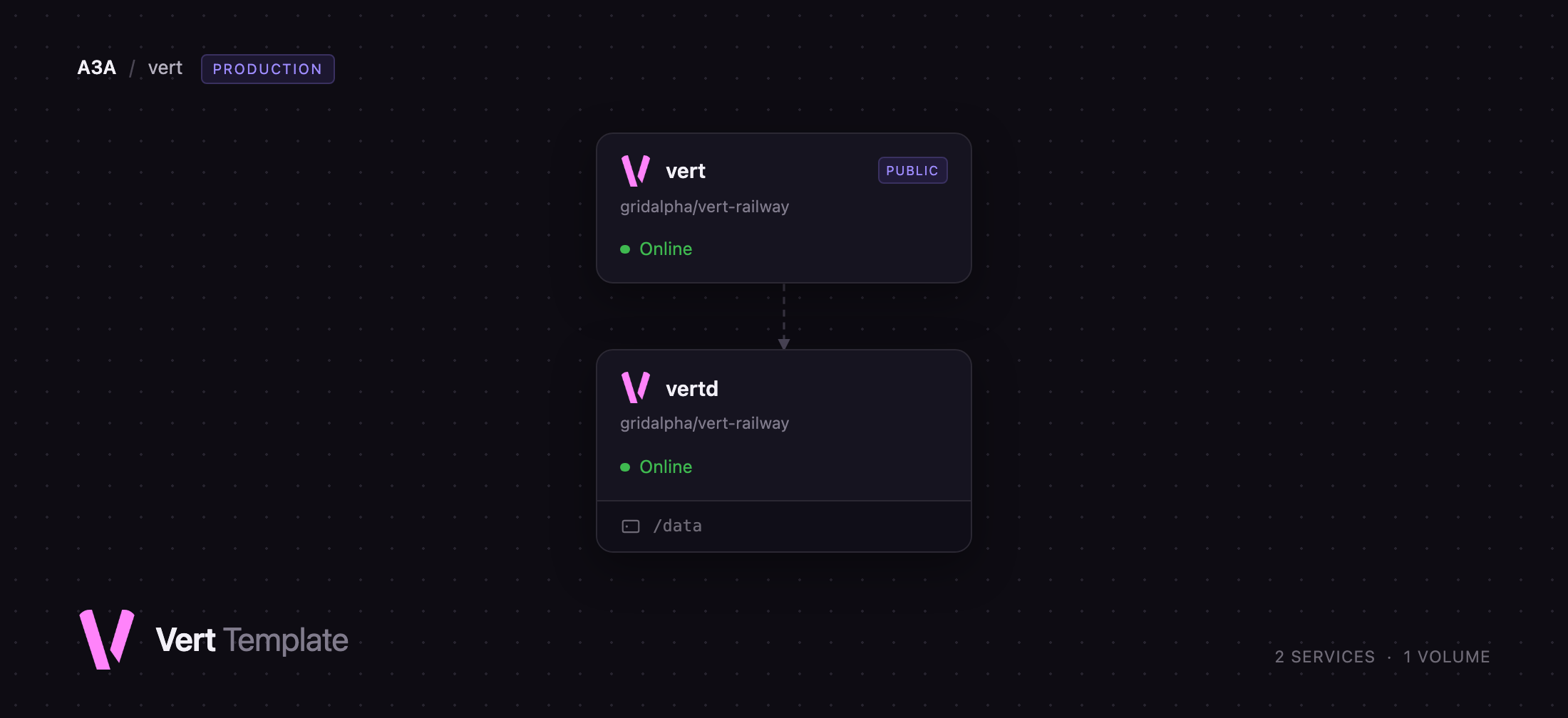
Deploy VERT on Railway and you get both halves wired together. The vert service builds the interface and serves it with nginx; the vertd service runs the FFmpeg daemon on the private network with a volume for files in flight. The web service also proxies /api/* to the daemon, so everything lives on one domain and the daemon is never exposed to the internet. To self-host VERT anywhere else you would rebuild the frontend to point at your own daemon, because its address is compiled into the bundle — this template does that rewrite from the domain Railway gives you.
Getting Started with VERT on Railway
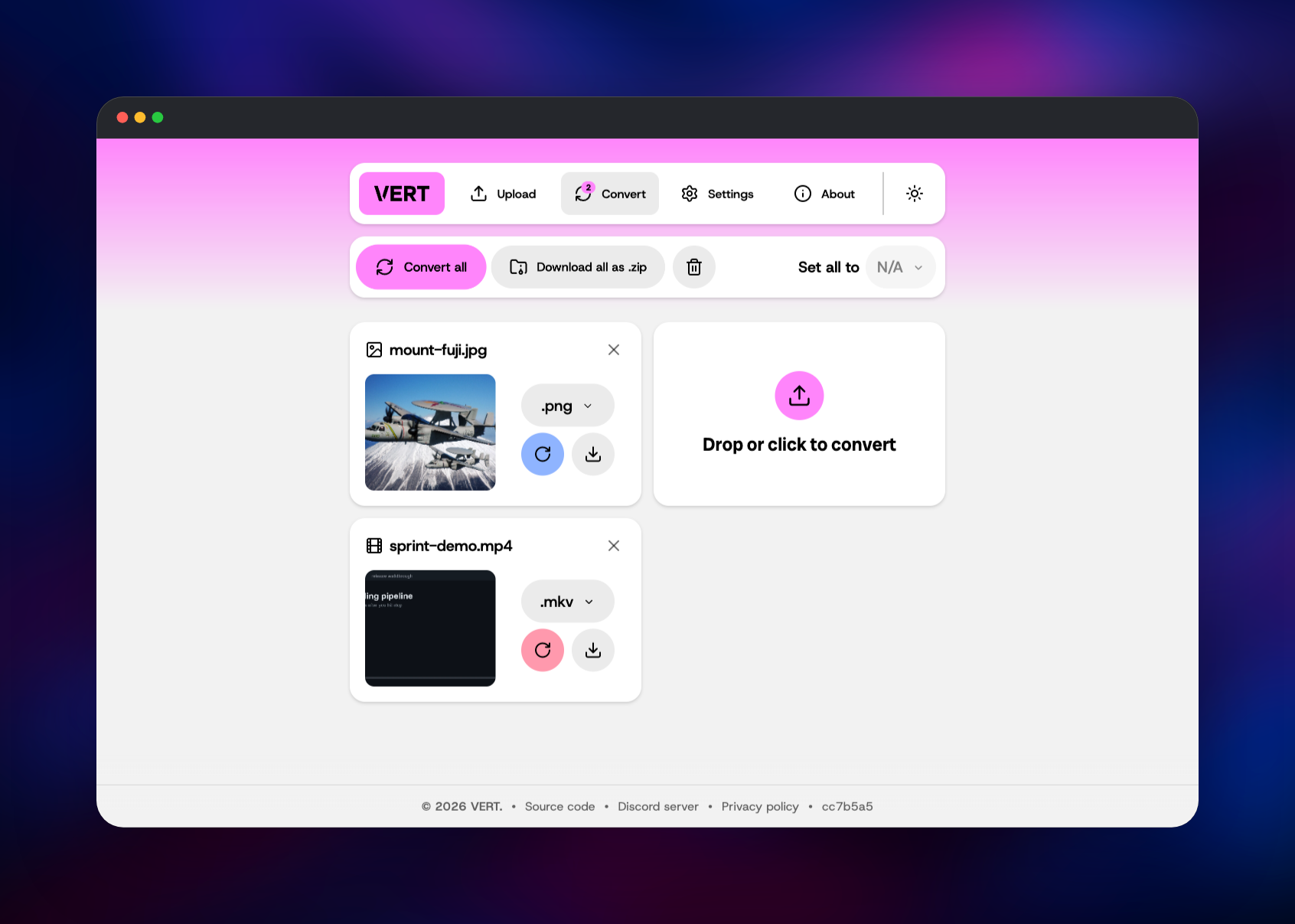
Open the deployed URL and you are on the upload page — no account, no login and no first-run wizard, because VERT keeps its settings in your browser. Drop a file onto the panel, or click to pick one, and you land on the Convert tab with a card per file. Each card has a format dropdown; pick a target and press Convert all. Images, audio and documents are converted locally as the WebAssembly worker runs. Choosing a video format shows a one-time warning that the file will be sent to a server — that server is your own vertd, not a public one. When a conversion finishes the card's download button lights up, and Download all as .zip collects a batch.
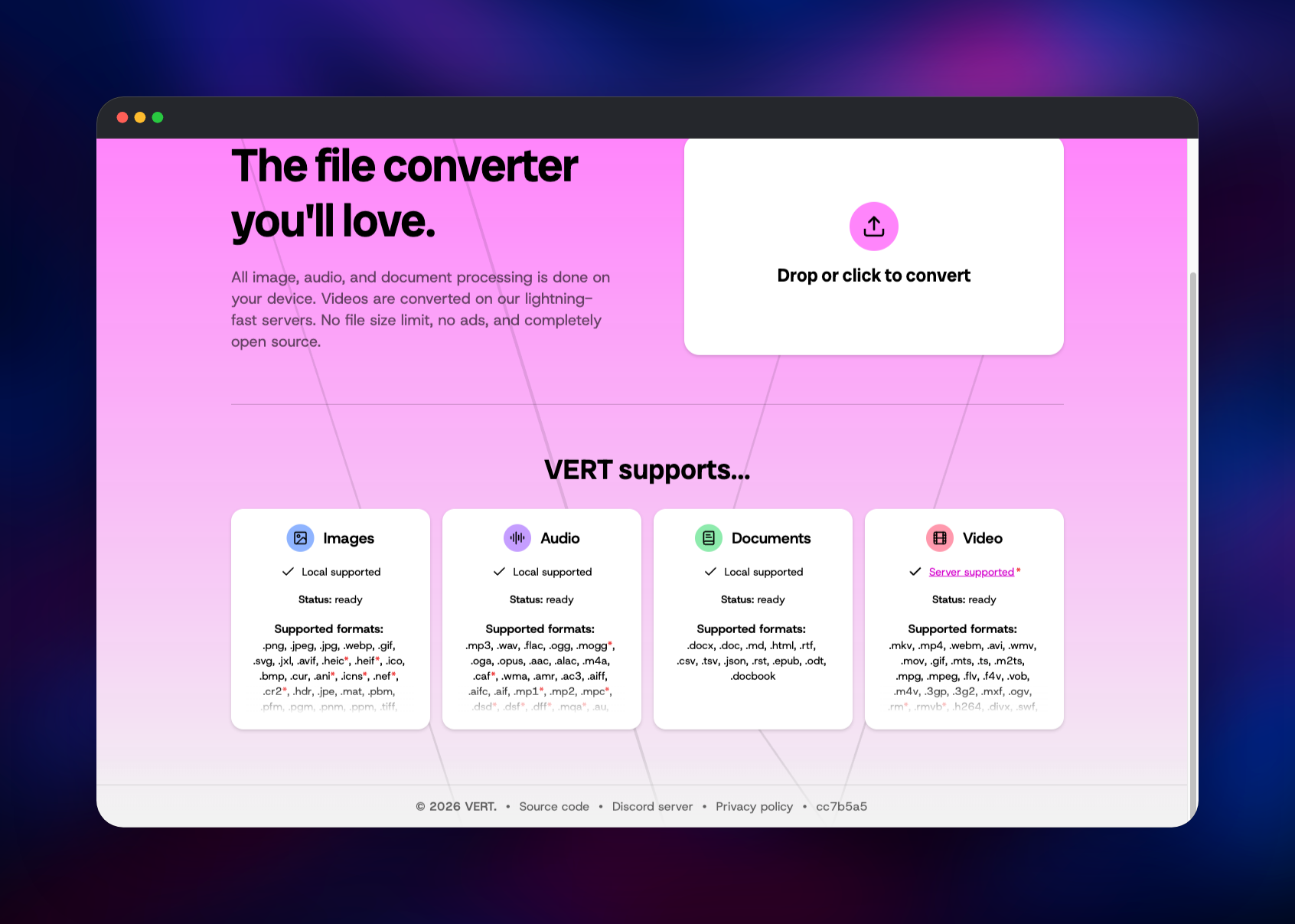
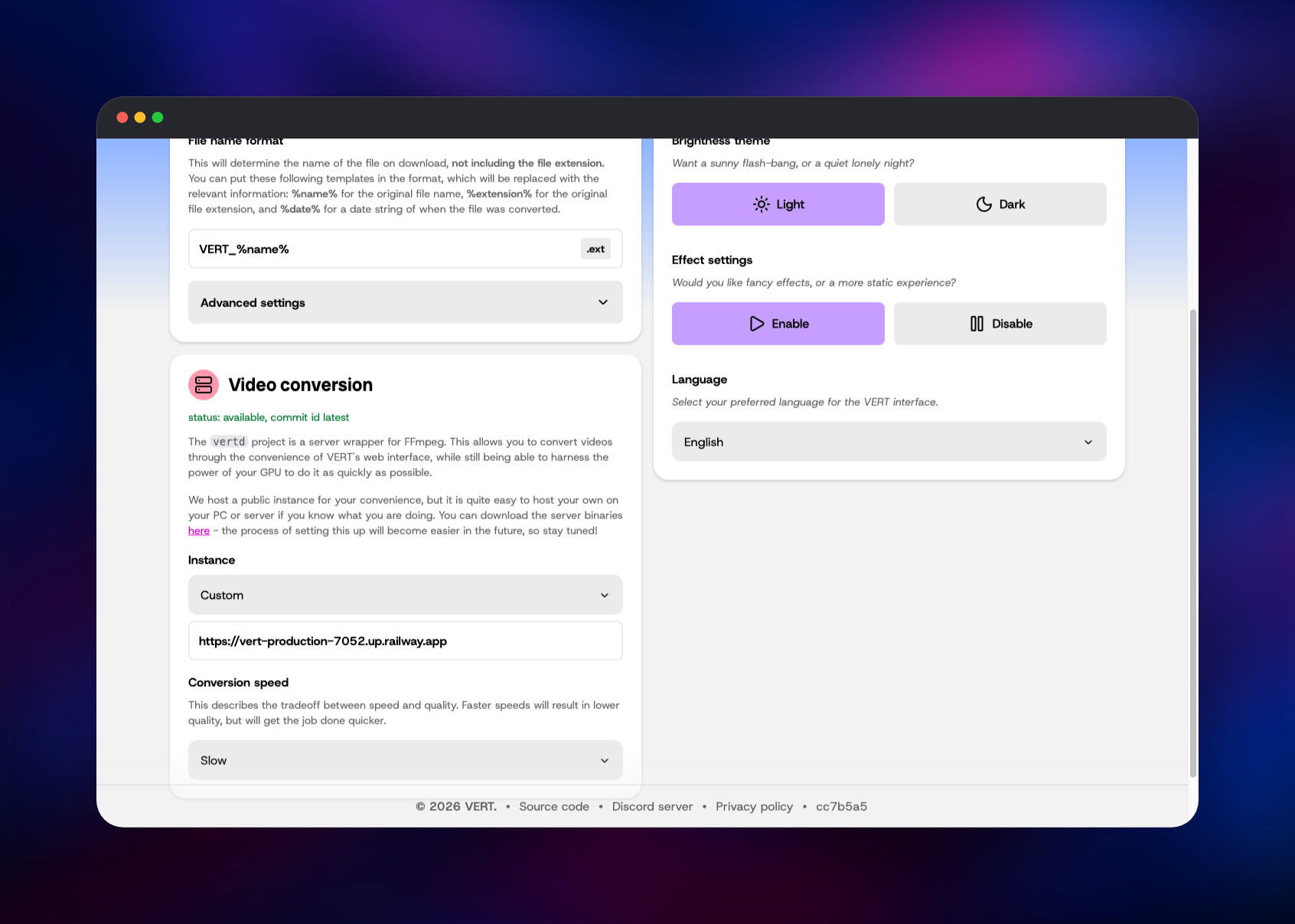
To confirm the deployment is healthy, check the four cards under "VERT supports…" on the home page: Images, Audio, Documents and Video should all read Status: ready, and Video only does so when the browser can reach your daemon. Settings → Video conversion shows the same thing directly, with an Instance box holding your own Railway domain.
About Hosting VERT
Most online file converters are the same trade: you hand a stranger your document and hope it is deleted afterwards. VERT removes that trade for everything except video. A team self-hosts it to give staff a converter that keeps files inside the organisation, or to put a fast, ad-free one on an intranet.
Key features:
- Over 250 formats across images, audio, documents and video
- Local conversion for images (ImageMagick), audio (FFmpeg) and documents (Pandoc)
- Batch conversion with per-file targets and a zip download
- Quality, sample-rate and metadata controls per category
- Server-side video conversion through your own FFmpeg daemon
The template deploys two services. vert is nginx serving the compiled interface, the only service with a public domain, and it proxies the conversion API. vertd accepts an upload, transcodes it, streams progress over a WebSocket and deletes the result once downloaded; its volume holds files only while a job is in flight.
Why Deploy VERT on Railway
Railway removes the two hard parts: rebuilding the frontend for your own domain, and wiring the video daemon to it.
- The frontend is rebuilt and repointed at your daemon automatically on every deploy
- One public domain covers the app and the conversion API
- The FFmpeg daemon stays on the private network, unreachable from outside
- A persistent volume holds in-flight conversions
- Upload size and rate limits are variables, not a config file
- Optional password protection with two variables
Common Use Cases
- An internal converter for a team that cannot upload client files to a public site
- A HEIC, AVIF and JPEG XL converter for photographers handling formats desktop tools refuse
- Turning Markdown, DOCX and EPUB into each other with Pandoc
- Batch re-encoding screen recordings to MP4 or WebM before publishing
Dependencies for VERT
- vert — built from VERT-sh/VERT with Bun, served by
nginx:stable-alpine. Holds the interface and the WebAssembly converters, and proxies/api/*to the daemon. - vertd — built on
ghcr.io/vert-sh/vertd:latest, an FFmpeg wrapper written in Rust. Needs a volume and no database.
There is no database, cache or object storage. Settings live in the browser and conversions are transient by design.
Environment Variables Reference
| Variable | Service | Purpose |
|---|---|---|
VERT_PUBLIC_URL | vert | Origin compiled into the bundle; set it for a custom domain |
MAX_UPLOAD_SIZE | vert | Largest video accepted, default 512M |
UPLOAD_RATE | vert | Per-client upload rate limit, default 30r/m |
VERT_USERNAME / VERT_PASSWORD | vert | Set both to put the site behind basic auth |
PUB_PLAUSIBLE_URL | vert | Plausible instance for analytics; rebuilds the image |
VERTD_FORCE_GPU | vertd | Encoder backend, cpu on Railway |
VERTD_FFMPEG_THREADS | vertd | Overrides the thread cap derived from the CPU quota |
Deployment Dependencies
- Source repository: VERT-sh/VERT (AGPL-3.0)
- Video daemon: VERT-sh/vertd (GPL-3.0)
- Documentation: vert.sh and the repository's
docs/directory - Runtime: Bun and nginx for the web service, Rust and FFmpeg for the daemon
Hardware Requirements for Self-Hosting VERT
| Resource | Minimum | Recommended |
|---|---|---|
| CPU | 1 vCPU | 4+ vCPU — FFmpeg is the only heavy consumer |
| RAM | 512 MB | 2 GB+ — the daemon buffers each upload in memory |
| Storage | 1 GB volume | 5 GB+ for larger or concurrent video jobs |
| Runtime | nginx + Rust/FFmpeg | Same; no database or cache |
The web service is static files and stays small; everything else scales with video. Raising MAX_UPLOAD_SIZE means raising memory to match, because the daemon reads an upload into memory before writing it to disk.
Self-Hosting VERT
Running the published web image is one command, but it sends video to the project's public daemon — that URL is baked in at build time:
docker run -d -p 3000:80 --name vert ghcr.io/vert-sh/vert:latest
To use your own daemon you have to build the frontend yourself and pass the address as a build argument. The following builds both halves and runs them together:
git clone https://github.com/VERT-sh/VERT && cd VERT
docker build -t vert \
  --build-arg PUB_ENV=production \
  --build-arg PUB_HOSTNAME=convert.example.com \
  --build-arg PUB_VERTD_URL=https://vertd.example.com \
  --build-arg PUB_PLAUSIBLE_URL= \
  --build-arg PUB_DISABLE_ALL_EXTERNAL_REQUESTS=false .
docker run -d -p 3000:80 vert
docker run -d -p 24153:24153 -e VERTD_FORCE_GPU=cpu ghcr.io/vert-sh/vertd:latest
The daemon detects an NVIDIA, AMD, Intel or Apple GPU and falls back to software encoding when there is none, which is what happens here — the template sets VERTD_FORCE_GPU=cpu and caps FFmpeg's threads to the container's CPU quota.
Is VERT Free to Self-Host?
VERT is free and open source — the interface is AGPL-3.0, the daemon GPL-3.0 — with no paid tier, license key or account. Hosting costs only the Railway resources the two services use, and the web service serves static files. The daemon is idle until someone converts a video, so the bill tracks video use rather than page views.
FAQ
What is VERT?
VERT is an open-source file converter that runs in your browser. Image, audio and document conversions are done locally by WebAssembly builds of ImageMagick, FFmpeg and Pandoc, so those files are never uploaded anywhere.
What does this Railway template deploy?
Two services: vert, the web interface behind nginx with a public domain, and vertd, the FFmpeg daemon on the private network with a volume. The web service proxies the conversion API to the daemon, so both share one URL.
Why does the template include a separate video service?
Video transcoding in WebAssembly is too slow to be usable. VERT sends video to a daemon running a native FFmpeg binary instead, and the template gives you your own rather than pointing at the public one operated by the project.
Are my files uploaded when I self-host VERT?
Only video. Everything else is converted inside the tab. A video is uploaded to your vertd service, transcoded, downloaded back, and then deleted — inputs expire after an hour, outputs 30 seconds after they are fetched.
How do I password-protect a self-hosted VERT deployment?
Set VERT_USERNAME and VERT_PASSWORD on the vert service and the whole site moves behind HTTP basic auth. Setting only one of the two fails the deploy rather than leaving the site open.
How do I raise the maximum video size?
Increase MAX_UPLOAD_SIZE on the vert service, and give vertd more memory at the same time — it reads each upload into memory before writing it to disk.
Template Content


