
Deploy Vikunja
open-source task management. Lists, Kanban, Gantt, and more

Redis
Just deployed
/data

mailpit
Just deployed
/data

Just deployed
/var/lib/postgresql/data
vikunja
Just deployed
vikunja-storage
Bucket
Just deployed

Deploy and Host Vikunja on Railway
Vikunja is an open-source to-do and project planning app that gives a team what paid trackers charge for: tasks with due dates, priorities, labels, assignees, reminders, subtasks and attachments, viewed as a list, Kanban board, sortable table or Gantt chart. It is written in Go, ships a single binary serving both the API and the web app, and syncs to Apple Reminders or Thunderbird over CalDAV. Teams self-host Vikunja when Todoist, Asana or Trello have become a per-seat bill for something they would rather own.
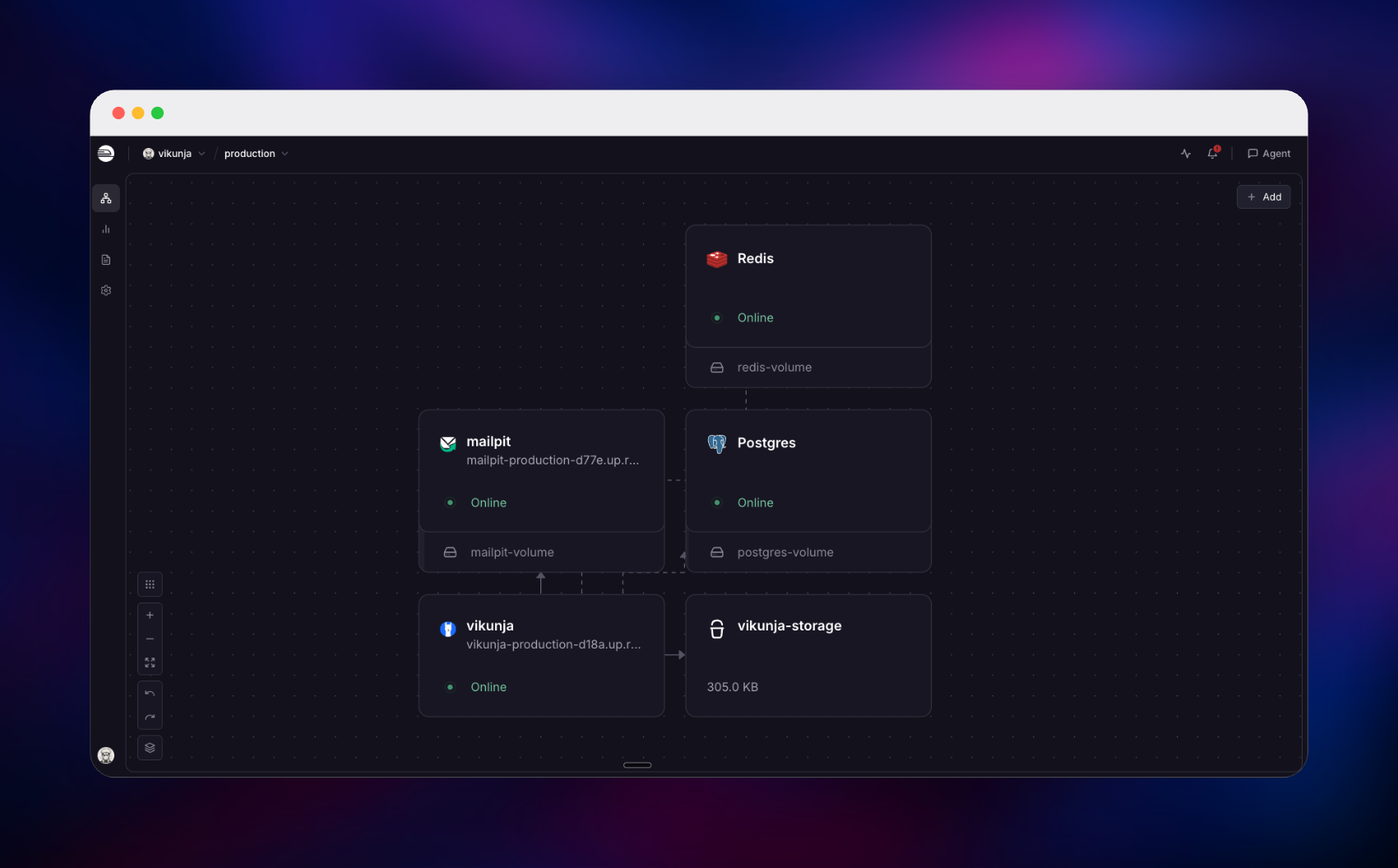
This template lets you deploy Vikunja on Railway with the pieces a real installation needs already wired together. The app is built from a public source repository layering a first-run bootstrap on the official vikunja/vikunja image; PostgreSQL 18 holds every project, task and comment; Redis backs the cache and rate-limit counters; a managed bucket stores attachments and avatars; and Mailpit catches outbound mail so password resets and reminders work from day one. Only Vikunja and the Mailpit inbox are public — database, cache and SMTP stay on the private network.
Getting Started with Vikunja on Railway
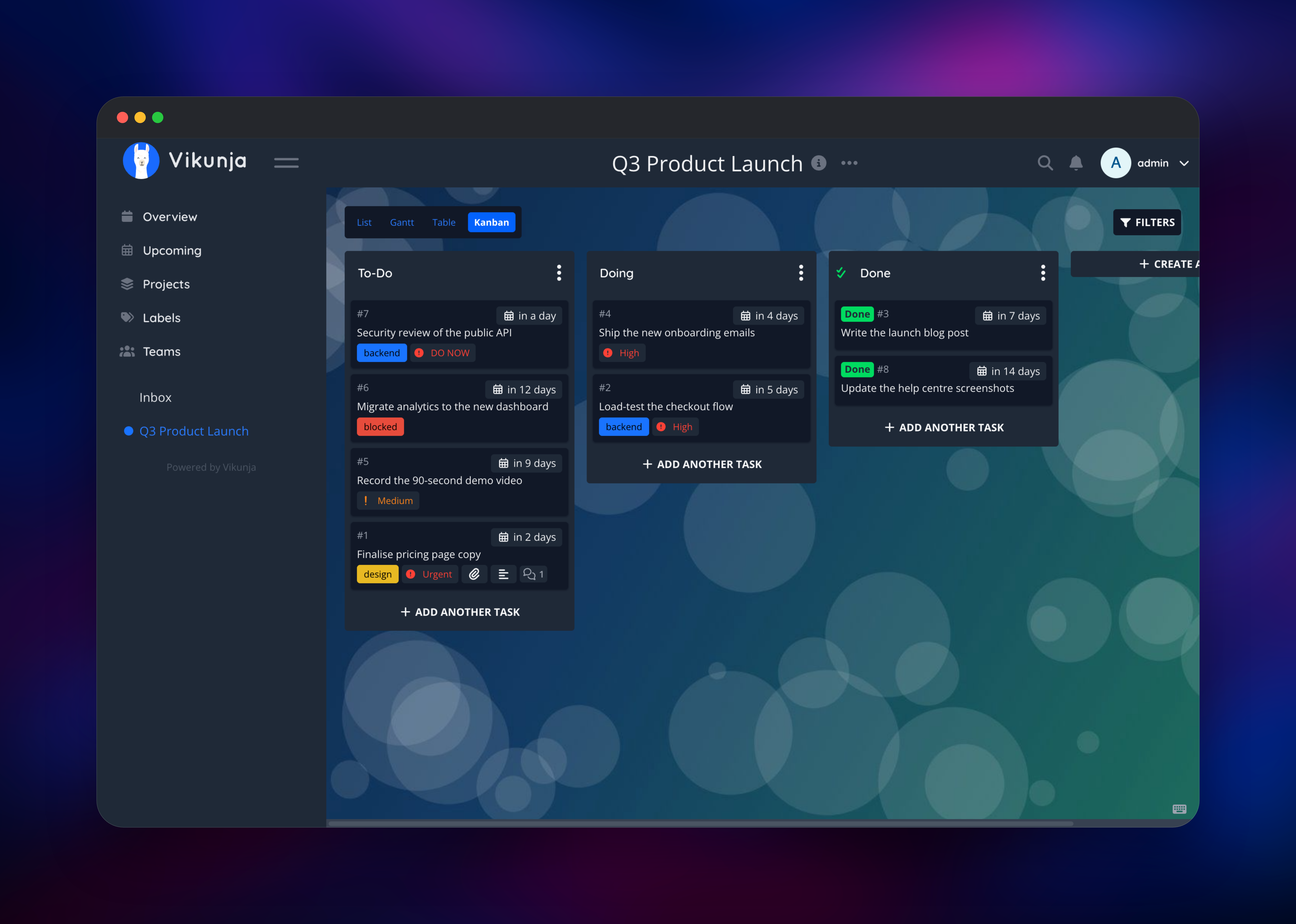
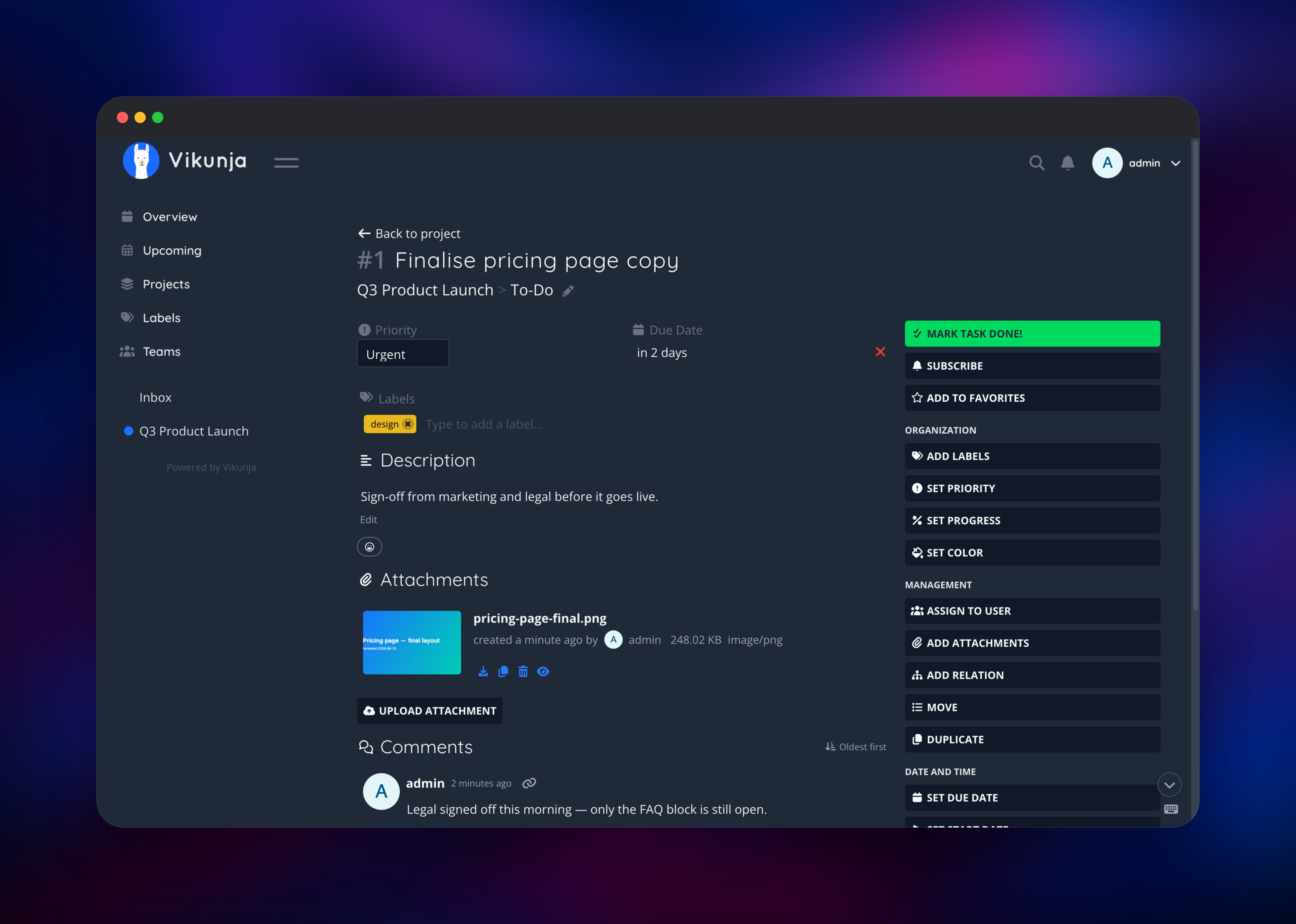
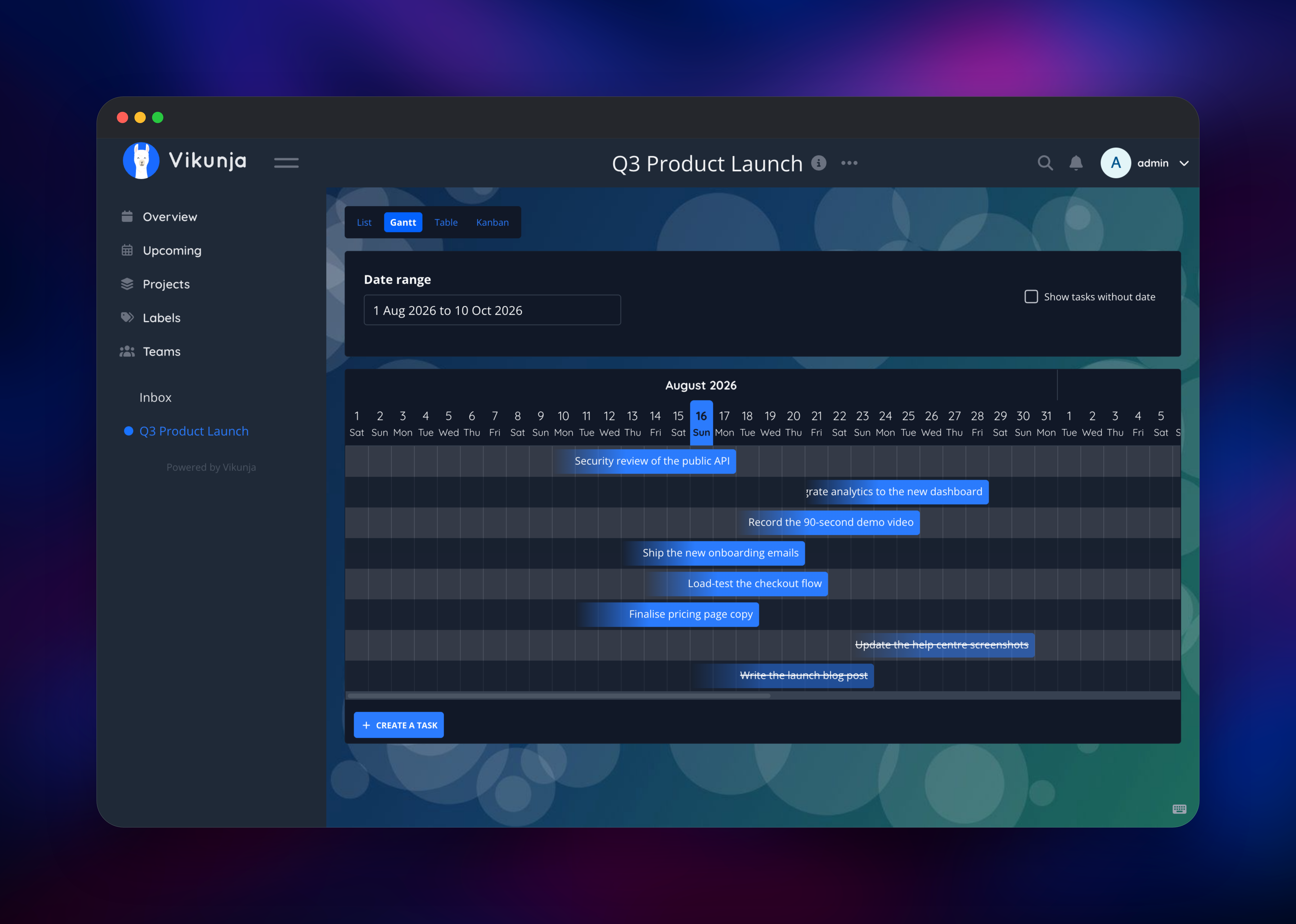
Set a username and password when you deploy: Vikunja creates that account on first boot, so there is no open registration window and no default credential to change afterwards. Open the URL when the deploy is green and sign in — if you left the password blank, the first deployment's logs print it. Public sign-up ships disabled, and POST /api/v1/register returns 404 rather than just hiding the form, so set VIKUNJA_SERVICE_ENABLEREGISTRATION=true only while colleagues register. Create a project from the sidebar and add tasks through the quick-add box, where quick add magic parses !2 for priority, *label, @assignee and tomorrow inline. Switch between the List, Gantt, Table and Kanban tabs, then drop an image onto a task — if the thumbnail appears, object storage is wired correctly. To check mail, click Forgot your password? and open the Mailpit URL with the MP_UI_AUTH credentials; the reset message is waiting there.
About Hosting Vikunja
Vikunja separates into one stateless web process and a set of stores, which is the shape Railway runs well. The Go binary serves the REST API and the compiled frontend from one origin, so there is no CORS setup and no second domain. Everything durable lives outside the container — data in PostgreSQL, uploads in object storage, cached values in Redis — so no volume needs sizing and nothing is lost on a restart.
Key features:
- List, Kanban, table and Gantt views over the same tasks
- Quick add magic for dates, labels, priority and assignees as you type
- Subtasks, relations, repeating tasks, reminders and saved filters
- Attachments, backgrounds and rich-text descriptions
- Teams, per-project sharing and public read-only links
- CalDAV sync, webhooks, API tokens and a REST API
- Importers for Todoist, Trello, Microsoft To Do, TickTick, Wekan and CSV
- Optional OpenID Connect and LDAP sign-in alongside local accounts
Mailpit is a real SMTP server with a searchable web inbox, so reminders and resets work with no email provider on day one; the MP_SMTP_RELAY_* variables turn it into a relay in front of one.
Why Deploy Vikunja on Railway
Railway removes the setup work self-hosting usually requires:
- PostgreSQL, Redis, object storage and SMTP already connected
- Private networking; only the app and the inbox are public
- HTTPS on the generated URL, with custom domains supported
- Health checks and automatic restarts on the app service
- Vertical scaling without moving data; nothing lives on local disk
Common Use Cases for Self-Hosted Vikunja
- An agency running client work as projects, with Gantt views for delivery dates and files kept off third-party servers
- An engineering team tracking a release checklist on a Kanban board, driven from CI through the API and webhooks
- A household task system synced to phones over CalDAV, with no per-seat bill
Dependencies for Vikunja
- Vikunja — built from a public source repository on top of
vikunja/vikunja, the official image for go-vikunja/vikunja. Serves API and web app on port 3456, and runs the reminder scheduler. - PostgreSQL 18 — every project, task, comment, label, team and user; Vikunja migrates its schema at boot.
- Redis — Vikunja's key-value store: cached lookups plus rate-limit buckets.
- Railway managed bucket — S3-compatible storage for attachments and avatars.
- Mailpit (
axllent/mailpit) — private SMTP on 1025, password-protected inbox on 8025.
Environment Variables Reference
| Variable | Purpose |
|---|---|
VIKUNJA_SERVICE_PUBLICURL | Public base URL used in links and emails |
VIKUNJA_SERVICE_SECRET | JWT signing key; keep it stable or redeploys sign users out |
VIKUNJA_SERVICE_ENABLEREGISTRATION | Set true to let others create accounts |
VIKUNJA_ADMIN_USERNAME / _EMAIL / _PASSWORD | The account created on first boot |
VIKUNJA_FILES_TYPE | s3 sends uploads to the bucket; local needs a volume |
VIKUNJA_FILES_MAXSIZE | Maximum attachment size, default 20MB |
VIKUNJA_MAILER_HOST / _PORT / _FROMEMAIL | Where outbound mail is delivered |
MP_UI_AUTH | user:password protecting the Mailpit inbox |
Deployment Dependencies
- Image: vikunja/vikunja on Docker Hub
- Repository: github.com/go-vikunja/vikunja
- Configuration: vikunja.io/docs/config-options
Hardware Requirements for Self-Hosting Vikunja
| Resource | Minimum | Recommended |
|---|---|---|
| CPU | 1 vCPU | 2 vCPU |
| RAM | 512 MB | 1–2 GB |
| Storage | none on the app; ~1 GB database | 2 GB database plus the bucket |
| Runtime | Go binary in a container | Go binary, PostgreSQL 18, Redis |
Size PostgreSQL for task volume and the bucket for attachments; the app barely grows.
Self-Hosting Vikunja with Docker
To run Vikunja against PostgreSQL locally, save this as docker-compose.yml:
services:
  vikunja:
    image: vikunja/vikunja
    environment:
      VIKUNJA_SERVICE_PUBLICURL: http://localhost:3456
      VIKUNJA_SERVICE_SECRET: change-me-to-a-long-random-string
      VIKUNJA_DATABASE_TYPE: postgres
      VIKUNJA_DATABASE_HOST: db
      VIKUNJA_DATABASE_PASSWORD: changeme
    ports: ["3456:3456"]
    volumes: ["./files:/app/vikunja/files"]
  db:
    image: postgres:18
    environment:
      POSTGRES_USER: vikunja
      POSTGRES_PASSWORD: changeme
    volumes: ["./db:/var/lib/postgresql"]
Bring it up, then create the first account from the CLI rather than opening registration:
docker compose up -d
docker compose exec vikunja /app/vikunja/vikunja user create \
  --username admin --email admin@example.com --password 'a-strong-password'
Railway replaces all of this: database, Redis, bucket and SMTP are connected for you, and the first account is created at boot.
How Much Does Vikunja Cost to Self-Host?
Vikunja is free and open source under the AGPLv3, with every core feature included — no paid edition of the self-hosted app, no seat count, no feature gate. Vikunja Cloud starts around €4 per month for one user and €5 per user per month for organisations, which is the cost you avoid by running it yourself. On Railway you pay only for what the services consume.
FAQ
What is Vikunja?
Vikunja is an open-source, self-hostable to-do and project management app. It organises tasks into projects viewable as a list, Kanban board, table or Gantt chart, and is widely used as a Todoist, Asana or Trello alternative.
What does this Railway template deploy?
Five things: the Vikunja app, PostgreSQL 18 for application data, Redis for caching and rate limiting, a managed S3-compatible bucket for uploads, and Mailpit as an SMTP server with a web inbox. Only the app and the inbox get public URLs.
Why does the template include Redis and object storage?
Redis is Vikunja's key-value store, so the cache and rate-limit counters live there and survive a redeploy. The bucket holds attachments, backgrounds and avatars, keeping the app stateless — no volume to size.
How do I create the first user in self-hosted Vikunja without opening registration?
This template does it on first boot from the VIKUNJA_ADMIN_* variables, so registration ships disabled. To add colleagues later, set VIKUNJA_SERVICE_ENABLEREGISTRATION=true, have them sign up, then set it back to false.
How do I sync self-hosted Vikunja with my phone's calendar or reminders app?
CalDAV is on by default. Point Apple Reminders, DAVx⁵ or Thunderbird at https://your-domain/dav/ and sign in with your Vikunja credentials; each project appears as a calendar. Android and iOS clients also exist.
Should I run more than one Vikunja replica?
Keep it at one. Vikunja's scheduled jobs, including overdue-task reminders, run inside the web process without leader election, so a second replica sends every reminder twice.
Template Content


