
Deploy Wagtail
Content management system for building and editing websites
wagtail
Just deployed
wagtail-scheduler
Just deployed
wagtail-worker
Just deployed

Redis
Just deployed
/data

Just deployed
/var/lib/postgresql/data
wagtail-media
Bucket
Just deployed
Deploy and Host Wagtail on Railway
Wagtail is an open-source content management system built on Django, used by NASA, Google, the NHS and Mozilla for marketing sites, newsrooms and documentation portals. Editors get a fast, uncluttered admin with a page tree, revision history, scheduled publishing and a shared media library; developers keep ordinary Django models and templates underneath. Wagtail is a framework rather than a packaged app, so self-hosting it normally starts by scaffolding a project — this template removes that step.
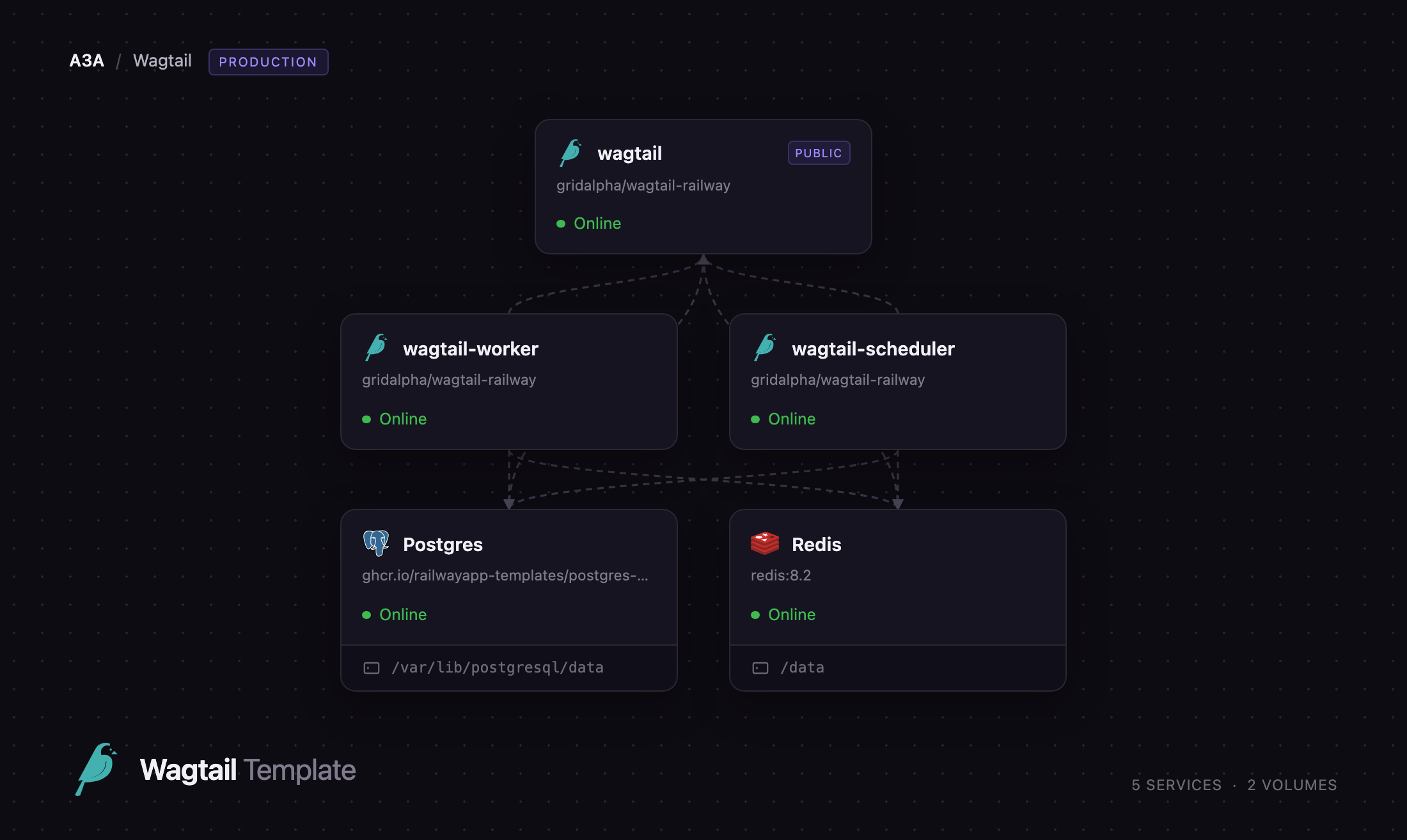
Deploy Wagtail on Railway and you get the full production shape rather than one container: a gunicorn web service, a task worker, a scheduler for timed publishing, managed PostgreSQL, Redis for caching and sessions, and an S3-compatible bucket for uploads. The web service migrates the database, seeds the first administrator and serves both the site and the admin, while saves enqueue jobs the worker picks up so search indexing and image processing never block an editor. It builds from gridalpha/wagtail-railway, which you can fork and extend with your own page models.
Getting Started with Wagtail on Railway
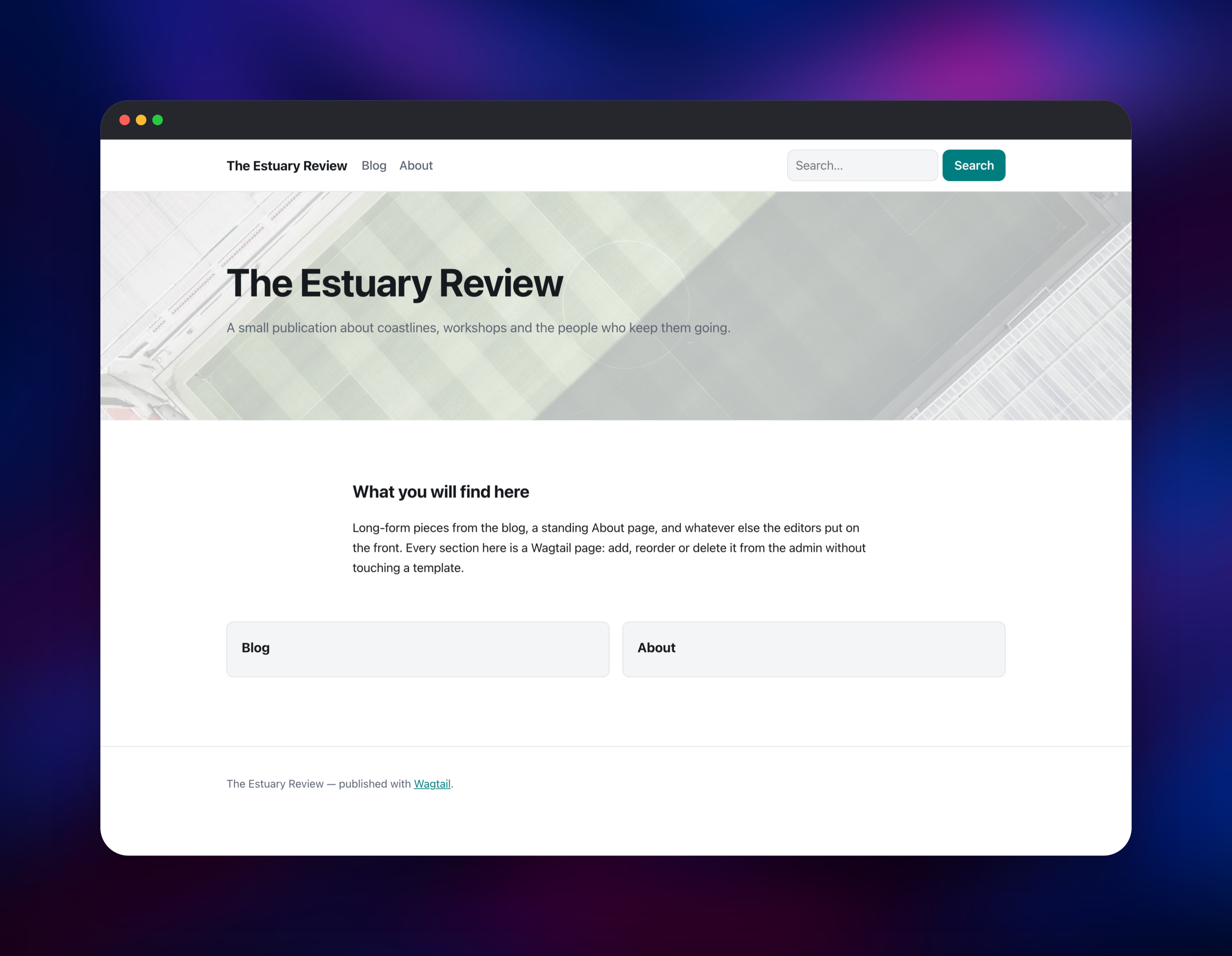
Set DJANGO_SUPERUSER_PASSWORD when you deploy — the only value you must choose — and optionally change DJANGO_SUPERUSER_USERNAME from admin and WAGTAIL_SITE_NAME. There are no shipped default credentials: the account is created on first boot only while no administrator exists. Once the deployment is live, open the public URL to find a starter site with a home page, a Blog section and an About page already published, then sign in at /admin/.
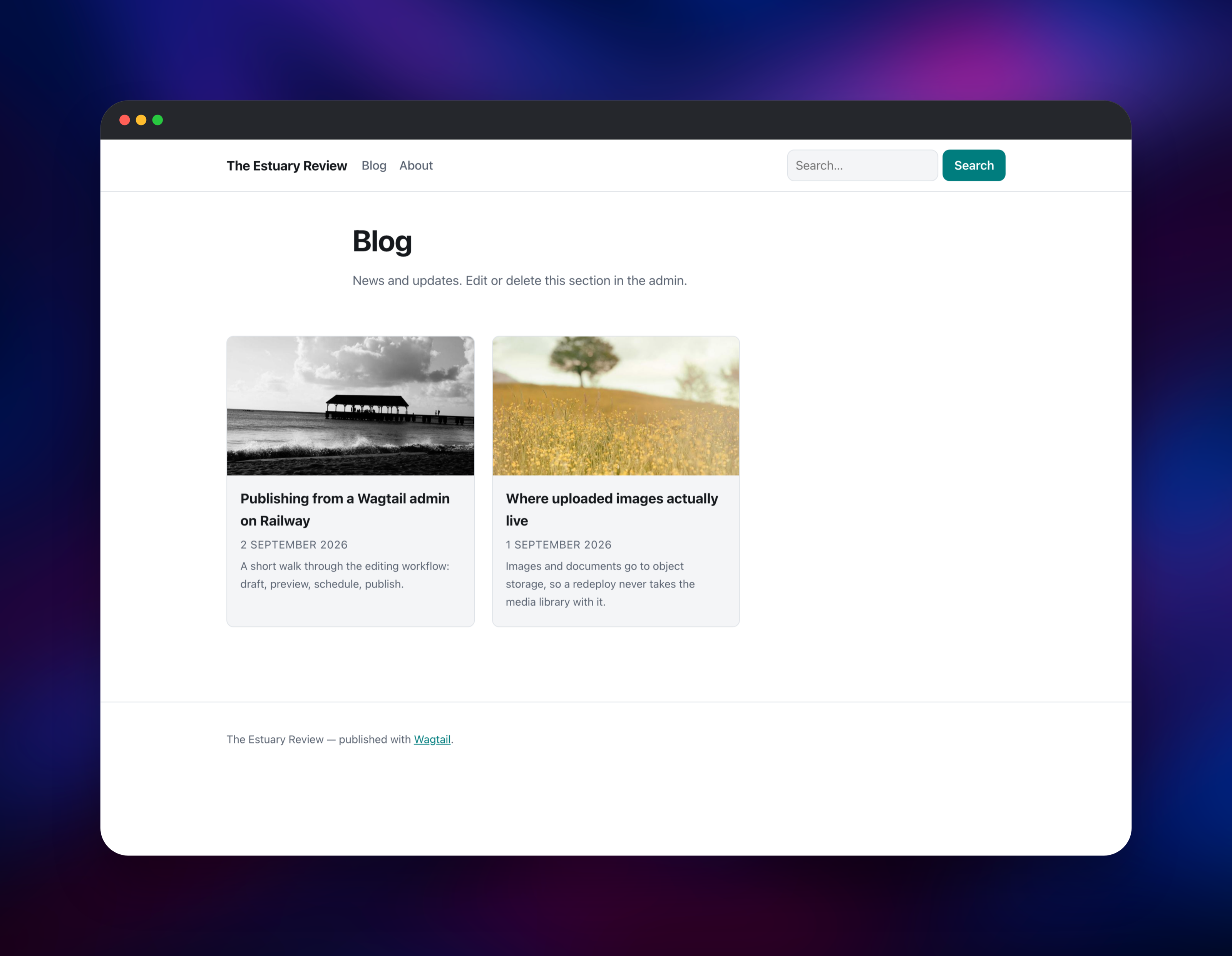
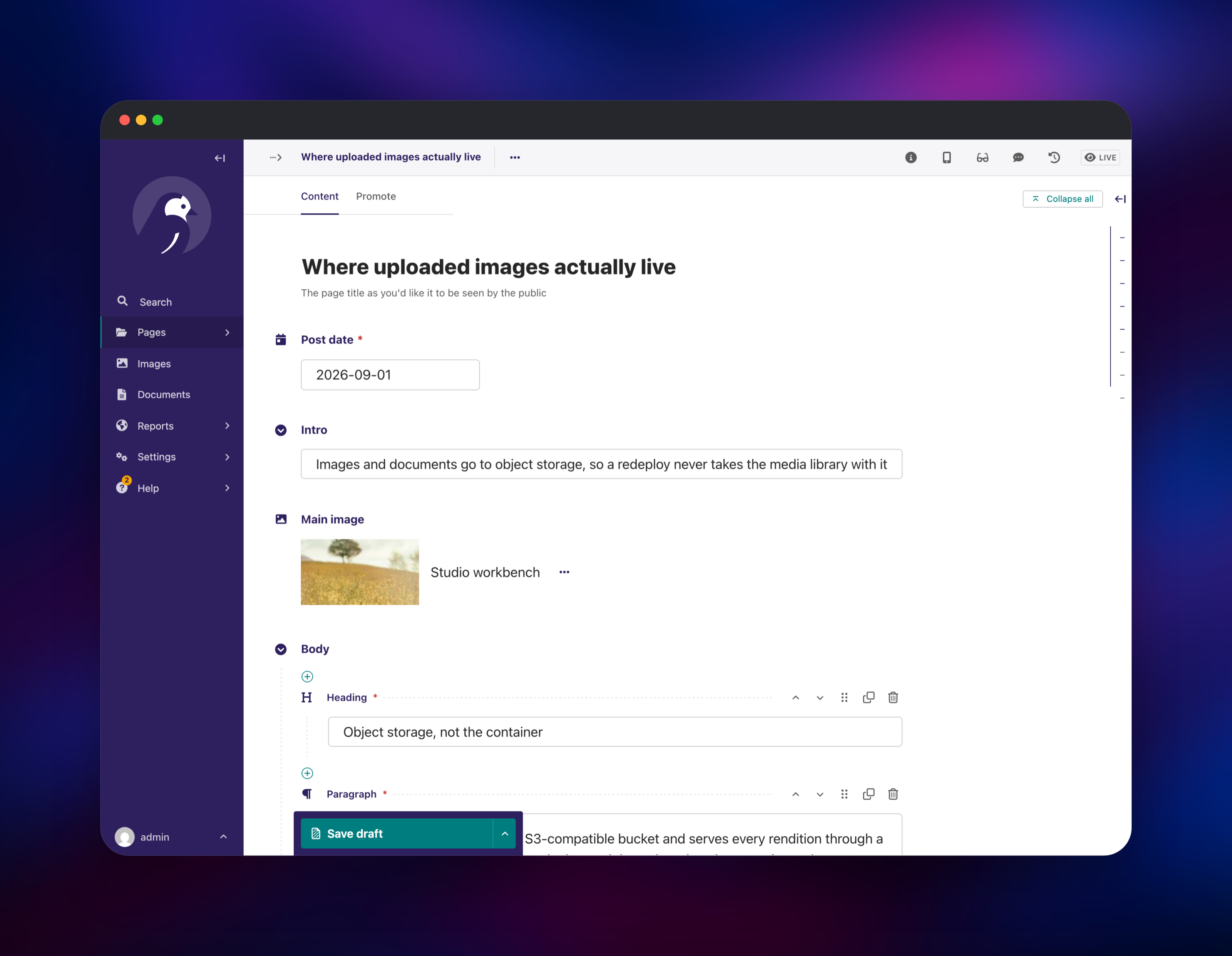
From the dashboard open Pages, select the home page and click Edit to replace the title, hero image and body. The body is a StreamField: click + to insert a heading, a rich-text paragraph, an image, a pull quote or an embedded video, drag blocks to reorder, then press Publish. Add a post under Blog to fill the listing, then search for a word from it — a result proves the worker is consuming jobs, because Wagtail writes its search index from a queued task.
About Hosting Wagtail
Wagtail treats content as a tree of typed pages. Each page type is a Python model, so a "Blog post" can have a date, an intro, an image and a structured body, and the admin form follows automatically — an interface built for writing rather than a grid of plugins.
Key features:
- StreamField — structured, block-based content instead of one opaque HTML field
- Revisions — drafts, previews, workflow approval and full page history
- Scheduled publishing — set a go-live or expiry date and let the scheduler act on it
- Media library — images with automatic renditions and focal points, plus documents
- Built-in search — full-text page search using PostgreSQL, no extra engine
- Headless-ready — a REST API for driving a separate frontend
- Multi-site and multi-language — many domains and locales, one install
The template splits the roles Wagtail's deployment guidance assumes. wagtail is the public gunicorn web service. wagtail-worker runs the database-backed task worker: search index updates, reference indexing, image focal points and file cleanup. wagtail-scheduler publishes scheduled pages every five minutes and prunes old revisions daily. Postgres stores pages, revisions, sessions and the search index, Redis backs the cache and sessions, and the bucket holds every upload so a redeploy never takes the media library.
Why Deploy Wagtail on Railway
Railway removes the setup work self-hosting a Django CMS normally involves.
- PostgreSQL, Redis and object storage provisioned and wired up automatically
- Web, worker and scheduler as separate services, not one crowded container
- Free HTTPS domain, with custom domains a few clicks away
- Push to the source repository and Railway rebuilds and redeploys
- Health checks, logs and metrics on every service
Common Use Cases
- Marketing and brand sites where a content team publishes without developer help
- Newsrooms and blogs needing scheduled publishing, drafts and editorial review
- Documentation and intranet portals built on reusable content blocks
- Headless backends feeding a Next.js, Nuxt or mobile frontend through Wagtail's API
Dependencies for Wagtail
- wagtail — built from gridalpha/wagtail-railway; Wagtail 8 on Django 5.2 LTS, Python 3.14, gunicorn, WhiteNoise
- wagtail-worker — the same image running
manage.py db_worker - wagtail-scheduler — the same image running publishing and maintenance
- Postgres —
ghcr.io/railwayapp-templates/postgres-ssl:18, content and search index - Redis —
redis:8.2, cache and sessions - Bucket — S3-compatible storage for images, renditions and documents
Environment Variables Reference
| Variable | Purpose |
|---|---|
DJANGO_SECRET_KEY | Signing key; rotating it logs everyone out |
DJANGO_SUPERUSER_PASSWORD | Password for the first-boot administrator |
DJANGO_SUPERUSER_USERNAME | Administrator username, default admin |
WAGTAIL_SITE_NAME | Site name in the header and page titles |
DATABASE_URL | PostgreSQL connection string |
REDIS_URL | Enables the Redis cache and cached sessions |
AWS_STORAGE_BUCKET_NAME | Bucket holding uploaded media |
SCHEDULER_INTERVAL_SECONDS | Scheduled publishing interval, default 300 |
EMAIL_HOST | SMTP relay; without one, mail goes to the log |
DJANGO_CSRF_TRUSTED_ORIGINS | Extra origins to trust on a custom domain |
Deployment Dependencies
- Source repository: https://github.com/gridalpha/wagtail-railway
- Wagtail source and docs: https://github.com/wagtail/wagtail, https://docs.wagtail.org
Hardware Requirements for Self-Hosting Wagtail
| Resource | Minimum | Recommended |
|---|---|---|
| CPU | 1 vCPU | 2 vCPU for the web service |
| RAM | 512 MB per service | 1 GB web, 512 MB each background role |
| Storage | 5 GB database volume | 10 GB plus object storage |
| Runtime | Python 3.10+, PostgreSQL 12+ | Python 3.14, PostgreSQL 18, Redis 8 |
Self-Hosting Wagtail
Wagtail publishes no ready-made server image: it is a framework you build a project on. To scaffold a fresh project locally:
pip install wagtail
wagtail start mysite && cd mysite
pip install -r requirements.txt
python manage.py migrate
python manage.py createsuperuser
python manage.py runserver
This template's repository is that scaffold plus the page types and production settings a real site needs. To run it locally against SQLite:
git clone https://github.com/gridalpha/wagtail-railway && cd wagtail-railway
python -m venv .venv && .venv/bin/pip install -r requirements.txt
export DJANGO_SECRET_KEY=dev DJANGO_SUPERUSER_PASSWORD=dev DJANGO_DEBUG=1
.venv/bin/python manage.py migrate && .venv/bin/python manage.py bootstrap_railway
.venv/bin/python manage.py runserver
In production the worker is not optional: run python manage.py db_worker beside the web process, or new pages never appear in search.
How Much Does Wagtail Cost to Self-Host?
Wagtail is free and open source under the BSD 3-Clause licence, with no paid tier, seat limits or feature gates — multi-site, workflow approval and the content API are all in the version deployed here. The only cost is infrastructure, billed by Railway for the compute, database and storage the services actually use.
FAQ
What is Wagtail?
Wagtail is an open-source CMS written in Python and built on Django. It pairs an editor-focused admin with the freedom to define your own content models in code, which is why it suits content-heavy sites that also need custom functionality.
What does this Railway template deploy?
A complete Wagtail site: a gunicorn web service, a task worker, a scheduler, managed PostgreSQL, Redis and an S3-compatible bucket for media — plus a starter project with home, standard, form-builder and blog page types you can edit or replace.
Why does the template include a worker and a scheduler?
Wagtail 8 dispatches background jobs through Django's tasks framework, and writing the search index is one of them, so without a worker new pages never appear in search. The scheduler acts on go-live and expiry dates and prunes old revisions.
Where do uploaded images and documents go?
To the bucket provisioned with the template, not the container filesystem. Renditions are served through signed URLs, so uploads survive redeploys and the web and worker services share one media library.
How do I add my own page types to a self-hosted Wagtail site?
Fork the source repository, add a model subclassing Page in one of the apps, run makemigrations, commit and push. Railway rebuilds and the new type appears in the admin's "Add child page" menu.
How do I change the administrator password after deploying?
Use the account menu in the Wagtail admin, or run python manage.py changepassword. The first-boot step only creates an account when none exists, so it will not overwrite your change.
Template Content
wagtail
gridalpha/wagtail-railwaywagtail-scheduler
gridalpha/wagtail-railwaywagtail-worker
gridalpha/wagtail-railwayRedis
redis:8.2wagtail-media
Bucket

