
Deploy Wakapi
Track coding time per project, language & editor w/ WakaTime-compatible API
wakapi
Just deployed
/data

Just deployed
/var/lib/postgresql/data

mailpit
Just deployed
/data
Deploy and Host Wakapi on Railway
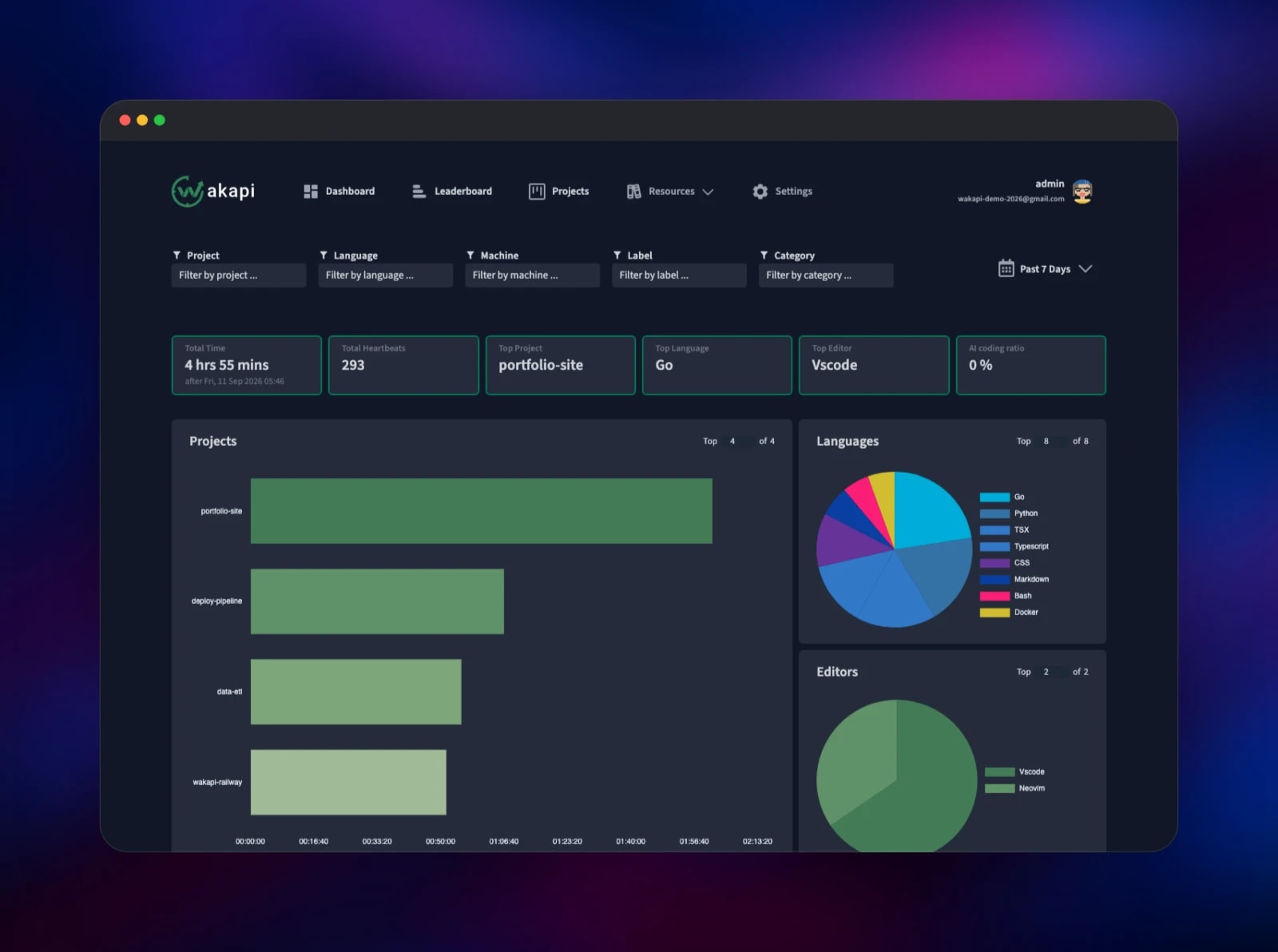
Wakapi is a self-hosted backend for coding statistics. Editor plugins send small "heartbeat" events as you type, and Wakapi turns them into dashboards of how long you spent in each project, language, editor, branch and operating system. It speaks the WakaTime API, so the official plugins for VS Code, JetBrains IDEs, Neovim and dozens more work against it unchanged — you change one URL in ~/.wakatime.cfg. Developers and privacy-minded teams self-host Wakapi to answer "where did the week go?" without shipping file paths and project names to a third party.
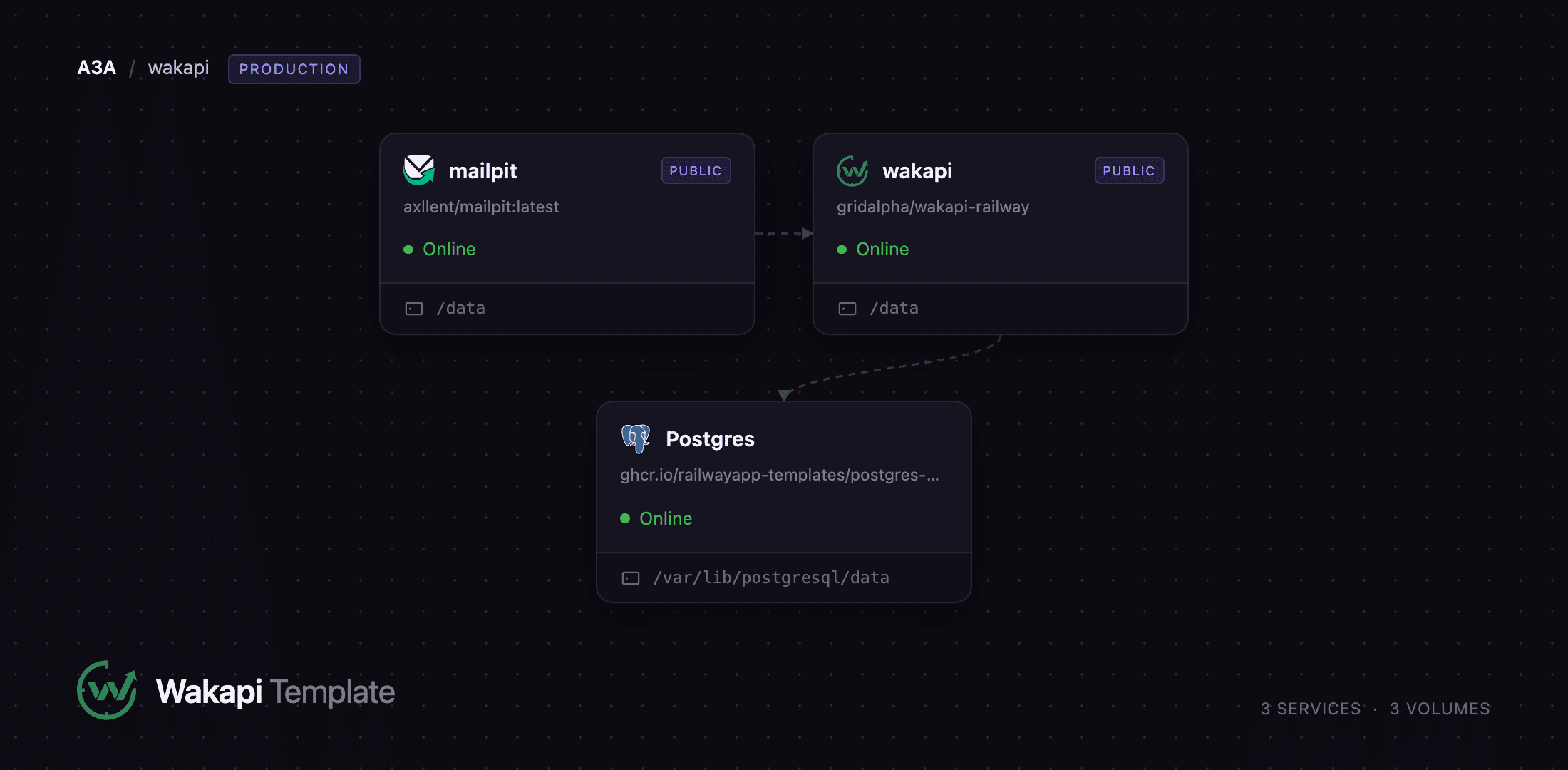
This template runs three services. wakapi is the Go application and the only one you visit; Postgres stores every heartbeat, summary and user; mailpit is a private SMTP server catching the mail Wakapi sends, so password resets and weekly reports work the moment the deploy finishes. Heartbeats arrive over HTTPS at the public wakapi domain, are written to Postgres over Railway's private network, and are rolled into daily summaries by jobs inside the app. Nothing leaves your project. An administrator account is created during the first boot, before the app is reachable from the internet, so no stranger can claim it.
Getting Started with Wakapi on Railway
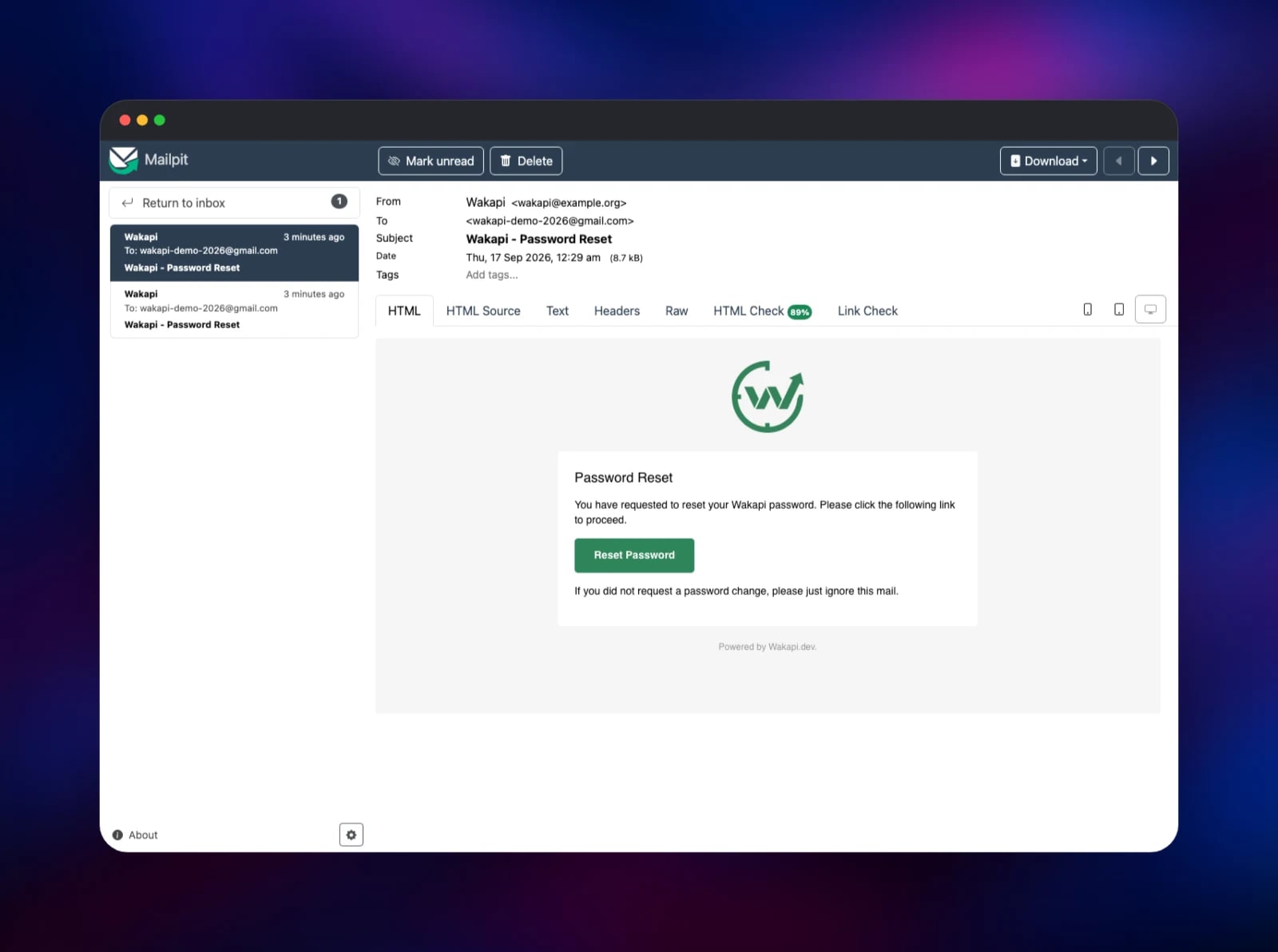
Open the wakapi service's public URL and sign in with the username and password from its WAKAPI_ADMIN_USERNAME and WAKAPI_ADMIN_PASSWORD variables — that account already exists and is an administrator. Change the password under Settings → Account, then copy your API key from the same page. Install the WakaTime plugin for your editor and edit ~/.wakatime.cfg so api_url is https:///api and api_key is the key you copied. Write code for a few minutes and reload the dashboard — projects, languages and editors appear as soon as the first heartbeats land, the quickest way to confirm the deployment works. Sign-ups are closed by default: add a colleague with Settings → Invite Friends, or set WAKAPI_ALLOW_SIGNUP=true for an open instance. Mail Wakapi sends lands in mailpit — open its URL and sign in with the credentials in MP_UI_AUTH.
About Hosting Wakapi
Wakapi records what you worked on and for how long, and gives you charts instead of guesses. Because it implements the WakaTime API rather than inventing its own, it inherits an enormous plugin ecosystem for free. Teams self-host it when file and repository names count as sensitive, or when a per-developer subscription is hard to justify.
Key features:
- WakaTime-compatible API, so official editor plugins work with a one-line config change
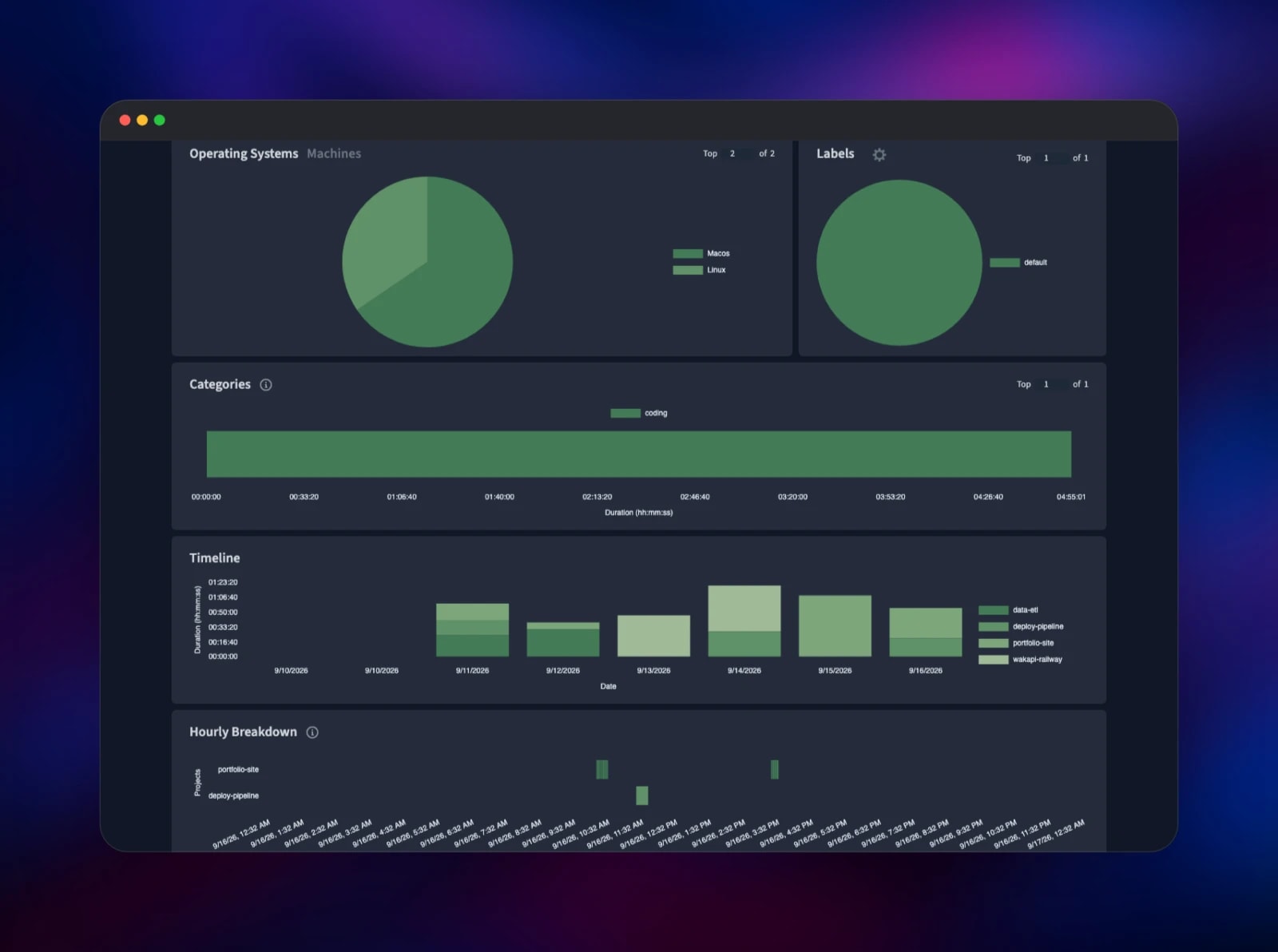
- Dashboards by project, language, editor, operating system, machine, branch and label
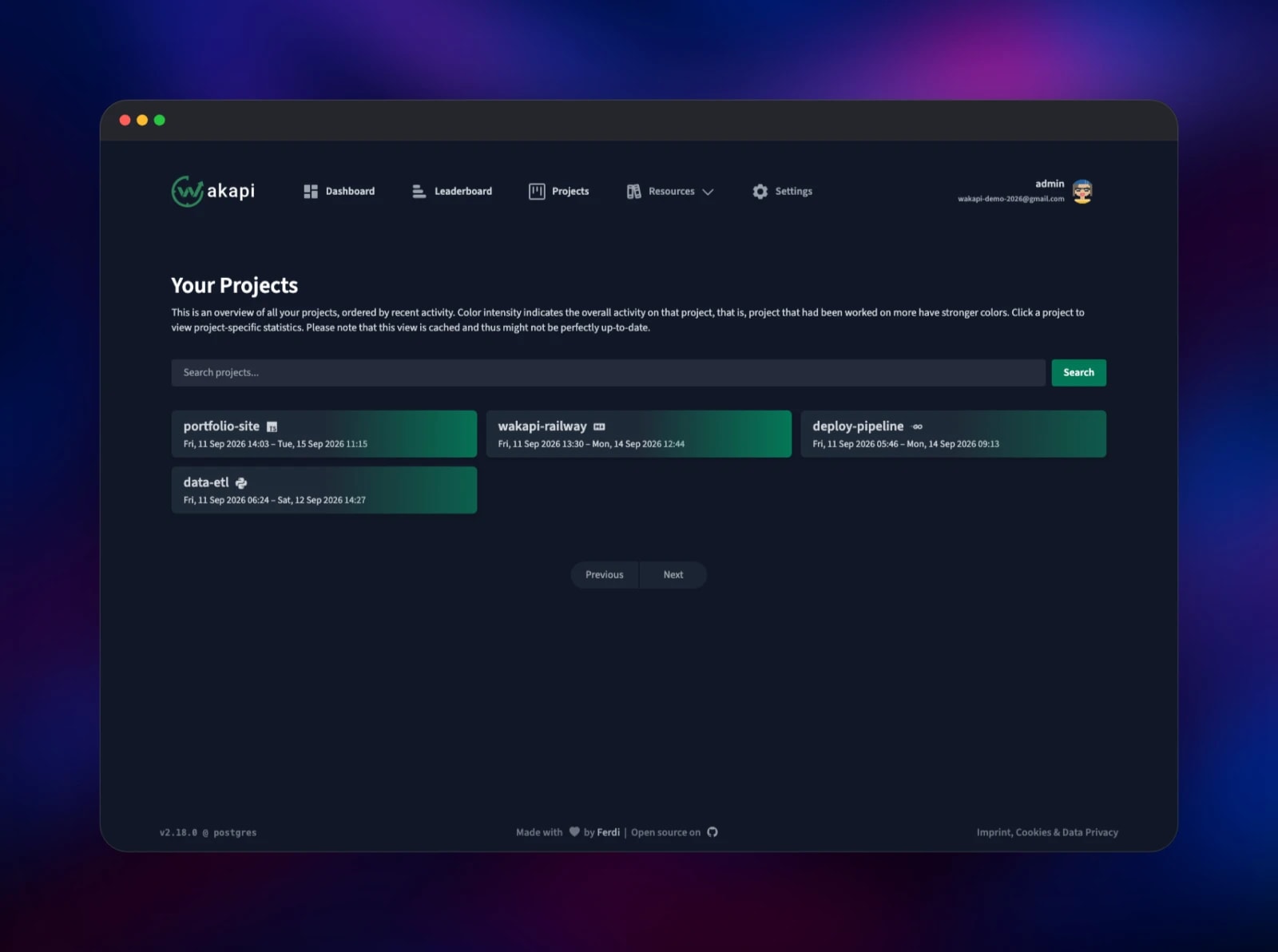
- Per-project views, a daily timeline, and an hourly breakdown of your coding day
- README badges, a Shields.io-compatible endpoint, and a full REST API
- Leaderboards, weekly e-mail reports, project aliases, language mappings and invite codes
The architecture is small. wakapi holds the whole application — HTTP server, aggregation jobs, report scheduler and API — in one Go binary. Postgres is the system of record, and mailpit accepts SMTP on the private network only, its inbox behind basic auth.
Why Deploy Wakapi on Railway
Railway removes the infrastructure work from self-hosting a coding-stats server:
- Postgres, the app and the mail catcher are provisioned and wired together in one click
- HTTPS and a public domain are issued automatically, which the editor plugins need
- Private networking keeps the database and SMTP off the public internet
- Volumes and managed Postgres backups mean your history survives redeploys
Common Use Cases for Self-Hosted Wakapi
- Personal tracking — own the server, keep years of history, pay no monthly fee.
- Privacy-sensitive teams — agencies and regulated industries where file and project names must not leave their own cloud account.
- Retrospectives and billing — pull per-project time from the API to check estimates or invoice client work.
Dependencies for Wakapi
- wakapi —
ghcr.io/muety/wakapi:latest(2.18.0 at the time of writing): web UI and WakaTime-compatible API. - Postgres —
ghcr.io/railwayapp-templates/postgres-ssl:18: heartbeats, summaries, users and API keys. Wakapi also supports SQLite and MySQL. - mailpit —
axllent/mailpit:latest: a capture-only SMTP server, so password resets work out of the box. Point Wakapi at a real relay to deliver mail.
Environment Variables Reference
| Variable | Purpose |
|---|---|
WAKAPI_PUBLIC_URL | Public base URL. Must be a domain, never an IP |
WAKAPI_ADMIN_USERNAME / WAKAPI_ADMIN_PASSWORD | Administrator created on first boot |
WAKAPI_PASSWORD_SALT | Password hashing salt. Changing it invalidates every password |
WAKAPI_COOKIE_KEY | Base64 session key. Unset, it regenerates each boot and logs everyone out |
WAKAPI_ALLOW_SIGNUP | false by default; set true for an open instance |
WAKAPI_MAIL_SMTP_HOST / _PORT | Points at mailpit over the private network |
MP_UI_AUTH | user:password guarding the mailpit inbox |
Deployment Dependencies
- Source: github.com/muety/wakapi (MIT, Go 1.27)
- Image: ghcr.io/muety/wakapi
- Docs and hosted instance: wakapi.dev
- Editor plugins: the official WakaTime plugin list
Hardware Requirements for Self-Hosting Wakapi
| Resource | Minimum | Recommended |
|---|---|---|
| CPU | 0.5 vCPU | 1 vCPU |
| RAM | 256 MB | 512 MB–1 GB |
| Storage | 1 GB Postgres volume | 5 GB+ for several years of heartbeats |
| Runtime | Go 1.27 static binary | — |
Sizing follows how many users share the instance and how much history you keep, not request volume — one developer generates a few thousand heartbeats a day.
Self-Hosting Wakapi with Docker
The published image runs on SQLite with no configuration — the fastest way to try it locally on port 3000:
docker run -d --name wakapi -p 3000:3000 \
  -e WAKAPI_PASSWORD_SALT=change-me \
  -e WAKAPI_PUBLIC_URL=http://localhost:3000 \
  -v wakapi-data:/data \
  ghcr.io/muety/wakapi:latest
For anything long-lived, put it on Postgres — the same shape the Railway template deploys:
services:
  wakapi:
    image: ghcr.io/muety/wakapi:latest
    ports: ["3000:3000"]
    environment:
      WAKAPI_DB_TYPE: postgres
      WAKAPI_DB_HOST: db
      WAKAPI_DB_NAME: wakapi
      WAKAPI_DB_USER: wakapi
      WAKAPI_DB_PASSWORD: change-me
      WAKAPI_PASSWORD_SALT: change-me-too
  db:
    image: postgres:18
    environment: { POSTGRES_DB: wakapi, POSTGRES_USER: wakapi, POSTGRES_PASSWORD: change-me }
    volumes: ["pgdata:/var/lib/postgresql/data"]
volumes: { pgdata: }
To build from source, clone the repository, run go build -o wakapi main.go, then copy config.default.yml to config.yml and edit it.
How Much Does Wakapi Cost to Self-Host?
Wakapi is free and open source under the MIT licence — no paid tier, no seat limit, nothing behind a subscription. The author runs a free hosted instance at wakapi.dev, but the software you deploy here is the same. The only cost is infrastructure: on Railway you pay for what the three services actually use.
Wakapi vs WakaTime
| Wakapi | WakaTime | |
|---|---|---|
| Hosting | Self-hosted, your database | SaaS only |
| Cost | Free, MIT licensed | Free tier, limited history; paid plans beyond |
| History | Unlimited, your disk | Capped on the free plan |
Both use the same editor plugins. Wakapi fits when you want to own the data; WakaTime when you would rather not run a server.
FAQ
What is Wakapi? An open-source, self-hosted server for programming-time statistics. It receives heartbeats from editor plugins and shows how long you spent per project, language, editor and machine.
Why does the template include Postgres and a mail service? Wakapi's default SQLite database is a file, a poor fit for a service that redeploys; Postgres is what the project recommends for real use. Mailpit is there because password resets and weekly reports need an SMTP host — without one, a forgotten password is unrecoverable.
How do I connect VS Code or my JetBrains IDE to self-hosted Wakapi?
Install the standard WakaTime plugin, then edit ~/.wakatime.cfg: set api_url to https:///api and api_key to the key from your Wakapi settings page. No custom plugin or fork is needed.
How do I send real e-mail instead of using the bundled inbox?
Point WAKAPI_MAIL_SMTP_HOST, _PORT, _USER and _PASS at your provider, set WAKAPI_MAIL_SMTP_TLS=true, and change WAKAPI_MAIL_SENDER to an address it will accept. Settings also offers an import of your existing WakaTime history.
Template Content

