
Deploy Wallabag
Saves web articles to read later, with tags, search and export

Just deployed
/var/lib/postgresql/data

Redis
Just deployed
/data
wallabag
Just deployed
/wallabag-data
Deploy and Host Wallabag on Railway
Wallabag is an open-source read-it-later application: give it a URL and it fetches the page, strips the navigation, ads and cookie banners, and keeps the readable article in your own database with its tags and annotations. It has been the standard self-hosted answer to Pocket and Instapaper for a decade, and since Mozilla closed Pocket in July 2025 it is where many of those libraries ended up — an archive that does not vanish when a page 404s.
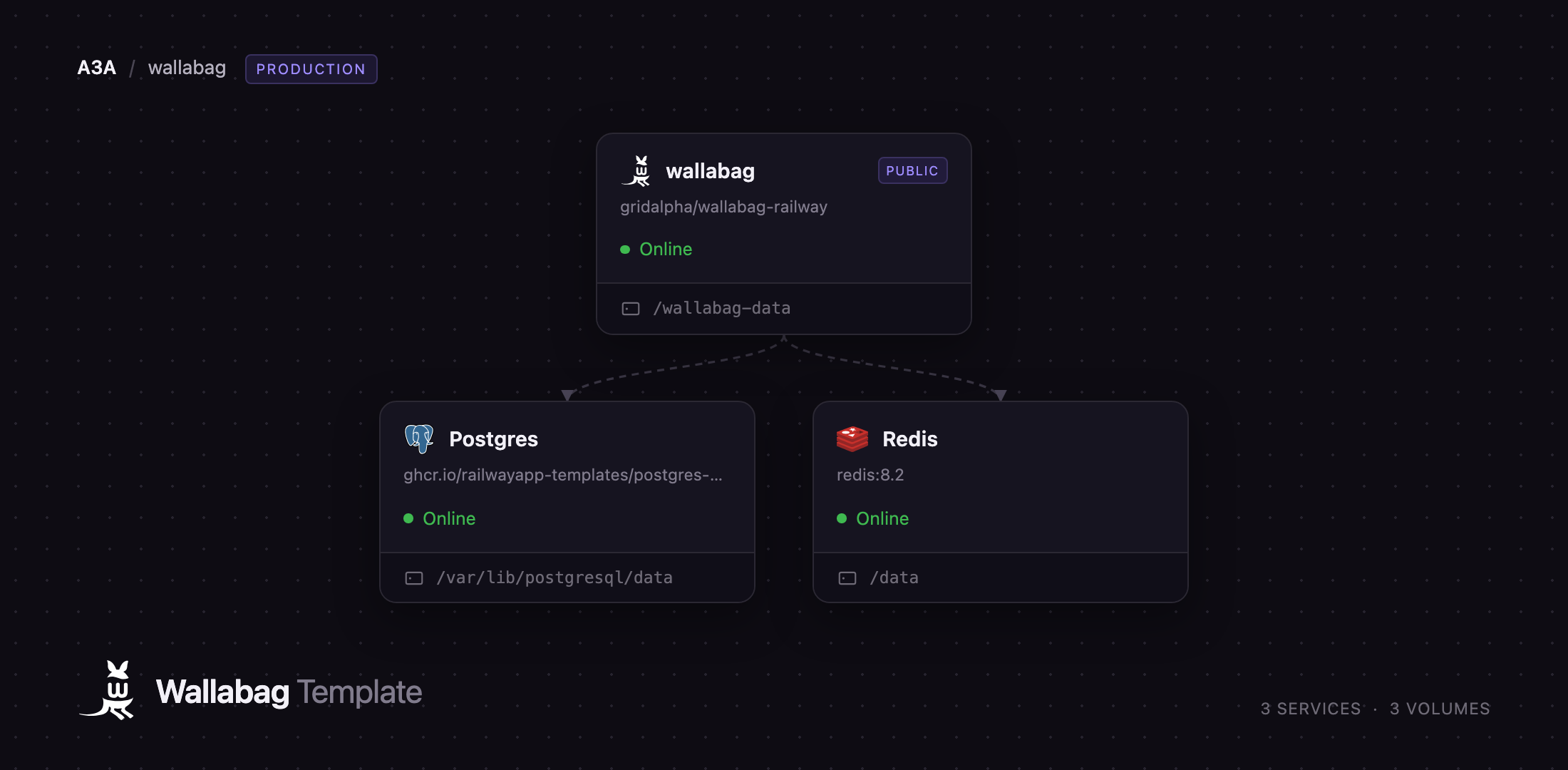
Deploy Wallabag on Railway and you get the production shape rather than a single container: the wallabag service running nginx and PHP-FPM behind a public HTTPS domain, a managed Postgres service holding entries, tags and users, and a managed Redis service backing the asynchronous importers that move large libraries out of Pocket or Instapaper. A persistent volume keeps downloaded images, sessions and the encryption key for stored site credentials, so upgrades leave your data alone. The administrator account is created on first boot from the values you supply, and public registration is off, so the instance is private from the first request.
Getting Started with Wallabag on Railway
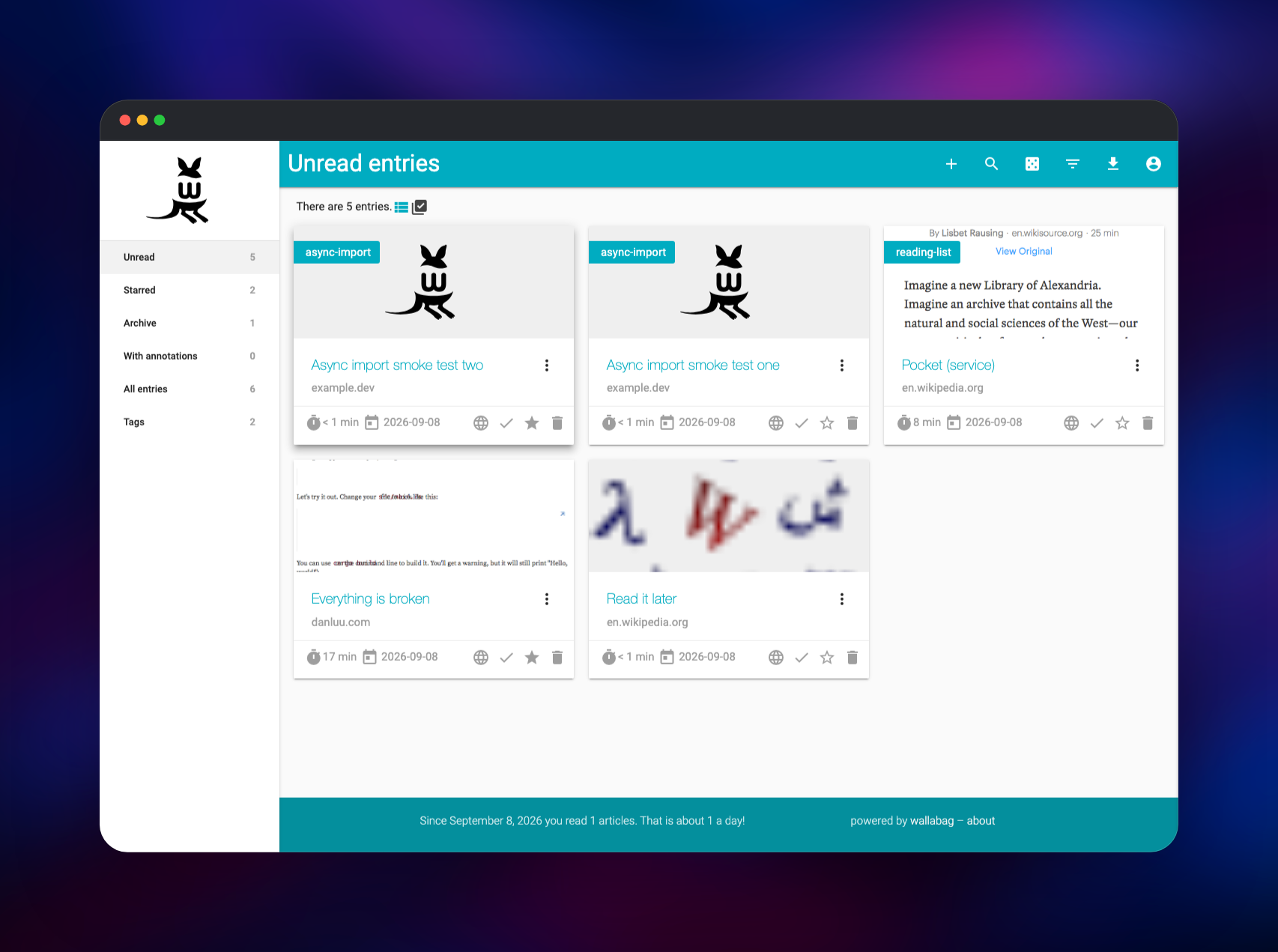
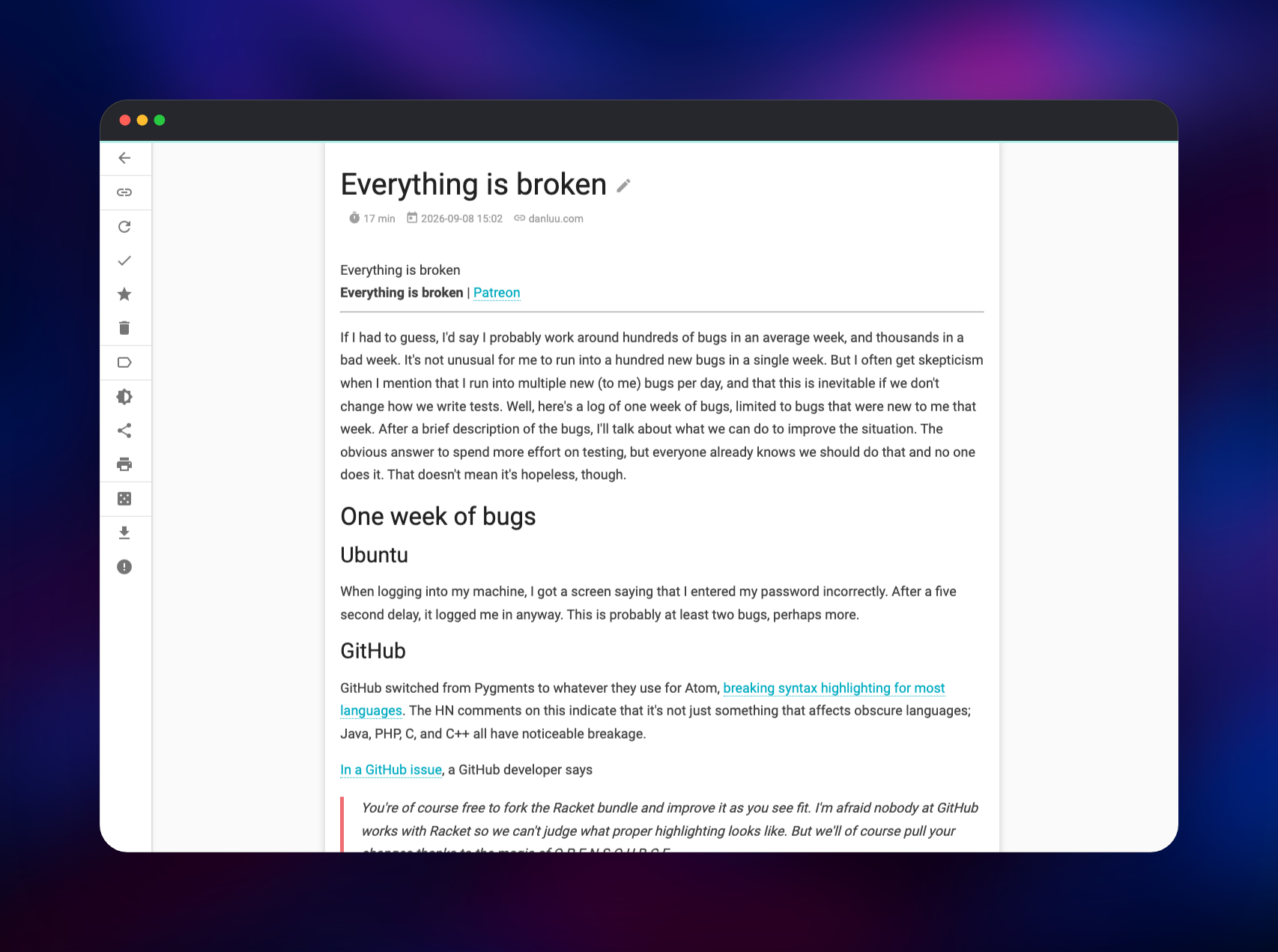
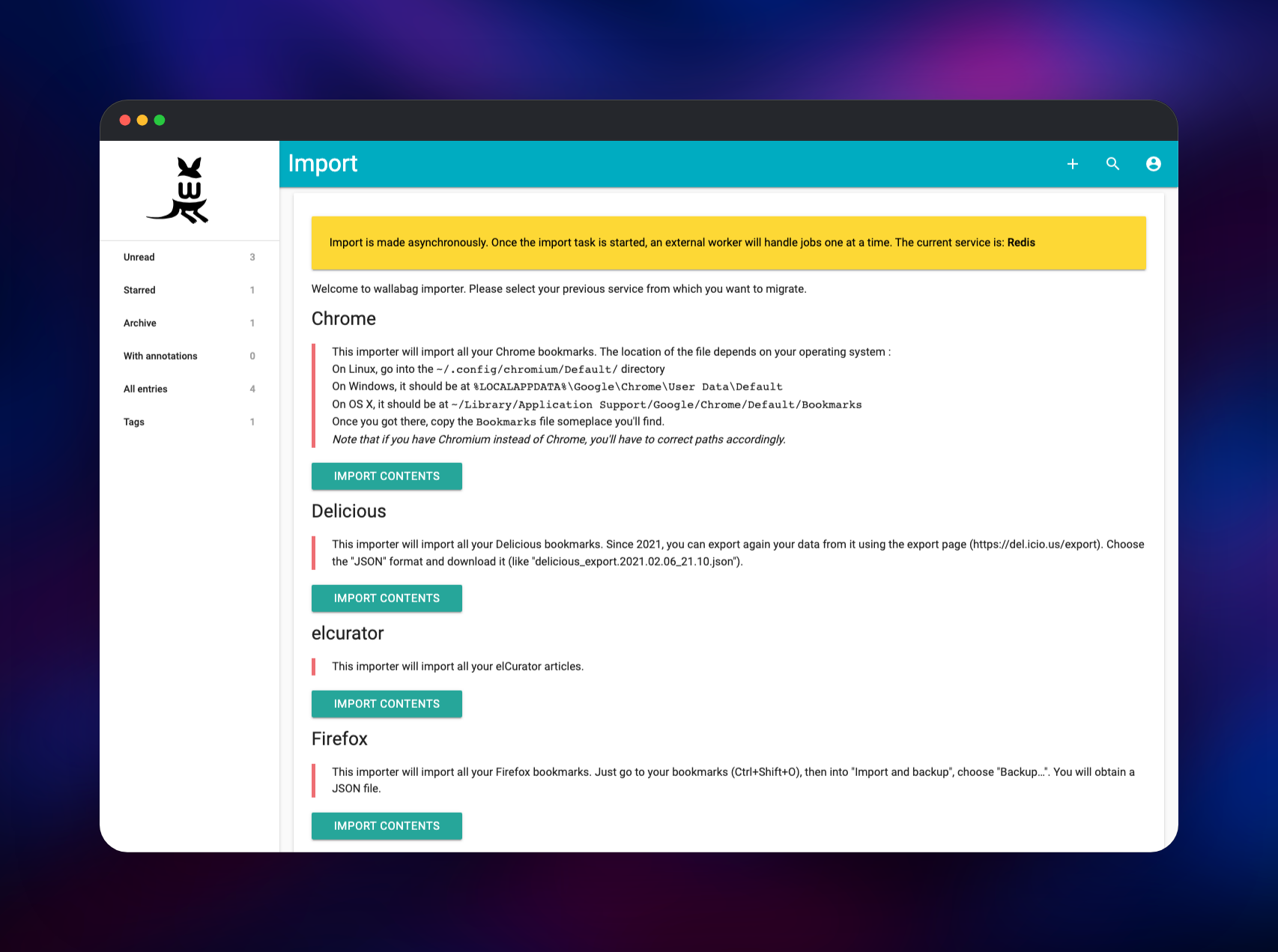
Set WALLABAG_ADMIN_PASSWORD (and optionally WALLABAG_ADMIN_USER, default wallabag) when you deploy, then open the generated domain and sign in — there is no setup wizard and no default password left in place. The first useful action is saving something: click + in the top bar, paste an article URL and save. Wallabag fetches the page server-side and the entry appears in Unread with the extracted text, a reading-time estimate and the source domain. Open it to confirm the body rendered, then tag, star or archive it from the sidebar icons; the counters update immediately, which is the quickest check that the deployment is healthy. To bring an existing library across, open Import, pick your previous service and upload its export — the page reports the current service is Redis, meaning a background worker writes the entries while you keep browsing. Point a browser extension or mobile client at your domain; the REST API is enabled under /api.
About Hosting Wallabag
Wallabag is a Symfony application published under the AGPL-3.0 by a French non-profit. What it stores is a record of what you read, and the copy is only useful if it outlives the source — which is why running your own instance is the point.
- Full-text extraction with per-site rules, so most articles parse cleanly
- Tags, automatic tagging rules, annotations and highlights
- Search and filters by reading time, domain, language and status
- Export to EPUB, MOBI, PDF, JSON, CSV, XML and text
- RSS/Atom feeds for unread, starred and archived entries
- A REST API, Firefox and Chrome extensions, Android and iOS apps
- Importers for Pocket, Instapaper, Readability, Pinboard, Delicious and Omnivore
- Two-factor authentication, multiple users, per-user settings
wallabag serves the UI and API and does the fetching and extraction. Postgres stores every entry, tag, annotation and user, and with the volume it is all you need to back up. Redis is the queue: without it a 4,000-article Pocket import would run inside one HTTP request and time out.
Why Deploy Wallabag on Railway
Railway removes the parts of self-hosting wallabag that are not about reading:
- HTTPS, certificates and a public domain, provisioned for you
- Managed Postgres and Redis with backups and private networking
- A persistent volume for images, sessions and encryption keys
- Schema migrations on every boot, so upgrades are a redeploy
- Scaling and metrics without a server to run
Common Use Cases
- A permanent research archive — save sources as you find them, tag by project, keep the text after the original goes
- Offline reading on an e-reader — pull the unread feed into a Kobo or Kindle, or export as EPUB
- A team reading list — several accounts on one instance, each with its own tags and feeds
- A Pocket or Instapaper migration — upload the export and let the workers replay years of links
Dependencies for Wallabag
wallabag/wallabag:latest— the official image: nginx, PHP-FPM and the import workersghcr.io/railwayapp-templates/postgres-ssl:18— entries, tags, annotations and usersredis:8.2— the queue the asynchronous importers consume
Environment Variables Reference
| Variable | Purpose |
|---|---|
WALLABAG_ADMIN_USER | Administrator username created on first boot |
WALLABAG_ADMIN_PASSWORD | Administrator password; set this before deploying |
SYMFONY__ENV__DOMAIN_NAME | Public base URL, used in feeds, share links and emails |
SYMFONY__ENV__SECRET | Signing key for sessions and tokens; keep it stable |
SYMFONY__ENV__FOSUSER_REGISTRATION | Public signup; false keeps the instance private |
SYMFONY__ENV__MAILER_DSN | SMTP relay for password reset and two-factor codes |
WALLABAG_IMPORT_WORKERS | Which import queues get a worker |
PHP_MEMORY_LIMIT | PHP memory ceiling; raise for large imports |
Deployment Dependencies
- Source repository: github.com/gridalpha/wallabag-railway
- Upstream: github.com/wallabag/wallabag · wallabag.org · doc.wallabag.org
- Image: hub.docker.com/r/wallabag/wallabag
Hardware Requirements for Self-Hosting Wallabag
| Resource | Minimum | Recommended |
|---|---|---|
| CPU | 1 vCPU | 2 vCPU |
| RAM | 1 GB | 2 GB |
| Storage | 5 GB volume | 10 GB+ with image downloading on |
| Runtime | PHP 8.1, PostgreSQL 13+, Redis 6+ | PHP 8.1+, PostgreSQL 18, Redis 8 |
A few thousand articles sit inside the minimum. Storage grows with entry count and, if you enable Download images, with every image in every article.
Self-Hosting Wallabag with Docker
The quickest local run uses SQLite and nothing else:
docker run -p 80:80 \
  -e SYMFONY__ENV__DOMAIN_NAME=http://localhost \
  -v wallabag-data:/var/www/wallabag/data \
  wallabag/wallabag
For anything real, point it at PostgreSQL:
docker run -p 80:80 \
  -e SYMFONY__ENV__DATABASE_DRIVER=pdo_pgsql \
  -e SYMFONY__ENV__DATABASE_HOST=db \
  -e SYMFONY__ENV__DATABASE_PORT=5432 \
  -e SYMFONY__ENV__DATABASE_NAME=wallabag \
  -e SYMFONY__ENV__DATABASE_USER=wallabag \
  -e SYMFONY__ENV__DATABASE_PASSWORD=change-me \
  -e SYMFONY__ENV__DOMAIN_NAME=https://read.example.com \
  wallabag/wallabag
A stock image's default login is wallabag / wallabag. The Railway template replaces it at boot from WALLABAG_ADMIN_PASSWORD, so that pair is never live on a public URL.
How Much Does Wallabag Cost to Self-Host?
Wallabag is free and open source under the AGPL-3.0 — no paid tier, seat limits or feature gates, and the code you deploy is the whole product. The project also runs a hosted instance, wallabag.it, from €11 a year with a 14-day trial — that is the comparison point. Self-hosting on Railway costs only the compute, database and storage the three services use, and a personal instance is small. Readeck, Karakeep and Linkding are the alternatives worth knowing; wallabag has the widest export formats and the most clients.
FAQ
What is Wallabag? A free, open-source read-it-later application that saves the readable content of any web page to your own server, so you can read, tag, annotate and search it later — offline, and after the original has changed or gone.
What does this Railway template deploy? Three services: wallabag on a public HTTPS domain with a persistent volume, a managed PostgreSQL database, and a managed Redis instance as the import queue. The schema is created on the first deploy and migrated on later ones.
Why does the template include Postgres and Redis? PostgreSQL holds every entry, tag, annotation and user; SQLite works for one person but does not survive container recreation gracefully. Redis backs the asynchronous importers, so migrating thousands of articles happens in background workers, not in a web request that times out.
How do I import my Pocket or Instapaper library into self-hosted Wallabag? Export from the old service, open Import, choose the matching importer and upload the file. The job is queued in Redis and a worker writes the entries in the background; refresh the list to watch them arrive.
Can I let other people register on my Wallabag instance?
Set SYMFONY__ENV__FOSUSER_REGISTRATION to true. It ships as false, which disables the registration route entirely, so a fresh deploy is private until you decide otherwise. Set SYMFONY__ENV__MAILER_DSN too, so confirmation mail is sent.
How do I use the Wallabag API from my own scripts?
Sign in, open API clients management, create a client, and exchange the ID and secret for an OAuth token at /oauth/v2/token. Endpoints under /api then accept that bearer token for creating, reading, tagging and deleting entries — which is how the official extensions and mobile apps talk to your instance.
Template Content
Redis
redis:8.2wallabag
gridalpha/wallabag-railway

