
Deploy Weaviate
Pinecone Alternative. Open-source vector database for semantic search & RAG
Just deployed
weaviate
Just deployed
/var/lib/weaviate
weaviate-backups
Bucket
Just deployed
Deploy and Host Weaviate on Railway
Weaviate is an open-source vector database that stores objects together with their vector embeddings, so you can search by meaning instead of by keyword. Teams building retrieval-augmented generation, semantic search and recommendation engines use it as the retrieval layer between their data and a language model. It speaks REST, GraphQL and gRPC, ships official Python, TypeScript, Go and Java clients, and is the most widely used self-hosted alternative to Pinecone.
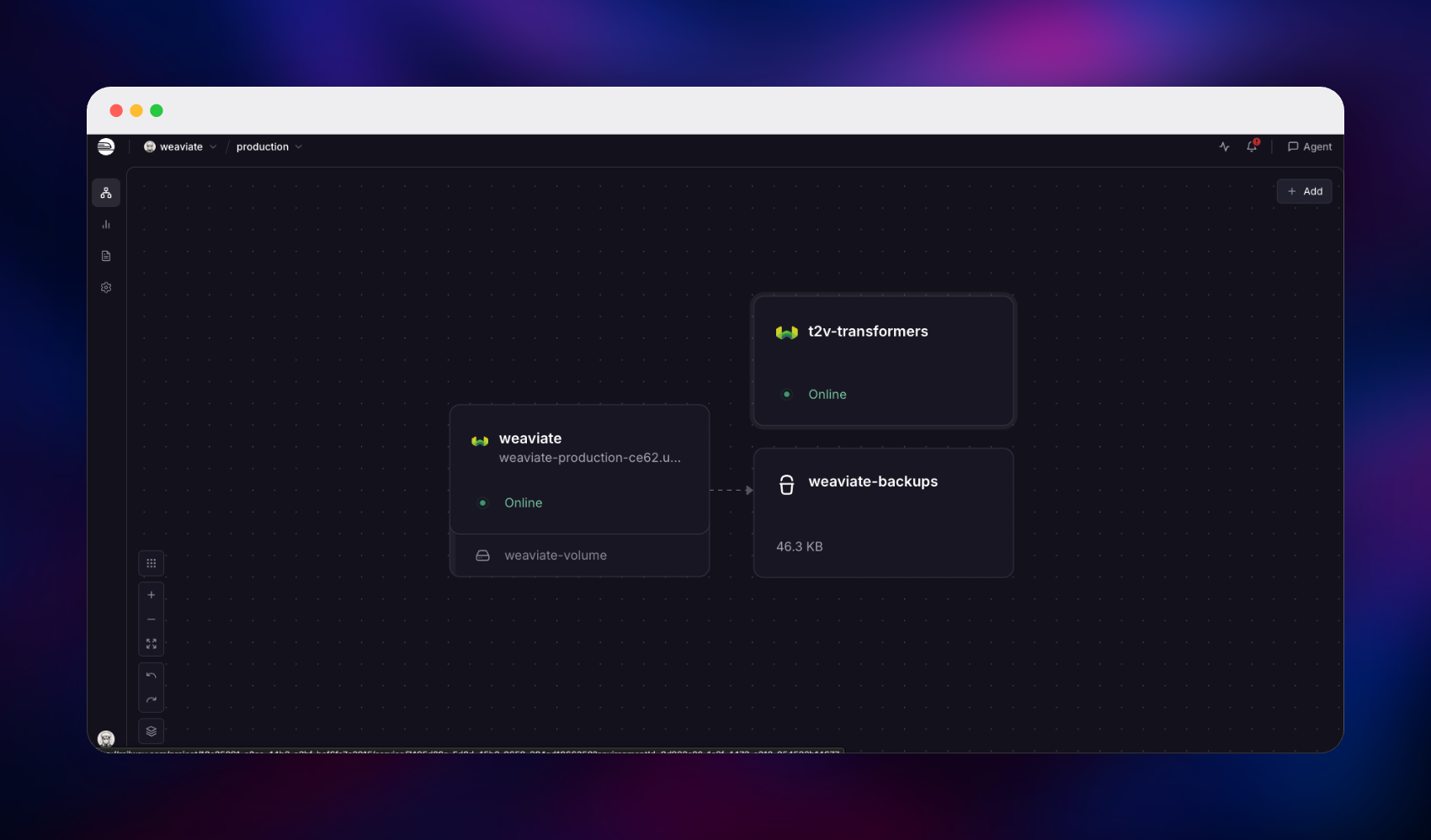
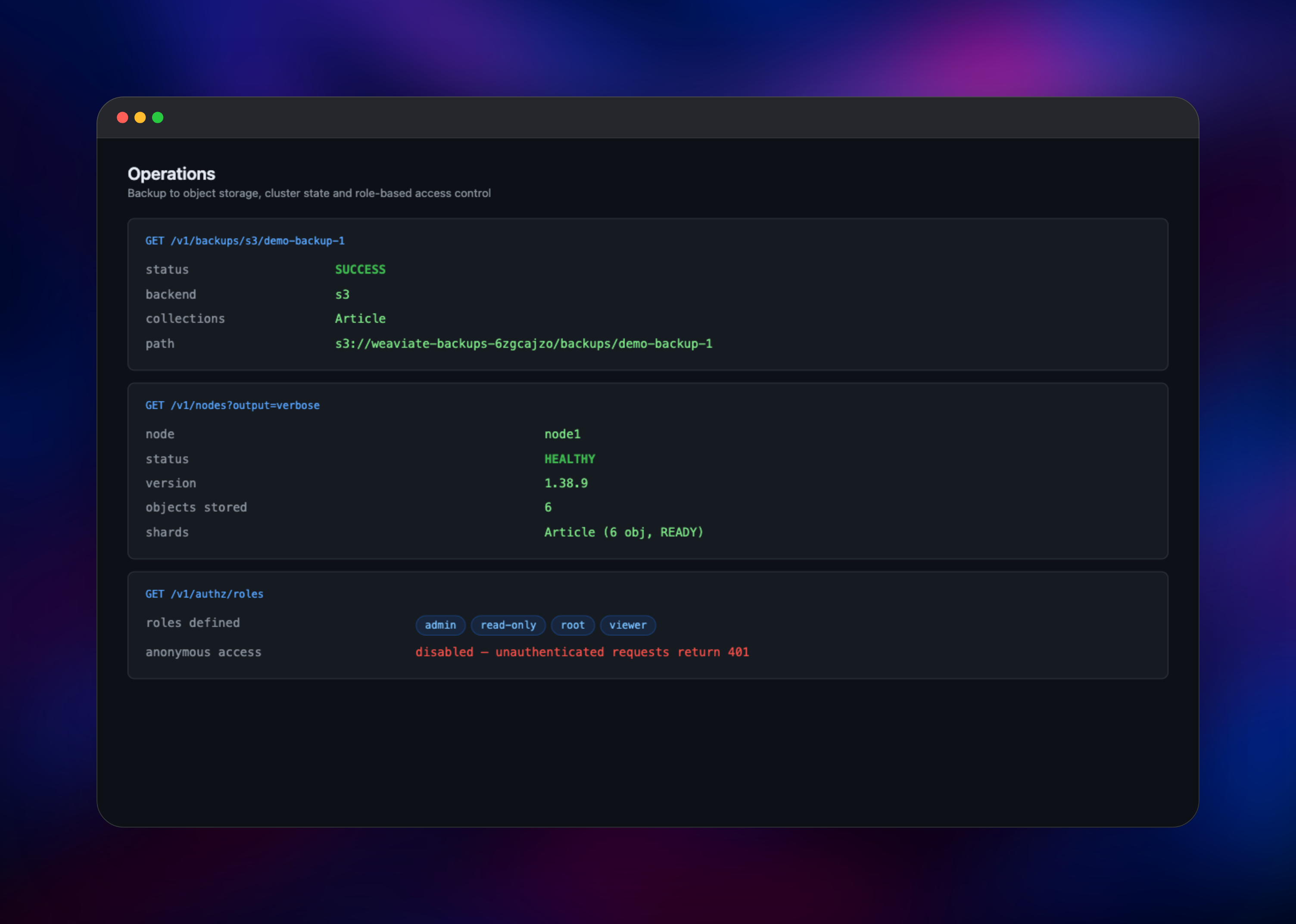
This template lets you deploy Weaviate on Railway with vectorization already working. It runs two services: the database, and a private t2v-transformers container that turns text into embeddings on CPU. Because the vectorizer runs inside your project, you can self-host Weaviate and index text with no OpenAI key or third-party account. A volume holds the object store and HNSW index, and managed object storage is wired up as a backup target. API-key auth and role-based access control are enabled before the first boot, so the database is never exposed anonymously.
Getting Started with Weaviate on Railway
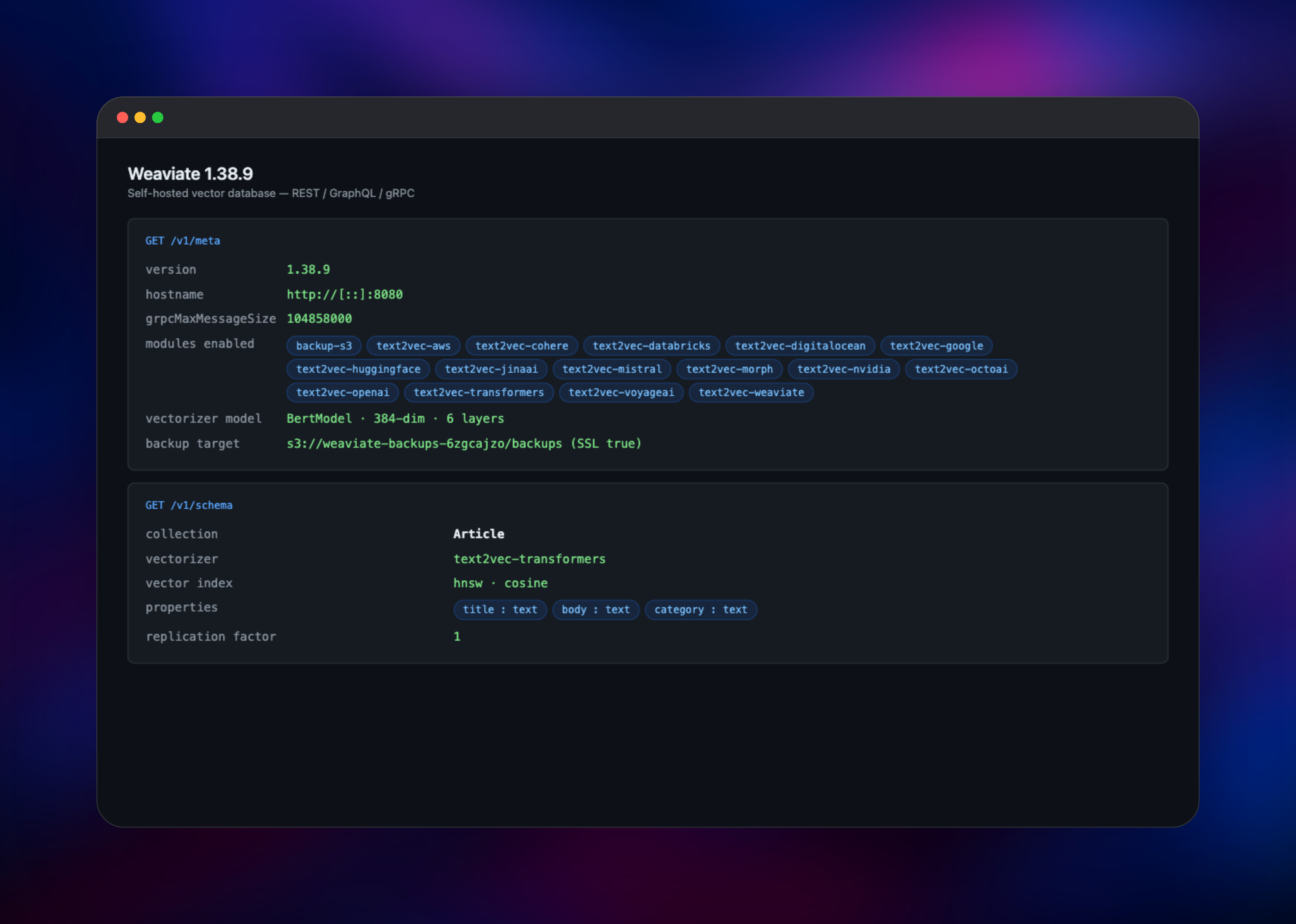
Weaviate has no web dashboard — it is a database, driven from a client library or plain HTTP. After deploying, copy the public domain and your API key. Anonymous access is disabled, so every request needs an Authorization: Bearer header; one without it correctly returns 401. Check health at /v1/.well-known/ready, which answers 200 without a key, then fetch /v1/meta with your key to see the version and enabled modules.
Your first useful action is creating a collection. This shell request creates one whose text is vectorized automatically:
curl -X POST https:///v1/schema \
  -H "Authorization: Bearer $WEAVIATE_API_KEY" \
  -H 'Content-Type: application/json' \
  -d '{"class":"Article","vectorizer":"text2vec-transformers",
       "properties":[{"name":"title","dataType":["text"]},
                     {"name":"body","dataType":["text"]}]}'
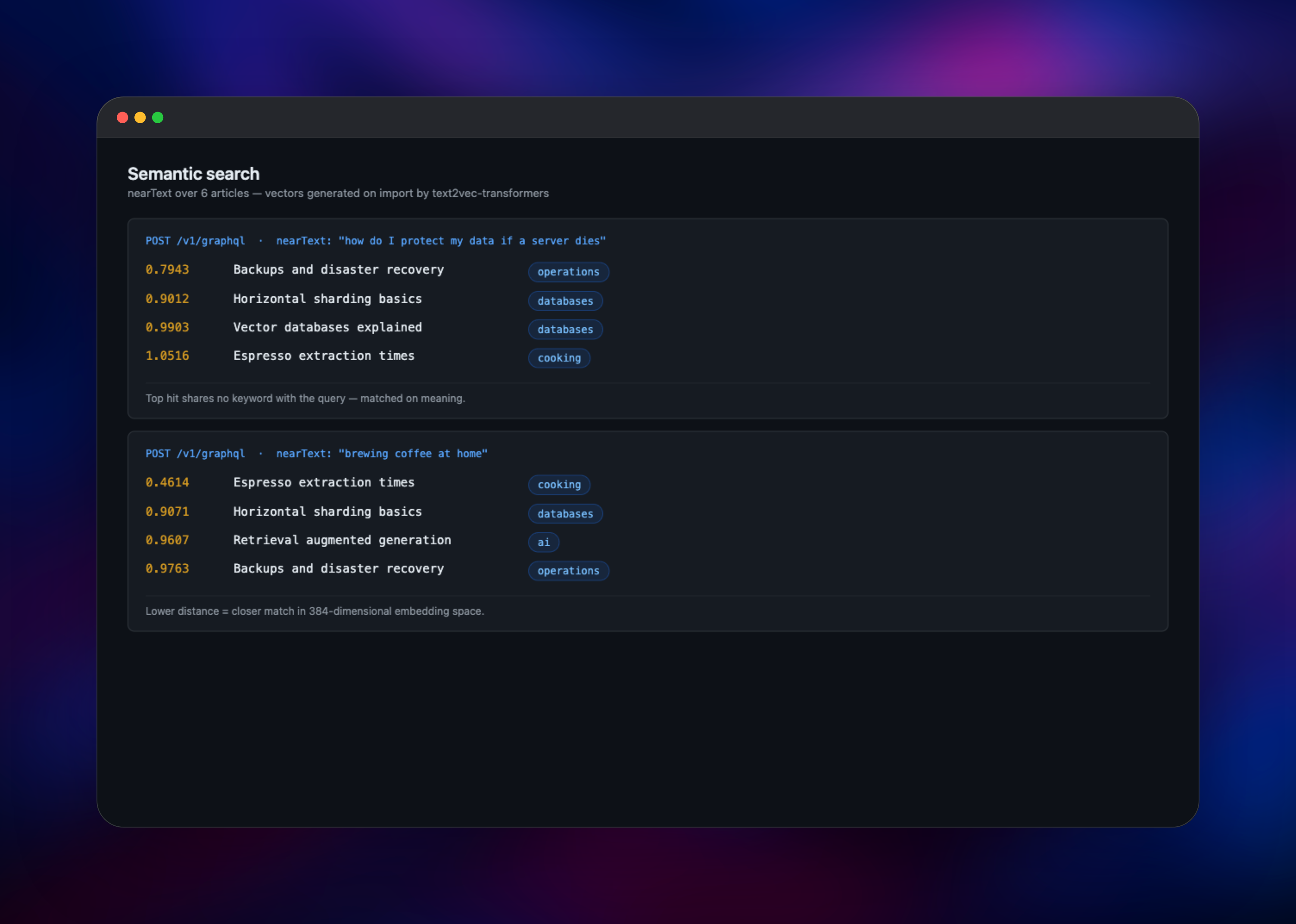
Insert objects through /v1/batch/objects, then run a nearText query against /v1/graphql. Results ranked by meaning rather than shared words mean the database and vectorizer are both working. The Python and TypeScript clients use gRPC for queries and batching, which reaches this deployment through the TCP proxy rather than the HTTPS domain — see the FAQ for the settings.
About Hosting Weaviate
Weaviate solves the retrieval half of an AI application. Embedding models turn text or images into vectors; Weaviate stores them next to the original objects, indexes them with HNSW, and answers nearest-neighbour queries in milliseconds. Self-host it when your corpus is sensitive, when per-vector managed pricing stops making sense, or when retrieval should sit beside the app querying it.
Key features:
- Vector, keyword (BM25) and hybrid search in one query language
- Automatic vectorization at import — send text, Weaviate stores vectors
- Vectorizer and generative modules for OpenAI, Cohere, Google, AWS, Hugging Face, Mistral and local transformers
- Role-based access control with API-key and OIDC authentication
- On-demand backup and restore to S3-compatible object storage
The Weaviate service is the database and the only public one, serving REST and GraphQL over HTTPS and gRPC over a TCP proxy. t2v-transformers is a private CPU inference container running the all-MiniLM-L6-v2 sentence-transformer, which Weaviate calls over the private network on import and on nearText queries. The bucket sits outside the request path, receiving only backup archives.
Why Deploy Weaviate on Railway
Railway removes the infrastructure work around a vector database:
- The vectorizer sidecar is wired to Weaviate over private networking
- A volume keeps objects and the HNSW index across redeploys
- Managed object storage is pre-configured as a backup destination
- API-key auth and RBAC are on before the first boot, never after
- HTTP and gRPC endpoints are both ready for the official clients
Common Use Cases
- Retrieval-augmented generation — retrieve the passages matching a question from your own documents and pass them to an LLM as grounded context
- Semantic search in a product — let users find items by describing them, so "keep my data safe if a server dies" surfaces the backup guide
- Hybrid search — combine BM25 keyword scoring with vector similarity so exact identifiers and fuzzy intent both work in one query
Dependencies for Weaviate
- Weaviate —
semitechnologies/weaviate:1.38.9. Database, query engine and API surface; HTTP on 8080, gRPC on 50051. - t2v-transformers —
semitechnologies/transformers-inference:sentence-transformers-all-MiniLM-L6-v2-onnx. CPU-only ONNX inference fortext2vec-transformers, producing 384-dimensional embeddings. Private, no public URL. - Object storage bucket — S3-compatible destination for the
backup-s3module. - Volume — mounted at
/var/lib/weaviate, holding the object store and vector index.
Environment Variables Reference
| Variable | Purpose |
|---|---|
AUTHENTICATION_APIKEY_ALLOWED_KEYS | API keys, positionally matched to users |
AUTHENTICATION_ANONYMOUS_ACCESS_ENABLED | Set false to require a key on every request |
AUTHORIZATION_RBAC_ROOT_USERS | User granted the built-in root role |
ENABLE_MODULES | Modules to load — vectorizers, backup backends |
TRANSFORMERS_INFERENCE_API | Private URL of the inference container |
PERSISTENCE_DATA_PATH | Data directory; must match the volume mount |
Deployment Dependencies
- Source and images: https://github.com/weaviate/weaviate, https://hub.docker.com/r/semitechnologies/weaviate
- Documentation: https://docs.weaviate.io
Hardware Requirements for Self-Hosting Weaviate
Weaviate keeps the HNSW graph in memory, so RAM tracks vector count and dimensionality far more than object count. The inference sidecar needs about 1 GB on its own.
| Resource | Minimum | Recommended |
|---|---|---|
| CPU | 2 vCPU | 4–8 vCPU |
| RAM | 2 GB | 8 GB+ (grows with vector count) |
| Storage | 5 GB volume | 20 GB+ volume |
| Runtime | Linux container | Linux container |
Self-Hosting Weaviate
Weaviate is a Docker image configured entirely through environment variables. This Compose file runs it with the same local vectorizer this template uses:
services:
  weaviate:
    image: semitechnologies/weaviate:1.38.9
    ports: ["8080:8080", "50051:50051"]
    volumes: ["weaviate_data:/var/lib/weaviate"]
    environment:
      PERSISTENCE_DATA_PATH: /var/lib/weaviate
      ENABLE_MODULES: text2vec-transformers
      DEFAULT_VECTORIZER_MODULE: text2vec-transformers
      TRANSFORMERS_INFERENCE_API: http://t2v-transformers:8080
      AUTHENTICATION_ANONYMOUS_ACCESS_ENABLED: "false"
      AUTHENTICATION_APIKEY_ENABLED: "true"
      AUTHENTICATION_APIKEY_ALLOWED_KEYS: replace-with-your-key
  t2v-transformers:
    image: semitechnologies/transformers-inference:sentence-transformers-all-MiniLM-L6-v2-onnx
    environment:
      ENABLE_CUDA: "0"
volumes:
  weaviate_data:
Bring it up with docker compose up -d, then create a collection and import objects as shown above. Deploying on Railway skips the volume, networking and backup wiring.
Is Weaviate Free to Self-Host?
Weaviate is open source under the BSD-3-Clause licence, so self-hosting costs nothing in software fees — no seat count, vector quota or feature paywall. Weaviate Cloud is the managed offering, billed separately. On Railway you pay only for the compute, memory, volume and storage the two services consume — typically a few dollars a month for a development-sized index.
FAQ
What is Weaviate? An open-source vector database. It stores objects alongside vector embeddings and retrieves them by semantic similarity, which is what powers RAG, semantic search and recommendation features.
What does this Railway template deploy?
Two services and a bucket: the Weaviate database with a persistent volume, a private t2v-transformers container that generates embeddings on CPU, and object storage configured as a backup destination.
How do I connect the Python client to a self-hosted Weaviate on Railway?
Use weaviate.connect_to_custom() with http_host set to your Railway domain, http_port=443, http_secure=True, and grpc_host/grpc_port set to the TCP proxy's host and port with grpc_secure=False. Your API key still guards the proxy.
How do I back up a self-hosted Weaviate instance?
The backup-s3 module already points at the bucket. POST /v1/backups/s3 with {"id":"my-backup"} starts one, and GET/POST .../restore on the same path report status and restore it.
Can I use OpenAI or Cohere embeddings instead of the local model?
Yes. Add text2vec-openai or text2vec-cohere to ENABLE_MODULES, set the matching API key, and name that vectorizer when creating a collection. Existing collections keep the vectorizer they were created with.
Does my data survive a redeploy?
Yes. Objects and the HNSW index live on the volume at /var/lib/weaviate, so both persist across restarts.
Template Content
weaviate
semitechnologies/weaviate:1.38.9weaviate-backups
Bucket


