
Deploy Weblate
Web app for translating software, synced with your Git repository

Just deployed
/var/lib/postgresql/data

mailpit
Just deployed
/data

Redis
Just deployed
/data
weblate
Just deployed
/app/data
Deploy and Host Weblate on Railway
Weblate is a web-based continuous localization platform that keeps translations in the same Git repository as your code. Translators work in a browser — with translation memory, machine-translation suggestions, glossaries and around thirty automatic quality checks — while Weblate commits their edits back and pulls new source strings in. It reads over sixty file formats, from gettext PO and Android resources to JSON, YAML and XLIFF, and is used by Fedora, Debian and LibreOffice. Self-host Weblate to keep translation content on your own infrastructure, with no per-seat bill.
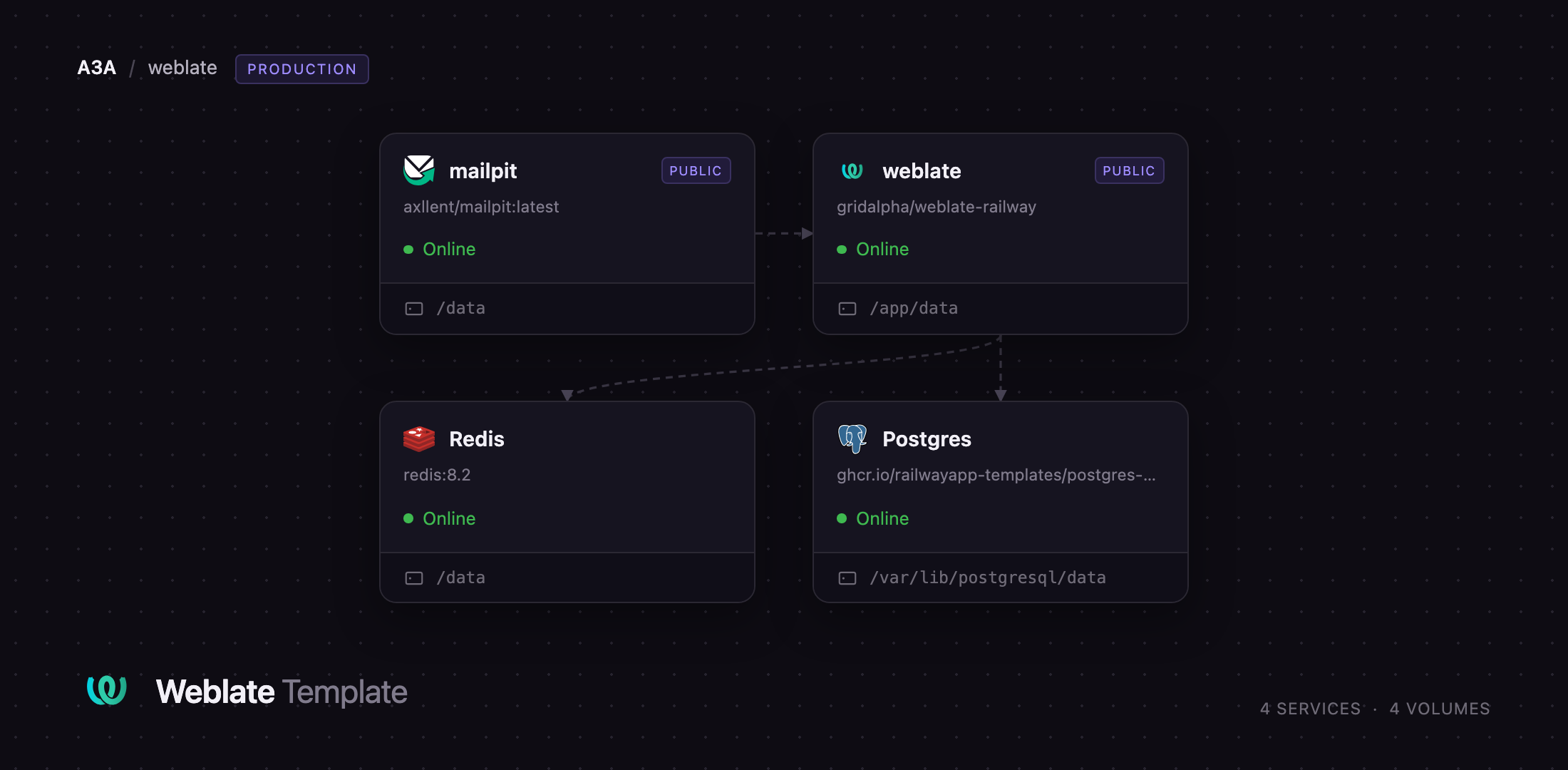
Deploy Weblate on Railway and this template wires up the whole stack: the official weblate/weblate image with its bundled nginx, Granian server and six Celery workers, PostgreSQL for projects and history, Redis backing the cache, Celery broker and sessions, and a Mailpit inbox so invitation mail works immediately. A volume at /app/data holds the cloned repositories, media and the Django secret.
Getting Started with Weblate on Railway
Set WEBLATE_ADMIN_PASSWORD before deploying — the only value you must choose — and optionally WEBLATE_ADMIN_EMAIL and WEBLATE_ADMIN_NAME. The first boot runs migrations and creates the administrator; open the URL when the deploy is green and sign in as admin. Delete that variable afterwards to manage the password inside the app, since it is re-applied on every restart.
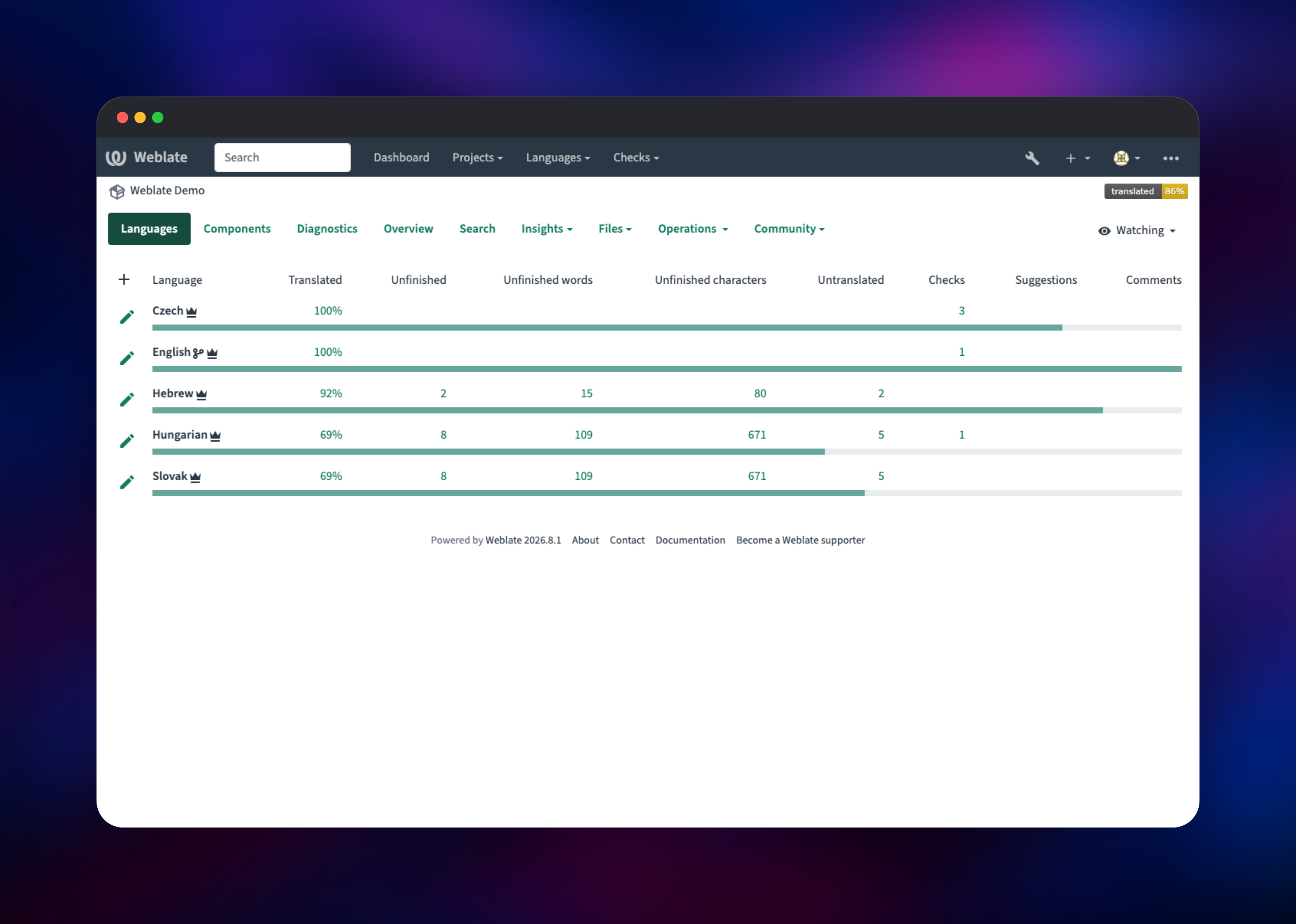
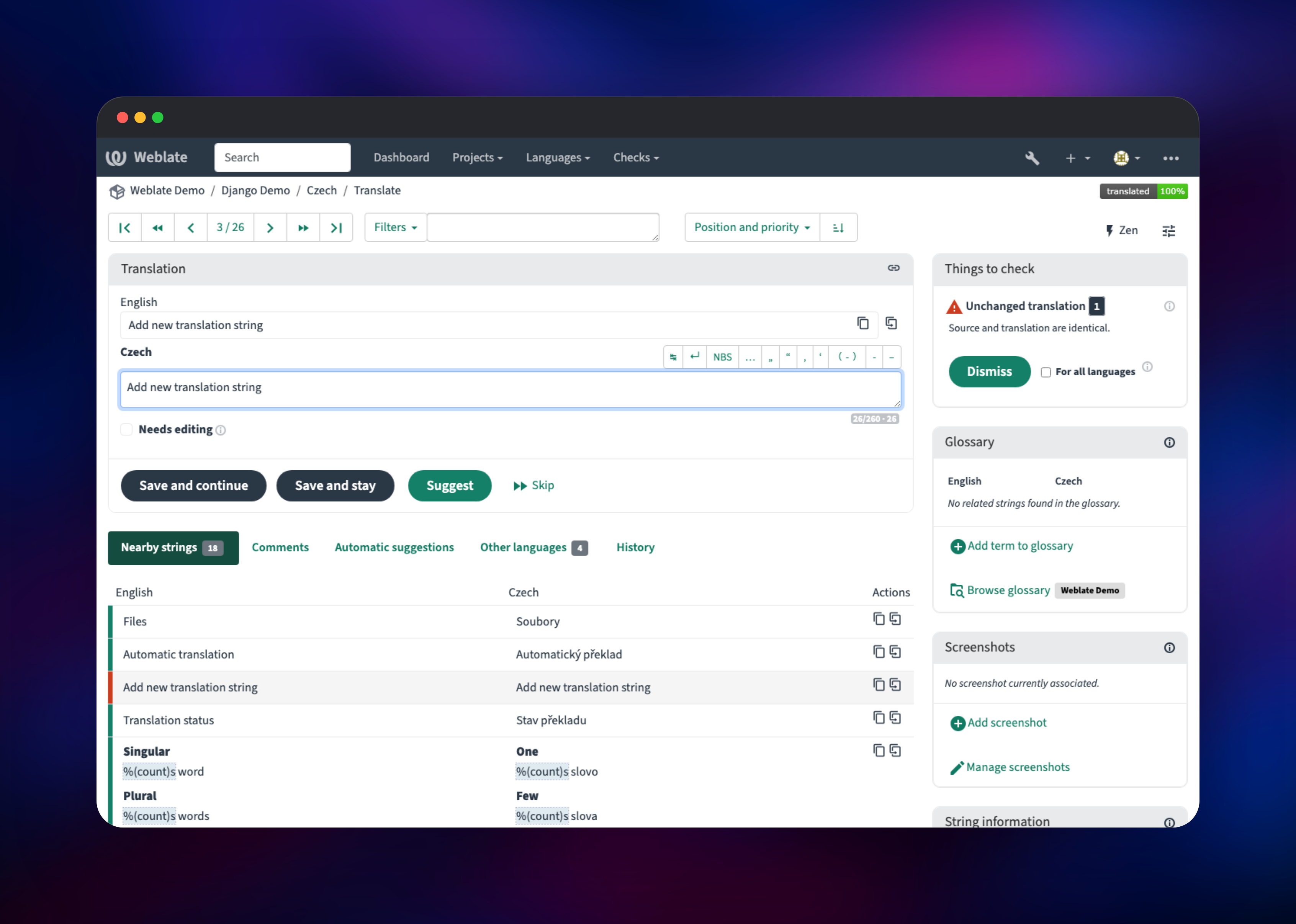
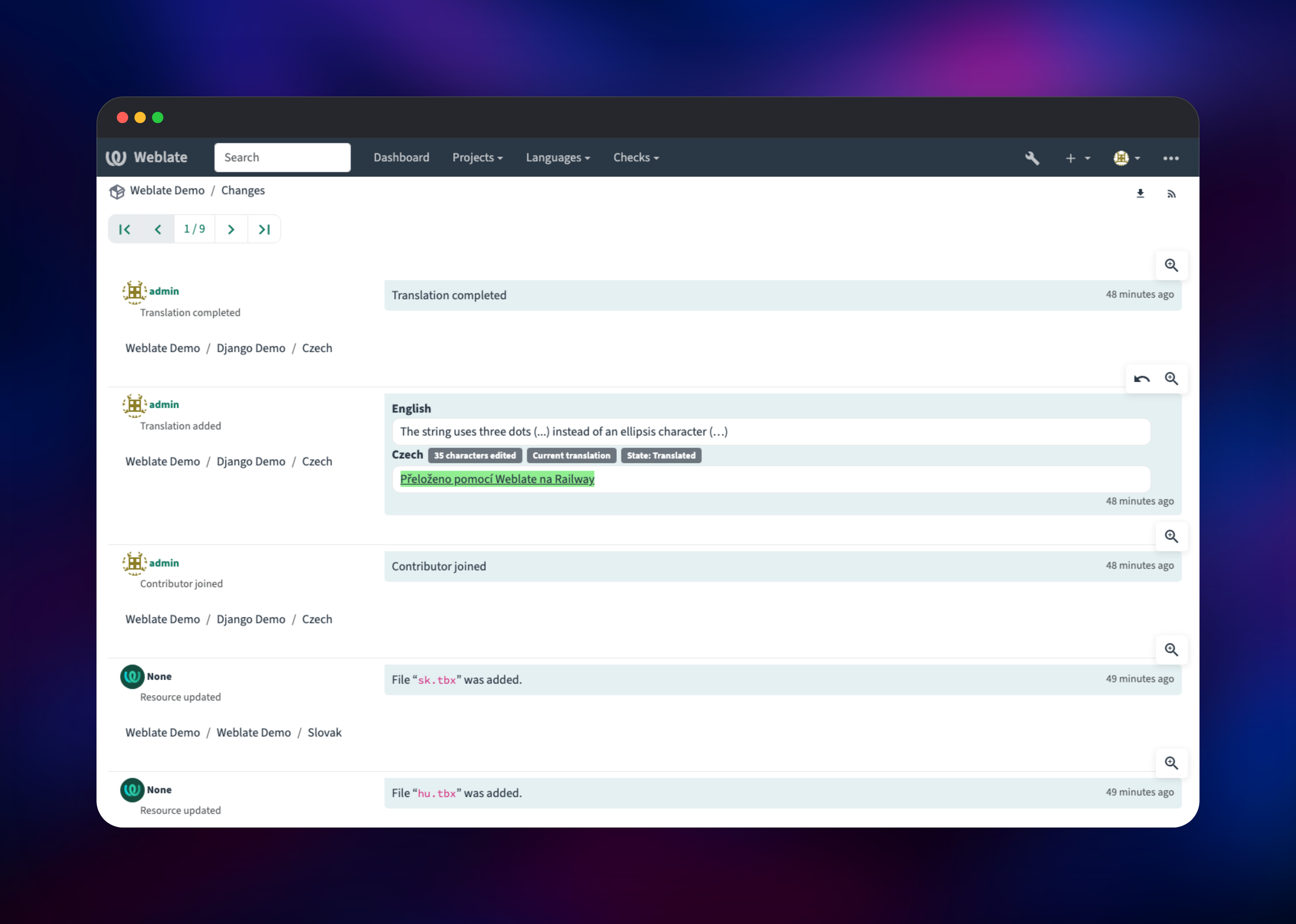
From the dashboard, use the + menu to add a translation project, then a component. Pick From version control, paste a repository URL such as https://github.com/WeblateOrg/demo.git, name the branch and continue: Weblate clones the repository, scans it and offers the file masks it found, so you pick one from a list rather than write it yourself. Then open any language, translate a string and save: the percentage moves immediately and the edit appears in the change history with a diff. That round trip exercises the database, the queue and the Git checkout at once, so it is the quickest health check.
About Hosting Weblate
Weblate sits between your source repository and the people translating your product. It watches a branch, parses the translation files it finds, and turns each string into a reviewable unit with history, comments, suggestions and checks. Translators never touch Git; maintainers never hand-merge a PO file. Commits are attributed to the translator, and Weblate can push directly, open pull requests on GitHub, GitLab or Gitea, or wait for you to pull.
Capabilities worth knowing before you self-host Weblate:
- 60+ file formats — gettext, Android XML, Apple strings, JSON, YAML, XLIFF, Java properties, CSV
- Quality checks and glossaries — around thirty built-in checks for placeholders, punctuation, plurals and terminology, with project-wide and shared translation memory
- Machine translation — DeepL, Google, Microsoft, LibreTranslate and OpenAI-compatible engines
- Access control — teams and roles, two-factor authentication, SAML and OAuth sign-in, audit log
- A REST API and webhooks, so CI can trigger pulls and pushes
The Railway architecture mirrors upstream's own Compose file. The Weblate service is one container: nginx serves static files and proxies to Granian, while supervisord runs Celery workers for notifications, translation tasks, memory, backups and the scheduler. PostgreSQL stores every project, string and change record. Redis is not optional — it is the Celery broker, the cache and the session store, so signed-in users survive a redeploy.
Why Deploy Weblate on Railway
Railway removes the operational work around a multi-service Django app:
- PostgreSQL and Redis provisioned, networked and backed up with no configuration
- A persistent volume for Git checkouts and uploaded media
- HTTPS, a public domain and health checks handled for you
- Private networking, so only the web interfaces are reachable
- Redeploys that pick up new Weblate releases
Common Use Cases
- Translating an app whose strings live in a monorepo, Weblate committing to an
l10nbranch - Running a community localization portal where volunteers translate and visitors watch progress
- Gating releases on translation completeness by querying the REST API from CI
Dependencies for Weblate
- Weblate —
weblate/weblate:latest, built via gridalpha/weblate-railway, which adds only a launcher handing the volume to the image's own user - PostgreSQL 18 —
ghcr.io/railwayapp-templates/postgres-ssl; Weblate needs 12+ - Redis 8 — cache, Celery broker and result backend, session store
- Mailpit —
axllent/mailpit:latest; private SMTP capture with a browsable inbox
Environment Variables Reference
| Variable | Service | Purpose |
|---|---|---|
WEBLATE_SITE_DOMAIN | weblate | Public hostname; the app refuses to start without it |
WEBLATE_ADMIN_PASSWORD | weblate | First administrator's password, re-applied on every start |
WEBLATE_REGISTRATION_OPEN | weblate | 0 closes public sign-up; 1 for a community instance |
WEBLATE_REQUIRE_LOGIN | weblate | 1 requires sign-in; 0 allows anonymous browsing |
WEBLATE_EMAIL_HOST | weblate | SMTP host — Mailpit by default, your relay later |
MP_UI_AUTH | mailpit | Credentials guarding the inbox |
Deployment Dependencies
- Source: WeblateOrg/weblate · Image: weblate/weblate
- Docs: docs.weblate.org and its Docker install guide
Hardware Requirements for Self-Hosting Weblate
Upstream's minimum for Weblate, its database and a web server on one host is 3 GB of RAM, 2 CPU cores and 1 GB of storage. Memory matters most; Weblate caches at every layer.
| Resource | Minimum | Recommended |
|---|---|---|
| CPU | 2 cores | 4 cores |
| RAM | 3 GB across all services | 6 GB+ for hundreds of components |
| Storage | 1 GB volume | 5 GB+; ~300 MB per million words, plus repositories |
| Runtime | Python, PostgreSQL 12+, Redis | Provided by the template |
Self-Hosting Weblate
Outside Railway, run the same image with a database and cache beside it. In Docker Compose:
x-db: &db
  POSTGRES_USER: weblate
  POSTGRES_PASSWORD: weblate
  POSTGRES_DB: weblate
services:
  cache: { image: valkey/valkey:9 }
  database:
    image: postgres:18-alpine
    environment: *db
  weblate:
    image: weblate/weblate
    depends_on: [cache, database]
    ports: ["8080:8080"]
    volumes: [weblate-data:/app/data]
    environment:
      <<: *db
      POSTGRES_HOST: database
      REDIS_HOST: cache
      WEBLATE_SITE_DOMAIN: localhost:8080
      WEBLATE_ADMIN_PASSWORD: choose-your-own
volumes:
  weblate-data:
Bring it up and watch the migrations:
docker compose up -d && docker compose logs -f weblate
/app/data must be writable by UID 1000, the user the image runs as, and cannot be shared between containers — the Django secret, Git checkouts and media all live there, which is why Weblate runs as one container rather than a split web and worker tier.
How Much Does Weblate Cost to Self-Host?
Weblate is free software under the GPLv3, with no feature gates, seat limits or string quotas in the self-hosted build. Self-hosting Weblate costs only the infrastructure it runs on — on Railway, the four services here, billed by usage. The project also sells Hosted Weblate plans and support subscriptions.
FAQ
What is Weblate? Weblate is an open-source continuous localization platform. It connects to your Git repository, turns the translation files it finds into a browser-based editor, and commits translators' work back to version control.
What does this Railway template deploy? Four services: Weblate with a volume, PostgreSQL, Redis, and a Mailpit inbox capturing outbound mail. Weblate and the inbox are public; the database and cache stay private.
Why does self-hosted Weblate need Redis as well as PostgreSQL? PostgreSQL stores projects, strings and history. Redis does three jobs Weblate cannot run without: Celery broker and result backend, cache, and the session store that keeps users signed in across restarts.
How do I connect Weblate to a GitHub repository? Add a component and choose From version control, then give it the repository URL and branch. To let Weblate push back, set a push URL with an access token, or turn on the GitHub pull-request integration in the component's settings so changes arrive as PRs.
Can I open self-hosted Weblate to public contributors?
Set WEBLATE_REQUIRE_LOGIN to 0 so visitors can browse public projects and WEBLATE_REGISTRATION_OPEN to 1 to allow sign-ups — but point WEBLATE_EMAIL_HOST at a real SMTP relay first, since new accounts confirm by email.
How do I upgrade Weblate on Railway? Redeploy the Weblate service: the image tracks the latest release and migrations run at boot. Take a database backup first, and note that upstream does not support skipping major versions.
Template Content


