
Deploy Woodpecker-CI
Continuous integration server that runs builds from your Git repos
woodpecker-agent
Just deployed
/var/lib/woodpecker
woodpecker-server
Just deployed

Just deployed
/var/lib/postgresql/data
Deploy and Host Woodpecker CI on Railway
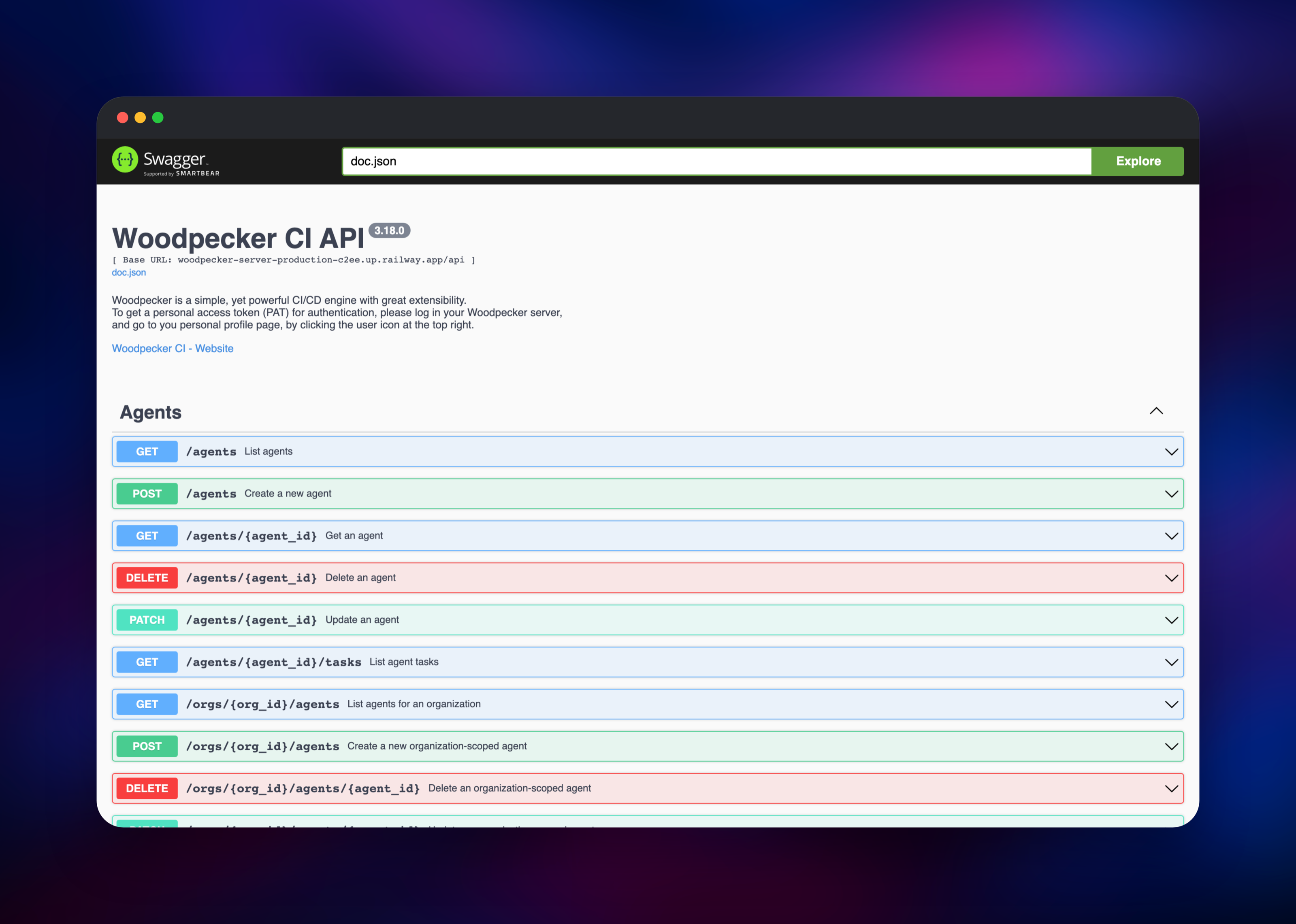
Woodpecker CI is an open source continuous integration engine that runs the pipeline described by a .woodpecker.yaml file in your repository. It signs users in through GitHub, Gitea, Forgejo, GitLab or Bitbucket, takes a webhook on every push, tag and pull request, and reports each result back as a commit status. Teams pick it over Jenkins because there are no plugins to maintain, and over hosted CI because build minutes stop being a line item.
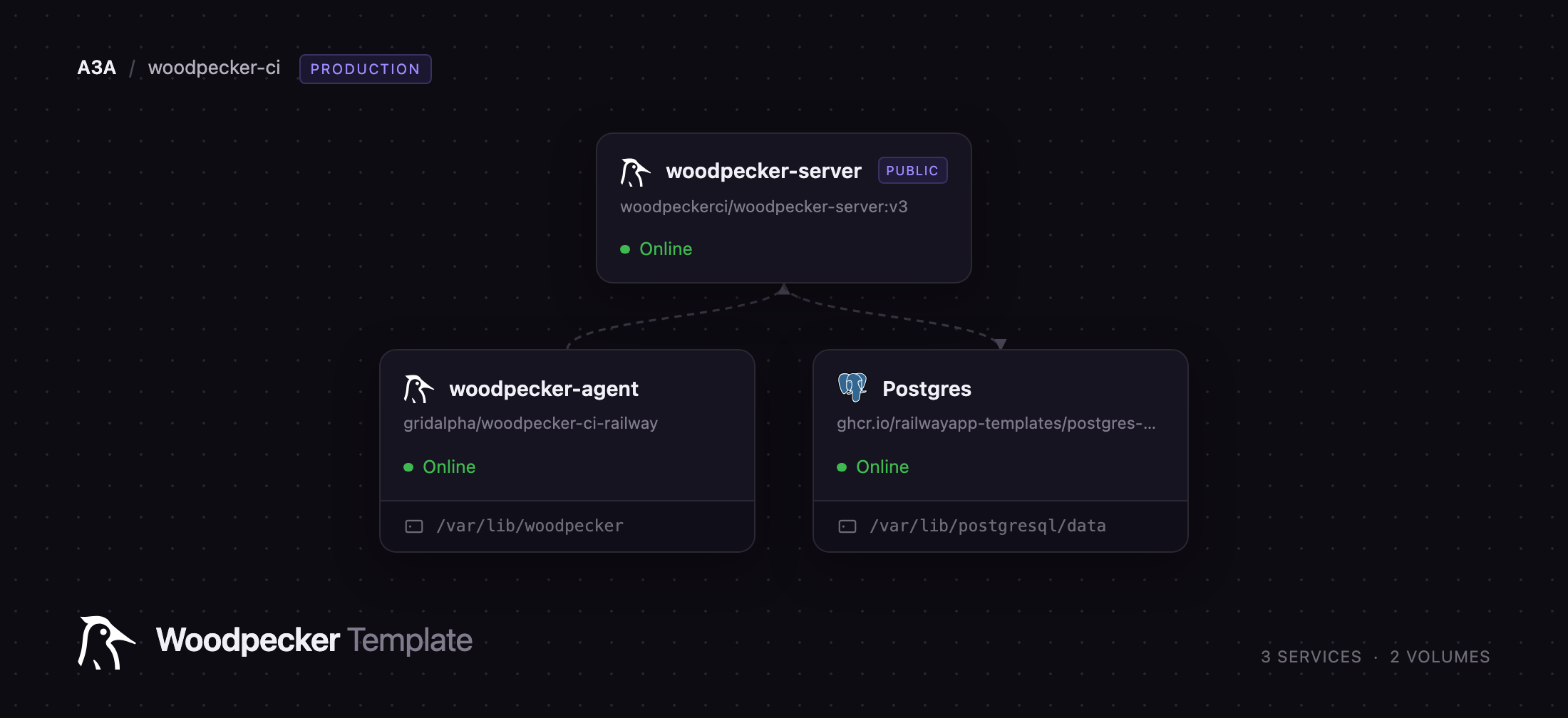
Deploy Woodpecker CI on Railway and you get the split topology rather than a single box: woodpecker-server holding the web UI, API and webhook receiver on a public HTTPS domain, a private woodpecker-agent that executes your pipelines, and managed Postgres behind both. The runner reaches the server over the private network on gRPC port 9000 and needs no public address. To self-host Woodpecker CI elsewhere means a Compose file, a hand-wired shared secret and a mounted Docker socket; here the three arrive already connected.
Getting Started with Woodpecker CI on Railway
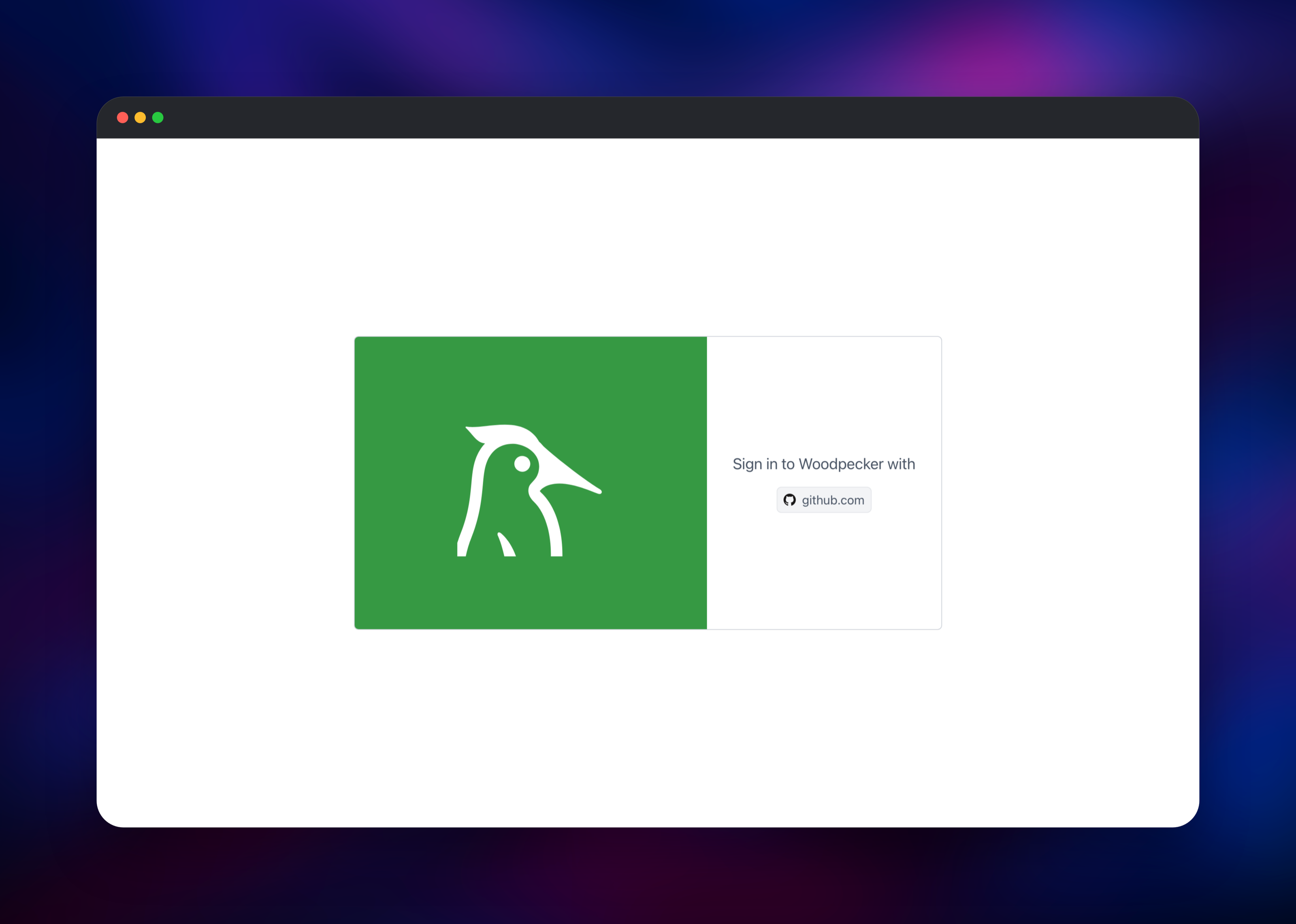
Woodpecker has no accounts of its own — every user is an identity borrowed from your Git host, so the one thing you must supply is an OAuth application. Deploy first, then copy the generated woodpecker-server domain. On GitHub, open Settings → Developer settings → OAuth Apps → New OAuth App and set the callback to https:///authorize. Paste the client ID and a generated secret into WOODPECKER_GITHUB_CLIENT and WOODPECKER_GITHUB_SECRET. Use an OAuth App, not a GitHub App — Woodpecker does not refresh GitHub App user tokens.
Set WOODPECKER_ADMIN to your forge username in the same edit so your first login is an administrator, then sign in. Registration is closed by default, which is what you want on a public URL. Open Repositories → Add repository and pick one; Woodpecker installs the webhook. Commit a .woodpecker.yaml, push, and the run appears with live step logs. Settings → Agents shows the runner connected.
About Hosting Woodpecker CI
Woodpecker splits into two processes. The server owns everything stateful — login, repositories, secrets, cron triggers, the queue and build logs. Runners hold no state: they connect outward over gRPC, claim a workflow, run its steps and stream logs back, so the runner needs no public domain.
- Pipelines as YAML in the repo: matrix builds, multiple workflows,
whenconditions on branch, path or event - Repository, organisation and global secrets, injected per step and withheld from forked pull requests
- Cron pipelines, manual and deploy triggers, a REST API and a
woodpecker-cli
The server writes to managed Postgres rather than the embedded SQLite file, so nothing important sits on a container filesystem. The runner keeps one volume at /var/lib/woodpecker for its identity and working directories.
The runner uses Woodpecker's Local backend. Railway exposes no container runtime inside a service, so steps run as ordinary processes rather than per-step containers. Two things follow: image: names the shell or executable to run rather than a container image (image: bash, not image: alpine), and steps are not sandboxed from one another, so enable only repositories you trust. The runner ships bash, git, git-lfs, ssh, curl, jq, make, tar, unzip, openssl, Node and Python; install anything else in the step.
Why Deploy Woodpecker CI on Railway
Everything the two-service split normally costs you is already handled:
- No Compose file, no Docker socket, no shared secret to copy by hand
- Private networking between server, runner and database out of the box
- Managed Postgres instead of a SQLite file you must remember to back up
- Managed TLS and a public domain, which the OAuth callback requires
- Scale by raising one variable, or by adding a second runner
Common Use Cases
- Tests, linters and builds on every push to a private GitHub or Gitea repo, with no per-minute billing
- Publishing release artifacts on tag, using repository secrets for registry logins
- Nightly dependency audits, housekeeping or link checks through cron pipelines
- Replacing an ageing Jenkins instance for a team that wants pipelines in version control
Dependencies for Woodpecker CI
- woodpecker-server —
woodpeckerci/woodpecker-server:v3. Web UI, REST API, webhook receiver, scheduler; HTTP on 8000, gRPC on 9000. - woodpecker-agent — gridalpha/woodpecker-ci-railway, built on
woodpeckerci/woodpecker-agent:v3-alpinewith the runner toolchain and theplugin-gitclone binary the Local backend needs. Runs unprivileged. - Postgres — Railway managed. Holds users, repositories, pipelines, secrets and logs; the schema migrates itself on boot.
Environment Variables Reference
| Variable | Description | Required |
|---|---|---|
WOODPECKER_HOST | Public URL, used for the OAuth callback | Yes |
WOODPECKER_GITHUB | Enables the GitHub forge driver | Yes |
WOODPECKER_GITHUB_CLIENT | OAuth app client ID | Yes |
WOODPECKER_GITHUB_SECRET | OAuth app client secret | Yes |
WOODPECKER_AGENT_SECRET | Authenticates the runner | Yes |
WOODPECKER_GRPC_SECRET | Signs gRPC tokens issued to runners | Yes |
WOODPECKER_ADMIN | Forge logins made admin | No |
WOODPECKER_OPEN | Open registration; false here | No |
WOODPECKER_ORGS | Restrict login to these organisations | No |
WOODPECKER_MAX_WORKFLOWS | Parallel workflows per runner | No |
For another Git host, swap the WOODPECKER_GITHUB* trio for WOODPECKER_GITEA*, WOODPECKER_FORGEJO*, WOODPECKER_GITLAB* or WOODPECKER_BITBUCKET*; self-hosted forges need a _URL.
Deployment Dependencies
- Source: woodpecker-ci/woodpecker, Apache 2.0; Docker Hub images
woodpeckerci/woodpecker-serverandwoodpeckerci/woodpecker-agent - Docs: woodpecker-ci.org/docs. Postgres 11+; MySQL and SQLite work too
Server Requirements to Self-Host Woodpecker CI
Both binaries are Go and idle in tens of megabytes, so nearly all headroom goes to the builds. Size the runner for your heaviest pipeline, and raise WOODPECKER_MAX_WORKFLOWS only alongside its memory — each parallel workflow gets its own checkout.
| Resource | Minimum | Recommended |
|---|---|---|
| Server CPU/RAM | 0.5 vCPU, 256 MB | 1 vCPU, 512 MB |
| Runner CPU/RAM | 1 vCPU, 512 MB | 2–4 vCPU, 2–4 GB |
| Runner volume | 5 GB | 10 GB+ for big clones |
| Postgres | 256 MB, 1 GB disk | 1 GB, 10 GB |
How to Self-Host Woodpecker CI Outside Railway
Upstream publishes a two-container setup. The following is a docker-compose.yaml using the Docker backend, the usual choice on a VPS you control.
services:
  woodpecker-server:
    image: woodpeckerci/woodpecker-server:v3
    ports: ['8000:8000']
    volumes: ['wp-server:/var/lib/woodpecker/']
    environment:
      - WOODPECKER_HOST=https://ci.example.com
      - WOODPECKER_GITHUB=true
      - WOODPECKER_GITHUB_CLIENT=${GH_CLIENT}
      - WOODPECKER_GITHUB_SECRET=${GH_SECRET}
      - WOODPECKER_AGENT_SECRET=${AGENT_SECRET}
  woodpecker-agent:
    image: woodpeckerci/woodpecker-agent:v3
    command: agent
    volumes: ['wp-agent:/etc/woodpecker', '/var/run/docker.sock:/var/run/docker.sock']
    environment:
      - WOODPECKER_SERVER=woodpecker-server:9000
      - WOODPECKER_AGENT_SECRET=${AGENT_SECRET}

volumes: { wp-server: , wp-agent: }
Generate the shared secret first, then front port 8000 with a reverse proxy for TLS:
openssl rand -hex 32
docker compose up -d
Is Woodpecker CI Free?
Woodpecker CI is free and open source under the Apache 2.0 licence: no paid tier, no enterprise edition, nothing behind a subscription, and no vendor-hosted SaaS to upsell you. On Railway your only cost is the infrastructure the three services consume, and since both binaries idle in tens of megabytes, an idle runner costs close to nothing.
FAQ
What is Woodpecker CI?
An open source CI/CD engine that runs the pipeline defined in your repository's .woodpecker.yaml whenever you push, tag or open a pull request. It forked from the last open Drone release and remains Apache 2.0.
What does this Railway template deploy?
Three services: woodpecker-server on a public HTTPS domain, a private woodpecker-agent that runs your pipelines, and managed Postgres — already wired over the private network.
Why does the template include Postgres? Woodpecker otherwise keeps every user, repository, secret and build log in a SQLite file on disk. Postgres means a redeploy cannot lose your history.
How do I write a pipeline for this template's runner?
Use image: bash, or another shell on the runner, rather than a container image name — the Local backend executes steps as processes. The services: block is unavailable.
Can I run more builds at once?
Raise WOODPECKER_MAX_WORKFLOWS for parallelism on one machine, or deploy a second runner pointing at the same server with the same WOODPECKER_AGENT_SECRET.
Template Content
woodpecker-agent
gridalpha/woodpecker-ci-railwaywoodpecker-server
woodpeckerci/woodpecker-server:v3WOODPECKER_ADMIN
Comma-separated forge logins granted admin
WOODPECKER_GITHUB_CLIENT
Paste your OAuth app client ID
WOODPECKER_GITHUB_SECRET
Paste your OAuth app client secret