
Deploy WordPress
Open source publishing platform of choice for millions of websites globally

MySQL
Just deployed
/var/lib/mysql

Redis
Just deployed
/data
wordpress
Just deployed
/var/www/html

Deploy and Host WordPress on Railway
WordPress is the GPL-licensed CMS behind roughly 40% of all websites and about 60% of those on a known CMS. Its advantage is breadth: tens of thousands of plugins, a block editor non-developers can use, and a REST API that makes any install a headless backend. Teams self-host WordPress to keep that ecosystem without a managed host's plugin blocklists or per-site pricing.
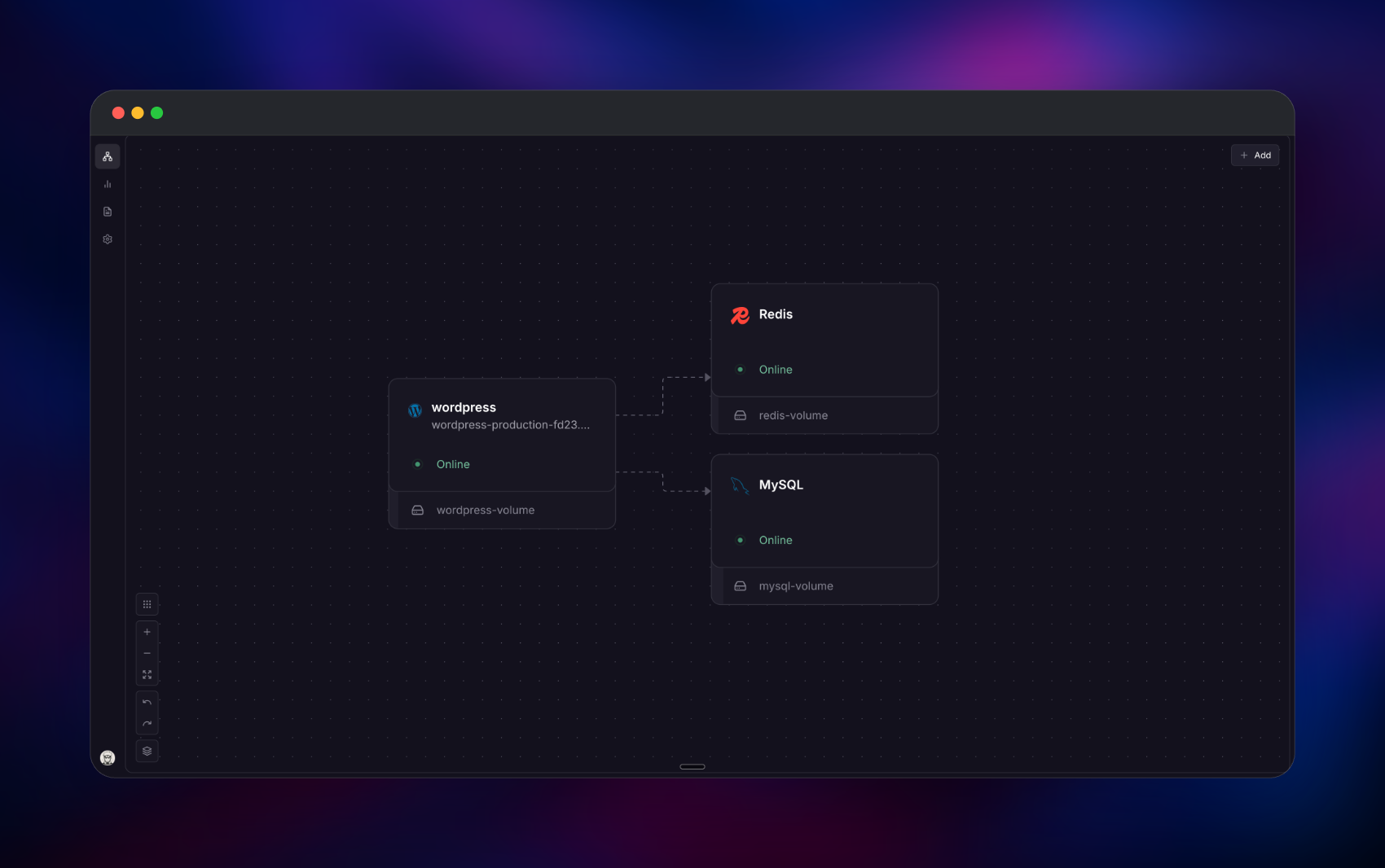
Run WordPress on Railway as three services. The Docker Official Image wordpress:7.0.2-php8.4-apache — Apache 2.4 with mod_php, imagick, gd and OPcache — serves port 80 behind Railway's HTTPS domain. Managed MySQL 9.4 holds posts, users and options over the private network, managed Redis 8.2.1 backs a persistent object cache, and a 5 GB volume at /var/www/html persists core, plugins and uploads.
Getting Started with WordPress on Railway
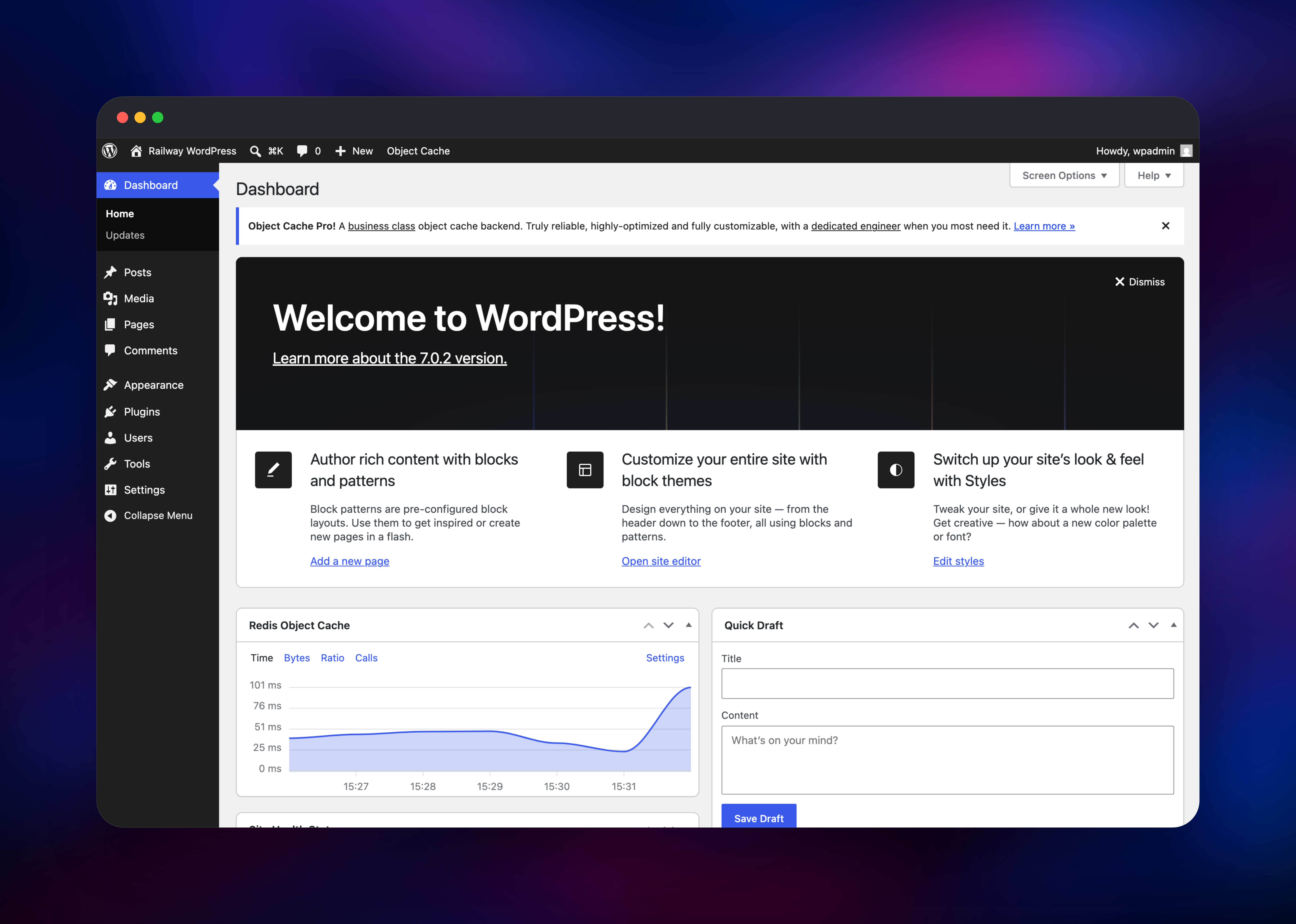
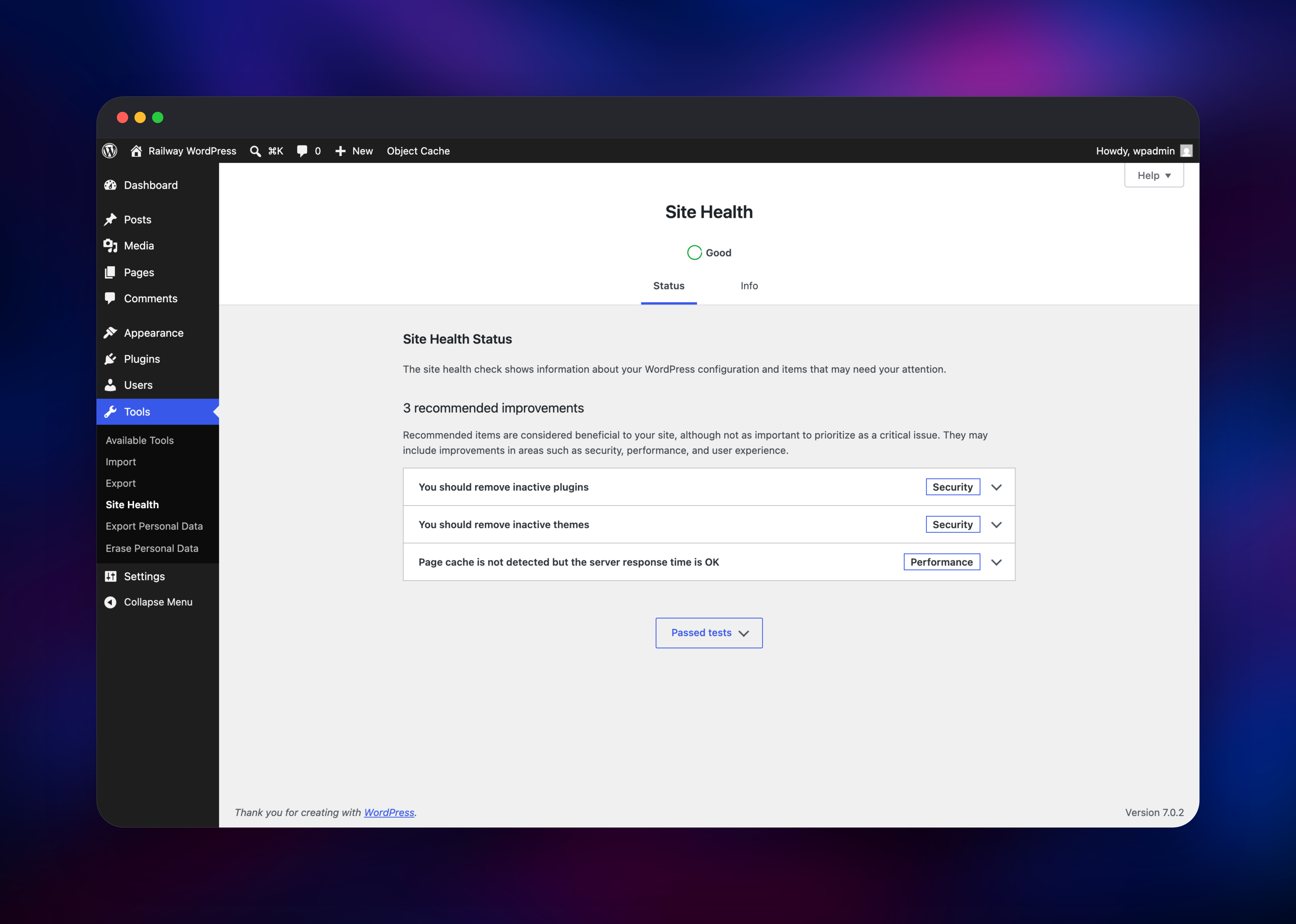
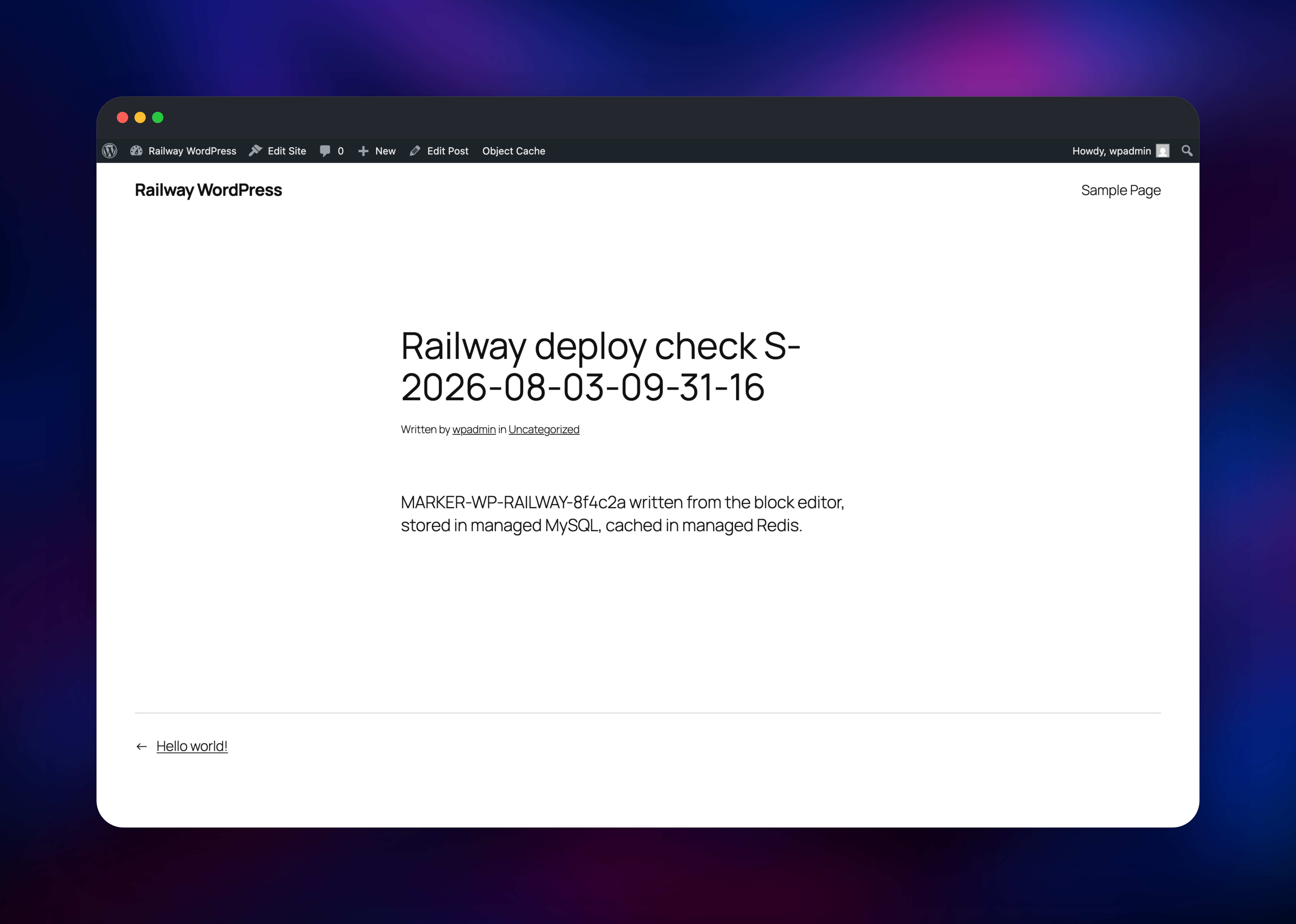
Create the database and scoped user first (below), then open the Railway domain once wordpress is green. There are no default credentials: a fresh install redirects to /wp-admin/install.php, where you set a site title and create the first administrator. Use a long random password — WordPress publishes admin usernames at /wp-json/wp/v2/users once a post exists. Log in at /wp-login.php, install Redis Object Cache from Plugins → Add New and enable it under Settings → Redis; the panel should read Status: Connected, Client: Predis. Publish a test post and open its permalink to check pretty URLs, then upload an image to check media lands on the volume. Tools → Site Health should finish Good, with object cache, HTTPS and background updates passing.
Configuring WordPress on Railway
Railway's managed MySQL hands out root. Give WordPress a database-scoped user — open a temporary TCP proxy on MySQL, run this, then remove it:
CREATE DATABASE wordpress CHARACTER SET utf8mb4 COLLATE utf8mb4_unicode_ci;
CREATE USER 'wordpress'@'%' IDENTIFIED BY '';
GRANT SELECT, INSERT, UPDATE, DELETE, CREATE, DROP, ALTER, INDEX, CREATE TEMPORARY TABLES,
      LOCK TABLES, REFERENCES ON wordpress.* TO 'wordpress'@'%';
Railway also replaces a container's ENTRYPOINT, so the template restates it in a start command that raises PHP's upload, post and memory limits (upload_max_filesize is PHP_INI_PERDIR, so no plugin can raise it), forces Apache onto mpm_prefork — recent php:8.x-apache builds also enable mpm_event, which mod_php refuses to load beside, crash-looping Apache with More than one MPM loaded — and trusts Railway's proxy range in mod_remoteip:
/bin/sh -c 'printf "upload_max_filesize=64M\npost_max_size=64M\nmemory_limit=256M\nmax_execution_time=300\nmax_input_vars=3000\n" > /usr/local/etc/php/conf.d/zz-railway.ini; a2dismod mpm_event mpm_worker >/dev/null 2>&1 || true; rm -f /etc/apache2/mods-enabled/mpm_event.* /etc/apache2/mods-enabled/mpm_worker.*; a2enmod mpm_prefork >/dev/null 2>&1 || true; grep -q "100.64.0.0/10" /etc/apache2/conf-available/remoteip.conf || { echo "RemoteIPInternalProxy 100.64.0.0/10"; echo "RemoteIPInternalProxy fd00::/8"; } >> /etc/apache2/conf-available/remoteip.conf; apache2ctl -t; exec docker-entrypoint.sh apache2-foreground'
Keep the last line: without docker-entrypoint.sh, WordPress is never unpacked onto an empty volume and no wp-config.php is written. One more constraint: Railway health check paths accept alphanumerics and / only, so /wp-admin/install.php is rejected — use /, set after the installer runs, since an uninstalled site 302s GET /.
About Hosting WordPress
Self-host when content must live in infrastructure you control, when you need plugins a managed platform forbids, or when per-site pricing stops scaling.
- Block editor — layouts and templates without touching PHP.
- Plugin ecosystem — WooCommerce, SEO, forms, membership and backups from the dashboard.
- API and media — every post type under
/wp-json/;imagick/gdresize uploads.
Why Deploy WordPress on Railway
Railway removes the shared-hosting compromises:
- Pinned upstream image — no surprise PHP jumps on redeploy.
- Managed MySQL and Redis on the private network, no public ports.
- Persistent volume for uploads, plugins and themes.
- HTTPS domain, health check and restart policy preset.
Common Use Cases
- Marketing site and company blog — editors publish without developer involvement, theme stays in version control.
- Headless content backend — a Next.js front end reads
/wp-json/wp/v2/postswhile editors keep the familiar admin. - Membership portal or WooCommerce storefront — role-gated content, subscriptions, checkout and orders you own.
Dependencies for WordPress
wordpress—wordpress:7.0.2-php8.4-apache, port80, public. PHP 8.4 over the default 8.3: 8.4 is in active support, 8.3 security-only.MySQL— managed 9.4, private. WordPress 7.0 needs MySQL 8.0+ or MariaDB 10.6+. Holds every post, comment, user and option.Redis— managed 8.2.1, private. Backs the object cache, so repeat requests skip thousands ofSELECTs.- Volume — 5 GB at
/var/www/html: core,wp-contentandwp-config.php.
WordPress Environment Variables Reference
| Variable | What it does |
|---|---|
WORDPRESS_DB_HOST / _USER / _PASSWORD | Private MySQL host:port, and the scoped credentials — not root |
WORDPRESS_AUTH_KEY … NONCE_SALT | Eight keys and salts signing auth cookies. Keep stable — changing one logs everyone out |
WORDPRESS_CONFIG_EXTRA | PHP evaluated in wp-config.php per request, editable after first boot |
REDISHOST / REDISPORT / REDISPASSWORD | Feed the WP_REDIS_* object-cache constants |
WORDPRESS_CONFIG_EXTRA pins WP_HOME/WP_SITEURL to the Railway domain, sets FORCE_SSL_ADMIN and DISALLOW_FILE_EDIT, and configures Redis; DISALLOW_FILE_MODS stays unset so plugin installs keep working. HTTPS needs no work — the image promotes X-Forwarded-Proto.
Deployment Dependencies
WordPress/WordPress (GPL-2.0-or-later), the REST API reference and the Redis Object Cache plugin.
Hardware Requirements for Self-Hosting WordPress
| Resource | Minimum | Recommended |
|---|---|---|
| CPU | 1 vCPU | 2 vCPU |
| RAM | 512 MB | 2 GB app, 1 GB MySQL |
| Storage | 5 GB volume | 20 GB+, scaled to media |
| Runtime | PHP 7.4, MySQL 8.0 | PHP 8.4, MySQL 9.4 |
A quiet site idles near 60 MB of memory, peaking around 260 MB during plugin installs and image processing. Busier sites want a full-page cache or CDN in front — an object cache is not a page cache. Nothing here sends mail: add an SMTP plugin and credentials before password resets or contact forms deliver.
Self-Hosting WordPress with Docker
The image needs only a MySQL server and a volume:
docker run -d --name wordpress -p 8080:80 \
  -e WORDPRESS_DB_HOST="db.internal:3306" \
  -e WORDPRESS_DB_NAME="wordpress" \
  -e WORDPRESS_DB_USER="wordpress" \
  -e WORDPRESS_DB_PASSWORD="change-me" \
  -v wp:/var/www/html wordpress:7.0.2-php8.4-apache
Because the volume sits at /var/www/html and the entrypoint unpacks core only when it is empty, bumping the image tag upgrades PHP and Apache but not WordPress core — core updates come from the dashboard updater.
How Much Does WordPress Cost to Self-Host?
WordPress is free and GPL-licensed — no seats, no site limits, no feature tiers, and the whole plugin and theme directory installs at no cost. WordPress.com, the managed service, runs from about $4/month to $40/month per site before arbitrary plugins are allowed. Self-hosting on Railway costs infrastructure only.
FAQ
What is WordPress?
An open-source, GPL-licensed CMS in PHP, backed by MySQL, powering roughly 40% of the web.
What does this template deploy?
The wordpress:7.0.2-php8.4-apache image on a public HTTPS domain, managed MySQL 9.4, managed Redis 8.2.1 and a 5 GB volume.
What are the default login credentials?
None. The first visit runs the installer, where you create the administrator account.
Why does it need MySQL and Redis?
MySQL stores every post, user, comment and option. Redis is optional but recommended — without it WordPress re-queries the database for options on every request. The image ships no phpredis, so the plugin uses bundled Predis (WP_REDIS_CLIENT=predis).
Can I run more than one replica?
Not with this layout: a Railway volume attaches to one service, so wp-content cannot be shared. Move media to object storage with an S3 offload plugin first.
Template Content

