
Deploy yarr
Web-based RSS and Atom feed reader with a three-pane interface
Just deployed

Just deployed
/var/lib/postgresql/data
Deploy and Host yarr on Railway
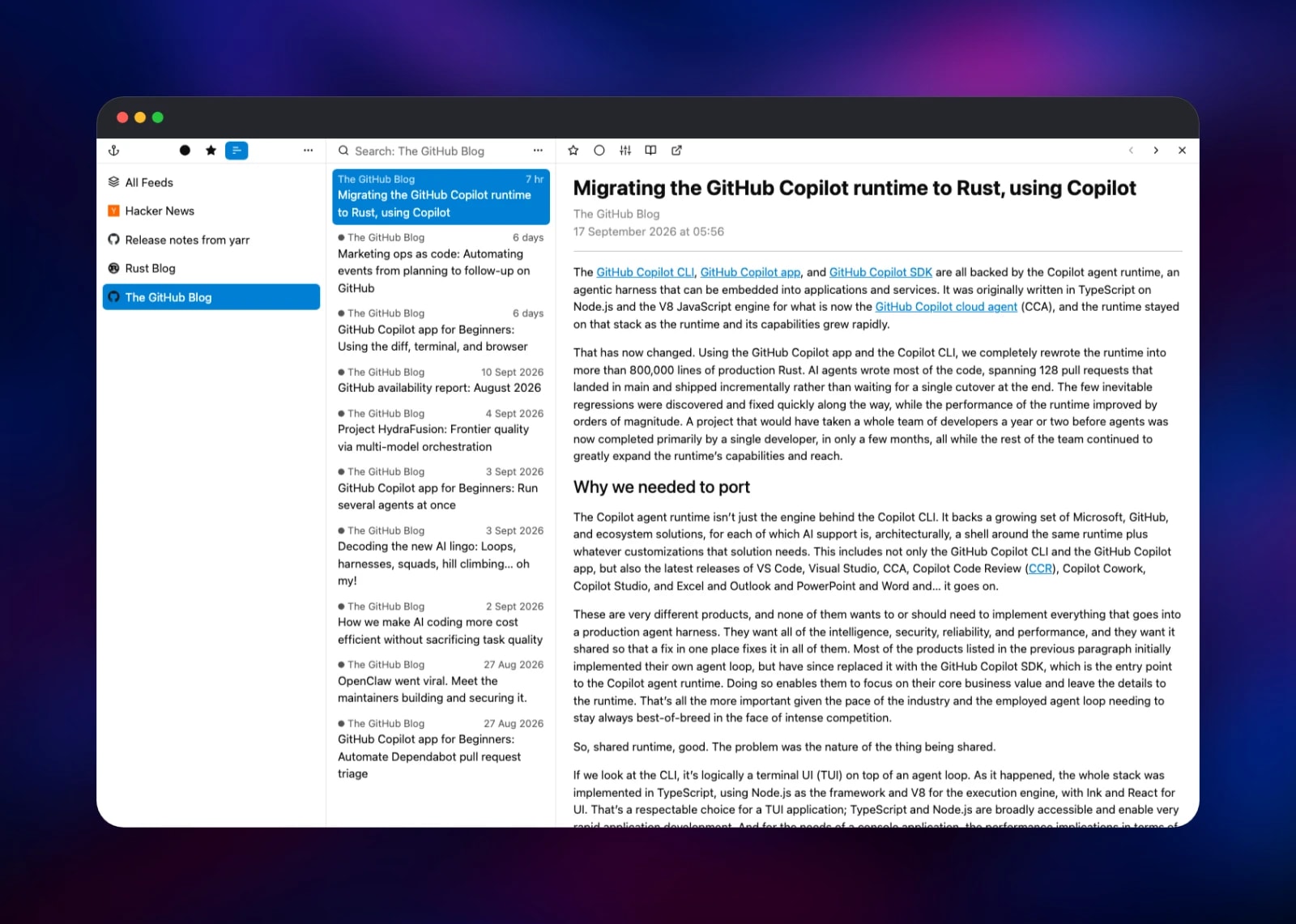
Self-host yarr, a web-based RSS and Atom feed reader written as a single Go binary. It gives you the three-pane experience of a desktop newsreader — feed list, article list, article body — in a browser tab, with keyboard shortcuts, search across your subscriptions, OPML import and export, and a Fever-compatible API so apps like Reeder and Unread can sync against your own server. Writers, researchers and engineers use it to follow blogs, release feeds and news without an algorithmic timeline or a tracker on every article.
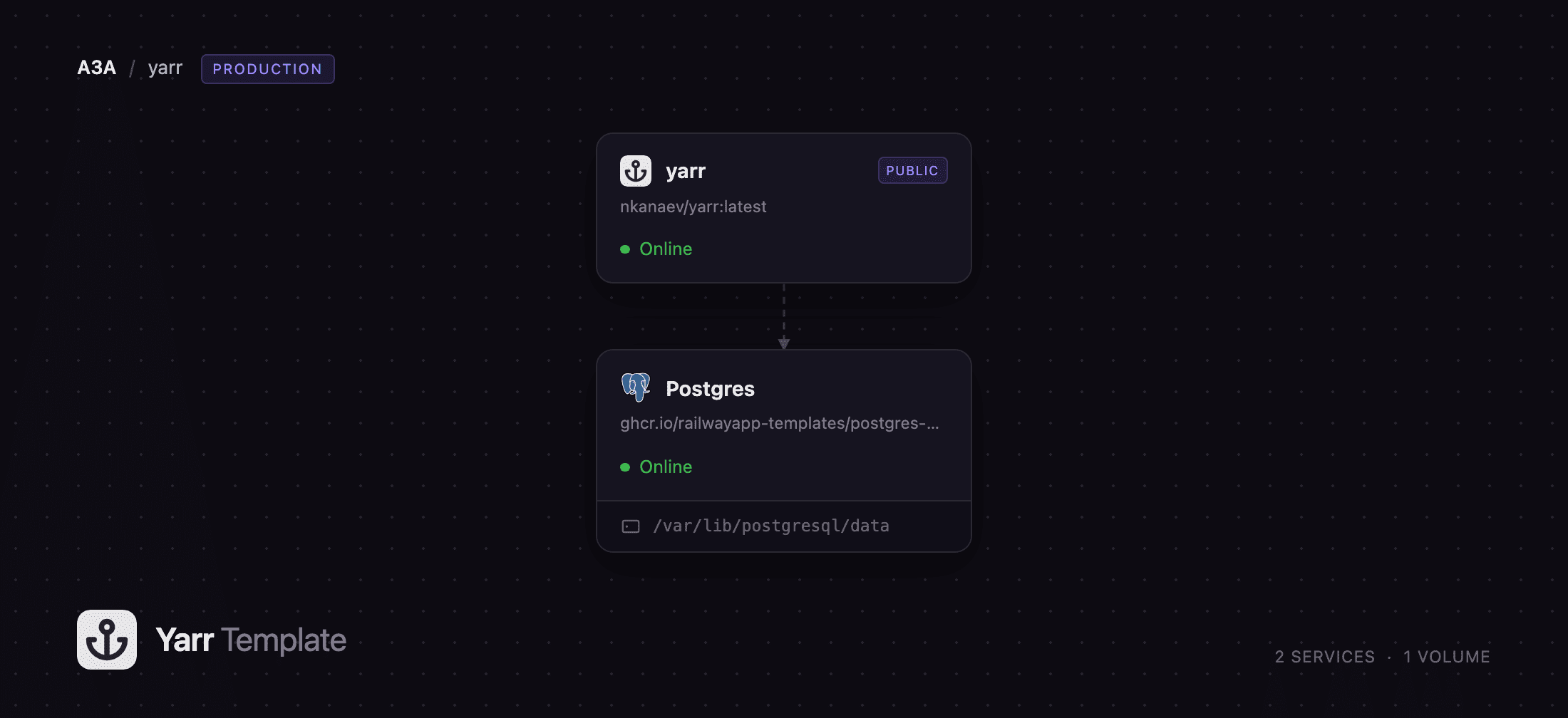
Deploy yarr on Railway and you get two services. The yarr service runs the published nkanaev/yarr image and serves the web UI on a generated public domain; it also runs the feed-fetching worker in the same process. The Postgres service holds every feed, article, star and preference on its own volume, reached over Railway's private network, so the database is never exposed to the internet. Sign-in credentials come from one variable, and the reader is closed to everyone else from the first request.
Getting Started with yarr on Railway
Open the yarr service's public URL and you will be asked for a username and password. There is no registration page: yarr has exactly one account, and it is whatever sits in the YARR_AUTH variable, in username:password form. The template pre-fills it with admin and a generated password, so read that variable before your first visit — or replace it with credentials of your own and let the service redeploy.
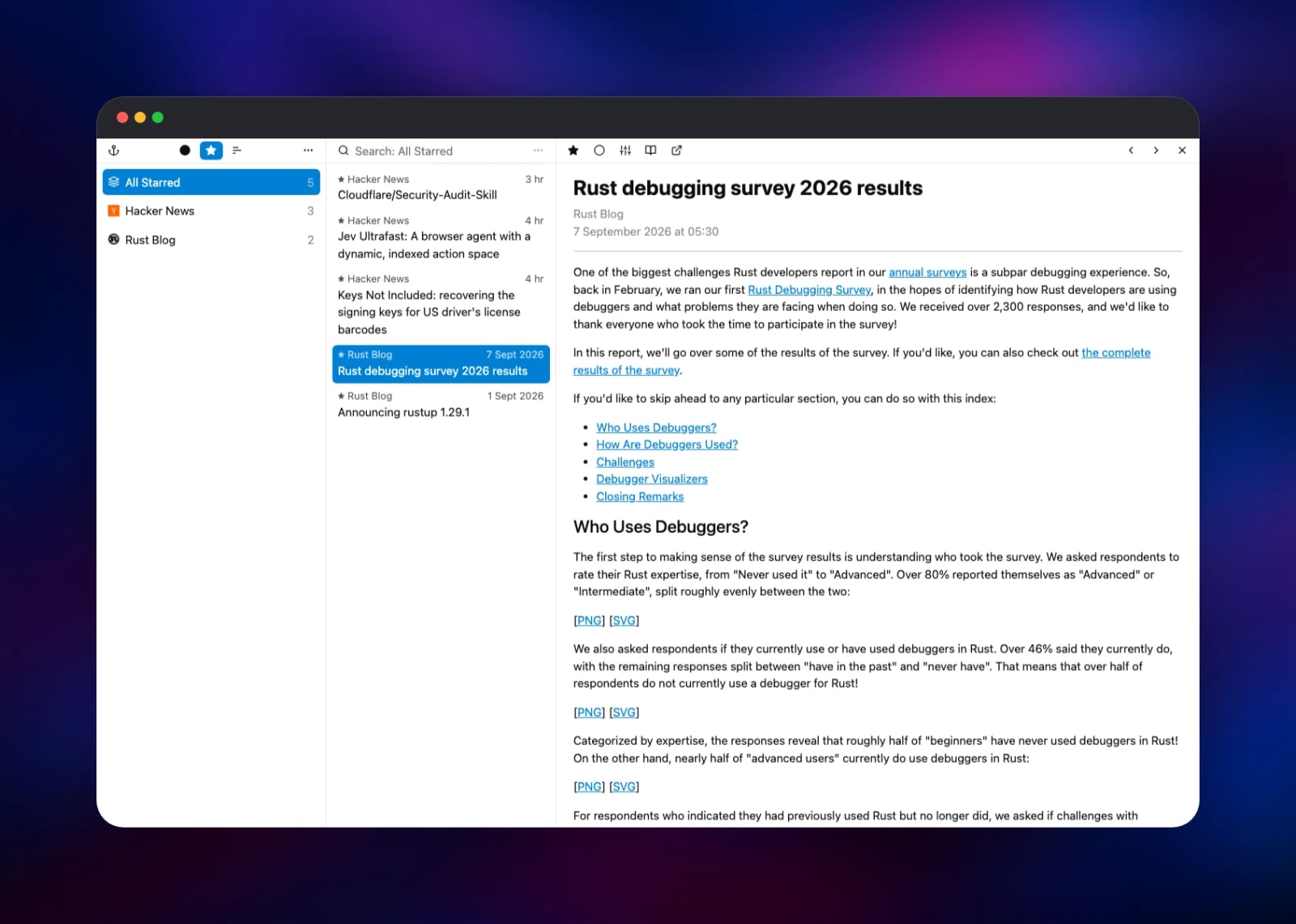
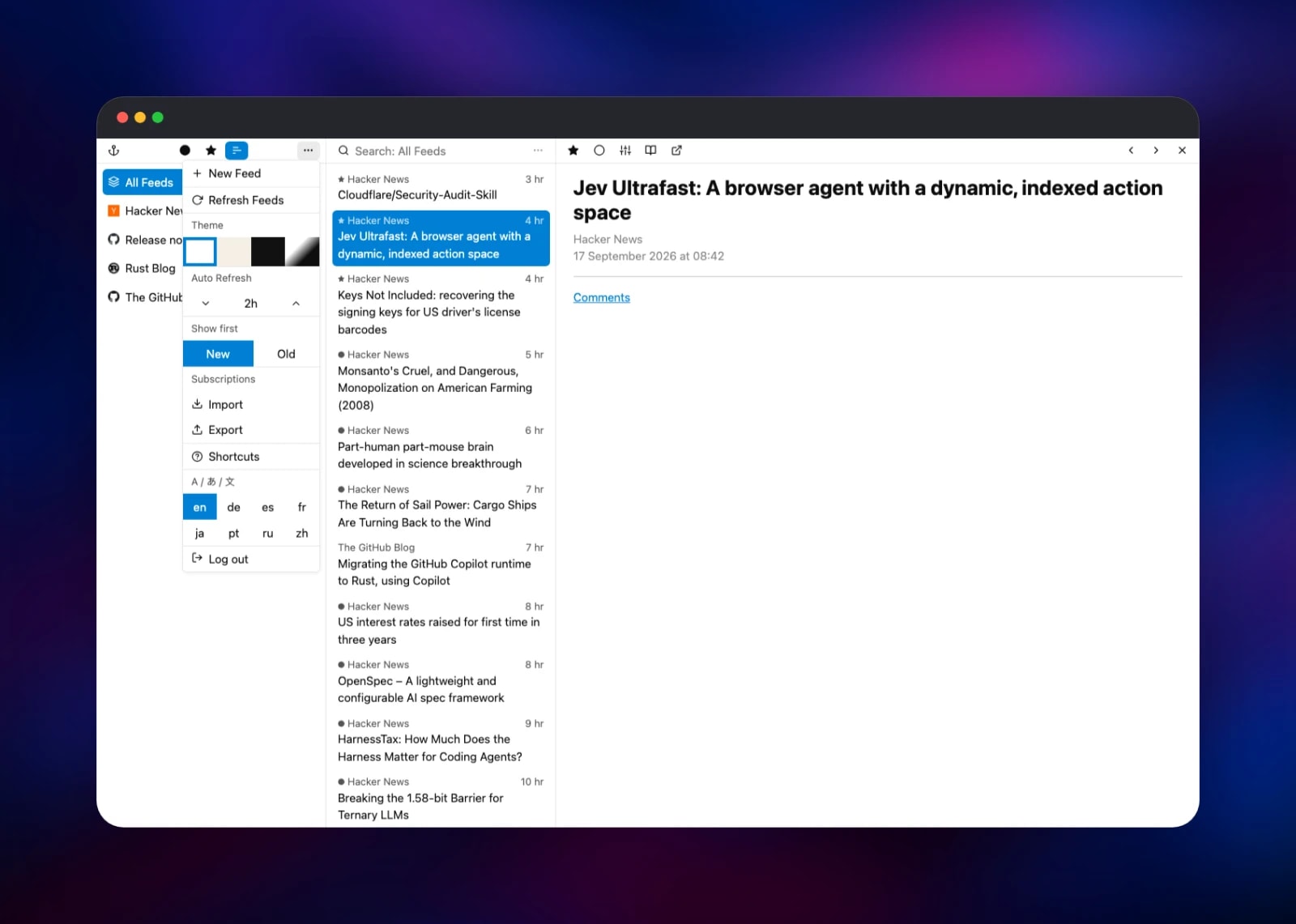
Once in, open the ⋯ menu above the feed list and choose New Feed. Paste a feed URL — https://blog.rust-lang.org/feed.xml is a good first test — and click Add. yarr fetches it immediately: within seconds the sidebar gains an entry with a favicon and the middle column fills with articles. Click one and the article renders on the right, with an unread toggle, a star, a font-size control and a Read Here button that pulls the full text for feeds publishing only excerpts. That round trip confirms the deployment end to end — outbound TLS, the Postgres write, and the UI talking to its own API.
Change one setting straight away. yarr ships with Auto Refresh off, so feeds update only when you click Refresh Feeds by hand. In the same menu, raise the Auto Refresh stepper — 30 minutes to a few hours suits most feeds — and the background worker starts polling. That menu also holds the themes, the sort order, and OPML import.
About Hosting yarr
yarr is deliberately small. The server, feed parser, HTML sanitizer and compiled front end are one Go executable with the UI assets embedded in it, so the container starts in under a second and idles on a few dozen megabytes — a good fit for a reader you want to leave running for years.
Key features:
- Three-pane reading UI with folders, keyboard shortcuts and per-selection search
- Starring and read/unread state shared across every device you sign in from
- Read Here full-text extraction for feeds that publish truncated summaries
- OPML import and export, so moving in or out is a single file
- Fever API at
/feverfor third-party mobile and desktop clients - Light, sepia and night themes, adjustable fonts, eight languages
- SQLite or PostgreSQL storage, selected by the connection string
The two services divide the work simply: yarr serves HTTP and polls your feeds, Postgres stores them. Because all state lives in the database, the app service needs no volume of its own.
Why Deploy yarr on Railway
Railway removes the parts of self-hosting that cost the most time:
- Managed PostgreSQL with its own volume, backups and metrics, in one click
- A public HTTPS domain and certificate issued automatically, no reverse proxy
- Private networking, so Postgres is never internet-facing
- Variables and a health check wired up before the first boot
- Redeploys that pull a newer image without touching your data
Common Use Cases
- A private news and blog reader for one person, replacing Feedly or Inoreader without the subscription or the tracking
- A release-watching dashboard following GitHub
releases.atomfeeds for every dependency a team relies on - A sync backend for iOS and macOS reader apps over the Fever API
Dependencies for yarr
- yarr —
nkanaev/yarr:latestfrom Docker Hub, built from github.com/nkanaev/yarr. Serves the web UI and runs the feed-fetch worker in one process. - Postgres —
ghcr.io/railwayapp-templates/postgres-ssl:18on a 5 GB volume. Holds feeds, folders, articles, stars, read state and every preference, including the theme and the refresh interval.
yarr reaches Postgres over the private network only. Nothing else is required: no Redis, no object storage, no worker service.
Environment Variables Reference
| Variable | Service | Purpose |
|---|---|---|
YARR_AUTH | yarr | The single account, as username:password. Blank publishes the reader unauthenticated |
YARR_DB | yarr | A postgres:// or postgresql:// value selects PostgreSQL; anything else is a SQLite file path |
YARR_ADDR | yarr | Must be 0.0.0.0:7070 — yarr defaults to loopback and would be unreachable |
PORT | yarr | The port Railway health-checks |
YARR_BASE | yarr | Optional URL sub-path, for serving yarr under /reader. Blank means the domain root |
Deployment Dependencies
- Source repository: github.com/nkanaev/yarr (MIT)
- Container image: hub.docker.com/r/nkanaev/yarr
- Documentation: nkanaev.github.io/yarr
Hardware Requirements for Self-Hosting yarr
| Resource | Minimum | Recommended |
|---|---|---|
| CPU | 0.1 vCPU | 0.5 vCPU |
| RAM | 128 MB | 512 MB |
| Storage | 1 GB (Postgres volume) | 5 GB |
| Runtime | Go on Alpine, PostgreSQL 18 | Same |
yarr is among the lightest self-hosted applications you can run. Memory stays flat with a few hundred feeds, and old items are pruned automatically, so the default 5 GB volume covers years of reading.
Self-Hosting yarr
The published image is all you need. This starts yarr with SQLite in a named Docker volume:
docker run -d --name yarr \
  -p 7070:7070 \
  -v yarr-data:/data \
  -e YARR_AUTH="you:choose-a-password" \
  nkanaev/yarr:latest
For PostgreSQL, hand YARR_DB a connection string and override the image's default arguments — yarr's flags beat its environment variables, so the baked CMD must be cleared before YARR_DB is read:
docker run -d --name yarr \
  -p 7070:7070 \
  -e YARR_ADDR="0.0.0.0:7070" \
  -e YARR_DB="postgresql://user:pass@db:5432/yarr" \
  -e YARR_AUTH="you:choose-a-password" \
  --entrypoint /usr/local/bin/yarr \
  nkanaev/yarr:latest
yarr creates and migrates its own tables on startup, but the database must already exist. Prebuilt binaries for Linux, macOS and Windows are on the releases page.
Is yarr Free?
yarr is free and open source under the MIT licence: no paid tier, no hosted plan, no feed limit, no telemetry. On Railway you pay only for the compute and storage the two services use, which for a personal reader is small — yarr idles at a fraction of a vCPU.
FAQ
What is yarr?
yarr ("yet another rss reader") is an open-source web-based feed aggregator. It subscribes to RSS, Atom and JSON feeds, fetches new articles on a schedule, and presents them in a three-pane interface with search, folders and read state.
What does this Railway template deploy?
Two services: yarr from the nkanaev/yarr image with a public HTTPS domain, and a managed PostgreSQL 18 database on its own volume. The reader is configured, authenticated and ready for its first feed when the deploy finishes.
Why does the template include a Postgres database?
yarr can store data in a SQLite file, but that ties the reader to one container's filesystem. PostgreSQL moves every feed, article and preference into a managed database with its own volume and backups, so the app service can be redeployed or upgraded without risking your subscriptions. It also means the yarr service itself needs no volume.
How do I log in to self-hosted yarr for the first time?
There is no registration flow. Open the public URL and sign in with the credentials in the YARR_AUTH variable, formatted username:password. Edit that variable to set your own and the service redeploys with them.
Why aren't my feeds updating automatically?
yarr ships with its auto-refresh interval set to zero, which disables background polling. Open the ⋯ menu above the feed list and raise Auto Refresh. The setting is stored in the database, so it survives redeploys.
Can I use yarr with Reeder or another mobile RSS app?
Yes. yarr implements the Fever API at /fever on your public domain. Point a Fever-compatible client — Reeder, Unread, ReadKit, Fiery Feeds or Fluent Reader — at https://your-domain/fever and sign in with the same credentials. The Fever API requires YARR_AUTH, which this template sets.
Template Content


