
Deploy Your Spotify
Records your Spotify listening history and charts it as statistics

MongoDB
Just deployed
/data/db
Just deployed

Just deployed
Just deployed
Deploy and Host Your Spotify on Railway
Self-host Your Spotify to keep a permanent, private record of everything you listen to on Spotify. Wrapped arrives once a year and then disappears; Your Spotify polls the Spotify Web API every few minutes, stores each play in your own database, and turns that history into dashboards you can query whenever you like — top tracks, artists and albums over any period, listening time by hour and weekday, per-artist pages, and affinity comparisons between people sharing an instance. It is Last.fm-style scrobbling without handing your history to anyone else.
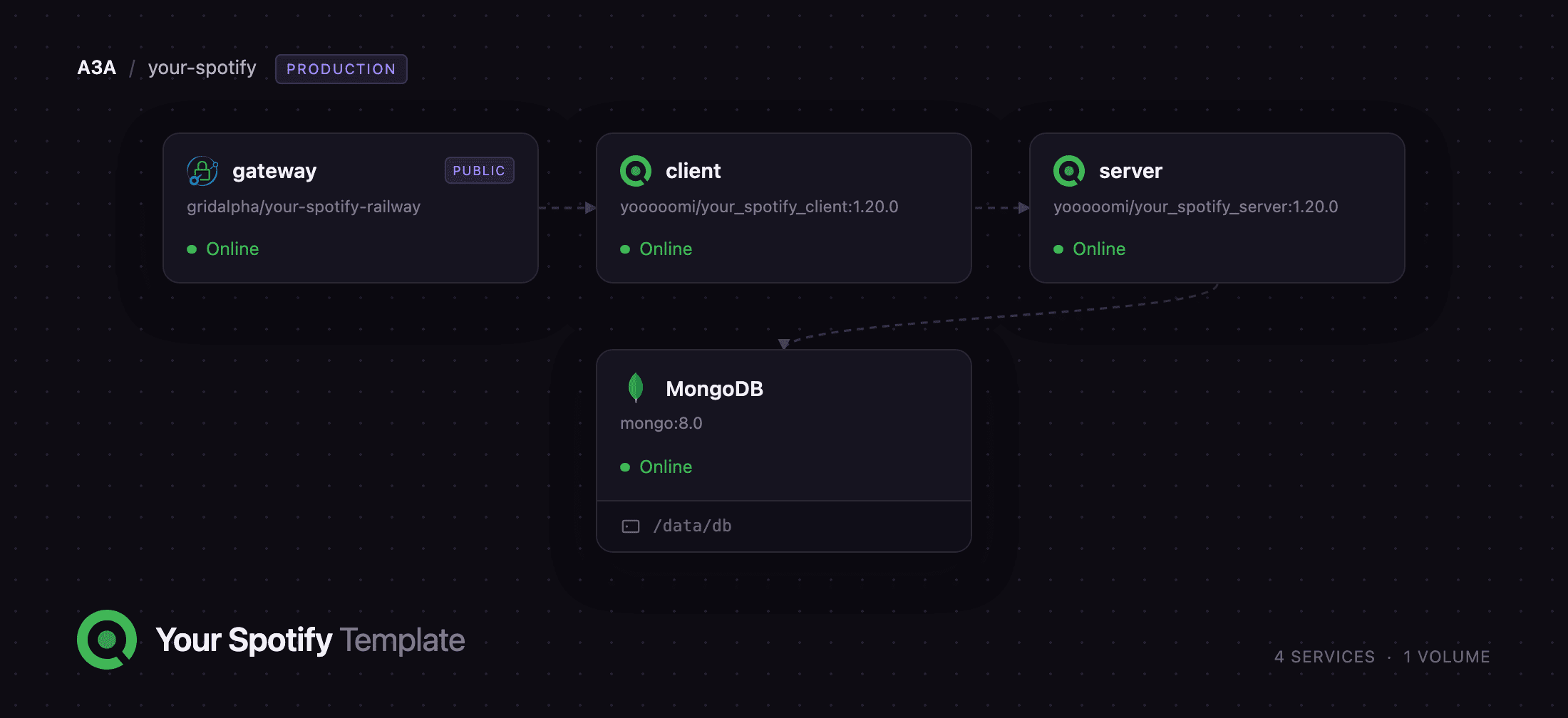
Deploy Your Spotify on Railway and the four services are wired together for you. gateway is a Caddy reverse proxy and the only service with a public URL: it serves the dashboard at / and forwards /api/* to the backend, so the browser sees a single origin. client is the React dashboard, server is the Express API that polls Spotify and answers its queries, and MongoDB stores your listening history on a persistent volume. You supply one thing after deploying: the client ID and secret of a Spotify application on your own developer account.
Getting Started with Your Spotify on Railway
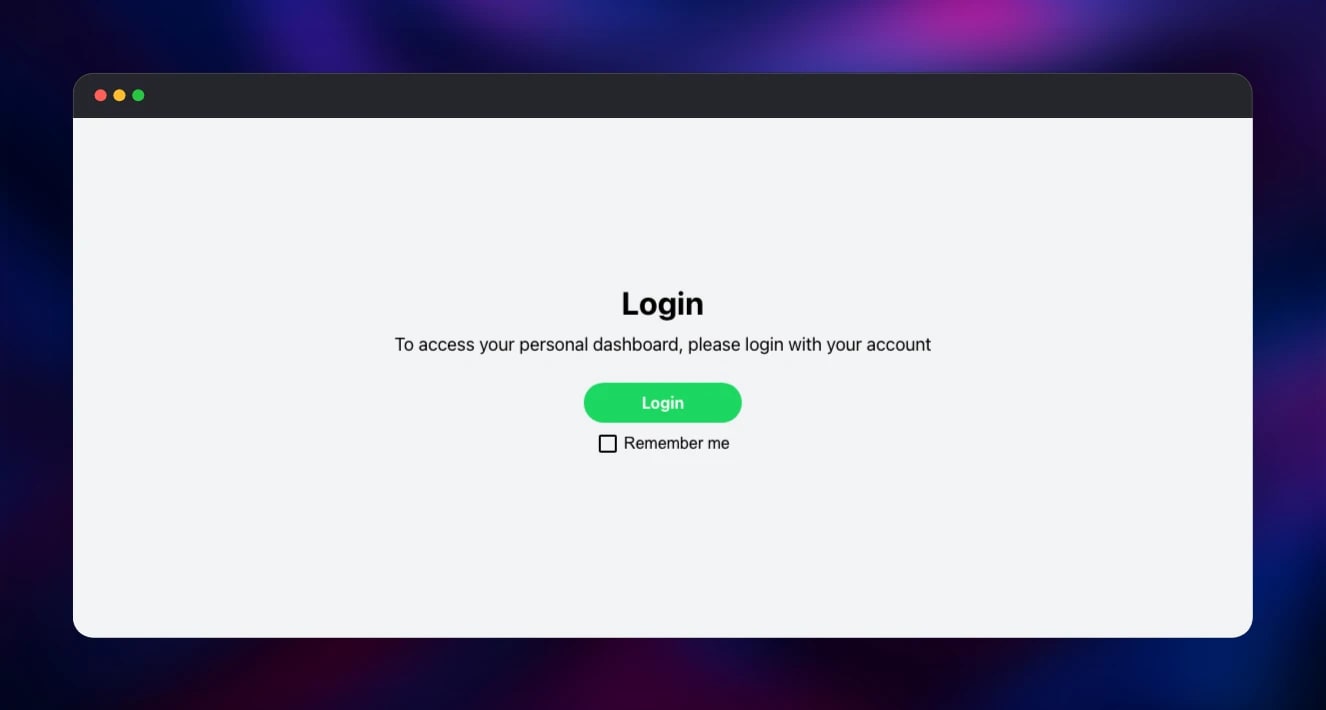
Copy the public URL from the gateway service — that is your instance. It opens on a sign-in screen with a single Login button, which does nothing yet, because the instance has no Spotify credentials.
In the Spotify Developer Dashboard, click Create app and name it anything. Under Redirect URIs, enter your instance URL followed by /api/oauth/spotify/callback — the /api prefix matters, because the gateway routes the backend under that path:
https://your-instance.up.railway.app/api/oauth/spotify/callback
Copy the app's Client ID and Client Secret and set them on the server service as SPOTIFY_PUBLIC and SPOTIFY_SECRET; saving them redeploys it. Return to your instance and click Login — Spotify asks you to authorise the app, and you land on the dashboard.
The first account to sign in becomes the administrator, so do that before sharing the URL, then open Settings and turn off new registrations. History fills only from this point forward, so the dashboard looks sparse at first; to backfill, request your data from Spotify's privacy page and upload the JSON files under Settings → Import. Anyone else using the instance needs their Spotify account added to your app's user list, since new applications start in development mode.
About Hosting Your Spotify
Your Spotify is an open-source listening tracker built on the Spotify Web API. The backend requests your recently-played tracks on a short interval, deduplicates them, resolves track, album and artist metadata, and writes it all to MongoDB. Because the data lives in your database rather than a vendor's account, statistics reach back as far as you have run the instance — and a privacy-export import extends them to the day you joined Spotify.
Key features:
- Top tracks, albums and artists over any date range, ranked by play count or listening time
- Listening patterns by hour of day, day of week and month, plus longest sessions
- Artist, album and song pages showing your own history
- Multi-user instances with affinity comparisons, and privacy-export imports
The deployment splits the application the way its authors ship it, with one addition: upstream runs the API and dashboard as two containers on two ports, and here they sit behind the gateway so both answer on one hostname. That single origin is a requirement, not a convenience — the API issues a strict same-site session cookie, which browsers refuse to send from a different hostname, so a split deployment would sign you in and then treat every request as anonymous.
Why Deploy Your Spotify on Railway
Railway removes the setup work this stack normally involves.
- Managed MongoDB with a persistent volume and backups, provisioned for you
- Private networking between the gateway, dashboard, API and database
- HTTPS and a public hostname on deploy, with no certificate management
- Reverse proxy, health checks and service wiring already configured
Common Use Cases
- Keeping a permanent personal listening archive independent of Spotify Wrapped
- Sharing an instance with friends or family to compare musical affinity
- Backfilling years of history from a Spotify privacy-data export
Dependencies for Your Spotify
yooooomi/your_spotify_server:1.20.0— the Express API, Spotify poller and importeryooooomi/your_spotify_client:1.20.0— the React dashboard, served as static filescaddy:2-alpine— the gateway putting the dashboard and API on one originmongo:8.0— Railway's managed MongoDB, holding every play and track
The two application images are pinned to the same version deliberately: the dashboard bundle and the API ship together, and mixing them can leave the UI calling endpoints the backend does not serve.
Environment Variables Reference
| Variable | Service | Purpose |
|---|---|---|
SPOTIFY_PUBLIC | server | Client ID of your own Spotify application |
SPOTIFY_SECRET | server | Client secret of the same application |
API_ENDPOINT | server, client | Public API URL, including the /api prefix |
CLIENT_ENDPOINT | server | Public URL of the dashboard |
MONGO_ENDPOINT | server | Connection string, including authSource=admin |
TIMEZONE | server | Timezone your statistics are reported in |
COOKIE_VALIDITY_MS | server | Session lifetime; defaults to one hour |
PROMETHEUS_USERNAME | server | Enables /metrics when set with a password |
Deployment Dependencies
- Source repository: https://github.com/Yooooomi/your_spotify
- Docker images: https://hub.docker.com/r/yooooomi/your_spotify_server
- Spotify Developer Dashboard: https://developer.spotify.com/dashboard
- Runtime: Node.js on Alpine, with MongoDB 8 as the datastore
Hardware Requirements for Self-Hosting Your Spotify
| Resource | Minimum | Recommended |
|---|---|---|
| CPU | 1 vCPU shared | 2 vCPU |
| RAM | 1 GB across all services | 2 GB |
| Storage | 1 GB for MongoDB | 5 GB for multi-user instances |
| Runtime | Node.js 25, MongoDB 8 | Same |
The workload is light: the poller makes a handful of API calls per user every few minutes, and a year of one person's history is tens of megabytes. Storage grows with users and imports rather than uptime.
Self-Hosting Your Spotify
Outside Railway the project ships a Docker Compose file. This runs the same three containers locally:
services:
  server:
    image: yooooomi/your_spotify_server:1.20.0
    ports: ["8080:8080"]
    environment:
      API_ENDPOINT: http://localhost:8080
      CLIENT_ENDPOINT: http://localhost:3000
      SPOTIFY_PUBLIC: your_client_id
      SPOTIFY_SECRET: your_client_secret
  web:
    image: yooooomi/your_spotify_client:1.20.0
    ports: ["3000:3000"]
    environment:
      API_ENDPOINT: http://localhost:8080
  mongo:
    image: mongo:8
    volumes: ["./db:/data/db"]
Bring it up, then open the dashboard on port 3000:
docker compose up -d
docker compose logs -f server
Locally the dashboard and API can use different ports because both are localhost, which browsers treat as one site. On a public domain they must share an origin, which is what the gateway provides.
Is Your Spotify Free?
Your Spotify is free and open source under the GPL-3.0 licence, with no paid tier, seat limits or hosted plan. A Spotify developer application is free too. The only cost is the Railway infrastructure the four services use, which stays small on a personal instance because nothing works hard between polls.
FAQ
What is Your Spotify?
Your Spotify is a self-hosted web application that records your Spotify listening history in your own database and presents it as dashboards covering top tracks, artists, albums and listening patterns over any period.
What does this Railway template deploy?
Four services: a Caddy gateway holding the public URL, the React dashboard, the Express API that polls Spotify, and managed MongoDB on a persistent volume. Only the gateway is reachable from the internet.
Do I need a Spotify Premium account to self-host Your Spotify?
No. A free Spotify account can create a developer application and authorise the instance; the recently-played endpoint the tracker uses does not require Premium.
Why does this template include MongoDB?
Every play, track, album and artist record is stored there, and it is the only stateful part of the deployment — without it the instance could not survive a restart.
How do I let other people use my self-hosted Your Spotify instance?
Add their Spotify accounts to the user list of your application in the developer dashboard, then re-enable registrations in Settings while they sign in. New applications run in development mode, so accounts you have not listed cannot log in even with the URL.
Can I change how long a Your Spotify login lasts?
Yes. Set COOKIE_VALIDITY_MS on the server service to a duration such as 7d. It defaults to one hour, which means frequent re-authentication.
Template Content

