
Deploy Youtube Alternative
Video streaming platform — live, uploads, transcoding and more.

Just deployed
/var/lib/postgresql/data
Peertube
Just deployed
/data

redis
Just deployed
/data
Deploy and Host PeerTube on Railway
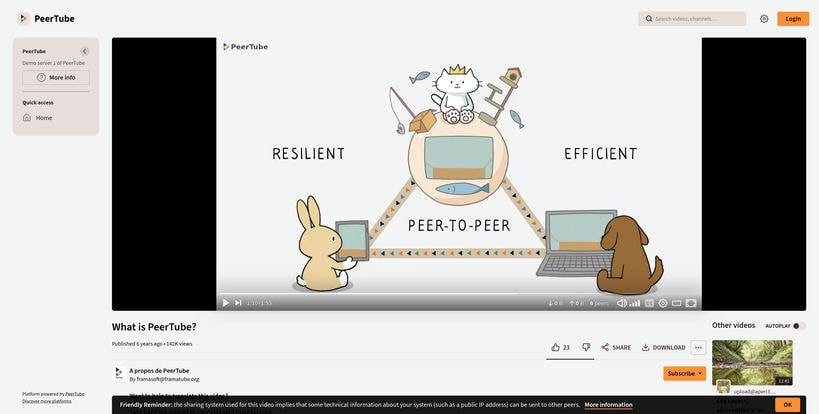
PeerTube is an open-source, decentralized video hosting platform that lets you build your own YouTube-like service. It supports video uploads, live streaming, HLS transcoding, channels, playlists, user accounts, and optional federation through ActivityPub, giving creators, communities, and organizations complete ownership of their video platform and content.
About Hosting PeerTube
Hosting PeerTube on Railway provides a fully managed environment for running your own video platform without maintaining servers or networking infrastructure. This template deploys three Railway services: the PeerTube application, PostgreSQL for persistent data storage, and Redis for background jobs and queues. A Railway Volume stores uploaded videos, thumbnails, HLS assets, and configuration files, while Railway automatically provisions HTTPS and private networking between services. Live streaming is supported through a Railway TCP Proxy on port 1935, allowing broadcasting software such as OBS to publish directly to your instance. As your library grows, Railway makes it easy to scale compute resources and storage while handling the underlying infrastructure.
Common Use Cases
- Launch a creator-owned video platform with complete control over branding and content.
- Build a company, educational, or community video portal with channels, playlists, and user accounts.
- Host live streams and participate in the decentralized Fediverse through ActivityPub federation.
Dependencies for PeerTube Hosting
| Dependency | Purpose |
|---|---|
| PostgreSQL 17 | Stores users, videos, metadata, comments, and application data. |
| Redis | Handles background jobs, transcoding queues, and asynchronous tasks. |
| Railway Volume | Persists uploaded videos, thumbnails, HLS assets, and configuration files. |
Deployment Dependencies
| Resource | Link |
|---|---|
| Official Documentation | https://docs.joinpeertube.org/ |
| PeerTube Website | https://joinpeertube.org/ |
| GitHub Repository | https://github.com/Chocobozzz/PeerTube |
Implementation Details
Docker
This template deploys the following Railway services:
| Service | Image |
|---|---|
| PeerTube | nomideusz/peertube-railway |
| PostgreSQL | postgres:17-alpine |
| Redis | redis:7-alpine |
Railway automatically deploys all services from their container images. No custom build or start commands are required.
Public Networking
HTTP Access
| Setting | Value |
|---|---|
| Proxy Type | HTTP Proxy |
| Target Port | 9000 |
Live Streaming
| Setting | Value |
|---|---|
| Proxy Type | TCP Proxy |
| Target Port | 1935 |
Generate a Railway domain from Settings → Networking → Generate Domain to access PeerTube over HTTPS.
To enable RTMP live streaming:
- Open Settings → Networking.
- Add a TCP Proxy.
- Set the application port to 1935.
Environment Variables
| Variable | Required | Description |
|---|---|---|
PORT | Yes | HTTP port used by PeerTube. |
PEERTUBE_SECRET | Yes | Secret used to secure the PeerTube instance. |
PEERTUBE_DB_NAME | Yes | PostgreSQL database name. |
PEERTUBE_DB_HOSTNAME | Yes | Railway PostgreSQL private hostname. |
PEERTUBE_DB_PORT | Yes | PostgreSQL port. |
PEERTUBE_DB_USERNAME | Yes | PostgreSQL username. |
PEERTUBE_DB_PASSWORD | Yes | PostgreSQL password. |
PEERTUBE_DB_SSL | Yes | Enables or disables PostgreSQL SSL. |
PEERTUBE_REDIS_HOSTNAME | Yes | Railway Redis private hostname. |
PEERTUBE_WEBSERVER_HOSTNAME | Yes | Public hostname for your PeerTube instance. |
PEERTUBE_ADMIN_EMAIL | Yes | Administrator email address. |
PT_INITIAL_ROOT_PASSWORD | Yes | Initial password for the root administrator account. |
NODE_CONFIG_DIR | Yes | Configuration directory search path. |
PEERTUBE_LOCAL_CONFIG | Yes | Persistent configuration directory. |
Example:
PORT=9000
NODE_CONFIG_DIR=/app/config:/app/support/docker/production/config:/data/config
PEERTUBE_DB_SSL=false
PEERTUBE_SECRET=${{secret(64)}}

PEERTUBE_DB_NAME=${{Postgres.POSTGRES_DB}}
PEERTUBE_DB_HOSTNAME=${{Postgres.RAILWAY_PRIVATE_DOMAIN}}
PEERTUBE_DB_PORT=5432
PEERTUBE_DB_USERNAME=${{Postgres.POSTGRES_USER}}
PEERTUBE_DB_PASSWORD=${{Postgres.POSTGRES_PASSWORD}}

PEERTUBE_REDIS_HOSTNAME=${{Redis.RAILWAY_PRIVATE_DOMAIN}}

PEERTUBE_LOCAL_CONFIG=/data/config
PEERTUBE_WEBSERVER_HOSTNAME=${{RAILWAY_PUBLIC_DOMAIN}}

PEERTUBE_ADMIN_EMAIL=admin@example.com
PT_INITIAL_ROOT_PASSWORD=${{secret(16)}}
Use Railway reference variables for PostgreSQL and Redis connection details whenever possible.
Persistent Storage
PeerTube requires persistent storage for uploaded videos, thumbnails, HLS assets, and application configuration.
To add a Railway Volume:
- Open the PeerTube service.
- Go to Settings → Volumes.
- Click Add Volume.
- Mount the volume at:
/data
For larger deployments, PeerTube also supports S3-compatible object storage using the PEERTUBE_OBJECT_STORAGE_* environment variables. This is recommended when your media library outgrows a single Railway Volume.
Database
This template requires both PostgreSQL and Redis.
- Add the Railway PostgreSQL service.
- Add the Railway Redis service.
- Configure PeerTube using the Railway reference variables.
PostgreSQL stores all persistent application data, including users, videos, comments, and metadata.
Redis is used for background jobs and transcoding queues. It is intentionally ephemeral—if Redis restarts, only queued but unprocessed jobs are lost. Persistent application data remains safely stored in PostgreSQL and the Railway Volume.
Build & Start
The application is deployed from the provided Docker image.
No custom build or start commands are required.
Accessing the Application
After deployment:
- Generate a Railway public domain.
- Open the generated URL.
- Log in with the username root using the password stored in
PT_INITIAL_ROOT_PASSWORD. - Change the administrator password immediately.
- Configure your instance, create channels, and upload your first videos.
To enable live streaming:
- Open Administration → Configuration → Live Streaming.
- Enable live streaming.
- Create a live video to obtain a stream key.
- Configure OBS (or another RTMP client):
Server: rtmp:///live
Stream Key:
Operational Notes
- Video transcoding runs on CPU using the bundled FFmpeg. HD video processing may take longer than real time. Consider reducing enabled transcoding profiles if you don't require multiple output resolutions.
- Configure the
PEERTUBE_SMTP_*environment variables to enable registration emails, password resets, and other email notifications. - If you later attach a custom domain, update
PEERTUBE_WEBSERVER_HOSTNAMEbefore enabling federation, as this hostname becomes your instance's federated identity.
Why Deploy PeerTube on Railway?
Railway is a singular platform to deploy your infrastructure stack. Railway will host your infrastructure so you don't have to deal with configuration, while allowing you to vertically and horizontally scale it.
By deploying PeerTube on Railway, you are one step closer to supporting a complete full-stack application with minimal burden. Host your servers, databases, AI agents, and more on Railway.
Template Content


