
Deploy Zammad
Helpdesk software that turns customer emails into tracked tickets
zammad-scheduler
Just deployed
zammad-railsserver
Just deployed

Just deployed
/var/lib/postgresql/data

memcached
Just deployed

Redis
Just deployed
/data
zammad-nginx
Just deployed
zammad-websocket
Just deployed

elasticsearch
Just deployed
/usr/share/elasticsearch/data
zammad-storage
Bucket
Just deployed
Deploy and Host Zammad on Railway
Zammad is an open-source helpdesk that pulls email, web forms, phone notes, chat and messenger conversations into one shared agent inbox. Teams use it to replace a shared mailbox or a paid ticketing suite with something they control: full-text search across every conversation, SLAs and escalation timers, trigger and scheduler automation, a knowledge base, per-group permissions and a REST API. Developed in the open since 2016 under AGPL-3.0, it is a common pick for teams wanting Zendesk-style workflows without per-agent billing.
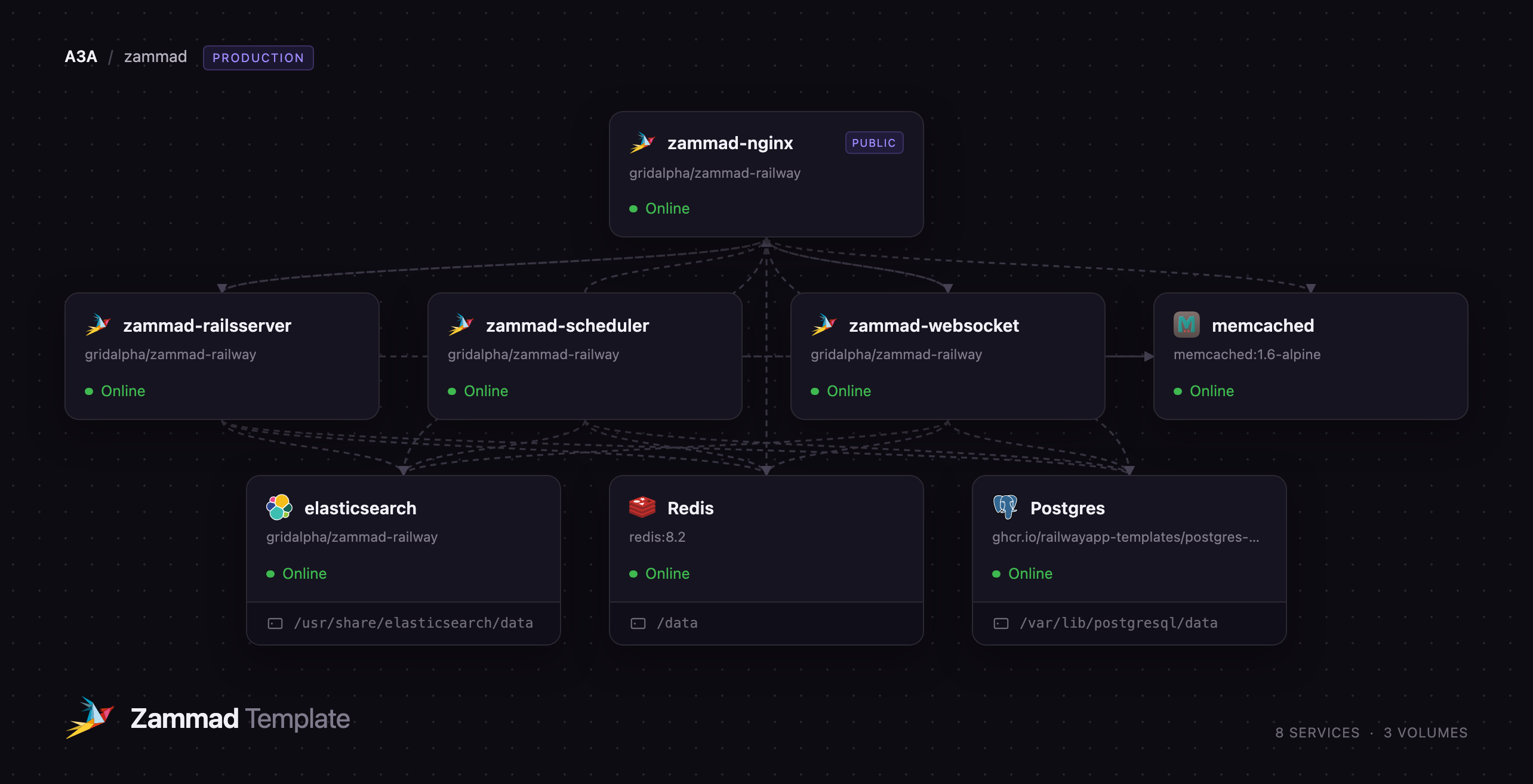
Self-host Zammad on Railway with the production topology its maintainers run, already wired together. The template splits Zammad into its four documented roles — a reverse proxy owning the public domain, a Rails application server, a websocket server for live updates and a background scheduler — and puts PostgreSQL, Redis, memcached and Elasticsearch behind them on the private network. Attachments go to an object-storage bucket rather than a disk, so the application tier stays stateless.
Getting Started with Zammad on Railway
Set ZAMMAD_ADMIN_EMAIL and ZAMMAD_ADMIN_PASSWORD before deploying — those two values are all the template asks for. The first boot creates the schema, seeds Zammad's default groups, roles and states, builds the Elasticsearch index, then creates that administrator through Zammad's own setup wizard. The wizard is closed by the time the public URL answers, so nobody who finds it can claim the admin account.
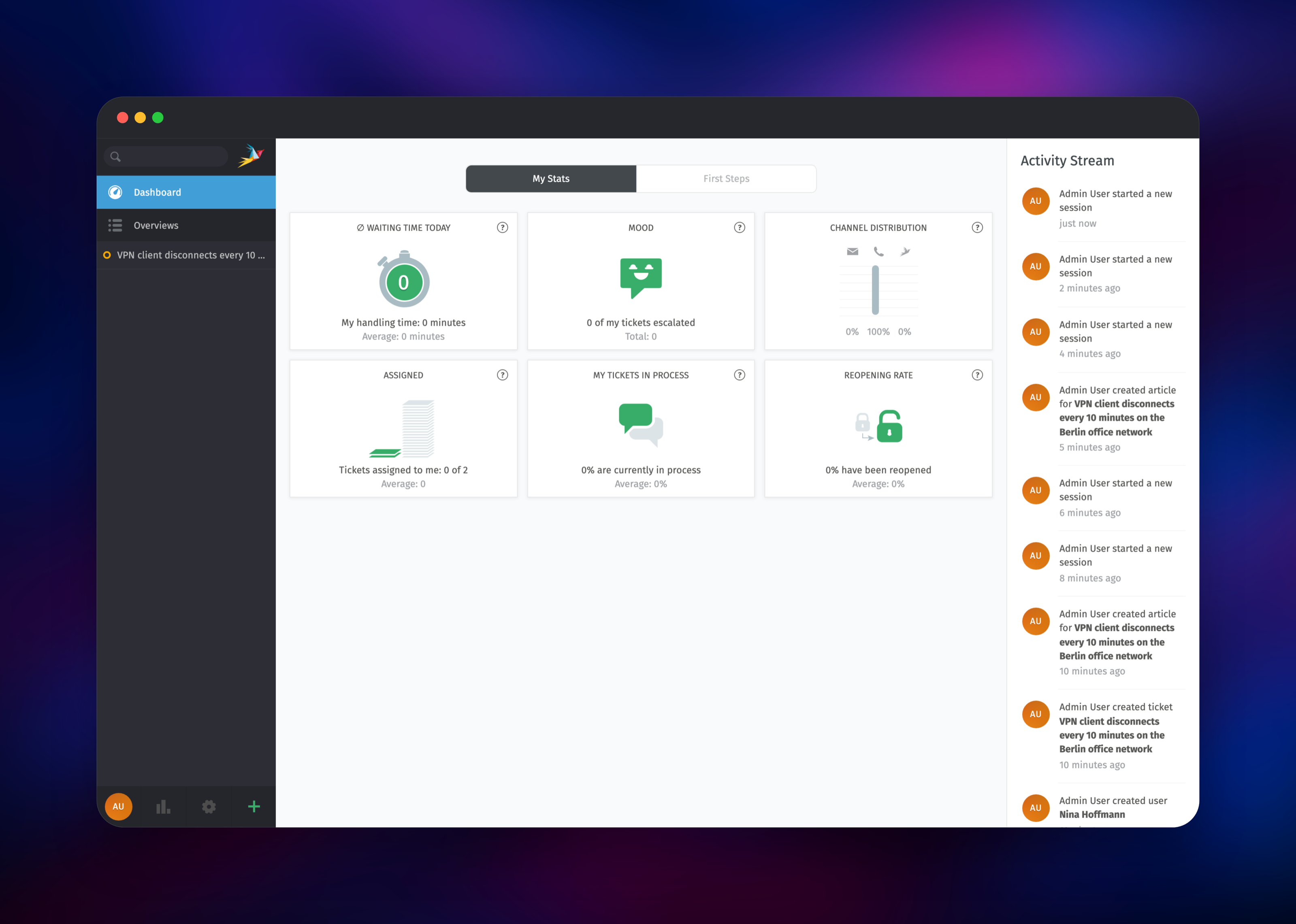
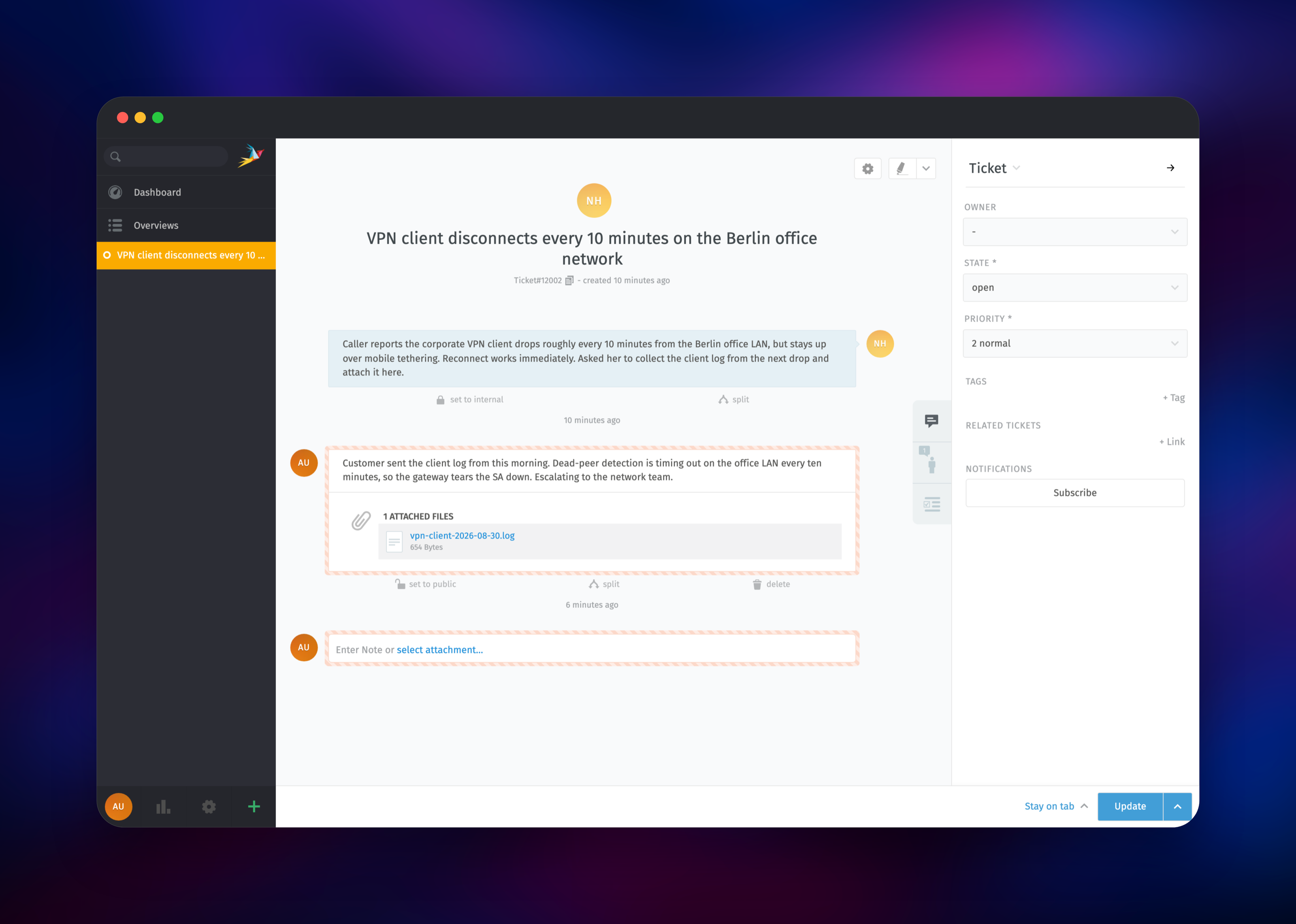
Open the public URL of the zammad-nginx service and sign in. You land on the agent dashboard. Click + in the lower-left corner to open a ticket, type a customer email address into the Customer field and choose Create new Customer to add them inline, then write the first article and press Create. Search a word from that article in the top-left box: a hit proves Elasticsearch is indexing, and the activity stream updating without a refresh proves the websocket service is reachable. Drag a file onto a note to confirm attachments reach the bucket. Then open Administration → Channels → Email to connect your mailbox and Manage → Groups to model your queues.
About Hosting Zammad
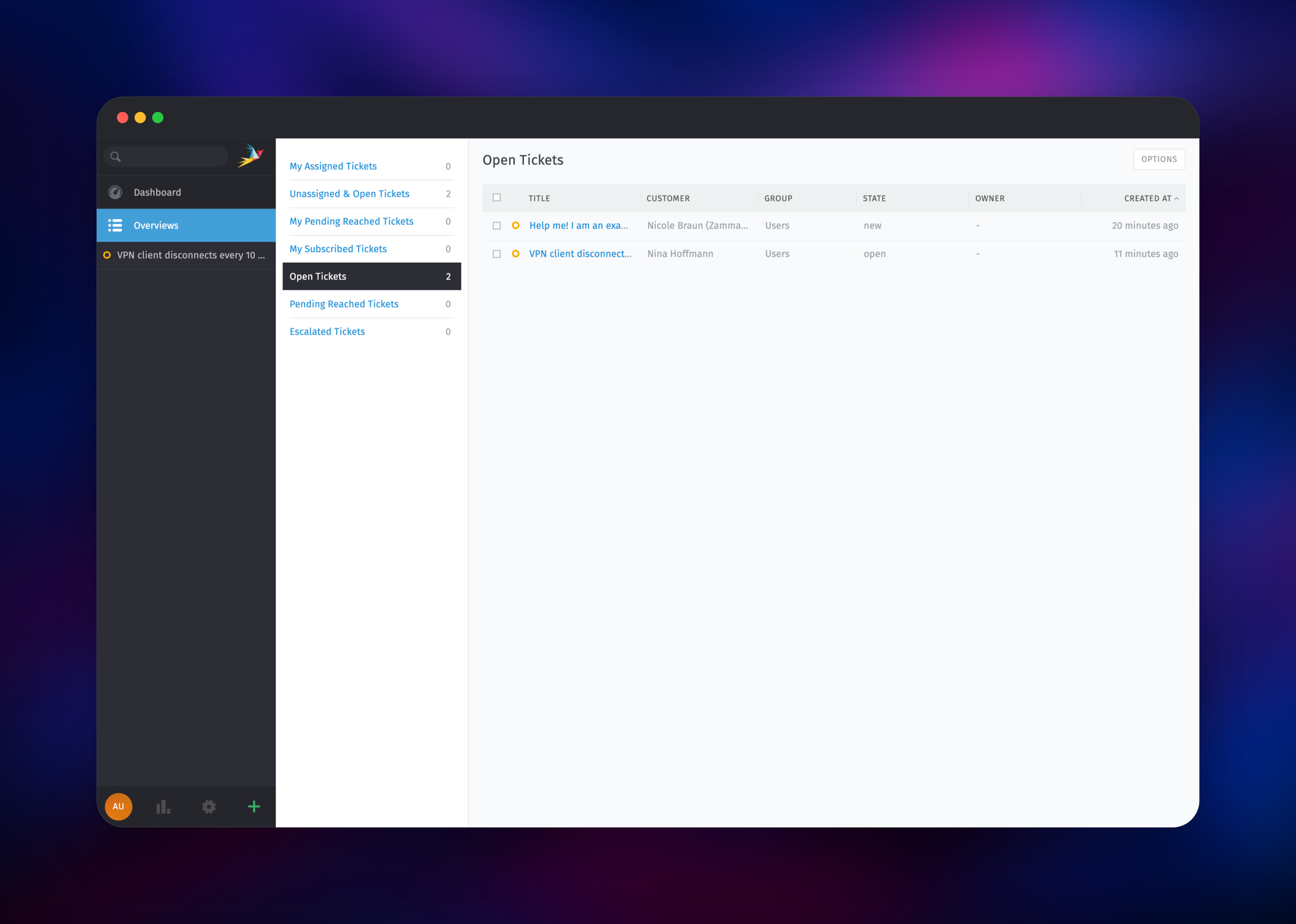
Zammad is a full service desk, not a shared inbox with tags. A ticket carries state, priority, owner, group, tags, links, time accounting and a complete audit history; agents work it through overviews they define themselves, while triggers and scheduled jobs act on it automatically. Support archives hold some of the most sensitive data an organisation has, and Zammad's licence lets you keep it on infrastructure you control.
Key capabilities:
- Email, web form, phone, chat, Telegram, WhatsApp and Microsoft 365 channels
- SLAs with escalation timers, business calendars and per-group targets
- Triggers, macros, scheduled jobs and a Core Workflow automation engine
- Customer-facing knowledge base with drafts, translations and public links
- Fine-grained roles, per-group permissions, LDAP/SAML/OIDC sign-on, REST API
The service split mirrors how Zammad runs in production. zammad-nginx terminates traffic, serves the compiled frontend and splits /ws from the application, which is why it is the only service with a public domain. zammad-railsserver runs Puma and owns schema migrations. zammad-websocket holds the connections that push live updates to open tabs. zammad-scheduler runs delayed jobs, escalations, email fetching and indexing away from request traffic. PostgreSQL stores ticket data, Redis the websocket sessions, memcached the Rails cache, Elasticsearch the search index.
Why Deploy Zammad on Railway
Railway removes the server work Zammad's install guide assumes:
- All eight services provisioned and connected in one deploy
- Managed PostgreSQL and Redis with backups and no tuning
- Object storage for attachments, so no disk to size or outgrow
- Private networking between roles; only the proxy is exposed
- Free TLS on a generated domain, or bring your own
- Scale any role independently as ticket volume grows
Common Use Cases
- Replacing a shared
support@mailbox with tracked tickets, SLAs and reporting - Running an internal IT service desk with per-department groups and escalations
- Consolidating email, web form and messenger enquiries into one workflow
Dependencies for Zammad
- Zammad —
ghcr.io/zammad/zammad:latest, four services off one image - PostgreSQL 18 — tickets, users, settings and audit history
- Redis 8 — websocket session store and Action Cable pub/sub
- memcached 1.6 —
memcached:1.6-alpine, the Rails cache - Elasticsearch 9.5.2 —
elasticsearch:9.5.2, the search index - Object storage bucket — attachments, shared by app and scheduler
Environment Variables Reference
| Variable | Purpose |
|---|---|
ZAMMAD_ADMIN_EMAIL | Administrator login created on first boot |
ZAMMAD_ADMIN_PASSWORD | Password for that administrator |
ZAMMAD_ALLOW_SIGNUP | Customer self-registration; false by default |
ZAMMAD_FQDN | Public hostname used in links and live-update origins |
ELASTICSEARCH_ENABLED | Set false to fall back to database search |
NGINX_CLIENT_MAX_BODY_SIZE | Maximum attachment upload size |
ZAMMAD_IMAGE_TAG | Pin every Zammad role to one tag |
Deployment Dependencies
- Source: zammad/zammad
- Reference stack: zammad-docker-compose
- Docs: docs.zammad.org
Hardware Requirements for Self-Hosting Zammad
| Resource | Minimum | Recommended |
|---|---|---|
| CPU | 2 cores | 4–6 cores |
| RAM | 6 GB + 4 GB for Elasticsearch | 8–12 GB |
| Storage | 5 GB search index | 10 GB+ as the archive grows |
| Runtime | Ruby 3.4, PostgreSQL 14+, Elasticsearch 8–9 | In the images |
Zammad's docs give 2 cores and 6 GB as the floor for a small team, roughly 6 cores for 40 agents. Ticket data lives in PostgreSQL and attachments in the bucket, so the only disk that grows is the search index.
Self-Hosting Zammad
Zammad ships as a multi-container stack. Outside Railway its compose project is the quickest route:
git clone https://github.com/zammad/zammad-docker-compose.git
cd zammad-docker-compose
docker compose up -d
That starts the same roles plus its own datastores on http://localhost:8080. To run one role from the published image against datastores you already have, pass the role as the container command:
docker run -d --name zammad-railsserver \
  -e POSTGRESQL_HOST=postgres -e POSTGRESQL_USER=zammad \
  -e POSTGRESQL_PASS=changeme -e POSTGRESQL_DB=zammad_production \
  -e REDIS_URL=redis://redis:6379 \
  -e MEMCACHE_SERVERS=memcached:11211 \
  -e ELASTICSEARCH_HOST=elasticsearch \
  ghcr.io/zammad/zammad:latest zammad-railsserver
Packaged .deb and .rpm builds and a Helm chart are published too.
How Much Does Zammad Cost to Self-Host?
Zammad is free and open source under AGPL-3.0 — no agent limit, no feature gating, no licence key. Its own hosted plans run €7–€25 per agent per month, so a five-agent team pays €420–€1,500 a year for the managed version. Running it here costs only the Railway resources the eight services use, which does not change as you add agents.
FAQ
What is Zammad? An open-source helpdesk that turns email, web forms, phone calls and messenger conversations into tracked tickets with owners, states, SLAs and a searchable history. Written in Ruby on Rails, licensed under AGPL-3.0.
How do I log in to Zammad after deploying it on Railway?
Use the values you set in ZAMMAD_ADMIN_EMAIL and ZAMMAD_ADMIN_PASSWORD. The administrator is created during startup, so no setup wizard sits waiting on the public URL.
Why does self-hosted Zammad need Elasticsearch, Redis and memcached? Elasticsearch indexes titles, article bodies and attachment contents so agents can search the whole archive; without it Zammad falls back to slower database queries. Redis stores websocket sessions so live updates survive a restart, and memcached keeps settings and rendered fragments out of the database.
Can I receive and send email with self-hosted Zammad? Yes, but you supply the mailbox. Under Administration → Channels → Email, add your IMAP or Microsoft 365 account for inbound mail and an SMTP relay for outbound. No mail credentials are bundled, so nothing is silently swallowed before you configure them.
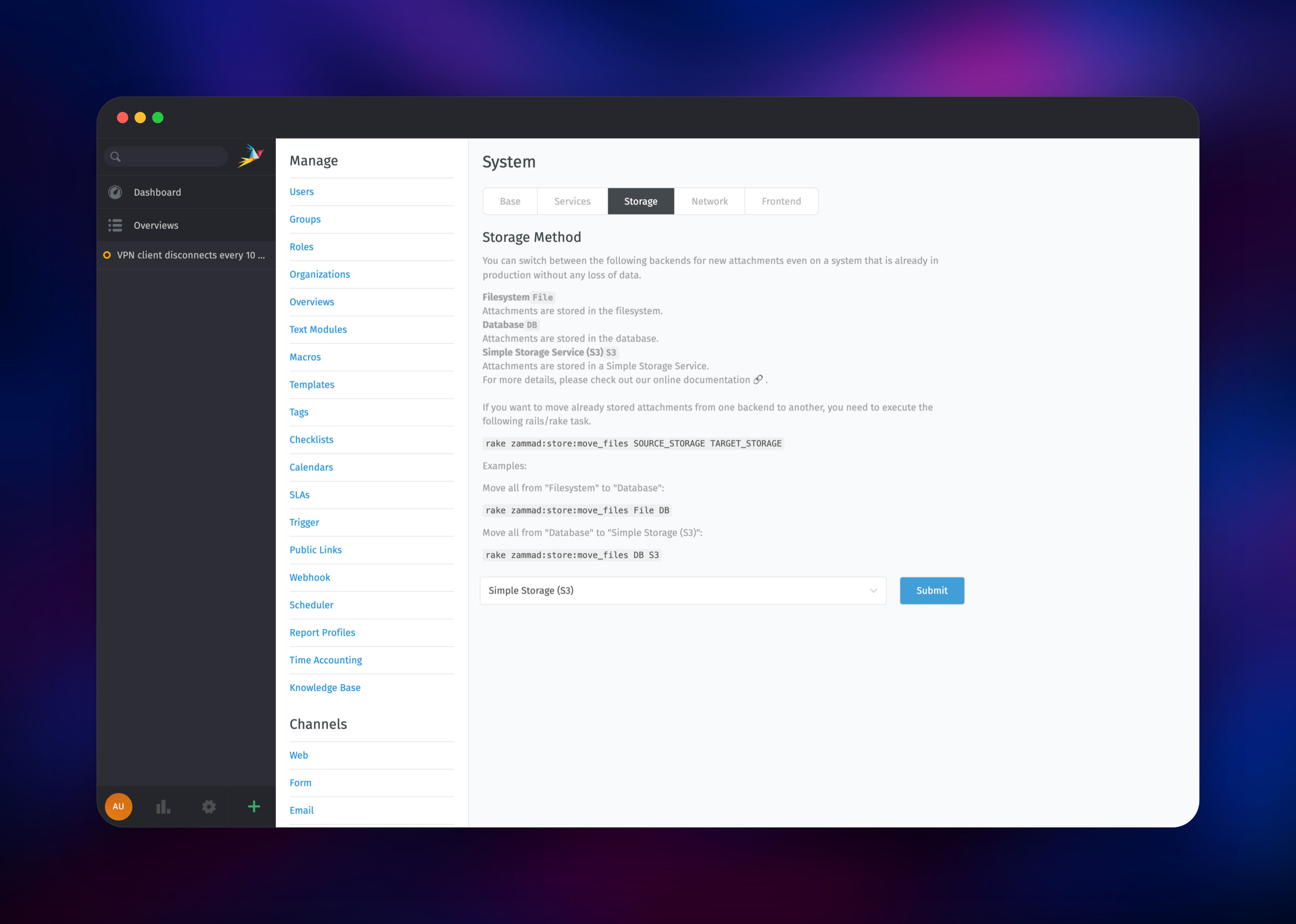
Where are ticket attachments stored in this Zammad template? In the object-storage bucket, selected as Simple Storage (S3) under Administration → System → Storage. Zammad streams files through its own API, so they stay private and no service keeps local state. Database storage is one dropdown away.
Template Content
zammad-scheduler
gridalpha/zammad-railwayzammad-railsserver
gridalpha/zammad-railwaymemcached
memcached:1.6-alpineRedis
redis:8.2zammad-nginx
gridalpha/zammad-railwayzammad-websocket
gridalpha/zammad-railwayelasticsearch
gridalpha/zammad-railwayzammad-storage
Bucket


