
Deploy 9Router
AI gateway with provider routing, API keys and persistent SQLite.
Just deployed
/app/data
Deploy and Host 9Router on Railway
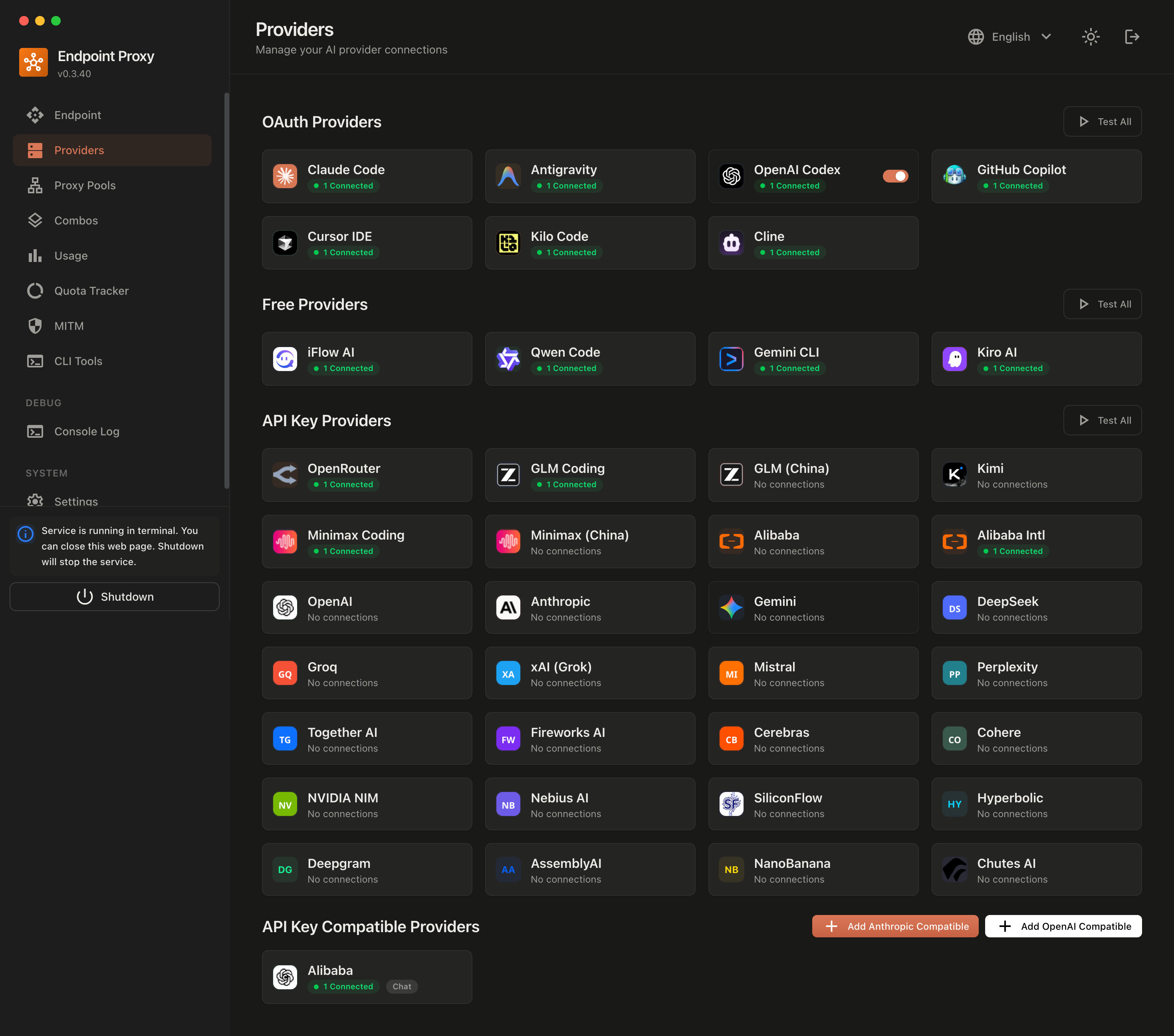
Official upstream provider dashboard preview. This historical screenshot uses the earlier Endpoint Proxy name; providers shown connected are examples, not included accounts.
Run your own AI gateway with a dashboard and an OpenAI-compatible endpoint for coding tools and API clients.
About Hosting 9Router
9Router routes requests to configured AI providers and supports format translation, model aliases, fallback combinations and token-saving features. This template deploys one Node.js/Next.js service and one persistent SQLite volume. It uses an independent Railway wrapper around official 9Router 0.5.99, with a small deployment compatibility adjustment and a mandatory first-run password change.
Getting started
- Deploy and open the generated HTTPS domain.
- Sign in with the initial password
123456, then choose a new password before entering the dashboard. - Connect a provider you are authorized to use in Providers.
- Generate a gateway key in Endpoint & Key.
- Configure your client with
https://YOUR-DOMAIN/v1, your gateway key and a model available on your instance.
The dashboard starts with the upstream default password 123456. It grants access only to the password-change screen until you choose a new password of at least 8 characters. Complete setup immediately, because the default password is public. Internal signing secrets are generated separately for each deployment. Keep dashboard login and gateway API-key protection enabled. Free providers and quotas can change; no free access or unlimited usage is guaranteed.
Architecture and defaults
One service listens on port 20128. The /app/data volume preserves SQLite, provider connections, API keys, settings and backups. BASE_URL follows the generated Railway domain. HTTPS session cookies and API-key authentication protect remote access. Cloud sync, tunnels and request-payload logging are disabled by default. Headroom is optional and not included. Local credential imports, MITM certificates, host modification and local-only process controls are outside this remote deployment scope.
Use the gateway for coding assistants, compatible SDKs and applications needing a central provider endpoint. Available models depend on the providers and accounts you connect.
Model combinations
Configure named combinations in Combo & Vision Adapter. Fallback tries another configured model when a request fails; round robin distributes requests across models. Fusion queries a panel and a judge, which can increase provider usage and cost.
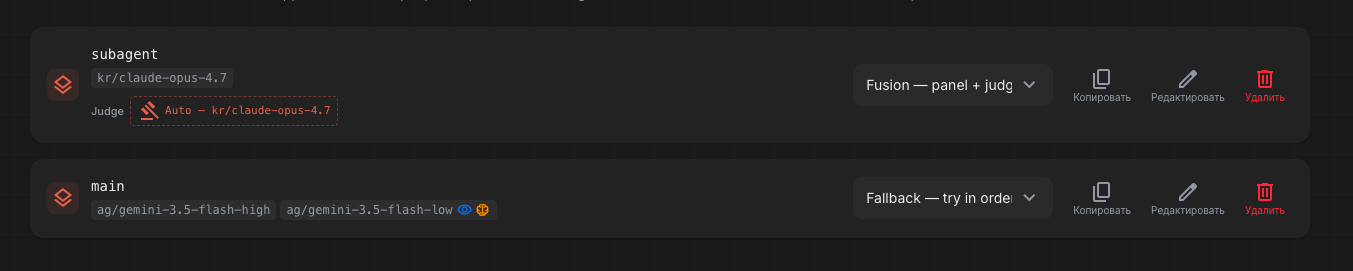
Official upstream combination preview. Model names and interface details are illustrative and may differ from your deployment. Screenshot source and attribution.
Dependencies for 9Router Hosting
- Railway resources for one running service and one persistent volume.
- Authorized provider credentials where the selected provider requires them.
- An API-compatible client.
No external database, Redis, local AI model or GPU is required. Use one replica with SQLite. Back up the entire volume securely because it contains provider credentials. Railway compute, storage and network costs are separate from model provider charges.
Maintenance and responsible use
Upstream: decolua/9router. Wrapper: 9router-railway. This template is independent and claims no upstream endorsement. Upstream is MIT licensed; retain the license and notices. The application source is pinned to commit ce4460ef79382bfddb4aa5fc0ff9f3cb0d5f95a8; review upstream updates before upgrades. Build dependencies follow upstream version ranges.
Use authorized accounts and content, and respect provider terms, quotas and usage policies. Never publish provider credentials or disable authentication on a public deployment.
Why Deploy 9Router on Railway?
Railway supplies an HTTPS domain, persistent storage, deployment logs and restart management. Configure providers through your dashboard and point clients at your own gateway endpoint.
Common Use Cases
- Point coding assistants at a central AI gateway.
- Connect compatible SDKs and applications to authorized providers.
- Manage model aliases and fallback combinations in one dashboard.
Template Content


