
Deploy Adminer
Web interface for browsing, editing and querying your databases
adminer
Just deployed

Just deployed
/var/lib/postgresql/data
Deploy and Host Adminer on Railway
Adminer is a full-featured database management tool that upstream ships as a single PHP file. It gives you a browser UI for MySQL, MariaDB, PostgreSQL, CockroachDB, SQLite, MS SQL and Oracle — browsing and editing rows, altering tables and indexes, running SQL, importing and exporting dumps, following foreign keys as links — and bundled driver plugins extend it to MongoDB, Elasticsearch, ClickHouse, Redis and Firebird. Developers reach for it where phpMyAdmin is overkill: more engines, half a megabyte of interface, no state of its own.
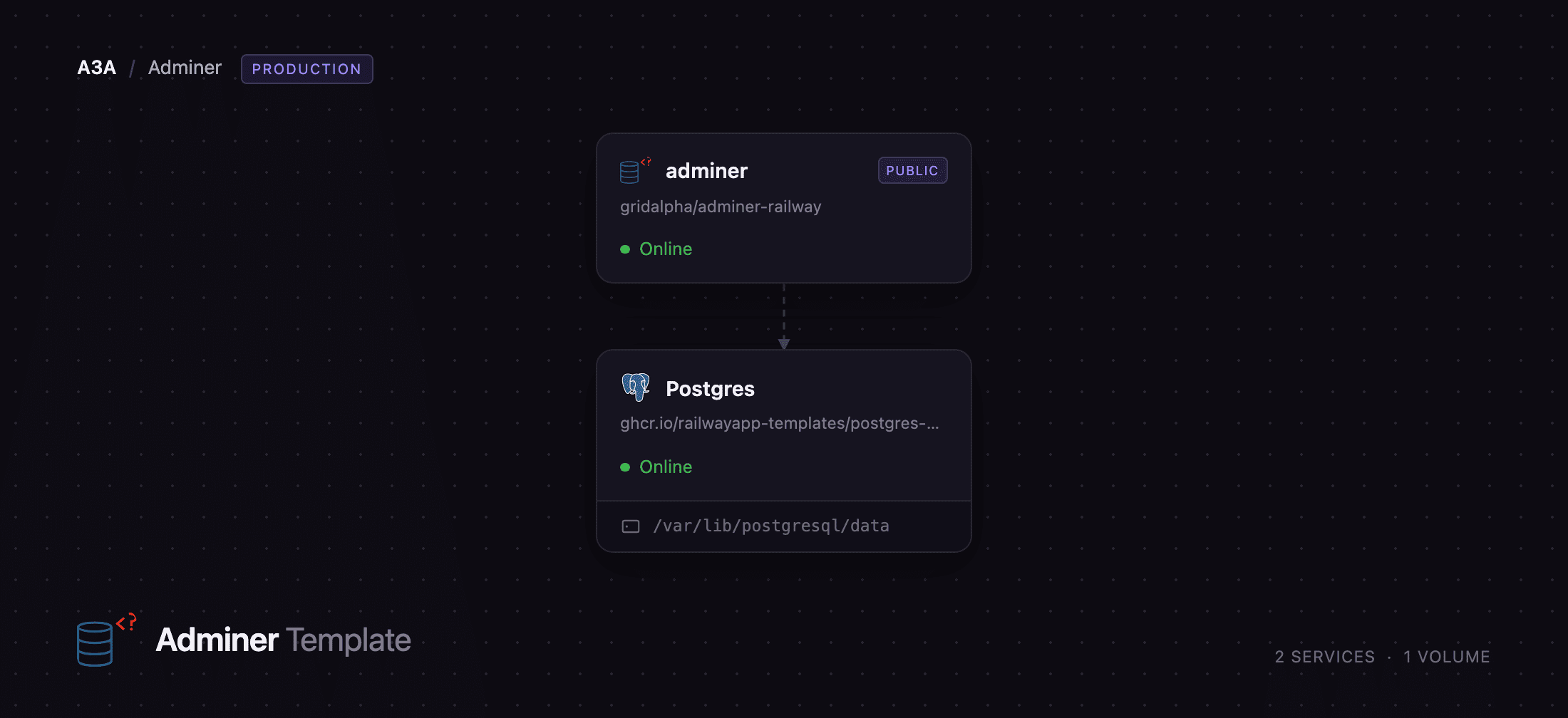
This template lets you self-host Adminer on Railway with a managed PostgreSQL database already wired to it, so there is something to manage the moment the deploy finishes. Two services are created: adminer, the public web interface, and Postgres, reachable only over Railway's private network. The login form is held to an allow-list of servers — the bundled Postgres out of the box — which keeps a publicly reachable database client from being used to dial anything else in your project.
Getting Started with Adminer on Railway
Open the adminer service's public URL and you land on the login form. There are no Adminer accounts to create: it authenticates against the database itself, so the credential is your database user's own password. The Server dropdown already lists Railway Postgres, with the username and database prefilled. Copy PGPASSWORD from the Postgres service's Variables tab in the Railway dashboard, paste it into the password field, and log in.
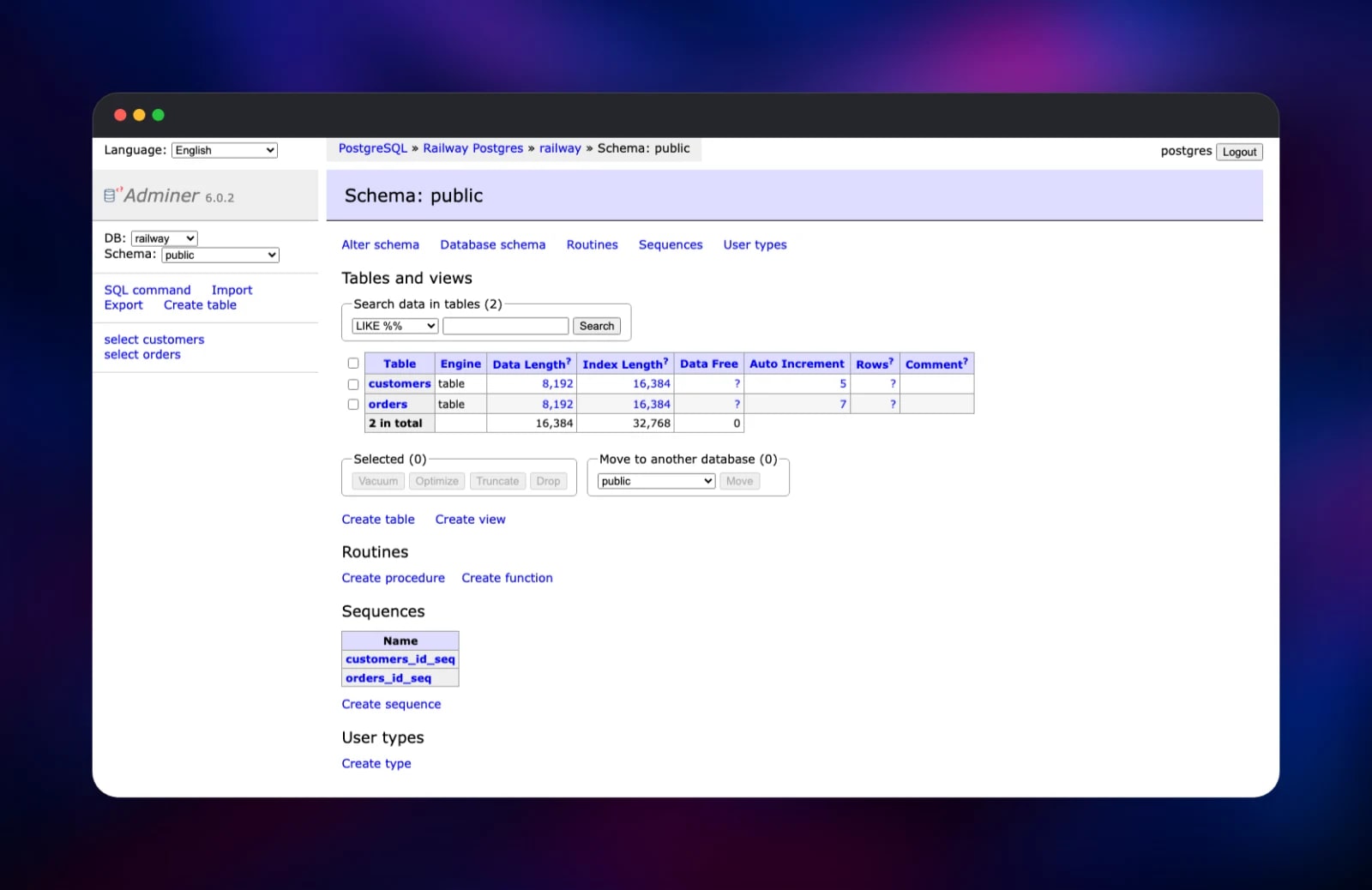
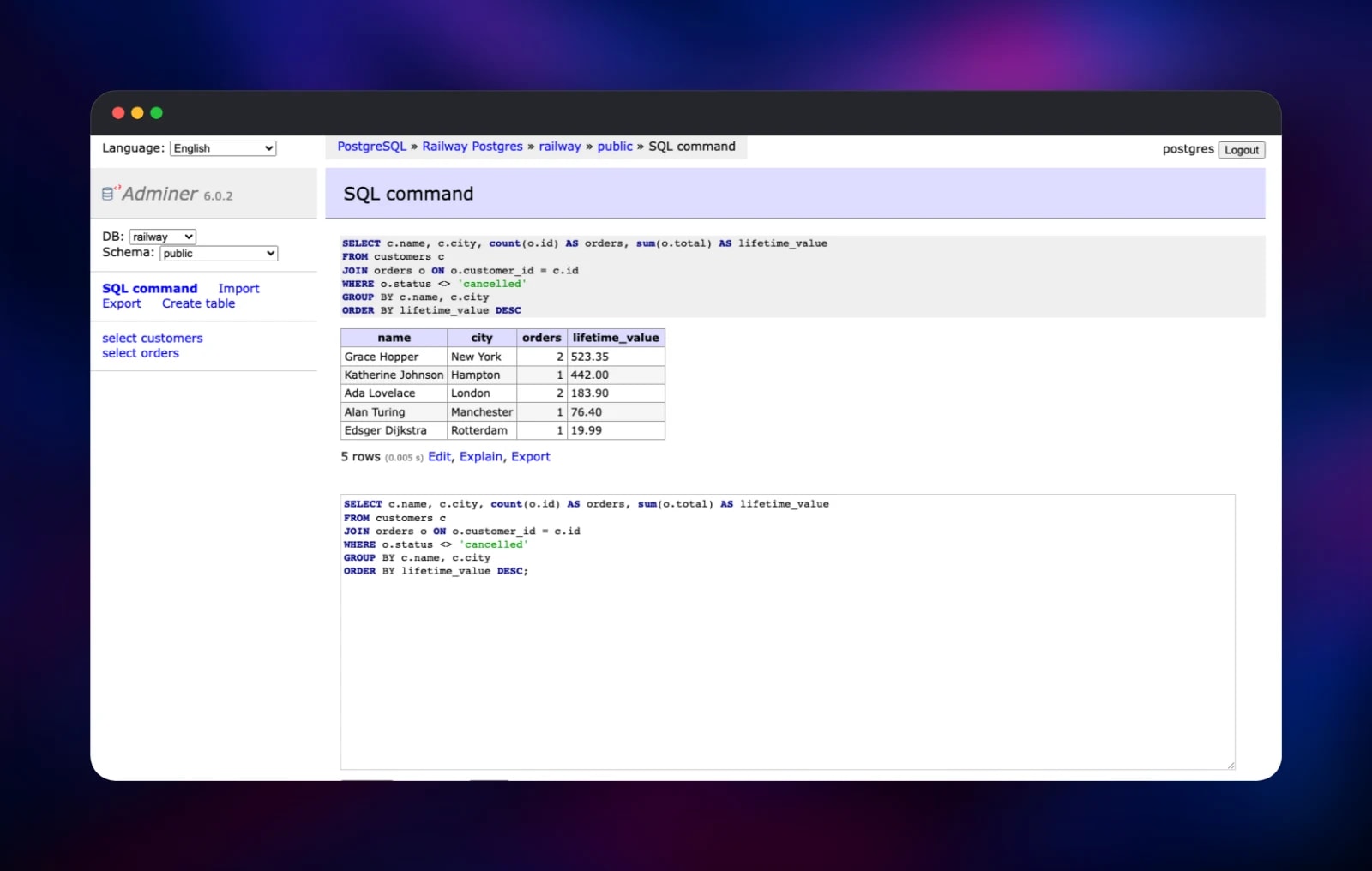
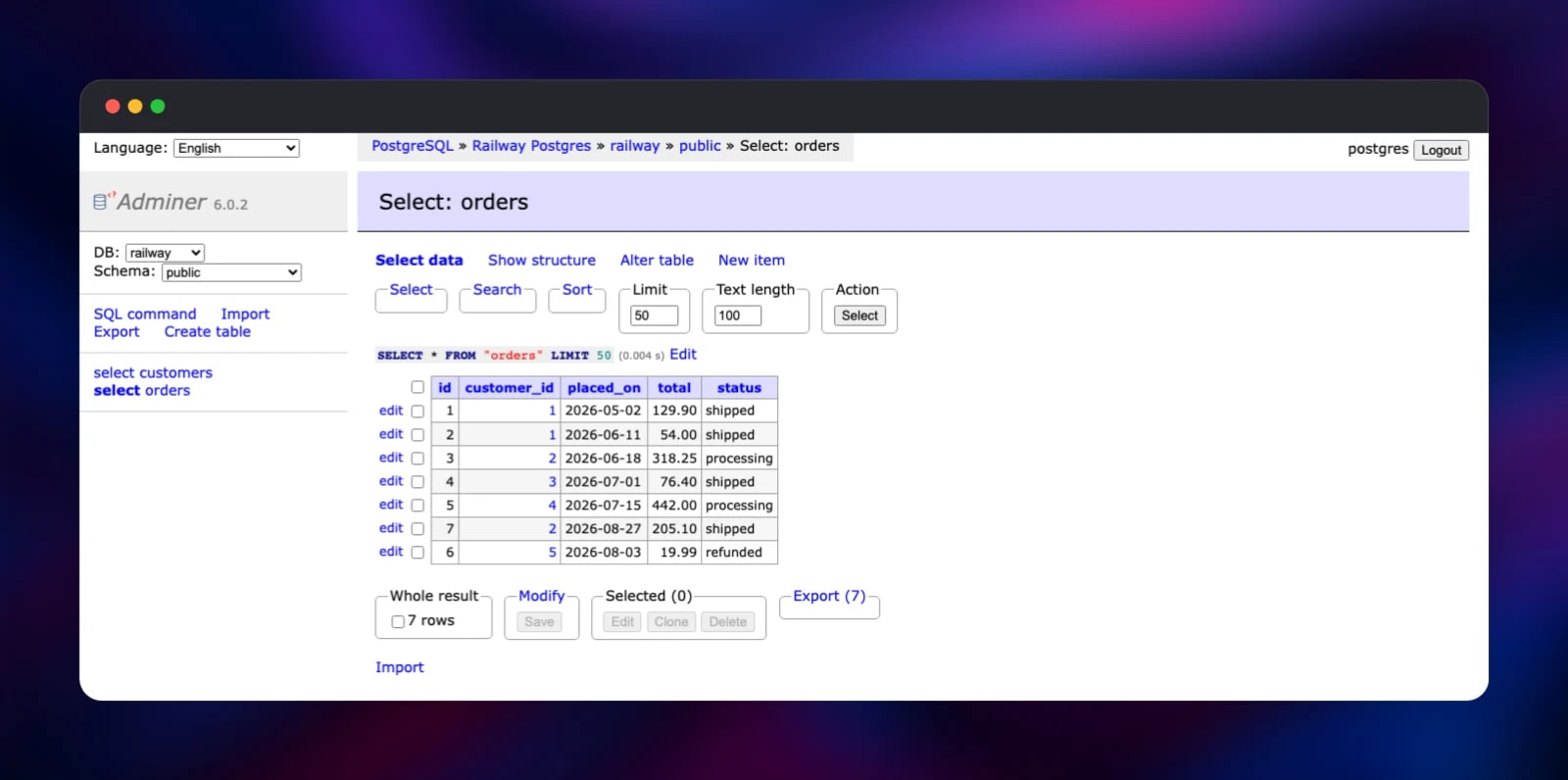
You arrive on the schema page listing tables, views, routines and sequences. Click Create table to define one through the form, or SQL command to paste statements directly — SELECT version(); is the quickest confirmation that the deployment is wired end to end. From any table, select browses rows with sorting, search and inline edit links; Export produces a SQL or CSV dump and Import takes one back.
About Hosting Adminer
Adminer replaces the loop of opening a terminal and hunting for the right connection string to answer a question someone asked in chat. It suits teams running several engines, or wanting a database UI for people without shell access.
- Full schema editing: tables, columns, indexes, foreign keys, views, routines, triggers and sequences
- Row-level work: search, sort, edit in place, clone, bulk-delete, follow foreign keys as links
- SQL console with syntax highlighting, column autocomplete, query history and
EXPLAIN - Import and export as SQL, CSV and TSV; ZIP and gzip output through plugins
- Users and permissions, process list, server variables, a visual schema diagram
- 43 translations, a plugin system and alternative themes
The architecture is deliberately small. adminer runs PHP 8.4 with the MySQL, PostgreSQL, SQLite, MS SQL and ODBC drivers compiled in, serving port 8080 behind Railway's TLS edge. Postgres is Railway's managed PostgreSQL 18 with its own volume, on the private network only. Adminer stores nothing between requests, so it needs no volume.
Why Deploy Adminer on Railway
Railway removes the web-server work that surrounds a PHP file.
- TLS, a public domain and health checks are configured for you
- The managed PostgreSQL database is provisioned and connected in the same deploy
- Private networking keeps the database off the public internet
- Rebuilds pick up the current Adminer release, including security fixes
- Logs, metrics and one-click rollbacks come with the platform
Common Use Cases
- Giving a team a window into production data without handing out shell or
psqlaccess - Inspecting and fixing data in development — a stuck row, a migration, an ad-hoc join
- Managing several engines at once when a project mixes PostgreSQL, MySQL and SQLite
- Taking SQL or CSV exports for a report, a backup or a move between environments
Dependencies for Adminer
- adminer — built from gridalpha/adminer-railway on
php:8.4-alpine, fetching the current vrana/adminer release at build time. - Postgres — Railway's managed
ghcr.io/railwayapp-templates/postgres-ssl:18, the database Adminer manages out of the box.
Environment Variables Reference
| Variable | Default | What it does |
|---|---|---|
ADMINER_SERVERS | the deployed Postgres | ;-separated Label|host:port|driver entries, shown as the Server dropdown; * restores the free-form field |
ADMINER_DEFAULT_USERNAME | Postgres user | Prefills the login form's username |
ADMINER_DEFAULT_DB | Postgres database | Prefills the login form's database |
ADMINER_PLUGINS | empty | Bundled plugins, e.g. tables-filter drivers/mongo |
ADMINER_DESIGN | empty | An alternative theme, e.g. dracula, hever |
PHP_CLI_SERVER_WORKERS | 4 | Requests served in parallel |
PORT | 8080 | Port the interface listens on |
driver is Adminer's own identifier: server for MySQL and MariaDB, then pgsql, sqlite, mssql, or the id a driver plugin registers (mongo, elastic, clickhouse, redis).
Deployment Dependencies
Hardware Requirements for Self-Hosting Adminer
| Resource | Minimum | Recommended |
|---|---|---|
| CPU | 0.5 vCPU | 1 vCPU |
| RAM | 256 MB | 512 MB |
| Storage | none for Adminer | sized for the database |
| Runtime | PHP 7.1+ | PHP 8.4 |
Adminer is idle between requests, so the figures that matter are the database's. Large imports and exports briefly want memory, which is why PHP's upload and post limits are 128 MB here.
Self-Hosting Adminer
Running it yourself is genuinely one file — download the release and serve it with any PHP runtime:
curl -fsSLO https://github.com/vrana/adminer/releases/download/v6.0.2/adminer-6.0.2.php
php -S 0.0.0.0:8080 adminer-6.0.2.php
The official image is the container equivalent, and Adminer's plugin convention — an adminer-plugins.php beside adminer.php returning the plugin objects — is what this template builds on:
docker run -p 8080:8080 -e ADMINER_DEFAULT_SERVER=db adminer:latest
Neither gives you TLS, a domain or a database — the gap this template closes.
How Much Does Adminer Cost to Self-Host?
Adminer is free and open source, dual-licensed under Apache 2.0 and GPL 2, with no paid tier, seat limits or hosted edition. Every feature described here ships in the release you deploy. The only cost is Railway infrastructure: a small web service plus the managed database and its volume. Point Adminer at databases you already run and the second of those disappears.
Adminer vs phpMyAdmin
| Adminer | phpMyAdmin | |
|---|---|---|
| Database engines | MySQL, PostgreSQL, SQLite, MS SQL, Oracle, plus plugins | MySQL and MariaDB |
| Distribution | one PHP file | full application tree |
| Configuration | environment variables and plugins | config.inc.php |
phpMyAdmin goes deeper on MySQL-specific administration; Adminer wins on breadth and on how little there is to install, patch and secure.
FAQ
What is Adminer? Adminer is an open-source database management tool written in PHP and distributed as a single file. It provides a web interface for browsing data, editing schemas and running SQL against MySQL, PostgreSQL, SQLite, MS SQL, Oracle and, through plugins, several NoSQL stores. It builds the newest upstream release at deploy time, and prints the version in its sidebar.
What does this Railway template deploy? Two services: Adminer on a public HTTPS URL, and a managed PostgreSQL 18 database on the private network, already offered in the Server dropdown with the username and database filled in.
Why is a PostgreSQL database included?
Adminer is a client, not a server — with no database attached it is a login form. The bundled one makes the deployment useful immediately and is the worked example for adding your own through ADMINER_SERVERS.
How do I connect Adminer to a database I already have on Railway?
Add it to ADMINER_SERVERS as Label|host:port|driver using that service's private hostname, for example MySQL|mysql.railway.internal:3306|server. Private networking is scoped to one project and environment, so the database has to live alongside Adminer.
Is it safe to expose Adminer on a public URL? The login is the database's own credential, and this build adds two protections upstream leaves to you: the Server dropdown is an allow-list, so an unknown host is refused before any connection is attempted, and failed logins are counted against the real client address, so Adminer's block after repeated failures works behind Railway's proxy. Keep a strong database password.
How do I enable Adminer plugins such as MongoDB or Elasticsearch support?
List them in ADMINER_PLUGINS, space-separated — drivers/mongo drivers/elastic — then add an ADMINER_SERVERS entry using that driver's id.
Template Content


