
Deploy AppFlowy | Open Source AI Collaborative Workspace, Notion Alternative
Self Host AppFlowy. AI workspace with docs, databases, kanban boards
AppFlowy
AppFlowy-Web
Just deployed
AppFlowy-Cloud
Just deployed
AppFlowy-Worker
Just deployed
DBs

MinIO
Just deployed
/data

Redis
Just deployed
/data
pgvector
Just deployed
/var/lib/postgresql
Nginx
Just deployed
Just deployed
Deploy and Host AppFlowy on Railway

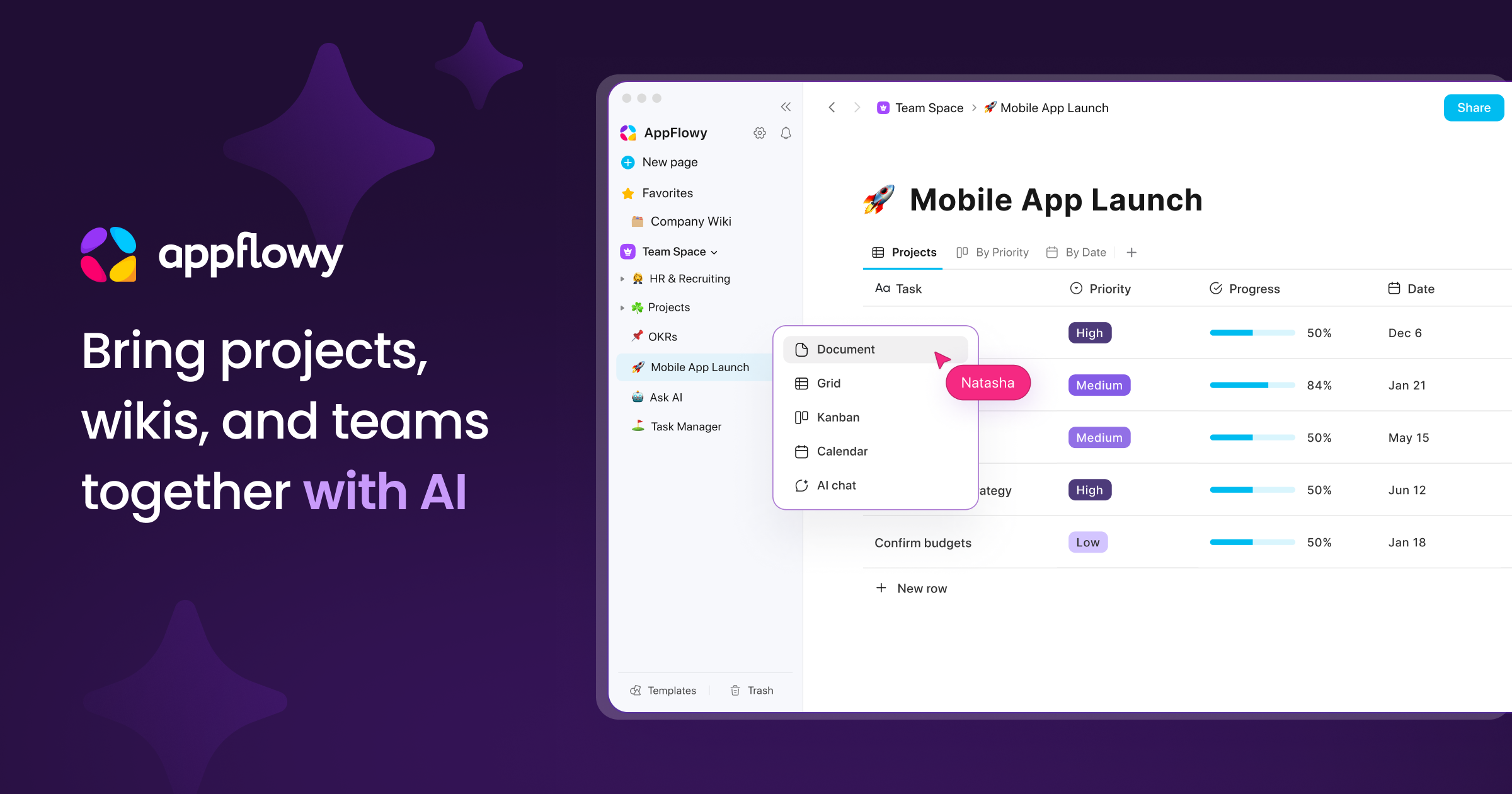
AppFlowy is an open-source, AI-powered collaborative workspace that gives teams full control over their data while delivering Notion-like functionality — documents, databases, kanban boards, calendars, and real-time collaboration. Deploy AppFlowy on Railway to self-host a complete workspace stack with PostgreSQL (pgvector), Redis, MinIO object storage, GoTrue authentication, and an Nginx reverse proxy — all pre-configured and ready to use.
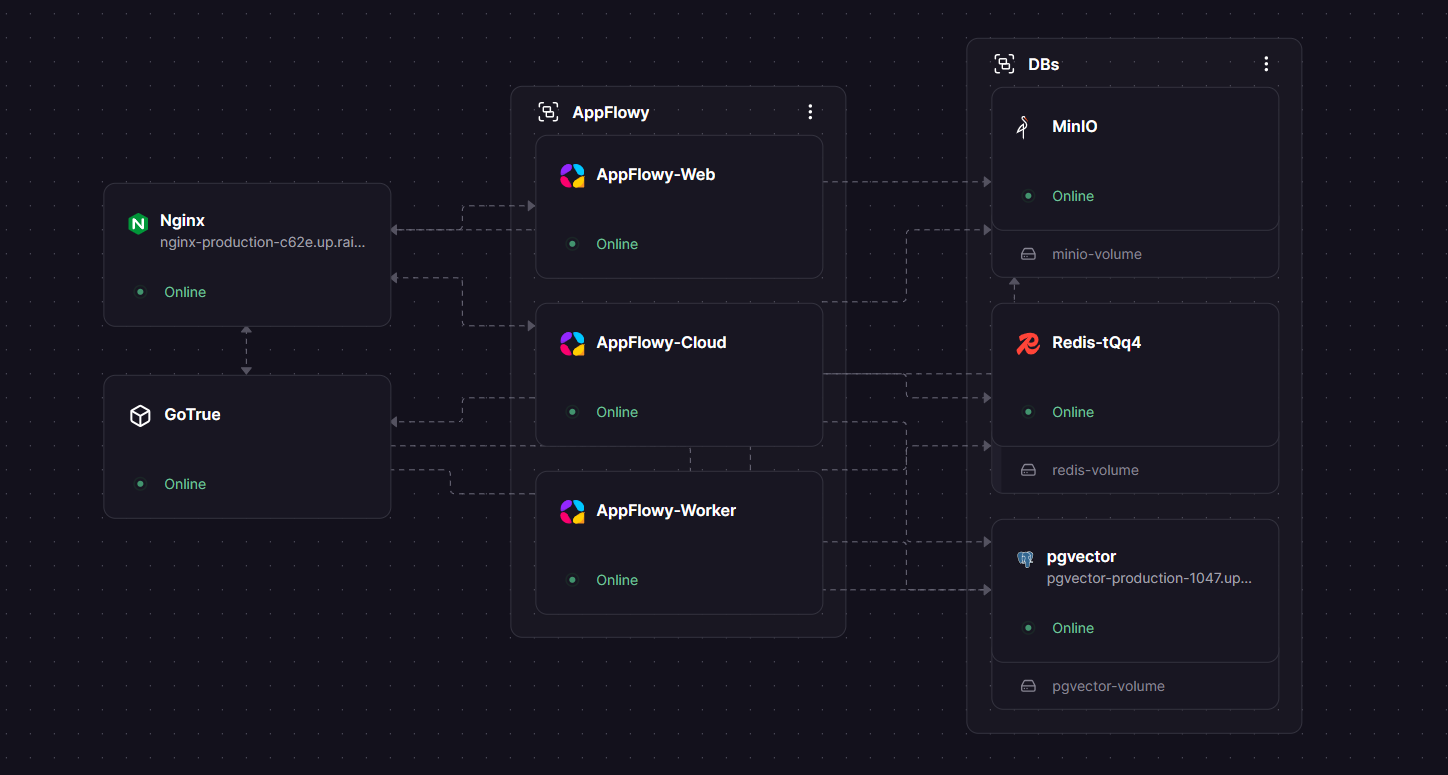
Self-host AppFlowy on Railway and eliminate per-user SaaS fees while keeping your team's documents, databases, and project boards under your own infrastructure. This template deploys eight interconnected services: AppFlowy Cloud (API server), AppFlowy Web (browser UI), AppFlowy Worker (background jobs), GoTrue (authentication), PostgreSQL with pgvector, Redis, MinIO, and Nginx.
Getting Started with AppFlowy on Railway
Once all services are running, open your Nginx public URL in a browser. You'll be redirected to the AppFlowy Web login page where you can create your first account. With GOTRUE_MAILER_AUTOCONFIRM=true, email verification is skipped so registration is instant. After signing up, you'll land in the AppFlowy workspace where you can create your first document or database. For team use, share the URL with colleagues — each person registers their own account. Connect the AppFlowy desktop or mobile app by entering your Railway URL in Settings > Cloud Settings > Custom Cloud Server.
About Hosting AppFlowy
AppFlowy is an open-source project (AGPL-3.0) built with Flutter and Rust, designed as a privacy-first alternative to Notion. It provides a rich block-based editor with slash commands, nested pages, and multi-view databases (Grid, Board, Calendar, Gallery). The platform supports offline-first usage — the desktop app writes to local SQLite and syncs when the cloud is reachable.
Key features of self-hosted AppFlowy include:
- Real-time collaboration with WebSocket-based sync across all connected clients
- Multi-view databases — Grid, Board (Kanban), Calendar, and Gallery views with formula columns, multi-select fields, and filters
- AI integration — plug in OpenAI, Claude, or local models (Mistral, Llama) for writing assistance and summarization
- Cross-platform clients — Windows, macOS, Linux, iOS, Android, and web browser
- Full data ownership — all data stored in your PostgreSQL instance and MinIO object storage
- Offline-first architecture — desktop apps work without network and sync when reconnected
The architecture uses Nginx as a reverse proxy routing traffic to specialized backend services, with GoTrue (a Supabase Auth fork) handling authentication via JWT tokens.
Why Deploy AppFlowy on Railway
Railway simplifies AppFlowy's complex multi-service architecture into a single deployable stack:
- Zero per-user fees — unlimited users on your own infrastructure vs. $8–20/user/month on Notion
- One-click scaling — Railway handles container orchestration for all eight services
- Private networking — backend services communicate securely over Railway's internal network
- Persistent storage — Railway volumes for PostgreSQL, Redis, and MinIO data
- Automatic TLS — HTTPS enabled on your public domain with zero configuration
- Full data sovereignty — documents and files never leave your Railway project
Common Use Cases for Self-Hosted AppFlowy
- Team knowledge base — centralized wiki with nested documents, rich formatting, and full-text search for engineering teams, startups, or agencies
- Project management — kanban boards with custom fields, deadlines, and status tracking as a Trello/Notion replacement
- Personal productivity — offline-first note-taking and task management with cloud sync across all devices
- Regulated industries — healthcare, finance, or government teams that require on-premises data storage and compliance with data residency laws
Dependencies for AppFlowy on Railway
This deployment uses the following Docker images:
appflowyinc/appflowy_cloud:latest— Core API server (Rust)appflowyinc/gotrue:latest— Authentication service (Supabase Auth fork)appflowyinc/appflowy_web:latest— Web frontend (React)appflowyinc/appflowy_worker:latest— Background job processorpgvector/pgvector:pg16— PostgreSQL 16 with vector search extensionsredis:7— In-memory cache and message brokerminio/minio:latest— S3-compatible object storagenginx:latest— Reverse proxy and TLS termination
Deployment Dependencies
- Runtime: Docker containers on Railway
- Source images: Docker Hub — appflowyinc
- Documentation: AppFlowy Self-Hosting Docs
- GitHub: AppFlowy-IO/AppFlowy (69k+ stars) and AppFlowy-IO/AppFlowy-Cloud
Hardware Requirements for Self-Hosting AppFlowy
| Resource | Minimum | Recommended |
|---|---|---|
| CPU | 2 vCPU | 4 vCPU |
| RAM | 2 GB | 4 GB |
| Storage | 2 GB | 10 GB+ |
| Runtime | Docker | Docker with persistent volumes |
The eight-service stack runs comfortably within Railway's default resource allocation. PostgreSQL and MinIO are the primary storage consumers — plan disk space based on expected document and file attachment volume.
Self-Hosting AppFlowy with Docker
The recommended approach uses Docker Compose with the official AppFlowy Cloud repository:
git clone https://github.com/AppFlowy-IO/AppFlowy-Cloud.git
cd AppFlowy-Cloud
cp deploy.env .env
# Edit .env with your domain, secrets, and SMTP settings
docker compose up -d
For a minimal single-node deployment with Docker run commands:
# Start PostgreSQL with pgvector
docker run -d --name appflowy-db \
  -e POSTGRES_USER=appflowy \
  -e POSTGRES_PASSWORD=your-secure-password \
  -e POSTGRES_DB=appflowy \
  -v pgdata:/var/lib/postgresql/data \
  pgvector/pgvector:pg16

# Start Redis
docker run -d --name appflowy-redis \
  -v redisdata:/data \
  redis:7
Refer to the AppFlowy deployment documentation for complete configuration of all services including Nginx, GoTrue, and MinIO.
Is AppFlowy Free to Self-Host on Railway?
AppFlowy is fully open-source under the AGPL-3.0 license — there are no license fees, per-user charges, or feature gates. Self-hosting on Railway means your only cost is infrastructure: compute, memory, and storage consumed by the eight services. For a small team (under 10 users), expect roughly $5–15/month on Railway depending on usage patterns. This compares favorably to Notion's $8–20 per user per month.
AppFlowy vs Notion
| Feature | AppFlowy | Notion |
|---|---|---|
| License | AGPL-3.0 (open source) | Proprietary |
| Self-hosting | Yes (full stack) | No |
| Pricing | Free (infra costs only) | $8–20/user/month |
| Offline support | Yes (local SQLite) | Limited |
| Database views | Grid, Board, Calendar, Gallery | Grid, Board, Calendar, Gallery, Timeline |
| AI features | Pluggable (OpenAI, Claude, local) | Built-in Notion AI |
| Mobile apps | iOS, Android | iOS, Android |
| Integrations | Growing ecosystem | Extensive (200+) |
| Data ownership | Full control | Notion servers |
AppFlowy offers near feature-parity with Notion for core workspace functionality while providing full data ownership and zero per-user costs. Notion leads in integrations and polish, but AppFlowy's open-source model and offline-first design make it compelling for privacy-conscious teams.
FAQ
What is AppFlowy and why should you self-host it? AppFlowy is an open-source AI collaborative workspace — think Notion, but with full data ownership. Self-hosting eliminates per-user fees, ensures data sovereignty, and lets you plug in your own AI models for writing assistance and document summarization.
Why does AppFlowy on Railway need PostgreSQL with pgvector? AppFlowy uses PostgreSQL as its primary datastore for documents, user accounts, and workspace metadata. The pgvector extension enables vector similarity search, which powers AppFlowy's AI features like semantic document search and RAG-based question answering across your workspace.
How do I connect the AppFlowy desktop app to my self-hosted Railway instance?
Open the AppFlowy desktop app, go to Settings > Cloud Settings, select "Custom Cloud Server," and enter your Railway Nginx URL (e.g., https://nginx-production-xxxx.up.railway.app). The app will sync documents, databases, and files through your self-hosted backend instead of AppFlowy's managed cloud.
Can I enable SSO or OAuth with self-hosted AppFlowy on Railway?
Yes — GoTrue supports Google, GitHub, and Discord OAuth out of the box. Set the corresponding GOTRUE_EXTERNAL_*_ENABLED, GOTRUE_EXTERNAL_*_CLIENT_ID, and GOTRUE_EXTERNAL_*_SECRET environment variables on the GoTrue service. SAML/OIDC providers can also be configured for enterprise SSO.
How do I enable email verification for AppFlowy user registration?
Set GOTRUE_MAILER_AUTOCONFIRM=false on the GoTrue service and configure SMTP settings (GOTRUE_SMTP_HOST, GOTRUE_SMTP_PORT, GOTRUE_SMTP_USER, GOTRUE_SMTP_PASS) to enable email-based verification. Without SMTP configuration, keep autoconfirm enabled so users can register immediately.
Template Content
Nginx
nginx:latestMinIO
minio/minio:latestRedis
redis:8.2.1pgvector
pgvector/pgvector:pg18AppFlowy-Web
appflowyinc/appflowy_web:latestAppFlowy-Cloud
appflowyinc/appflowy_cloud:latestAPPFLOWY_MAILER_SMTP_TLS_KIND
TLS mode: "wrapper" for port 465, "required" for 587
GOTRUE_SMTP_HOST
SMTP server hostname (e.g. smtp.resend.com, smtp.gmail.com)
GOTRUE_SMTP_PASS
SMTP password or provider API key
GOTRUE_SMTP_PORT
SMTP port — 465 for implicit TLS, 587 for STARTTLS
GOTRUE_SMTP_USER
SMTP username (Gmail address, or "resend" for Resend)
GOTRUE_ADMIN_EMAIL
Create Admin account email
GOTRUE_ADMIN_PASSWORD
Create Admin account password
GOTRUE_SMTP_ADMIN_EMAIL
"From" address shown to recipients (must be authorized sender)
AppFlowy-Worker
appflowyinc/appflowy_worker:latest
