
Deploy Bolt.diy
Chat with an AI to build and run web apps in your browser

auth-gateway
Just deployed
boltdiy
Just deployed
Deploy and Host bolt.diy on Railway
bolt.diy is the open-source, MIT-licensed AI app builder from the StackBlitz Labs community — the self-hostable sibling of bolt.new. Describe an application in chat and it writes the code, installs the dependencies, runs the dev server and shows you the result, all inside a WebContainer in your own browser tab. Unlike hosted builders that lock you to one model and bill per token, it is provider-agnostic: Anthropic, OpenAI, Google, Groq, Mistral, DeepSeek, xAI, OpenRouter, Amazon Bedrock, any OpenAI-compatible endpoint, or a local Ollama or LM Studio server. You bring the key, so you pay the provider directly and nothing else. Developers use it to get from a sentence to a working React, Next.js, Astro or Svelte project in minutes, then keep editing in the file tree, terminal and diff viewer.
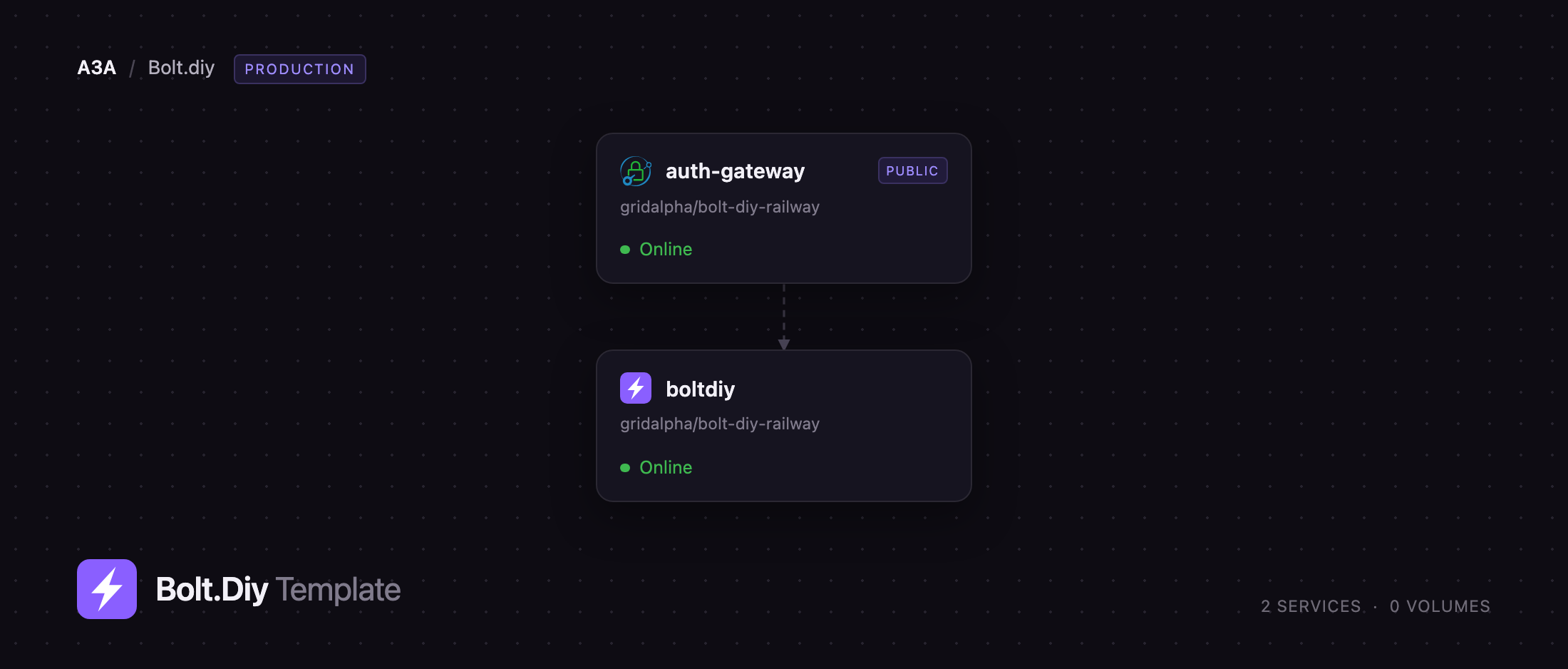
Self-host bolt.diy on Railway and you get two services. boltdiy runs the application and stays entirely on the private network. In front of it sits auth-gateway, a small Caddy reverse proxy that puts HTTP basic auth on every public request before passing it inward. That split is deliberate: bolt.diy ships no user accounts, and one of its routes will fetch any HTTPS URL it is handed so the browser can clone git repositories. Public and unguarded, it is an open forward proxy that also hands your model credits to whoever finds the URL. The gateway closes both holes with one username and one password, and everything else — chats, settings, keys, generated projects — lives in the visitor's browser, so there is nothing to back up.
Getting Started with bolt.diy on Railway
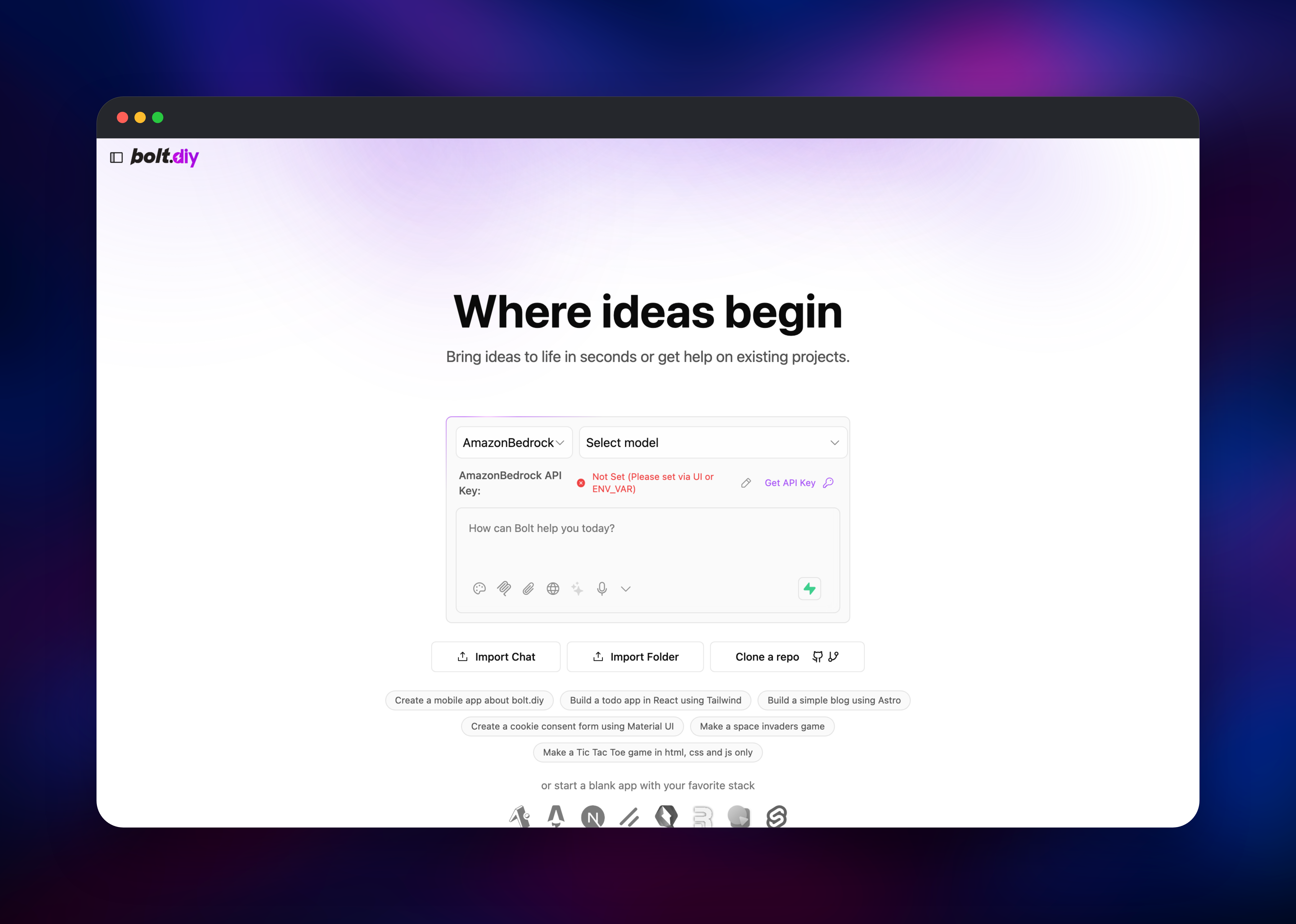
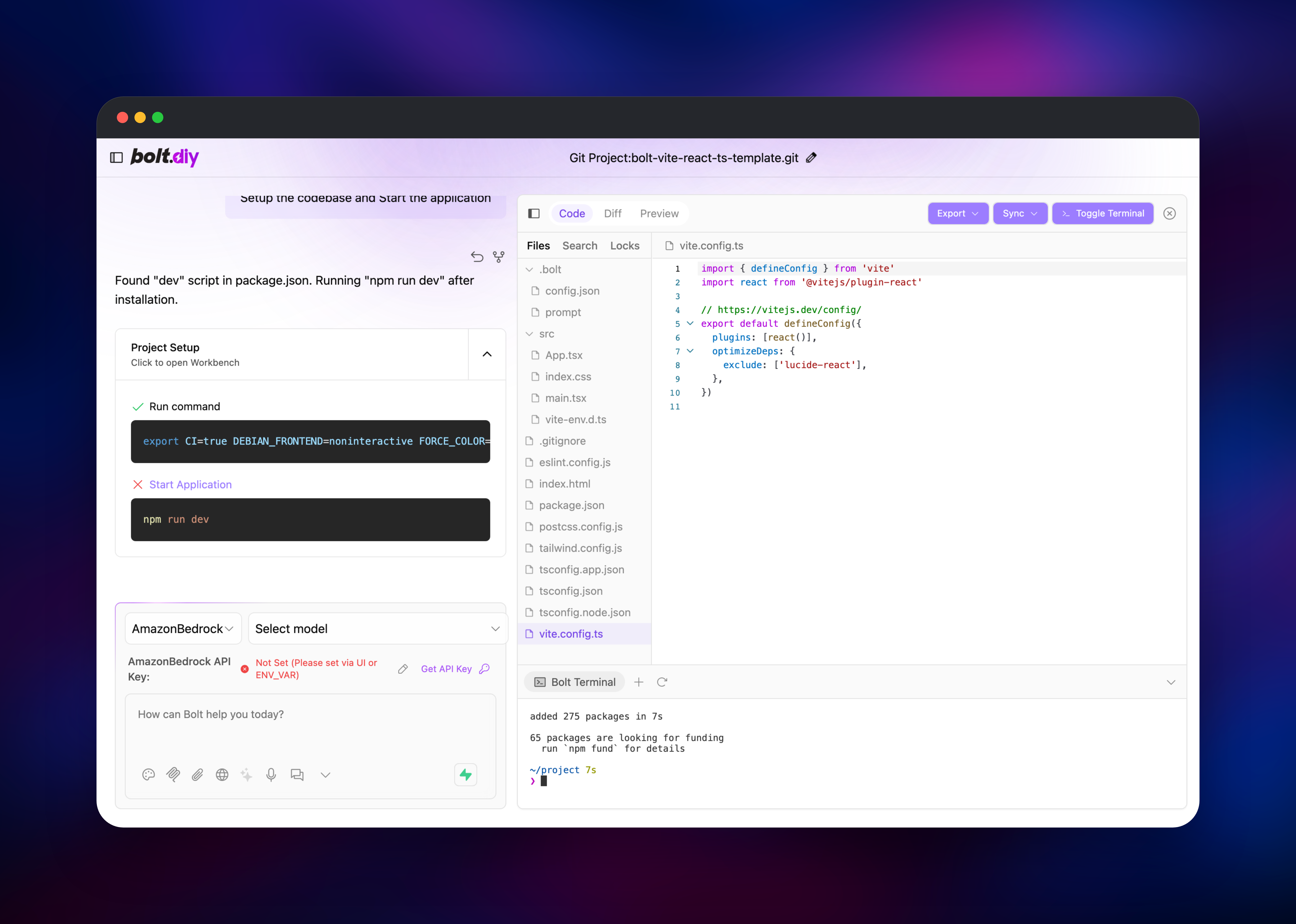
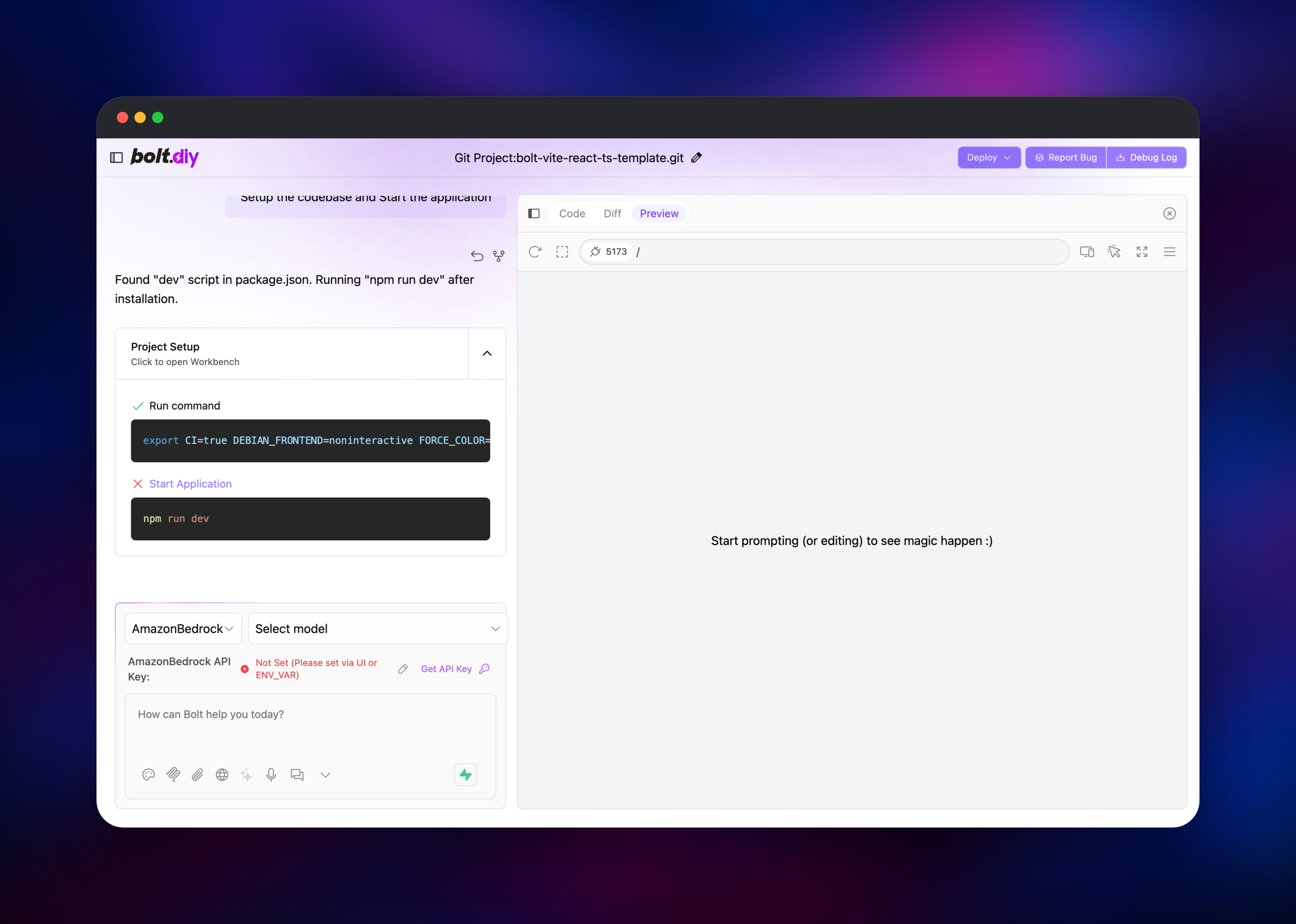
Deploy the template, then open the public URL of the auth-gateway service. Your browser asks for a username and password: use BOLT_AUTH_USERNAME and BOLT_AUTH_PASSWORD from that service, both editable in the Railway variables panel. There is no signup screen and no admin account to create. Pick a provider from the dropdown above the chat box, click the pencil icon beside the API key line and paste your key; it is stored in your browser rather than on the server, so each person supplies their own. Then type something like "build a todo app in React with Tailwind" and watch the file tree, editor and terminal fill in. To try it with no key, click a framework icon under "or start a blank app with your favorite stack": that clones a starter repository, runs npm install and starts a dev server — packages installed and a port in the Preview tab means the deployment is healthy.
About Hosting bolt.diy
bolt.diy is a Remix application served by Cloudflare's workerd runtime, and almost all the interesting work happens client-side. Generated projects execute in a WebContainer — a Node.js environment compiled to WebAssembly, running in the browser tab — so the container on Railway never compiles anyone's code and never stores a project. It is stateless, and a restart loses nothing.
Key features:
- Chat-driven code generation with an editable file tree, diff view and terminal
- Twenty-plus model providers, including local Ollama and LM Studio, selectable per chat
- Starter templates for React, Next.js, Astro, Svelte, Qwik, Remix, Vue and Expo
- Clone any public git repository, or import a folder or an earlier chat
- Publish finished projects to Netlify, Vercel or GitHub, and roll a chat back to any earlier version
The two services divide cleanly. boltdiy is the application; it holds no state and can be restarted at any time. auth-gateway is stock Caddy: it checks basic auth, forwards over the private network to boltdiy:5173, streams responses unbuffered so model output arrives token by token, and answers /healthz for the health check.
Why Deploy bolt.diy on Railway
Running it here removes the fiddly parts of self-hosting:
- Both services build from one repository and deploy together
- The app is private by default; only the gateway is reachable
- Password-protected on the first deploy, with no auth server to run
- No database, cache or volume to provision or back up
- Automatic HTTPS, and streamed responses need no proxy tuning
Common Use Cases
- Giving a small team a shared, password-protected app builder billed to the company's own provider account instead of per-seat licences
- Prototyping a UI or landing page from a prompt, then exporting it to GitHub or Netlify
- Pointing an AI coding assistant at a local model through Ollama, LM Studio or any OpenAI-compatible endpoint
- Teaching frontend stacks, since starter templates boot with nothing to install
Dependencies for bolt.diy
ghcr.io/stackblitz-labs/bolt.diy:latest— the application image, built from stackblitz-labs/bolt.diycaddy:2-alpine— the proxy adding basic auth on the public URL- A model provider API key, supplied per user in the browser or once as a service variable
Environment Variables Reference
| Variable | Service | Purpose |
|---|---|---|
BOLT_AUTH_USERNAME | auth-gateway | Username for the public URL |
BOLT_AUTH_PASSWORD | auth-gateway | Password for the public URL; generated on deploy |
BOLT_UPSTREAM | auth-gateway | Private address of the app service |
ANTHROPIC_API_KEY | boltdiy | Optional. Enables Claude models for everyone who can sign in |
OPENAI_API_KEY | boltdiy | Optional. Enables OpenAI models for everyone who can sign in |
Deployment Dependencies
- Source: github.com/stackblitz-labs/bolt.diy
- Docs: stackblitz-labs.github.io/bolt.diy
- A modern Chromium or Firefox browser — WebContainer needs
SharedArrayBuffer, which the app enables itself
Hardware Requirements for Self-Hosting bolt.diy
| Resource | Minimum | Recommended |
|---|---|---|
| CPU | 0.5 vCPU | 1 vCPU |
| RAM | 512 MB | 1 GB |
| Storage | None | None |
| Runtime | Node.js 18+ | Node.js 22 |
Code generation runs in the visitor's browser, so server requirements barely move with the number of projects. What scales is concurrent chat streams, each holding a connection to a provider.
Self-Hosting bolt.diy
To run it locally with Docker, pull the published image and expose port 5173:
docker run -d --name bolt-diy -p 5173:5173 \
  -e PORT=5173 \
  ghcr.io/stackblitz-labs/bolt.diy:latest
To work on the source instead, clone the repository and start the dev server with pnpm:
git clone https://github.com/stackblitz-labs/bolt.diy.git
cd bolt.diy
pnpm install
cp .env.example .env.local   # add your provider keys here
pnpm run dev
Neither has authentication in front of it — fine on localhost, not on a public address. That is the gap this template fills.
How Much Does bolt.diy Cost to Self-Host?
bolt.diy is free and MIT-licensed, with no paid tier, seat limit or usage cap. What you pay for is the model: requests go to whichever provider's key you supply, billed at that provider's rates with no markup in between, which is the main reason people move off hosted builders. On Railway you pay for infrastructure only — two small stateless services, no database, no storage.
bolt.diy vs bolt.new
| bolt.diy | bolt.new | |
|---|---|---|
| Licence | Open source (MIT) | Commercial SaaS |
| Models | 20+ providers, plus local models | Curated set |
| Billing | Your provider's API rates | Token credits |
| Hosting | Self-hosted, your domain | Hosted |
bolt.new is smoother if you want to start typing immediately. bolt.diy wins on model choice, no per-token markup, and code on infrastructure you control.
FAQ
What is bolt.diy? An open-source AI app builder that turns a chat prompt into a running full-stack web application, with the project executing in a WebContainer inside your browser. It is the self-hostable version of bolt.new.
What does this Railway template deploy?
Two services: boltdiy, the application, kept on the private network; and auth-gateway, a Caddy proxy that puts HTTP basic auth on the public URL and forwards traffic inward.
Why does the template include a separate gateway service? bolt.diy has no login of its own, and it exposes a route that proxies a request to any HTTPS host so the browser can clone repositories. Without a gateway, a public deployment is an open proxy and anyone who finds the URL can spend your credits.
Do I need an API key to deploy it? No. It works with no provider key at all — each person pastes their own into Settings and it stays in their browser. Set one as a service variable only if everyone signing in should share an account.
How do I change the password on my self-hosted bolt.diy?
Edit BOLT_AUTH_PASSWORD on the auth-gateway service; it is hashed at startup, so the plaintext never reaches the running config. To skip the plaintext variable entirely, set BOLT_AUTH_PASSWORD_HASH to a hash from caddy hash-password.
Can I clone a private repository into the workspace? Not through the in-browser "Clone a repo" button — the browser's basic-auth header conflicts with the credentials a private clone needs. Connect your GitHub account under Settings instead.
Template Content
auth-gateway
gridalpha/bolt-diy-railwayboltdiy
gridalpha/bolt-diy-railway

