
Deploy ClickHouse | Open Source OLAP Database
Self-host ClickHouse on Railway for real-time fast analytics
ClickHouse
Just deployed
/var/lib/clickhouse

Deploy and Host ClickHouse on Railway

Deploy ClickHouse on Railway to get a production-ready, open-source columnar OLAP database that answers sub-second analytical queries across billions of rows. Self-host ClickHouse without running your own hardware — the clickhouse/clickhouse-server image ships with a tuned engine, SQL interface, and HTTP/native protocols out of the box.
This Railway template provisions a single clickhouse/clickhouse-server:24 service with a persistent volume mounted at /var/lib/clickhouse, an HTTPS domain on port 8123 for the REST/JDBC interface, and a TCP proxy on port 9000 so clickhouse-client and other native-protocol drivers can connect from anywhere.
Getting Started with ClickHouse on Railway
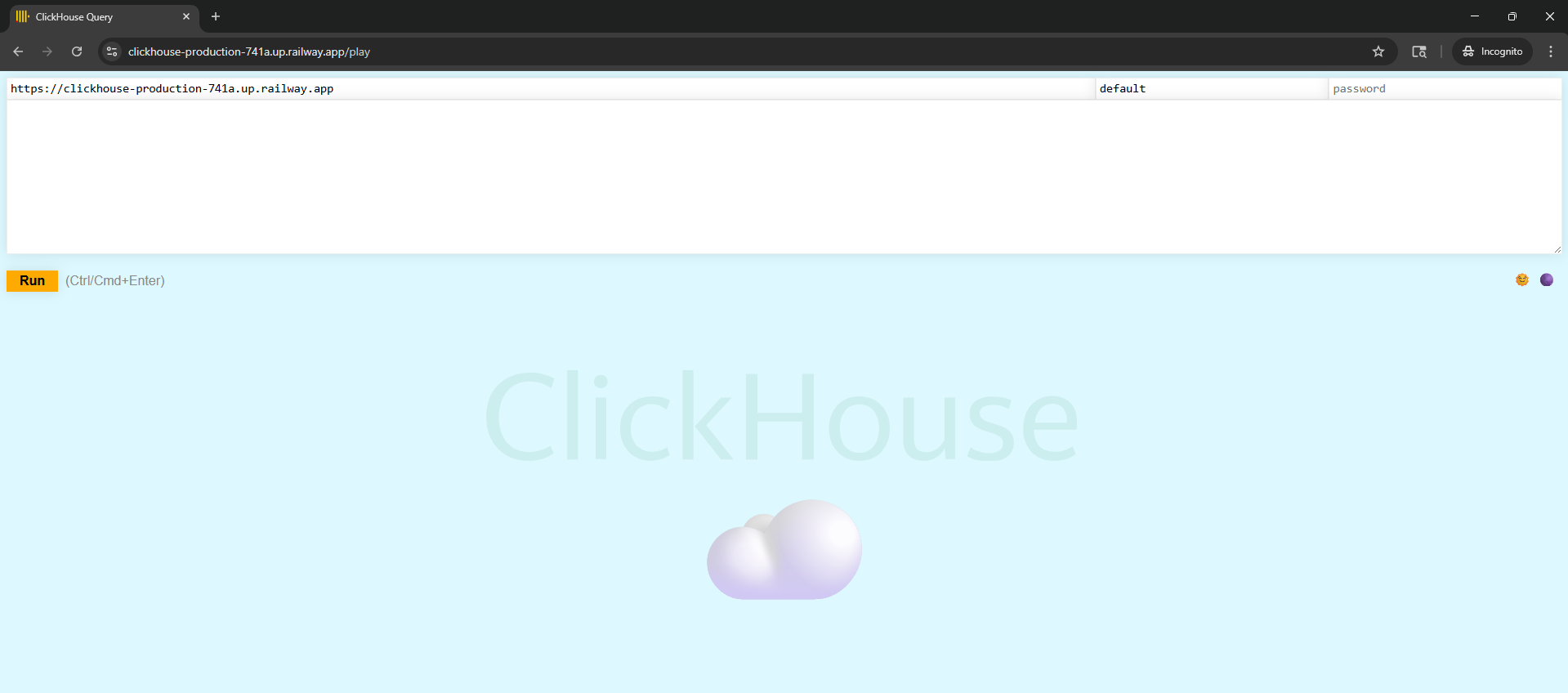
Once the template is deployed, open the public URL in your browser — a blank page with Ok. confirms the HTTP interface is live. Hit /play for ClickHouse's built-in query playground, or connect from your terminal with clickhouse-client --host --port --secure --user admin --password . From there, create your first database and MergeTree table, INSERT sample rows, and run an aggregation to feel the speed. The admin user created at first boot has full access-management rights, so you can CREATE USER, grant roles, and lock things down before pointing real applications at it.
About Hosting ClickHouse
ClickHouse is a column-oriented database management system (DBMS) built for online analytical processing (OLAP). Unlike row-stores like Postgres or MySQL, ClickHouse reads only the columns a query touches and compresses heavily — queries scan gigabytes per second per core.
- Column-oriented storage with per-column compression (LZ4, ZSTD, Delta, Gorilla)
- Vectorised query execution and SIMD-accelerated operators
- Full SQL with arrays, nested types, window functions, and approximate aggregations
- Horizontal scalability via replication and sharding
- Native streaming ingestion from Kafka, RabbitMQ, and S3
- Massive ecosystem of table engines: MergeTree, ReplicatedMergeTree, Distributed, Kafka, S3, MaterializedView
Why Deploy ClickHouse on Railway
One-click provisioning of the official ClickHouse Docker image, with zero infrastructure glue.
- Persistent volume attached at
/var/lib/clickhouse— no data loss on redeploy - Public HTTPS endpoint auto-generated for the HTTP interface on 8123
- External TCP proxy for the native protocol on 9000 for
clickhouse-client - Private networking via
${{clickhouse.RAILWAY_PRIVATE_DOMAIN}}for other services in the same project - Admin user bootstrapped from env vars, no manual
users.xmlediting
Common Use Cases
- Real-time product analytics: ingest clickstream/event data and power funnels, retention, and cohort dashboards
- Observability backend: store logs, metrics, and traces at petabyte scale (backs SigNoz, OpenObserve, Langfuse, PostHog)
- Time-series warehouse: IoT sensor data, financial tick data, application metrics
- Business intelligence: serve Metabase, Superset, Grafana, or Looker over large historical datasets
Dependencies for ClickHouse
- ClickHouse Server —
clickhouse/clickhouse-server:24(resolves to 24.10+)
Environment Variables Reference
| Variable | Purpose |
|---|---|
CLICKHOUSE_USER | Bootstrap admin username |
CLICKHOUSE_PASSWORD | Bootstrap admin password (use a stable plain value, never ${{secret()}}) |
CLICKHOUSE_DB | Default database created on first boot |
CLICKHOUSE_DEFAULT_ACCESS_MANAGEMENT | 1 enables SQL-driven user/role/grant management |
Deployment Dependencies
- Runtime:
clickhouse/clickhouse-server:24(Debian base, ~540 MB) - GitHub: https://github.com/ClickHouse/ClickHouse
- Docker Hub: https://hub.docker.com/r/clickhouse/clickhouse-server
- Docs: https://clickhouse.com/docs
Hardware Requirements for Self-Hosting ClickHouse
| Resource | Minimum | Recommended |
|---|---|---|
| CPU | 1 vCPU | 2+ vCPU (SSE 4.2 required) |
| RAM | 1 GB | 4 GB+ for analytical workloads |
| Storage | 5 GB | 20 GB+ depending on data size and compression |
| Runtime | Linux x86_64 / aarch64 | Same |
Self-Hosting ClickHouse
Minimal docker run equivalent to what this Railway template deploys:
docker run -d --name clickhouse \
  -p 8123:8123 -p 9000:9000 \
  -v clickhouse-data:/var/lib/clickhouse \
  -e CLICKHOUSE_USER=admin \
  -e CLICKHOUSE_PASSWORD= \
  -e CLICKHOUSE_DB=default \
  -e CLICKHOUSE_DEFAULT_ACCESS_MANAGEMENT=1 \
  clickhouse/clickhouse-server:24
Quick smoke test of your deployment:
curl -u 'admin:' \
  'https://.up.railway.app/?query=SELECT+version()'
# 24.10.2.80
How Much Does ClickHouse Cost to Self-Host?
ClickHouse is Apache 2.0 open-source and free to self-host. ClickHouse Cloud (the managed SaaS) starts around $66/month on its Development tier and scales into the thousands for production. On Railway you only pay for the underlying CPU, RAM, and volume storage — no per-seat or per-query licensing, no vendor lock-in, and you keep full control of your data.
FAQ
What is ClickHouse and why self-host it? ClickHouse is a free, open-source columnar database for real-time analytics. Self-hosting lets you keep raw event data on your own infrastructure, avoid SaaS ingestion fees, and fine-tune storage and retention to your exact needs.
What does this Railway template deploy?
A single clickhouse/clickhouse-server:24 service with a persistent volume at /var/lib/clickhouse, a public HTTPS domain on the HTTP port (8123), and a TCP proxy for the native wire protocol (9000).
Why is a volume included?
ClickHouse writes all tables, parts, and metadata under /var/lib/clickhouse. Without a persistent volume, every redeploy would wipe your databases. The volume makes data durable across deploys.
How do I connect clickhouse-client to the Railway deployment?
Use the TCP proxy host and port from the Railway dashboard with --secure: clickhouse-client --host .proxy.rlwy.net --port --secure --user admin --password .
Can I add replication or sharding later?
Yes. Add additional ClickHouse services in the same Railway project, share a ZooKeeper/ClickHouse Keeper service, and use ReplicatedMergeTree or Distributed table engines. This template ships a single standalone node suitable for development and small-to-medium production workloads.
ClickHouse vs Postgres — which should I pick? Use Postgres for transactional (OLTP) workloads: low-latency row reads/writes, joins across many tables, strict ACID. Use ClickHouse for analytical (OLAP) workloads: aggregations, scans across billions of rows, time-series, event data. Many teams run both and replicate from Postgres into ClickHouse for reporting.
Template Content
ClickHouse
clickhouse/clickhouse-server:24