
Deploy Cloudreve
Self-hosted cloud drive for storing, previewing and sharing files

Redis
Just deployed
/data

Just deployed
/var/lib/postgresql/data
cloudreve
Just deployed
/cloudreve/data
Deploy and Host Cloudreve on Railway
Cloudreve is an open-source, self-hosted cloud storage and file sharing system written in Go with a React front end. It gives a team what a commercial drive gives them — a folder tree, drag-and-drop uploads, in-browser previews, expiring share links, WebDAV mounts, per-user groups and quotas — while the files stay on infrastructure you control. Storage is pluggable: one interface over local disk, any S3-compatible bucket, OneDrive, Aliyun OSS, Tencent COS, Qiniu Kodo or Huawei OBS.
Deploy Cloudreve on Railway and three services come up wired together. cloudreve is the application, built from gridalpha/cloudreve-railway on top of the official cloudreve/cloudreve release, and the only service with a public URL. Postgres holds the metadata — users, groups, folders, share links, storage policies and settings. Redis backs the key-value cache. A 5 GB volume at /cloudreve/data is where the default storage policy writes uploads, thumbnails and the generated conf.ini. Traffic reaches the container on port 5212; the databases stay private.
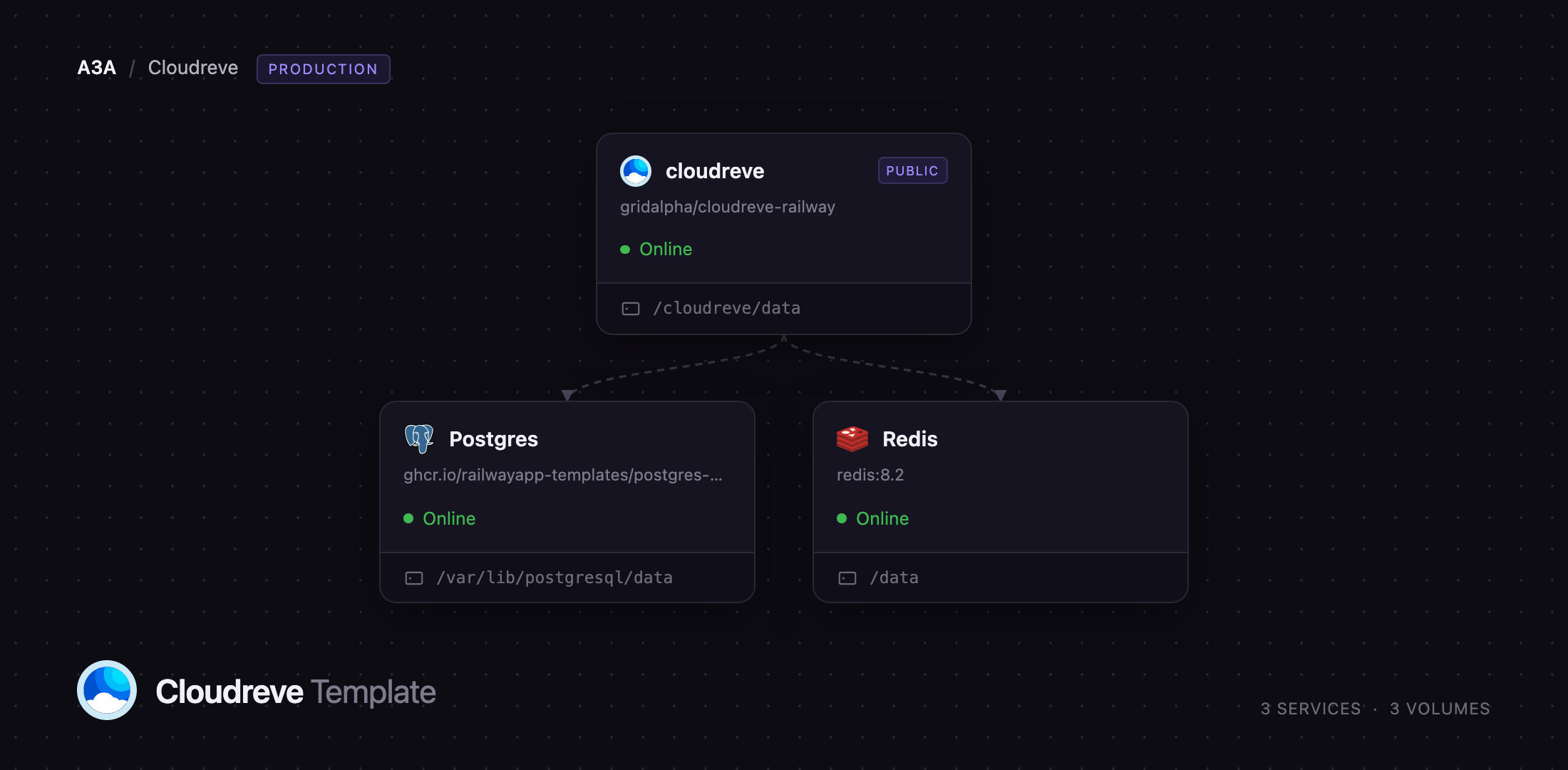
Getting Started with Cloudreve on Railway
Open the public URL and you land on the sign-in page. There are no shipped default credentials: the administrator is created on first boot from CR_ADMIN_EMAIL and CR_ADMIN_PASSWORD, before the app accepts a public request. Sign in with those. Registration is off by default, which matters more than it sounds — Cloudreve promotes the first account that registers to the administrator group.
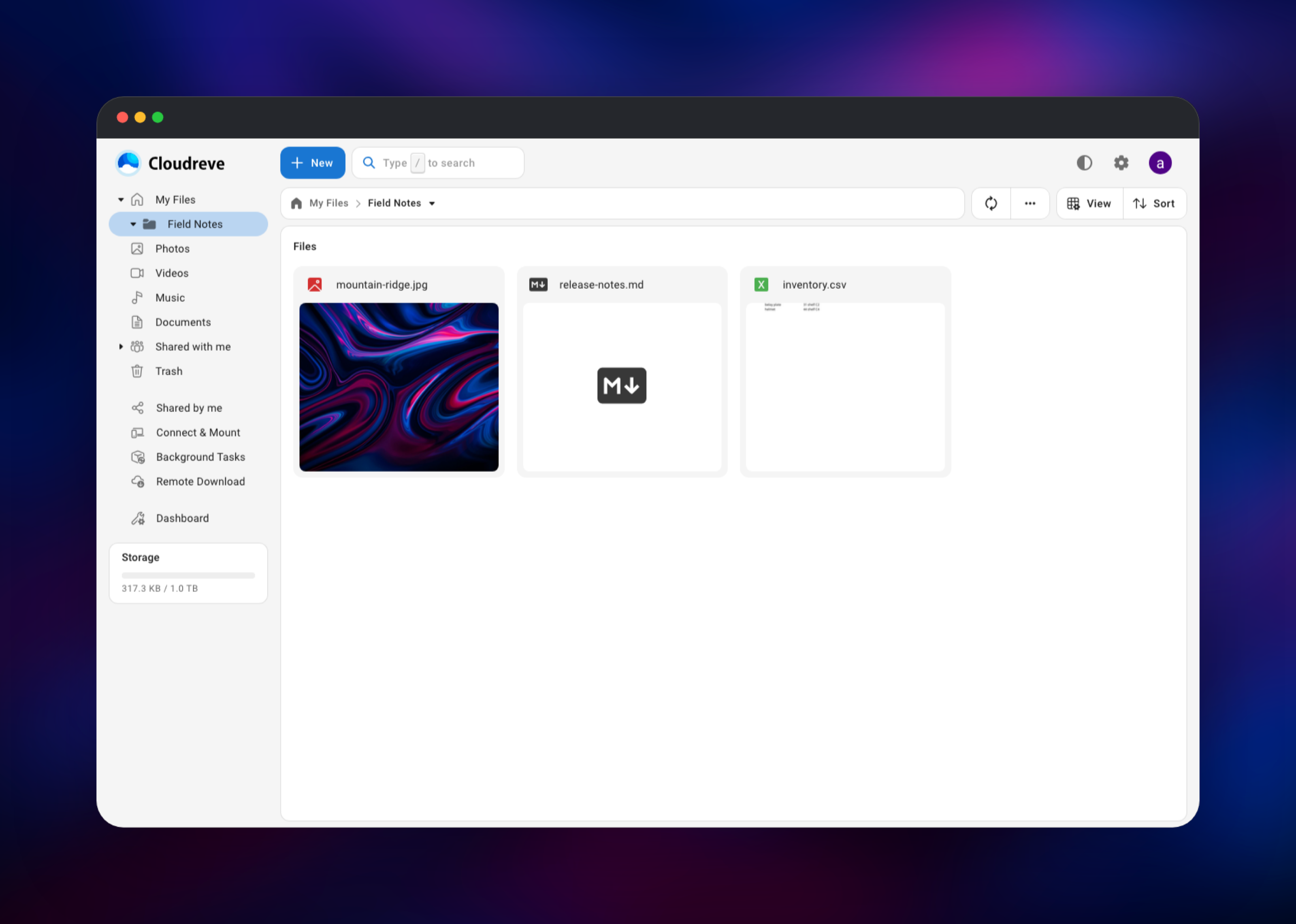
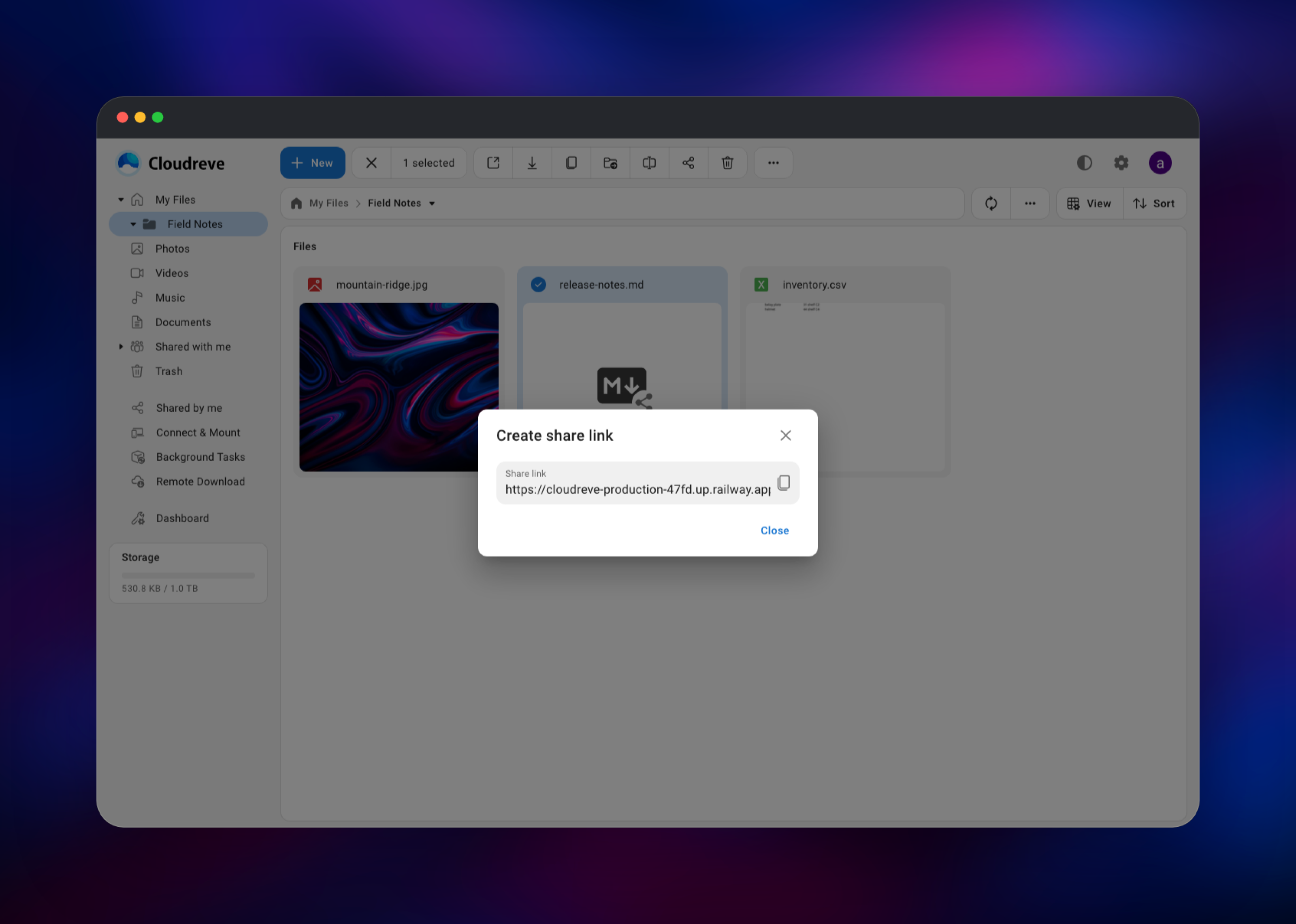
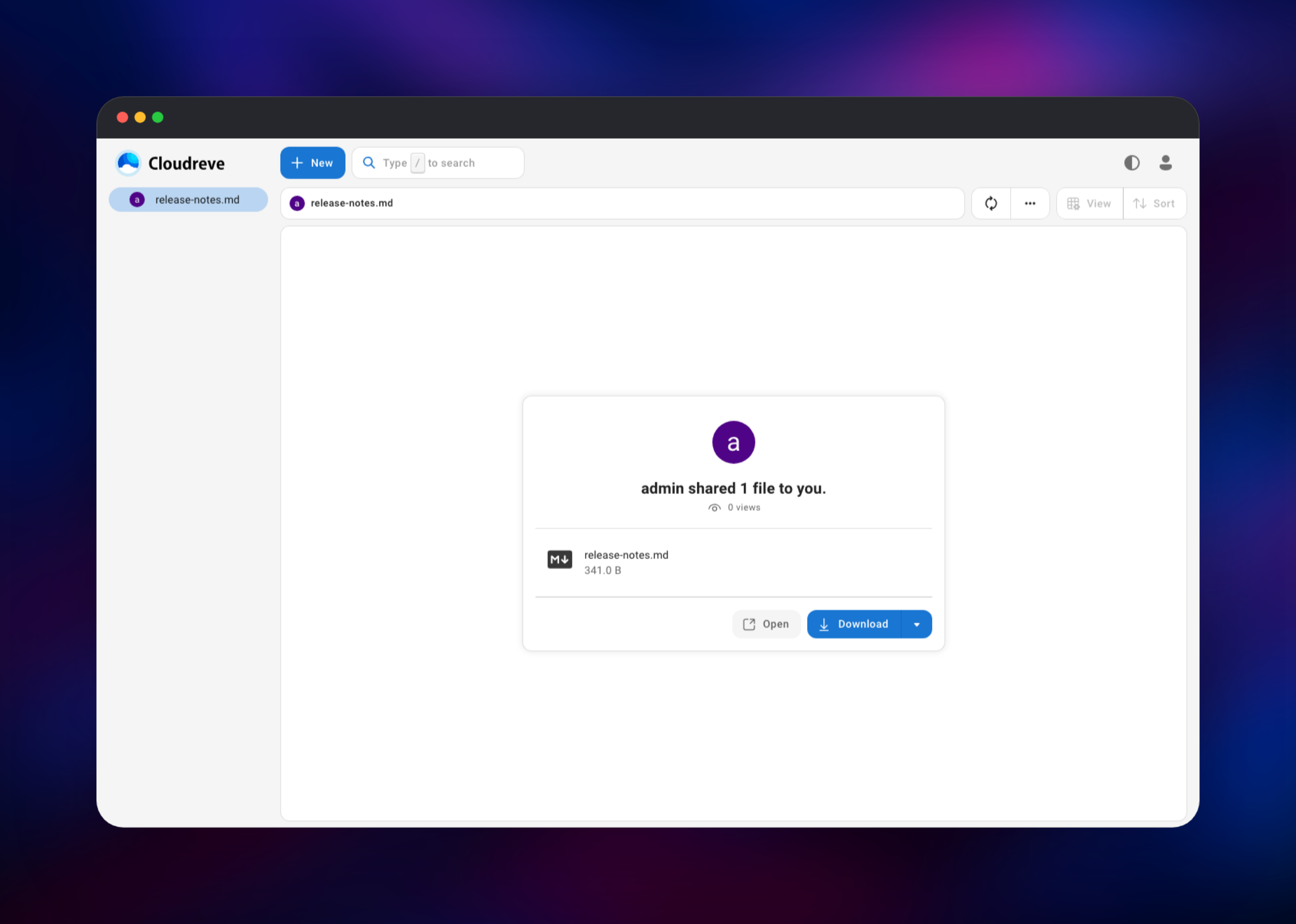
Once you are in, click New → Create folder and drag a few files onto the list. Thumbnails come from libvips for images, ffmpeg for video, LibreOffice for documents and LibRaw for camera files, so a photo or spreadsheet previews within seconds. Select a file, use the share icon, and open the /s/... link in a private window. That round trip — upload, thumbnail, share, anonymous download — exercises the database, the volume and the public domain together.
Then open Dashboard. Under Groups the default quota is 1 TB, far larger than the 5 GB volume — lower it, or grow the volume, so uploads fail with a quota message rather than a full disk.
About Hosting Cloudreve
Cloudreve suits a team that wants Dropbox-shaped behaviour without a per-seat bill or an outside processor holding the data. It is one Go binary serving a compiled React app, so the operational surface is a single process plus a database. Teams self-host it when file custody matters — legal, medical, engineering archives — or when they already own object storage and want a usable interface over it.
Key features:
- Pluggable storage: local disk, any S3-compatible API, OneDrive, OSS, COS, Kodo, OBS, KS3, Upyun
- Direct client-to-storage transfers, so large uploads bypass the app server
- Resumable, chunked, parallel uploads of files or folders
- Share links with expiry dates, view limits and optional passwords
- WebDAV across every backend, mounting natively on macOS, Windows and Linux
- In-browser preview and editing for text, Markdown, images and Office files
- Archive extraction, batch download, metadata search, groups, quotas and permissions
Each concern sits in its own Railway service. cloudreve owns the HTTP surface and the volume. Postgres is the system of record — losing it loses the folder tree even if the bytes survive. Redis caches rather than stores.
Why Deploy Cloudreve on Railway
Railway removes the setup between a Docker image and a working drive:
- Postgres, Redis and a persistent volume provisioned and wired in one click
- HTTPS on a public domain, certificates handled for you
- The administrator account seeded on first boot
- Private networking between the app and its databases, no ports exposed
- Logs, metrics and one-click redeploys in one dashboard
Common Use Cases
- A shared team drive on infrastructure the company controls, WebDAV-mounted on every laptop
- A client delivery portal: upload a batch, generate a password-protected link that expires after N downloads
- A browser front end for object storage a team already pays for, instead of an S3 console
- A personal media and document archive with previews, tag search and offline PWA access
Dependencies for Cloudreve
- cloudreve —
gridalpha/cloudreve-railway, layered on the officialcloudreve/cloudreveimage. Serves the API and React front end on port 5212 and owns the/cloudreve/datavolume. - Postgres —
ghcr.io/railwayapp-templates/postgres-ssl:18. Users, groups, files, shares, policies and settings. - Redis —
redis:8.2. Key-value cache.
Environment Variables Reference
| Variable | Purpose |
|---|---|
CR_ADMIN_EMAIL | Login for the administrator seeded on first boot |
CR_ADMIN_PASSWORD | Password for that account; change it in the app |
CR_CONF_Database.DatabaseURL | Postgres connection string |
CR_CONF_Redis.Server | Redis host and port |
CR_SETTING_DEFAULT_siteURL | Public base URL, seeded on first boot |
PORT | Port the app listens on |
CR_SKIP_BOOTSTRAP | 1 skips first-run setup |
Deployment Dependencies
- Source: https://github.com/cloudreve/cloudreve
- Image: https://hub.docker.com/r/cloudreve/cloudreve
- Docs: https://docs.cloudreve.org
- Runtime: Go on Alpine, with libvips, ffmpeg, LibreOffice and LibRaw for previews
Hardware Requirements for Self-Hosting Cloudreve
| Resource | Minimum | Recommended |
|---|---|---|
| CPU | 1 vCPU | 2 vCPU |
| RAM | 512 MB | 2 GB |
| Storage | 5 GB volume | 20 GB+, or an S3 bucket |
| Runtime | Docker | Docker, Postgres, Redis |
Memory climbs during thumbnail generation, since LibreOffice and ffmpeg are heavy; 2 GB is comfortable for a small team. Storage is what grows, and the usual answer is a bucket-backed storage policy rather than an ever-larger volume.
Self-Hosting Cloudreve
Upstream publishes a multi-architecture image, so the fastest path off Railway is one container on SQLite:
docker run -d --name cloudreve \
  -p 5212:5212 \
  -v cloudreve_data:/cloudreve/data \
  cloudreve/cloudreve:latest
For production, point it at Postgres and Redis. Cloudreve reads any config-file key from CR_CONF_<section>. and any first-boot setting from CR_SETTING_DEFAULT_. A Docker Compose fragment:
services:
  cloudreve:
    image: cloudreve/cloudreve:latest
    ports: ["5212:5212"]
    environment:
      - CR_CONF_Database.Type=postgres
      - CR_CONF_Database.DatabaseURL=postgres://user:pass@postgresql:5432/cloudreve
      - CR_CONF_Redis.Server=redis:6379
      - CR_SETTING_DEFAULT_siteURL=https://drive.example.com
    volumes:
      - backend_data:/cloudreve/data
The config file is generated at data/conf.ini on first run and holds a random session secret, so keep that path on a persistent volume or every restart signs users out.
Is Cloudreve Free?
Cloudreve is free and open source under GPL-3.0, with no seat limits and no account required. A Pro edition adds payment handling, event auditing and abuse reporting; this deploys the community build. On Railway you pay only for the compute, volume and database usage it consumes.
FAQ
What is Cloudreve? An open-source, self-hosted file management and sharing system: a web drive with uploads, previews, share links, WebDAV and multi-user groups, storing files on local disk or a dozen cloud providers.
What does this Railway template deploy? Three services: Cloudreve on a public HTTPS domain with a 5 GB volume, Postgres for metadata, and Redis for caching. The administrator account is created on first boot from the variables you supply.
Why does the template include Postgres and Redis instead of SQLite? Cloudreve runs on SQLite, but a single file is a poor fit for concurrent writes and awkward to back up. Postgres holds the metadata and backs up independently of the files; Redis carries the key-value cache so it survives restarts.
How do I use an S3 bucket instead of the Railway volume? Storage backends live in the app, not in environment variables. Open Dashboard → Storage Policy, add an S3 policy with your endpoint, bucket, region and keys, enable path-style addressing if your provider needs it, then assign it to a user group. Existing files stay on the old policy; new uploads go to the new one.
How do I mount self-hosted Cloudreve as a network drive? Cloudreve speaks WebDAV across every backend. Open Connect & Mount, create a WebDAV account, then add the URL in Finder (Go → Connect to Server), Windows Explorer (Map network drive) or any WebDAV client, whichever storage policy the files sit behind.
Can other people sign up on my instance? Not by default. Registration closes once the administrator exists, and the sign-up endpoint rejects requests rather than only hiding the form. Re-open it under Dashboard → Settings when you are ready.
Why is my storage quota showing 1 TB? Cloudreve's default group quota is independent of the volume you have. Set it at or below the real disk size under Dashboard → Groups, so users hit a quota error rather than a full disk.
Template Content
Redis
redis:8.2cloudreve
gridalpha/cloudreve-railway

