
Deploy ContextForge
IBM ContextForge MCP gateway and registry with Postgres and Redis.

Redis
Just deployed
/data
ContextForge
Just deployed

Just deployed
/var/lib/postgresql/data
Deploy and Host IBM ContextForge on Railway
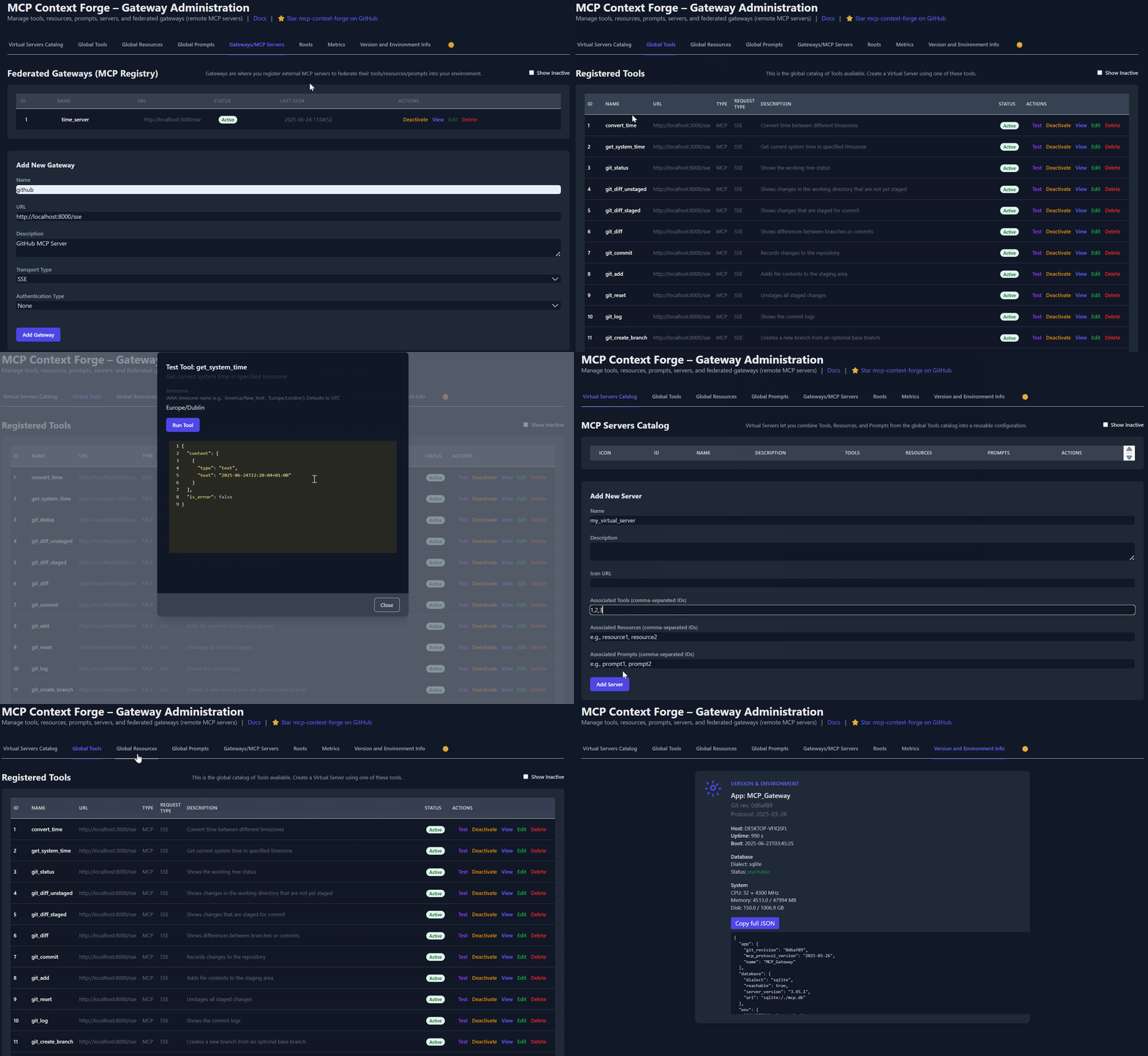
ContextForge is IBM's open-source gateway, registry, and proxy for MCP, A2A, and REST/gRPC APIs. It unifies many MCP servers behind one endpoint with centralized discovery, a web admin UI, teams and JWT auth, guardrails, health monitoring, and plugins — one control plane for your agent tooling.
About Hosting ContextForge
Hosting ContextForge takes three services: the gateway, PostgreSQL, and Redis. The gateway is a FastAPI application that runs its own migrations on an empty database, serves the admin UI at /admin, and exposes readiness at /ready and health at /health on port 4444. PostgreSQL stores the registry, users, and teams; Redis provides auth, registry, and metrics caching to keep database load low. Production mode locks CORS to the public domain and enforces strong secrets, both generated at deploy time. Railway terminates TLS at the edge, so the gateway itself serves plain HTTP.
Common Use Cases
- Register many MCP servers once and expose them through one authenticated endpoint.
- Monitor registered MCP servers with built-in health checks and automatic tool refresh.
- Share MCP, A2A, and REST backends across teams with per-team access control.
- Front internal tools to AI agents with centralized guardrails and observability.
- Prototype agent toolchains without running a Kubernetes cluster or etcd.
Dependencies for ContextForge Hosting
- Official Docker image
ghcr.io/ibm/mcp-context-forge:v1.1.1(about 420 MB). - One PostgreSQL database (Railway-managed) for the registry, users, and teams.
- One Redis database (Railway-managed) for auth, registry, and metrics caching.
- One public HTTP service on port
4444; no persistent volume is used.
Implementation Details
The admin UI is served by the gateway at /admin; sign in with the platform admin email and the generated password, which is copied from the service variables after deploy. The first start runs database migrations on the empty PostgreSQL database, so allow a few minutes before the readiness check passes; later starts skip migrations.
Health is exposed at /health and readiness at /ready on the gateway port. MCP servers in the same Railway project are reachable through their private network hostname, and the gateway's SSRF guard is configured to allow those private addresses. Redis carries the auth, registry, and metrics caches so the API stays responsive under load.
The first startup runs migrations on the empty database, which can take a minute; the Railway health check waits at /ready. MCP servers in the same Railway project are reachable through their private network hostname, which the SSRF configuration allows.
Comparison with Alternatives
✅ = built-in part of the workflow, ❌ = not available or requires workarounds.
| Capability | This template (ContextForge) | agentgateway | MCPJam Inspector |
|---|---|---|---|
| Role | Gateway + registry + control plane | Data-plane proxy | Testing and evaluation client |
| MCP server registry with a web admin UI | ✅ | ❌ (config-as-code baseline) | ❌ |
| Automatic health checks and tool auto-refresh for registered servers | ✅ | ❌ | ❌ |
| Teams and per-team access control | ✅ | ❌ | ❌ |
| A2A (agent-to-agent) protocol support | ✅ | ✅ | ❌ |
| Postgres and Redis stack | ✅ | Postgres only | None |
| Plugin extension system | ✅ | ❌ | ❌ |
Sources: the ContextForge repository and the agentgateway repository. agentgateway is the lighter option when a proxy is enough; ContextForge is the choice when a registry with health monitoring and teams is needed.
Security Considerations
- Production mode enforces strong secrets and fails to start on weak values; both secrets are generated by template functions, so do not replace them with placeholders.
- The platform admin password is visible in the service variables — treat it like any credential and rotate it after sharing the project.
SSRF_ALLOW_PRIVATE_NETWORKS=trueis required so the gateway can reach MCP servers on Railway's private network; it also permits requests to other private addresses, so only register backends you control.- Keep one replica. Multi-replica deployments belong behind a load balancer with shared Redis, which this template intentionally does not include.
- Do not enable public access on the PostgreSQL or Redis services; the gateway reaches them over the private network.
Why Deploy ContextForge on Railway?
Railway is a singular platform to deploy your infrastructure stack. Railway will host your infrastructure so you don't have to deal with configuration, while allowing you to vertically and horizontally scale it.
By deploying ContextForge on Railway, you are one step closer to supporting a complete full-stack application with minimal burden. Host your servers, databases, AI agents, and more on Railway.
PostgreSQL and Redis are Railway-managed services with automatic password rotation, so the heaviest operational parts of a ContextForge deployment — state and caching — require no maintenance from you.
Template Content
Redis
redis:8.2ContextForge
codestorm-official/contextforge

