
Deploy Copyparty
File server with a web browser UI, resumable uploads and WebDAV
copyparty
Just deployed
/data
Deploy and Host copyparty on Railway
copyparty is an open-source file server that fits in a single Python file and still does the work of a small cloud drive: a web file browser with image and video thumbnails, chunked uploads that resume after a dropped connection, expiring share links, a searchable media index, and a WebDAV endpoint you can mount as a network drive. It is MIT-licensed, from github.com/9001/copyparty, and people reach for it when Nextcloud is more platform than they wanted.
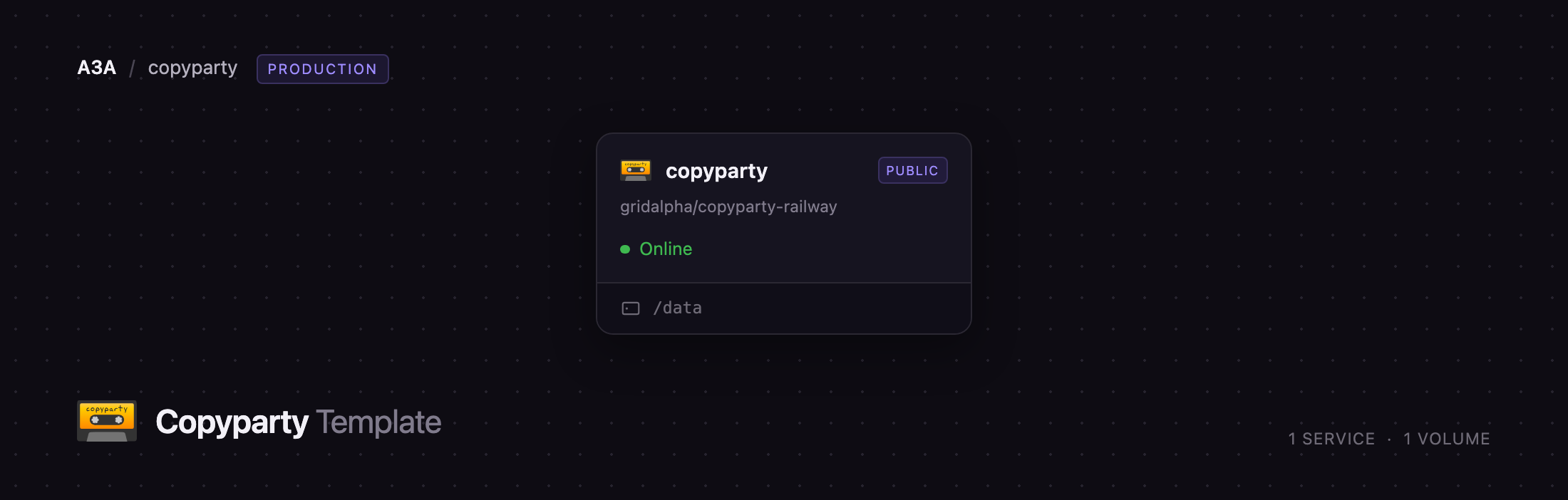
Self-host copyparty on Railway and you get one service, copyparty, built from the copyparty/ac image and backed by a persistent volume at /data. Everything the server keeps — files, the search index, thumbnails, share records and sessions — lives there, so redeploys leave your data and your links intact. Deploy copyparty with a username and password and the account is created at first boot; nothing is readable without signing in.
Getting Started with copyparty on Railway
Open the generated public URL and you land on the sign-in page. There are no default credentials to change: the account comes from the CP_USERNAME and CP_PASSWORD variables on the copyparty service, so open the Variables tab, copy the generated password and sign in. CP_USERNAME defaults to admin, with full read, write, move, delete and admin rights.
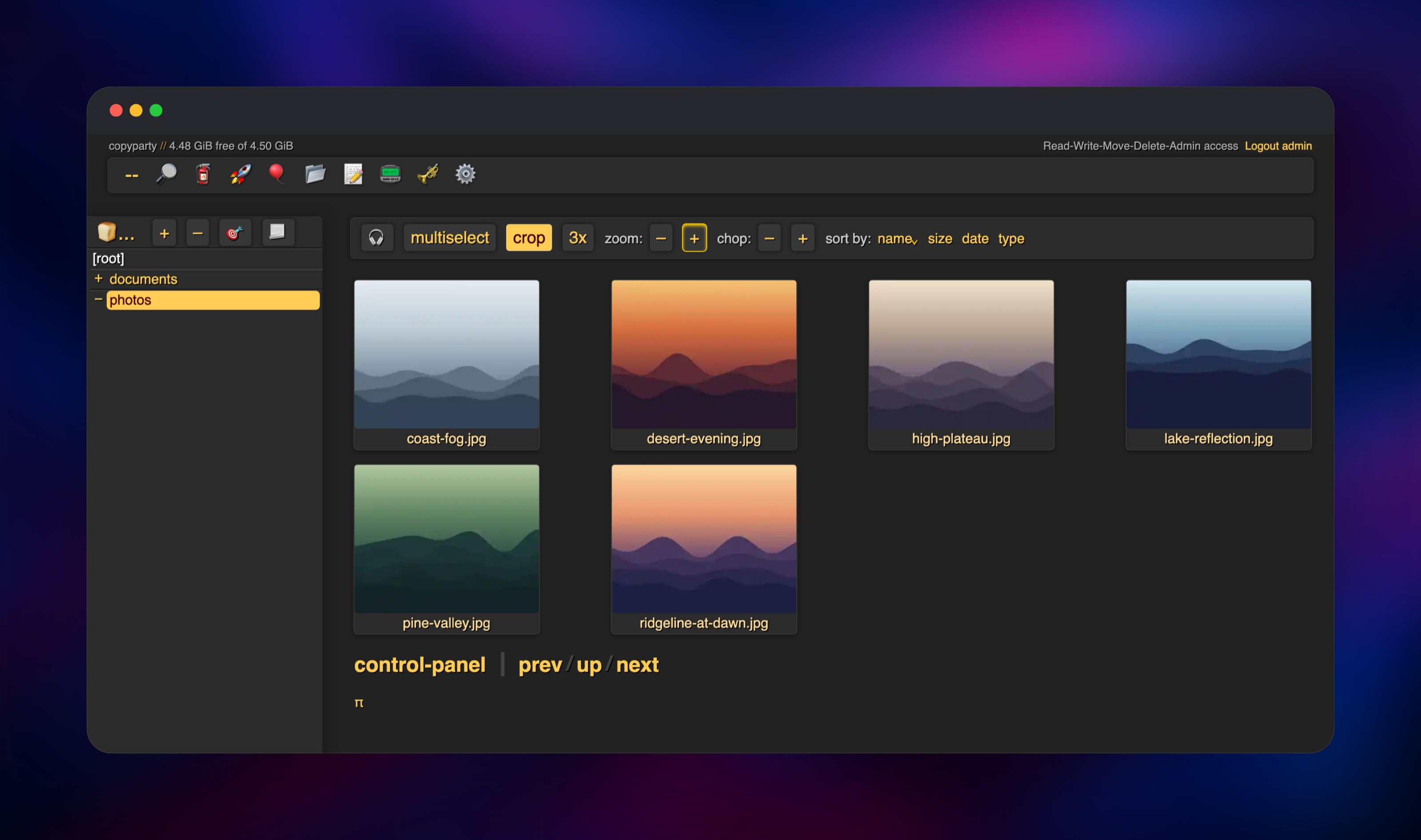
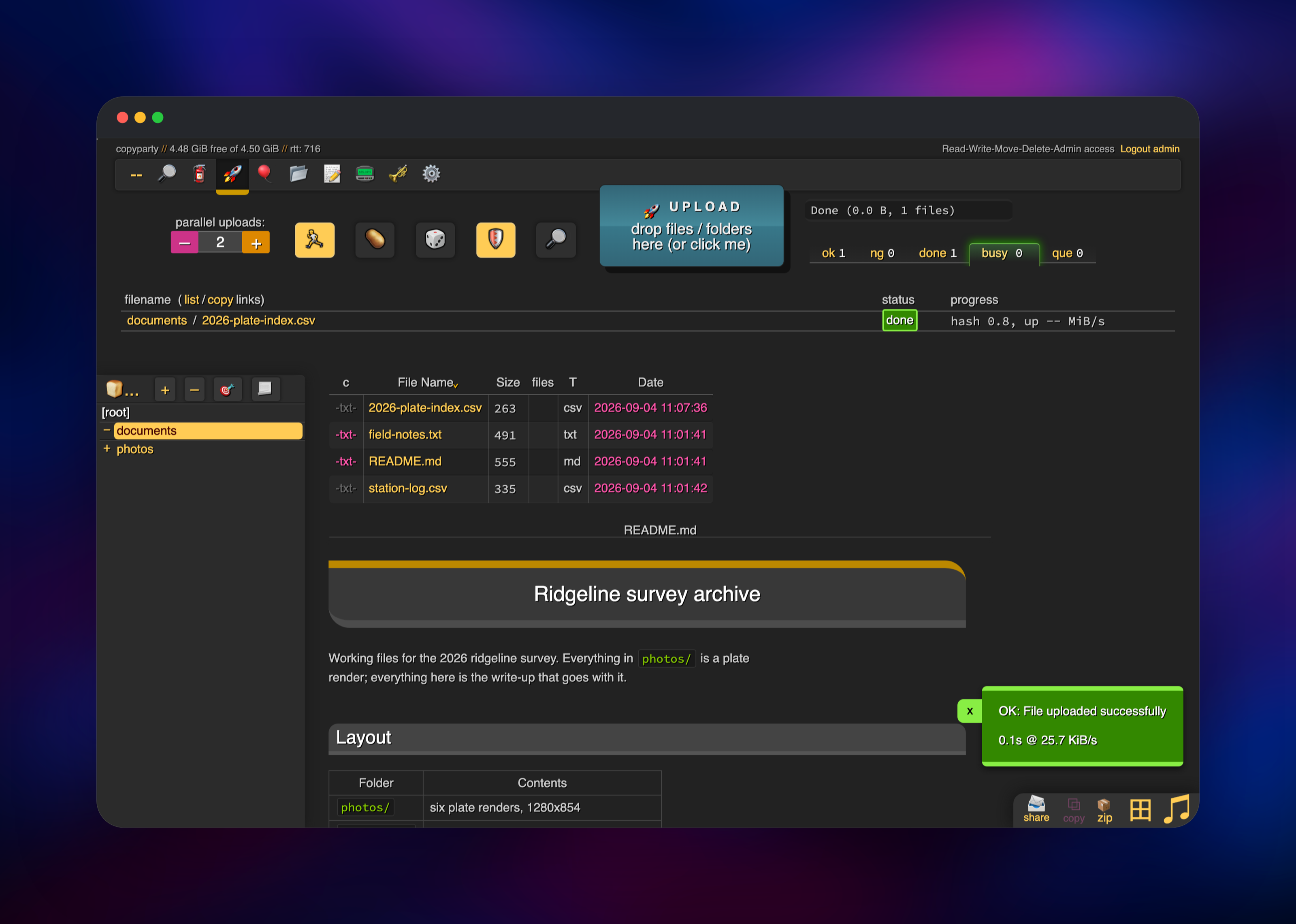
Inside is the shared folder, which starts empty. Make a folder with the 📂 button, then drag files onto the page — the uploader hashes each file in the browser, sends it in chunks, and resumes where it stopped if the tab closes mid-transfer. Images and video get thumbnails within seconds, and 田 switches to grid view. To confirm the deployment works end to end, upload a file and reload: if it is still listed, the volume is mounted and writable.
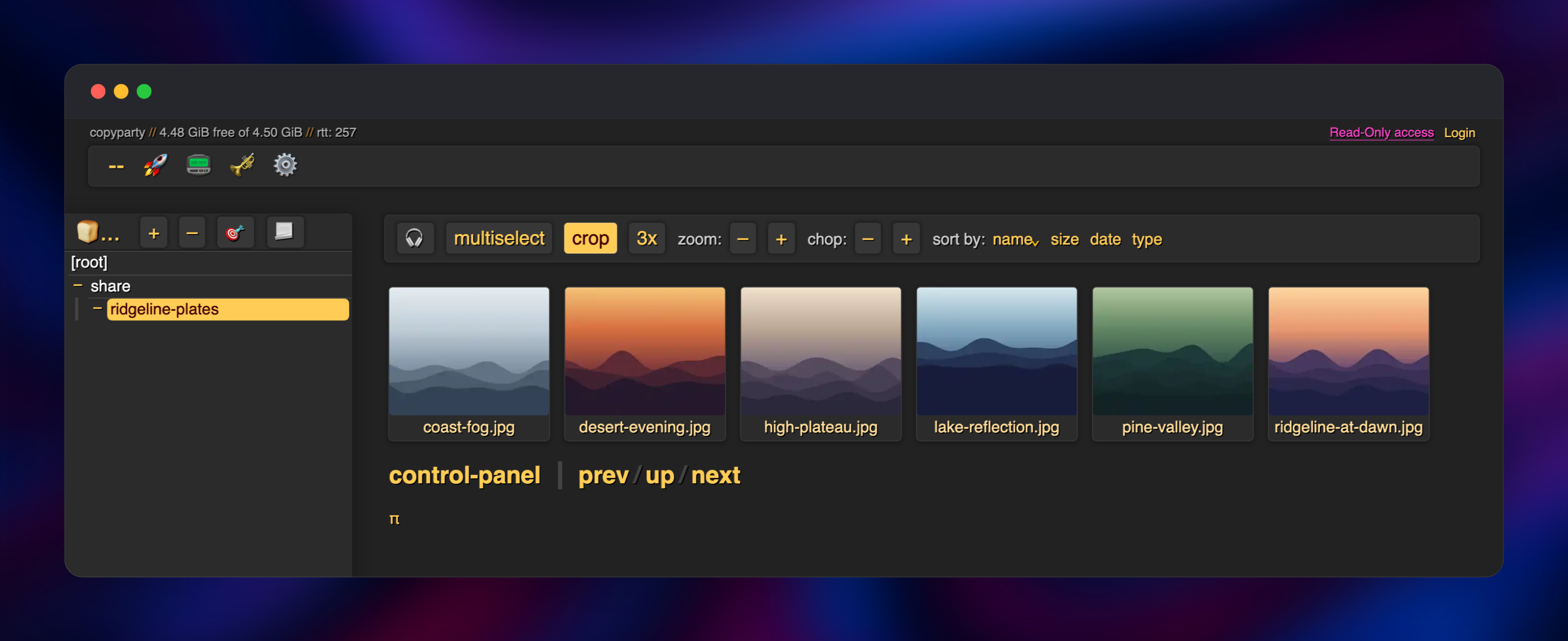
The feature most people came for is the 📨 share button, which turns the folder you are in into a link with its own expiry, optional password and permissions — send someone a folder without giving them an account. To use copyparty as a network drive instead, point a WebDAV client at the same URL with your credentials; Finder, Windows Explorer, rclone and davfs2 connect unconfigured.
About Hosting copyparty
copyparty solves the problem of moving files between people and machines when a shared drive is too much and email attachments are too little. Everything is served from an ordinary directory tree, so what you upload in the browser is what a WebDAV client sees, and a backup of the volume is a plain folder of files, not an opaque blob store.
Key features:
- Resumable chunked uploads, with duplicate detection so a file uploaded twice costs the space of one
- Thumbnails and a media player for images, video and audio, from the FFmpeg and Pillow in the
acimage - Search by filename, path, size, date or extracted media tags such as resolution and codec
- Expiring share links with their own password and permissions, created from the browser
- WebDAV on the same URL, so the server doubles as a mountable network drive
- Per-folder accounts and permissions, including a get-only mode that serves files by name without exposing listings
The deployment is deliberately one service: copyparty is a single multi-threaded process serving a filesystem, and its search index is a SQLite file beside your data, so there is no database, cache or worker tier to run alongside it.
Why Deploy copyparty on Railway
Railway removes the setup work that usually sits between you and a working file server.
- Persistent volume attached and mounted before the first boot
- HTTPS and a public domain issued automatically, no certificate to renew
- Account created from two variables, no first-run wizard to race
- Client IP forwarding pre-configured, so brute-force protection works
- Thumbnail and indexing pools sized to the container, not the host
Common Use Cases
- A drop box for clients or contractors — hand out a password-protected share link with a fixed expiry instead of creating an account for someone you will work with once
- Media staging for a home lab or studio — upload footage from anywhere, browse it as a thumbnail grid, pull originals down over WebDAV
- A durable archive that is just files — artefacts, scans or exports in a folder tree any tool can read, searchable by name, date and tag
- Moving large files between machines — resumable uploads survive a flaky connection
Dependencies for copyparty
- copyparty —
copyparty/ac:latest(Docker Hub), the recommended edition: copyparty plus Pillow and FFmpeg, which is what makes thumbnails, audio transcoding and media-tag indexing work. - A 5 GB Railway volume at
/data, holding the shared folder, index, thumbnails, share records and sessions. Resize it from the service's Settings tab.
Environment Variables Reference
| Variable | Default | What it does |
|---|---|---|
CP_PASSWORD | generated | Password for the primary account. The container refuses to start if it is blank |
CP_USERNAME | admin | Primary account name; holds admin rights on the shared folder |
CP_EXTRA_USERS | unset | Extra accounts as space-separated user:pass pairs, e.g. alice:s3cret bob:hunter2; read, write, move and delete but not admin |
CP_SERVER_NAME | copyparty | Name shown top-left in the web UI |
CP_DF | 256m | Stop accepting uploads once the volume has less than this free |
PORT | 3923 | Port the server listens on |
Deployment Dependencies
- Source repository: github.com/gridalpha/copyparty-railway
- Upstream project and docs: github.com/9001/copyparty
- Container image: hub.docker.com/r/copyparty/ac
- Runtime: Python 3.14 on Alpine, with FFmpeg and Pillow
Hardware Requirements for Self-Hosting copyparty
| Resource | Minimum | Recommended |
|---|---|---|
| CPU | 0.5 vCPU | 2 vCPU (thumbnailing is the heavy job) |
| RAM | 256 MB | 1 GB |
| Storage | 1 GB | Size it to your files; index and thumbnails add 1–2% |
| Runtime | Python 3.9+ | Python 3.12+ with FFmpeg and Pillow |
copyparty is unusually light — it idles in tens of megabytes, and what you need is driven by how many files are hashed or thumbnailed at once.
Self-Hosting copyparty with Docker
The quickest way to run copyparty outside Railway is the image this template builds on:
docker run --rm -it -p 3923:3923 \
  -v /srv/files:/w \
  -v /srv/copyparty-cfg:/cfg \
  copyparty/ac
Configuration goes in any *.conf file inside /cfg. This one creates one account with full rights and leaves anonymous visitors with nothing:
[global]
  e2dsa
  e2ts

[accounts]
  admin: change-me

[/]
  /w
  accs:
    A: admin
Without Docker, copyparty runs from one file: download copyparty-sfx.py from the GitHub releases page and run python3 copyparty-sfx.py. That is the whole install.
How Much Does copyparty Cost to Self-Host?
copyparty is free and open source under the MIT licence, with no paid tier, no seat limits and no hosted edition to upsell you. The only cost is Railway infrastructure: compute for a small always-on container plus the volume you provision. A personal instance with a few gigabytes of files is one of the cheaper things you can leave running.
FAQ
What is copyparty?
An open-source file server, distributed as a single Python file, giving a directory on disk a browser UI, resumable uploads, a media index with thumbnails, share links and WebDAV.
What does this Railway template deploy?
One service running the copyparty/ac image with a persistent volume at /data. Your files live in /data/files, with the search index, thumbnails, share records and sessions alongside them, so nothing is lost when the container restarts.
Why does the template need a volume?
copyparty serves a real filesystem rather than object storage. Without a volume, uploads would sit in the container's temporary layer and vanish on the next deploy, along with the index and every share link.
Is anything public before I log in?
No. The shared folder is closed to anonymous visitors and an unauthenticated request for a file is rejected. The only path that answers without credentials is a small health-check file Railway uses to confirm the container is alive. Share links you create are the deliberate exception, each with its own expiry.
How do I add more users to self-hosted copyparty?
Set CP_EXTRA_USERS to a space-separated list of user:pass pairs and redeploy. Those accounts can read, write, move and delete in the shared folder, but cannot see uploader IPs or reload the config.
Can I mount copyparty as a network drive?
Yes — the public URL is also a WebDAV endpoint, so Finder, Windows Explorer, rclone and davfs2 connect with your copyparty credentials. copyparty also speaks FTP, SFTP and SMB, but this template does not expose them: they need port ranges Railway's HTTP edge does not route.
Template Content
copyparty
gridalpha/copyparty-railway

