
Deploy Debian Linux | Open Source Web Terminal for Railway
Self Host Debian Linux shell accessible from any browser.
debian-linux-railway-template
Just deployed
/data
Deploy and Host Debian Linux Web Terminal on Railway
Deploy Debian Linux with a browser-based terminal on Railway in one click. Self-host a full Debian shell accessible from any browser — no SSH keys, no port forwarding, no server management.
Self host Debian and get a minimal Debian Bookworm container with ttyd (11.4k+ GitHub stars, MIT licensed) providing secure, authenticated web terminal access. Railway handles orchestration, networking, and persistent storage via a mounted volume at /data.
Getting Started with Debian Linux Web Terminal on Railway
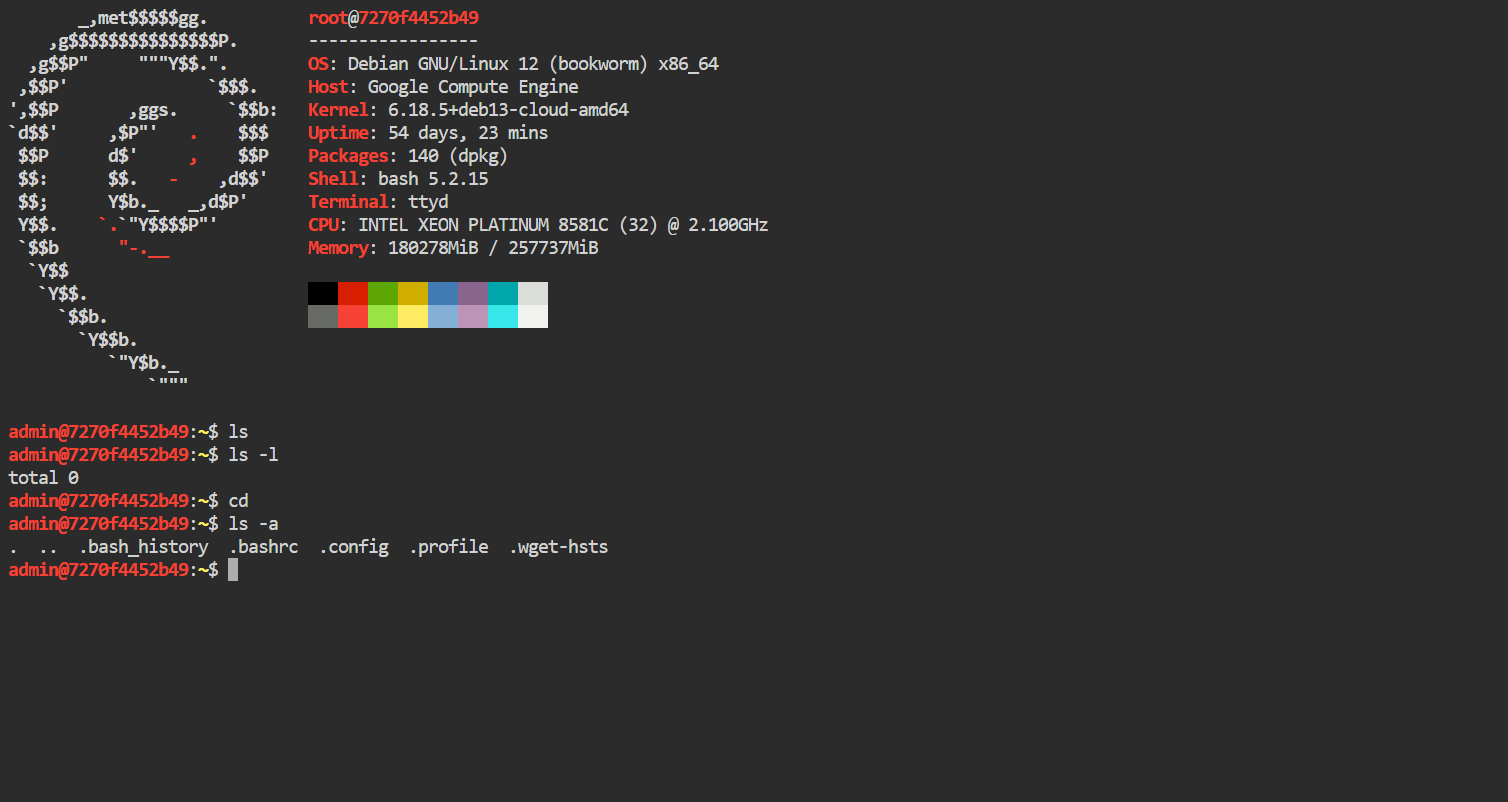
After deployment completes, Railway generates a public URL for your terminal. Open it in any browser and log in with the USERNAME and PASSWORD you configured in your environment variables. You'll land in a full Debian bash shell with curl, wget, git, python3, and pip pre-installed.
Your first session displays system information via neofetch. From here you can install additional packages with apt-get, clone repositories, run scripts, or use it as a remote development environment. Any files stored in /data survive redeploys, crashes, and restarts — use this directory for anything you want to keep.
# Example: store persistent data
mkdir -p /data/projects
cd /data/projects
git clone https://github.com/your/repo.git
About Hosting Debian Linux Web Terminal
Debian is one of the oldest and most stable Linux distributions, trusted by millions of servers worldwide. Combined with ttyd — a lightweight C-based web terminal built on libwebsockets and xterm.js — this template gives you instant browser-based shell access to a full Linux environment.
Key features of this self-hosted Debian web terminal:
- Full Debian Bookworm — stable, minimal base image (~20MB slim variant)
- ttyd web terminal — fast, low-latency terminal over WebSocket with xterm.js
- Basic authentication — password-protected access via USERNAME/PASSWORD env vars
- Pre-installed tools —
git,python3,pip,curl,wgetready out of the box - Persistent storage —
/datavolume survives redeploys and restarts - tini init — proper PID 1 process for clean signal handling and zombie reaping
- Multi-arch support — auto-detects x86_64 and ARM64 architectures
Why Deploy Debian Linux Web Terminal on Railway
- One-click deploy — no Docker, SSH, or server setup required
- Browser-based access from any device, anywhere
- Persistent
/datavolume keeps your files across redeploys - Railway manages networking, TLS, and domain provisioning
- Scale resources up or down as needed
Common Use Cases for Self-Hosted Debian Web Terminal
- Remote development environment — code from any browser on any device, keep projects in
/datafor persistence - Quick scripting and automation — run Python scripts, cron jobs, or one-off tasks without provisioning a full server
- Learning Linux — practice Debian commands, package management, and shell scripting in a safe, isolated environment
- DevOps toolbox — install CLI tools (Railway CLI,
gh,aws,kubectl) and manage infrastructure from a browser
Dependencies for Debian Linux Web Terminal
- Debian Bookworm Slim —
debian:bookworm-slim(official Docker image) - ttyd 1.7.7 — web terminal binary from tsl0922/ttyd releases
- tini — lightweight init system (installed via apt)
Environment Variables Reference for Self-Hosting Debian Web Terminal
| Variable | Description | Default |
|---|---|---|
USERNAME | Web terminal login username | admin |
PASSWORD | Web terminal login password | (generated) |
PORT | HTTP port (set by Railway automatically) | 8080 |
Deployment Dependencies
- Runtime: Debian Bookworm Slim container
- Docker image:
debian:bookworm-slim - Web terminal: ttyd v1.7.7
- GitHub: tsl0922/ttyd
- Docs: ttyd documentation
Hardware Requirements for Self-Hosting Debian Linux Web Terminal
| Resource | Minimum | Recommended |
|---|---|---|
| CPU | 0.5 vCPU | 1 vCPU |
| RAM | 128 MB | 256 MB |
| Storage | 500 MB | 1 GB+ |
| Runtime | Docker / Railway | Railway |
This is an extremely lightweight template. The base Debian slim image is ~20MB, ttyd adds ~3MB. Resource usage depends on what you install and run inside the terminal.
Self-Hosting Debian Linux Web Terminal with Docker
You can run this template locally with Docker:
git clone https://github.com/kayrakryo/debian-linux-railway-template.git
cd debian-linux
docker build -t debian-web-terminal .
docker run -d \
  -p 7681:7681 \
  -e PORT=7681 \
  -e USERNAME=admin \
  -e PASSWORD=supersecret \
  -v debian-data:/data \
  debian-web-terminal
Open http://localhost:7681 in your browser and log in with admin / supersecret.
For Docker Compose:
services:
  debian-terminal:
    build: .
    ports:
      - "7681:7681"
    environment:
      PORT: "7681"
      USERNAME: "admin"
      PASSWORD: "supersecret"
    volumes:
      - debian-data:/data

volumes:
  debian-data:
Is Debian Linux Web Terminal Free to Self-Host?
Yes — completely free and open source. Debian is licensed under various free software licenses, and ttyd is MIT licensed. There are no paid tiers, no feature gates, and no usage limits. On Railway, you only pay for the infrastructure resources your container uses. The Hobby plan ($5/month) includes enough credits for running this lightweight terminal 24/7.
Debian Web Terminal vs SSH Access
| Feature | Debian Web Terminal (ttyd) | Traditional SSH |
|---|---|---|
| Access method | Browser — any device | SSH client required |
| Setup complexity | One-click deploy | Key management, port config |
| Authentication | Username/password via env vars | SSH keys or password |
| File transfer | ZMODEM/trzsz built-in | SCP/SFTP |
| TLS encryption | Railway handles it automatically | Manual cert management |
| Latency | WebSocket-based, low latency | Direct TCP, lowest latency |
| Mobile access | Works in mobile browsers | Requires mobile SSH app |
FAQ
What is Debian Linux Web Terminal and why self-host it? It's a full Debian Linux shell accessible through your web browser, powered by ttyd. Self-hosting gives you a persistent, private Linux environment you control — no shared hosting, no usage limits, no third-party access to your data.
What does this Railway template deploy?
A single Debian Bookworm Slim container running ttyd as the web terminal server. Railway provisions a public HTTPS domain, persistent volume at /data, and manages the container lifecycle. No database or additional services required.
Does the /data volume persist across redeploys on Railway?
Yes. The /data directory is mounted on a Railway persistent volume. All files stored there survive redeploys, crashes, and container restarts. Files outside /data (like packages installed with apt-get) are reset on each redeploy since they live on the container's ephemeral filesystem.
Can I install additional packages in the Debian web terminal?
Yes — you have root access. Run apt-get update && apt-get install to install anything available in Debian's repositories. Note that installed packages are ephemeral — they reset on redeploy. To persist tools, install them to /data or add them to the Dockerfile.
How do I keep installed packages across redeploys?
Add them to the Dockerfile's RUN apt-get install line and redeploy. Alternatively, write an install script to /data/setup.sh and run it after each redeploy. The cleanest approach is to modify the Dockerfile in your connected GitHub repo.
Is the web terminal secure?
ttyd supports basic authentication via the USERNAME and PASSWORD environment variables. Railway automatically provisions HTTPS/TLS for the public domain, so all traffic between your browser and the terminal is encrypted. For additional security, use a strong password and consider restricting access via Railway's networking settings.
How do I transfer files to and from the web terminal?
ttyd supports ZMODEM and trzsz file transfer protocols. You can also use curl or wget to download files, git to clone repositories, or install additional transfer tools like rsync.
Template Content
debian-linux-railway-template
kayrakryo/debian-linux-railway-templatePASSWORD
Provde password for system access
USERNAME
Provde username for system access


