
Deploy Documenso | Open Source DocuSign Alternative
Self-host Documenso. Document Signing Platform. e-sign PDFs
Documenso
Just deployed

Just deployed
/var/lib/postgresql/data
Deploy and Host Documenso on Railway
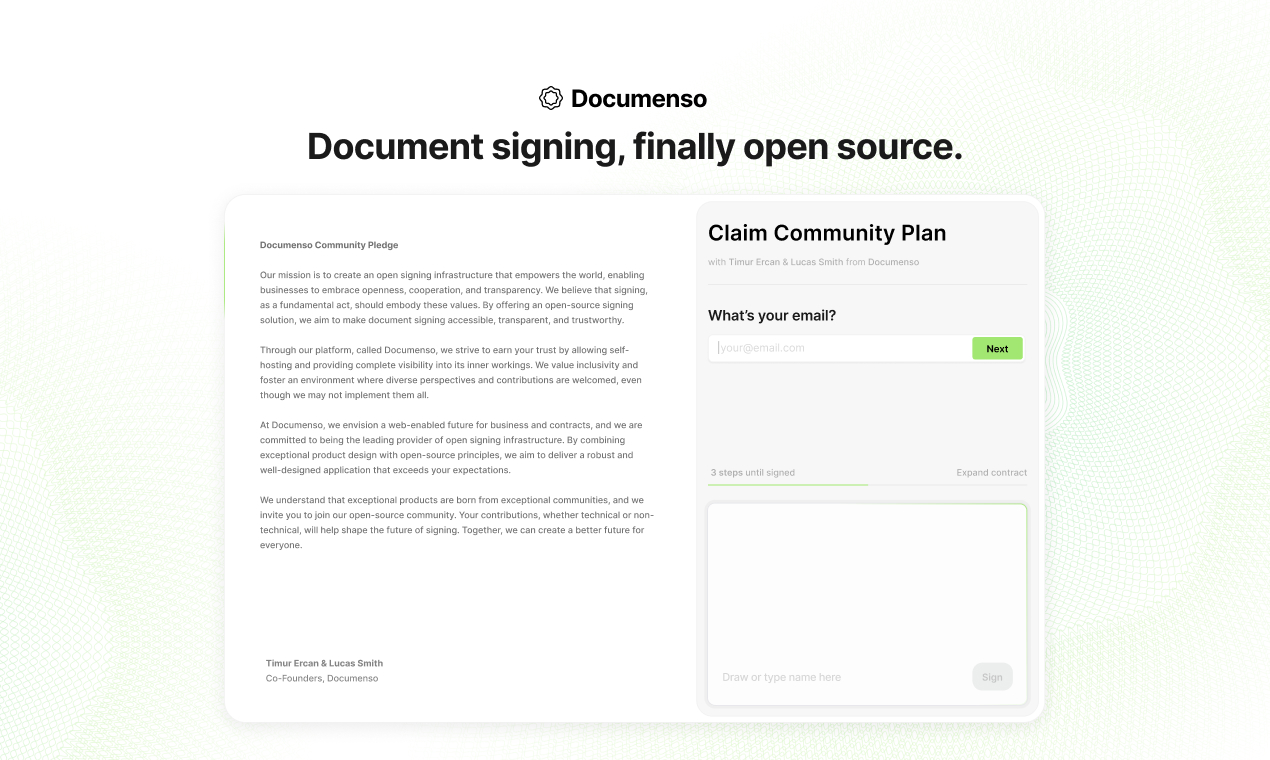
Documenso is an open-source, self-hosted document signing platform built as a transparent alternative to DocuSign. It lets teams send PDFs for electronic signature, track completion, and store signed documents with full audit trails — all under your own domain, on your own database, with no per-document fees. Deploy Documenso on Railway in minutes using this template, which pre-configures the documenso/documenso:v2.9.0 Docker image, a managed PostgreSQL database, a generated signing certificate, encryption keys, and a public HTTPS domain.
Self-host Documenso when you need to keep signed contracts inside infrastructure you control, avoid per-envelope pricing, or extend the product via its API and webhooks. This template spins up the Documenso app and a managed Postgres instance on Railway with sensible defaults so you can create your admin user and send your first document for signing within a few minutes.
Getting Started with Documenso on Railway
Once the template finishes deploying, click the generated URL to open your Documenso instance. Navigate to /signup to create the first account — this user automatically becomes the admin. Confirm your email is accessible (for SMTP to work), upload a test PDF, drag signature fields onto the document, and send it to a recipient to verify the signing flow end-to-end. To enable sending signing invitations to external users, add SMTP credentials in the Railway variables panel (NEXT_PRIVATE_SMTP_HOST, NEXT_PRIVATE_SMTP_USER, NEXT_PRIVATE_SMTP_PASS, NEXT_PRIVATE_SMTP_FROM_ADDRESS) and redeploy. For production, replace the auto-generated self-signed signing certificate with a certificate from a trusted CA so signed PDFs display as verified in Adobe Reader.
About Hosting Documenso
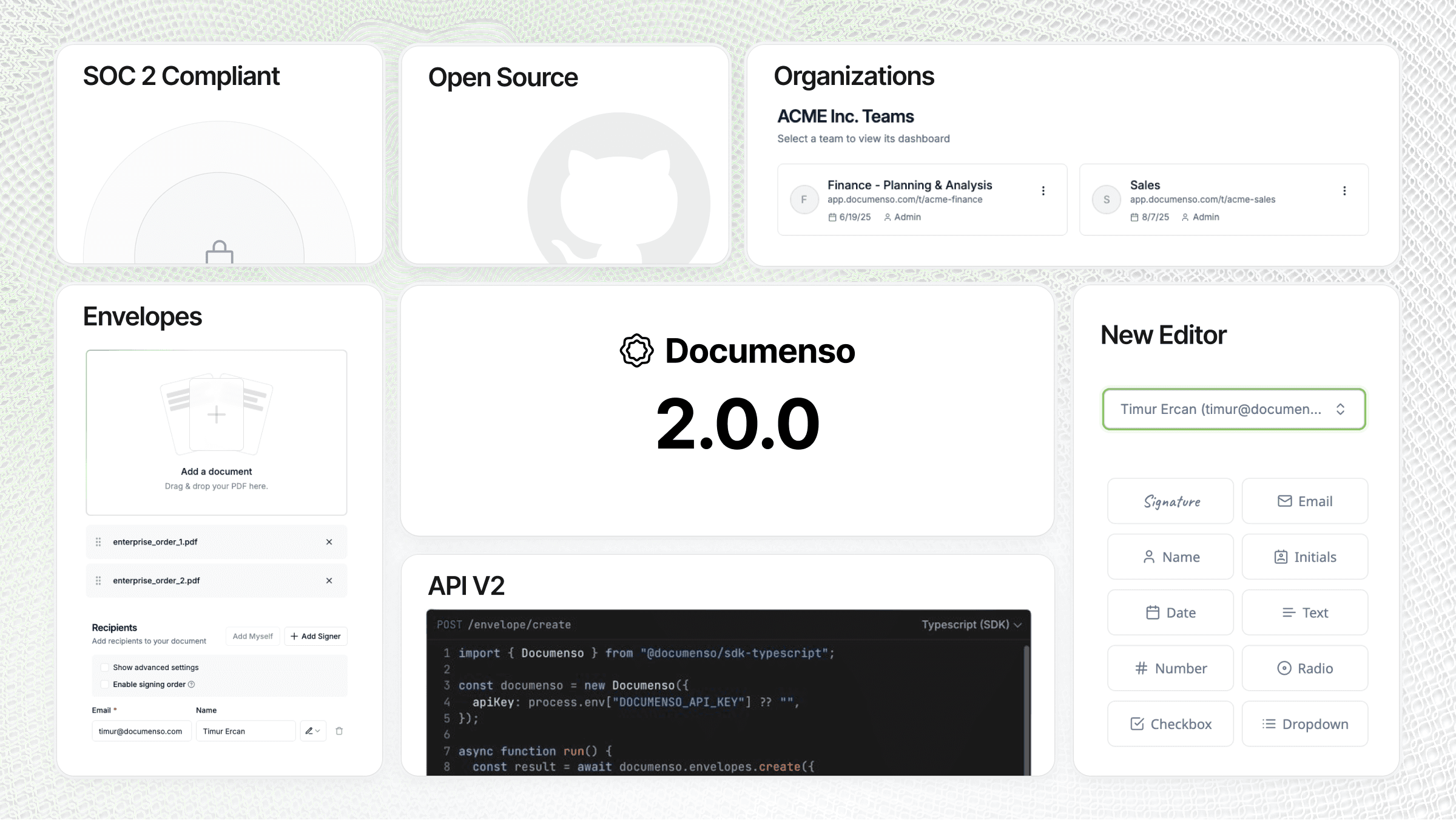
Documenso is a Next.js application backed by PostgreSQL and Prisma. It handles document upload, field placement (signature, initials, date, text), recipient tracking, email notifications, and cryptographic PDF signing using a local .p12 certificate. Key features:
- Drag-and-drop signature field placement on any PDF
- Multi-recipient signing flows with sequential or parallel ordering
- Cryptographic PDF signing with optional timestamp authority (RFC 3161)
- Full audit trail — who signed, when, from which IP
- REST API and webhooks for integration with CRMs and document workflows
- OAuth via Google, Microsoft, and generic OIDC providers
- Custom branded signing experiences per team
Architecture: a single Next.js container serves both the web UI and the background jobs queue, reading and writing documents directly to Postgres (uploads stored as bytea by default, optional S3 mode for large volumes).
Why Deploy Documenso on Railway
Railway removes the operational overhead of running a signing platform yourself:
- One-click deploy of Documenso + managed PostgreSQL
- Auto-generated HTTPS domain with TLS certificates
- Railway variable references keep database and secrets wired without manual config
- Zero-downtime redeploys when you upgrade versions
- Persistent database volume survives restarts and redeploys
- Pay only for compute and storage — no per-envelope signing fees
Common Use Cases
- Replace DocuSign for contract signing across sales, HR onboarding, and vendor agreements
- Embed signing workflows into internal tools via Documenso's REST API
- Keep regulated documents (healthcare, legal, finance) on self-hosted infrastructure for compliance
- Offer white-labelled signing to clients as part of a SaaS product
Dependencies for Documenso
- Documenso app:
documenso/documenso:v2.9.0— the Next.js signing platform - PostgreSQL: Railway-managed
postgres:17— stores users, documents, signatures, audit logs
Environment Variables Reference
| Variable | Purpose |
|---|---|
NEXT_PUBLIC_WEBAPP_URL | Public-facing URL of your Documenso instance |
NEXT_PRIVATE_DATABASE_URL | Postgres connection string |
NEXTAUTH_SECRET | NextAuth session signing key |
NEXT_PRIVATE_ENCRYPTION_KEY | Primary encryption key (must stay stable — encrypts stored data) |
NEXT_PRIVATE_ENCRYPTION_SECONDARY_KEY | Secondary encryption key (rotation support) |
NEXT_PRIVATE_SIGNING_PASSPHRASE | Passphrase protecting the .p12 signing certificate |
NEXT_PRIVATE_SIGNING_LOCAL_FILE_CONTENTS | Base64-encoded .p12 certificate for PDF signing |
NEXT_PUBLIC_UPLOAD_TRANSPORT | database (default) or s3 for document storage |
NEXT_PRIVATE_SMTP_HOST | SMTP server for sending signing invitations |
Deployment Dependencies
- Docker image:
documenso/documensoon Docker Hub - GitHub: documenso/documenso
- Docs: docs.documenso.com
- Self-hosting guide: docs.documenso.com/docs/self-hosting
Hardware Requirements for Self-Hosting Documenso
| Resource | Minimum | Recommended |
|---|---|---|
| CPU | 1 vCPU | 2 vCPU |
| RAM | 1 GB | 2 GB |
| Storage | 2 GB | 10 GB+ (grows with document volume) |
| Runtime | Node.js 20 | Node.js 20 (bundled in Docker image) |
Self-Hosting Documenso
Using the official Docker image:
docker run -d \
  --name documenso \
  -p 3000:3000 \
  -e NEXT_PUBLIC_WEBAPP_URL=https://sign.example.com \
  -e NEXT_PRIVATE_DATABASE_URL=postgresql://user:pass@host:5432/documenso \
  -e NEXT_PRIVATE_DIRECT_DATABASE_URL=postgresql://user:pass@host:5432/documenso \
  -e NEXTAUTH_SECRET=$(openssl rand -hex 32) \
  -e NEXT_PRIVATE_ENCRYPTION_KEY=$(openssl rand -hex 32) \
  -e NEXT_PRIVATE_ENCRYPTION_SECONDARY_KEY=$(openssl rand -hex 32) \
  -e NEXT_PRIVATE_SIGNING_TRANSPORT=local \
  -e NEXT_PRIVATE_SIGNING_PASSPHRASE=mycertpass \
  -v $(pwd)/cert.p12:/opt/documenso/cert.p12 \
  documenso/documenso:v2.9.0
Or clone and run from source:
git clone https://github.com/documenso/documenso.git
cd documenso
cp .env.example .env
npm install
npm run dx         # starts local Postgres + Inbucket via docker-compose
npm run dev
How Much Does Documenso Cost to Self-Host?
Documenso itself is 100% open source under the AGPLv3 license — no license fees, no per-document pricing, no seat limits. A hosted SaaS plan exists at documenso.com if you prefer not to self-host. When running on Railway, you only pay for compute and storage: a small Documenso instance plus managed Postgres typically runs around $5–15/month depending on document volume. Compare that to DocuSign Business Pro at $40/user/month with envelope caps.
Documenso vs DocuSign
| Feature | Documenso (self-hosted) | DocuSign |
|---|---|---|
| Open source | ✅ AGPLv3 | ❌ Proprietary |
| Per-envelope cost | $0 | $40+/user/month |
| Data residency | Your infrastructure | DocuSign cloud |
| API access | Free, unlimited | Paid add-on |
| PDF signing standard | Same RFC 3161 / PAdES | Same RFC 3161 / PAdES |
Documenso offers the same legally-binding cryptographic signatures as DocuSign at a fraction of the cost when self-hosted, with full control over your data and unlimited signing volume.
FAQ
What is Documenso? Documenso is an open-source, self-hosted electronic signature platform built as a transparent alternative to DocuSign, HelloSign (Dropbox Sign), and PandaDoc. It lets teams send documents for legally-binding e-signature while keeping signed contracts on their own infrastructure.
What does this Railway template deploy?
The template provisions a Documenso app container running documenso/documenso:v2.9.0, a managed PostgreSQL 17 database, a generated self-signed signing certificate, encryption keys, NextAuth secret, and a public HTTPS domain with port 3000 routed correctly.
Are Documenso signatures legally binding?
Yes. Documenso uses standard PKCS#12 certificates and produces PAdES-compatible PDF signatures — the same cryptographic standard that DocuSign and Adobe Sign use. For the strongest legal weight, replace the self-signed certificate with one from a trusted CA (e.g. SSL.com, GlobalSign) and optionally enable RFC 3161 timestamping via NEXT_PRIVATE_SIGNING_TIMESTAMP_AUTHORITY.
Why does the template include a PostgreSQL database?
Documenso stores users, document metadata, signature field positions, recipient tracking, and full audit logs in PostgreSQL. By default it also stores the uploaded PDF binaries in the database (configurable to S3 via NEXT_PUBLIC_UPLOAD_TRANSPORT=s3). Prisma migrations run automatically on container startup.
How do I send a document for signing to someone outside my organization?
You need SMTP credentials configured. After deploy, add NEXT_PRIVATE_SMTP_HOST, NEXT_PRIVATE_SMTP_PORT, NEXT_PRIVATE_SMTP_USER, NEXT_PRIVATE_SMTP_PASS, NEXT_PRIVATE_SMTP_FROM_NAME, and NEXT_PRIVATE_SMTP_FROM_ADDRESS to the Documenso service variables in Railway. Any transactional email provider (Postmark, SendGrid, Amazon SES, Resend) works.
Can I enable OAuth login for self-hosted Documenso?
Yes. Documenso supports Google (NEXT_PRIVATE_GOOGLE_CLIENT_ID / SECRET), Microsoft (NEXT_PRIVATE_MICROSOFT_CLIENT_ID / SECRET), and generic OIDC (NEXT_PRIVATE_OIDC_*). Add the relevant variables and redeploy — the login screen picks up the new providers automatically.
How do I upgrade Documenso to a newer version on Railway?
Change the Docker image tag on the Documenso service (e.g. documenso/documenso:v2.10.0) and redeploy. Prisma migrations run automatically on startup. Back up your Postgres database before major version upgrades via Railway's backup feature or pg_dump.
Template Content
Documenso
documenso/documenso:v2.9.0NEXT_PRIVATE_SMTP_HOST
SMTP server host address
NEXT_PRIVATE_SMTP_PASS
SMTP authentication password credential
NEXT_PRIVATE_SMTP_USER
SMTP authentication username credential
NEXT_PRIVATE_SMTP_FROM_ADDRESS
Default sender email address


