
Deploy feather-io
A lightweight storage server compatible with S3 (and a web console)
feather-io console
Just deployed
feather-io storage
Just deployed
/data
Deploy and Host feather-io on Railway

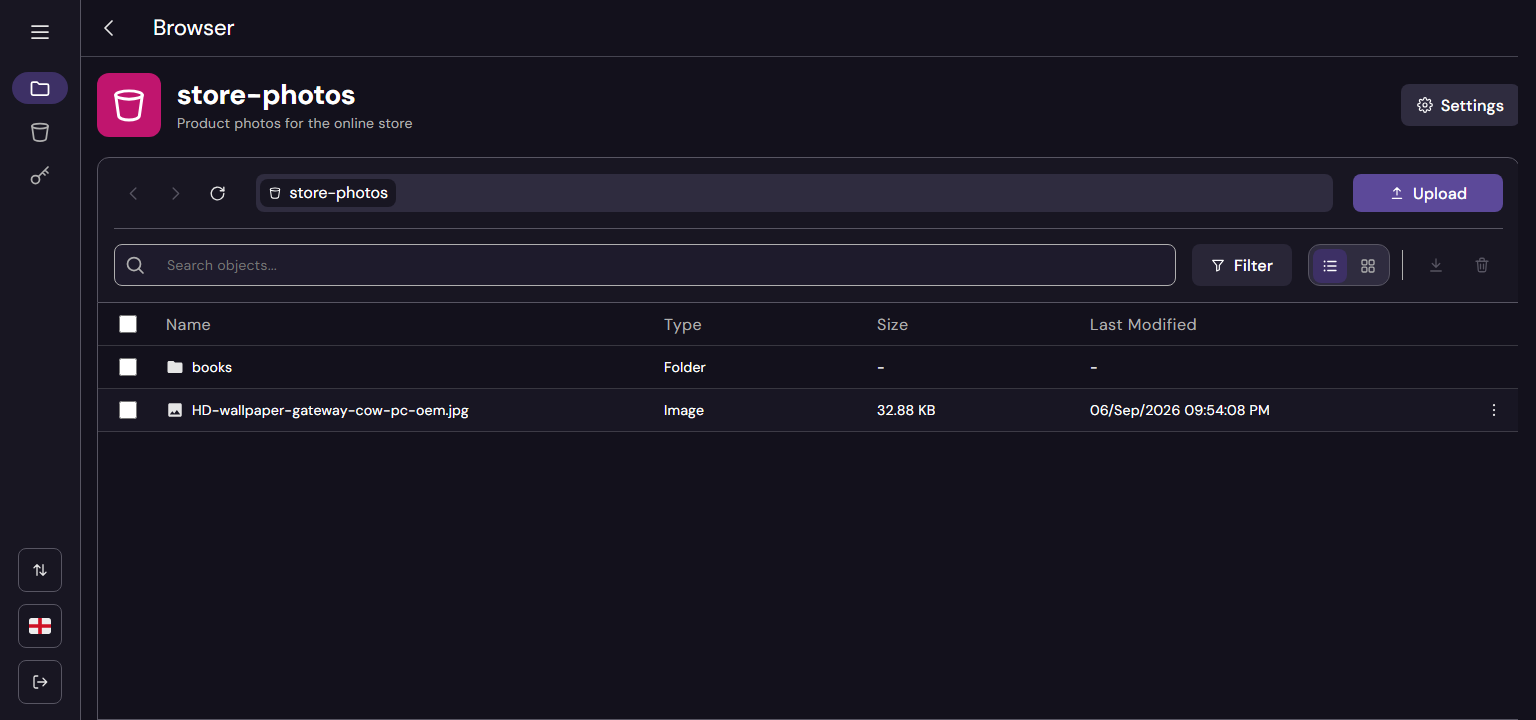
Feather IO is your own Amazon S3, on your own volume. Point the AWS CLI, rclone, s3cmd, mc or any AWS/MinIO SDK at it and they work as they do against S3. Its web console lets you browse, upload and share files without touching a terminal:
- 🪣 Buckets & objects → Create buckets, upload (streamed, up to 5 GiB per object), download with
Range, copy, delete, folders, multipart uploads. - 🔐 Real S3 auth → AWS SigV4 signatures and presigned URLs (up to 7 days), like any S3 client expects.
- 🔑 Access keys per bucket → Read, write or both, on one bucket or all of them, with expiry.
- 🌍 Anonymous access → Open a prefix or a pattern (
public/*,images/*.png) to the internet, without signing. - 🖥️ Web console → Object browser (list and grid, previews, drag & drop, a background transfer queue), share links, in English and Spanish.
👉 Full docs, API walkthrough, benchmarks and everything else you need are in the official GitHub Repo.
About Hosting feather-io
Hosting Feather IO on Railway provisions the whole stack out-of-the-box. The deployment includes:
- The storage service, which serves the S3 API and the admin API, with a Railway volume mounted at
/datathat holds the objects and the SQLite database (no external database needed). - The web console, a static Flutter Web app served by nginx, that talks to the service from your browser.
Both get a public domain: the service's is your S3 endpoint, the console's is where you log in with your root key. Railway's edge provides TLS for both.
📌 The service uses around 10 MB of RAM and the console around 30 MB, making it a very cheap way to have S3 storage of your own.
Common Use Cases
- Storage for your apps → An S3 endpoint for uploads, user files and assets of the other services in your Railway project, using the AWS SDK you already know.
- Backups → A target for
rclone,restic, database dumps or anything that speaks S3. - Public files & sharing → Serve a prefix publicly (images, static assets) or send presigned links that expire.
- Dev & test → A real S3 API for development and CI, without an AWS account or its bill.
Dependencies for feather-io Hosting
- A Railway volume → Mounted at
/data; keeps the objects and the SQLite metadata together. That's it: no external database, cache or queue. - Feather IO service → Built from service/ (its
Dockerfile). - Feather IO console → Built from console/ (its
Dockerfile).
Implementation Details
- Credentials. You log in to the console, and sign S3 requests, with the root key:
- Access key:
FEATHER_ACCESS - Secret key:
FEATHER_SECRET(8+ characters;mcrejects shorter ones)
- Access key:
🔐 Every secret is generated for you. The template fills them with Railway's ${{secret()}} function, which creates a new random value on each deploy, so no two deployments share keys and there are no default credentials to forget:
FEATHER_ACCESS→${{secret(20, "ABCDEFGHIJKLMNOPQRSTUVWXYZ0123456789")}}: 20 chars, like an AWS key id.FEATHER_SECRET→${{secret(40, "abcdefghijklmnopqrstuvwxyzABCDEFGHIJKLMNOPQRSTUVWXYZ0123456789")}}: 40 chars, like an AWS secret.JWT_SECRET→${{secret(64, "abcdef0123456789")}}: 64 hex chars (256 bits).KEYS_ENCRYPTION_SECRET→${{secret(64, "abcdef0123456789")}}: 64 hex chars (256 bits).
After deploying, copy FEATHER_ACCESS and FEATHER_SECRET from the Variables tab of the service to log in to the console. You can replace them with your own values at any time.
⚠️ Never change KEYS_ENCRYPTION_SECRET once deployed: the secrets of the access keys are encrypted with it, and changing it makes them unreadable. Changing JWT_SECRET only logs everyone out of the console.
- The console reaches the service through its public domain:
SERVICE_URLpoints tohttps://${{service.RAILWAY_PUBLIC_DOMAIN}}, andADMIN_PREFIXmust be the same in both services (_adminby default). PUBLIC_URL(https://${{RAILWAY_PUBLIC_DOMAIN}}on the service) makes presigned URLs use your publichttpsdomain.- Configure any S3 client with the service domain as the endpoint, path-style addressing and region
us-east-1:
AWS_ACCESS_KEY_ID=YOUR_FEATHER_ACCESS AWS_SECRET_ACCESS_KEY=YOUR_FEATHER_SECRET \
  aws --endpoint-url https://YOUR-SERVICE.up.railway.app \
  s3 sync ./photos s3://photos
- Health checks: the service at
GET /_admin/health(database and a write to the volume), the console atGET /health(nginx serves the build). Railway waits for both before switching traffic to a new deploy. The OpenAPI docs of the admin API are at/_admin/docs. - Tested against real clients: AWS CLI v2, rclone, and the 15 suites of MinIO Mint (AWS and MinIO SDKs, s3cmd, mc).
- Out of scope by design: a single node (no replication), no versioning, object lock, bucket policies or tags. Unsupported S3 features answer
501 NotImplemented. - Recommended: limit the memory of the storage service to 512 MB (service Settings → Deploy → Resource Limits). Every file written to the volume stays in the kernel's page cache, and Railway counts that cache as memory of the service. Without a limit nothing ever pushes the kernel to drop it, so the memory grows with every upload until the next restart (1.4 GB after uploading ~1 GB of files). With the limit, the kernel reclaims the cache as it needs to: a 750 MB upload ran at the 512 MB limit with no errors, and the service settled at ~270 MB afterwards. The process itself uses 15–50 MB, and the rest is cache it can always drop. If you expect heavy concurrent multipart uploads (the process alone peaks at ~400 MB under that load), give it 1 GB instead. A restart of the service frees all of it, cache included, and it goes back to ~10 MB; the files stay on the volume. Details in the Railway thread.
Why Deploy feather-io on Railway?
Railway is a singular platform to deploy your infrastructure stack. Railway will host your infrastructure so you don't have to deal with configuration, while allowing you to vertically and horizontally scale it.
By deploying feather-io on Railway, you are one step closer to supporting a complete full-stack application with minimal burden. Host your servers, databases, AI agents, and more on Railway.
Template Content
feather-io console
Root-101/feather-iofeather-io storage
Root-101/feather-io

