
Deploy FileGator
Self-hosted multi-user file manager with uploads and sharing
filegator
Just deployed
/data

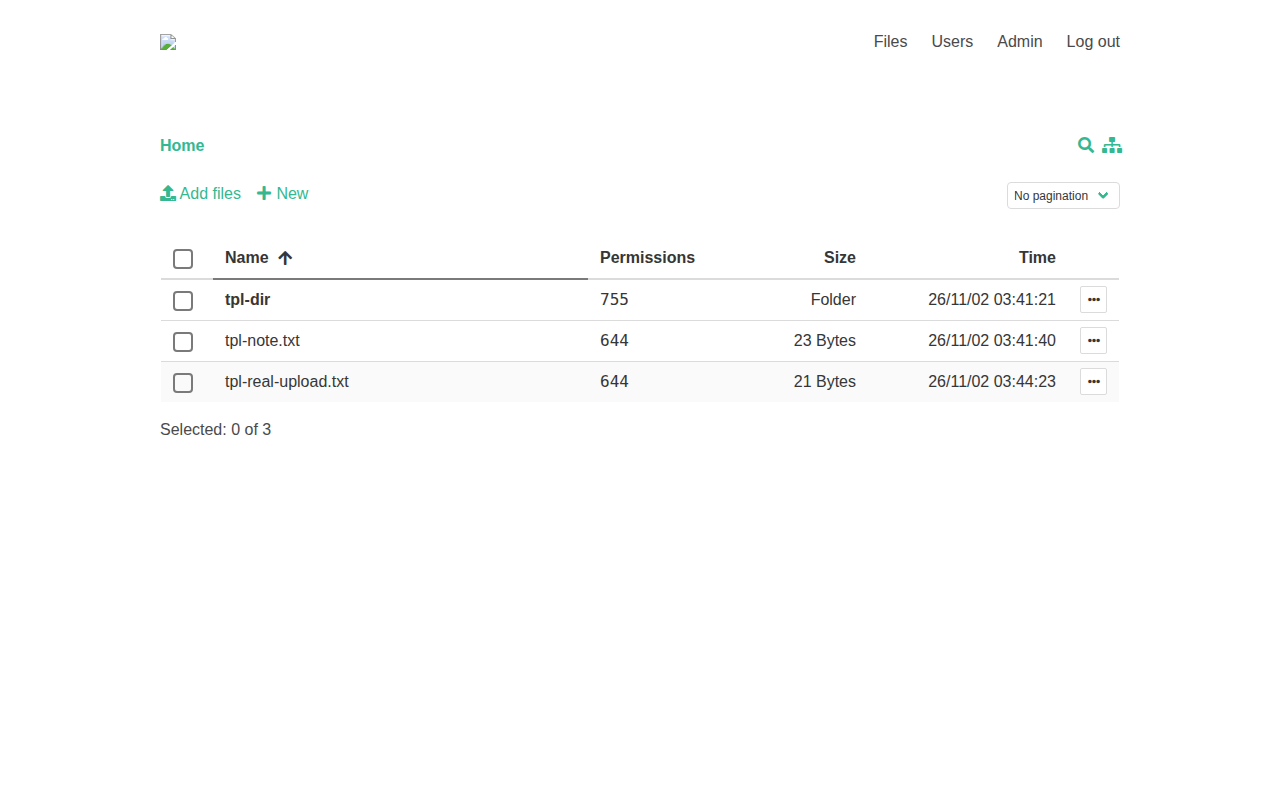
File manager UI captured from a test deployment (test data only).
Deploy and Host
FileGator is a powerful multi-user file manager for the web — upload, download, preview, edit, zip, and share files from any browser, with admins and users who each get their own home folder and permissions. One-click deploy creates a single service with a persistent volume and no database: users live in a JSON file and files in a repository folder, both on the volume. After deploy, sign in as admin with the generated password from your project's variables.
About Hosting
Hosting FileGator on Railway keeps your files on your own volume instead of a third-party cloud. The deployment is a single always-on PHP/Apache service: the wrapper maps Railway's injected PORT onto Apache, wires the volume under both data directories, sets the admin password from a generated variable exactly once, and replaces upstream's public-default CSRF key with a fresh random value on every boot. The only deploy-form field is the generated admin password.
Why Deploy
- Multi-user file management with roles and permissions: admins and users with separate home folders.
- All basic file operations: copy, move, rename, edit, create, delete, preview, zip, unzip, download, upload.
- Chunked uploads with drag & drop, progress bar, pause and resume — large files upload regardless of server limits.
- No database to manage: users and files both live on the persistent volume.
- Self-hosted data: your files stay on your Railway volume.
Common Use Cases
- Share a folder with colleagues, a team, friends, or family.
- Let students or field workers upload their work, docs, or images.
- Use it as cloud backup or an FTP/SFTP replacement.
- Manage a CDN or shared assets with multiple people.
- Zip and download remote files in bulk.
Dependencies for
- A single FileGator service (PHP 8.3 + Apache, Vue frontend, no database).
- One persistent volume mounted at
/data(repository files + private users, logs, sessions). - Environment variables (condensed reference — full documentation in the repo README):
| Variable | Default | Description |
|---|---|---|
ADMIN_PASSWORD | generated | Password for the admin account, set exactly once on first boot; the only deploy-form field. |
PORT | Railway-injected | Apache listen port: upstream's configs literally contain ${APACHE_PORT} (Apache expands it from the environment), so the wrapper exports it as Railway's PORT. |
upload_max_size | 100 MB | Upstream default frontend cap (chunked 1 MB uploads). |
csrf_key | random per boot | Upstream ships the public default 123456; the wrapper replaces it on every boot. |
session save path | private/sessions (on volume) | Upstream default is the system temp dir; the wrapper points it at the volume. |
Deployment Dependencies
- Plan tier: works on Railway's entry tiers; a single always-on service with a 5 GB volume.
- RAM needs: modest — one PHP/Apache service, no companion database or cache service.
Template Content
filegator
INAPP-Mobile/filegator

