
Deploy Filestash
Web file manager for SFTP, S3, FTP, WebDAV and SMB storage

collabora
Just deployed
filestash
Just deployed
/app/data
Deploy and Host Filestash on Railway
An open-source web file manager, Filestash stores nothing itself. It is a browser front end speaking the protocols your data already lives on — SFTP, FTP, S3, Backblaze B2, WebDAV, SMB, NFS, Git, Dropbox and about twenty more — with one Dropbox-style interface over all of them. IT teams and agencies use it to give colleagues a normal file browser for a legacy FTP share or S3 bucket, with no access keys handed out.
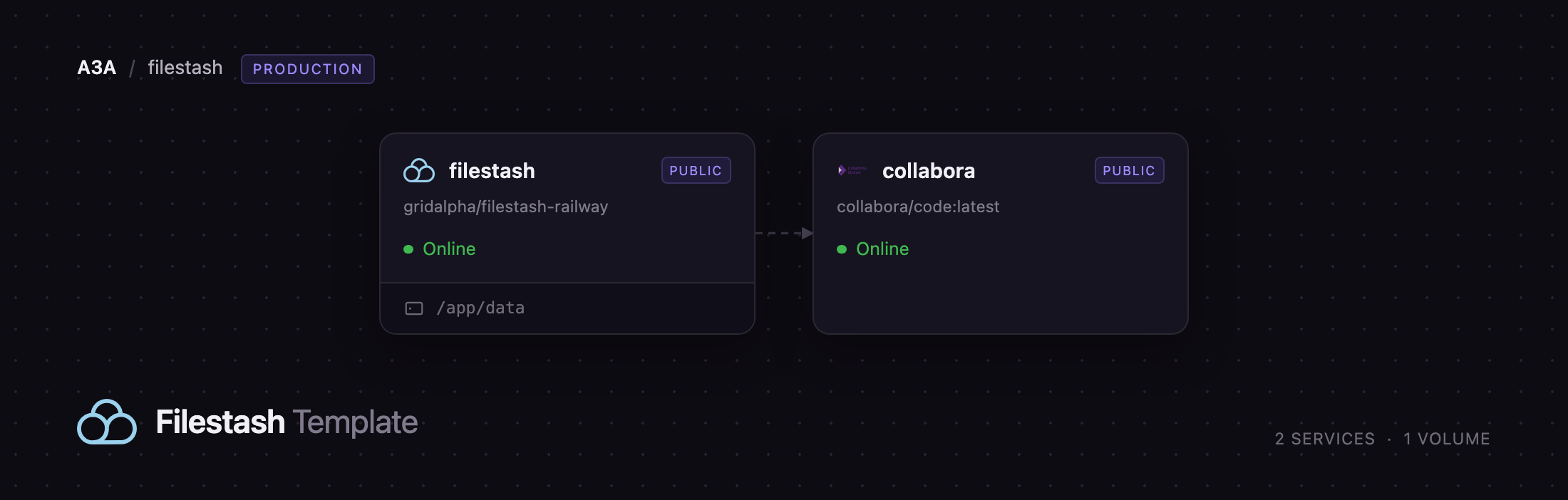
Self-host Filestash on Railway: this template wires up the two services upstream's own compose file runs. The filestash service is the app, on a persistent volume holding its configuration, SQLite metadata, search index and a ready-to-use storage folder. The collabora service is Collabora Online, the LibreOffice document server that opens Word, Excel and PowerPoint files from any connected backend: Filestash hands the browser a Collabora iframe, which fetches the file back over WOPI.
Getting Started with Filestash on Railway
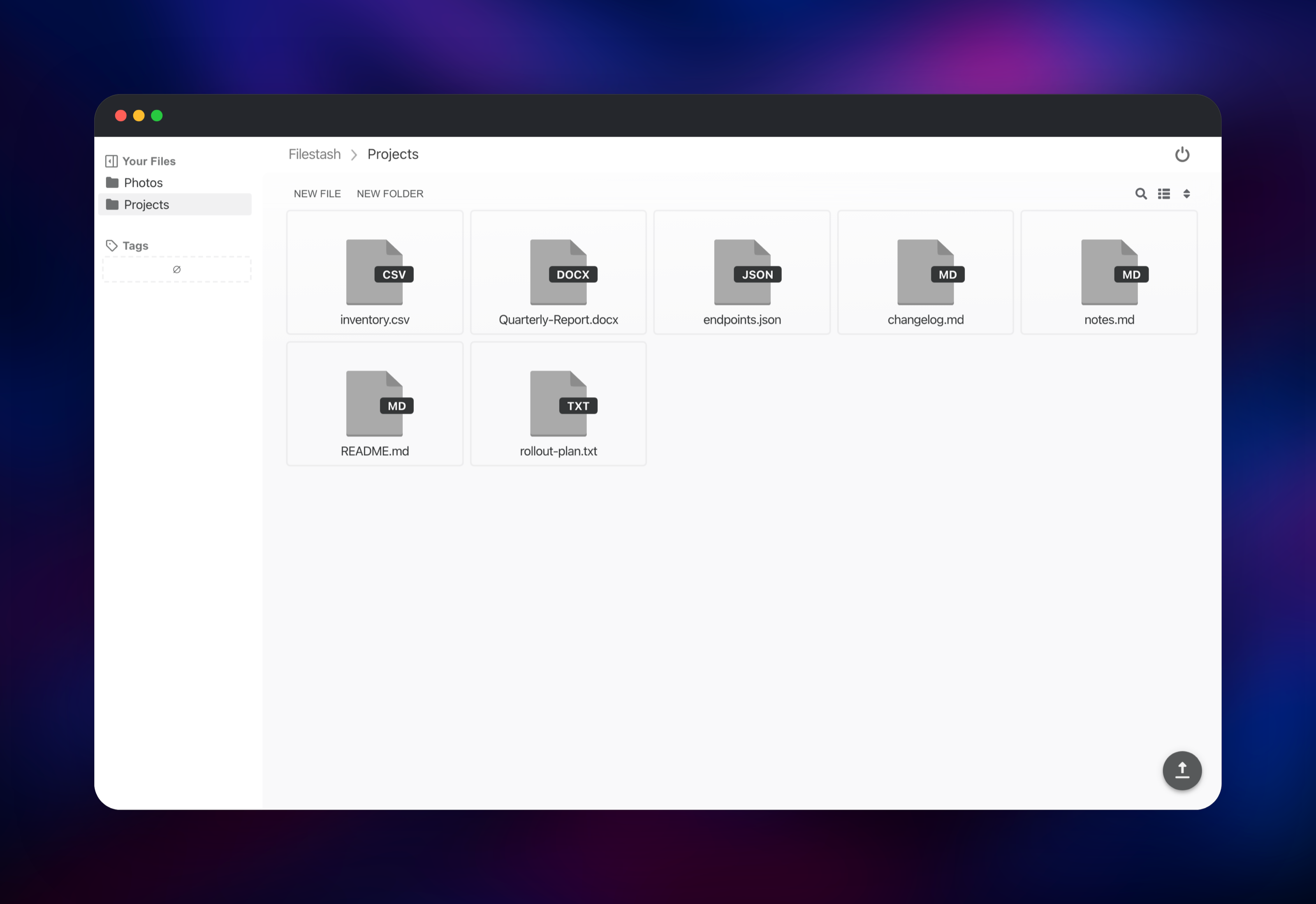
Set FILESTASH_ADMIN_PASSWORD when you deploy — the only value the template asks for, and the password for both the browser and the admin console. Open the deployed URL and you land on a single password prompt. Enter it and you are in the file manager, pointed at a folder on the Railway volume, so you can create folders and upload files to confirm it works before connecting anything external.
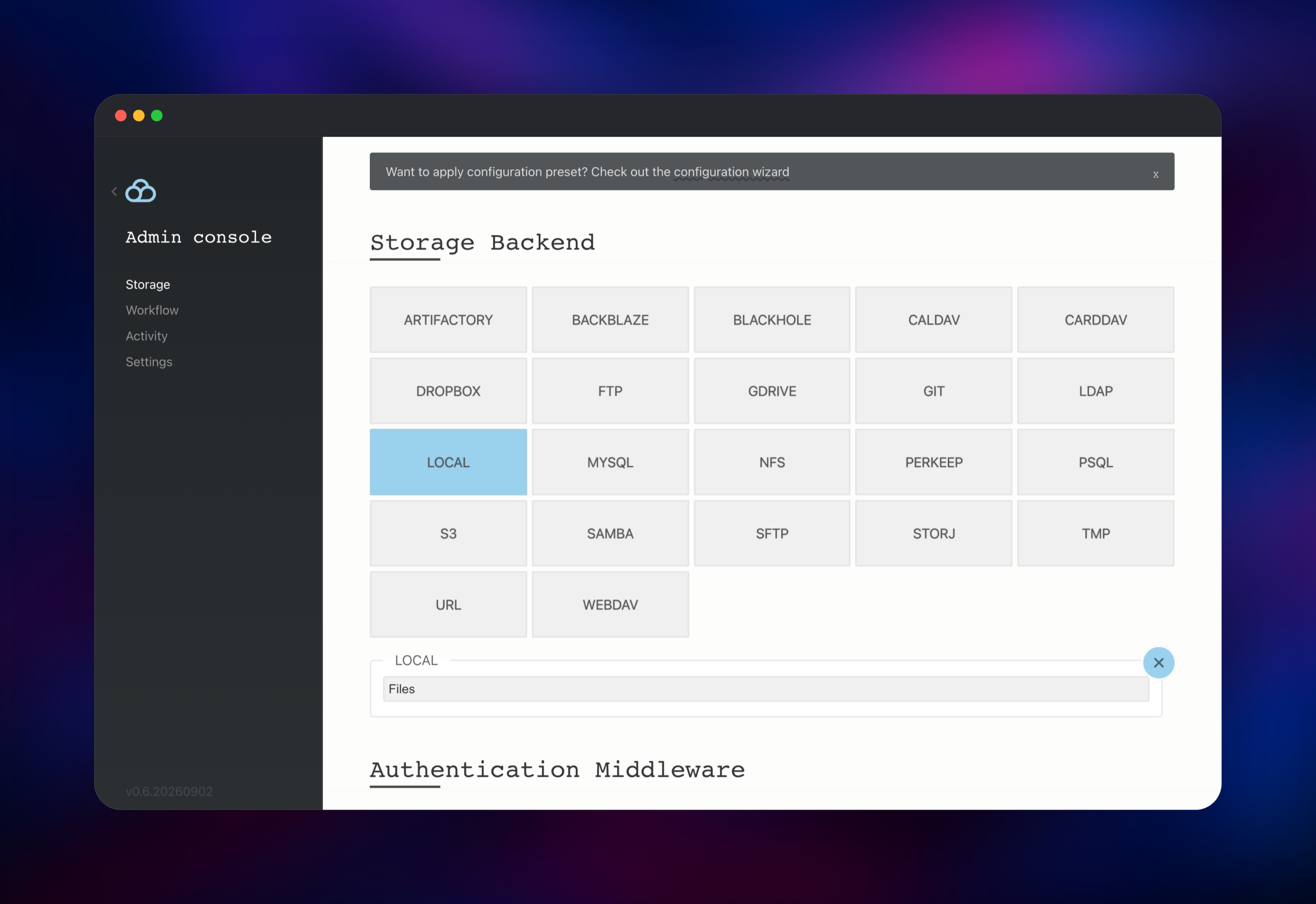
The interesting part is /admin. Sign in with the same password and the Storage tab lists every backend the build ships with. Add an SFTP host, an S3 bucket or a WebDAV endpoint, label it, and it appears as a tab on the login page. The Authentication Middleware section swaps the shared password for LDAP, OpenID, htpasswd or Filestash's own user list, with rules scoping which paths each role sees.
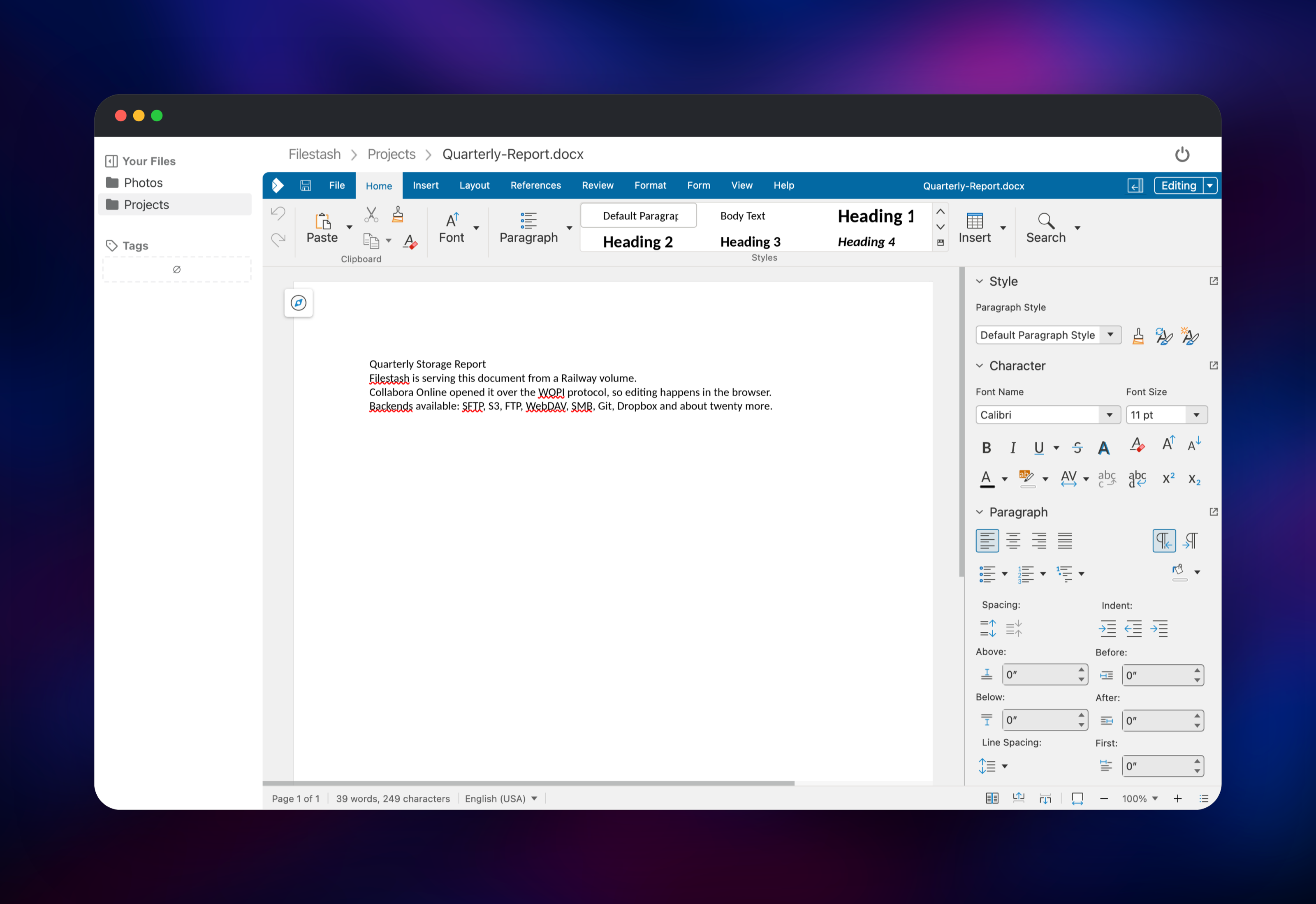
To check the office integration, upload a .docx or .xlsx and click it. Collabora takes a few seconds on the first document, then the editor loads in place and saving writes back to whichever backend the file came from.
About Hosting Filestash
Most file-sharing platforms want to own your data: you migrate everything into their storage layer and are then responsible for backing it up. Filestash inverts that. It authenticates a user, opens a connection to storage you already run, and streams bytes. Its only state is its configuration, a small SQLite database for share links and tags, and a thumbnail cache — so one modest volume suffices however many terabytes sit behind it.
Key features:
- Around twenty-five storage backends: SFTP, FTP, S3, Backblaze B2, Storj, WebDAV, SMB, NFS, Git, Dropbox, Google Drive
- Shareable links with expiry, passwords and read-only or read-write access
- In-browser viewers for images, video, audio, Markdown, code, PDF, CSV and office formats
- Pluggable auth — LDAP, OpenID Connect, SAML, htpasswd or a built-in user list — with path-scoped authorization
- Gateways re-exporting a connected backend over SFTP, S3, FTP or WebDAV
The Railway architecture is small. filestash serves the UI and API on port 8334 and owns the volume. collabora runs coolwsd on port 9980 with a public domain of its own, because the browser loads the editor iframe directly rather than through the app. WOPI joins them: Filestash reads Collabora's discovery document for the extensions it opens, and Collabora calls back to read and write the file.
Why Deploy Filestash on Railway
Railway removes the fiddly parts:
- TLS and a public hostname for both services, provisioned automatically
- The persistent volume attached and mounted, with no host paths to manage
- Collabora's large image pulled and run with no capability tuning
- Config, admin credential and storage preset applied on first boot — no setup wizard
- Memory and CPU on a slider, which matters once several people edit at once
Common Use Cases
- Give a marketing or operations team a browser interface to an S3 bucket without issuing AWS credentials
- Put a modern UI in front of a legacy FTP or SMB share a supplier uploads to, and share folders by link
- Run an internal document workspace where files stay on your own storage and editing happens in Collabora
Dependencies for Filestash
- filestash —
machines/filestash:latest, built through the source repository at gridalpha/filestash-railway, which adds the boot-time setup this platform needs - collabora —
collabora/code:latest, the Collabora Online Development Edition document server
The filestash service is the whole product: web UI, JSON API, storage drivers and share links. Collabora is optional — remove the OFFICE_* variables and office formats stop being offered — but it turns a file browser into a place work happens.
Environment Variables Reference
| Variable | Service | Purpose |
|---|---|---|
FILESTASH_ADMIN_PASSWORD | filestash | Password for /admin and the file browser |
APPLICATION_URL | filestash | Public hostname, no scheme; builds share and document URLs |
OFFICE_URL | filestash | Collabora's URL; setting it enables office editing |
OFFICE_REWRITE_URL | filestash | Collabora URL for the iframe the browser loads |
OFFICE_FILESTASH_URL | filestash | Filestash's own URL, as Collabora sees it |
server_name | collabora | Hostname written into the discovery doc |
extra_params | collabora | coolwsd flags: TLS termination, prespawn |
Deployment Dependencies
- Source: github.com/mickael-kerjean/filestash (AGPL-3.0), image machines/filestash
- Docs: filestash.app/docs; editor: CollaboraOnline/online
Hardware Requirements for Self-Hosting Filestash
Filestash itself is tiny. Collabora decides your plan, since every open document is a LibreOffice process.
| Resource | Minimum | Recommended |
|---|---|---|
| CPU | 1 vCPU | 2–4 vCPU |
| RAM | 512 MB without Collabora | 2–4 GB with Collabora |
| Storage | 1 GB volume | 5 GB, more if the local backend holds files |
| Runtime | Go binary on Debian | Same, plus the Collabora container |
Self-Hosting Filestash
Upstream publishes a Docker image and a compose file. The simplest run is:
docker run -d --name filestash -p 8334:8334 \
  -v filestash_state:/app/data/state \
  machines/filestash:latest
To add document editing, run Collabora beside it. This is a Docker Compose file:
services:
  app:
    image: machines/filestash:latest
    environment:
      - APPLICATION_URL=files.example.com
      - OFFICE_URL=http://wopi:9980
      - OFFICE_FILESTASH_URL=http://app:8334
      - OFFICE_REWRITE_URL=https://office.example.com
    ports: ["8334:8334"]
    volumes: ["filestash:/app/data/state"]
  wopi:
    image: collabora/code:latest
    environment: ["extra_params=--o:ssl.enable=false --o:ssl.termination=true"]
    ports: ["9980:9980"]
volumes: { filestash: {} }
On a plain server you then add a reverse proxy for TLS on both hostnames; the template does that for you.
Is Filestash Free to Self-Host?
Filestash is open source under AGPL-3.0 and the community build runs with no user limit and no feature key. The vendor sells a commercial edition with support and extra features, but nothing here depends on it. Collabora Online Development Edition is free too, so you pay only for the compute, memory and volume the two services use.
FAQ
What is Filestash? An open-source web file manager. Rather than storing files itself it connects to storage you already have — SFTP, FTP, S3, WebDAV, SMB, Git and more — and gives everyone one browser interface to it.
What does this Railway template deploy? Two services: the Filestash app on a persistent volume, and Collabora Online for in-browser document editing. Both get public HTTPS domains and are wired together over WOPI.
Why does the template include a volume if Filestash stores nothing? It still needs somewhere for its configuration, the SQLite database behind share links and tags, its search index and its thumbnail cache — and it gives you a local folder to try the app with before connecting an external backend.
How do I connect Filestash to my S3 bucket or SFTP server?
Sign in at /admin, open the Storage tab, pick the backend, fill in the endpoint and credentials, and label it. It then appears as a choice on the login page.
Can I use LDAP or single sign-on instead of one shared password? Yes. The admin console's Authentication Middleware section ships LDAP, OpenID Connect, SAML, htpasswd and a built-in user list, with authorization rules that scope each role to particular paths.
Do I need Collabora, and why is the first document slow?
Only for editing office documents — delete the three OFFICE_* variables and the feature switches off, freeing the memory Collabora reserves. It spawns LibreOffice on demand, so the first document after a deploy takes several seconds; later files open quickly, and raising the prespawn count in extra_params trades memory for a faster first open.
Template Content
collabora
collabora/code:latestfilestash
gridalpha/filestash-railway

