
Deploy Harbor
Private Docker registry with vulnerability scanning, roles and replication

Redis
Just deployed
/data
harbor-jobservice
Just deployed
harbor-core
Just deployed

Just deployed
/var/lib/postgresql/data
harbor-registry
Just deployed
harbor-portal
Just deployed
harbor-registryctl
Just deployed

harbor-trivy
Just deployed
/home/scanner/.cache
harbor-proxy
Just deployed
harbor-registry-storage
Bucket
Just deployed

Deploy and Host Harbor on Railway
Harbor is a CNCF graduated container registry that stores and secures the OCI artifacts your builds produce — Docker images, Helm charts and signed attestations. It adds what a bare registry leaves out: projects with role-based access control, per-image vulnerability scanning, robot accounts for CI, replication to and from other registries, retention rules and storage quotas. Teams reach for it when pushing to Docker Hub stops being acceptable and a plain registry:2 container stops being enough.
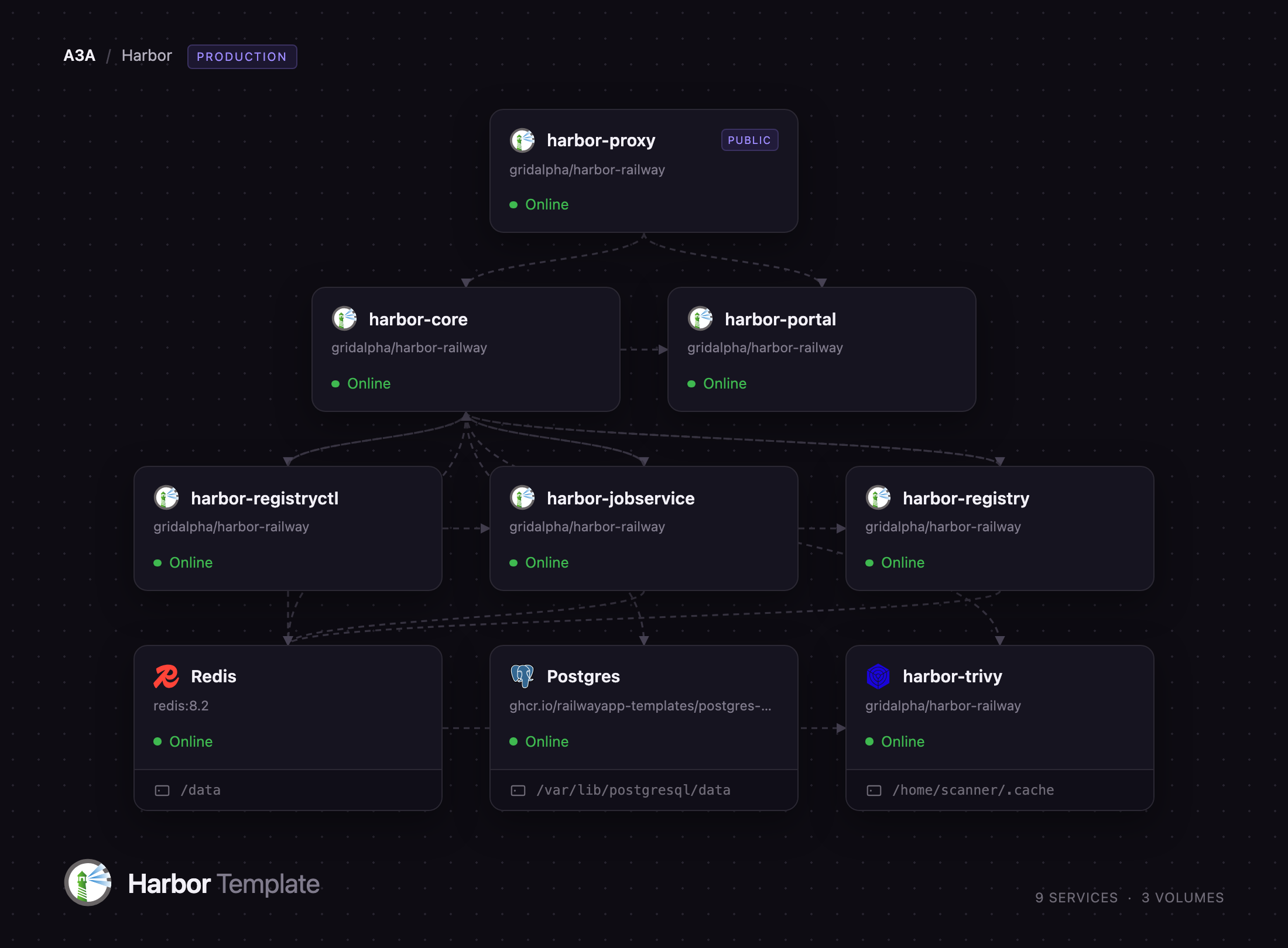
Deploy Harbor on Railway and you get its full production topology, not a single-container approximation. Seven services run here: a Caddy edge routing /api, /v2, /service and /c to core and everything else to the portal; core, which owns authentication and issues the bearer tokens Docker clients present; the OCI distribution registry; a registry controller for garbage collection; a job service running replication, scan and webhook work; and a Trivy adapter. Managed Postgres holds the metadata, Redis carries job queues and the layer cache, and image layers go to an S3-compatible bucket, so the registry is not capped by a disk you resize by hand.
Getting Started with Harbor on Railway
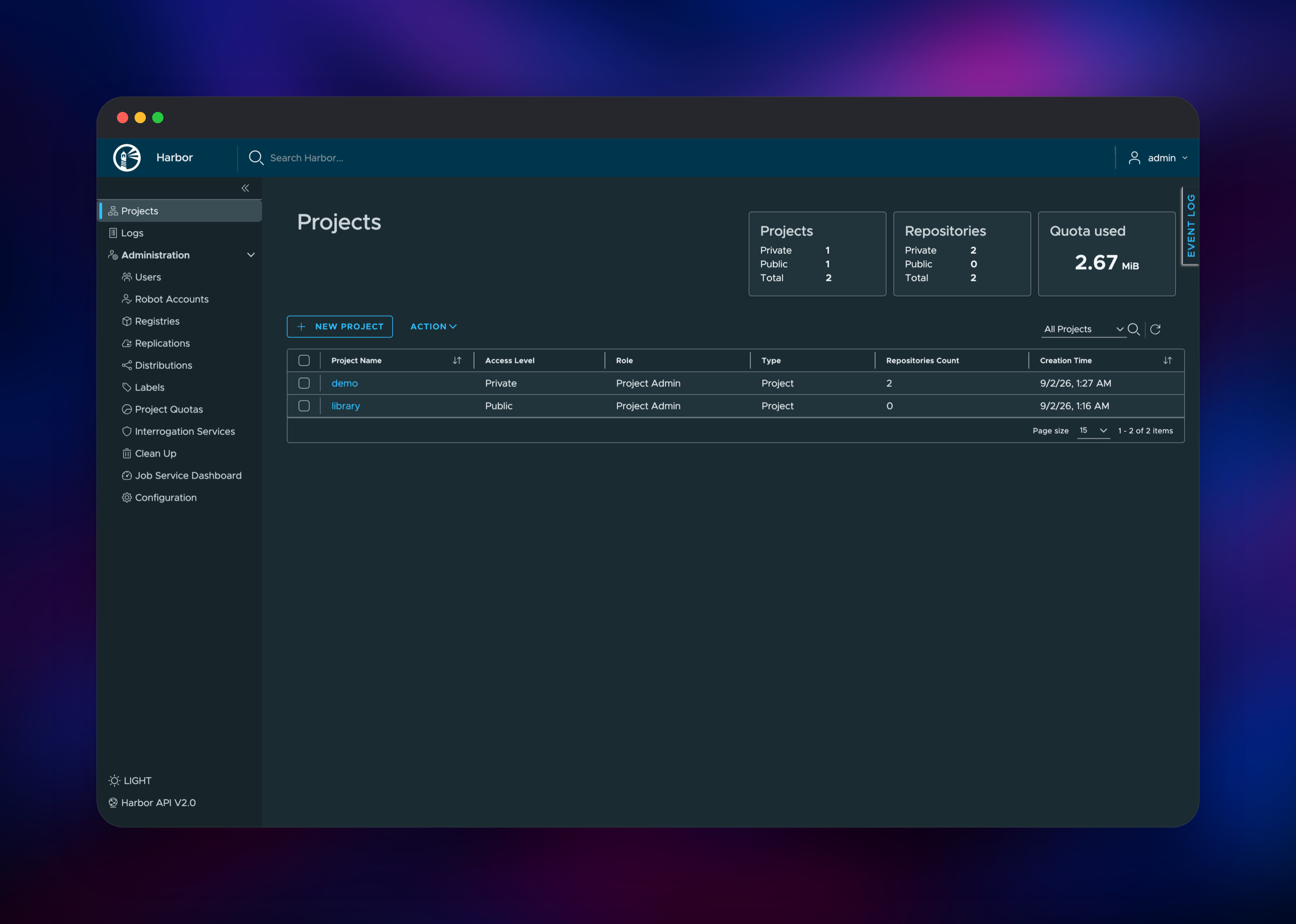
Open the deployed URL and sign in as admin with the HARBOR_ADMIN_PASSWORD you set at deploy time — Harbor creates that account on first boot, so there is no registration step. Create a project first: click New Project, name it something like team, leave it private, and enable Automatically scan images on push. Projects are Harbor's unit of access control, and every image path is //, so the name ends up in every pull command your cluster runs.
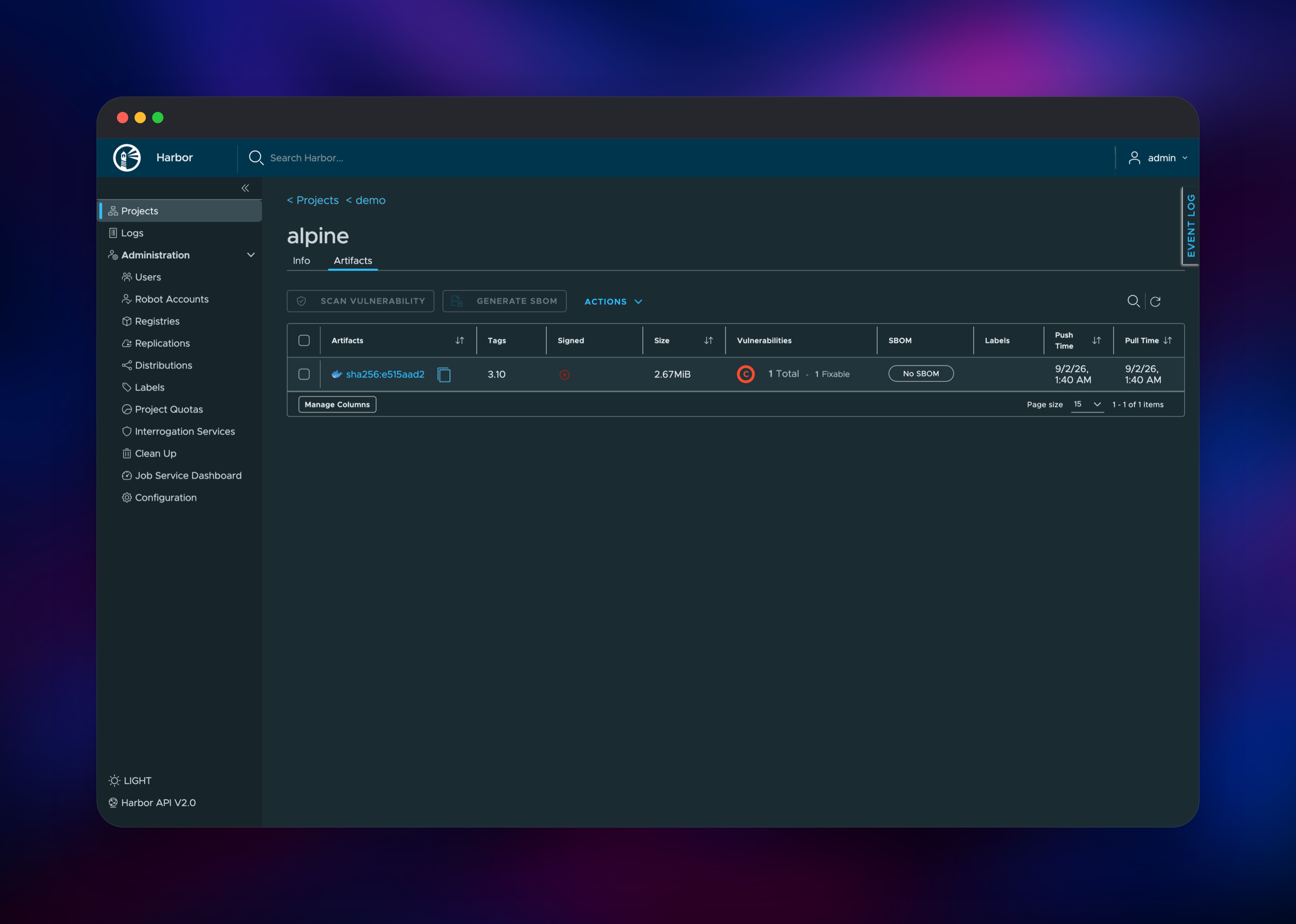
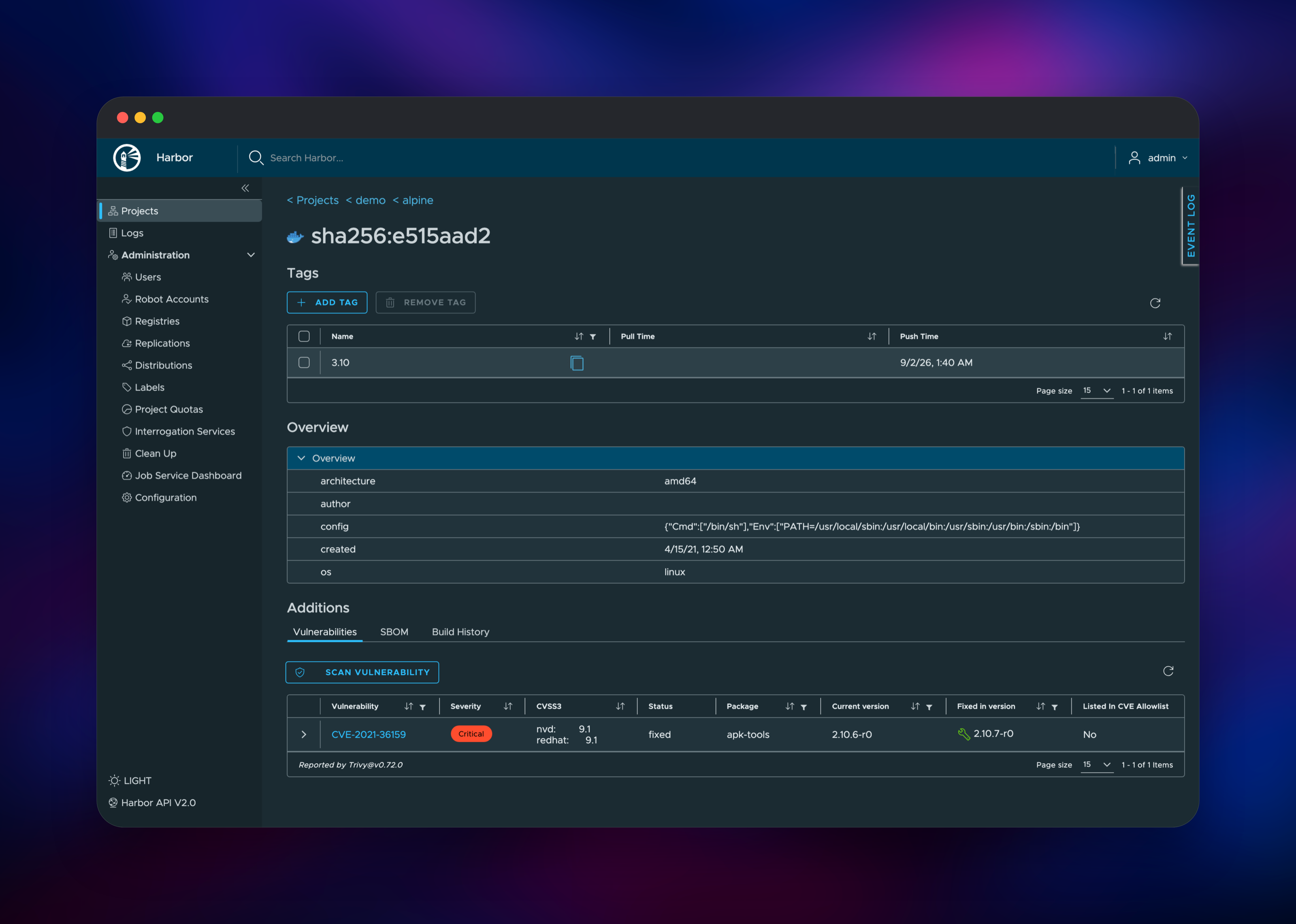
Then push something real. Run docker login with the same credentials, tag a local image into the project, and push. The repository view shows the artifact with its digest, size, tag and — once the scan finishes — a severity badge. The first scan takes longer because Trivy downloads its vulnerability database, which is kept on a volume so redeploys do not repeat it.
For automation, create a Robot Account in the project's Robots tab rather than sharing the admin password; robot tokens are scoped to chosen projects and actions and revocable individually. /api/v2.0/health reports all eight components in one response.
About Hosting Harbor
Harbor began at VMware and graduated from the CNCF in 2020. It is an OCI-compliant registry with a policy and identity layer around it — which is what separates it from the reference distribution registry, which has no users, projects or scanning. Teams self-host it to keep proprietary images off public infrastructure, to enforce a "no critical vulnerabilities in production" rule at the registry instead of in a CI script, and to mirror upstream images so a rate limit never stops a deploy.
- Projects with per-user and per-group roles, plus LDAP and OIDC single sign-on
- Trivy vulnerability scanning on demand or automatically on push, with scoped robot accounts for CI
- Replication to and from Docker Hub, GHCR, ECR, GCR, ACR, Quay and other Harbor instances
- Proxy cache projects that pull through to an upstream registry and cache locally
- Tag retention, immutable tags, storage quotas, garbage collection, Cosign and SBOM support
The multi-service split is Harbor's own design. Core alone talks to Postgres and authenticates users; the registry is deliberately dumb, storing blobs and trusting core for authorization. The job service is a real worker tier — replication, garbage collection and scan jobs queue through Redis and execute there, which is why scanning a large image never blocks the API.
Why Deploy Harbor on Railway
Railway removes the operational work Harbor's installer leaves you.
- Seven services, Postgres, Redis and object storage from one deploy
- TLS and a public domain handled at the edge — no cert renewal
- Layers live in an S3-compatible bucket, so storage grows without resizing disks
- Private networking keeps every component except the edge off the internet
- Per-service scaling, so the job service can grow alone
Common Use Cases
- A private registry for a company's own images, with CI pushing through scoped robot accounts and Kubernetes pulling with a read-only credential
- A vulnerability gate: auto-scan on push plus a project rule blocking pulls above a severity threshold
- A pull-through cache for Docker Hub, GHCR or ECR that removes rate limits, or a replication hub mirroring release images between clouds
Dependencies for Harbor
Every component is pinned to Harbor v2.15.2. The project publishes no floating latest tag for these images, and they ship as a matched set.
goharbor/harbor-core— API, authentication, token service,/v2/proxygoharbor/harbor-portal— the web interfacegoharbor/registry-photon— OCI distribution registry, backed by object storagegoharbor/harbor-registryctl— garbage collection over that same storagegoharbor/harbor-jobservice— replication, scan, GC and webhook workersgoharbor/trivy-adapter-photon— vulnerability scanner and its databasecaddy:2-alpine— public edge, routing API and registry paths to core- Railway Postgres, Redis and a bucket — metadata, job queues, image layers
Environment Variables Reference
| Variable | Purpose |
|---|---|
HARBOR_ADMIN_PASSWORD | Password for the built-in admin account, set on first boot |
HARBOR_SECRET_KEY | 16-character key encrypting credentials stored in Postgres — never change it |
EXT_ENDPOINT | Public HTTPS URL, embedded in the token realm Docker clients follow |
CORE_SECRET, JOBSERVICE_SECRET | Shared secrets authenticating components to each other |
MAX_JOB_WORKERS | Concurrent job service workers |
Deployment Dependencies
- Source: github.com/goharbor/harbor
- Documentation: goharbor.io/docs
- Images: hub.docker.com/u/goharbor
- Scanner: Trivy
Hardware Requirements for Self-Hosting Harbor
| Resource | Minimum | Recommended |
|---|---|---|
| CPU | 2 vCPU | 4+ vCPU |
| RAM | 4 GB | 8 GB+ |
| Storage | 40 GB object storage | Grows with images; scanner cache ~5 GB |
| Runtime | Linux containers, Postgres 13+, Redis 6+ | Managed Postgres and Redis |
Harbor's docs ask for 2 CPU and 4 GB minimum, 4 CPU and 8 GB recommended. Trivy is the memory-hungry component during a scan; the registry is mostly I/O.
Self-Hosting Harbor
Upstream ships an installer that renders a Docker Compose bundle. These shell commands run it on a plain Linux host:
curl -LO https://github.com/goharbor/harbor/releases/download/v2.15.2/harbor-online-installer-v2.15.2.tgz
tar xzvf harbor-online-installer-v2.15.2.tgz && cd harbor
cp harbor.yml.tmpl harbor.yml
# edit hostname, certificates and harbor_admin_password in harbor.yml
sudo ./install.sh --with-trivy
That path leaves TLS, Postgres and disk sizing to you. Wherever it runs, the day-to-day interface is the Docker CLI:
docker login registry.example.com
docker tag myapp:1.4.0 registry.example.com/team/myapp:1.4.0
docker push registry.example.com/team/myapp:1.4.0
Kubernetes pulls the same way, using an image pull secret built from a robot account token.
How Much Does Harbor Cost to Self-Host?
Harbor is free and open source under Apache 2.0, with no paid edition, seat limits or feature gates — scanning, replication, RBAC and single sign-on are all included. The only cost is infrastructure: usage-based charges for the services plus Postgres, Redis and the storage your layers occupy. That is usually well below per-user or per-GB pricing from hosted private registries once a team pushes regularly.
FAQ
What is Harbor? An open-source, CNCF graduated container registry for storing and distributing OCI artifacts, with access control, scanning, replication and signing built in.
What does this Railway template deploy? Seven Harbor services — edge proxy, core, portal, registry, registry controller, job service and Trivy adapter — plus managed Postgres, Redis and a bucket for image layers.
Why does Harbor need Postgres, Redis and object storage? Postgres stores projects, users, artifact metadata and scan results. Redis carries the job queues driving replication, garbage collection and scanning, plus the registry's layer cache. Object storage holds the layers, so the registry is not capped by a disk.
How do I push an image to my self-hosted Harbor registry?
Create a project, run docker login against your domain, then tag the image as //: and push — the path must begin with an existing project name. For CI, use a robot account token rather than the admin password.
Is the default library project public?
Yes — Harbor creates a public project named library on first boot, and anonymous users can pull from it. Change its access level to private in the project's configuration if you do not want that.
Template Content
Redis
redis:8.2harbor-jobservice
gridalpha/harbor-railwayharbor-core
gridalpha/harbor-railwayharbor-registry
gridalpha/harbor-railwayharbor-portal
gridalpha/harbor-railwayharbor-registryctl
gridalpha/harbor-railwayharbor-trivy
gridalpha/harbor-railwayharbor-proxy
gridalpha/harbor-railwayharbor-registry-storage
Bucket


