
Deploy Hermes Agent (All-in-One Bundle)
Hermes Agent + Hermes Web UI + Web TUI + Browser + Searxng Search
hermes-agent
Just deployed
/data

searxng-railway
Just deployed
/etc/searxng
Deploy and Host Hermes Agent with Hermes WebUI, Web TUI, Chromium Browser & SearXNG on Railway
Hermes Agent is a self-improving, open-source AI agent from Nous Research. It connects to messaging channels such as Telegram, Discord, Slack, WhatsApp, Signal, and Email, remembers previous work, creates and improves skills, and can run scheduled automations. This Railway template packages Hermes with Hermes WebUI — the popular community web interface — so you get a polished browser experience for chat, sessions, settings, and onboarding right after deploy.
The template also includes a companion SearXNG service so Hermes has private, self-hosted web search available without third-party search API keys.
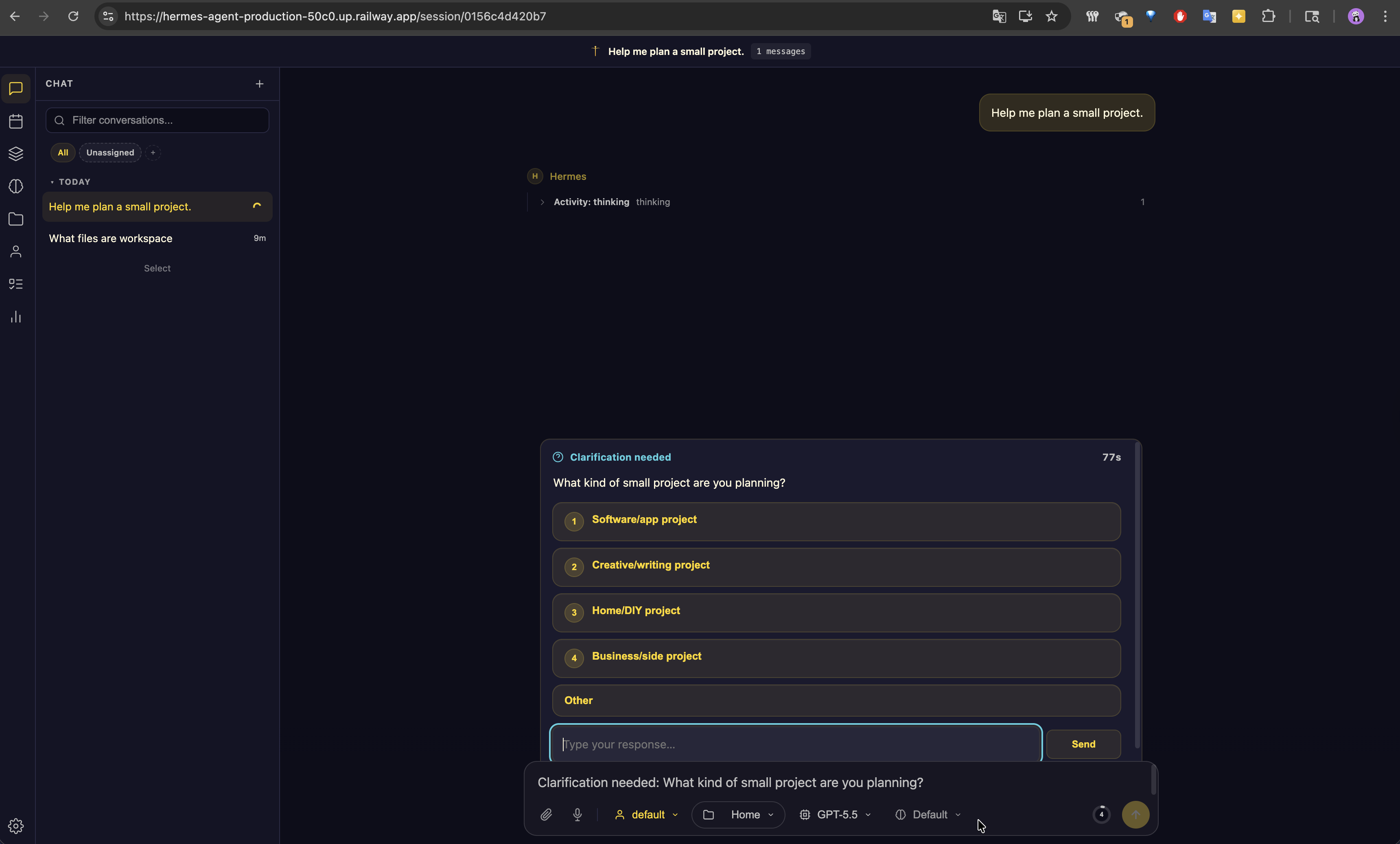
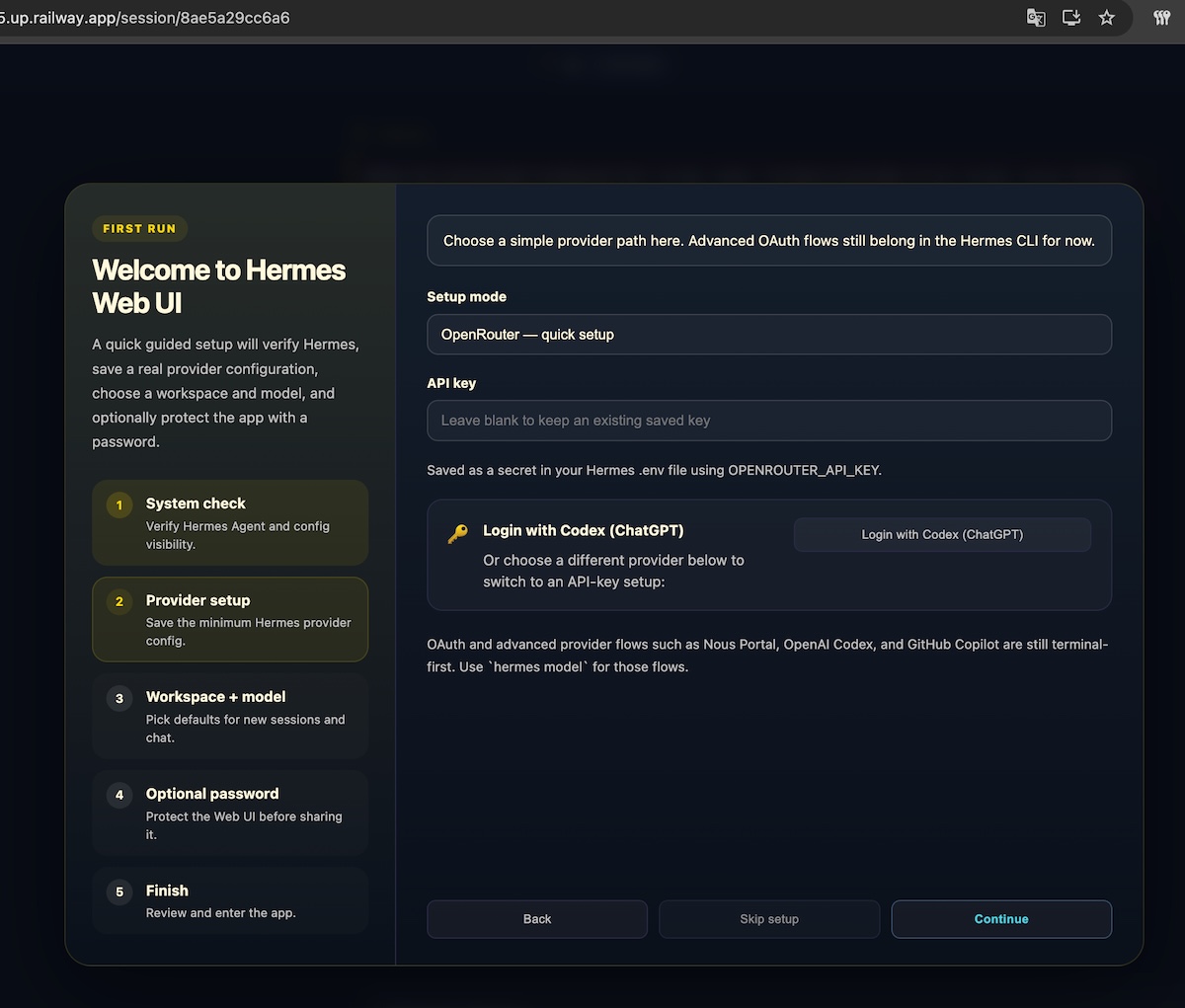
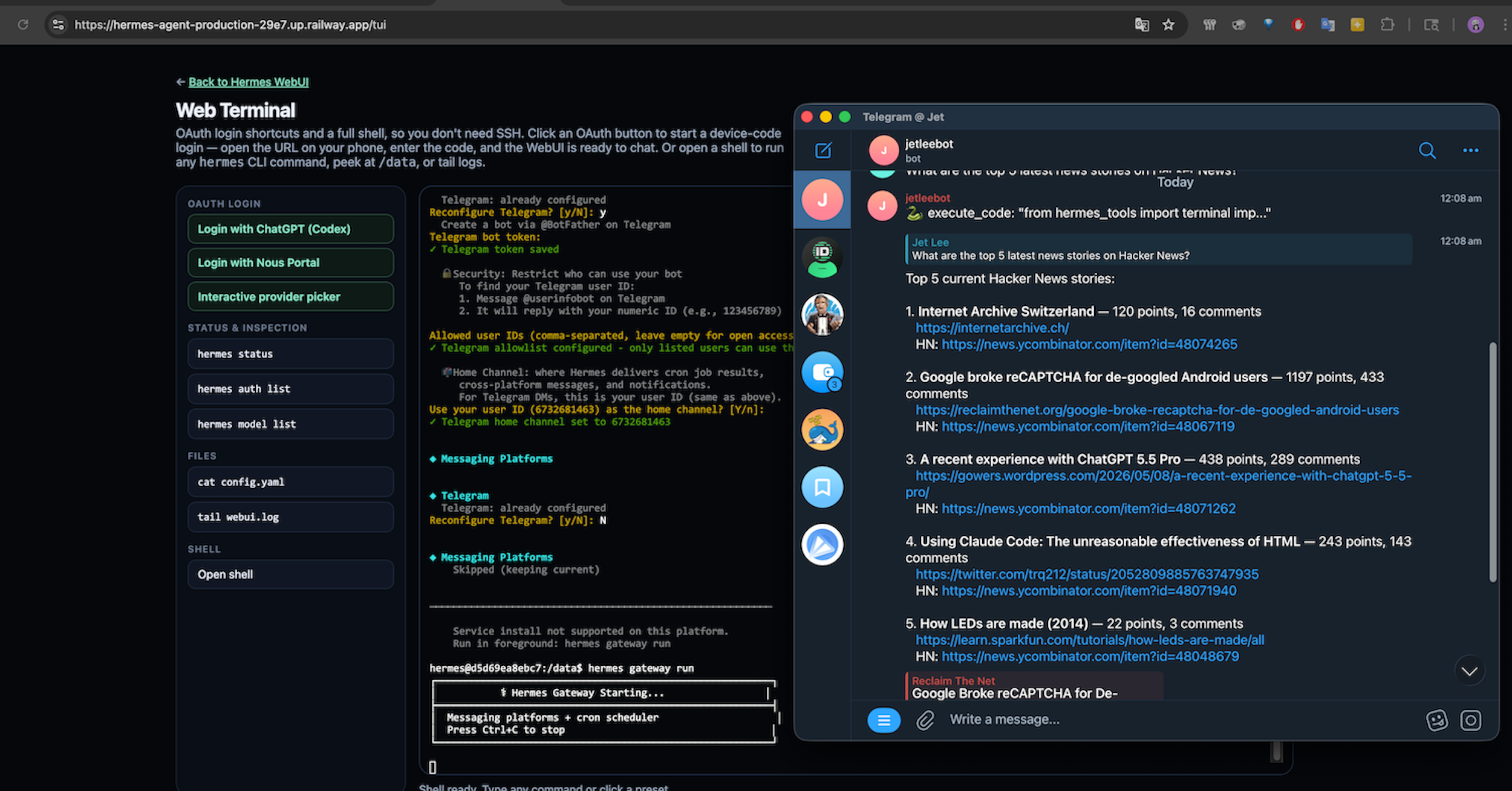
Web-Based TUI: One-Click OAuth, No SSH Required
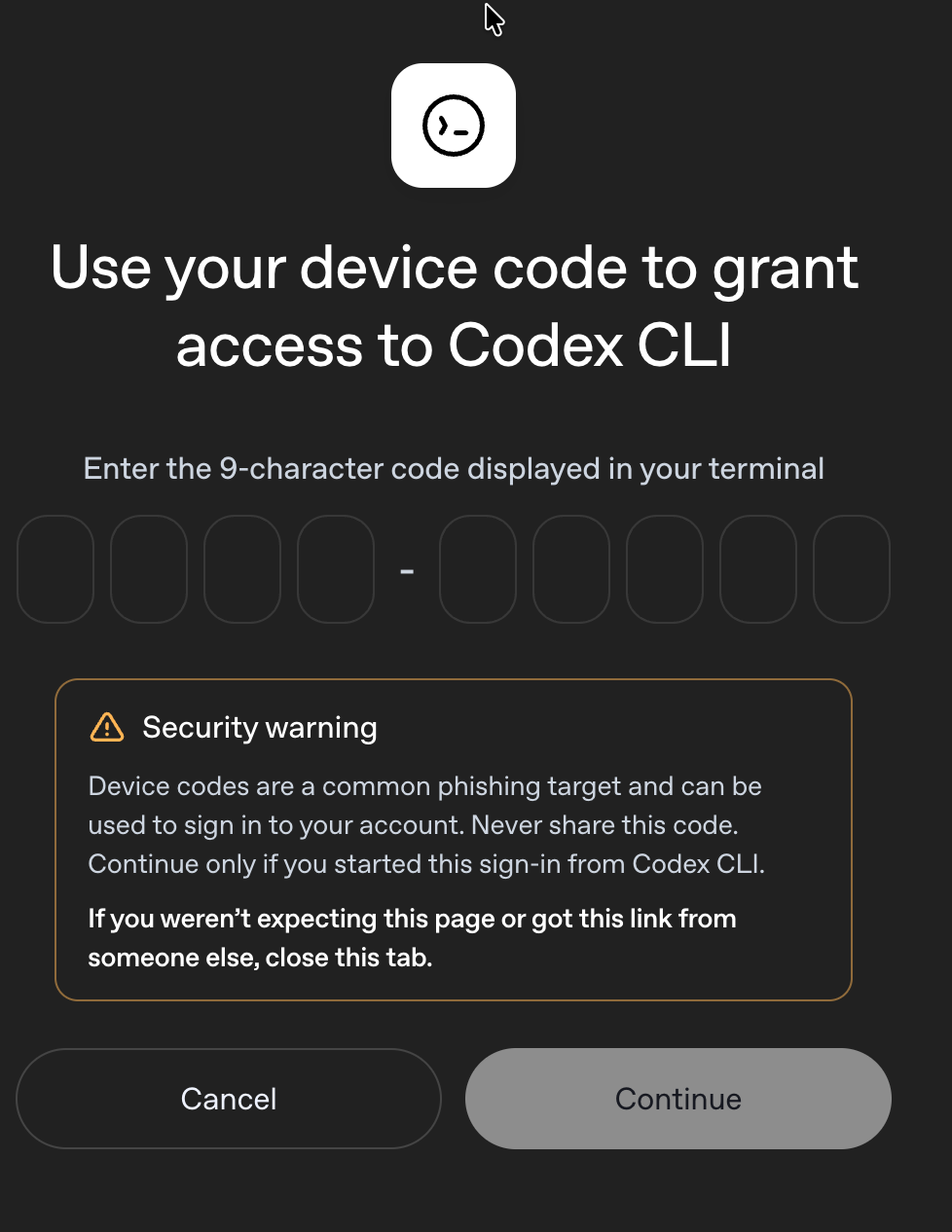
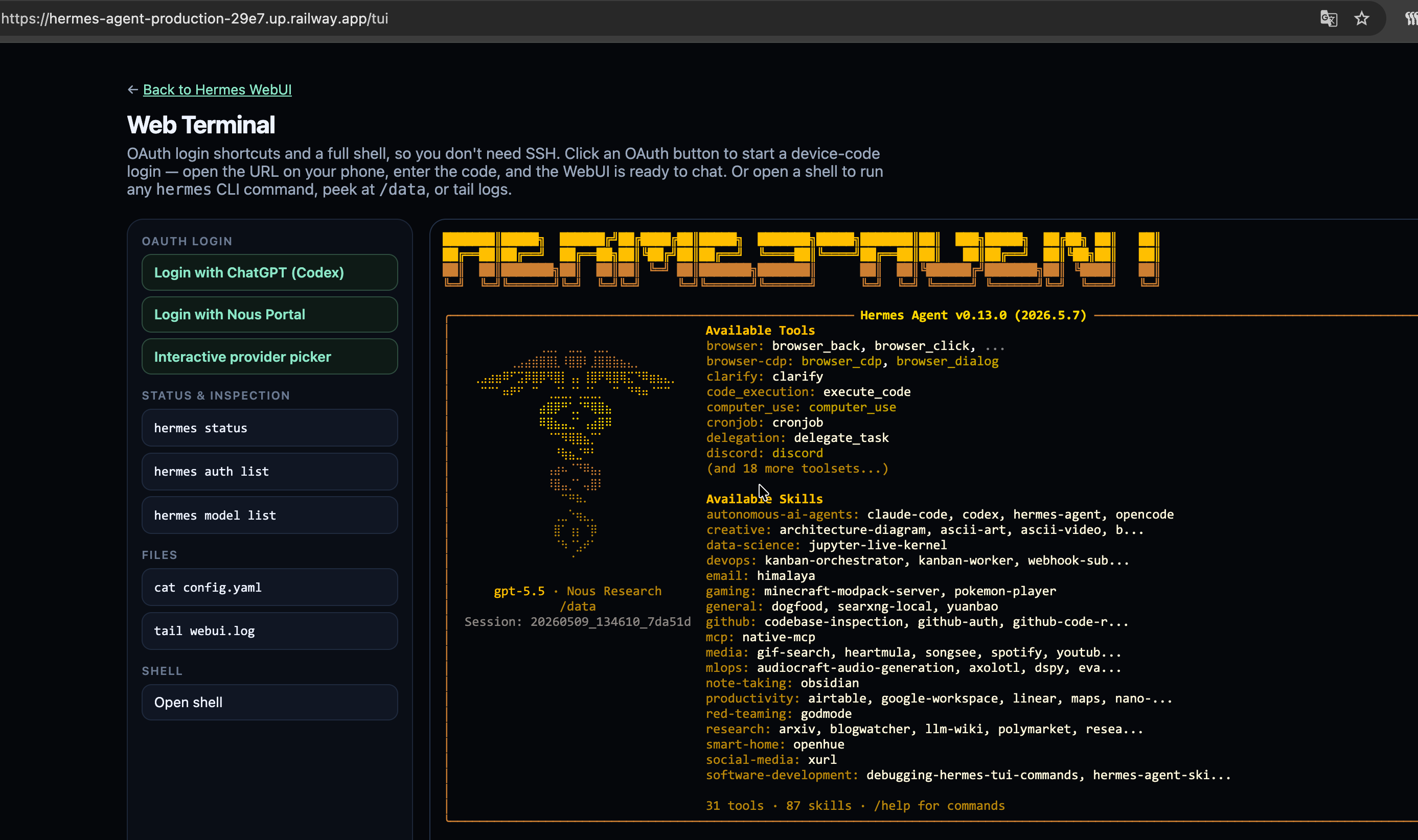
Headless OAuth is a nightmare — no browser, no localhost callback, no easy way to paste a device code. Railway has railway ssh if you've installed the CLI and linked the project, but most people deploying from a template haven't, and a browser is always closer to hand than a terminal. This template ships with /tui, a web-based terminal embedded directly in the Hermes UI. Open it from any browser and you get the full Hermes CLI experience without installing anything locally.
OAuth from the browser. /tui includes shortcut buttons only for ChatGPT (Codex) and Nous Portal — one click runs Hermes’ device-code OAuth (hermes auth add …) in a dedicated pane. For Anthropic Claude Max, GitHub Copilot, and other OAuth-capable providers, use the /bin/bash shell pane and run hermes model or hermes auth add interactively — there isn’t an extra preset button for every provider path. Plain API-key providers (OpenRouter, DeepSeek, Gemini API, etc.) stay in the WebUI onboarding / Settings forms.
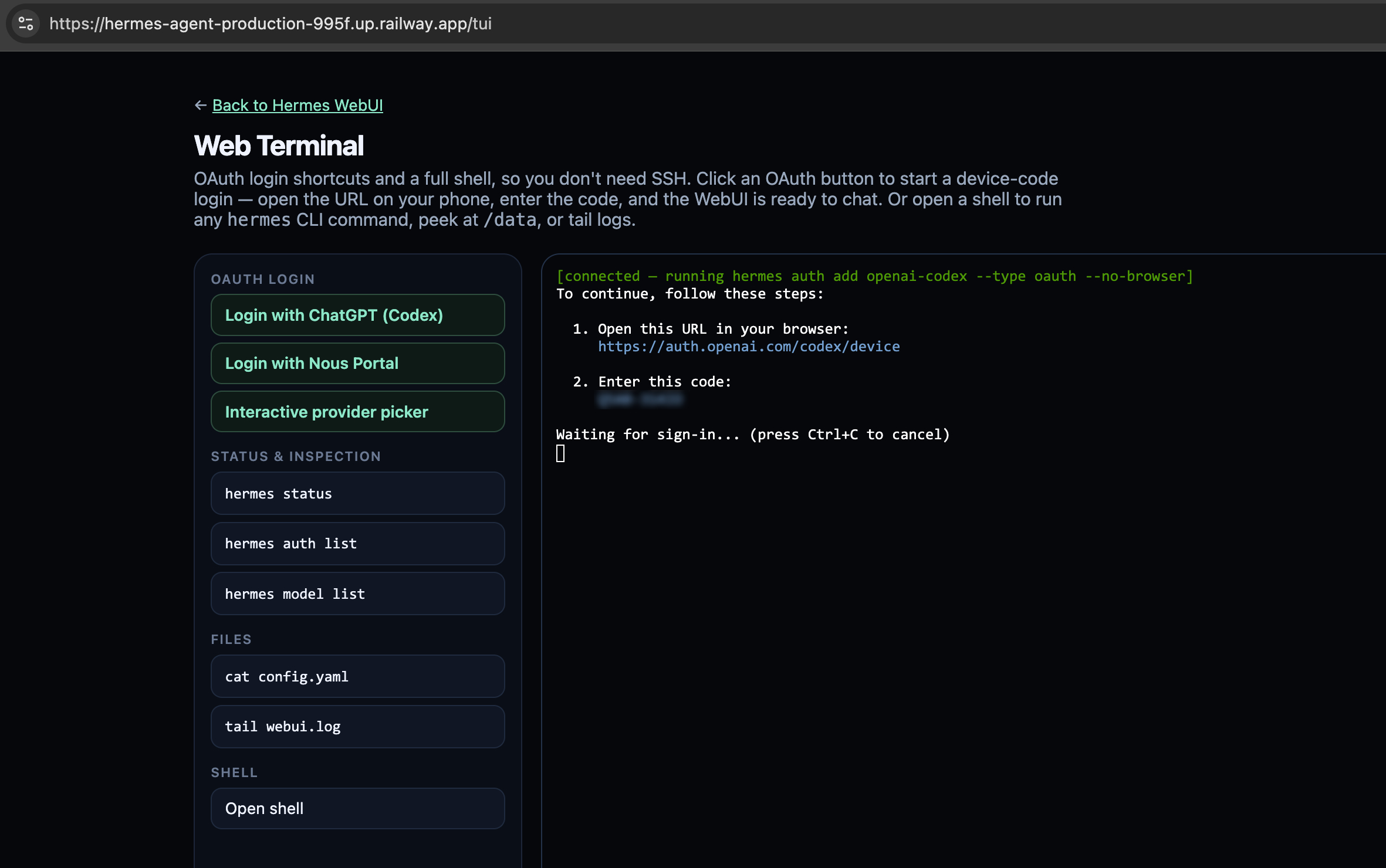
Full web shell. /tui also exposes a long-lived /bin/bash pane for the moments you need to peek at logs, inspect /data, or run a hermes CLI command directly — no railway ssh setup, no local CLI install required. Authentication reuses the WebUI's hermes_session cookie, so the shell is gated behind the same admin password as the rest of the UI.
Built-In Chromium: Real Browser Automation Out of the Box
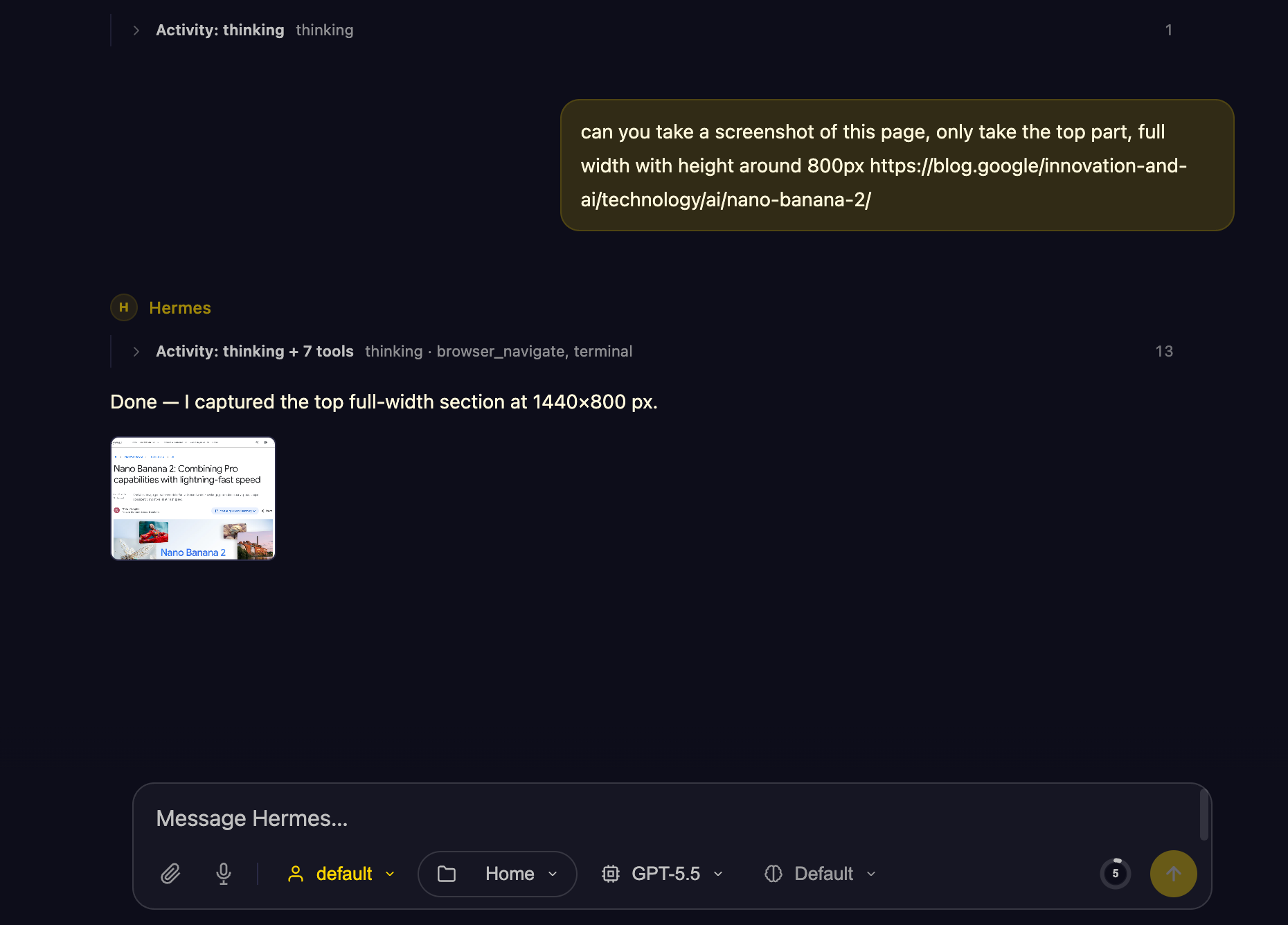
Most Railway templates that "support a browser tool" leave you to figure out the runtime yourself — Hermes happily calls Playwright, but only if Chromium and its system libraries are actually installed. This template ships with Playwright Chromium pre-installed in the container, so Hermes' browser tool works the moment the deploy finishes. No apt-get install, no missing libnss3 errors, no headless-shell dance.
That means you can ask Hermes to:
- Navigate sites and fill forms — log into dashboards, submit signup pages, click through multi-step flows.
- Take screenshots — capture a page, a region, or full scrollable content for reports, monitoring, or audits.
- Scrape rendered HTML — pages that need JavaScript to render are no problem.
- Drive auth flows — pair the browser with the agent's memory to keep sessions across runs.
Combined with the bundled SearXNG service, Hermes can search the web privately, then open and interact with the results — all inside one Railway project, with no third-party browser API.
About Hosting Hermes Agent
Hosting Hermes Agent on Railway runs a containerized Hermes Agent installation with Hermes WebUI on the public HTTP port. The WebUI persists configuration into the /data volume (.env, config.yaml, sessions, skills, memory, workspace files, WebUI state). Users configure an LLM provider, default model, channel credentials, and skills directly through the WebUI's Hermes Control Center.
An optional START_GATEWAY=true environment variable enables the messaging gateway daemon (hermes gateway run --replace) so Telegram/Discord/Slack/email bridges run alongside the WebUI in the same container.
Upstream Docker images run tools/skills_sync.py from the Hermes install directory at boot so stock skills mirror onto the persistence volume; this template does not. Only bundles under hermes-agent-railway/skills/ are copied into /data/skills each container start — not the full upstream skills tree unless you sync it yourself.
Common Use Cases
- Personal AI assistant: Chat with Hermes from any browser; persistent memory across sessions.
- Team assistant: Connect Hermes to Slack/Discord for team workflows with shared memory.
- Research agent: Use the bundled SearXNG service for web search and source discovery.
- Scheduled automations: Hermes cron capabilities for recurring reports, checks, reminders.
Dependencies for Hermes Agent Hosting
- Hermes Agent: Installed from
https://github.com/NousResearch/hermes-agent(pinned viaHERMES_REF=v2026.6.5). - Hermes WebUI: Installed from
https://github.com/nesquena/hermes-webui(pinned viaHERMES_WEBUI_REF=v0.51.310). - Prebuilt image: the template deploys
ghcr.io/protemplate/hermes-agent-railway, built by GitHub Actions from protemplate/hermes-agent-railway, so there is no build step on your account and a deploy takes a couple of minutes. - Plan: Hobby or higher is recommended. Hermes idles at about 200 MB, but its browser tool starts Chromium, which can push it past the Free plan's 0.5 GB per service.
- SearXNG: Companion search service.
- Railway volume: Mount at
/datafor persistent state. - LLM provider: OpenRouter, Anthropic, OpenAI, Gemini, z.ai, Kimi, MiniMax, Hugging Face, or a custom OpenAI-compatible endpoint.
Deployment Dependencies
- Runtime: Python 3.13, Node.js, uv
- Web UI: Hermes WebUI (Python stdlib + vanilla JS, no build step)
- Browser tooling: Playwright Chromium (agent-side, used when Hermes invokes the browser tool)
- Health check:
/health - Volume:
/data
Implementation Details
The Hermes service runs a thin Starlette wrapper on $PORT. The wrapper serves /tui (an in-browser xterm with OAuth shortcuts and a free-form /bin/bash pane) and reverse-proxies everything else to Hermes WebUI on the loopback:
User -> Wrapper ($PORT) ──┬── /tui                  Two-pane web terminal
                          │     ├── /tui/ws/auth/   one-shot `hermes auth add `
                          │     └── /tui/ws/shell      long-lived /bin/bash -i
                          └── /*                    reverse-proxy → 127.0.0.1:9120
                                                                    (Hermes WebUI)

Hermes WebUI (127.0.0.1:9120; override with `HERMES_WEBUI_HOST` / `HERMES_WEBUI_PORT`)
        |-> /              Three-panel UI (sessions / chat / workspace)
        |-> /health        Health probe (Railway uses this through the proxy)
        `-> /api/*         Chat, sessions, settings, cron, skills, profiles, memory APIs

Background (optional, when START_GATEWAY=true):
        hermes gateway run --replace   (Telegram/Discord/Slack/email bridges)
Both Hermes Agent and Hermes WebUI run inside the same container and share the /data volume, so the WebUI reads/writes the same ~/.hermes/ state the Agent uses. Auth on /tui reuses the WebUI's hermes_session cookie, so users don't have to log in twice.
The SearXNG service is referenced from Hermes with Railway private networking:
SEARXNG_URL=http://${{searxng-railway.RAILWAY_PRIVATE_DOMAIN}}:${{searxng-railway.PORT}}
Set PORT=8080 on SearXNG so the reference can resolve. Railway's runtime-provided PORT is not available to template variable references unless it is also set as a service variable.
Template Variables
Hermes Agent:
| Variable | Default | Required |
|---|---|---|
PORT | 8080 | Yes |
ADMIN_PASSWORD | ${{ secret(32) }} | Recommended (explicit password in prod; omit to auto-generate — see Railway README) |
SEARXNG_URL | http://${{searxng-railway.RAILWAY_PRIVATE_DOMAIN}}:${{searxng-railway.PORT}} | Recommended |
START_GATEWAY | false | No |
SearXNG:
| Variable | Default | Required |
|---|---|---|
PORT | 8080 | Yes |
SEARXNG_SECRET_KEY | ${{secret()}} | Yes |
SEARXNG_UWSGI_WORKERS | 4 | No |
SEARXNG_UWSGI_THREADS | 4 | No |
Why Deploy Hermes Agent with SearXNG on Railway?
Railway handles HTTPS, builds, deployment, logs, volumes, and private networking. This template keeps Hermes and search in one Railway project while avoiding public network traffic between services. The Hermes WebUI integration means users get a production-quality interface from the moment the deploy finishes — no terminal access required, no hand-built admin panel — and configuration persists on the /data volume across redeploys.
Template Content
searxng-railway
protemplate/searxng

