
Deploy JupyterLab
JupyterLab notebooks, terminal and file browser in one hosted workspace
jupyterlab
Just deployed
/data
Deploy and Host JupyterLab on Railway
JupyterLab is the web-based interactive development environment behind Project Jupyter — notebooks, a code editor, a terminal, a file browser and a spreadsheet viewer arranged in one browser tab. Data scientists, analysts and ML engineers use it to explore data, prototype models and write reports where code, output and prose live in one document. Self-host JupyterLab when your notebooks need a private database, an internal API or data that cannot leave your infrastructure.
Deploy JupyterLab on Railway and you get a single jupyterlab service built from the official quay.io/jupyter/scipy-notebook image, with a 5 GB volume at /data. Traffic arrives over HTTPS at Railway's edge; the server checks the login token, serves the interface and opens a WebSocket per running kernel. Everything that must survive a restart is on the volume: /data/notebooks is the file-browser root and /data/home is the server's home directory, so installed packages, changed settings and IPython history all persist across redeploys.

Getting Started with JupyterLab on Railway
Open the deployed URL and you land on the login page. Copy the JUPYTER_TOKEN variable from the jupyterlab service in the Railway dashboard, paste it into the "Password or token" field and log in. For something more memorable, the same page has a Setup a Password box: enter the token plus a new password and JupyterLab stores the hash on the volume, so you never need the token again.
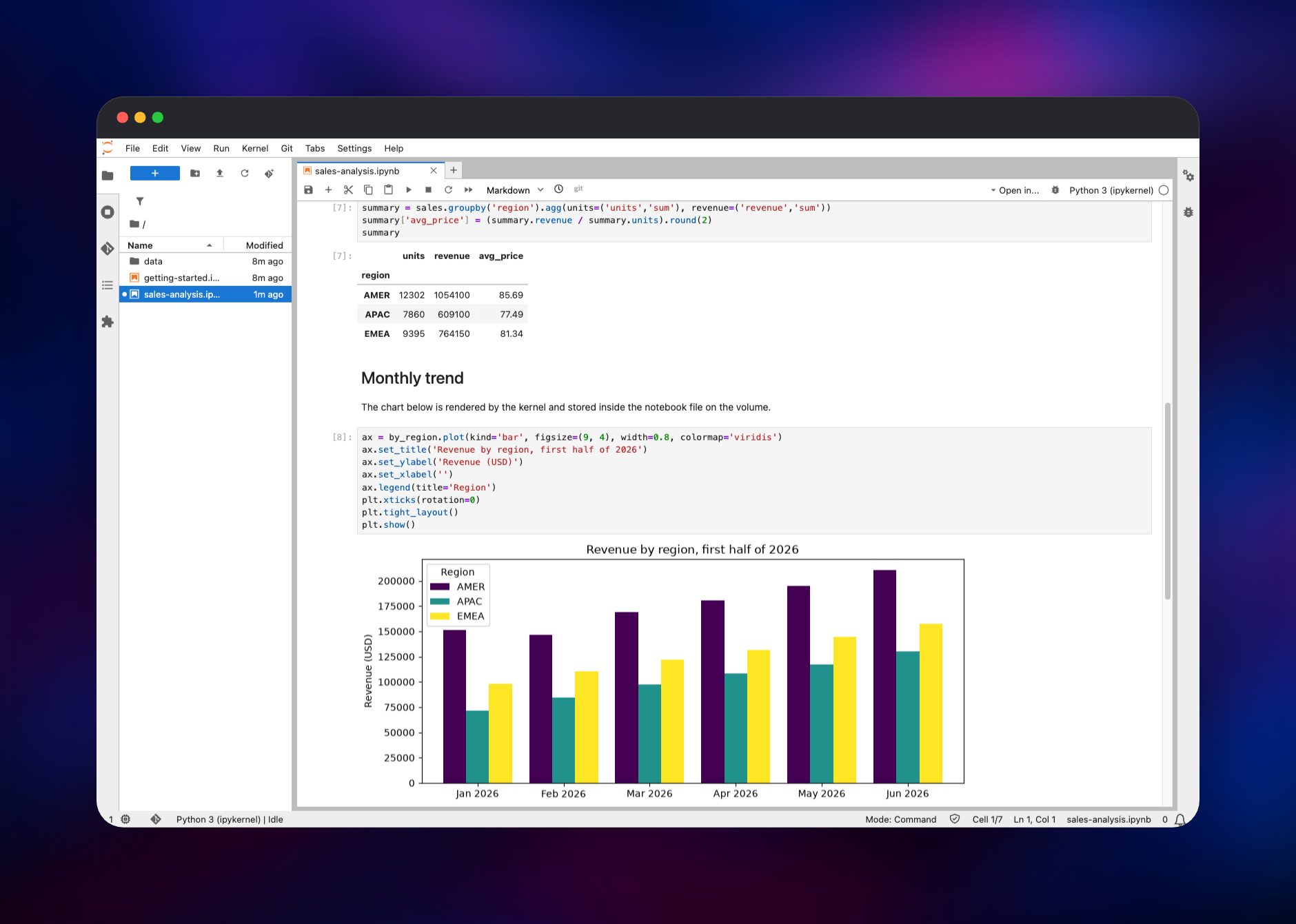
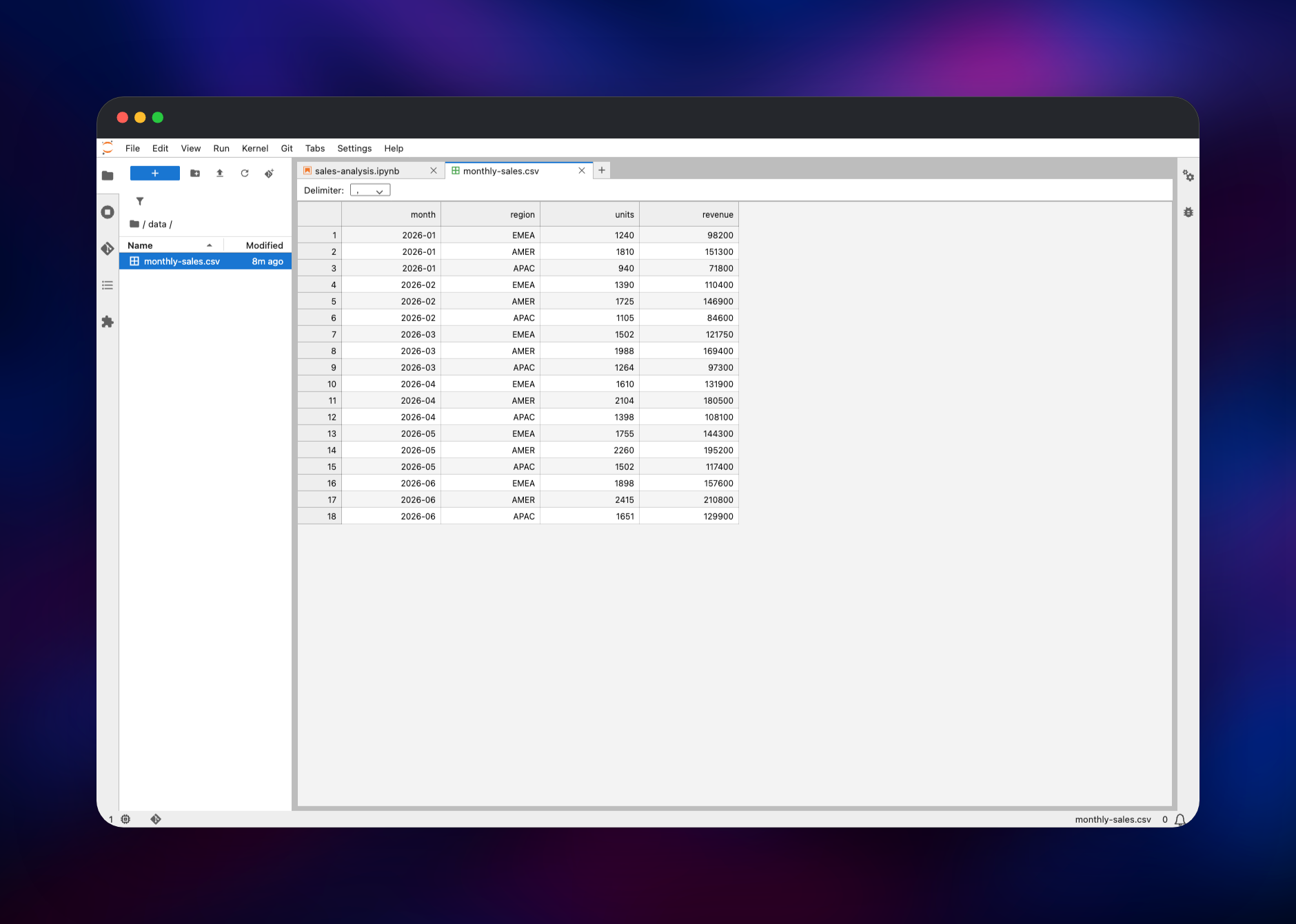
Inside, the left sidebar is the file browser rooted at /data/notebooks. Click the blue + to open the Launcher and pick the Python 3 (ipykernel) notebook tile. Type import pandas as pd in the first cell and press Shift+Enter — a [1] prompt with no error means the kernel is running. Upload a CSV with the upload arrow, double-click it to open the spreadsheet viewer, then read it into a DataFrame and chart it. Everything you save goes to the volume; redeploy and reopen the notebook to see it persist.
About Hosting JupyterLab
A notebook is only useful next to the data it analyses. Hosted services solve setup but put a third party between your code and your database; a laptop keeps the data close but sleeps and cannot be shared as a URL. Self-hosted JupyterLab is the middle path: one long-lived server you control, reachable from any browser.
Key features:
- Notebooks, a code editor, a Linux terminal, CSV/JSON viewers and Markdown preview in one tabbed workspace
- Over 40 kernels available, including Python, R and Julia
- Inline charts from matplotlib, seaborn, plotly and bokeh, stored inside the
.ipynbfile - Git integration and notebook diffing via the bundled
jupyterlab-gitandnbdimeextensions - Token or password authentication on every route, with no anonymous access
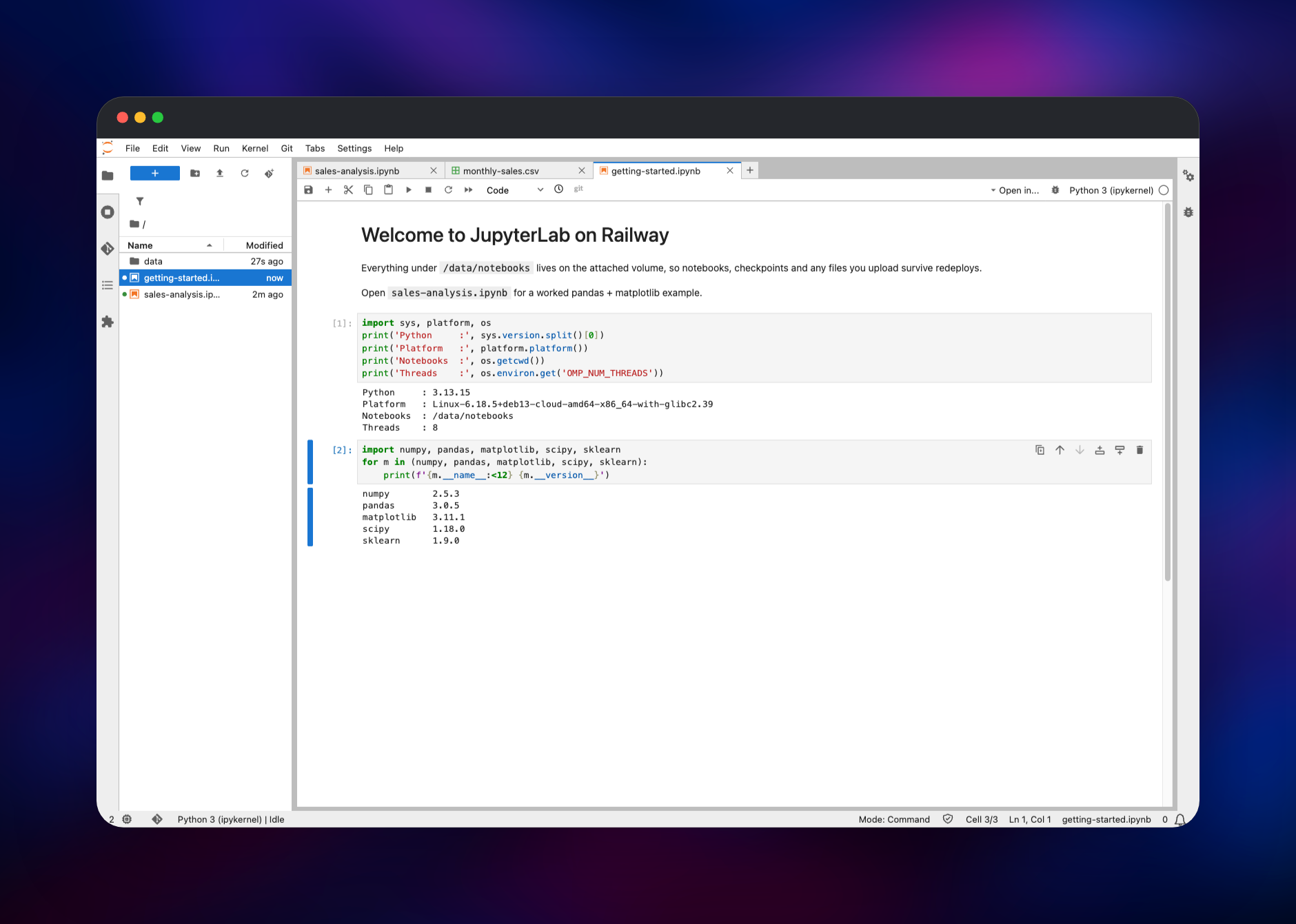
This template runs one service. JupyterLab is a single-user server — its state is files, not rows — so there is no database, queue or worker, and the volume is the whole persistence story. The image is the scipy-notebook build of the official Jupyter Docker Stacks, which arrives with NumPy, pandas, Matplotlib, SciPy, scikit-learn, SymPy, Numba, Dask, Bokeh and ipywidgets installed.
Why Deploy JupyterLab on Railway
Railway gives the notebook server the two things it needs, a persistent disk and a stable URL:
- Volume attached and mounted, so notebooks and installed packages persist
- HTTPS and a public domain issued automatically
- Restarts and health checks handled by the platform
- Vertical scaling without rebuilding anything
- One-click redeploys when you change a variable
Common Use Cases
- Exploratory analysis against a private Postgres, ClickHouse or S3 dataset a hosted notebook service cannot reach
- An always-on scratchpad reachable from any laptop, with no local Python setup
- Prototyping and evaluating scikit-learn models before promoting the code into a service
- Teaching and workshops, where everyone gets the same pre-built scientific Python environment
Dependencies for JupyterLab
quay.io/jupyter/scipy-notebook:latest— the official Jupyter Docker Stacks image, currently JupyterLab 4.6 on Python 3.13 and Ubuntu 24.04. It bundles the scientific Python stack, so most notebooks run without installing anything.- A 5 GB Railway volume at
/data— holds/data/notebooks(your files) and/data/home(settings,pip install --userpackages, IPython history,.gitconfig).
Environment Variables Reference
| Variable | Purpose |
|---|---|
JUPYTER_TOKEN | The login token. Generated for you; paste it on the login page. |
PORT | Port the server listens on and Railway health-checks. Defaults to 8888. |
NOTEBOOK_ARGS | Extra jupyter lab options: file-browser root, proxy awareness, idle-kernel culling. |
RAILWAY_RUN_UID | 0, so the image can take the volume before dropping to its unprivileged user. |
CHOWN_EXTRA / CHOWN_EXTRA_OPTS | Which path that startup script chowns — /data, recursively. |
NOTEBOOK_ARGS is split like shell words and quotes are stripped, so add only options whose values contain no spaces.
Deployment Dependencies
- Image: jupyter/docker-stacks
- Source: jupyterlab/jupyterlab
- Docs: jupyterlab.readthedocs.io
Hardware Requirements for Self-Hosting JupyterLab
Kernels, not the server, decide the sizing: the JupyterLab process is small, while a pandas DataFrame lives entirely in RAM.
| Resource | Minimum | Recommended |
|---|---|---|
| CPU | 1 vCPU | 2–8 vCPU for pandas, SciPy and scikit-learn |
| RAM | 1 GB | 4–8 GB, more for datasets above a few hundred MB |
| Storage | 5 GB volume | 10 GB+ if you keep datasets beside the notebooks |
| Runtime | Python 3.13, JupyterLab 4.x | — |
Idle kernels are shut down automatically after an hour so an abandoned tab does not hold memory forever.
Self-Hosting JupyterLab with Docker
The local equivalent is one Docker command, mounting a host directory so notebooks outlive the container:
docker run -it --rm -p 8888:8888 \
  -e JUPYTER_TOKEN="choose-a-long-random-string" \
  -v "$PWD/notebooks":/home/jovyan/work \
  quay.io/jupyter/scipy-notebook:latest
To add libraries permanently, build a small image on top of the official one. The following is a Dockerfile:
FROM quay.io/jupyter/scipy-notebook:latest
RUN pip install --no-cache-dir duckdb polars altair jupyterlab-lsp
On Railway you can skip the rebuild: pip install --user writes into /data/home/.local, which is on the volume.
How Much Does JupyterLab Cost to Self-Host?
JupyterLab is free and open source under the BSD 3-Clause licence, with no paid tier, seat count or feature gate — what you deploy here is the complete product, with no vendor signup and no licence key. Your only cost is the Railway infrastructure the container and its volume use, which scales with the memory your kernels actually need.
FAQ
What is JupyterLab?
JupyterLab is the web-based interactive development environment for Jupyter notebooks, code and data. It succeeds the classic Notebook interface, adding a tabbed workspace, file browser, terminal, extension system and viewers for CSV, JSON and Markdown.
What does this Railway template deploy?
One service, jupyterlab, running the official quay.io/jupyter/scipy-notebook image with a 5 GB volume at /data. Token authentication is on and the public URL is issued for you.
Why does the template include a volume?
Containers are recreated on every deployment, so anything on the container filesystem is lost. The volume holds your notebooks at /data/notebooks and the home directory at /data/home, which is why settings and pip install --user packages survive a redeploy.
How do I log in to self-hosted JupyterLab?
Copy the JUPYTER_TOKEN variable from the service in Railway into the "Password or token" field on the login page. The "Setup a Password" box on that page then swaps the token for a password of your own.
How do I install a Python package in self-hosted JupyterLab?
Run pip install --user in a notebook cell or the built-in terminal, then restart the kernel. The --user location is on the volume, so the package survives the next redeploy. For heavier dependencies, build a custom image from quay.io/jupyter/scipy-notebook instead.
Can I use R or Julia instead of Python?
Yes — Jupyter supports over 40 kernels. Install the R or Julia kernel from a terminal, or switch the service to quay.io/jupyter/datascience-notebook, which ships Python, R and Julia together.
Is it safe to expose JupyterLab on a public URL?
Every route requires the token or password, the session cookie carries the Secure and HttpOnly flags behind Railway's HTTPS edge, and there is no signup or anonymous mode. Because a notebook runs arbitrary code on the container, treat the token as a server credential: keep it long, keep it out of shared documents, and rotate it by changing the variable.
Template Content
jupyterlab
quay.io/jupyter/scipy-notebook:latest

